Nearby cars on a map
A map view shows rental cars around the user, filtered by vehicle type and brand, with each car's daily price and a quick link to its details.

Mobile Appfor MiCar
A mobile app project in automotive, delivered by DeveloperLook.
About the project
DeveloperLook designed and built MiCar, a car rental app where people find cars nearby on a map, compare clear prices, and chat with owners before they book. A fleet dashboard runs the rental side.
MiCar is a car rental app for discovering, viewing, and booking vehicles. Its core functions are location-based search, vehicle recommendations, detailed car views, and direct communication between renters and car owners. The goal was a rental experience that people trust from the first search to the payment.
The home screen shows the user's location, a search bar, top brands such as Tesla, Audi, BMW, and Mazda, and cars available nearby. A map view places rental cars around the user with their daily prices, filtered by vehicle type and brand. A filter sheet adds a price range, location, brand, and vehicle characteristics, and recommendation lists suggest cars to try.
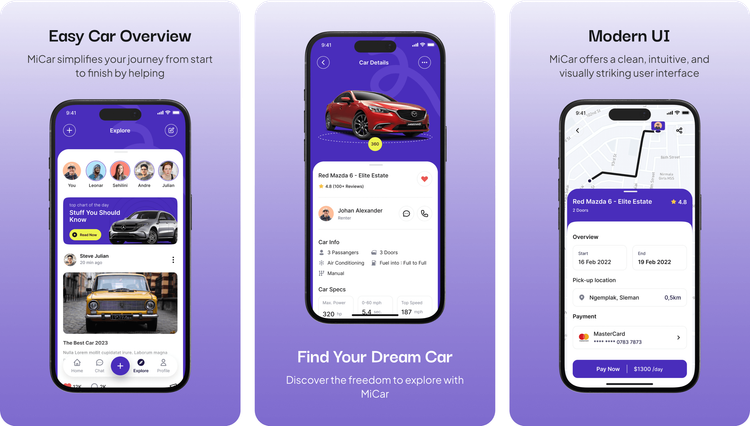
Each car page opens with a 360-degree view and lists passengers, doors, air conditioning, fuel policy, transmission, power, acceleration, and top speed. The owner's name sits beside chat and call buttons. Booking runs through a calendar for start and end dates, a pick-up location with its distance, and payment by saved card. An explore feed and member profiles add car stories and posts.
For the business, a fleet dashboard covers revenue, new bookings, rented and available cars, earnings, rent status, and reminders. Further pages handle bookings, units, a calendar, clients, drivers, financials, tracking, and messages, across more than 40 pages.
Tell us what you are building. We reply within 24 hours with questions or a call time.
What do you need?
Challenge and solution
The challenge
Listings were inconsistent, with duplicated car names, mismatched images, and pricing that was hard to follow.
Location results lacked precision, and repetitive visuals and unlabeled icons confused new users.

Our solution
A dynamic pricing model reflects vehicle type, brand, and rental duration, and explains each price in plain terms.
We also improved location search with real-time availability in the user's area and proximity indicators.
What we built
Seven features, shown next to the screens they live on.
A map view shows rental cars around the user, filtered by vehicle type and brand, with each car's daily price and a quick link to its details.
A filter sheet sets a price range, location, brand, and vehicle characteristics such as manual transmission, so results match what each renter wants to pay.
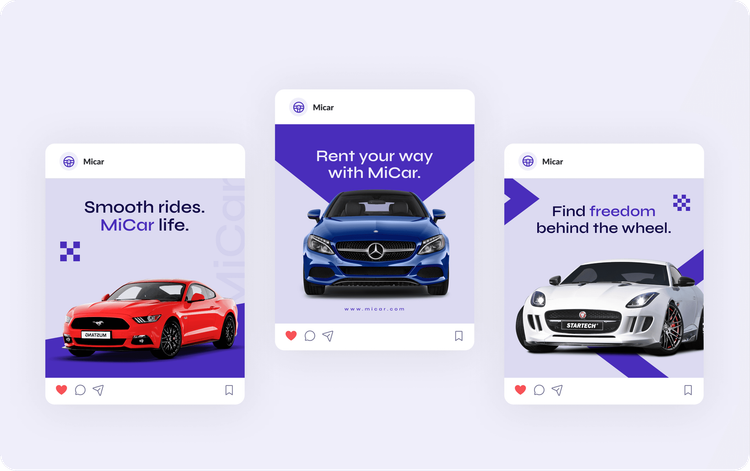
Each car page shows a 360-degree view, seats, doors, air conditioning, fuel policy, and transmission, plus power, 0 to 60 mph time, top speed, and the daily price.
The owner's name sits on every car page with chat and call buttons, and a messages inbox keeps conversations between renters and owners in one place.
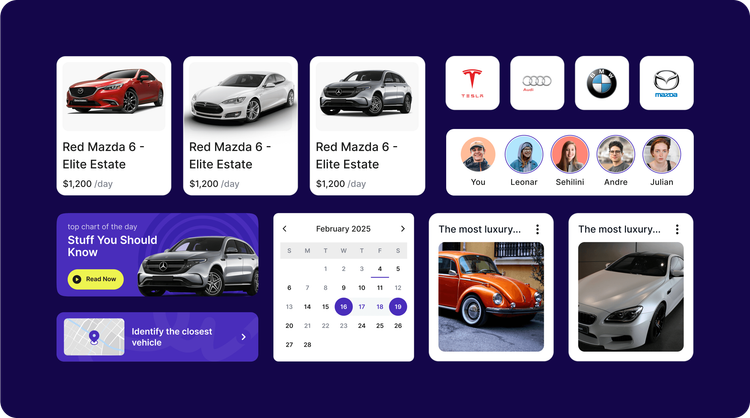
Renters pick start and end dates on a calendar, confirm the pick-up location and its distance, and pay with a saved card from the booking overview.
The home screen recommends cars and lists those available near the user, while an explore feed and member profiles share car stories and posts.
A dashboard for the rental team tracks revenue, bookings, rented and available cars, rent status, and reminders, with pages for units, clients, drivers, financials, and tracking.
FAQ
 Saimul IslamFounder & CEO, DeveloperLook
Still have questions?
Send a message or book a call with the team.
A car rental app and a fleet management dashboard. The app covers location-based search, a map of nearby cars, filters, recommendations, detailed car pages, chat with car owners, and booking with payment. The dashboard gives the rental team revenue, bookings, units, clients, drivers, and tracking across more than 40 pages.
With a backend filtering system that keeps every listing unique and matches each car with the right images, name, and specifications. Duplicated names and mismatched photos had been eroding renters' trust, so clean, reliable listings came first, before any visual changes to the app.
Through a dynamic pricing model that reflects the vehicle type, the brand, and the rental duration. Each price comes with a short explanation, so renters see why one car costs more than another. Filters also let them set a price range before they start browsing.
The app shows cars available in the user's area in real time, with proximity indicators on a map. Renters filter the map by vehicle type and brand, see each car's daily price, and open its details. The booking screen then confirms the pick-up location and its distance.
Yes. Every car page shows the owner's name with chat and call buttons, and the messages inbox keeps those conversations together. Renters can ask about a car's condition, pick-up, or availability before they book it, instead of guessing from the listing alone.
Yes. DeveloperLook designs and builds car rental apps with map search, filters, clear pricing, booking, payments, and renter messaging, plus a dashboard for your fleet. We start by fixing what makes renters hesitate, such as unclear prices or unreliable listings, then design the screens around it.
Saimul IslamFounder & CEO, DeveloperLookStill have questions?
Send a message or book a call with the team.
Related services
This project
MiCar Automotive App Design
Built with the 3 services around it
Free 30-min callGoogle Meet
Book a call
In 30 minutes on Google Meet we walk you through how we would build it, how long it takes and what it costs. Then you get a written estimate.
Calendar not showing? Book on cal.com or send a brief.