




Modeverse Ecommerce Web Design & Development
- Fashion
- Retail
- E-commerce

Workflow automation services for ecommerce: n8n, Make, and Zapier workflows that route orders and flag failed runs. From $850.
10+ hrs
Order admin saved weekly
100%
Failed runs flagged
How your project runs
01 · FreeTeams we have built for:














The Problem
It shows up once orders outgrow one person's afternoon. Your store, 3PL, accounting app, and team chat each work fine alone, but nothing passes the order along.
Copy-paste
You retype every order into the 3PL portal and Shopify.
Copy-paste
A paid order triggers the 3PL request, stock and accounting updates, and tracking.
Accounting gaps
A refund didn't reach QuickBooks, so the month won't reconcile.
Accounting gaps
Stock and accounting update from each paid order, without anyone retyping it.
Silent failures
Your sync app failed quietly, and a customer told you first.
Silent failures
A failed step posts the order number and error to Slack that hour.
Hiring
Hiring someone to copy data just moves the problem.
Hiring
We automate the path your orders take today in n8n, Make, Zapier, or code.
It's late afternoon and today's orders are still waiting. You copy each one into the 3PL portal, check stock in a spreadsheet, and paste tracking numbers back into Shopify. A refund didn't reach QuickBooks, so the month won't reconcile. The sync app you tried failed quietly on Tuesday, and you found out when a customer asked where their parcel was. Every new order makes the afternoon longer. Hiring someone to copy data between tabs just moves the problem to a new desk.
We start by watching how your orders move today, click by click. Then we automate that path in n8n, Make, Zapier, or custom code. A paid order triggers the 3PL request, stock and accounting update, and tracking goes back to the customer. Every run is logged against its order number, and a failed step posts to Slack with the reason. Problems surface the same hour, not when a customer complains.
Orders move without copy-paste
A paid order reaches your 3PL, accounting, and inventory without anyone retyping it.
Failures show up in Slack
A failed step posts the order number and the error, so your team fixes it that hour.
No duplicate orders on retries
Every run is keyed to the order ID, so a retry can't send the same order twice.
Our Workflow Automation Process
You see the workflow map, the failure rules, and a test run on real orders before anything goes live. Each step ends with something you review and approve.
We walk through how an order moves today, from checkout to tracking email, and note where the time goes. You get a shortlist of workflows ranked by hours saved, plus a fixed quote. If Shopify Flow or a free Zapier template already covers it, we'll tell you before we quote.
Projects We've Built
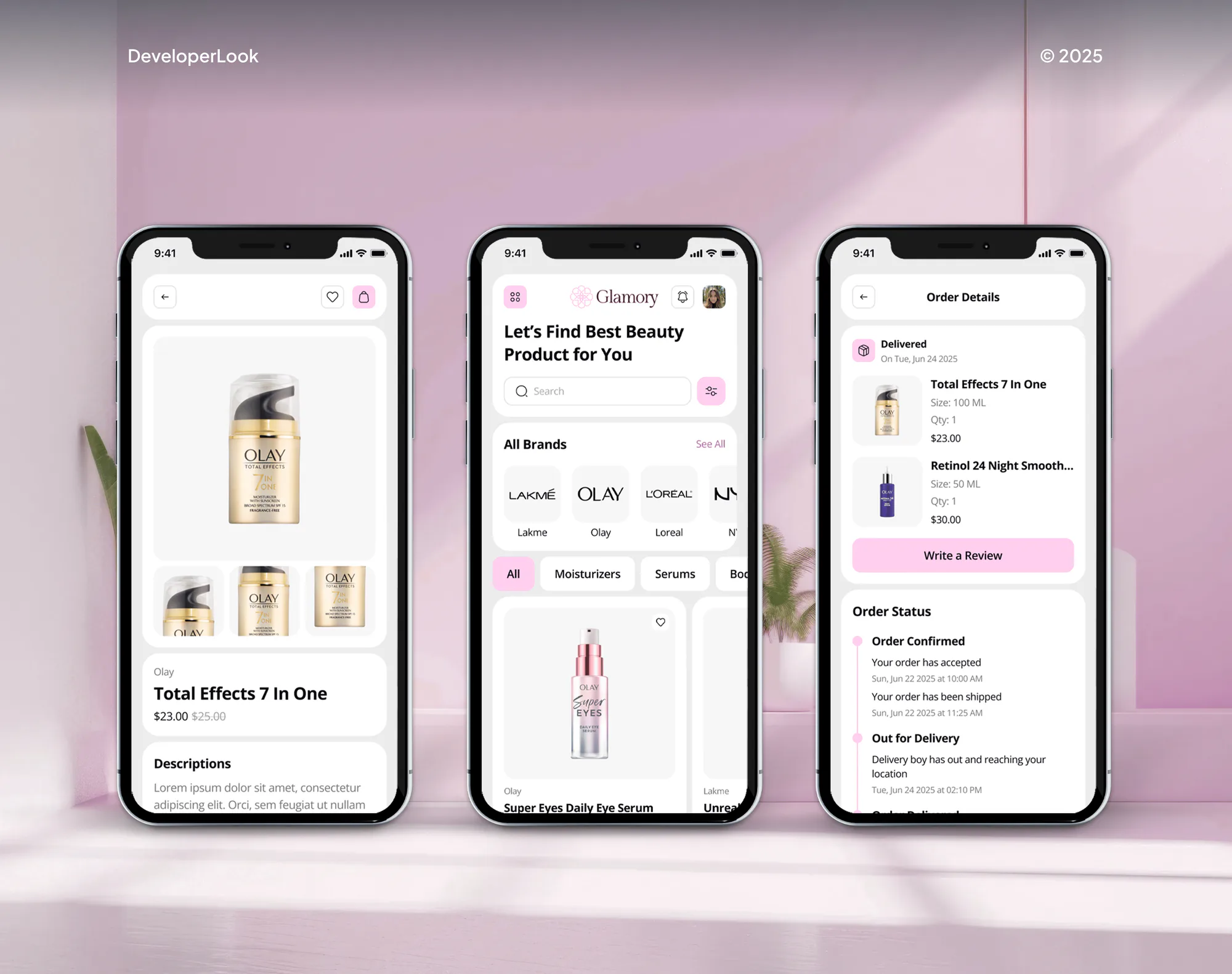
A selection of ecommerce stores and apps we've built. Workflow projects draw on the same skills: clean data, careful API work, and testing before launch.


What's Included
Every project covers the workflow map, the build, failure alerts, testing on real orders, and handover. Larger plans add more workflows, custom code, and AI steps.
Compare Options
Shopify Flow is free and fine for rules inside your store. A freelancer can be cheaper for one quick Zap. We fit when orders cross several systems and failures must be caught.
| Feature | DeveloperLookBest fit | Shopify Flow | Freelancer |
|---|---|---|---|
| Upfront cost | From $850, fixed scope | Free on Basic plans and up | Lower hourly rate |
| Systems it connects | Store, 3PL, accounting, and chat | Mostly inside Shopify | Whatever they know best |
| Workflow planning | Mapped and approved first | Template-based rules | Often skipped |
| Failure alerts | Every failed run, with order number | Run history in the app | Depends on the person |
| Tool choice | n8n, Make, Zapier, or code | Shopify Flow only | Their favorite tool |
| Testing before launch | Real orders replayed on staging | Manual checks by you | Varies by freelancer |
| Time to launch | 1 to 6 weeks | Same day for simple rules | Days, if they're free |
| Handover and ownership | Docs, logins, and a runbook | Lives in your Shopify admin | Often in their account |
What Our Clients Say
Feedback from teams we have built stores, websites, and integrations for.
We had a different kind of problem. People were visiting the store, adding products to their carts, and then disappearing before they finished the order. We had tried a few apps and made changes here and there, but nothing really seemed to solve the bigger issue. The team went through the shopping experience with us and pointed out things we hadn't really noticed ourselves. They cleaned up the cart and checkout flow, made the mobile experience much smoother, and helped us make the store feel easier to shop. I’m not going to pretend we fixed everything overnight, but it finally feels like the store is helping the sale instead of getting in the way of it.
The mobile experience is probably my favourite part of the new site. We had spent a lot of time making sure the desktop version looked right, and the team kept pushing us to think about how everything would actually feel on a phone too. They were right. The navigation is clean, the interactions feel natural, and everything we’ve tested so far works exactly as it should. They also went through the links, forms, integrations, and other details more than once before launch, which I really appreciated. And even after going live, we could still reach out when something came up. The whole process felt friendly, organised, and surprisingly straightforward.
We had a pretty specific idea of what we wanted our website to become, but I wasn’t sure how easily we could explain all of it to a development team. There were quite a few moving parts, and we were working toward a deadline, so I expected a few things to get lost along the way. That never really happened. They understood what we were trying to achieve, kept us updated throughout the process, and got everything ready within the agreed timeline. The final site feels much easier to navigate, works beautifully on mobile, and is noticeably smoother for our customers. It was a huge relief seeing the original idea actually turn into the website we had in mind.
1,250+
Projects shipped
10+
Years of experience
Top 3%
Upwork Top Rated Plus
5 stars
Average review score
1,250+
Projects shipped
10+
Years of experience
Top 3%
Upwork Top Rated Plus
5 stars
Average review score

Want results like these?
Tell us what you are building. You get a reply within 24 hours on business days, then a written estimate.
Work Culture
An automation touches every order you take, so small mistakes multiply fast. These are the habits we bring to every workflow build, from the first walkthrough to the last alert rule.
We watch how your team handles an order today before choosing any tool. Automating a messy process only makes the mess run faster, so we cut your wasted steps first.
Zapier counts each action, Make each module action, and n8n each full run, per their pricing pages. We cost out your real volume on all 3 before recommending one.
Every failed run posts to Slack or email with the order number and the error. You hear about a broken step from an alert instead of an unhappy customer.
Shopify can send the same webhook twice and doesn't promise the order they arrive in, per its developer docs. We key every run to the order ID, so a retry doesn't ship twice.
We replay recent orders through staging, including refunds and split shipments. Edge cases get caught in testing, before your customers ever see them.
Workflows run in your own n8n, Make, or Zapier account, with documentation and every login. If you change developers later, nothing is locked away.
Overview
DeveloperLook provides workflow automation services for ecommerce businesses that still route orders, update spreadsheets, and chase exceptions by hand. We build workflows in n8n, Make, Zapier, or custom code that connect your store, 3PL, accounting, and Slack, with an alert on every failed run. Projects start at $850, one workflow goes live in 1 to 2 weeks, and you own it.
DEVELOPERLOOK
Project facts · Workflow Automation Services
Reviewed 28 Sep 2026 by Saimul Islam
Good fit
Stores routing orders to a 3PL by hand
You copy each paid order into your 3PL portal, then paste tracking numbers back into Shopify. It works until a busy weekend doubles the queue.
Teams reconciling sales in spreadsheets
Your finance person rebuilds the same weekly spreadsheet for QuickBooks or Xero, and one missed refund throws the whole month off.
Owners who hear about failures from customers
You found out a sync broke when a customer emailed about a missing parcel. You want failed runs flagged in Slack the same hour.
Businesses adding AI to existing workflows
You already run a few Zaps and want AI steps that sort support emails or tag risky orders, without a person reading each one first.
Agencies with automation work to deliver
Your client needs order and accounting workflows built, and you want an engineering partner who delivers under your brand and documents everything.
Not a fit
Unsure what to automate
You haven't decided which processes are worth automating yet. Our Business Process Automation Services page starts with a readiness audit and a savings estimate.
AI across several teams
You want one partner planning AI and automation across support, finance, and reporting. Our AI Automation Agency page covers that wider program.
Shopify-only workflow
Your whole workflow lives inside Shopify, like tagging orders or hiding sold-out products. Shopify Flow is a free app on Basic plans and up, and our Shopify Flow Automation Setup page covers it.
A handful of orders
You ship a handful of orders a week. At that volume, manual steps cost less than an $850 build, and a free Zapier plan may be all you need.
Not sure we're the right fit?
Book a free call or message us. We'll tell you honestly whether we're the right team.
Pricing
These are starting points in USD. Your final price depends on workflows, apps, and custom code, and you get a fixed proposal after a free workflow review. Tool subscriptions like Zapier or Make are billed by each vendor.
For Agencies
You own the client relationship. We supply the workflow builds, error handling, and documentation behind it. Agencies resell our AI-driven workflow automation professional services under their own brand, and our name stays off every deliverable.
White label: your client only ever sees your brand
Send the client's tools, order volume, and the manual steps they want gone.
You get a workflow map, a timeline, and a fixed price you can resell.
We build, test on real orders, and document everything under your brand.
Send the client's tools, order volume, and the manual steps they want gone.
You get a workflow map, a timeline, and a fixed price you can resell.
We build, test on real orders, and document everything under your brand.
The Right Technology for Your Project
We choose the automation platform by volume and cost per run, then connect the store, accounting, and alert tools you already use.
 n8n
n8n Make
Make Zapier
 Shopify FlowShopify
 WooCommerce
 BigCommerce
 Amazon
 QuickBooks
 Xero
Xero Stripe
 PayPal
 Slack
Slack Google Sheets
 Twilio
 Node.js
 Python
Related Services
Most workflow projects also touch process planning, AI, or fulfillment. These are the services clients add most often.
This page
Workflow Automation Services
Pairs with the 6 services around it
FAQ
Straight answers on cost, timelines, choosing between n8n, Make, and Zapier, failure alerts, and ROI.
Saimul IslamFounder & CEO, DeveloperLookStill have questions?
Send a message or book a call with the team.
Workflow automation with DeveloperLook starts at $850 for one workflow across up to 3 apps. A bundle of 3 connected workflows with shared retry rules is $2,200, and a full order operations system with up to 6 workflows is $4,600. Tool subscriptions such as Zapier or Make are billed separately by each vendor. You get a fixed quote after the free workflow review.
The ROI is the hours your team stops spending, times what those hours cost, minus the build and tool fees. Count the minutes each order takes to route, reconcile, and check, then multiply by your monthly orders. Add the cost of errors, like a missed refund or a late shipment. We run this math with you in the free review, so you see the payback before you commit.
A single workflow takes 1 to 2 weeks from review to launch. A bundle of 3 connected workflows takes 2 to 4 weeks, and a full order operations system takes 4 to 6 weeks. The biggest time factor is API access. If your 3PL has a documented API, it's quick to connect. If it only accepts CSV file uploads, add a few days.
Start with the workflow that eats the most of your team's hours and breaks most often, which is usually order routing to your 3PL. Next come accounting syncs for sales, refunds, and fees, then stock updates across channels. Alerts for failed payments or risky orders are quick wins after that. We rank your workflows by hours saved and error risk in the free review.
Order-to-fulfillment automation runs on triggers, conditions, and actions. A paid order is the trigger. Conditions check stock, shipping method, and fraud risk. Actions send the order to your 3PL, update your inventory, and post the sale to your accounting app. When your 3PL ships, a second workflow writes the tracking number back to your store and sends your customer's shipping email.
Pick Zapier for simple, low-volume workflows, Make for visual multi-step flows, and n8n for high volume or data on your own server. Pricing is the big difference. Zapier counts each successful action as a task, and Make counts each module action as a credit. n8n counts a whole run as one execution, per their pricing pages. n8n's Community Edition can also run on your own server with no license fee.
Yes, one workflow can span your store, 3PL, accounting app, and email platform. A paid order in Shopify can create the 3PL shipment, post the sale to QuickBooks or Xero, and trigger the confirmation email in one run. We split very long chains into linked workflows, so one slow app doesn't hold up the rest and each part can retry on its own.
The workflow retries temporary errors first, then alerts whoever owns that step on your team in Slack, email, or SMS. A failed 3PL request goes to your ops lead, and a failed accounting post goes to finance. Each alert names the order, the step, and the error. Every run is logged, so you can trace exactly what happened to any order.
Yes, Slack alerts are part of every workflow we build. A high-risk order, a failed sync, or an order stuck unfulfilled past your cutoff can post to the right channel with a link to the order. Urgent cases can also send an SMS through Twilio. We tune the rules with you during launch, so your channel stays useful instead of noisy.
Every plan includes 30 to 90 days of support after launch, depending on your plan. In that window we fix failed runs, adjust rules, and handle app updates that break a step. After that, you can run the workflows yourself with our documentation, or keep us on an optional monitoring plan. You own the workflows and accounts either way.
Saimul IslamFounder & CEO, DeveloperLookStill have questions?
Send a message or book a call with the team.
Free 30-min callGoogle Meet
Book a call
In 30 minutes on Google Meet we walk you through how we would build it, how long it takes and what it costs. Then you get a written estimate.
Calendar not showing? Book on cal.com or send a brief.