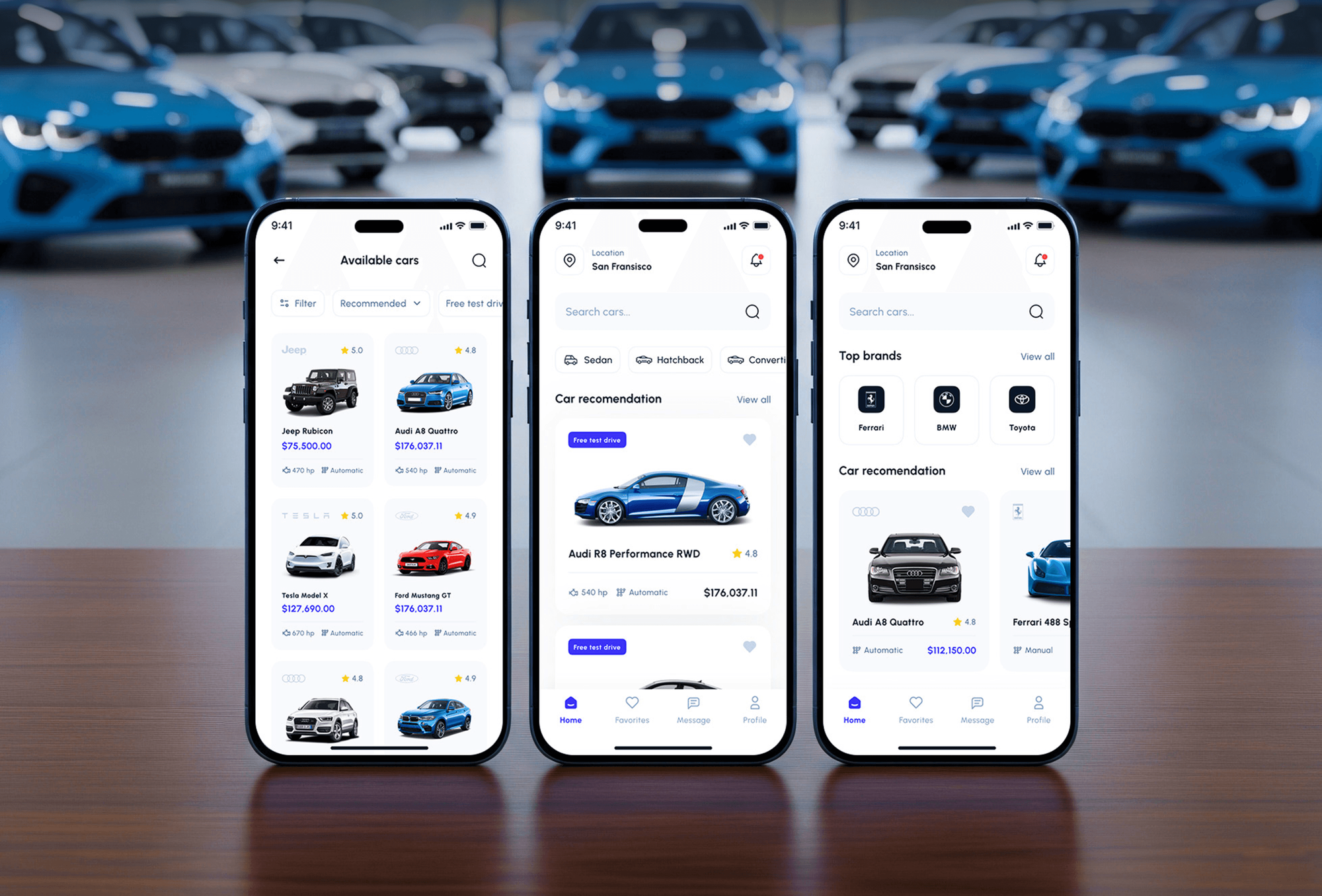

Car discovery feed
The home feed combines search, a featured story, model chips, and sales, hot, featured, and discount tags, then lists top deals with prices and the most popular brands.

Mobile Appfor Autocar
A mobile app project in automotive, delivered by DeveloperLook.
About the project
DeveloperLook designed and built Autocar, a car marketplace app where buyers and enthusiasts research models, compare cars side by side, and request dealer offers. An internal dashboard helps the team run rental operations.
Autocar is a mobile car marketplace app for car buyers and car enthusiasts. The app already had a modern look and a feature-rich layout. Content management, accessibility, scalability, and fresh information still needed work to earn users' trust and keep them coming back. The goal was to make Autocar more competitive in a growing mobile automotive market.
The home feed opens with search, a location setting, a featured story, and quick chips for models such as the Giulia and GT-R. Tags for sales, hot, featured, and discount lead into top deals and popular brands. Each car page shows a gallery, color options, a price range, and ratings. Key specs cover engine power, torque, and 0 to 100 km/h acceleration, and tabs hold prices, reviews, and FAQs. Buyers tick Compare on several models, see them side by side, and send a dealer offer request with their name, phone, and city.
Brand pages group hot models with sedan, SUV, and luxury filters, next to brand news and videos. A community feed lets users follow each other, post, like, and comment, and news articles carry a video player and related stories. Shortcuts lead to orders, maintenance, auto parts, and driving skills.
Behind the app, an internal web dashboard helps the Autocar team run rental operations. It shows available cars filtered by location and pick-up and drop-off dates, plus recent activity, listings, a calendar, and deals. Vehicle tracking on a map, active bids, statistics, and transactions sit alongside them. The dashboard design runs to more than 30 pages.
Tell us what you are building. We reply within 24 hours with questions or a call time.
What do you need?
Challenge and solution
The challenge
The app wanted to be the first place car enthusiasts and buyers open on their phones.
Without changes to its UI structure, personalization, content management, and localization, it risked falling behind competitors on features and engagement.

Our solution
Detailed car pages, side-by-side comparison, and dealer offer requests serve buyers, while brand pages, news, video, and a community feed keep enthusiasts coming back.
A location setting supports localization, and an internal dashboard gives the team listings, bookings, tracking, and transactions in one place.
What we built
Eight features, shown next to the screens they live on.
The home feed combines search, a featured story, model chips, and sales, hot, featured, and discount tags, then lists top deals with prices and the most popular brands.
Each model page shows a photo gallery, color options, a price range, and star ratings. Key specs such as engine power, torque, and acceleration sit beside tabs for prices, reviews, and FAQs.
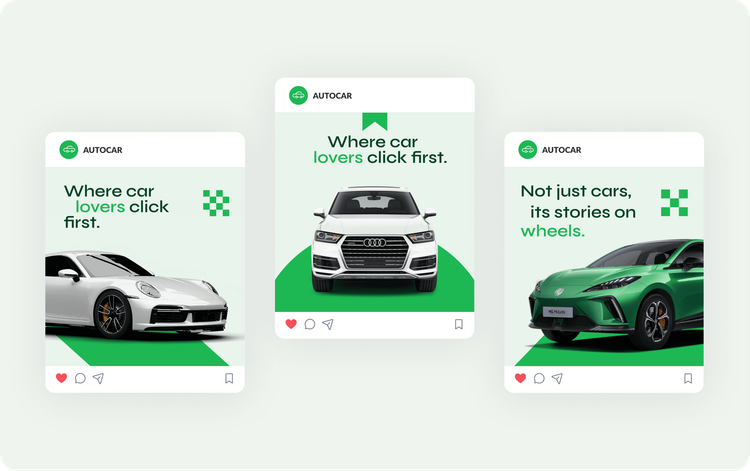
Buyers tick Compare on any model or variant, then open the Compare Cars screen to weigh their picks and prices together, adding more cars when they want.
A Get Offers from Dealer button sits at the foot of every car page. It opens a short form for name, phone, and city, tied to the chosen model.
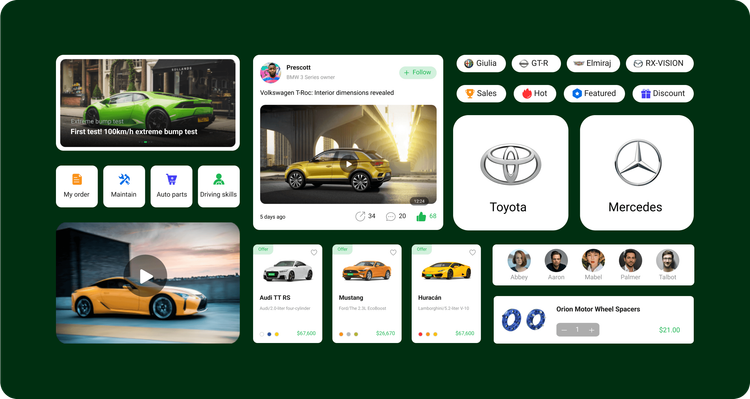
Brand pages for makers such as Porsche and Mazda list their hot models, filter by sedan, SUV, or luxury, and add the brand's latest news and videos.
Car news articles open with a video player, show the author with a follow button, and end with related stories so readers move on to the next review.
Users follow other drivers, post updates with photos, and like and comment on discussions, giving enthusiasts a reason to open the app when they are not shopping.
An internal web dashboard shows available cars by location and pick-up and drop-off dates, with listings, a calendar, deals, vehicle tracking, active bids, statistics, and transactions.
FAQ
 Saimul IslamFounder & CEO, DeveloperLook
Still have questions?
Send a message or book a call with the team.
A mobile car marketplace app and an internal web dashboard. The app covers car discovery, spec-rich car pages, side-by-side comparison, dealer offer requests, brand pages, news, video, and a community feed. The dashboard helps the Autocar team run rental operations, from available cars and bookings to vehicle tracking, active bids, and transactions.
Users tick Compare on any model or variant they are looking at, then open the Compare Cars screen to see their picks and prices together. They can add more cars from there, and when one stands out, they request an offer from a dealer for that model without leaving the app.
Through the Get Offers from Dealer button at the bottom of each car page. It opens a short form for the buyer's name, phone number, and city, with the chosen model at the top. The dealer receives a request tied to one specific car instead of a general inquiry.
Car buyers and car enthusiasts. Buyers get specs, prices, reviews, comparison, and dealer offers in one place. Enthusiasts follow car news, watch video reviews, and join discussions in the community feed, which gives them a reason to open the app between purchases.
It gives the Autocar team one place to run rental operations. Staff filter available cars by location and pick-up and drop-off dates, and follow recent activity. They track vehicles on a map, manage listings, deals, and active bids, plan on a calendar, and review statistics and transactions. The dashboard design covers more than 30 pages.
Yes. DeveloperLook designs and builds car marketplace apps with model search, spec-rich car pages, comparison, dealer lead forms, and community features, plus the dashboard your team needs behind them. We start from how your buyers research a car on their phone and design each screen around that path.
Saimul IslamFounder & CEO, DeveloperLookStill have questions?
Send a message or book a call with the team.
Related services
This project
Autocar Automotive App Design
Built with the 2 services around it
Free 30-min callGoogle Meet
Book a call
In 30 minutes on Google Meet we walk you through how we would build it, how long it takes and what it costs. Then you get a written estimate.
Calendar not showing? Book on cal.com or send a brief.