
Search by place and time
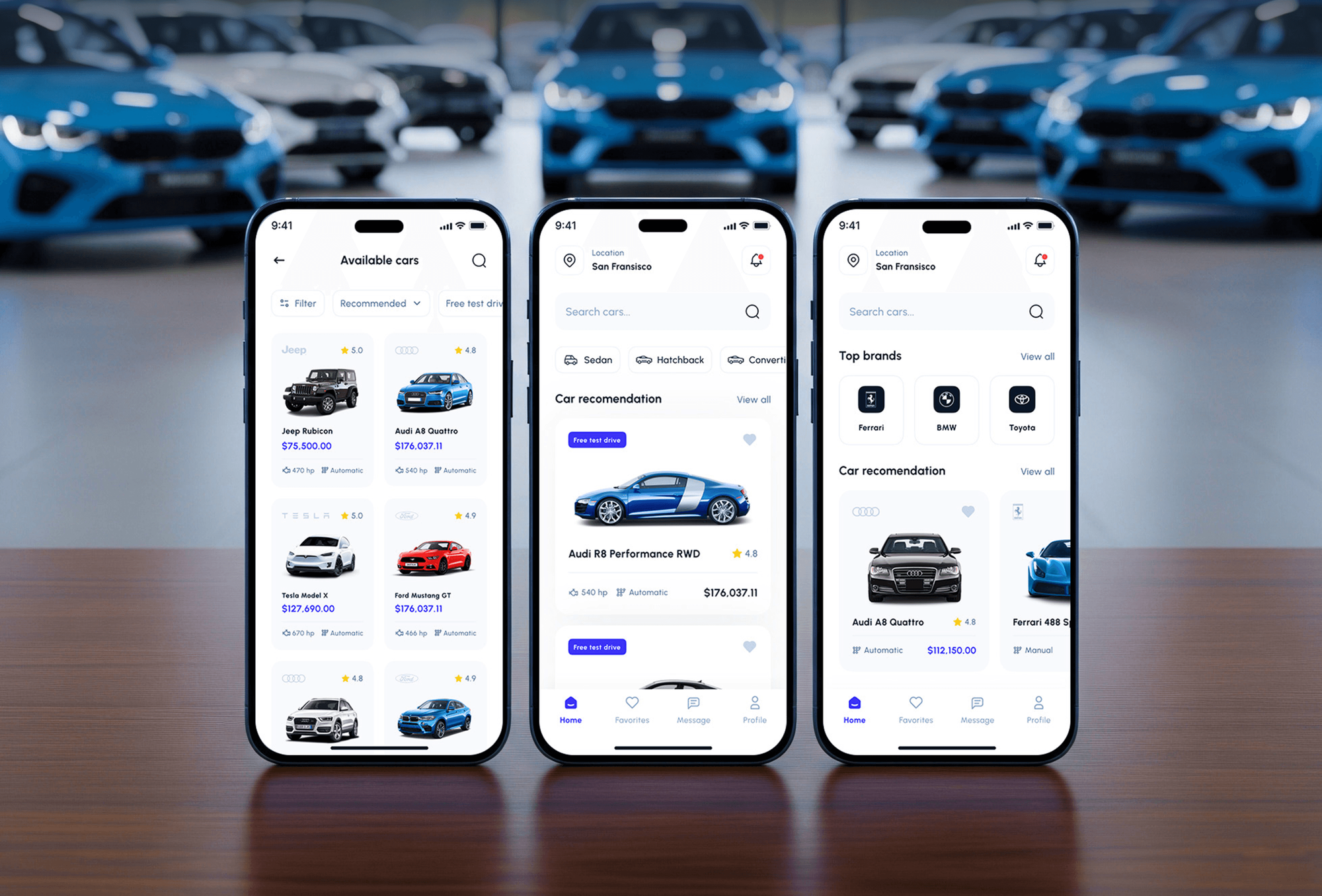
The home screen asks where and when: a pick-up location plus start and end dates and times. Popular models and the cars nearest the user sit just below.

Mobile Appfor Rentcar
A mobile app project in automotive, delivered by DeveloperLook.
About the project
DeveloperLook designed and built Rentcar, a mobile-first car rental app where people search by place and time, compare cars with upfront prices, and book with pick-up or delivery. A dashboard runs operations.
Rentcar is a car rental app that connects people with a diverse fleet of rental vehicles. It focuses on user experience, clear information, and complete booking details, so renting a car feels smooth and straightforward from the first search to the confirmation.
Renters start with "Find your ride now": a pick-up location and the dates and times they need the car. Results show how many cars are available, each with its rating, number of trips, and daily price, as a list or on a map. Filters narrow them by price, vehicle type, brand, electric or hybrid power, transmission, and seats.
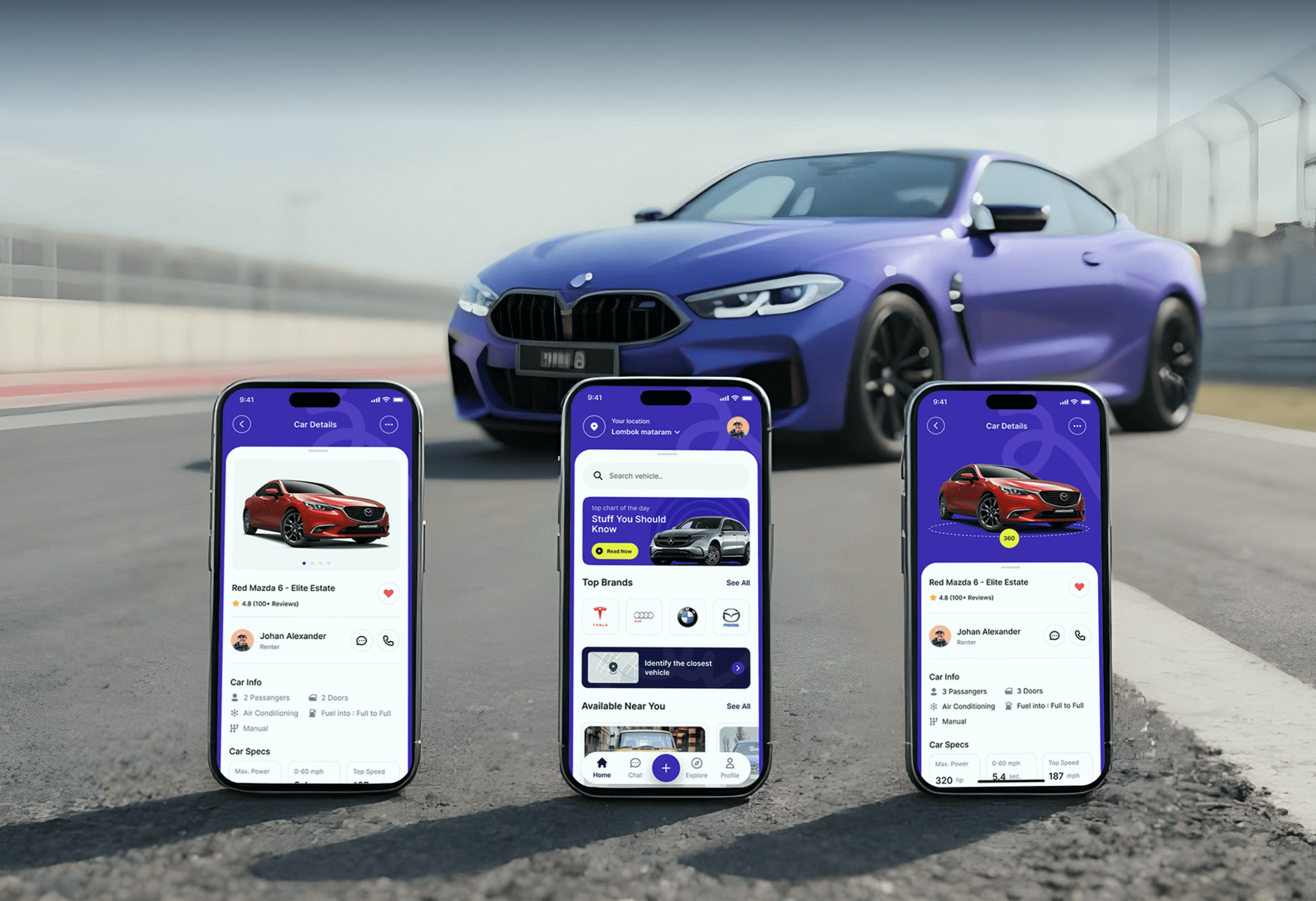
A car page shows photos, the host's name, the pick-up and return location, features such as doors, fuel economy, and transmission, and the daily price. At checkout, renters collect the car from the dealership or have it delivered, then pay by cash or card. A confirmation screen lists the booking details, which are also sent by email. Renters can chat with the host, save cars, and manage bookings and payment methods from their profile.
Behind the app, an internal dashboard helps the team run rental operations. It covers available cars, recent activity, listings, a calendar, deals, tracking, active bids, statistics, and transactions, across more than 25 pages.
Tell us what you are building. We reply within 24 hours with questions or a call time.
What do you need?
Challenge and solution
The challenge
They spent too long searching and comparing vehicles across several platforms, struggled to see real prices and hidden fees, and often faced manual booking steps.
The result was wasted time and frustrated customers.

Our solution
Users search, compare, and book a wide range of vehicles by real-time availability, location, and their own preferences.
Clear upfront pricing and a single checkout keep every booking detail together.
What we built
Eight features, shown next to the screens they live on.
The home screen asks where and when: a pick-up location plus start and end dates and times. Popular models and the cars nearest the user sit just below.
Filters cover daily price, vehicle type, brand, electric or hybrid power, transmission, and number of seats, with sorting by relevance and a single tap to reset.
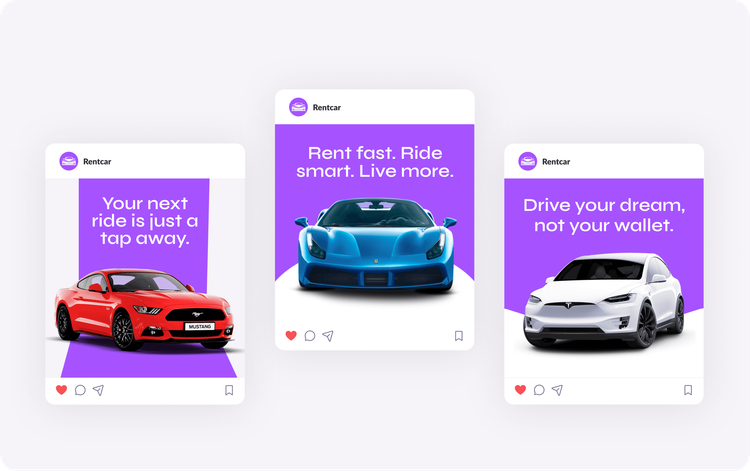
Results switch between a list of cars with ratings, trip counts, and daily prices and a map that pins each car near the chosen pick-up point.
Every car shows its daily price in the results and on its own page, and checkout repeats it before booking, so renters know the cost before they commit.
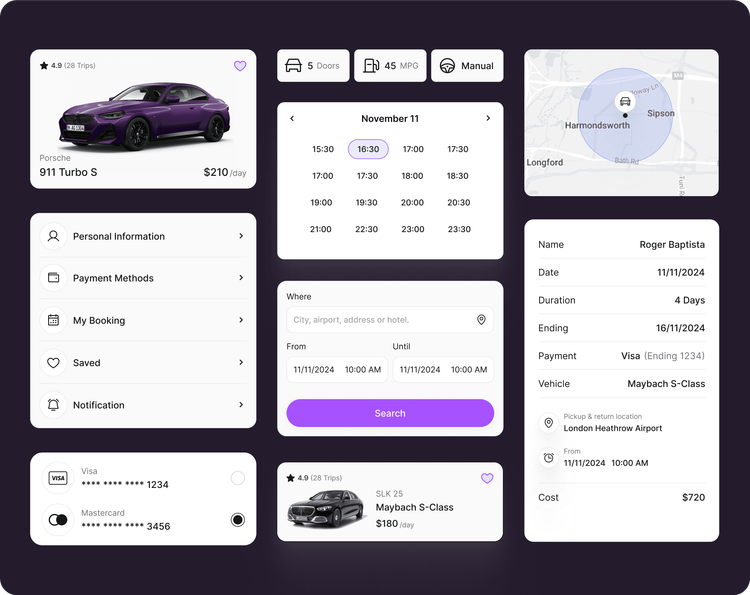
At checkout, renters collect the car from the dealership or have it delivered to their location, then pay by cash, Visa, or Mastercard.
A confirmation screen sums up the renter, dates, duration, payment, vehicle, pick-up and return location, and total cost, with the same details sent by email.
Each car names its host, and renters message them inside the app to ask about the car, the pick-up, or anything the listing does not answer.
An internal dashboard lists available cars and recent activity, with pages for listings, a calendar, deals, tracking, active bids, statistics, and transactions.
FAQ
 Saimul IslamFounder & CEO, DeveloperLook
Still have questions?
Send a message or book a call with the team.
A mobile-first car rental app and an internal dashboard. Renters search by place and time, filter and compare cars, check upfront prices, choose dealership pick-up or delivery, and pay in the app. The dashboard gives the Rentcar team listings, a calendar, deals, tracking, statistics, and transactions across more than 25 pages.
They enter a pick-up location and the dates and times they need, then browse the matching cars as a list or on a map. Filters for price, vehicle type, brand, electric or hybrid power, transmission, and seats narrow the results, and each car shows its rating and daily price.
Yes. At checkout, renters choose between collecting the car from the dealership and having it delivered to their location. The same screen shows the pick-up and return point, the payment method (cash, Visa, or Mastercard), and the price before they tap Book Now.
Each car shows its daily price in the results and on its own page, and checkout shows the price again before booking. The confirmation screen then lists the total cost with the dates, duration, and vehicle, so renters see exactly what they agreed to.
It helps the Rentcar team run rental operations from one place. Staff see available cars filtered by location and dates, follow recent activity, and manage listings, deals, and active bids. Pages for the calendar, vehicle tracking, statistics, and transactions complete it.
Yes. DeveloperLook designs and builds car rental apps with search by place and time, filters, map results, upfront pricing, pick-up or delivery options, and in-app payment. We add the dashboard behind them, starting with how your renters book today and removing the steps that slow them down.
Saimul IslamFounder & CEO, DeveloperLookStill have questions?
Send a message or book a call with the team.
Related services
This project
Rentcar Automotive App Design
Built with the 3 services around it
Free 30-min callGoogle Meet
Book a call
In 30 minutes on Google Meet we walk you through how we would build it, how long it takes and what it costs. Then you get a written estimate.
Calendar not showing? Book on cal.com or send a brief.