
Offers on the home screen
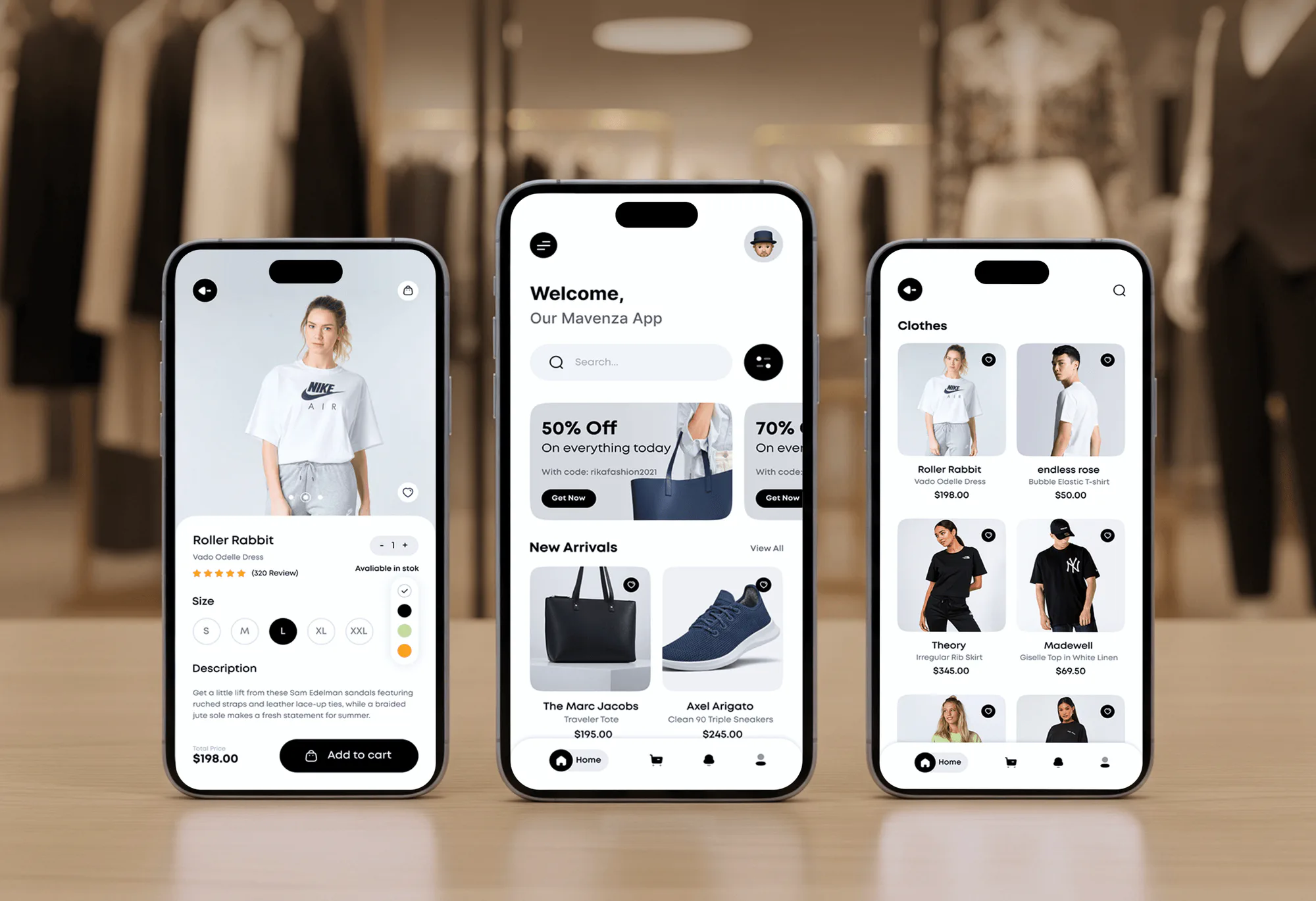
The home screen opens with search, a filter button, and a row of discount cards that show each promo code. New arrivals follow, each with its brand and price.

Mobile Appfor Mavenza
A mobile app project in business, delivered by DeveloperLook.
About the project
DeveloperLook designed and built Mavenza, a fashion ecommerce app for clothes, shoes, bags, and accessories. It puts large product photos first and adds an admin dashboard for sales and orders.
Mavenza is a fashion ecommerce app for shoppers who care about style as much as convenience. It sells clothes, shoes, bags, and accessories, and the brief called for a clean interface where product photos do most of the work. DeveloperLook handled both the app design and its development.
The app opens on a welcome screen with search, a filter button, discount cards carrying promo codes, and a row of new arrivals. A bottom menu keeps home, cart, notifications, and the profile one tap away. Category pages show products in a 2 column grid with prices and a heart to save favorites. Each product page adds ratings, a size picker from S to XXL, color swatches, stock status, and an add to cart button.
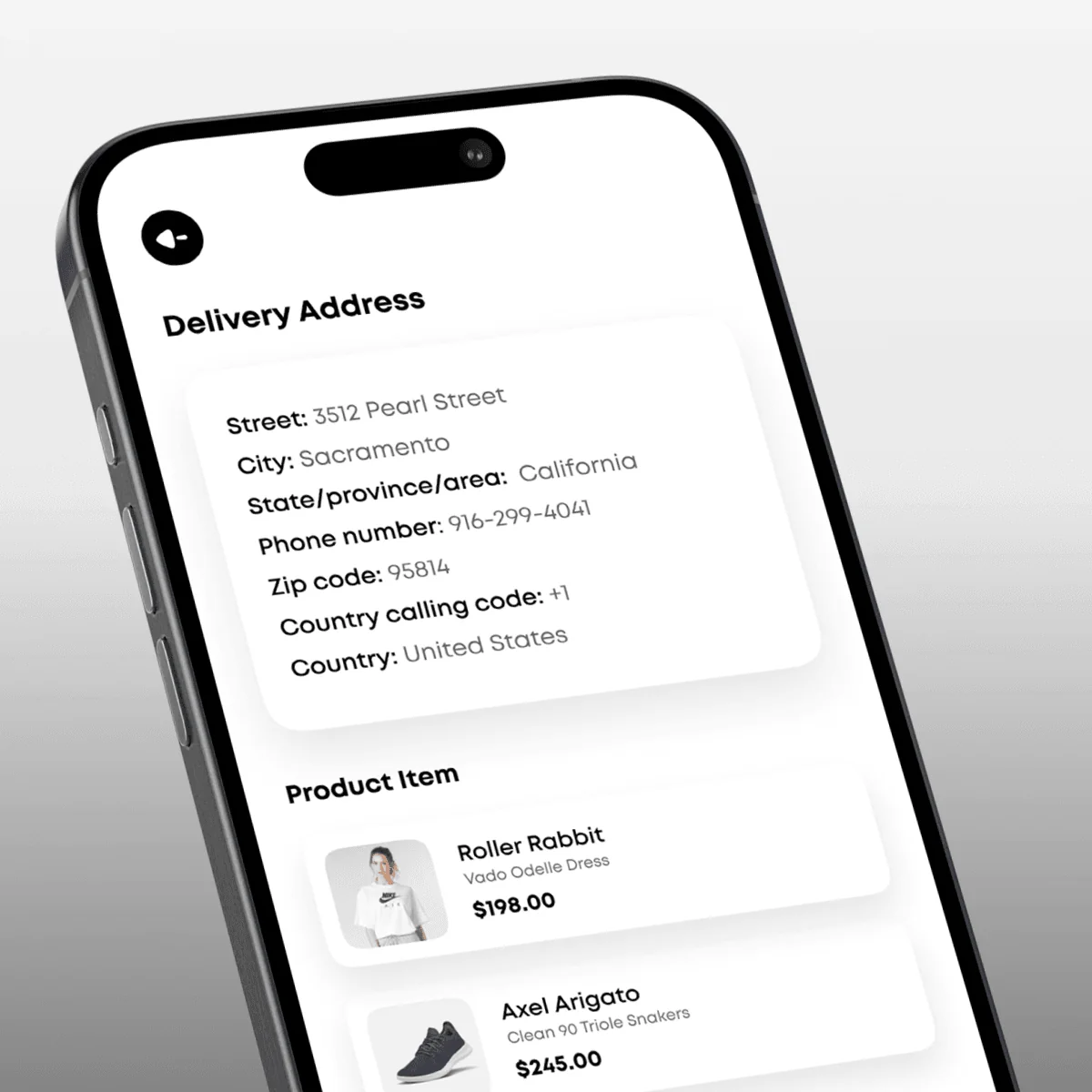
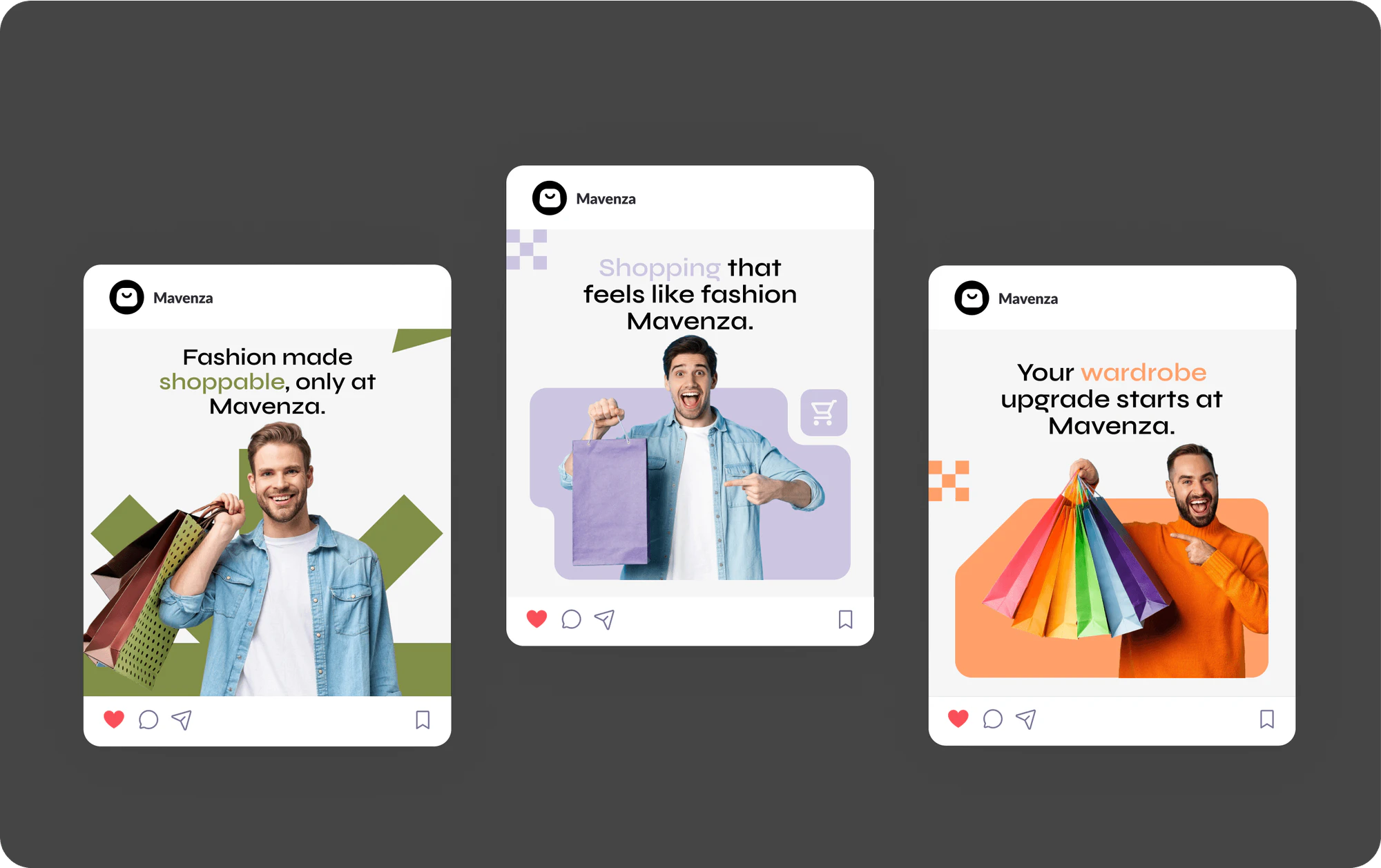
From the cart, shoppers enter a delivery address, add a promo code, and pay by card. A tracking area lists every parcel's status and shows its collection point on a map. Behind the app, a Mavenza admin dashboard covers revenue, orders, products, and customers across more than 40 pages. The gallery also shows the brand pieces: a shopping bag logo, the app icon, social posts, and a billboard.
Tell us what you are building. We reply within 24 hours with questions or a call time.
What do you need?
Challenge and solution
The challenge
Product photos, promotional banners, and navigation all competed for the same small screen.
Too much of any one would overwhelm shoppers, so every layout choice had to keep that balance.

Our solution
A bottom menu and clear category sections let shoppers move between screens and reach products quickly.
Personalized touches such as discount banners with promo codes sit on the home screen without crowding the catalog.
What we built
Eight features, shown next to the screens they live on.
The home screen opens with search, a filter button, and a row of discount cards that show each promo code. New arrivals follow, each with its brand and price.
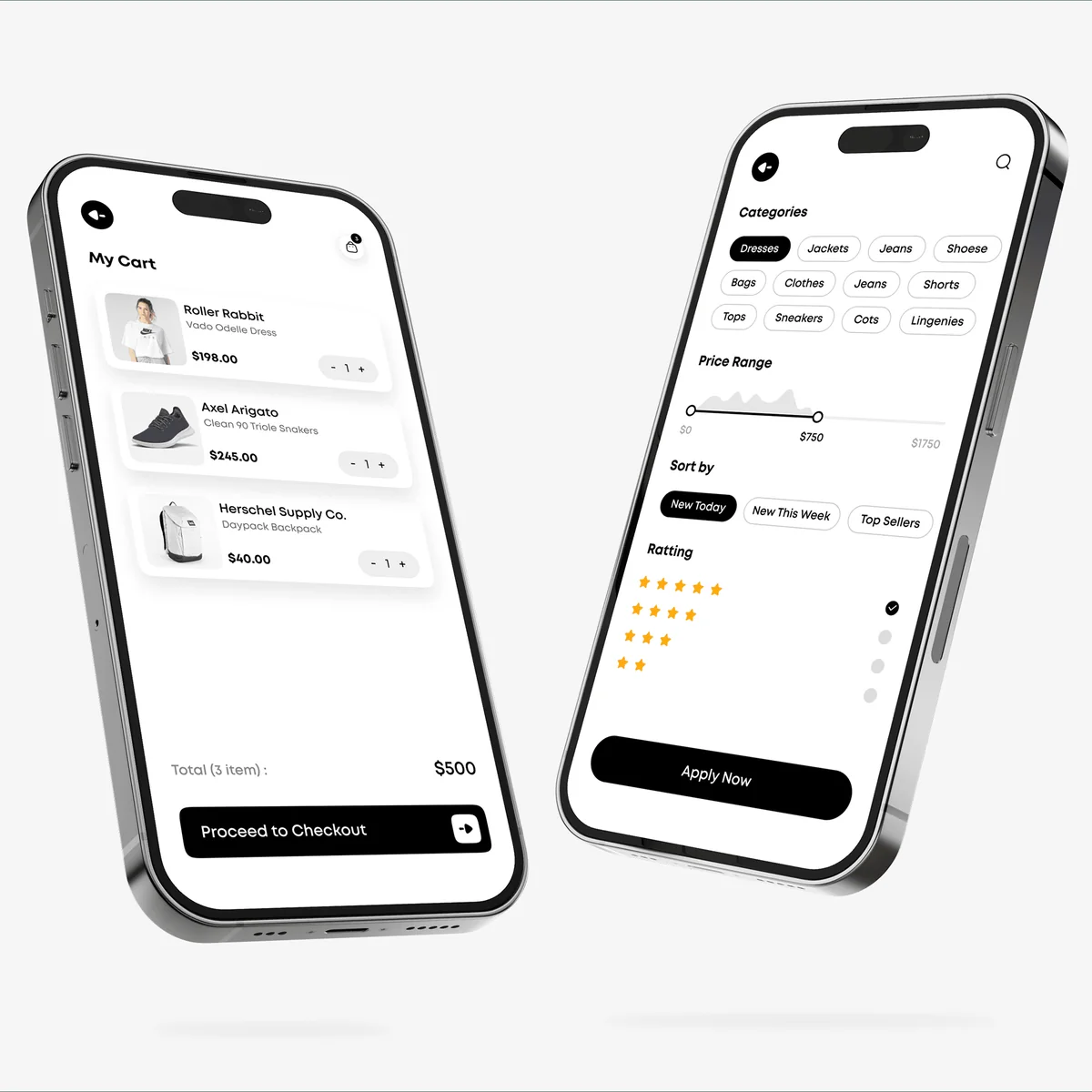
Shoppers narrow the catalog by category, from dresses and jeans to sneakers and coats. They can also set a price range, sort by newest or top sellers, and filter by star rating.
Each product page leads with a tall photo. Below it sit the rating and review count, a size picker from S to XXL, color swatches, stock status, quantity, and price.
A heart on every product card saves it to a wishlist. The list keeps photos, names, and prices together, with an add to cart button beside each saved item.
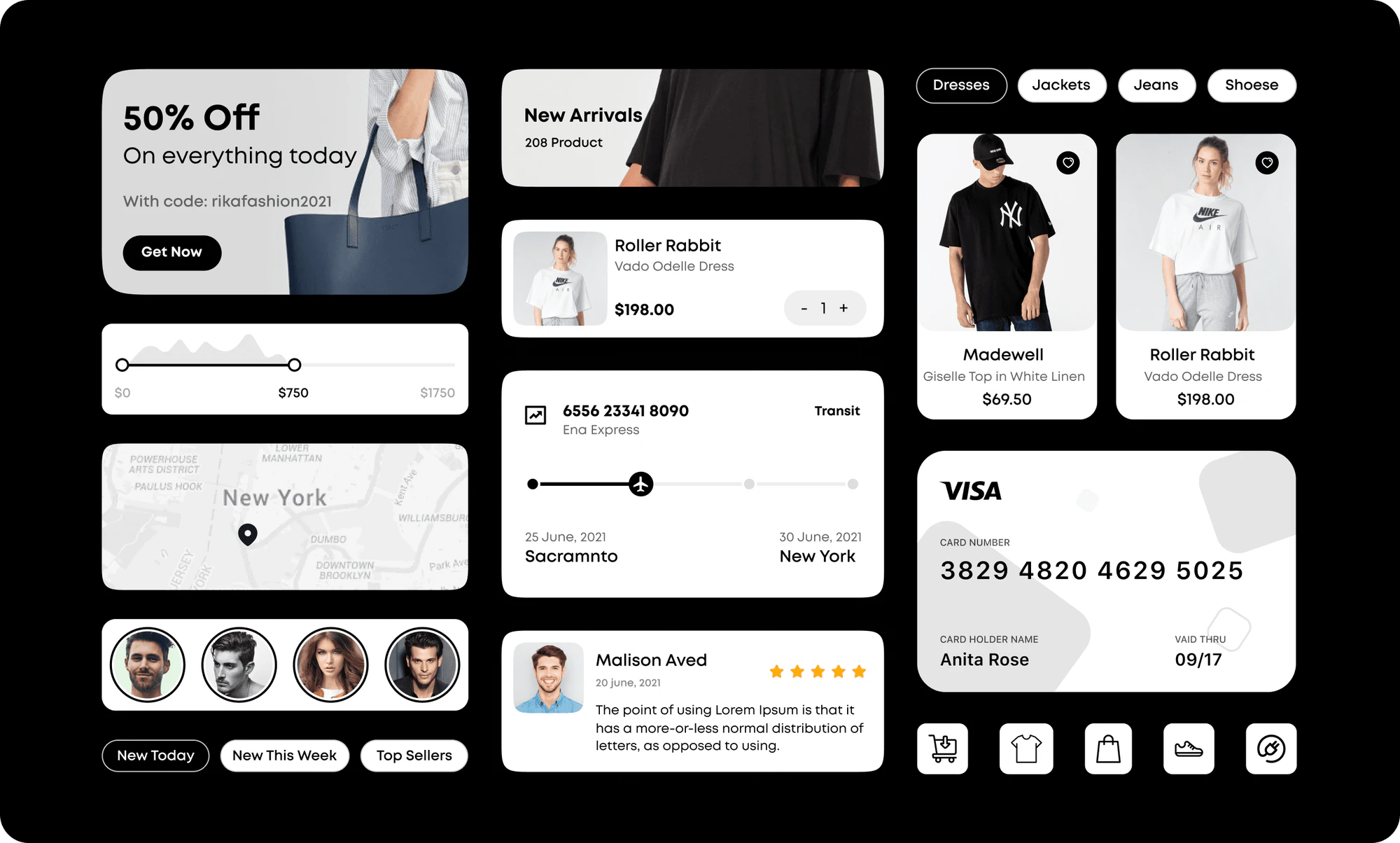
The cart shows each item with a quantity stepper and a running total. Checkout collects a delivery address, accepts a promo code, and takes card payment on a final confirm screen.
A tracking screen lists parcels by number and status, such as in transit or delivered. Each parcel opens a dated history, its collection point on a map, and a route to get there.
A notification feed collects messages for each shopper. A separate discounts screen lists current deals on bags, watches, sneakers, and headphones, each with its own code.
A desktop dashboard tracks revenue, profit, orders, and customers, charts monthly revenue, and maps sales by country. Further pages cover products, new listings, orders, customers, and a calendar.
FAQ
 Saimul IslamFounder & CEO, DeveloperLook
Still have questions?
Send a message or book a call with the team.
A fashion ecommerce app and the admin dashboard behind it. The app covers browsing, filters, product pages, a wishlist, cart, checkout, and parcel tracking. The dashboard gives the Mavenza team revenue, order, product, and customer views across more than 40 pages. The gallery also shows the logo, app icon, and campaign artwork.
Clothes, shoes, bags, and accessories. The filter screen lists categories such as dresses, jackets, jeans, tops, shorts, sneakers, and coats, so shoppers can jump straight to one type of item. Each listing shows a photo, the brand, the product name, and the price.
By giving product photos the most room and keeping everything else quiet. Screens use a white background, black buttons, and simple type. The bottom menu stays in reach, category sections group the catalog, and filters for price, newness, and rating shorten a long list fast.
From the tracking screen in the app. Each parcel shows its tracking number and a status such as accepted, in transit, or delivered. Opening one shows a dated delivery history and the collection point on a map. Shoppers can also change the pickup time or follow a map route to that point.
Sales and operations in one place. The main view shows total revenue, profit, orders, and customers, a monthly revenue chart split by source, and sales by location. Other pages list products, add new ones, manage orders, open customer details, and plan work on a calendar.
Yes. We design and build fashion shopping apps with category filters, product pages with sizes and colors, wishlists, card checkout, and order tracking. An admin dashboard for products, orders, and customers can sit behind the app. We start from how your customers shop and which items they browse most.
Saimul IslamFounder & CEO, DeveloperLookStill have questions?
Send a message or book a call with the team.
Free 30-min callGoogle Meet
Book a call
In 30 minutes on Google Meet we walk you through how we would build it, how long it takes and what it costs. Then you get a written estimate.
Calendar not showing? Book on cal.com or send a brief.