
Draggable desktop windows
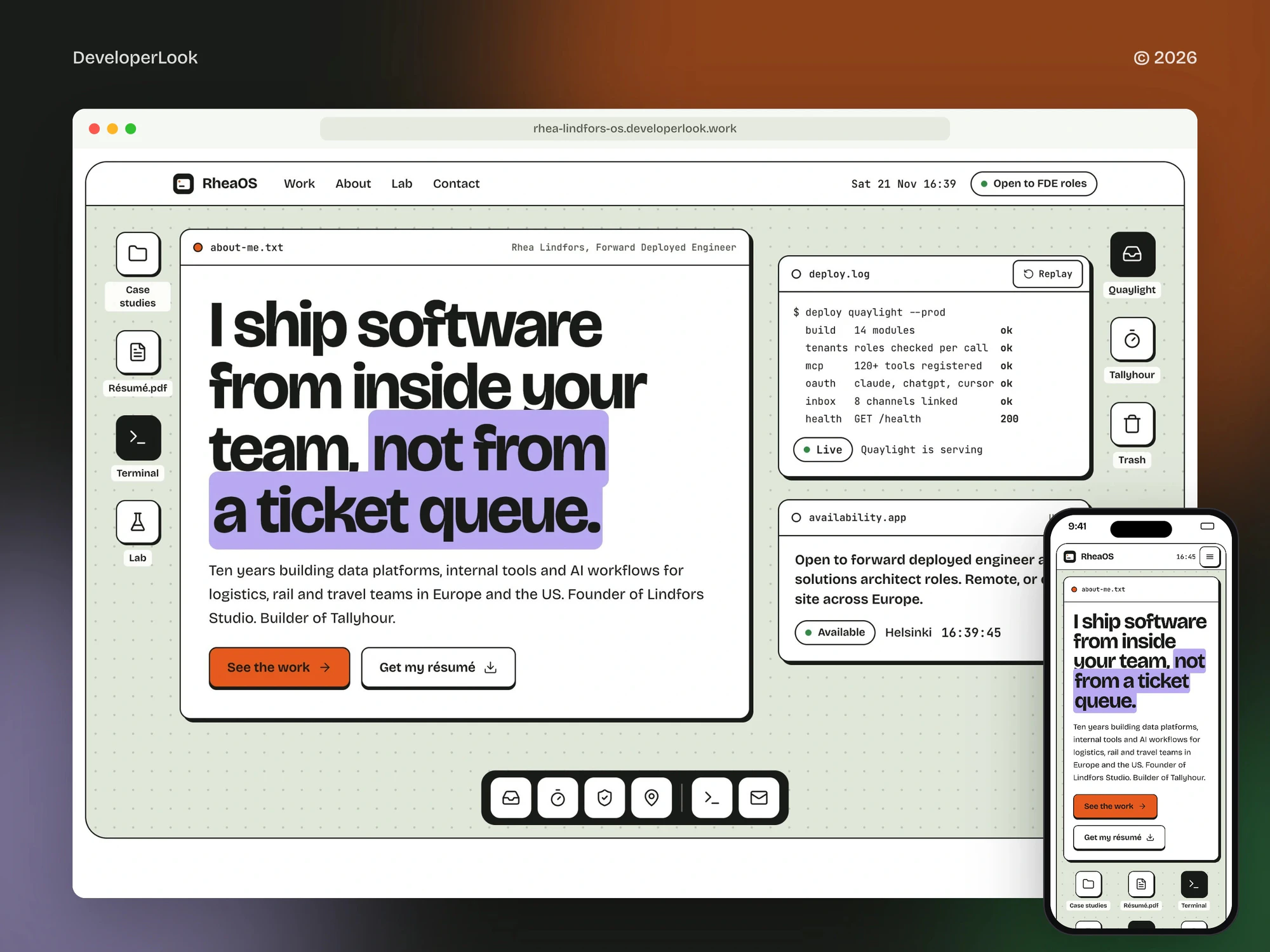
The about-me.txt, deploy.log and availability.app windows move with the mouse or the arrow keys, and Home puts each one back where it started.

Landing Page
A landing page project in technology, delivered by DeveloperLook.
About the project
DeveloperLook designed and built a concept portfolio landing page that works like a desktop: draggable windows, a dock, case studies that open as apps with live mini UIs, a setup assistant and a career written as a changelog.
RheaOS is a personal portfolio concept we designed and built for Rhea Lindfors, a made-up forward deployed engineer in Helsinki. Her products, studio, reviews, numbers and contact details are sample content, while the design and build are our work.
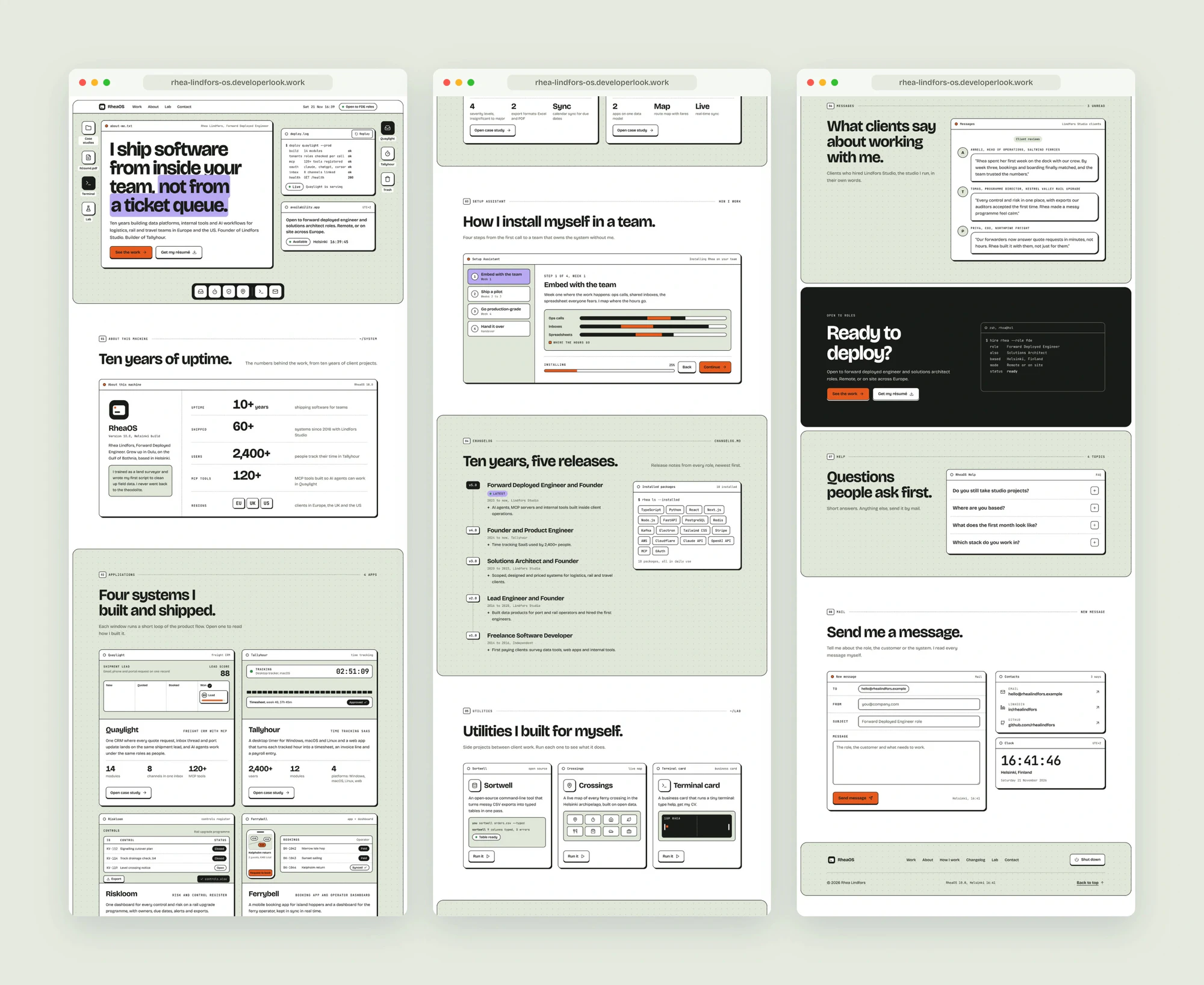
The page works like a desktop. A menu bar carries the date, a live clock and an Open to FDE roles badge, and desktop icons sit along both edges. Three windows open on the desk: about-me.txt with the headline and its lilac highlight, deploy.log, which prints a deploy line by line and ends on a Live badge, and availability.app with the local time in Helsinki. Every window drags with the mouse or the arrow keys, selecting an icon twice opens Résumé.pdf or Trash, and a dock opens the four case studies.
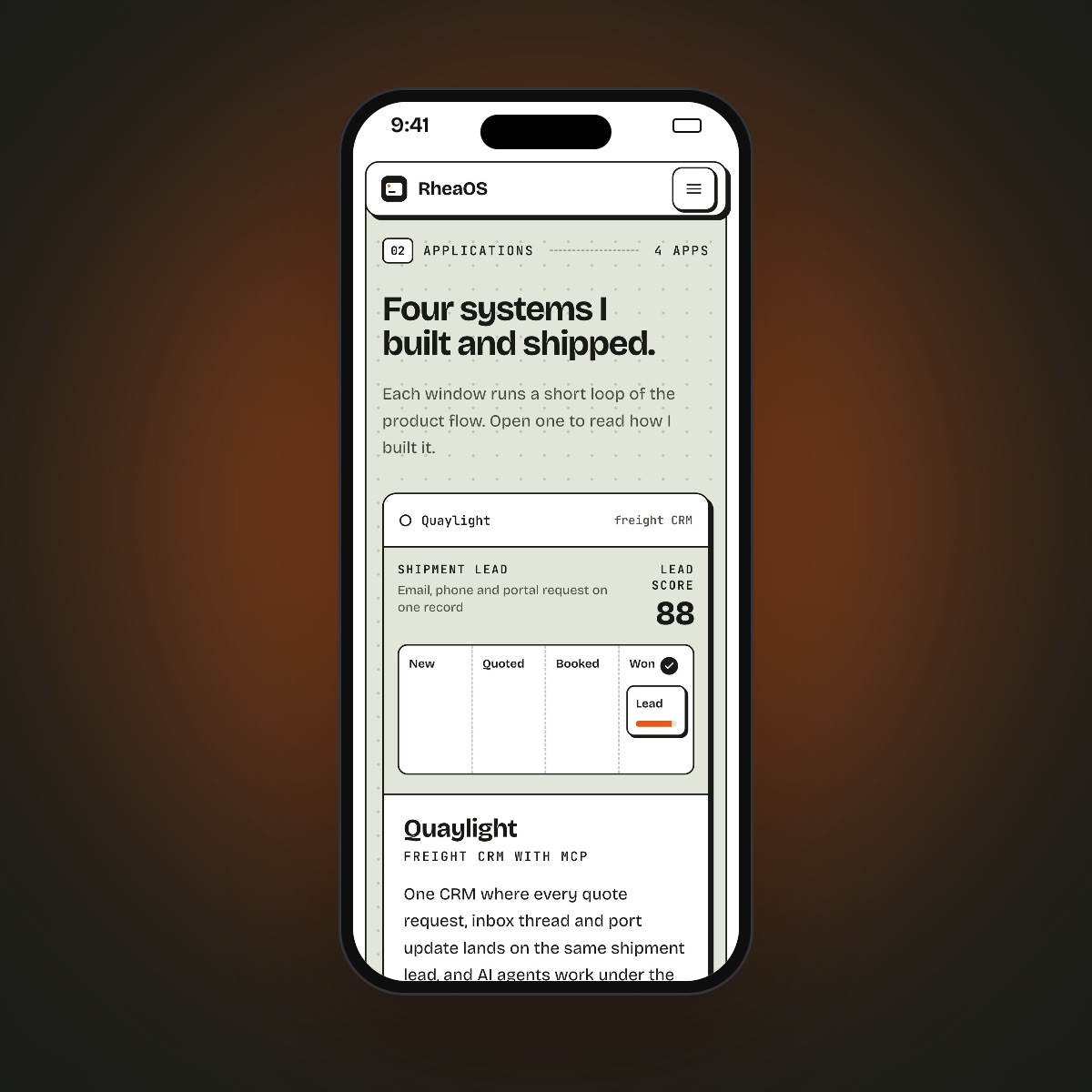
Below the desk, an About this machine window counts up the proof. The case studies run as apps whose mini UIs loop through the product: a freight lead moving to Won, a desktop timer and an approved timesheet, a rail control closing, and a ferry booking syncing to the operator view. Each opens a case window with the challenge, what she built, the results and the stack. A setup assistant installs her on a team in four steps, the career reads as a changelog from v1.0 to v5.0 beside an Installed packages window, the lab runs three utilities, and reviews arrive in Messages. A hire terminal, a Help window, a Mail app and a footer with a Shut down button close the page.
The site is built with Next.js and TypeScript and exported as static HTML, with its own layouts for desktop and phone. There are no photos: the windows, mini UIs and icons are drawn in code. On 2K, ultrawide and 4K screens the desk stays centred and the type scales up, and visitors who turn off motion see every window and mini UI in its finished state.
Tell us what you are building. We reply within 24 hours with questions or a call time.
What do you need?
Challenge and solution
The challenge
Four products, ten years of roles, a way of working and a way to get in touch had to fit on one page that a hiring manager can scan in a minute and still remember.
Our solution
What we built
Eight features, shown next to the screens they live on.
The about-me.txt, deploy.log and availability.app windows move with the mouse or the arrow keys, and Home puts each one back where it started.
Selecting an icon twice opens a window: Résumé.pdf previews the résumé and Trash holds a deleted ticket queue handoff. A dock along the bottom opens each case study and jumps to Mail.
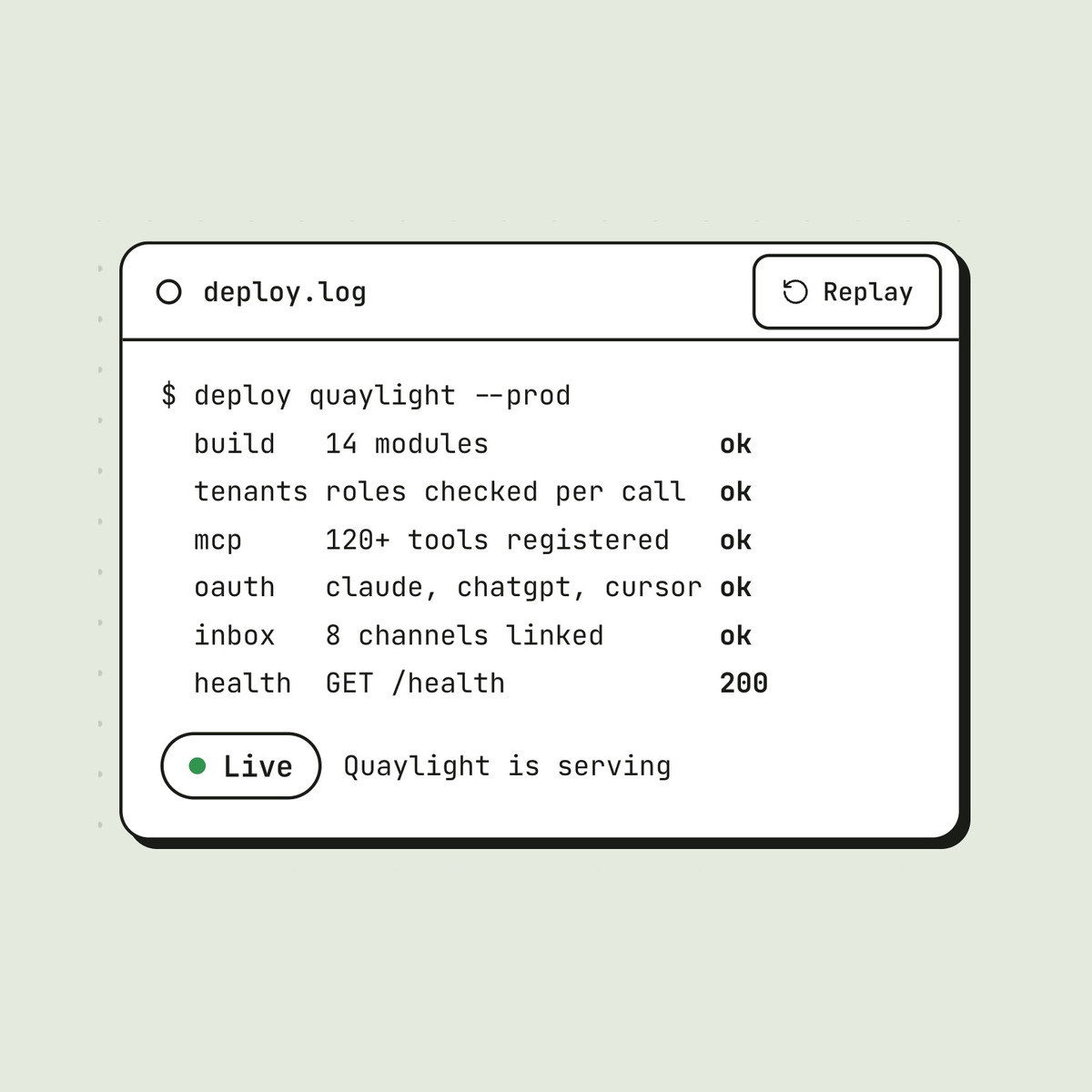
deploy.log prints a production deploy of Quaylight line by line, from the build to the health check, and ends on a Live badge with a Replay button.
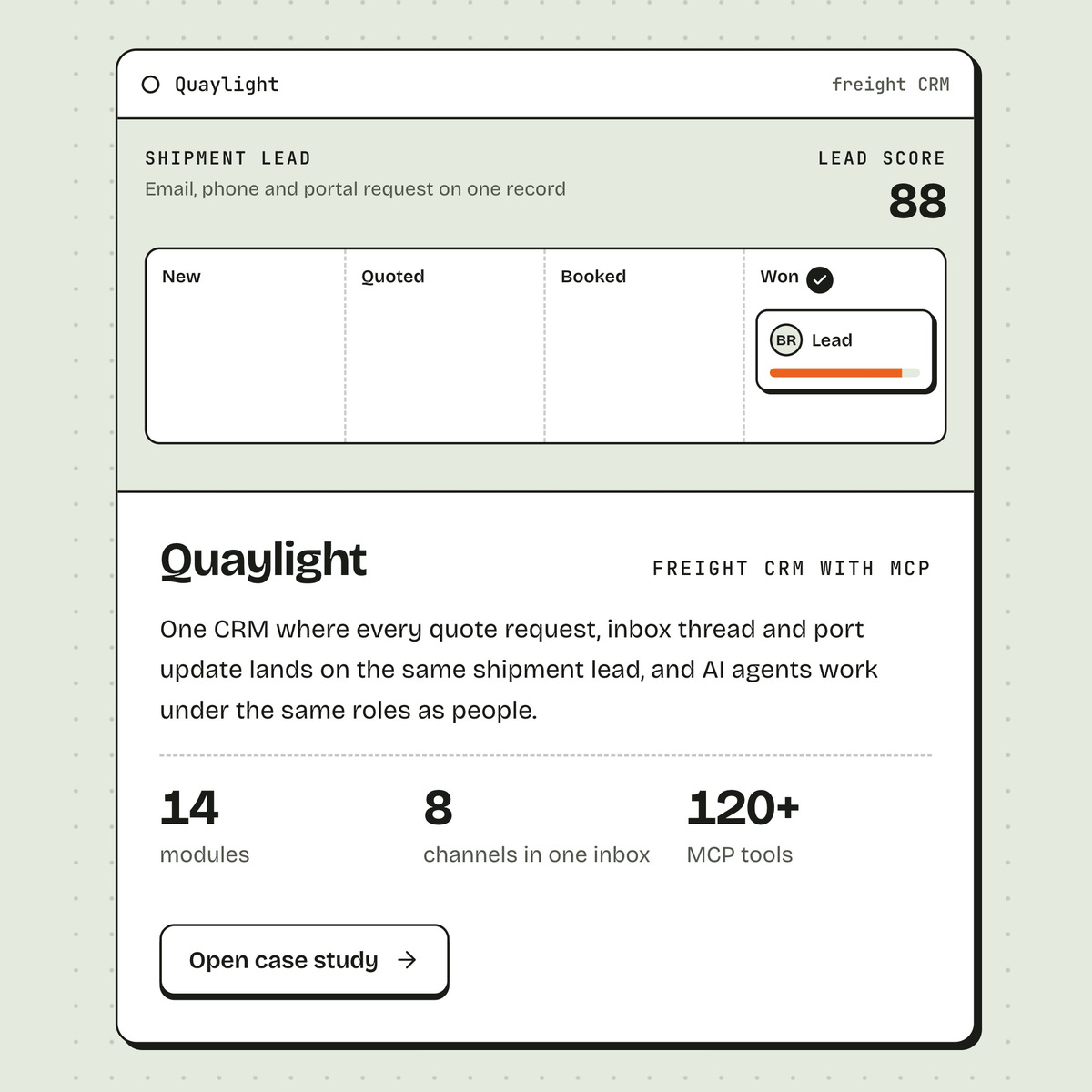
Four app windows loop through their product: a freight lead moving to Won as its score counts up, a desktop timer and an approved timesheet, a rail control closing, and a ferry booking syncing to the operator view.
Open case study brings up a window with the challenge, what she built, the results and the stack, and Back to the apps closes it again.
How she works plays as an installer: four steps from week one to handover, each with its own drawing, an Installing bar and Back and Continue buttons.
Five roles read as releases from v1.0 to v5.0, the latest one tagged, beside an Installed packages window that lists her stack.
Three side projects run from a lab, reviews arrive in a Messages window, a hire terminal prints her role and status, and a Mail window checks the form before it sends.
FAQ
 Saimul IslamFounder & CEO, DeveloperLook
Still have questions?
Send a message or book a call with the team.
DeveloperLook designed and built a one-page portfolio that works like a desktop: a hero with draggable about, deploy log and availability windows, desktop icons and a dock, count-ups in an About this machine window, four case studies as apps with case windows, a setup assistant, a changelog, a lab, reviews in Messages, a hire terminal, a Help window, a Mail app and a footer.
No. Rhea Lindfors is a made-up engineer for a portfolio concept we designed and built. Her products, studio, the companies she worked with, reviews, numbers and contact details are sample content; the design, the desktop with draggable windows and the build are our work. The demo at rhea-lindfors-os.developerlook.work can be clicked through on desktop and phone.
The top bar links to Work, About, Lab and Contact, and the dock opens each case study or jumps to Mail. Windows on the desk can be dragged out of the way, icons open more windows when selected twice, and every app window has an Open case study button. See the work and Get my résumé buttons appear in the hero and again in the closing terminal.
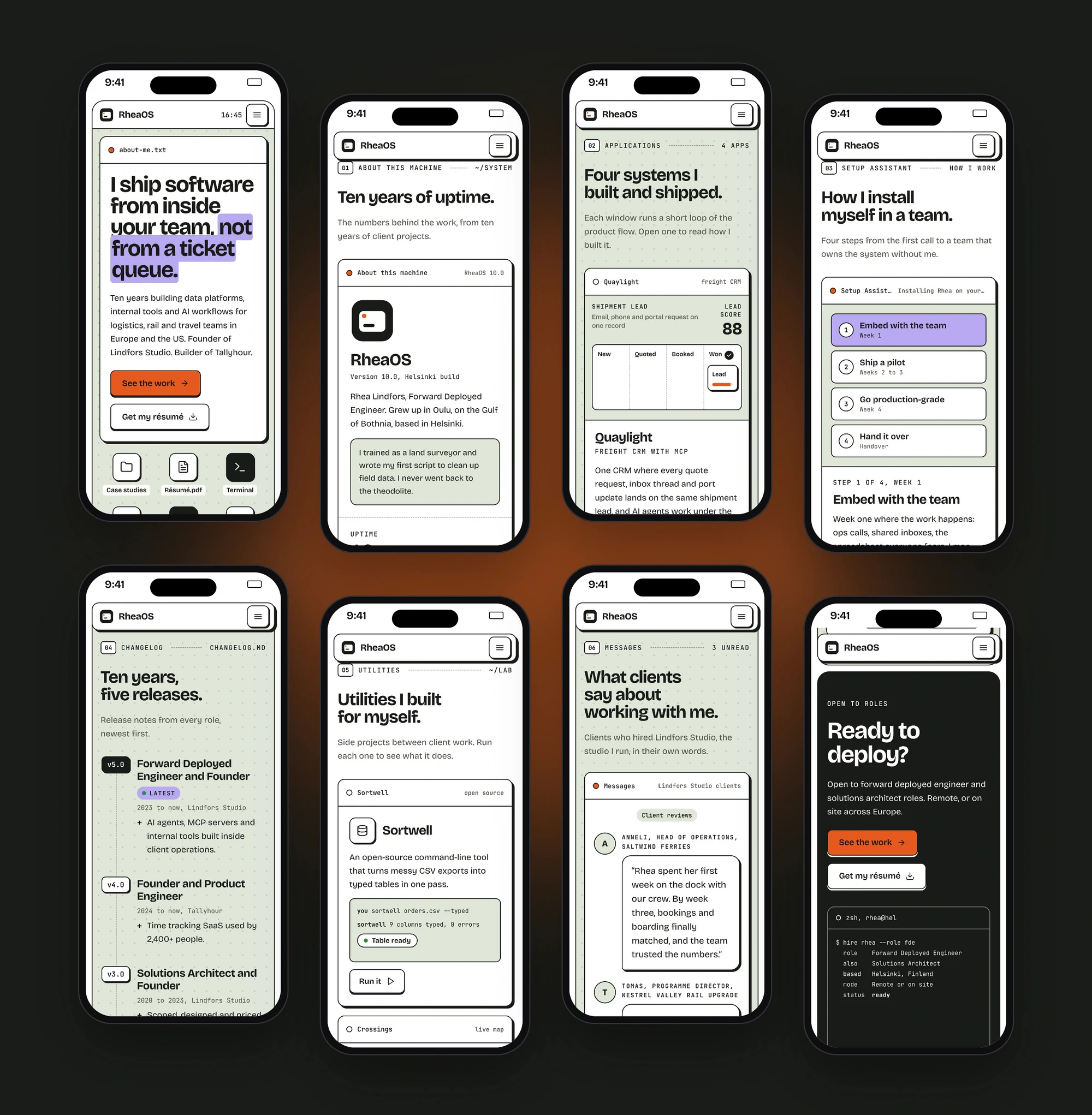
Yes. Every section has its own phone layout, not a shrunken desktop page. The about window fills the screen with the desktop icons in a row beneath it, a floating bar with a menu button stays at the top, and the app, setup and changelog windows stack one under another. The gallery shows eight of these phone screens.
The page is built with Next.js, React and TypeScript and exported as static HTML, so it runs without a server. There are no photos: the windows, mini UIs and icons are drawn in code. Every clock runs in Helsinki time and follows daylight saving, and visitors who turn off motion see every window and mini UI in its finished state.
Yes. We would start from your work, your roles and how you want people to reach you, then design the windows, case studies and contact flow around them and build the site on a fast, modern stack. Contact us with your current portfolio and we will suggest where to begin.
Saimul IslamFounder & CEO, DeveloperLookStill have questions?
Send a message or book a call with the team.
Free 30-min callGoogle Meet
Book a call
In 30 minutes on Google Meet we walk you through how we would build it, how long it takes and what it costs. Then you get a written estimate.
Calendar not showing? Book on cal.com or send a brief.