
Motion plan and prototypes
A Figma prototype showing the timing and easing of each effect, approved before development starts.

For brands whose product is easier to show than to describe: motion that guides visitors, explains features, and stays smooth on phones, from $900.
60fps
Animation target on phones
100%
Effects with reduced-motion fallbacks
Teams we have built for:














The Problem
It shows up after a redesign that chased trends. Elements slide in from every side, the page feels slower, and visitors still can't tell what the product does.
01 · Overload
Every element slides, fades, or bounces at the same time.
We keep motion for moments that explain something or confirm an action.
02 · Stutter
Animations stall and skip on mid-range phones.
We animate transform and opacity only, then test on real phones.
03 · Layout
The page jumps while effects and fonts load.
Elements keep their space from the start, so nothing shifts as motion plays.
04 · Comfort
Motion-sensitive visitors have no way to turn it down.
Every effect follows the reduced-motion setting on the visitor's device.
Your homepage has parallax backgrounds, headlines that type themselves out, and cards that fly in from four directions. On a designer's laptop it looked impressive. On a mid-range phone it stutters, the layout jumps while fonts load, and the main button appears a second late. Visitors who get motion sickness switch off or leave. The product demo that should explain everything is a stock video loop, so people still ask what your product actually does.
We start by asking what each moment on the page should explain or confirm. Motion only goes where it helps: a scroll sequence that shows your workflow step by step, a button that responds when tapped, an illustration that demonstrates a feature. We animate transform and opacity so phones stay smooth, and every effect gets a reduced-motion version. Visitors notice your product, not the effects.
Motion with a job
Every effect explains, guides, or gives feedback, or it doesn't ship at all.
Smooth on real phones
We test on mid-range Android phones and iPhones, not just a fast laptop.
Reduced-motion versions
Visitors who turn motion off in their settings still get a calm, complete page.
Our Animated Website Design Process
You approve how every section moves in a clickable prototype before we build it, then check the finished effects on your own phone.
We review your current site or designs and mark where motion would explain, guide, or confirm something. You get a short list of moments worth animating, effects to remove, and the plan that fits.
What's Included
Motion designed and built as part of your site: a plan for each effect, the code, the illustrations, and testing on real devices. Your team also gets notes to follow when you add pages.
Compare Options
Built-in effects in Webflow or Wix are free and quick, and a plugin can cover simple fades. Here's where each one breaks down once a website with animation has to explain your product.
| Feature | DeveloperLookBest fit | Builder effects | Animation plugin |
|---|---|---|---|
| Planning | Each effect planned in Figma | Picked from presets | Picked from presets |
| Custom motion | Any sequence your story needs | Limited to builder options | Limited to plugin options |
| Scroll storytelling | Multi-step scroll sequences | Simple scroll triggers | Fades and slides |
| Phone performance | Tested on mid-range phones | Usually fine for simple effects | Often adds heavy scripts |
| Reduced motion | Calm version of every effect | Depends on the builder | Rarely handled |
| Setup time | 1 to 8 weeks | Hours | Hours |
| Cost | Fixed price per scope | Included in your plan | Free or a small license |
| Ownership | Source files are yours | Tied to the builder | Tied to the plugin |
Projects We've Built
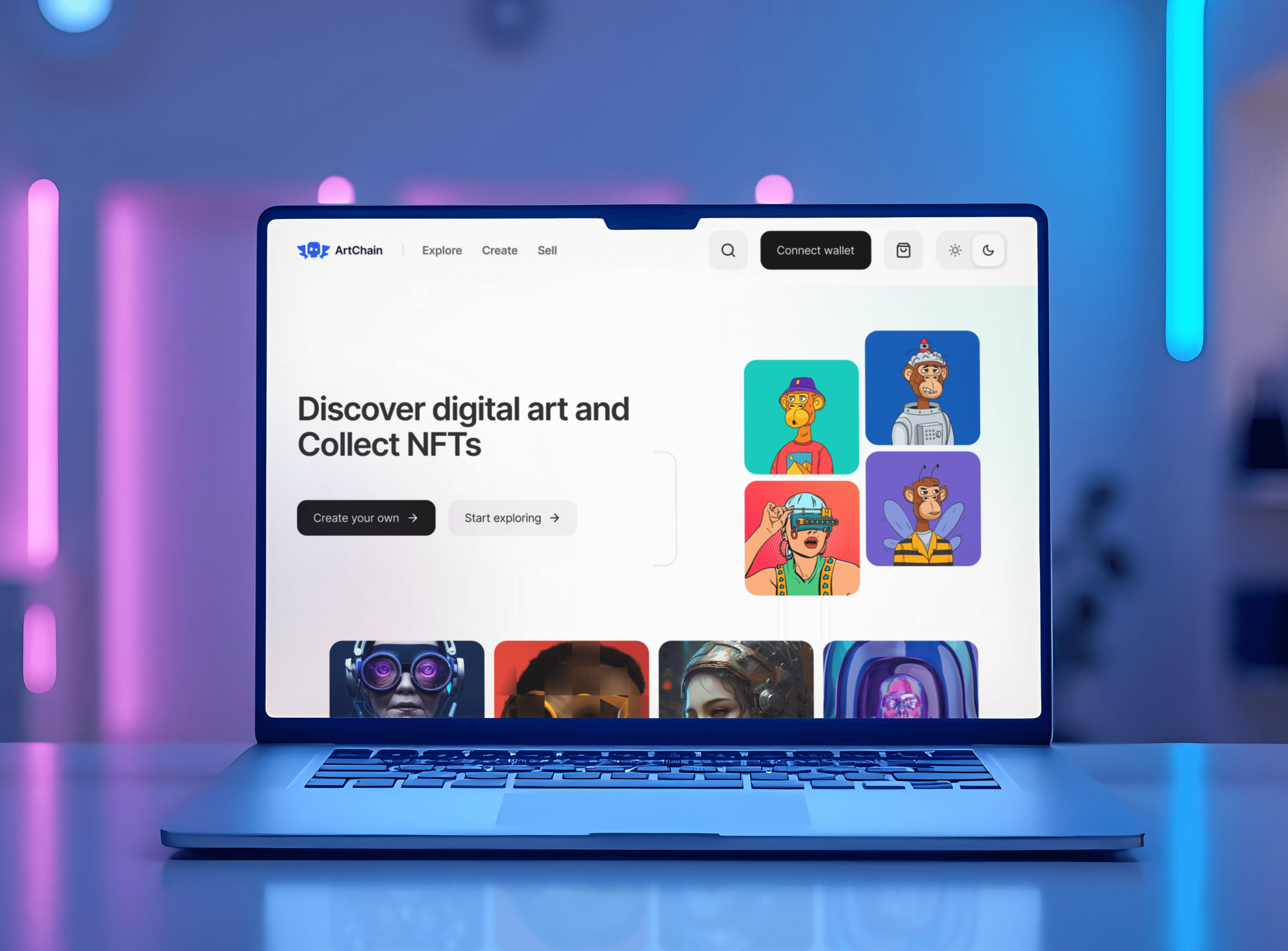
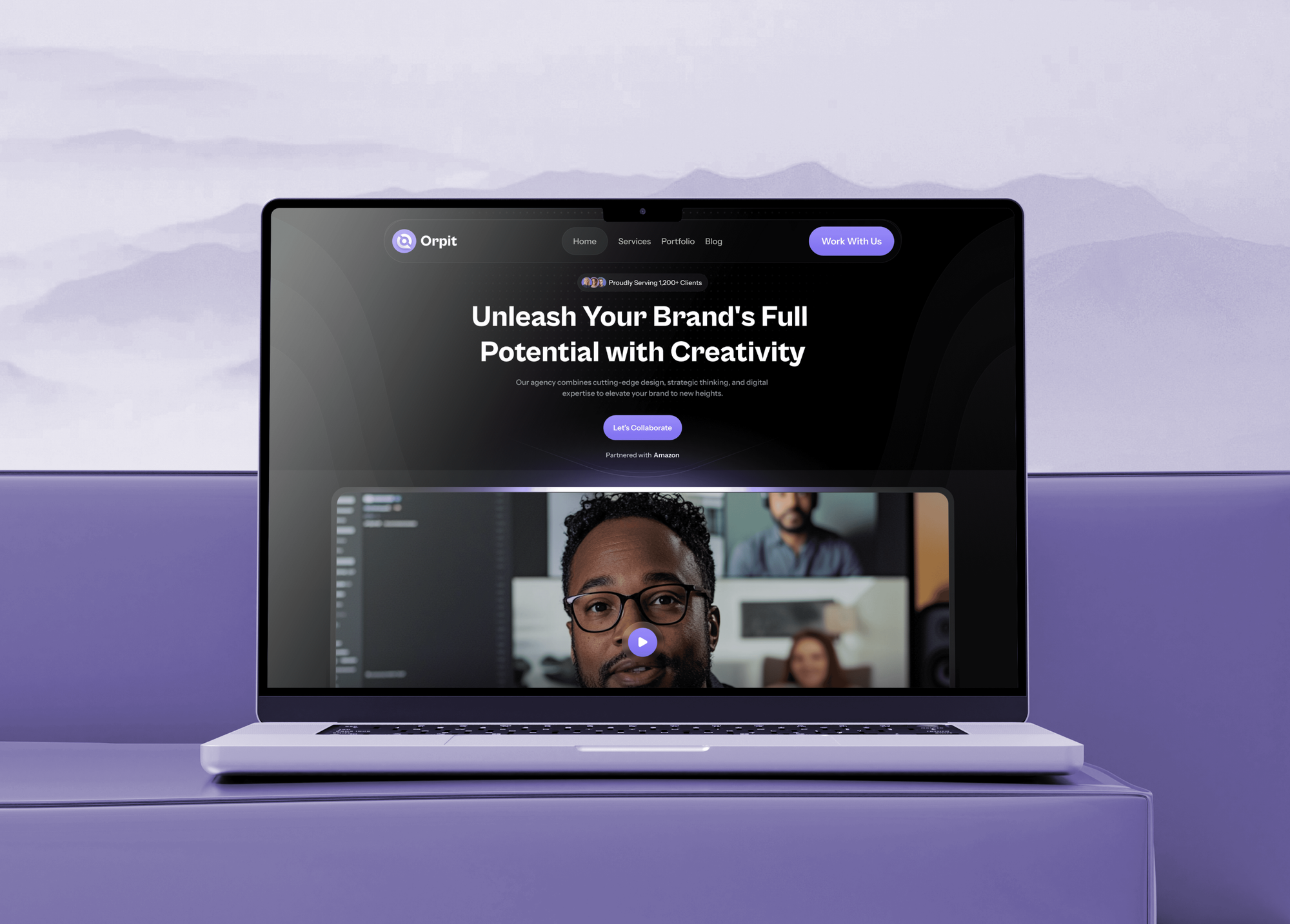
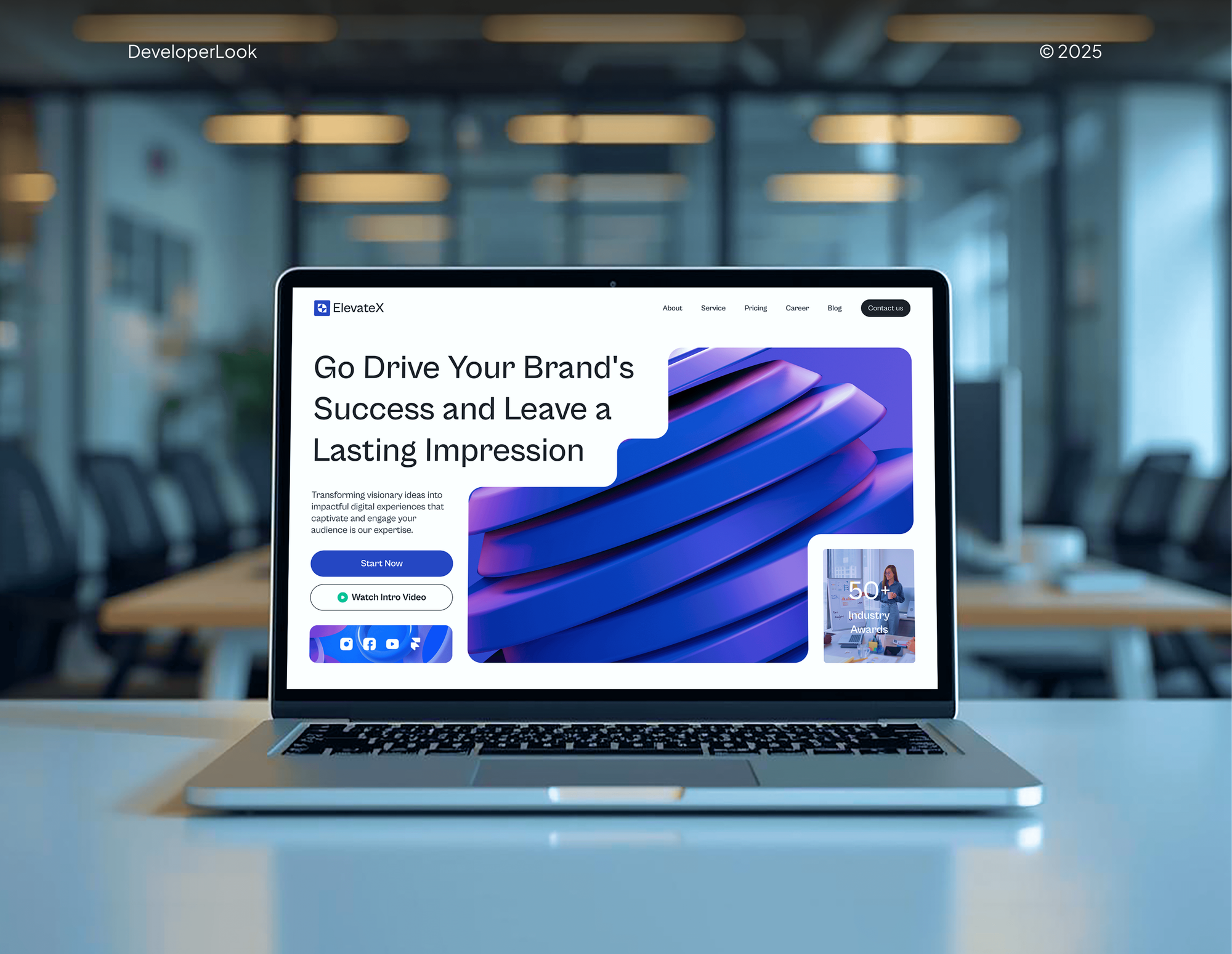
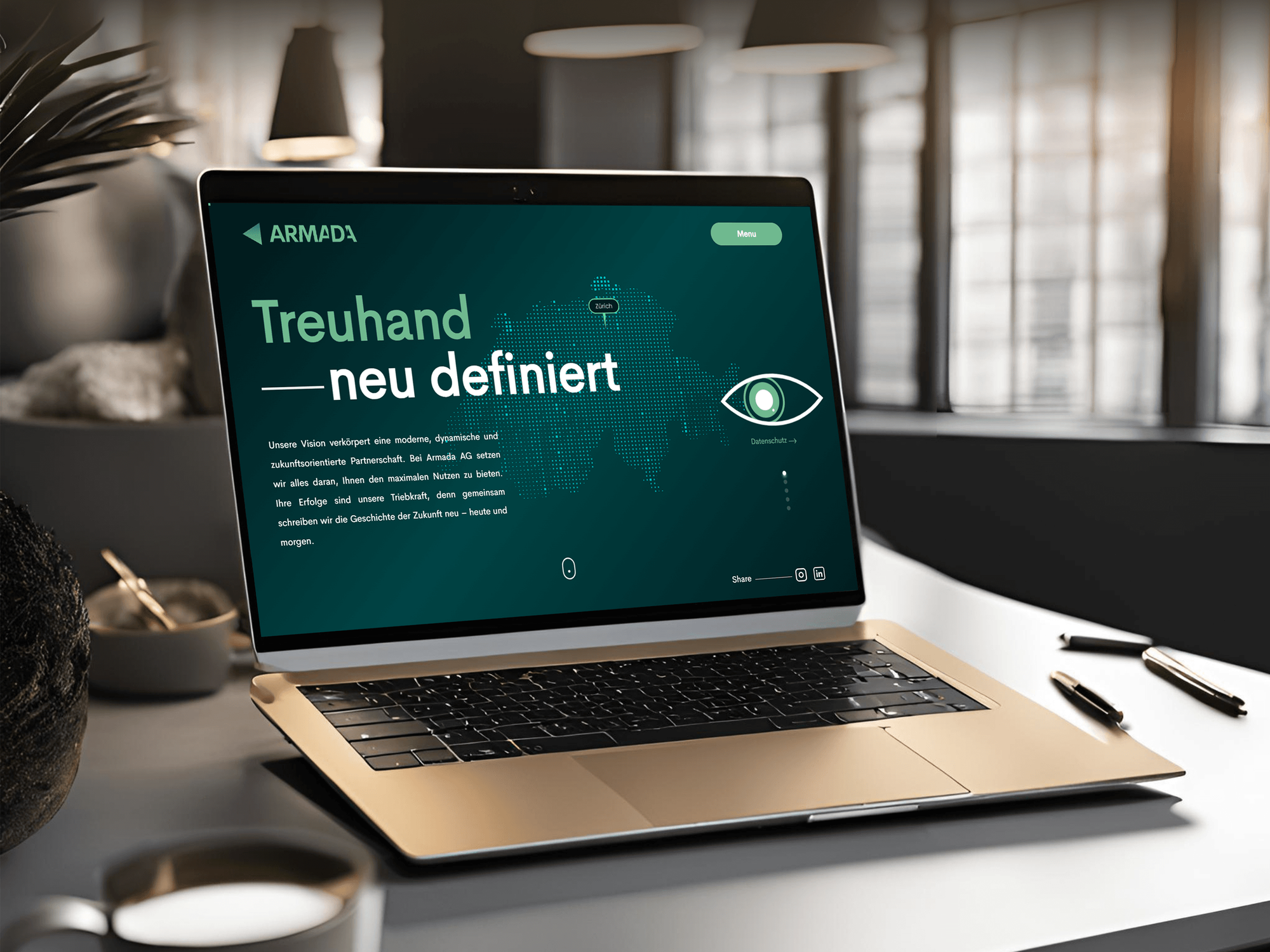
Agency sites with subtle animation, an NFT art platform with smooth transitions, and a consulting site with an interactive service selector, all designed and built by our team.
What Our Clients Say
Feedback from teams we have designed and built websites for.
We had a pretty specific idea of what we wanted our website to become, but I wasn’t sure how easily we could explain all of it to a development team. There were quite a few moving parts, and we were working toward a deadline, so I expected a few things to get lost along the way. That never really happened. They understood what we were trying to achieve, kept us updated throughout the process, and got everything ready within the agreed timeline. The final site feels much easier to navigate, works beautifully on mobile, and is noticeably smoother for our customers. It was a huge relief seeing the original idea actually turn into the website we had in mind.
The mobile experience is probably my favourite part of the new site. We had spent a lot of time making sure the desktop version looked right, and the team kept pushing us to think about how everything would actually feel on a phone too. They were right. The navigation is clean, the interactions feel natural, and everything we’ve tested so far works exactly as it should. They also went through the links, forms, integrations, and other details more than once before launch, which I really appreciated. And even after going live, we could still reach out when something came up. The whole process felt friendly, organised, and surprisingly straightforward.
What I appreciate most is that the website is actually easy for us to manage now. We can update content ourselves instead of sending a developer a message every time we need to change something small. They also paid attention to the technical SEO side, which mattered to us because we didn’t want a new website to create problems for the traffic we already had. I’ve probably asked more questions than I should have since launch, but every question has been handled patiently and without any fuss. The team is easy to work with, they explain things clearly, and when we need something changed, they focus on getting it done rather than making the process complicated.
1,250+
Projects shipped
10+
Years of experience
Top 3%
Upwork Top Rated Plus
5 stars
Average review score

Want results like these?
Tell us what you are building. You get a reply within 24 hours on business days, then a written estimate.
Work Culture
Motion is easy to overdo. These habits keep animation useful, fast, and comfortable for every visitor, including the ones who turn motion off.
We ask what each animation explains or confirms before designing it. Effects that only decorate get cut, which keeps pages calmer and faster.
Durations and easing curves are documented for every effect. Your next designer can add a page that moves the same way without guessing.
We judge smoothness on a mid-range phone first. If an effect stutters there, we simplify it instead of hoping visitors own new devices.
If your builder's own effects or a simple CSS fade covers what you need, we'll tell you before we quote. Custom motion makes sense when the story needs it.
Each effect follows the reduced-motion setting and avoids rapid flashing. Visitors with vestibular conditions get the same content without the movement.
Figma files, Lottie and Rive sources, and code come with notes. You can change or remove any effect later without calling us.
Overview
DeveloperLook designs and builds animated websites for brands that need motion to explain a product, not decorate it. We plan each effect in Figma, build it with GSAP, CSS, Lottie, or Rive, add reduced-motion versions, and test on real phones. Projects start at $900, take 1 to 8 weeks, and the source files are yours.
DEVELOPERLOOK
Project facts · Animated Website Design Services
Reviewed 8 Oct 2026 by Saimul Islam
Good fit
SaaS companies explaining a product
Your product is hard to picture, and you want animated sections on your React or Next.js site that show the workflow instead of describing it.
Brands relaunching a flat website
Your website looks static next to competitors, and you want website animations that feel current without slowing your pages down.
Webflow and WordPress site owners
You run a Webflow or WordPress site and want animations for websites built properly, not stacked plugin effects that stutter on phones.
Teams preparing a product launch
You're launching a product in a few weeks and need a launch page with interactive website design that keeps visitors scrolling.
Agencies short on motion skills
Your agency designs the site, but nobody on the team builds GSAP timelines or Lottie files, and the client expects motion.
Not a fit
Full 3D product scenes
You need a 3D product configurator or a WebGL scene with physics. That's a specialist three.js build, which we scope separately from this service.
Whole site needs rethinking
Your real problem is unclear messaging and a confusing layout, not missing motion. Website Redesign Services fixes the structure first, and animation can follow.
Budget under $900
You only want a fade-in on a few sections. The built-in effects in Webflow, Wix, or Squarespace cost nothing and will cover it.
App with logins and data
You need a web app with accounts and dashboards, where motion is a small detail. React Development Services builds the app, and motion can be part of it.
Not sure we're the right fit?
Book a free call or message us. We'll tell you honestly whether we're the right team.
Pricing
These are starting points in USD. Your final price depends on page count, custom illustrations, and interactive sections, and you get a fixed proposal after a free motion review.
For live sites that need a hero animation and polished micro-interactions without a redesign.
$900one-time, USD
For brands that want scroll storytelling across a full site, designed and built together.
$3,400one-time, USD
For launches and product stories that need custom interactive sections visitors can explore.
$6,900one-time, USD
For Agencies
You own the client relationship. We supply the motion work behind it: animation plans, GSAP and Lottie builds, and phone testing, delivered under your name. Your designers keep the visual direction, and we make it move.
White label: your client only ever sees your brand
Send the Figma file and mark the sections where the client wants motion.
We return a motion plan per section and a fixed price that leaves your margin.
We build on a staging link, review timing with you, and launch on the client's platform.
Your client sees your designs and your name on every demo.
We animate your agency's layouts without changing the visual direction.
GSAP, Lottie, Rive, and CSS skills most design teams don't keep in-house.
Add us for one launch page or every site you ship.
The Right Technology for Your Project
The motion, illustration, platform, and testing tools we use, picked so effects stay light and your team can edit them later.
 CSS3
CSS3 JavaScript
 Figma
Figma WordPress
 Webflow
 React
React Next.js
 Chrome DevTools
 Lighthouse
FAQ
Straight answers on cost, timelines, accessibility, speed, and how website motion gets built.
Saimul IslamFounder & CEO, DeveloperLookStill have questions?
Send a message or book a call with the team.
Interactive website design with DeveloperLook starts at $900 for a motion upgrade on up to 5 key pages of your current site. A fully animated site of up to 8 pages costs $3,400, and custom interactive experiences start at $6,900. You get a fixed price after a free motion review of your site or designs.
Adding animation to an existing website usually takes 1 to 2 weeks for a hero effect and micro-interactions. A fully animated site takes 4 to 8 weeks, because each section is designed in Figma, approved, built, and tested on phones. Custom interactive sections add time for prototyping and content.
Interactive design for websites is planning how a page responds when visitors hover, tap, scroll, or fill in a form. Good interaction design gives clear feedback, such as a button that changes state or a form that confirms an entry. Animation is one tool for it, not the goal itself.
Interactive website designs help visitors understand a product faster and confirm that their actions worked. A scroll sequence can show a multi-step workflow more clearly than a paragraph, and tap feedback cuts repeat clicks and form errors. The benefits disappear when effects slow the page down, so performance testing is part of the work.
You create animation for website pages in 3 layers. CSS handles simple transitions, GSAP runs timelines and scroll effects, and Lottie or Rive files cover animated illustrations. Plan each effect's timing first, animate transform and opacity to keep phones smooth, and add a reduced-motion version. Then test on a real mid-range phone.
Make a website design more interactive by adding feedback where visitors act and motion where they need explanation. Start with hover and tap states on buttons, clear form validation, and expandable details. Then add scroll-triggered sections or an explorable product demo where your content benefits from it. Each addition should help someone decide or act.
They can, but well-built website animations add very little load. The cost comes from animating layout properties, heavy scripts, and large video files. We animate transform and opacity, which browsers handle on the graphics layer, load libraries only where needed, and check Interaction to Next Paint and layout shift before launch.
Animated websites can be accessible when motion is optional and nothing flashes. WCAG 2.2 asks for a way to pause anything that moves automatically for more than 5 seconds, and it limits flashing to 3 times per second. We also follow the reduced-motion setting, so visitors who turn motion off get a calm version of every section.
We use CSS for simple transitions, GSAP for timelines and scroll effects, and Lottie or Rive for animated illustrations. GSAP, including plugins such as ScrollTrigger and SplitText, has been free for commercial use since April 2025. For page transitions, we use the View Transitions API where browsers support it, with a plain fallback elsewhere.
Yes, you get the source files and notes for every effect: Figma prototypes, Lottie and Rive files, and documented code. Timing and easing values sit in one place, so a developer can adjust them without untangling scripts. Support covers bugs and timing tweaks for 30 to 90 days, depending on your plan.
Saimul IslamFounder & CEO, DeveloperLookStill have questions?
Send a message or book a call with the team.
Free 30-min callGoogle Meet
Book a call
In 30 minutes on Google Meet we walk you through how we would build it, how long it takes and what it costs. Then you get a written estimate.
Calendar not showing? Book on cal.com or send a brief.