Key takeaways
5 points
- 01The 18 image moved PGDATA to /var/lib/postgresql/18/docker and the volume to /var/lib/postgresql, so pg_upgrade --link can hard-link inside one mount. A volume mounted at PGDATA itself, as Dokploy does for 18, blocks it.
- 02Rehearse a dump and restore on a copy and time it. If it fits your downtime window, take that path. If not, --link took 12.9 to 14.4 seconds from 1.4 to 8.5 GB in End Point's 2015 test.
- 03A 17 cluster made with the image's defaults has data checksums off, and 18's initdb turns them on. pg_upgrade refuses the mismatch, and the fix you pick follows you to 19.
- 04An upgraded cluster doesn't get the image's pg_hba.conf line for other containers, so your app is refused until you copy your old file back.
- 05Once the new server starts, a restored backup is --link's only way back.
I moved a Postgres database on Dokploy from 16 to 18 with pg_upgrade. It went fine, with the database down for under a minute, but it stopped twice on the way. First, pg_upgrade stopped at its checks: old cluster does not use data checksums but the new one does. Then 18 started, and my app couldn't connect.
Neither stop was bad luck. Both follow from how the 18 tooling works, and both wait in a typical pg_upgrade of a 14 to 17 database made with the image's defaults. You'll meet them soon: 14 gets its final release on November 12, 2026, and 19 is planned for October 29 (as of October 2026).
This guide is for you if you run Postgres 14 to 18 in a Docker volume, Dokploy and Coolify included. It gives you one timed rehearsal that picks your path: dump and restore, or pg_upgrade --link. Then both paths step by step, the exact errors with their fixes, the rollback for each, and five checks that prove it worked.
Explaining this to a founder or a client? Send them the business version: Postgres 14 end of life: what it means for your business.
How this guide was checked: I didn't run any of these commands for this post. They're assembled from the PostgreSQL 18 docs, the official image's source (
18.6, as of October 2026), and the upgrade image's scripts, and each block says "Untested." Error messages come from that source and from GitHub issues. The examples use a Compose projectmyapp, a servicedb, a volumepgdata, and the superuserpostgres.
Why the Postgres 18 image moved your data
Three answers from a developer would worry me before a database upgrade, because each one skips a step that decides whether the data survives. The first is "just change the version." In Docker, current 18 images refuse it outright.
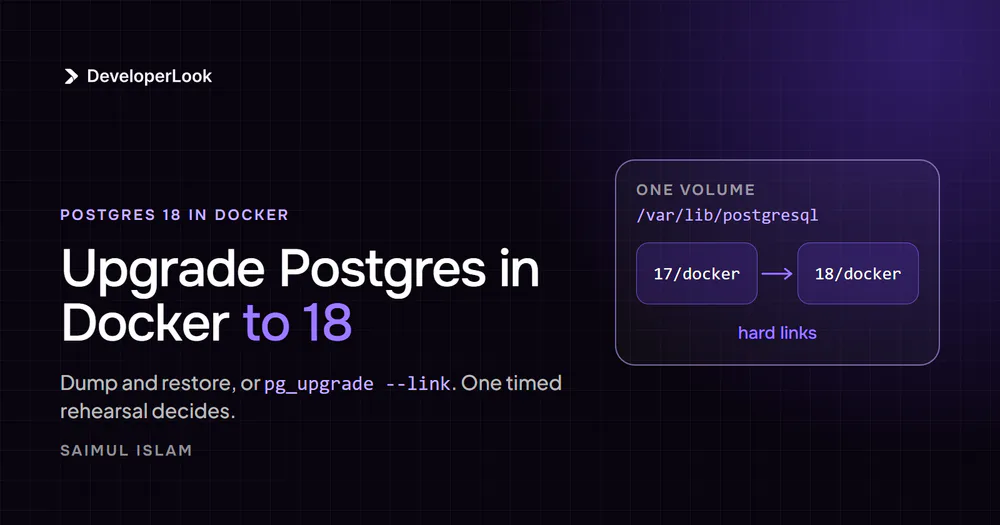
The 18 image moved the data down one level so that two clusters can share one mount. That's what pg_upgrade --link needs, because a hard link can't cross a mount point.
Here's the mechanism. --link makes one link(2) call per data file instead of copying it. The link(2) manual says the call fails with EXDEV across different mounts, "even if the same filesystem is mounted on both." Docker makes every volume its own mount.
On 17 and earlier, the volume is the data directory (/var/lib/postgresql/data). There's no room inside it for a second cluster, so the new one has to live on a second mount, and linking fails. A maintainer said volumes were "stuck using the slow version" (PR #1259).
From 18, PGDATA is /var/lib/postgresql/18/docker and the VOLUME is /var/lib/postgresql (image docs). Mount the parent, and 17/docker, 18/docker, and later 19/docker sit side by side in one volume.
What the old mount does on 18 depends on when the image was built:
- Current Debian images (since October 22, 2025): the entrypoint finds old data, or an unused mount at
/var/lib/postgresql/data, printsError: in 18+, these Docker images are configured to store database data in a format which is compatible with "pg_ctlcluster", and exits 1 without touching your data (entrypoint source, PR #1372). Underrestart: always, that's a restart loop. - 18.0-era images: a deliberate
datasymlink made Docker fail on many setups witherror mounting ... to rootfs at "/var/lib/postgresql/data" ... no such file or directory. Alpine images kept the symlink until January 29, 2026. - Alpine images built before the April 21, 2026 fix: their check missed bind mounts at the old path, so some setups started an empty cluster in an anonymous volume and ran that way for weeks.
A maintainer predicted that last symptom, "a running empty database," for anyone who starts a new major on old data without upgrading (PR #1259). The refusal in the first bullet exists to stop it.
Verify it: check which directory your server writes to.
# Untested.
docker inspect <container> --format '{{ json .Mounts }}'
docker compose exec db psql -U postgres -c 'SHOW data_directory;'
You want one mount whose Destination is /var/lib/postgresql, and a data directory inside it. Next question: do you need any of this, or is a dump simpler?
Dump and restore or pg_upgrade --link: let one timed rehearsal decide
Rehearse a dump and restore on a copy and time it. If it fits your downtime window, use dump and restore. If it doesn't, use pg_upgrade --link.
One published rule of thumb puts a number on it, CYBERTEC's from 2019: dump-and-restore trouble starts "around 100GB." Your own timing beats any general rule.
The PostgreSQL docs call dump and restore the method that "can be slow" and say pg_upgrade finishes "in minutes, particularly with --link mode." Here's what each path does to your data, per the pg_upgrade docs:
| Path | What happens to the data | Extra disk during the upgrade | Needs | Way back |
|---|---|---|---|---|
| Dump and restore | Every row re-inserted, indexes rebuilt | The dump plus a full new cluster | The new image's client tools | The old volume, untouched |
pg_upgrade --copy (default) |
Every file copied | About the cluster's size again | Old and new binaries | The old cluster, untouched |
pg_upgrade --link |
Hard links; nothing copied | Almost none | One mount for both clusters | Rename pg_control.old if the new server never started; after that, your backup |
pg_upgrade --clone |
Reflinks | Almost none at first | Btrfs, XFS with reflink, or APFS (not ext4) | The old cluster, untouched |
pg_upgrade --swap (new in 18) |
Directories moved | Almost none | One filesystem | Your backup, once transfer starts |
The only controlled comparison with published numbers is from 2015, but its shape is the point. In Greg Sabino Mullane's test (9.3 to 9.4, pgbench data, fsync off on the target, hardware not stated), dump and restore took 210 seconds at 1.4 GB and 1,927 seconds at 8.5 GB. The whole --link run took 12.9 to 14.4 seconds at every size, and --copy landed in between, from 74.7 to 607 seconds.
--link time follows the number of tables and indexes, not bytes. Daniel Westermann measured 13.8 seconds for a --link upgrade of 10,000 tables and 10,000 indexes, from 17.2 to an 18 development build (March 2025).
Two more options sit between them. With --copy, you need no layout move and keep the old cluster as your way back, at the cost of the disk and minutes of copying. With --clone, you keep it too, if your filesystem can do reflinks. And know what you're betting with --link: after first start, your rollback is the restore half of that timing, so check it against the window too.
Dump and restore buys real things, though. The new cluster gets the 18 layout and checksums by default, every index is rebuilt on the new image's C library, and the old volume stays as your rollback. Windmill, BloodHound, authentik, Discourse, Coolify, and Immich's community guide all document dump and restore for the Postgres their apps run on.
My pick: for a production database, I'd use pg_upgrade, because it's faster on big databases. The rehearsal tells you whether yours counts as big.
Either way, the rehearsal comes first.
Before either path: rehearse on a copy and time it
"We have backups" is the second answer that would worry me, when nobody has restored them. Dump your database with the 18 tools, restore it into a scratch volume, and time both halves. The total is your Path A downtime. The restore half is your rollback time for Path B, because once the new server has started, the docs' answer to any failure is "restore from backup."
What you need before you start:
postgres:18.6, the newest 18 minor as of October 2026, pinned.- For Path B,
tianon/postgres-upgrade(tags14-to-18to17-to-18). - Free disk for a full dump, plus room for a second cluster on Path A.
- A scratch volume, and a quiet hour on the calendar for the real run.
Take the dump with the new version's tools: the docs recommend pg_dump and pg_dumpall "from the newer version of PostgreSQL." Path A shows the commands; for the rehearsal, point them at a scratch volume and leave the app running.
War story: with three weeks of production data on Dokploy, I ran a migration late at night and for about 90 seconds believed I'd wiped the users table. I hadn't. But when I went looking for backups, there were none.
I set up Dokploy's scheduled pg_dump to Cloudflare R2, and the week after, I restored one into a throwaway Postgres service on purpose. It took 10 minutes; the database was a couple hundred MB at the time. A backup you've never restored isn't a backup. It's a file you feel good about.
GitLab learned the same lesson at scale in its January 2017 outage. Its backup job had been failing on a pg_dump version mismatch, the S3 bucket was empty, and "nobody was responsible for testing this procedure."
For Path B, rehearse on a 17 copy, not the 18 restore. Dump with your current image's own tools and restore into a scratch postgres:17 volume created with production's POSTGRES_USER and POSTGRES_INITDB_ARGS, so the install user and checksum setting match. Then move it into the new layout, run --check --link and the real upgrade against it, and time the whole thing. (The docs' own test advice is lighter: "create a schema-only copy of the old cluster, insert dummy data, and upgrade that.")
A logical copy won't carry production's recorded collation version unless the scratch 17 runs production's image, and it never carries damage inside the data files. And run --check against a stopped cluster, production or the copy: it reaches the old server through its Unix socket, which lives inside the other container.
The backup is usually your biggest disk cost. --link needs almost nothing extra; a full dump of your data does. With a timed rehearsal in hand, you know your path.
Path A: dump and restore into a fresh 18 volume
Dump with the 18 client, restore into a new volume mounted the 18 way, and keep the old volume until you've checked. The new cluster gets the new layout and data checksums for free.
# Untested. 1) Stop the app so nothing writes during the dump.
docker compose stop app

# 2) Dump everything with the 18 tools, against the running 17 server.
#    Export PGPASSWORD in your shell first; -e passes it into the container.
docker run --rm --network myapp_default -e PGPASSWORD postgres:18.6 \
  pg_dumpall -h db -U postgres > all.sql
Then point the db service at a new volume and the new image. Keep POSTGRES_PASSWORD: an empty volume won't initialize without it.
# Untested. docker-compose.yml
services:
  db:
    image: postgres:18.6
    environment:
      POSTGRES_PASSWORD: ${POSTGRES_PASSWORD}
    volumes:
      - pgdata18:/var/lib/postgresql   # new volume, mounted at the parent
volumes:
  pgdata18:
# Untested. 3) Start 18 and wait for its first-run setup to finish.
docker compose up -d db
docker compose logs -f db # wait for "PostgreSQL init process complete; ready for start up."
# 4) Restore, keep the errors, refresh statistics, start the app.
docker compose exec -T db psql -U postgres -f - < all.sql 2> restore-errors.log
docker compose exec db vacuumdb -U postgres --all --analyze-in-stages
docker compose start appWait for that log line: during first init, a temporary server listens on the Unix socket only, and a restore that reaches it gets cut off when the entrypoint stops it. In restore-errors.log, expect role "postgres" already exists (and database ... already exists if you set POSTGRES_DB); anything else needs a look.
Rollback is one edit: put postgres:17 and the old volume back in the Compose file. If your rehearsal didn't fit the window, Path B is for you.
Path B: pg_upgrade --link in four steps
Path B keeps your data where it is and links it into an 18 cluster in the same volume. It takes four steps: move the layout on your current major, check two settings, run the upgrade, then give 18 what it didn't inherit. My own 16 to 18 pg_upgrade hit two of the problems below: the checksum mismatch (step 2) and the pg_hba.conf lockout (step 4).
Step 1: Move your volume into the one-mount layout
Move the existing cluster into <your major>/docker inside the same volume, set PGDATA, and mount the parent. Do it on your current major, so the layout change and the version change happen on different days.
The image docs describe this opt-in: set PGDATA=/var/lib/postgresql/17/docker, mount at /var/lib/postgresql, and first move "all database files into a PG_MAJOR/docker subdirectory." Inside one volume the move is a rename, so it's near-instant at any size.
Stop the database so nothing restarts it. docker compose stop keeps it stopped; for a Swarm service, docker service scale <service>=0 stops all replicas while keeping the service. Compose names the volume <project>_pgdata, so check the real name with docker volume ls; a bare pgdata would create a new, empty volume.
# Untested. Runs as the postgres user so ownership stays the same.
docker run --rm --user postgres --entrypoint sh \
  -v myapp_pgdata:/var/lib/postgresql/data postgres:17 -c '
    cd /var/lib/postgresql/data &&
    mkdir -p 17/docker && chmod 700 17/docker &&
    for f in *; do [ "$f" = 17 ] || mv "$f" 17/docker/; done'
Then change the service:
# Untested.
services:
  db:
    image: postgres:17
    environment:
      PGDATA: /var/lib/postgresql/17/docker
    volumes:
      - pgdata:/var/lib/postgresql   # was /var/lib/postgresql/data
    stop_grace_period: 2m            # default is 10s
Gotcha: both lines matter. Mount the parent on 17 without setting PGDATA, and the image's own VOLUME /var/lib/postgresql/data gives you an anonymous volume that won't survive the container being removed. Don't test it with docker compose up --force-recreate: Compose keeps anonymous volumes across a recreate (docker compose up), so a test row survives anyway. Run SHOW data_directory; instead; it should print /var/lib/postgresql/17/docker.
The longer grace period matters because pg_upgrade refuses a cluster that wasn't shut down cleanly, and the image's Dockerfile asks for a stop timeout longer than Docker's 10-second default. The docs don't describe an undo; moving the files back, dropping PGDATA, and mounting /var/lib/postgresql/data again should work, but that's an inference.
Step 2: Check data checksums and the superuser
This is where my 16 to 18 upgrade stopped first. Two settings decide whether the upgrade runs at all, so check both while 17 is still up.
First, checksums: docker compose exec db psql -U postgres -c 'SHOW data_checksums;'. 18's initdb turns them on by default (18.0 release notes), and pg_upgrade refuses a mismatch:
off(the 17 image's default):pg_upgradestops withold cluster does not use data checksums but the new one does. Create the new cluster with--no-data-checksums, as a docker-library maintainer suggests in tianon issue #121. That's the flag that got mine through.on(Immich's Compose file sets it, for example): leave the flag out, or you'll get the mirror error,old cluster uses data checksums but the new one does not.
The upgrade image's README example never hits this, because it creates its 17 test cluster with checksums on. Real 17 clusters made with the defaults don't have them.
Second, the superuser. If your Compose file sets POSTGRES_USER=app, the cluster's install user is app, and the upgrade image's plain initdb creates postgres, so the run fails. The workaround reported in tianon's issues is -e PGUSER=app plus --username=app in POSTGRES_INITDB_ARGS.
Step 3: Run pg_upgrade --check --link, then the real run
There's no official way to get two Postgres versions into one container. tianon/postgres-upgrade is postgres:18 plus 17's binaries from the PostgreSQL apt repository. Its own README calls it a proof of concept to learn from and adapt.
Stop the database again (docker compose stop db) and keep it stopped. Nikolay Samokhvalov of Postgres.ai reported on the pgsql-hackers list a production case where an upgrade's target was started mid-run and corruption surfaced weeks later. The cause isn't proven, but nothing in pg_upgrade prevents it.
# Untested. One volume, mounted at the parent, for both clusters.
# Keep POSTGRES_INITDB_ARGS only if SHOW data_checksums said off.
docker run --rm \
  -v myapp_pgdata:/var/lib/postgresql \
  -e PGDATAOLD=/var/lib/postgresql/17/docker \
  -e PGDATANEW=/var/lib/postgresql/18/docker \
  -e POSTGRES_INITDB_ARGS="--no-data-checksums" \
  tianon/postgres-upgrade:17-to-18 \
  --check --link
Set PGDATAOLD yourself: the image defaults it to /var/lib/postgresql/17/data. Arguments that start with - go straight to pg_upgrade. If the check passes, run the same command without --check.
Pro tip: always pass the mode flag with --check. --check --link makes a test hard link between the two directories and fails with could not create hard link between old and new data directories: Invalid cross-device link if they're on different mounts. A plain --check doesn't test linking at all.
The check writes one thing: the image runs initdb into 18/docker whenever that directory has no PG_VERSION, and skips it on every later run. So after a failed check or run, delete 18/docker (only that one) before you try again. Otherwise a rerun with the checksum fix still meets the 18 cluster the failed attempt created.
Two more things the upgrade container doesn't know about your setup:
- Extensions with C code (PostGIS, pgvector, pg_cron) must be installed for both majors.
pg_upgradeloads every library the old cluster uses into the new one. The PostgreSQL apt repository haspostgresql-18-pgvectorandpostgresql-18-postgis-3, so build your own image on top of tianon's when you need them. - Settings from
command: postgres -c ...don't exist in the upgrade container. Pass them with-o '<options>'for the old server and-O '<options>'for the new one; a missing library inshared_preload_librariesstops the old server from starting.
Where's the point of no return? The moment pg_upgrade renames the old global/pg_control to pg_control.old. Every check, the schema dump, and the schema restore happen before that, so a failure there leaves the old cluster untouched.
Between the rename and the new server's first start, you can remove the .old suffix and start 17 again. After that first start, the docs say: restore from backup.
Step 4: Start 18 and give it what it didn't inherit
This is the step that locked my app out. Before 18's first start, copy your access rules. Then switch the Compose file to postgres:18.6, drop the PGDATA line (18's default is /var/lib/postgresql/18/docker), start it, and finish four jobs the upgrade leaves to you.
- Restore client access. The official image adds a
host all all allline topg_hba.confonly when it creates a cluster. An upgraded cluster skips that, so other containers getno pg_hba.conf entry for host. That's what my app got, and blogger Rezha Julio hit it on all four instances he upgraded.
The pg_upgrade docs say the new cluster's configuration files may need adjusting to match the old one's (postgresql.conf, postgresql.auto.conf). In Docker that includes pg_hba.conf:
# Untested. Before 18's first start.
docker run --rm --user postgres --entrypoint sh \
  -v myapp_pgdata:/var/lib/postgresql postgres:18.6 -c '
    cp /var/lib/postgresql/17/docker/pg_hba.conf /var/lib/postgresql/18/docker/'
Your ALTER SYSTEM settings are in 17/docker/postgresql.auto.conf; re-apply the ones you still want. If you copy pg_hba.conf after 18 has started, run SELECT pg_reload_conf();.
2. Refresh statistics the right way. 18 carries most planner statistics across, but not extended statistics or the counters that trigger autovacuum. Run the two commands pg_upgrade prints:
# Untested.
docker compose exec db vacuumdb -U postgres --all --analyze-in-stages --missing-stats-only
docker compose exec db vacuumdb -U postgres --all --analyze-only
Keep --missing-stats-only: without it, --analyze-in-stages replaces the statistics 18 just carried over with coarse ones for a while (vacuumdb docs).
3. Update extensions and find MD5 passwords. If an extension needs it, pg_upgrade writes update_extensions.sql to the volume root in tianon's image; run it with psql. Role passwords carry over exactly as stored, and the advisory for CVE-2026-6478 notes MD5 hashes that came along from upgrades of 13 or earlier. List them with SELECT rolname FROM pg_authid WHERE rolpassword LIKE 'md5%'; and have those users set new passwords.
4. Check collations. The images moved from Debian bookworm (glibc 2.36) to trixie (glibc 2.41), and floating tags moved on August 11, 2025. pg_upgrade keeps the old index files and the old recorded collation version. So you may see The database was created using collation version 2.36, but the operating system provides version 2.41.
Whether that changed how ordinary text sorts is unproven. The docs' rule is rebuild, then refresh (ALTER COLLATION notes). Run it before the app starts, because a plain REINDEX blocks most queries on each table it rebuilds:
# Untested. Rebuild every database's indexes, then refresh each one's recorded version.
docker compose exec db reindexdb -U postgres --all
docker compose exec db psql -U postgres -c 'ALTER DATABASE <db> REFRESH COLLATION VERSION;'
Repeat the refresh for each database except template0, which records no version (template1 and postgres included). The refresh alone only silences the warning. REINDEX rebuilds every index, the same work a restore spends building them, so if your 17 ran on bookworm, budget it into your window or take Path A.
Now prove it worked.
How to check the upgrade worked
Five checks tell you the upgrade landed where you think it did. They work after either path.
# Untested. On the upgraded server.
docker compose exec db psql -U postgres -c 'SHOW server_version;'
docker compose exec db psql -U postgres -c 'SHOW data_directory;'
docker compose exec db psql -U postgres -c 'SHOW data_checksums;'
docker compose exec db psql -U postgres -c \
  'SELECT datname, datcollversion, pg_database_collation_actual_version(oid) FROM pg_database WHERE datcollversion IS NOT NULL;'
# Over the network, the way your app connects (export PGPASSWORD first):
docker run --rm --network myapp_default -e PGPASSWORD postgres:18.6 \
  psql -h db -U postgres -c 'SELECT 1;'
What you should see:
server_versionstarts with18.6, or whichever 18 minor you pinned.data_directoryis/var/lib/postgresql/18/docker, inside the one mount.data_checksumsmatches your choice:offif you passed--no-data-checksums,onafter Path A or for a cluster that had them.- The two collation columns: if they differ, step 4's
REINDEXand refresh are still due, which is expected after Path B from a bookworm cluster. Matching columns mean the recorded version equals the library's; they never prove aREINDEXran. - The network query prints one row.
no pg_hba.conf entry for hostmeans other containers are still refused, which is the stop I hit. Theexecchecks above can't catch it: they use the local socket, not the network.
Then read every table once, because --link never reads your data pages. CYBERTEC's Kaarel Moppel checks that a dump to /dev/null "runs through clean": docker compose exec db pg_dumpall -U postgres > /dev/null. It reads tables, not indexes, and takes as long as a dump.
Last, cleanup. After Path B, run the delete_old_cluster.sh script pg_upgrade left in the volume root, and expect it to free almost no space: after --link, the old and new names point at the same files. After Path A, delete the old volume only once the app has run cleanly on 18. If a step stopped with a message instead, find it below.
Errors you might see, and what fixes them
Each of the first five rows points back to where this guide fixes it; the last six are rarer.
| Message | Cause | Fix |
|---|---|---|
Error: in 18+, these Docker images are configured to store database data in a format... |
Old data or a mount at /var/lib/postgresql/data |
Path A, or step 1 first |
old cluster does not use data checksums but the new one does (or the reverse) |
Checksum settings differ | Step 2, then empty 18/docker |
could not create hard link ... Invalid cross-device link |
The clusters are on different mounts | One volume at the parent (step 1) |
no pg_hba.conf entry for host |
No rule for other containers | Step 4 |
database "<db>" has a collation version mismatch |
Old C library's indexes and recorded version | Step 4: REINDEX, then refresh |
error mounting ... to rootfs at "/var/lib/postgresql/data" |
An 18.0-era image with the data symlink |
Mount the parent; use a current 18 tag |
You must identify the directory where the old cluster binaries reside |
pg_upgrade ran inside the plain 18 image (issue #1377) |
Use an image with both versions |
The source cluster was not shut down cleanly |
The old container was killed, often by a short stop timeout (tianon #27) | Start 17 on the volume, stop it cleanly, rerun |
FATAL: role "postgres" does not exist |
The cluster's superuser isn't postgres (tianon #88) |
PGUSER plus --username (step 2) |
Your installation references loadable libraries that are missing from the new installation. |
An extension's library isn't in the upgrade image for 18 | Install it; the list is in loadable_libraries.txt |
Only the install user can be defined in the new cluster. |
The new cluster already has extra roles, for example from /docker-entrypoint-initdb.d scripts when postgres:18 was started on it first |
Empty 18/docker and let the upgrade image create it |
On Dokploy, one more problem waits for the upgrade to 19.
On Dokploy: the mount that blocks an in-place upgrade to 19
Dokploy mounts a Postgres volume directly at PGDATA for 18 and later, so a --link upgrade to 19 can't happen inside that volume as it is. My 16 to 18 pg_upgrade ran on Dokploy, and my database there runs 18 today, but the routes below are the general ones, not a replay of that run. Check your own service's mount with docker inspect before you plan 19.
Dokploy's source (v0.30.8, the latest release as of October 2026) defaults new Postgres services to postgres:18. For an 18+ image, it mounts the named volume at /var/lib/postgresql/<major>/docker, so 19/docker would sit outside it.
The mount is set once, at creation. A maintainer's PR #5005 says changing the image never moves it, and that postgres:16 to postgres:18 "starts with an empty cluster"; the fix was a warning in the UI. Current Debian 18 images should refuse to start instead, as in the first section.
| Platform | Where the volume mounts for 18+ | --link to 19 in place |
|---|---|---|
| Plain Compose (as in step 1) | /var/lib/postgresql |
Works |
| Coolify, services created on 18+ | /var/lib/postgresql (Coolify docs) |
Works |
| Dokploy | /var/lib/postgresql/18/docker |
Blocked by the mount |
You have two routes on Dokploy:
- Dump and restore into a new 19 service. Dokploy's backups run
pg_dump -Fc --no-acl --no-ownerfor one database, so they don't carry roles or grants. Take apg_dumpallwith the 19 tools for a full copy. - Remount, then link. Scale the service to 0, move the volume's contents into an
18/dockersubdirectory (step 1's command, with 18 in place of 17 and Dokploy's volume name,<appName>-data), then change the mount to/var/lib/postgresql. Dokploy's Volumes settings can edit a mount, but its docs don't cover this route, so rehearse it on a copy.
Either way, 19 itself isn't ready yet.
Upgrading to 19: what's ready and what isn't
As of October 9, 2026, 19 is at Beta 4, with release candidate 1 planned for October 15 and general availability for October 29 (19 Open Items). There's no postgres:19 tag and no 18-to-19 upgrade image yet.
That's where the 18 layout pays off: 18/docker and 19/docker in one volume, linked in seconds. Three things to know first:
- Build the upgrade image yourself until tianon publishes one: copy his
17-to-18Dockerfile anddocker-upgradescript and change the versions, including the pinned old-version package. The PostgreSQL apt repository already carriespostgresql-18next to the 19 beta packages. - The checksum choice follows you. An 18 cluster created with
--no-data-checksumsfails against 19's defaultinitdbthe same way. Pass the flag again, or turn checksums on in the stopped 18 cluster with 18'spg_checksums --enable, an offline rewrite of the data files. Online enabling was added to 19 and then reverted in Beta 4. - 19's
pg_upgraderefuses two things a 14 to 18 cluster can have: btree_gist indexes oninetorcidrcolumns, and carriage returns or line feeds in database, role, or tablespace names (19 release notes, beta).
Should you go on release day? 18.3 shipped out of cycle with a catalog fix that 18.0 to 18.2 users had to apply by hand, while clusters upgraded straight into 18.3 or later got it for free. So upgrade into the newest minor and treat 19.0 as a test target.
When clients ask me whether to upgrade, I say yes, before support ends, only after a tested backup, and in a quiet hour we've scheduled. On 14 or 15, don't wait for 19 at all: go to the latest 18 minor before 14's final release on November 12, 2026 (versioning policy).
When not to use pg_upgrade --link
Even when your rehearsal doesn't fit the window, think twice about --link in five cases:
- You're coming from Alpine. Alpine and Debian use different C libraries and different
postgresuser IDs, and tianon's image is Debian-based. Take Path A. - You're also moving from bookworm to trixie.
pg_upgradekeeps the old text indexes, and the docs say to rebuild them when the library changes. Budget theREINDEXfrom step 4, or take Path A, which rebuilds them anyway. - You haven't restored your backup. After the new server starts, it's your only rollback.
- You can only afford seconds of downtime. Logical replication gets the switchover to "several seconds," per the docs, but it's a project for a small team: schema copied by hand, sequences synced by hand, no DDL during the copy.
- You're moving between x86 and ARM. Upgrade on the original machine first, then move. If the data already moved, the docs'
--set-char-signednessoption exists for this.
The third answer that would worry me is "it's managed, not our problem." Amazon RDS and Supabase run pg_upgrade for you, and Neon has you dump and restore, or replicate, into a new project. Moving to managed Postgres doesn't remove the upgrade; it moves it to someone else's runbook, with the same "restore from backup" as the way back.
Check two lines before 19 ships
Mine went fine, under a minute down, after two stops. I've also seen the other ending, with a client: an upgrade that came up empty, and an app that couldn't connect for a few hours. My two stops are two lines you can check today, on your current server:
# Untested.
docker exec <container> psql -U postgres -c 'SHOW data_checksums;'
docker exec <container> psql -U postgres -c \
  "SELECT type, database, user_name, address, auth_method FROM pg_hba_file_rules WHERE type LIKE 'host%';"
The second (pg_hba_file_rules, superuser only) shows the rule your other containers connect through, the one an upgraded cluster won't have until you copy it. Then make the decision:
- [ ] Check the mount with
docker inspect(first section): one mount at/var/lib/postgresql, or, for Path B, a layout move first. - [ ] Dump and restore into a scratch volume, and time it.
- [ ] It fits your downtime window: Path A, into a fresh 18 volume.
- [ ] It doesn't: move to the one-mount layout on your current major, then
--check --link, then the real run. - [ ] Either way: copy
pg_hba.confbefore 18's first start, and run the five checks after. - [ ] On Dokploy: plan the remount or a new service before 19.
Run the first command now. What it prints decides whether you pass --no-data-checksums, at 18 and again at 19.
If you'd rather hand the rehearsal and the upgrade to someone else, our PostgreSQL consulting and DevOps services teams do this work on client databases.
Tested with: nothing run for this post. Commands are assembled from the PostgreSQL 18 docs and the official image source for
postgres:18.6andpostgres:17.11(Debian trixie), plustianon/postgres-upgrade:17-to-18, as of October 2026.Changelog: First drafted October 2026, rewritten October 9, 2026, and published October 24, 2026.
Sources
- [1]postgres official image documentation, docker-library
- [2]Pull request #1259, version-specific PGDATA, docker-library/postgres
- [3]Pull request #1372, data symlink removed, better detection, docker-library/postgres
- [4]docker-entrypoint.sh, 18/trixie at commit e00e1bd, docker-library/postgres
- [5]pg_upgrade, PostgreSQL 18 documentation
- [6]Upgrading a PostgreSQL Cluster, PostgreSQL 18 documentation
- [7]PostgreSQL 18.0 release notes, PostgreSQL
- [8]PostgreSQL 18.3 release notes, PostgreSQL
- [9]vacuumdb, PostgreSQL 18 documentation
- [10]pg_checksums, PostgreSQL 18 documentation
- [11]ALTER COLLATION, PostgreSQL 18 documentation
- [12]CVE-2026-6478, PostgreSQL security
- [13]Versioning policy, PostgreSQL
- [14]PostgreSQL 19 Open Items, PostgreSQL wiki
- [15]PostgreSQL 19 Beta 4 Released!, PostgreSQL
- [16]PostgreSQL 19 release notes (beta), PostgreSQL
- [17]pg_hba_file_rules, PostgreSQL 18 documentation
- [18]link(2) manual page, man7.org
- [19]docker compose up, Docker documentation
- [20]docker service scale, Docker documentation
- [21]docker-postgres-upgrade, tianon
- [22]tianon issue #121, checksum mismatch
- [23]Dokploy pull request #5005, Dokploy
- [24]Configure persistent storage, Coolify documentation
- [25]How fast is pg_upgrade anyway?, End Point
- [26]PostgreSQL 18: swap mode for pg_upgrade, dbi services
- [27]Postmortem of database outage of January 31, GitLab
- [28]Upgrade to a new PostgreSQL major version, CYBERTEC
- [29]Upgrading four PostgreSQL instances to 18.2 in Docker, Rezha Julio
- [30]Prevent premature startup of pg_upgrade targets, pgsql-hackers
Related services
Share
Get new guides by email
Practical build advice for founders. No spam.
5,000+ joined our newsletter
 Questions about your build?Book a free 30-minute call with Saimul