

Doctor search by specialty
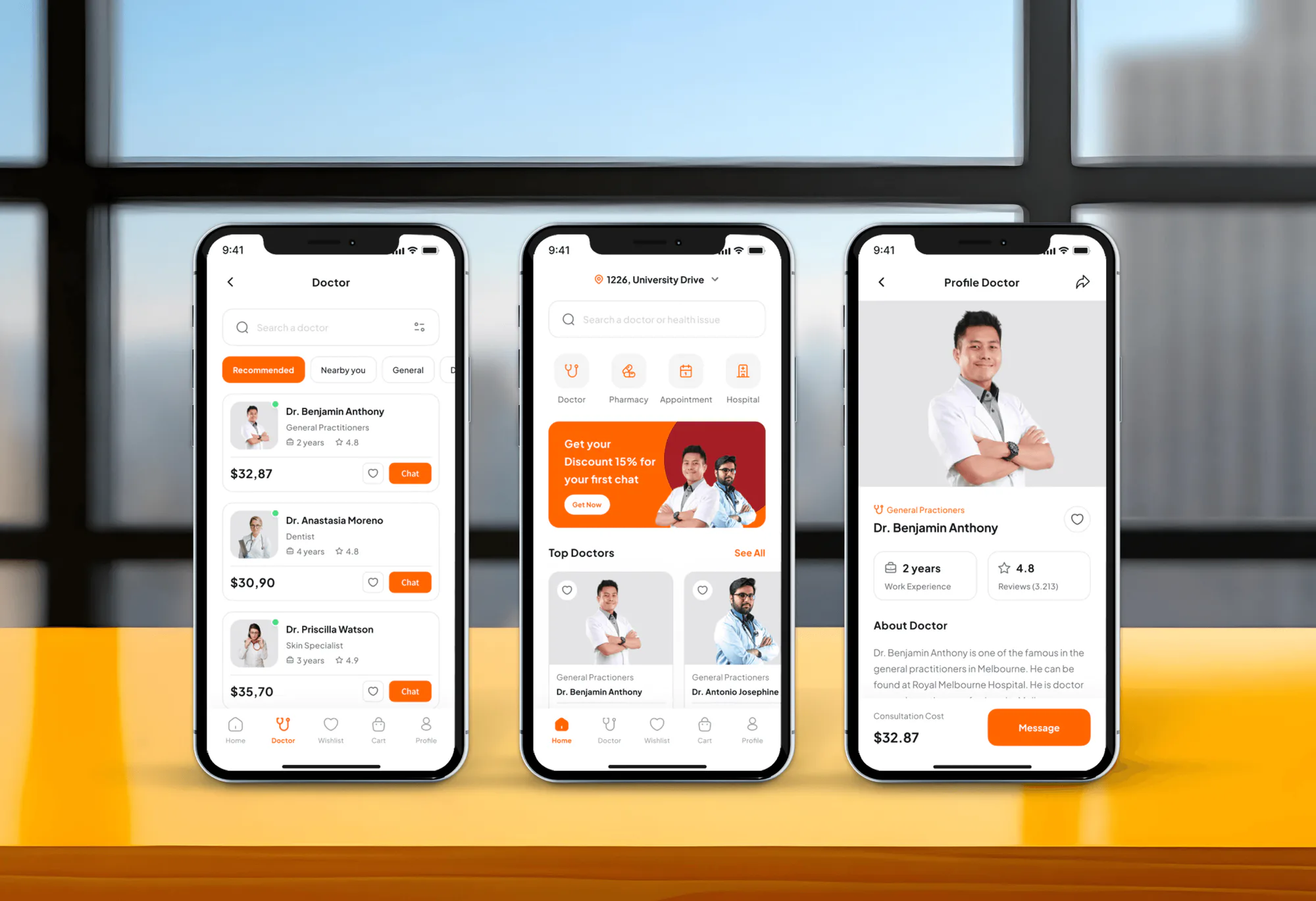
Patients search by name, switch between recommended and nearby doctors, or browse specialty categories from general doctors and dentists to cardiologists, neurologists, and physiotherapy.

Mobile Appfor TruDoc
A mobile app project in medical, delivered by DeveloperLook.
About the project
DeveloperLook designed and built TruDoc, a doctor appointment app where patients find doctors by specialty, book in-person or virtual visits, and order medicines. A hospital management dashboard serves doctors and admins.
TruDoc is a digital healthcare app for booking doctor appointments and getting medical consultations. Patients search for doctors by specialty, check availability, and schedule in-person or virtual visits. The goal was a secure, dependable platform that connects patients with trusted healthcare providers wherever they are.
The home screen opens with a search bar, quick links to doctors, pharmacy, appointments, and hospitals, and a row of top doctors. Doctor profiles show specialty, experience, rating, and consultation cost. From a profile, patients pick a day and a time slot, check a booking summary with any voucher, and pay with a saved card.
TruDoc also covers what happens around a visit. A pharmacy section takes prescription uploads and sells medicines with a cart, saved delivery addresses, and order tracking. A hospital finder lists nearby hospitals with their services and a map route to get there.
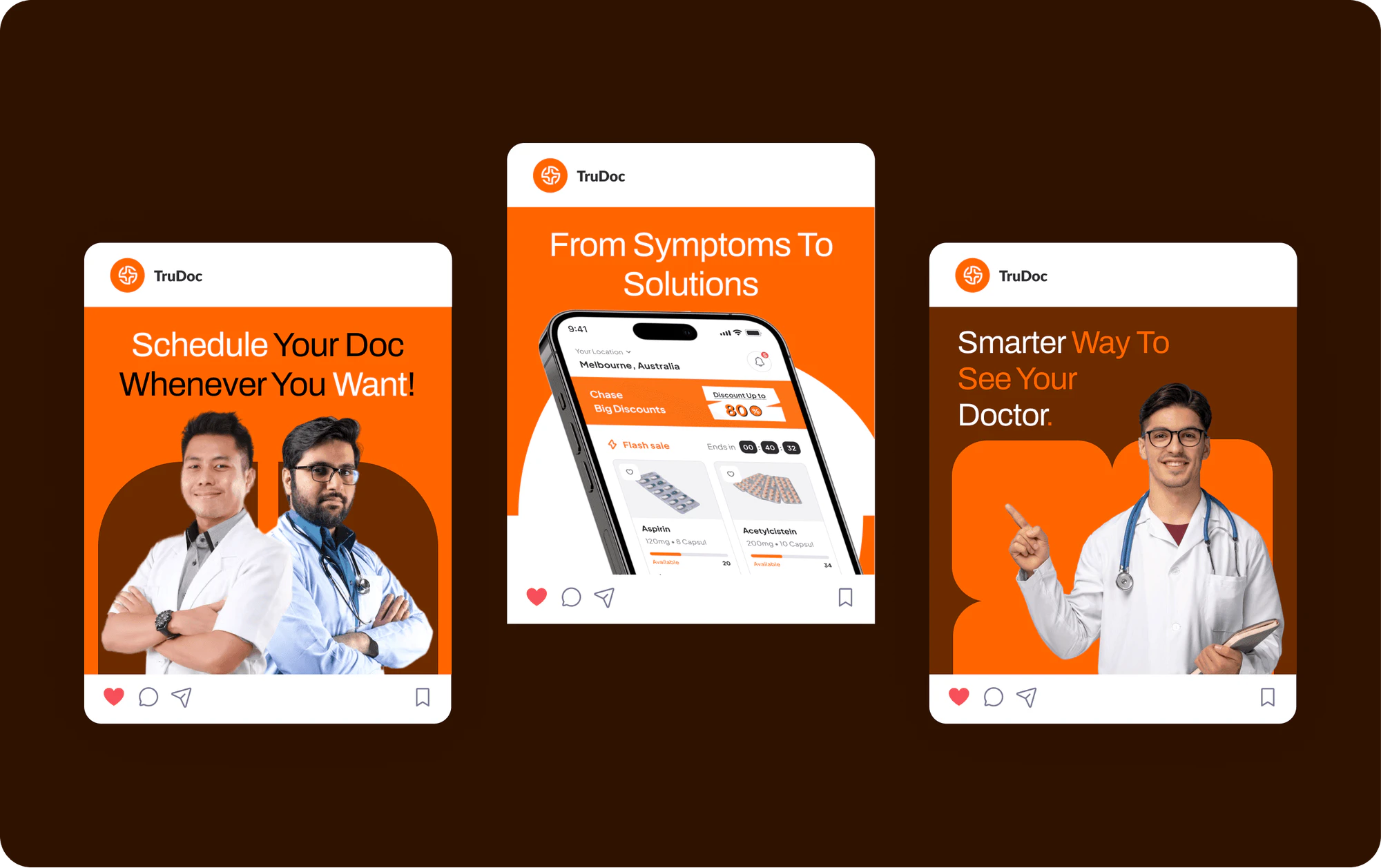
Behind the app, a hospital management dashboard gives doctors and admins one view of patients, appointments, departments, payments, and reports. Appointments run in a calendar or a list with clear statuses. The design runs to 37+ pages, alongside a TruDoc brand kit for social posts and billboards.
Tell us what you are building. We reply within 24 hours with questions or a call time.
What do you need?
Challenge and solution
The challenge
Patients wanted a quick way to find the right doctor without getting lost in complex navigation.
Doctors needed a structured tool to manage schedules, appointments, and patient data.
Data security and compliance with healthcare standards were crucial throughout the project.

Our solution
We added search filters, appointment reminders, and integrated video consultations so care was easier to reach.
For doctors, we built a management dashboard that handled schedules, tracked patient histories, and cut down booking conflicts.
What we built
Eight features, shown next to the screens they live on.
Patients search by name, switch between recommended and nearby doctors, or browse specialty categories from general doctors and dentists to cardiologists, neurologists, and physiotherapy.
Each profile shows the doctor's specialty, years of experience, rating and review count, a short bio, and the consultation cost, with a button to message the doctor directly.
Patients pick a day from the coming week and a morning, afternoon, or evening slot, see the appointment location and cost, and book from the same screen.
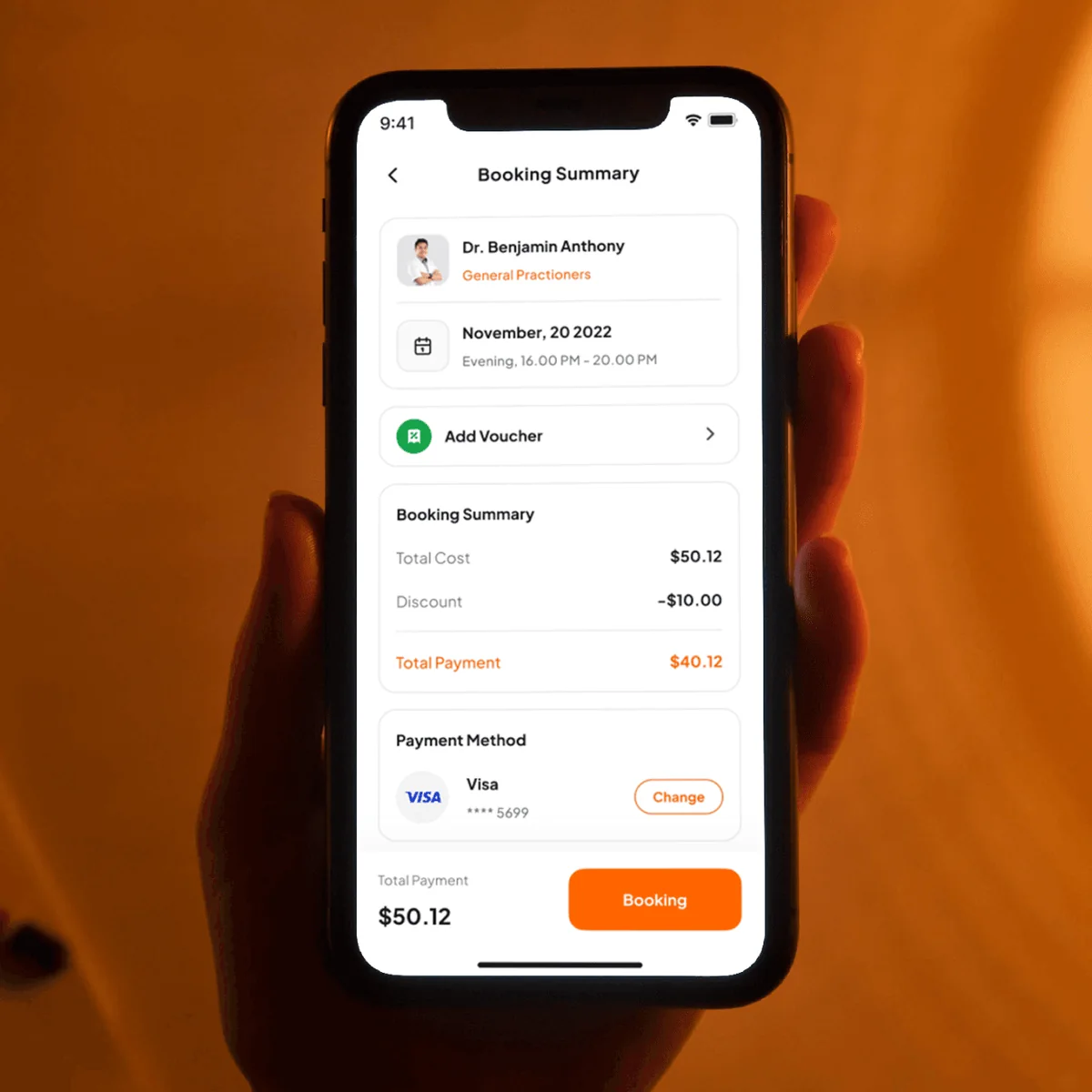
Before paying, a summary lists the doctor, date and time, total cost, voucher discount, and saved card, so patients see the final amount before they confirm.
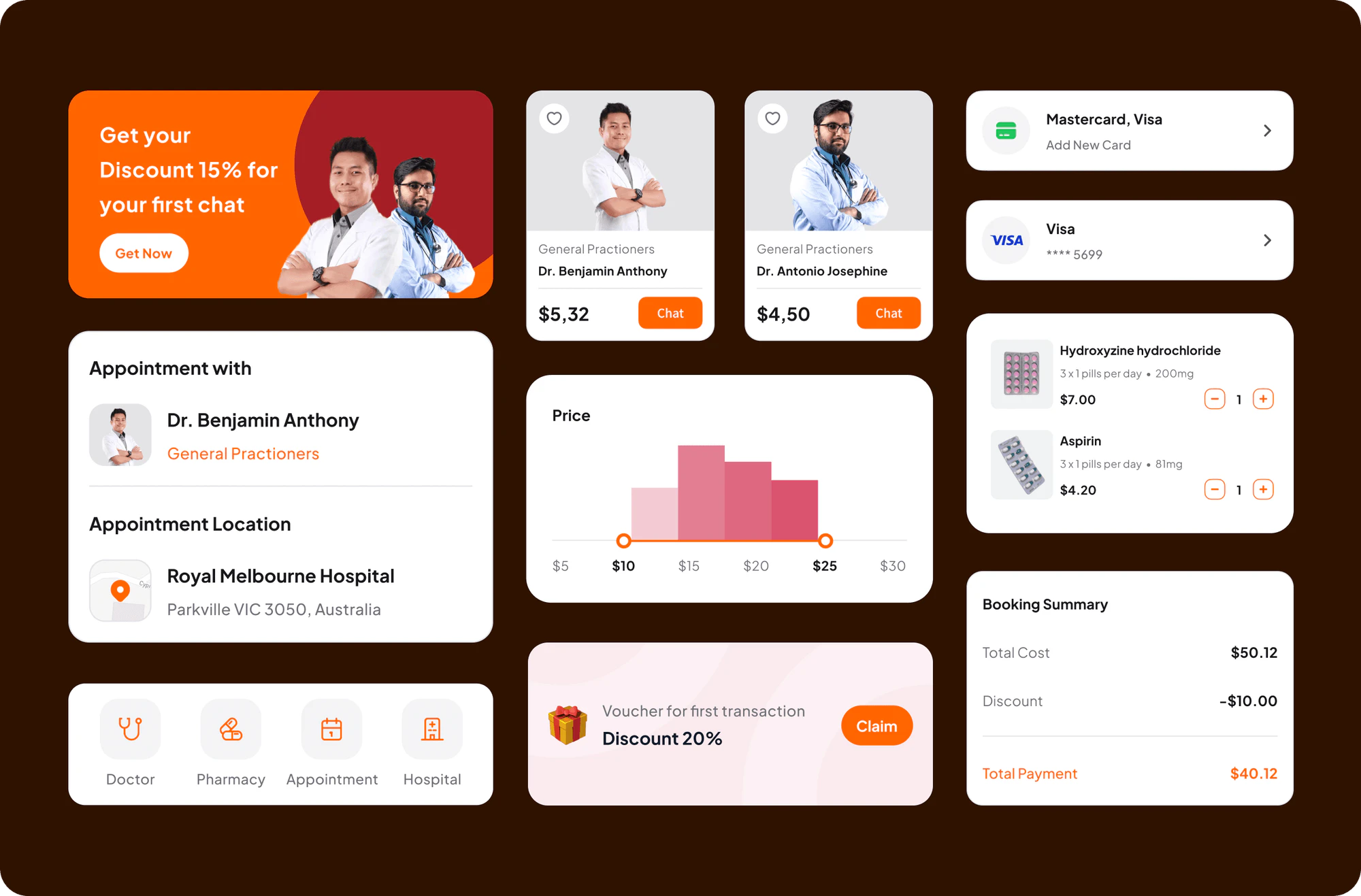
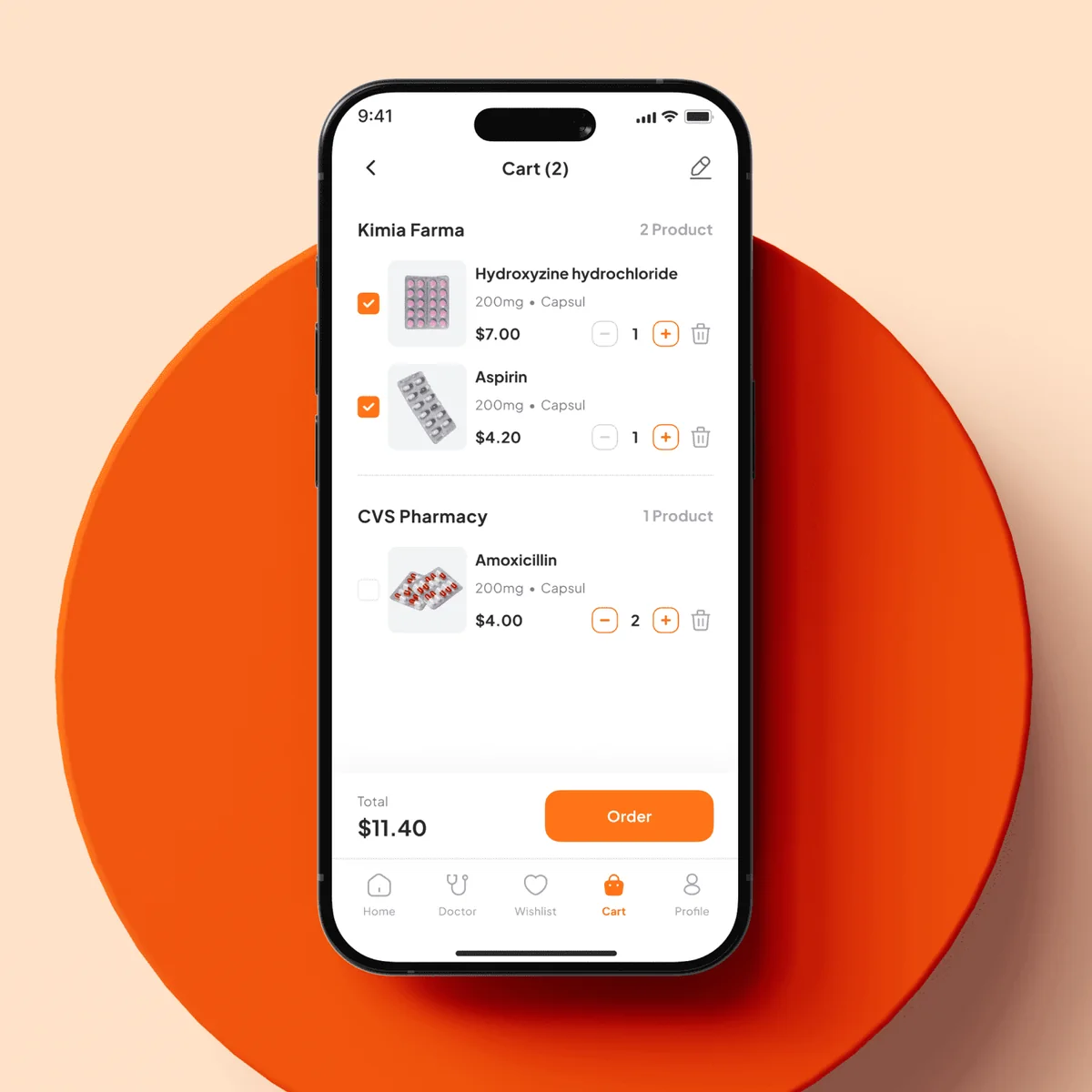
Patients upload a prescription, browse medicines by condition, read product details, choose a dosage, ask questions in a product discussion, and fill a cart grouped by store.
Checkout covers saved delivery addresses with a map pin, promo vouchers, and the payment method. An order screen then follows each step from payment check to delivery.
Patients see hospitals near them with ratings, open a hospital's page to read about its services, and follow a map route with distance and travel time.
Doctors and admins see visitors, patients, surgeries, and rooms at a glance, manage appointments in a calendar or list, and track departments, invoices, stock, and reports.
FAQ
 Saimul IslamFounder & CEO, DeveloperLook
Still have questions?
Send a message or book a call with the team.
A patient app and a hospital management dashboard. In the app, patients find doctors by specialty, book in-person or virtual visits, order medicines, and find nearby hospitals. The dashboard gives doctors and admins one view of patients, appointments, departments, payments, and reports. The design runs to 37+ pages, with a TruDoc brand kit alongside it.
They open a doctor's profile, then pick a day and a time slot. The schedule screen lists the coming days with morning, afternoon, and evening slots, plus the appointment location and cost. A booking summary then shows the total, any voucher discount, and the saved card before the patient confirms the appointment.
By searching and filtering. Patients search by name, switch between recommended and nearby doctors, or browse specialty categories such as general doctor, dentist, eye specialist, cardiologist, and neurologist. Doctor cards show experience, rating, and price, so patients compare options before they open a full profile.
Yes. The pharmacy section lets patients upload a prescription, browse medicines by condition, and read each product's details and price. They choose a dosage, add items to a cart, and check out with a saved address, a voucher, and a card. An order screen then shows each step until the medicines arrive.
It brings hospital work into one view. The overview shows visitors, patients, surgeries, and rooms. Staff manage patient lists, see appointments in a calendar or a list with visit type and status, and add new appointments from a form. Department, payment, and report pages cover staff, invoices, stock, and room use.
Yes. DeveloperLook designs and builds doctor appointment apps with specialty search, doctor profiles, time slot booking, payments, and virtual visits, plus a dashboard for schedules and patient records. We start from how your patients book today and where your staff lose time, then design a clear path through each step.
Saimul IslamFounder & CEO, DeveloperLookStill have questions?
Send a message or book a call with the team.
Free 30-min callGoogle Meet
Book a call
In 30 minutes on Google Meet we walk you through how we would build it, how long it takes and what it costs. Then you get a written estimate.
Calendar not showing? Book on cal.com or send a brief.