
Block inventory and specs
A written list of every block with its fields, styles, and locking rules, approved before the build starts.

For WordPress teams whose editors publish new pages every week: custom blocks that match your design and keep every layout on brand, from $750.
2X
Faster page building
100%
Layouts locked to your design
How your project runs
Teams we have built for:














The Problem
Core blocks cover paragraphs, images, and buttons. The trouble starts when a page needs your pricing table, team grid, or case study card, and editors only have nested Groups and Columns.
01 · Nested columns
Landing pages get rebuilt from nested Group and Column blocks.
Each repeating section becomes one block with fields editors simply fill in.
02 · Broken layouts
One wrong drag moves spacing, backgrounds, or the hero image.
Block locking and theme.json presets keep spacing and colors where the design put them.
03 · Shortcodes
Sliders and buttons live in shortcodes nobody knows how to edit.
We rebuild shortcodes as blocks with a live preview inside the editor.
04 · Classic pages
Older pages still sit in Classic blocks and look different.
Classic content is converted to blocks and checked page by page.
Your marketing lead builds a new landing page by copying an old one, then spends an hour fixing spacing inside six nested Column blocks. One wrong drag and the hero loses its background. The testimonial slider lives in a shortcode nobody remembers how to edit. Older pages still sit in a Classic block, so they look different from everything built since. Every new section request goes to a developer, and the backlog grows. Your design system exists in Figma, not in the editor.
We start by listing the sections your pages repeat, then build each one as a custom Gutenberg block registered with block.json. Editors fill in fields and pick from styles you approved, while spacing, colors, and markup stay tied to the design. Repeating layouts become patterns and page templates. Old shortcodes and Classic content get converted, so the whole site edits the same way. Your team builds pages instead of repairing them.
Blocks from your design
Each block matches an approved Figma section, with a live preview editors see while they type.
Layouts that stay put
Locked templates and preset settings stop accidental moves, deletions, and off-brand colors.
Old content converted
Classic, shortcode, and page builder content rebuilt as blocks, so every page edits the same way.
Our Custom Gutenberg Block Development Process
You approve the block list before any code, test every block in a staging editor with your own content, and sign off on converted pages before launch.
We look at your theme, page templates, and the sections editors rebuild most often. You get an honest answer on which sections need custom blocks and which core blocks or patterns already cover, plus a fixed quote.
What's Included
Every project covers the block list, the blocks themselves, patterns and templates, content conversion where needed, testing, and editor training, sized to how many sections your pages repeat.
Compare Options
A block plugin pack adds dozens of blocks for a small yearly fee, and a page builder gives drag and drop freedom. Each suits some sites. Here is where each breaks down.
| Feature | DeveloperLookBest fit | Block plugin pack | Page builder |
|---|---|---|---|
| Planning | Block list approved first | Pick from the pack | Design as you go |
| Match to your design | Built from your Figma | Restyled within pack options | Close, with manual tweaks |
| Editor guardrails | Locked layouts and palettes | Few locking options | Free drag and drop |
| Testing | Tested with your content | Tested by the vendor | Tested by the vendor |
| Upfront cost | From $750, fixed scope | Free or a yearly license | Yearly builder license |
| Time to first page | 1 to 2 weeks | Same day | Same day |
| Support | 30 to 90 days included | Vendor support forum | Vendor help center |
| Ownership | Code in your repository | Licensed from the vendor | Licensed from the vendor |
Projects We've Built
Agency, HR platform, and art services websites our team designed and built, the kind of sites where editors add new pages and sections every month.
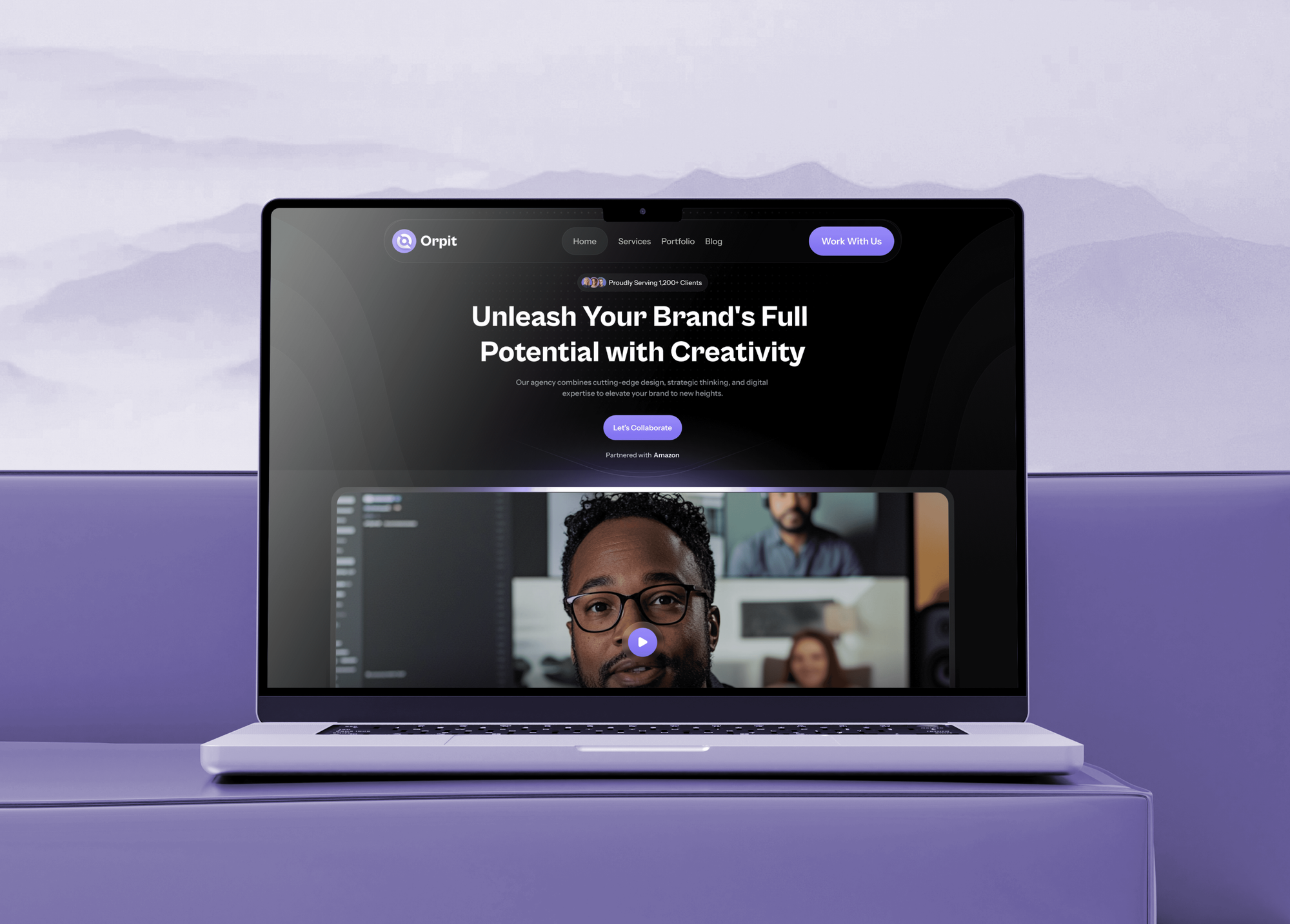

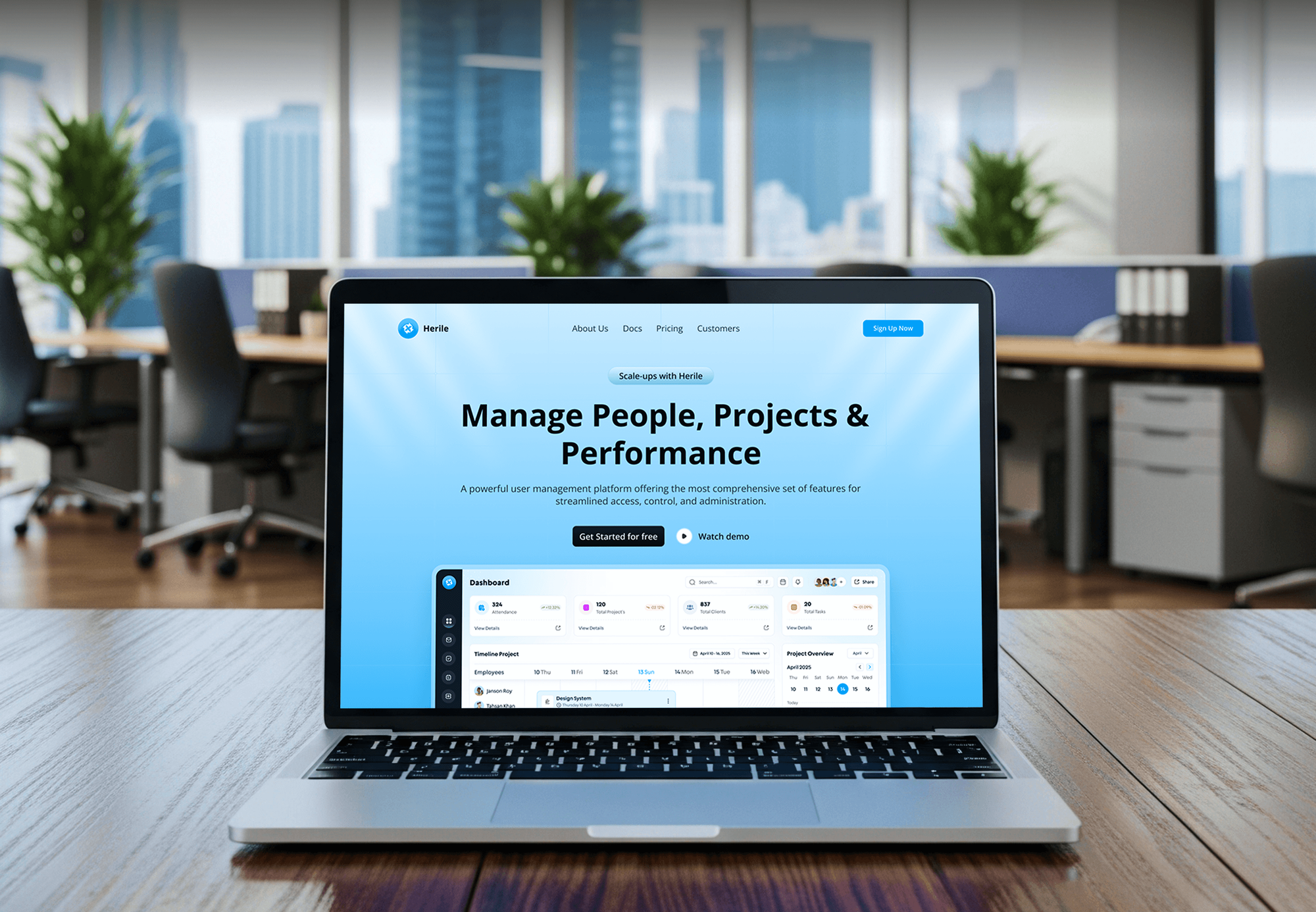
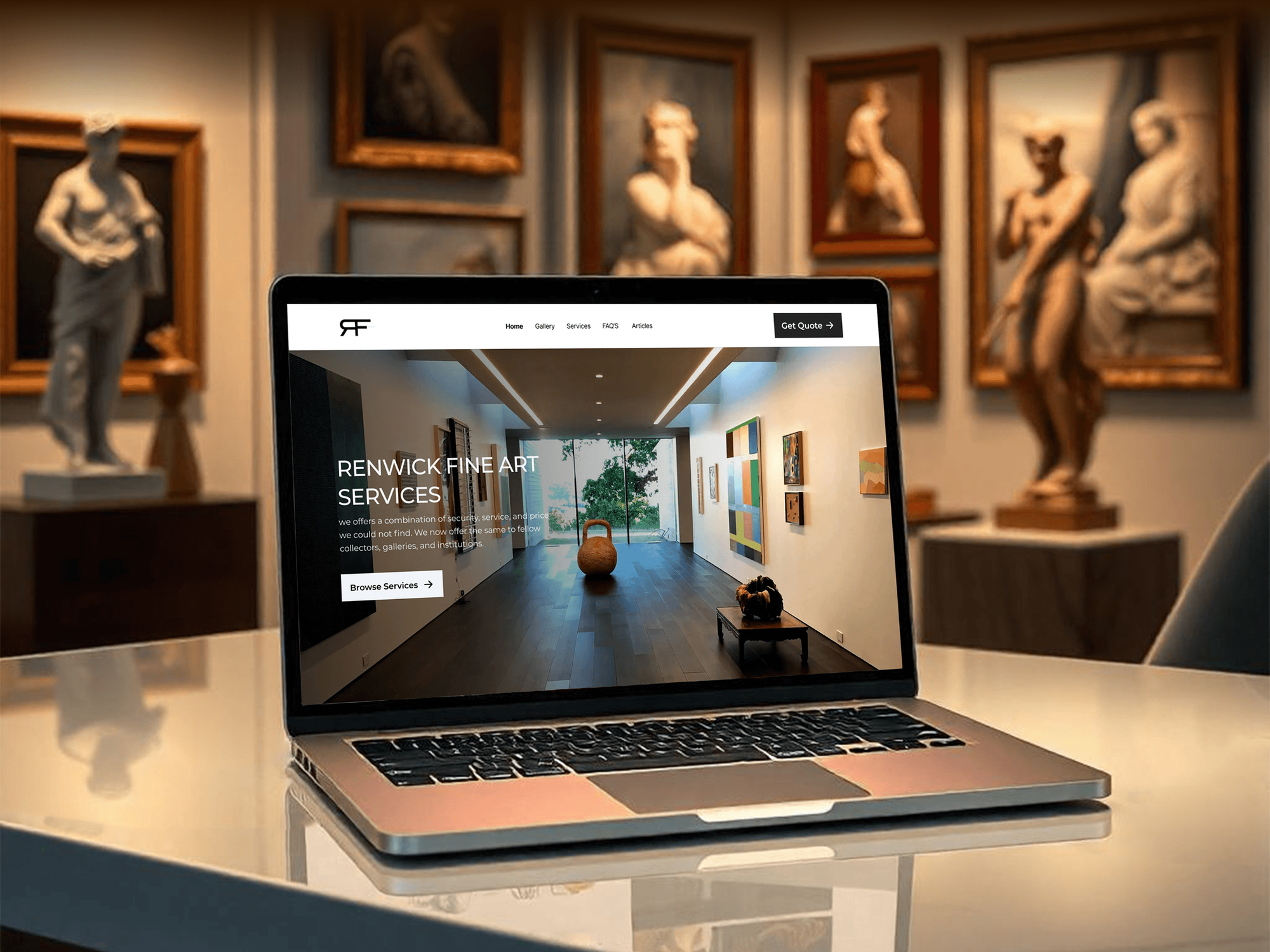
What Our Clients Say
Feedback from teams we have built WordPress and marketing websites for.
We had a pretty specific idea of what we wanted our website to become, but I wasn’t sure how easily we could explain all of it to a development team. There were quite a few moving parts, and we were working toward a deadline, so I expected a few things to get lost along the way. That never really happened. They understood what we were trying to achieve, kept us updated throughout the process, and got everything ready within the agreed timeline. The final site feels much easier to navigate, works beautifully on mobile, and is noticeably smoother for our customers. It was a huge relief seeing the original idea actually turn into the website we had in mind.
The mobile experience is probably my favourite part of the new site. We had spent a lot of time making sure the desktop version looked right, and the team kept pushing us to think about how everything would actually feel on a phone too. They were right. The navigation is clean, the interactions feel natural, and everything we’ve tested so far works exactly as it should. They also went through the links, forms, integrations, and other details more than once before launch, which I really appreciated. And even after going live, we could still reach out when something came up. The whole process felt friendly, organised, and surprisingly straightforward.
What I appreciate most is that the website is actually easy for us to manage now. We can update content ourselves instead of sending a developer a message every time we need to change something small. They also paid attention to the technical SEO side, which mattered to us because we didn’t want a new website to create problems for the traffic we already had. I’ve probably asked more questions than I should have since launch, but every question has been handled patiently and without any fuss. The team is easy to work with, they explain things clearly, and when we need something changed, they focus on getting it done rather than making the process complicated.
1,250+
Projects shipped
10+
Years of experience
Top 3%
Upwork Top Rated Plus
5 stars
Average review score

Want results like these?
Tell us what you are building. You get a reply within 24 hours on business days, then a written estimate.
Work Culture
A block library lives in your editor for years. These habits keep our Gutenberg block development focused on the people who build pages every week.
If a core block, a pattern, or a block style already covers a section, we'll tell you before we quote. Fewer custom blocks means less code to maintain.
Your editors try each block on staging with real content before sign-off. A block that confuses the person using it gets simplified, not documented around.
When a block's saved markup changes, we add a deprecation so older posts keep working. Editors don't meet the invalid content warning after an update.
Colors, fonts, and spacing come from your theme.json presets, not CSS written into each block. Change a brand color once and every block follows.
Every block outputs semantic HTML with proper headings, labels, and keyboard focus. We test with a screen reader before launch, not after a complaint.
The block plugin and its source code sit in your Git repository with build instructions. Any WordPress developer can add the next block without us.
Overview
DeveloperLook handles custom Gutenberg block development for WordPress teams that want pages built from their own design. We plan the block list, build blocks with block.json and React or ACF, add patterns and locked templates, and convert Classic content. Projects start at $750, take 1 to 8 weeks, and the block plugin is yours.
DEVELOPERLOOK
Project facts · Custom Gutenberg Block Development
Reviewed 8 Oct 2026 by Saimul Islam
Good fit
Marketing teams publishing weekly pages
Your marketers launch a landing page every week and need custom Gutenberg blocks that match the design, without calling a developer for each one.
Sites still on the Classic editor
You want to convert your website to Gutenberg blocks because half your pages still sit in Classic blocks and look nothing like the newer ones.
Teams already using ACF
Your developers know Advanced Custom Fields, and you want ACF Gutenberg blocks so editors fill in familiar fields inside the block editor.
Sites leaving a page builder
Your page builder adds weight to every page, and you want to convert to Gutenberg blocks without losing the layouts your team relies on.
Agencies with WordPress clients
Your agency designs WordPress sites and needs a team to build each client's block library under your name, straight from your Figma files.
Not a fit
Need a whole new theme
You need a full theme with templates, header, footer, and design tokens, not only blocks. Our Custom WordPress Theme Development page covers the complete theme.
Features beyond the editor
You need bookings, member areas, or REST API features that work outside the editor. Our WordPress Plugin Development page covers plugins of that kind.
Happy with Elementor
Your team is happy in Elementor and only wants the site faster and tidier. Our Elementor Website Design page cleans up builder sites instead.
Budget under $750
Your budget is under $750 for the whole project. Core blocks with a few saved patterns from your theme will serve you better for now.
Not sure we're the right fit?
Book a free call or message us. We'll tell you honestly whether we're the right team.
Pricing
These are starting points in USD. Your final price depends on block count, dynamic blocks, and pages to convert, and you get a fixed proposal after a free block review.
For sites that need a few signature sections built as blocks, usually in 1 to 2 weeks.
$750one-time, USD
For marketing sites that need a full set of blocks plus patterns and page templates.
$2,200one-time, USD
For sites moving Classic, shortcode, or page builder content onto blocks.
$4,900one-time, USD
For Agencies
You own the client relationship. We supply the block engineering behind it: block lists, custom blocks, patterns, and content conversion built from your Figma files. Everything ships under your agency's name, and your team stays the client's only contact.
White label: your client only ever sees your brand
Send the Figma file, the current theme, and the pages editors build most.
You get a block inventory with fields, styles, locking rules, and a fixed price.
Blocks built, tested with sample content, and documented for your team and client.
Block guides, staging links, and handover notes carry your agency's name.
Blocks match your designer's components, spacing, and type scale exactly.
Quotes set by block count, dynamic blocks, and pages to convert.
More block developers when several client launches land in one month.
The Right Technology for Your Project
We build with WordPress's own block tooling, so any developer who knows the block editor can maintain your blocks after launch.
 WordPress
 React
React PHP
PHP JavaScript
 Node.js
 Webpack
 Lighthouse
 Chrome DevTools
 Figma
FigmaFAQ
Straight answers on Gutenberg block costs, building and editing blocks, ACF, and who owns the code.
Saimul IslamFounder & CEO, DeveloperLookStill have questions?
Send a message or book a call with the team.
Gutenberg block projects at DeveloperLook start at $750 for up to 4 blocks built from your design. A library of up to 12 blocks with patterns and templates starts at $2,200, and converting older content starts at $4,900. Dynamic blocks and the number of pages to convert move the price most.
A starter set of 4 blocks takes 1 to 2 weeks, and a full library or conversion takes 4 to 8 weeks. The block inventory fills the first few days, because every block's fields and locking rules are agreed before any code. Content conversion adds time in proportion to the number of pages.
You can create a Gutenberg block without code by saving blocks as a pattern, or in code by registering a new block type. Patterns suit repeated layouts built from core blocks. A coded block suits sections that need their own fields, rules, or data, and it starts with a block.json file describing its name, attributes, and scripts.
Developers usually start with the @wordpress/create-block tool, which scaffolds block.json, an editor script, and styles. The editor view is written in React, @wordpress/scripts runs the build, and PHP registers the block from its block.json file. We keep every block in one version-controlled plugin with its own tests.
In WordPress, a custom block is either static, saved into the post's HTML, or dynamic, rendered by PHP each time the page loads. Static blocks suit callouts, cards, and quotes. Dynamic blocks suit anything that changes, such as latest posts, prices, or data from an API, and their output can change later without touching old posts.
Technically, register_block_type can load a block.json file from your theme's functions.php instead of a plugin. WordPress's own docs bundle blocks in plugins, and its theme directory bans custom blocks in themes, because theme blocks stop rendering after a theme switch. So we ship blocks in a small plugin and keep patterns in the theme.
You add Gutenberg blocks with the plus button or by typing a slash and the block name, then edit text right on the page. The block toolbar handles formatting and alignment, the sidebar holds settings, and List View shows the page's structure. Custom blocks work the same way, so editors only learn their own fields.
Editors edit Gutenberg blocks in place: click the block, change the text, and adjust its settings in the sidebar. Synced patterns update every page that uses them. Developers changing a block's code must add a deprecation when its saved markup changes, or older posts show the editor's invalid content warning.
ACF Gutenberg blocks suit field-driven sections built by PHP developers, while native React blocks suit sections where editors type directly on the page. Advanced Custom Fields Gutenberg blocks render through a PHP template and need the PRO version of ACF. Native blocks need JavaScript skills but feel more natural to edit, and many libraries mix both.
You own every block, its source code, and the plugin they live in from the day we hand over. The repository includes build steps and block documentation, so any WordPress developer can extend the library. Support runs 30 to 90 days depending on plan and covers fixes and editor questions.
Saimul IslamFounder & CEO, DeveloperLookStill have questions?
Send a message or book a call with the team.
Free 30-min callGoogle Meet
Book a call
In 30 minutes on Google Meet we walk you through how we would build it, how long it takes and what it costs. Then you get a written estimate.
Calendar not showing? Book on cal.com or send a brief.