Online table booking
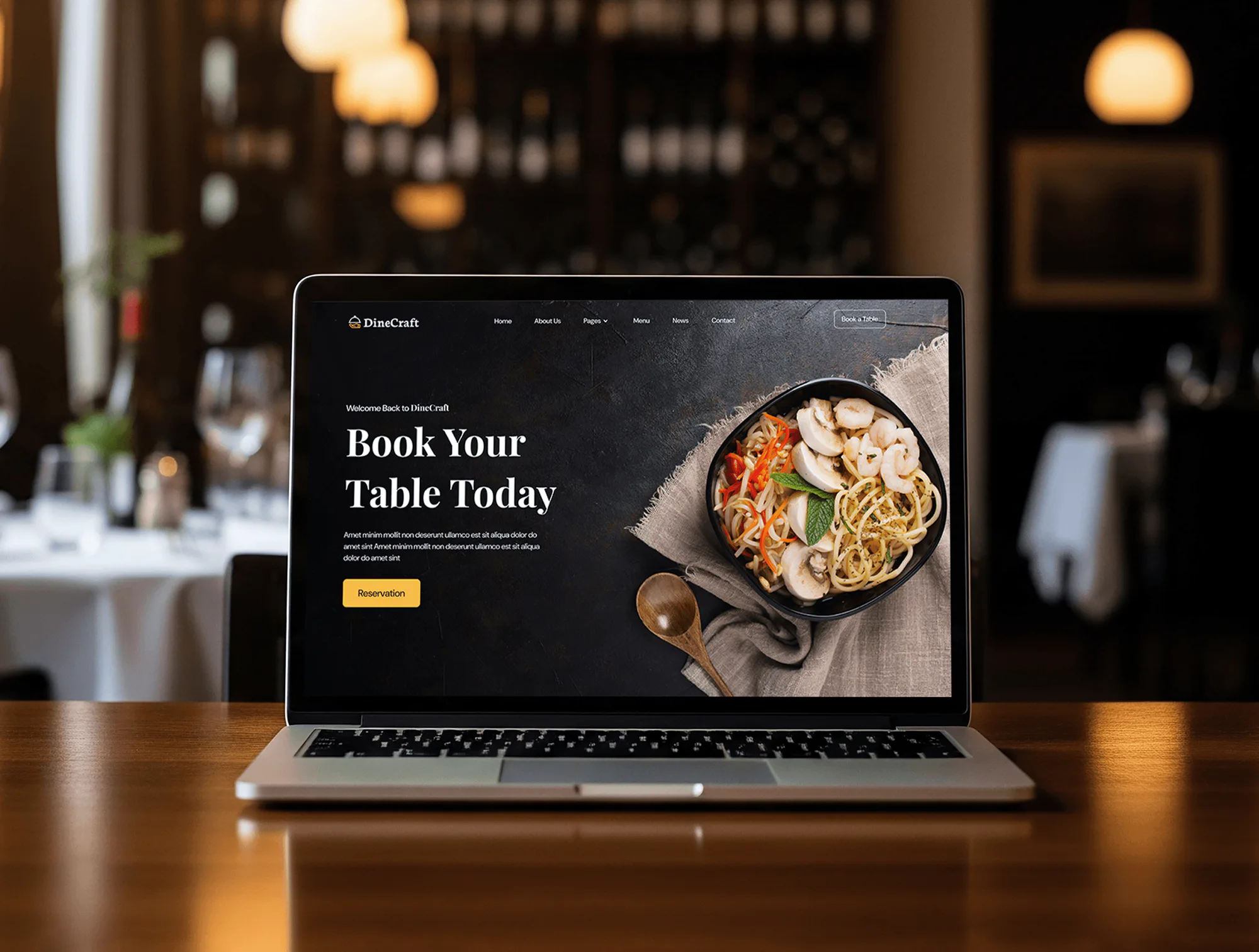
A Book a Table button in the header and a reservation button in the hero let diners reserve from the main pages, and the home page repeats the offer with a daily special menu.

Websitefor DineCraft
A website project in food & beverage, delivered by DeveloperLook.
About the project
DeveloperLook designed and built DineCraft, a website for a premium restaurant brand where diners browse brunch, lunch, and dinner menus and reserve a table online, plus a dashboard for orders, events, and stock.
DineCraft is the digital front of a premium restaurant brand. The website had to feel simple and elegant while helping diners discover menu items, reserve a table, and stay connected with the restaurant. Strong food photography carries the visual story, and practical tools such as online booking sit behind it.
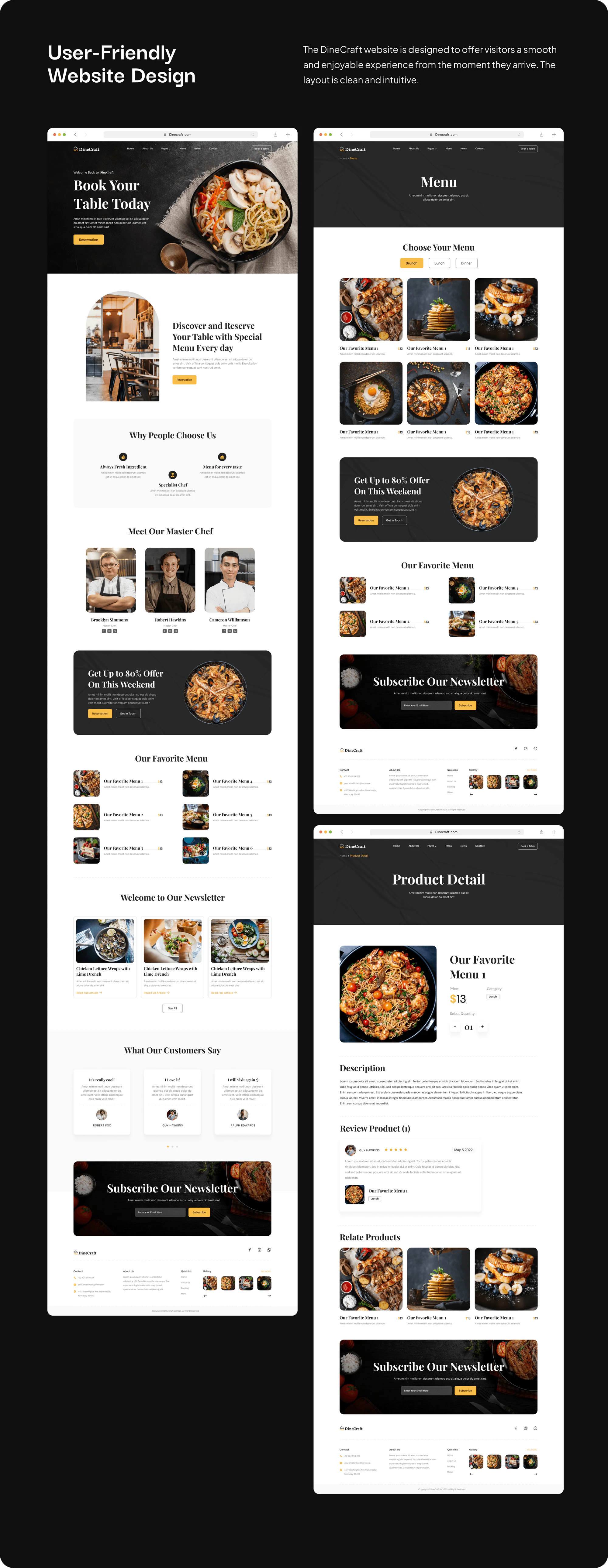
The home page opens on "Book Your Table Today" with a reservation button, then invites guests to reserve a table with a special menu every day. It continues with reasons to choose the restaurant (fresh ingredients, a specialist chef, and a menu for every taste), the master chefs, a weekend offer, favorite dishes, news articles, customer reviews, and a newsletter sign-up. The menu page splits dishes into brunch, lunch, and dinner. Each dish page shows the price, category, quantity, description, reviews, and related dishes, and a cart leads to checkout. A contact page pairs a message form with a map.
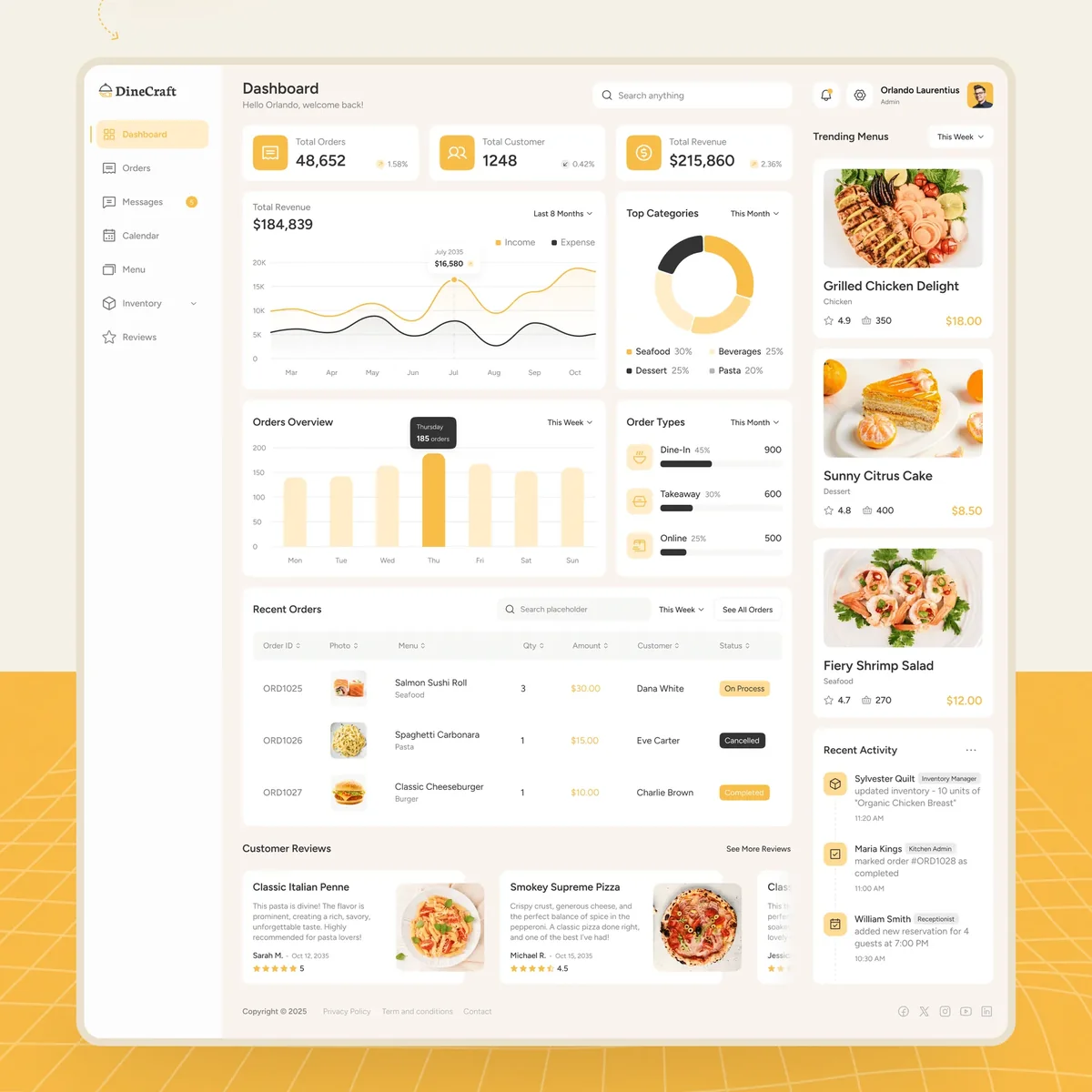
Behind the website, a restaurant dashboard tracks total orders, customers, and revenue, with orders by type and the week's trending dishes. Further pages cover orders and order details, messages, a calendar of scheduled events, the menu, purchase orders, inventory, and reviews. The design runs to more than 35 pages, including mobile layouts for the website.
Tell us what you are building. We reply within 24 hours with questions or a call time.
What do you need?
Challenge and solution
The challenge
Restaurants win diners with visuals, so the design needed to show food in an elegant, appetizing way without overwhelming visitors who simply want to see the menu or book a table.
Our solution
Clear brunch, lunch, and dinner categories make the menu quick to browse, and a Book a Table button sits in the header and the hero.
A restaurant dashboard gives staff orders, events, menus, and stock in one place.
What we built
Eight features, shown next to the screens they live on.
A Book a Table button in the header and a reservation button in the hero let diners reserve from the main pages, and the home page repeats the offer with a daily special menu.
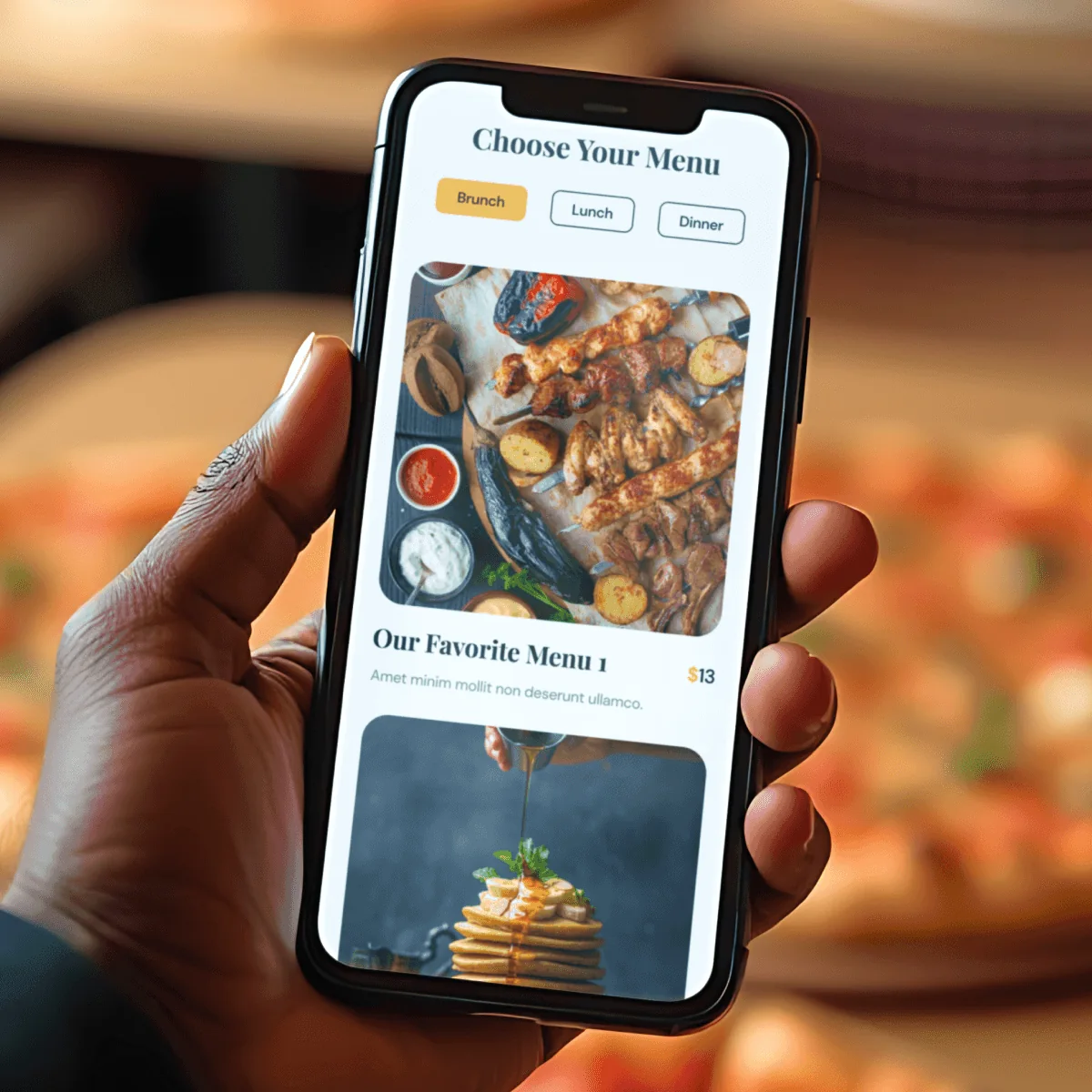
The menu page groups dishes under brunch, lunch, and dinner tabs, with large photos and prices, so diners scan the right menu for the time they plan to visit.
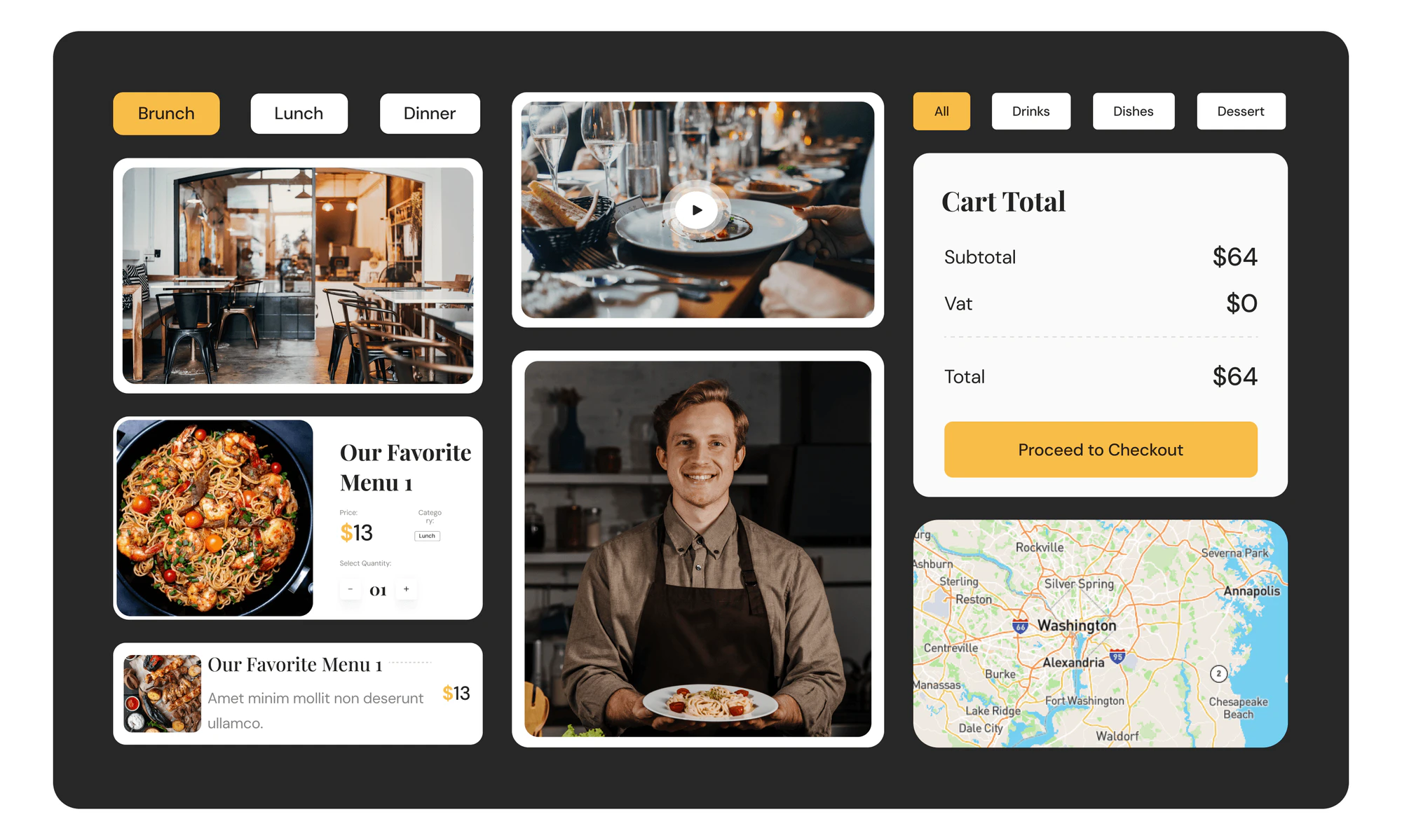
Each dish page shows the price, category, a quantity selector, a description, reviews, and related dishes. The cart totals the order with VAT and leads straight to checkout.
A Meet Our Master Chef section introduces the kitchen team with photos, names, and social links, next to the reasons to choose the restaurant: fresh ingredients, a specialist chef, and variety.
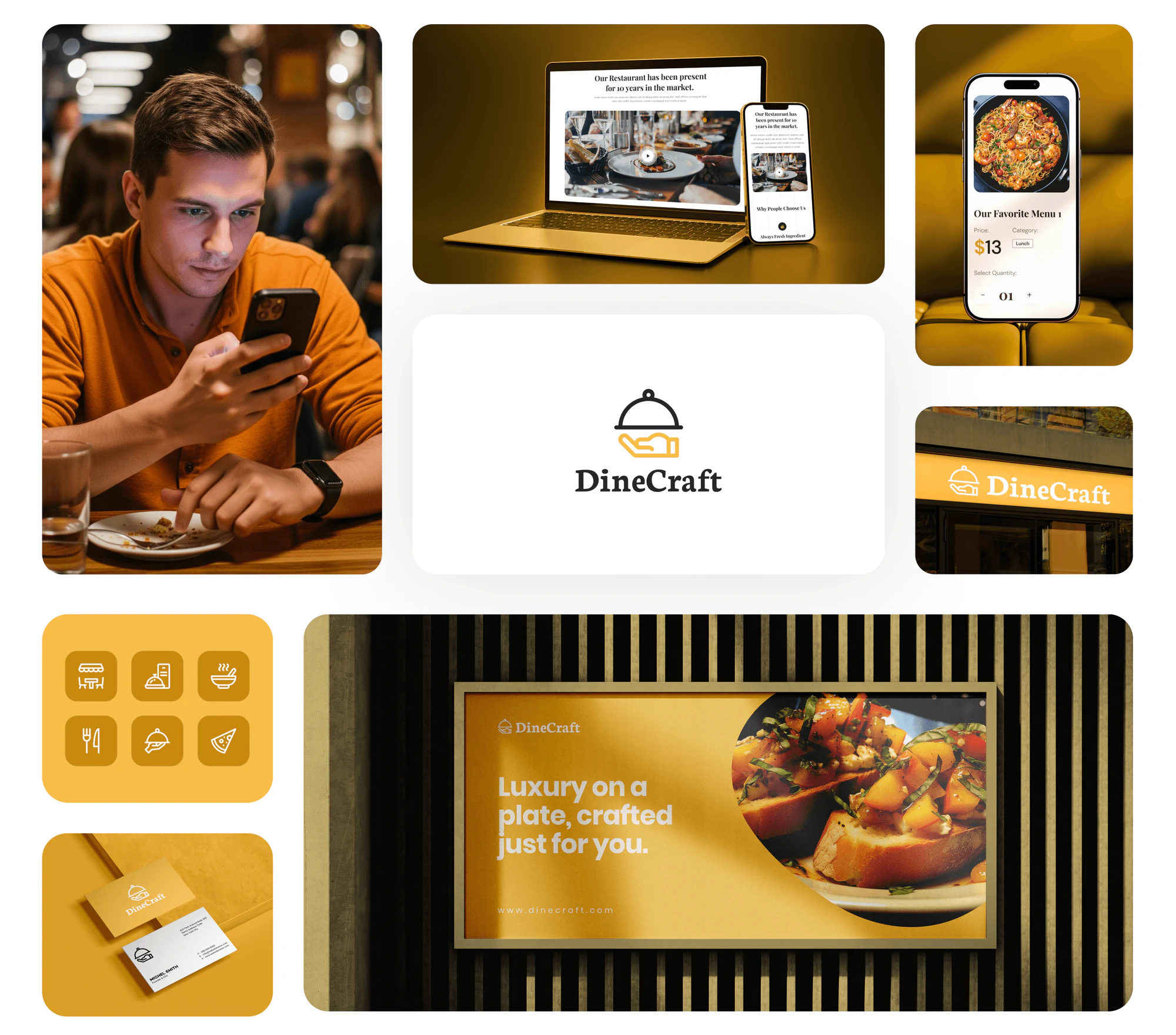
Weekend offer banners, news articles, customer reviews, and a newsletter sign-up give the restaurant several ways to bring diners back and tell them about specials.
The dashboard shows total orders, customers, and revenue, an income and expense chart, top categories, dine-in, takeaway, and online orders, and the week's trending dishes.
A month calendar plans the restaurant's schedule, with items such as a weekly specials review and a private dining event, each with its time and details in a side panel.
The inventory screen lists food ingredients, kitchen tools, and cleaning supplies with their stock status, and a purchase order page tracks what the restaurant has ordered.
FAQ
 Saimul IslamFounder & CEO, DeveloperLook
Still have questions?
Send a message or book a call with the team.
A website for a premium restaurant brand and a dashboard to run it. Diners browse brunch, lunch, and dinner menus, open dish pages, add dishes to a cart, and reserve a table online. Staff manage orders, messages, an events calendar, the menu, purchase orders, inventory, and reviews. The full design covers more than 35 pages.
They press the Book a Table button in the header or the reservation button in the hero. The home page also invites guests to reserve a table with a special menu every day, so booking stays one click from the main pages, on a laptop or a phone.
By meal. Tabs for brunch, lunch, and dinner filter the dishes, each shown with a large photo, a name, and a price. A dish page adds the category, a quantity selector, a description, customer reviews, and related dishes, and the cart shows the subtotal, VAT, and total before checkout.
They follow orders, customers, and revenue on the home screen, open order details, reply to messages, plan events such as private dining on a calendar, edit the menu, raise purchase orders, track inventory by category and stock status, and read reviews.
Yes. The gallery shows mobile layouts for the home page, menu tabs, dish pages, cart, reviews, newsletter sign-up, contact form, and map, so diners can browse the menu and book a table from a phone as easily as from a laptop.
Yes. DeveloperLook designs and builds restaurant websites with menus by meal, dish pages, table reservations, and online ordering, plus a dashboard for orders, events, and stock when you need one. We start with how your guests decide where to eat, then design the pages around your food and your brand.
Saimul IslamFounder & CEO, DeveloperLookStill have questions?
Send a message or book a call with the team.
Free 30-min callGoogle Meet
Book a call
In 30 minutes on Google Meet we walk you through how we would build it, how long it takes and what it costs. Then you get a written estimate.
Calendar not showing? Book on cal.com or send a brief.