
Xinomin Fashion Ecommerce Website and Admin Dashboard
- Fashion
- E-commerce
- Dashboard
Shopify AI chatbot setup, from a tuned chatbot app to a custom build that looks up orders and starts returns. From $600.
24/7
Answers from your Shopify data
100%
Theme code left untouched
Industry leaders we work with
 Shopify
 GraphQL
 Remix
Remix Node.js
 OpenAI
 Anthropic Claude
 Google Gemini
 Meta Llama
 Gorgias
 Zendesk
 Intercom
 Help Scout
 PostgreSQL
 Supabase
 Vercel
 Cloudflare
The Problem
It starts when order volume grows faster than your team. Shoppers want tracking and return answers at any hour, and most chatbot apps stop at FAQs.
Manual lookups
Your team copies tracking links out of the admin all day.
Manual lookups
The chatbot reads each order from Shopify after the shopper confirms their details.
Return rules
Your app can't tell a final-sale item from a returnable one.
Return rules
It follows your return rules before it offers a return.
Extra scripts
Your chatbot app added another script to every page.
Extra scripts
The widget installs as an embed, so your theme files stay as they are.
Peak delays
Replies slow down right when orders peak.
Peak delays
Chats that need a person reach your helpdesk with the order attached.
Monday morning, your inbox is full of the same question: where is my order? Each answer means opening the Shopify admin, finding the order, copying the tracking link, and pasting it back. You tried a chatbot app. It answers shipping FAQs, but it can't tell a final-sale item from a returnable one, and it added another script to every page. So your team still does the lookups by hand, and replies slow down right when orders peak.
We start by testing what you already have: Shopify Inbox and your current app. If they cover your tickets, we tune them and stop there. If not, we build a chatbot that reads orders through the Shopify Admin API, follows your return rules, and loads as an app embed. Chats that need a person go to your helpdesk with the order attached. Your team handles the exceptions, not the lookups.
Shopify's free tools first
We test Shopify Inbox and your current app before we suggest building anything new.
Orders read from Shopify
Status and tracking come from the Admin API after the shopper confirms their order details.
Theme code left alone
The widget installs as an app embed, so your theme files stay exactly as they are.
Our Shopify AI Chatbot Process
You see the ticket review, the app or custom recommendation, a test theme, and the test scores before shoppers ever meet the bot.
We read a sample of your recent tickets and chats and sort them by topic. Then we test what Shopify Inbox and a few chatbot apps already answer. If an app covers most of it, we'll tell you before we quote.
Projects We've Built
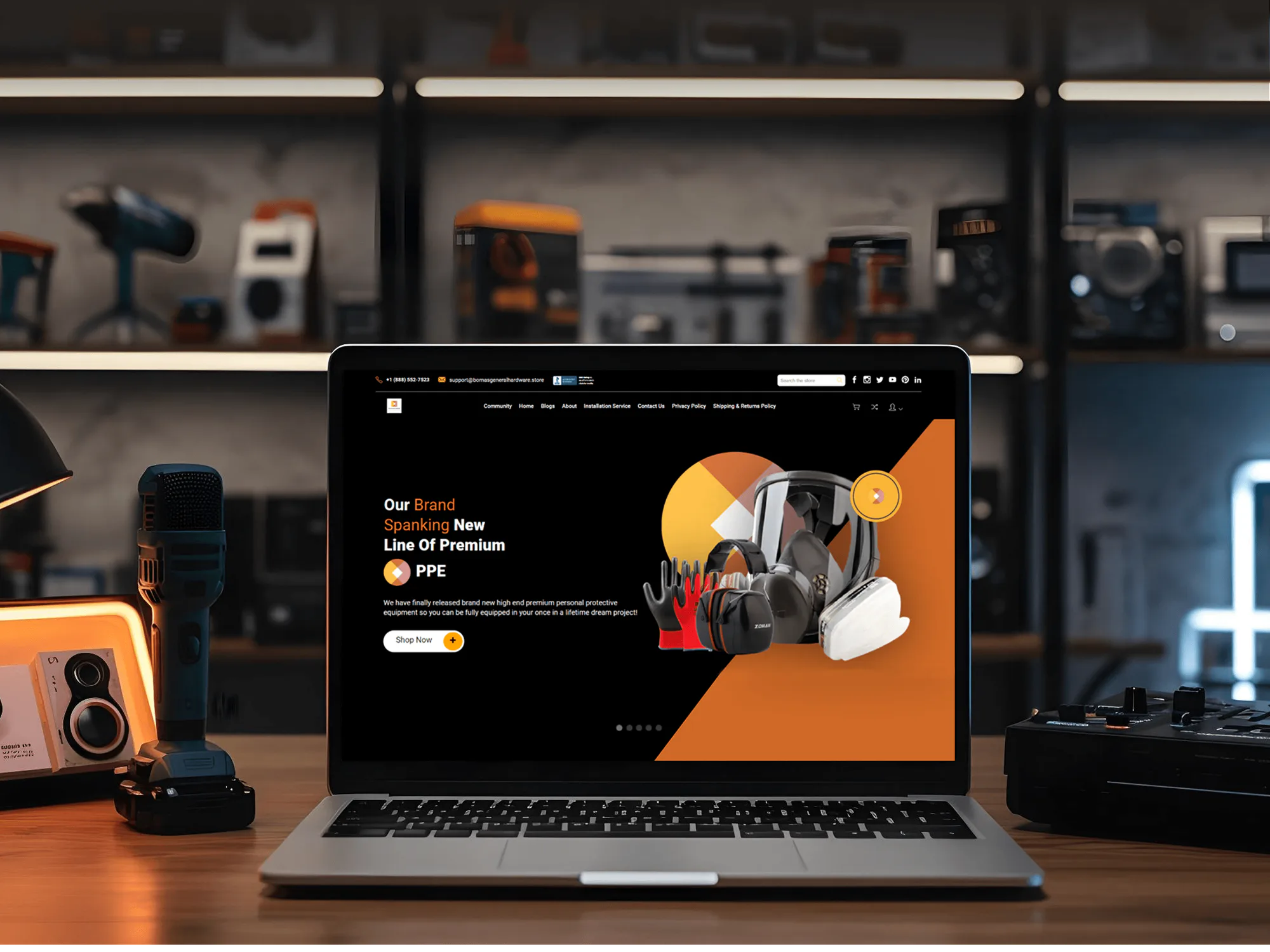
Stores we designed and built for clients. A store chatbot relies on the same basics: clean product data, tidy policies, and a fast theme.


What's Included
Every plan covers the question review, trained answers, order tracking, handoff, and testing. Custom builds add Admin API lookups, return requests, and Shopify Flow actions.
Compare Options
Shopify Inbox is free and covers FAQs and order tracking. A chatbot app adds AI answers for a monthly fee. A custom build earns its price when your rules and actions go beyond both.
| Feature | DeveloperLookBest fit | Shopify Inbox | Chatbot app |
|---|---|---|---|
| Upfront cost | From $600 for setup | Free with Shopify | Low or none |
| Monthly fees | App or model usage fees | No extra fee | Monthly plan, often by volume |
| Setup time | 1 to 6 weeks | Under an hour | About a day |
| FAQ answers | Trained on your policies and tickets | Instant answers you write | AI answers from your store |
| Order tracking | Verified Admin API lookups | Track my order option | Varies by app |
| Returns and address changes | Return requests and edits by rule | Handled by your team | Limited to built-in flows |
| Helpdesk handoff | Gorgias, Zendesk, or Inbox | Stays in Shopify Inbox | Depends on the app |
| Theme impact | App embed, speed tested | Shopify's own chat widget | Varies by app |
What Our Clients Say
Feedback from teams we have built integrations, automations, and software for.
Before this project, keeping our inventory accurate was exhausting. We had information sitting across different systems, and our team was constantly checking and updating things manually. The team helped connect our store with the systems we rely on and built a much cleaner inventory workflow. What stood out to me was how seriously they took the little operational details. They didn’t just build something and disappear. They listened, fixed the messy parts, and made our day-to-day work noticeably easier. That alone made the project worth it for us.
DeveloperLook completely transformed how we handle recurring revenue. Before working with them, we were manually chasing payments every month and losing clients to failed billing. They set up our entire Stripe subscription system, including dunning logic and a self-service portal, and the difference was immediate. Involuntary churn dropped, cash flow became predictable, and our team stopped wasting hours on billing admin. Genuinely one of the best investments we have made for our SaaS.
The biggest issue for us was the amount of time our team was spending on questionable orders. Someone would flag an order, then another person would check the address, payment details, phone number, and sometimes even contact the customer. It became part of the daily routine, especially when order volume picked up. DeveloperLook helped us rethink that process and put clearer checks in place before an order reached our team. What I liked most was that they didn’t just recommend a tool and leave us to figure it out. They actually worked through the setup with us and explained why each part was there.
1,250+
Projects shipped
10+
Years of experience
5 stars
Clutch rating
5 stars
GoodFirms rating
Excellent
Trustpilot rating
Top 3%
Upwork Top Rated Plus
1,250+
Projects shipped
10+
Years of experience
5 stars
Clutch rating
5 stars
GoodFirms rating
Excellent
Trustpilot rating
Top 3%
Upwork Top Rated Plus

Want results like these?
Tell us what you are building. You get a reply within 24 hours on business days, then a written estimate.
Work Culture
A chatbot speaks for your store when nobody's online. These habits shape every store chatbot we set up, from a tuned app to a custom build.
We check what Shopify Inbox and your current app already handle before we propose any work. Sometimes the fix is a better set of FAQ answers, not a new build.
Your chatbot installs as an app embed that you can switch off in the theme editor. Your theme files stay clean, and removing the bot leaves nothing behind.
We list every Shopify permission the chatbot needs and ask for read-only access where that's enough. You approve the list before we connect anything to your store.
Return requests the bot starts appear in your Shopify admin for approval, like any other return. Your team keeps the final say on every refund.
We build and test on an unpublished copy of your theme. Shoppers don't meet a half-finished bot, and your live store keeps selling while we work.
On custom builds, the app, the prompts, and the code sit in your accounts. If you switch helpdesks or models later, the rest carries over.
Overview
DeveloperLook sets up the Shopify AI chatbot that fits your store, from a tuned chatbot app to a custom assistant. A custom bot runs as an app embed, reads orders through the Shopify Admin API, and hands chats to Gorgias, Zendesk, or Shopify Inbox. App setups start at $600 and take about 1 week, and custom builds take 2 to 6 weeks.
DEVELOPERLOOK
Project facts · Shopify AI Chatbot
Reviewed 28 Sep 2026 by Saimul Islam
Good fit
Shopify stores answering order questions by hand
Your team opens the Shopify admin dozens of times a day to copy tracking links into replies, and you want that lookup automated.
Merchants who outgrew Shopify Inbox
You use Shopify Inbox's FAQ answers, but shoppers keep asking about returns and exceptions that a short list of FAQs can't cover.
Stores unhappy with a chatbot app
You installed an AI chatbot for Shopify from the App Store, and it gives confident answers that don't match your return policy.
Shopify Plus brands with complex policies
Your return windows differ by product type or market, and you need a bot that checks those rules before it answers.
Agencies with Shopify clients
You manage Shopify stores for clients and need a white-label partner to set up or build chatbots under your agency's name.
Not a fit
Other or several platforms
Your store runs on WooCommerce, BigCommerce, or Magento, or across several platforms. Our AI Chatbot for Ecommerce page covers those builds.
Tickets inside your helpdesk
You want AI to resolve tickets inside your helpdesk queue, not answer shoppers in chat. Our AI Customer Service Agent Development page covers that.
Helpdesk needs replacing
Your helpdesk needs replacing or cleaning up first. Our Helpdesk Setup and Migration page covers that move, and the chatbot can follow.
Built-in tools already work
Shopify Inbox's instant answers and its Track my order option already cover your questions. Keep them, because a $600 setup won't add enough to be worth it.
Not sure we're the right fit?
Book a free call or message us. We'll tell you honestly whether we're the right team.
Pricing
These are starting points in USD. Your final price depends on app or custom build and the chatbot's actions, and you get a fixed proposal after a free support review. App subscriptions and model fees are separate.
For Agencies
You own the Shopify client. We supply the chatbot work behind it: app selection, custom builds on the Admin API, handoff rules, and testing. Everything ships under your agency's brand, with notes your team can pass to the merchant.
White label: your client only ever sees your brand
Send the store URL, the helpdesk, and the questions the client wants handled.
You get an app or custom recommendation with a fixed price you can resell.
We set up or build, test, and document the chatbot under your brand.
Send the store URL, the helpdesk, and the questions the client wants handled.
You get an app or custom recommendation with a fixed price you can resell.
We set up or build, test, and document the chatbot under your brand.
The Right Technology for Your Project
We use Shopify's own extension points and APIs, then pick the model and helpdesk link that fit your store. These are the tools we use most.
ShopifyGraphQLRemixNode.jsOpenAIAnthropic ClaudeGoogle GeminiMeta LlamaGorgiasZendeskIntercomHelp ScoutPostgreSQLSupabaseVercelCloudflareFAQ
Straight answers on adding a chatbot to Shopify, apps versus custom builds, cost, and helpdesk handoff.
Saimul IslamFounder & CEO, DeveloperLookStill have questions?
Send a message or book a call with the team.
There are three ways to add an AI chatbot to Shopify: Shopify Inbox, a chatbot app, or a custom build. Shopify Inbox is free and offers instant answers plus a Track my order option. Apps from the Shopify App Store add AI answers for a monthly fee. A custom build adds your own rules and actions. Each one switches on as an app embed in the theme editor.
An app is better when most questions are about products, shipping, and tracking. A custom build is better when answers depend on your own rules, like return windows by product type. It's also the pick when the bot must start return requests. Test the AI chatbot Shopify includes in Inbox first. If it covers most tickets, you may not need us at all.
Our chatbot app setup costs $600, plus the app's own monthly fee. A custom build with verified order lookups and return requests is $1,800. The $4,200 support assistant adds address changes, order edits, Shopify Flow actions, and answers in up to 3 languages. Model and hosting fees for custom builds are billed separately, and your price is fixed after the free support review.
An app setup takes about 1 week, and a custom build takes 2 to 4 weeks. The support assistant with address changes, order edits, and Flow actions takes 4 to 6 weeks. Work starts once we have staff access to your Shopify admin and helpdesk, and custom builds reach a test theme within the first week.
Yes, a custom chatbot reads orders and fulfillments through the Shopify Admin API, including the carrier and tracking number. First, the shopper confirms the order number and the email on the order. Shopify Inbox uses the same pair for its Track my order option. Apps vary here, so we test their order lookups before we recommend one.
Yes, our custom builds handle both within your rules. The bot creates a return request through the Admin API, so it waits in your Shopify admin for approval like any other return. Address changes come with the Support Assistant plan and run only before fulfillment, because a printed shipping label won't follow a new address.
We use the policies you already keep in Shopify, such as your refund and shipping policies, plus your FAQ page and product descriptions. The bot searches that content for each question instead of relying on the model's memory. Product details sync on a schedule, and order answers come live from the Admin API. When you change a policy in Shopify, the next sync picks it up.
Not noticeably, when the widget loads as an app embed after your page renders. We add it through the theme editor, so your theme code stays untouched, and the script waits until the page content is on screen. We run PageSpeed Insights on your home, collection, and product pages before and after launch and share both results.
Yes, both helpdesks have APIs, so the chatbot can open a ticket or pass a live chat with the transcript attached. Gorgias also shows the shopper's Shopify orders beside the ticket, so agents don't have to ask for the order number again. If you prefer to keep chats in Shopify Inbox, we can route handoffs there instead.
You do: the code, the prompts, and the custom app it runs on sit in your accounts. We tune it for 30 to 90 days, depending on your plan, then hand over notes so your developer can change answers or rules. For app setups, the app vendor's terms apply, and you keep the account and settings we configure.
Saimul IslamFounder & CEO, DeveloperLookStill have questions?
Send a message or book a call with the team.
Free 30-min callGoogle Meet
Book a call
In 30 minutes on Google Meet we walk you through how we would build it, how long it takes and what it costs. Then you get a written estimate.
Calendar not showing? Book on cal.com or send a brief.