
Armada AG Fiduciary and Consulting Services Website
- Finance
- Business
- Website

For small law firms on Smokeball: payments, trust deposits, QuickBooks, Outlook, and calls connected so every dollar and matter lines up, starting at $800.
2X
Faster invoice payments
6+ hrs
Month-end posting saved
How your project runs
01 · FreeIndustry leaders we work with
 QuickBooks
The Problem
The gap opens the first month a firm takes card payments and holds retainers in trust. Smokeball shows one balance, QuickBooks another, and the bank a third.
Payments
Card payments reach QuickBooks only when someone retypes them.
Payments
The QuickBooks Online sync posts payments and deposits from Smokeball automatically.
Refunds
Processor refunds leave the Smokeball ledger off by one.
Refunds
A written refund routine records each reversal in Smokeball the same day.
Calendar
Court dates entered in Smokeball miss your phone.
Calendar
Outlook Cloud Sync carries dates both ways for Microsoft 365 users.
Calls
Receptionist messages arrive as emails nobody files.
Calls
Calls log to Smokeball as contacts and tasks through a listed partner.
A client pays a retainer by card on Tuesday. Smokeball records it in trust, but QuickBooks shows nothing until someone types it in on Friday. A refund issued in LawPay doesn't sync back to Smokeball, so the ledger stays off by one payment. Your calendar lives in Google, so court dates entered in Smokeball don't reach your phone. The answering service emails a message about a new matter, and it sits unread. At month end, three balances disagree, and your bookkeeper starts over.
We start by tracing one dollar from payment to bank: which tool takes it, which Smokeball ledger records it, and what the QuickBooks Online sync sends. Smokeball's sync is one-way and skips invoices and time entries, so we map around that. Then we connect Outlook, the answering service, and intake to matters. Balances agree at month end, not after a weekend of fixes.
One dollar, one path
Each payment follows a mapped path from processor to Smokeball ledger to QuickBooks Online.
Trust stays in Smokeball
Trust records stay in Smokeball's ledger, and only what its sync supports reaches QuickBooks.
Calls become tasks
A listed answering service logs calls as Smokeball contacts and tasks, not loose emails.
Our Smokeball Integrations Process
You approve how each dollar, date, and call moves before anything connects. Then you watch one full month-end close work before we hand over.
We trace how payments, trust deposits, refunds, and checks move today between your processor, Smokeball, QuickBooks Online, and the bank. We also check your Smokeball plan, since some links need Boost, Grow, or Prosper+. You get a written map of the gaps.
Projects We've Built
Websites and dashboards we built for fiduciary, finance, and insurance businesses. None of them ran Smokeball, but they show how we handle client records, invoices, and payments.
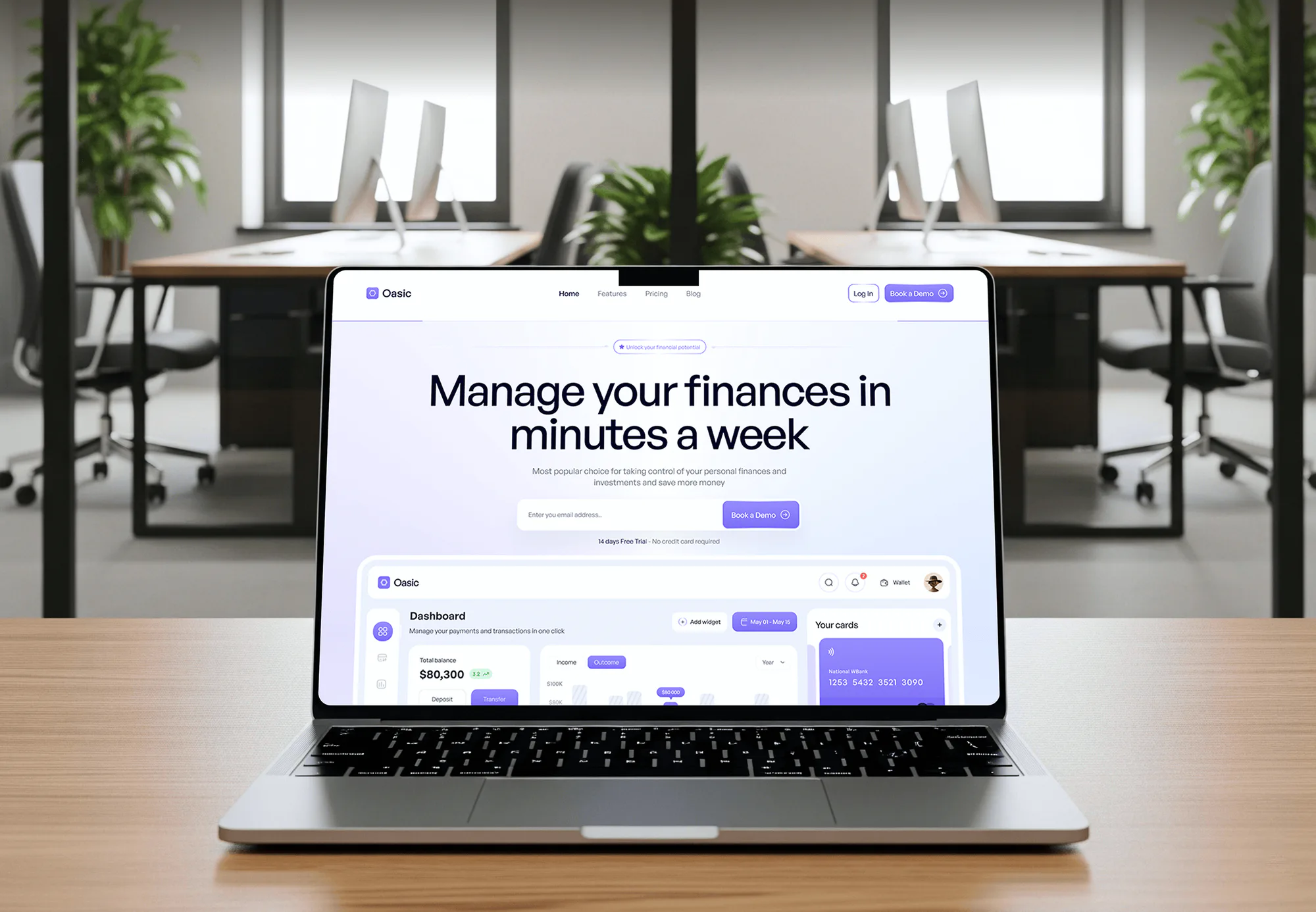

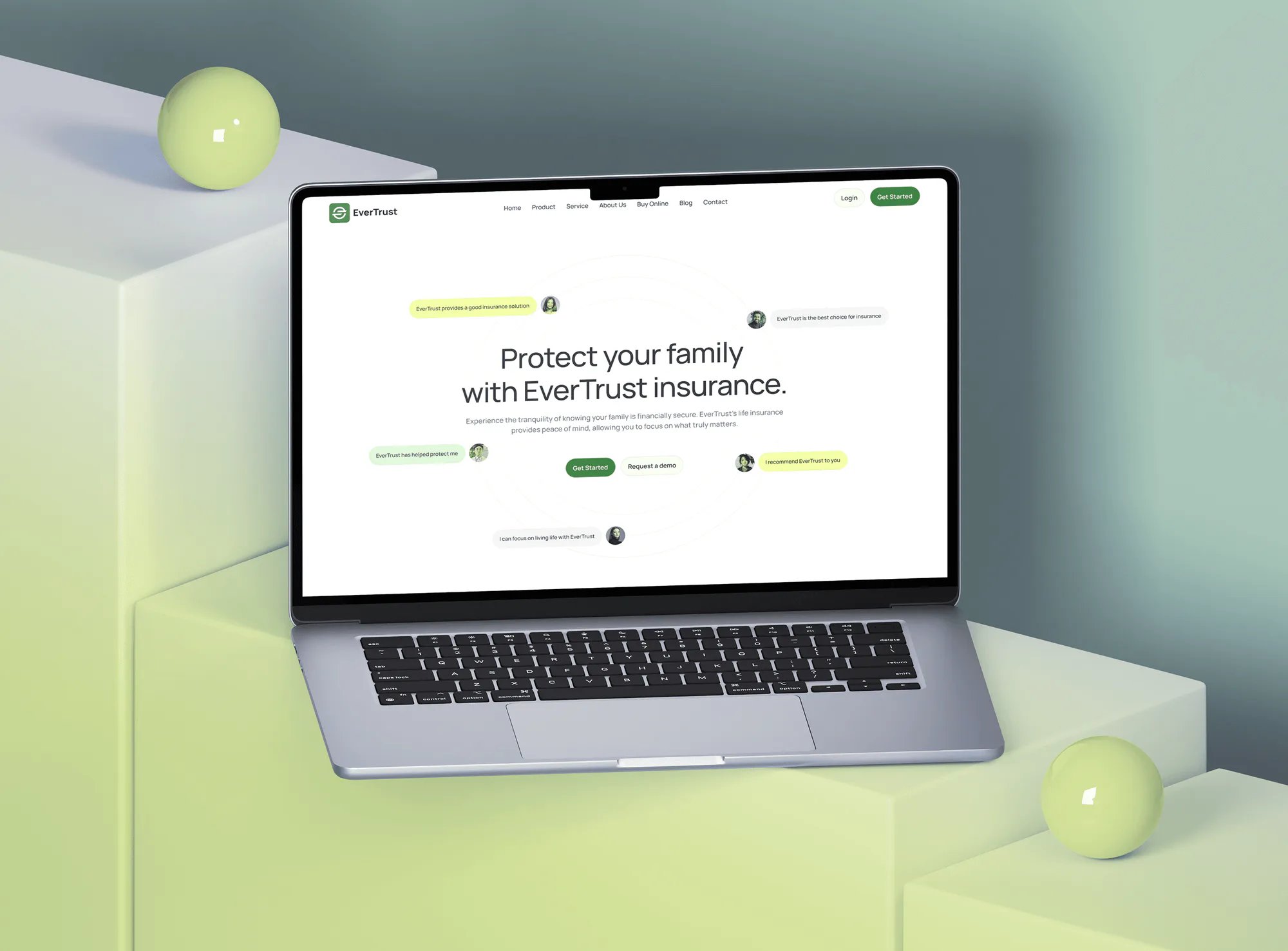
What's Included
A mapped money trail, the payment and QuickBooks links your plan supports, Outlook and call connections, and a month-end close tested with your bookkeeper.
Compare Options
Smokeball's guides make simple switches easy, and a managed IT provider keeps Microsoft 365 running. Here is where each fits, and where money trails and APIs need more.
| Feature | DeveloperLookBest fit | DIY setup | Managed IT provider |
|---|---|---|---|
| Money trail mapping | Traced from payment to bank | Learned at month end | Outside their scope |
| Processor setup | Operating and trust tested | Smokeball guides help here | Rarely handled |
| QuickBooks Online sync | Mapped with your bookkeeper | Default settings | Not their specialty |
| Microsoft 365 and Outlook | Sync and filing for each user | One user at a time | Strong, often included |
| API and webhooks | OAuth, staging, signed webhooks | Not practical | Rarely offered |
| Confidentiality care | Least access for every tool | Depends on staff habits | Security tools, not data flows |
| Cost | Fixed scope from $800 | Lowest, paid in your time | Monthly retainer |
| Support after launch | 14 to 60 days included | Smokeball support | Ongoing help desk |
What Our Clients Say
Feedback from teams we have built finance tools, websites, and integrations for.
We had a pretty specific idea of what we wanted our website to become, but I wasn’t sure how easily we could explain all of it to a development team. There were quite a few moving parts, and we were working toward a deadline, so I expected a few things to get lost along the way. That never really happened. They understood what we were trying to achieve, kept us updated throughout the process, and got everything ready within the agreed timeline. The final site feels much easier to navigate, works beautifully on mobile, and is noticeably smoother for our customers. It was a huge relief seeing the original idea actually turn into the website we had in mind.
The mobile experience is probably my favourite part of the new site. We had spent a lot of time making sure the desktop version looked right, and the team kept pushing us to think about how everything would actually feel on a phone too. They were right. The navigation is clean, the interactions feel natural, and everything we’ve tested so far works exactly as it should. They also went through the links, forms, integrations, and other details more than once before launch, which I really appreciated. And even after going live, we could still reach out when something came up. The whole process felt friendly, organised, and surprisingly straightforward.
What I appreciate most is that the website is actually easy for us to manage now. We can update content ourselves instead of sending a developer a message every time we need to change something small. They also paid attention to the technical SEO side, which mattered to us because we didn’t want a new website to create problems for the traffic we already had. I’ve probably asked more questions than I should have since launch, but every question has been handled patiently and without any fuss. The team is easy to work with, they explain things clearly, and when we need something changed, they focus on getting it done rather than making the process complicated.
1,250+
Projects shipped
10+
Years of experience
5 stars
Clutch rating
5 stars
GoodFirms rating
Excellent
Trustpilot rating
Top 3%
Upwork Top Rated Plus
1,250+
Projects shipped
10+
Years of experience
5 stars
Clutch rating
5 stars
GoodFirms rating
Excellent
Trustpilot rating
Top 3%
Upwork Top Rated Plus

Want results like these?
Tell us what you are building. You get a reply within 24 hours on business days, then a written estimate.
Work Culture
We treat client funds and client confidences the way your bar rules expect: least access, written maps, and nothing switched on without your sign-off.
ABA Model Rule 1.6(c) asks lawyers to make reasonable efforts against unauthorized disclosure. We give every tool the least access it needs and nothing more.
Trust records stay in Smokeball, where its reconciliation works. QuickBooks gets only what Smokeball's sync supports, so nobody keeps two trust ledgers.
Smokeball's QuickBooks sync is one-way and skips invoices and time entries. We tell you that on day one and build a routine around it.
API code runs against Smokeball's staging environment before it touches real matters. Signed webhooks are checked, and duplicate events are ignored.
Every project ends with a money trail map your bookkeeper can follow. New staff learn where each dollar goes without calling us.
You approve a fixed scope and price after the free review. Partner fees, such as an answering service's own plan, are named before you sign.
Overview
DeveloperLook sets up Smokeball integrations for small law firms. We connect Smokeball Payments or LawPay, map the QuickBooks Online sync, set up Outlook calendar and email filing, and link answering services. Projects start at $800, take 1 to 5 weeks, and end with a tested month-end close.
DEVELOPERLOOK
Project facts · Smokeball Integrations
Reviewed 27 Oct 2026 by Saimul Islam
Good fit
Solo lawyers on Smokeball Bill
You bill in Smokeball and take card payments, but your QuickBooks Online file still needs every payment typed in by hand.
Small firms with busy trust accounts
Your firm holds retainers in trust, and month-end reconciliation eats an afternoon because deposits, checks, and the bank statement rarely line up.
Firms running Google Workspace
Your team lives in Gmail and Google Calendar, and you need to know what a Smokeball Google Calendar integration can and can't do.
Firms using a virtual receptionist
Your calls go to an answering service, and its messages still reach lawyers as emails instead of Smokeball contacts and tasks.
Agencies and consultants serving firms
You set up technology for small law firms and need Smokeball legal software integrations done without risking client confidentiality.
Not a fit
Firm runs PracticePanther
Your firm works in PracticePanther, not Smokeball. Our PracticePanther Integrations page covers its plan tiers, email sync, and QuickBooks link.
Intake is the real gap
Your bigger problem is lead follow-up before a client signs. Our Lawmatics Integration page covers intake and the hand-off into case management.
Books need cleanup first
Your books are months behind and need an accountant's cleanup. We connect systems, but we don't do bookkeeping or trust account audits.
One switch, under $800
You only need LawPay turned on in Smokeball settings. If Smokeball's own setup guide already covers your case, we'll tell you before we quote.
Not sure we're the right fit?
Book a free call or message us. We'll tell you honestly whether we're the right team.
Pricing
These are starting points in USD. Your final price depends on your Smokeball plan, the tools involved, and any custom API code, and you get a fixed proposal after a free discovery call.
For Agencies
You own the law firm relationship, whether you run their marketing, IT, or bookkeeping. We supply the Smokeball side: payment and QuickBooks links, Outlook sync, answering service connections, and API code. The firm sees your name on the work.
White label: your client only ever sees your brand
Send the firm's Smokeball plan, processor, accounting tool, and phone setup.
You get a fixed quote under your brand, ready for the managing partner.
We connect, test a month-end close, and hand you the trail map.
Send the firm's Smokeball plan, processor, accounting tool, and phone setup.
You get a fixed quote under your brand, ready for the managing partner.
We connect, test a month-end close, and hand you the trail map.
The Right Technology for Your Project
The tools we connect around Smokeball, chosen from its Marketplace, its API, and the Microsoft 365 apps it's built around.
QuickBooksFAQ
Straight answers on Smokeball with Outlook, Chase, QuickBooks, payment processors, Google Calendar, answering services, and billing tools.
Saimul IslamFounder & CEO, DeveloperLookStill have questions?
Send a message or book a call with the team.
Smokeball integration work with DeveloperLook starts at $800 for the money trail review, a payment processor, QuickBooks Online mapping, and one tested month-end. Outlook sync, an answering service link, and trust account syncing move you to the $2,100 plan. Custom builds on the Smokeball API start at $4,300. You get a fixed quote after a free review.
Payment and QuickBooks Online links usually go live in 1 to 2 weeks, including a test month-end with your bookkeeper. Adding Outlook sync for every user and an answering service takes about 2 to 3 weeks. API builds take 3 to 5 weeks, because access is requested through Smokeball and the code is tested in staging first.
Smokeball connects to Outlook two ways, email filing and calendar sync, both on the Grow and Prosper+ plans. For email, install the Smokeball for Outlook add-in from Outlook's Apps menu and connect it; it supports Microsoft 365 accounts. For calendars, turn on Cloud Sync under Settings, Outlook and Notifications, then Calendar Sync. Private events don't sync.
Not directly: Smokeball doesn't document a Chase connection or any bank feed. Firms banking with Chase usually take payments through Smokeball Payments or LawPay and let deposits land in their Chase accounts. QuickBooks Online then pulls that bank activity in through its own bank connection. Smokeball's trust reconciliation stays a monthly check against the Chase statement, which we set up as a routine.
The Smokeball QuickBooks integration is one-way, from Smokeball Billing to QuickBooks Online. It sends payments against invoices, trust and operating retainer deposits, checks, and reversals. It doesn't send invoices, time or fee entries, expenses, or anything from before the sync was turned on. On the Bill plan you get the general ledger link only, not the trust account link.
Smokeball payment processor integrations in the US are Smokeball Payments and LawPay. Smokeball Payments takes cards, Apple Pay, Google Pay, and eCheck into operating or trust accounts, and turning it on deactivates LawPay. LawPay handles card and ACH invoice payments and trust deposits, but its refunds don't sync back to Smokeball, so we add a refund routine.
No native one: Smokeball's calendar sync is built for Outlook and Microsoft 365, and Smokeball's own community answer says it doesn't sync with Google Calendar. Firms on Google Workspace either move calendars to Microsoft 365 or keep court dates in Smokeball and check them there. We'll tell you which costs less for your firm before building anything.
It logs each call in Smokeball automatically, usually as a new contact or a task for the right lawyer. Smith.ai is one example on the Smokeball Marketplace, with New Contact and Task flows, and other virtual receptionists are listed there too. We connect the service, decide who gets each task, and test calls before your receptionist goes live.
Most firms don't need separate legal billing software, because billing, time, and trust accounting are built into Smokeball. So when people ask which legal billing software integrates with Smokeball, the useful answers are links. Think Smokeball Payments or LawPay, QuickBooks Online, and collections tools such as CollBox on its Marketplace.
Your firm does. Firms request API access through their Smokeball account manager, and the credentials are issued to your firm with only the scopes the build needs. We build and test in Smokeball's staging environment before production. If our work together ends, you revoke our access and keep the code we wrote for you.
Saimul IslamFounder & CEO, DeveloperLookStill have questions?
Send a message or book a call with the team.
Free 30-min callGoogle Meet
Book a call
In 30 minutes on Google Meet we walk you through how we would build it, how long it takes and what it costs. Then you get a written estimate.
Calendar not showing? Book on cal.com or send a brief.