
Studio tool fit check
Dubsado, HoneyBook, Studio Ninja, or a general CRM compared on contracts, payment plans, and gallery links.

For wedding, portrait, and commercial photographers: every inquiry answered with your open dates, contracts and retainers signed fast, and galleries delivered on schedule.
2X
More inquiries booked as sessions
100%
Clients on one workflow
How your project runs
Teams we have built for:














The Problem
It shows up in your busiest season. Inquiries pile up while you shoot and edit, and each client's contract, payment, and gallery live in a different app.
01 · Late replies
Inquiries wait days while you shoot and edit.
Every inquiry gets a reply with your open dates and package options.
02 · Unpaid retainers
Signed contracts sit for weeks without the retainer payment.
Contracts and retainer invoices go out together, with reminders until paid.
03 · Late prep
Questionnaires and shot lists arrive the night before.
Questionnaires send on a set schedule before each session date.
04 · Slipping galleries
Gallery delivery dates slip with no one tracking them.
Each booking carries a gallery due date with reminders to you.
A couple messages you on Instagram about a June wedding while you're editing last weekend's gallery. You reply three days later, after checking your calendar, and they've booked someone who answered that night. Another client signed the contract but didn't pay the retainer, and nobody noticed until the week before. Questionnaires go out late, so shot lists arrive the night before. And the gallery you promised in six weeks is now in week eight, with three anxious emails waiting.
We start with your client journey: inquiry, quote, contract, retainer, prep, shoot, gallery, and follow-up. Then we set up the studio tool or CRM that fits and build each step as a workflow. Inquiries get a reply with your open dates, contracts and retainers go out together, and questionnaires and gallery reminders send on time. You shoot and edit while the paperwork moves on its own.
Dates checked before you reply
Inquiries get your real availability first, so couples don't wait days to hear if you're free.
Contract and retainer together
Clients sign and pay the retainer in one step, so the date is truly held.
Galleries on a due date
Each booking carries a gallery deadline, with reminders before it slips and an album follow-up after.
Our Photographer CRM Setup Process
You approve the tool, every workflow, and each email and contract template. A test client runs from inquiry to gallery delivery before real clients see it.
We look at how inquiries, contracts, payments, and galleries move through your studio today. You get a short written plan. If the tool you already pay for covers it with better templates, we'll say so before we quote.
What's Included
Every plan covers the tool choice, the inquiry form, contract and retainer templates, and your first workflow. Higher plans add session-type workflows, gallery links, migration, second shooters, and photo booth bookings.
Compare Options
Setting up a studio app yourself costs only time, and plenty of solo shooters do it well. Email and notes cost nothing. Here is where each one breaks down once bookings pile up.
| Feature | DeveloperLookBest fit | DIY studio app | Email and notes |
|---|---|---|---|
| Tool choice | Matched to what you shoot | Picked from ads | None needed |
| Inquiry replies | Open dates in the first reply | Template you write | Typed each time |
| Contracts and retainers | Sent together with reminders | Included in most apps | PDF and bank transfer |
| Session workflows | One per session type | One generic workflow | Memory |
| Gallery delivery | Due dates with reminders | Manual link sending | Calendar note |
| Your setup time | A few review calls | Evenings and weekends | None up front |
| Cost to start | From $600, fixed scope | App subscription only | Free |
| Speed to start | 1 to 2 weeks | Weeks of tinkering | Today |
Projects We've Built
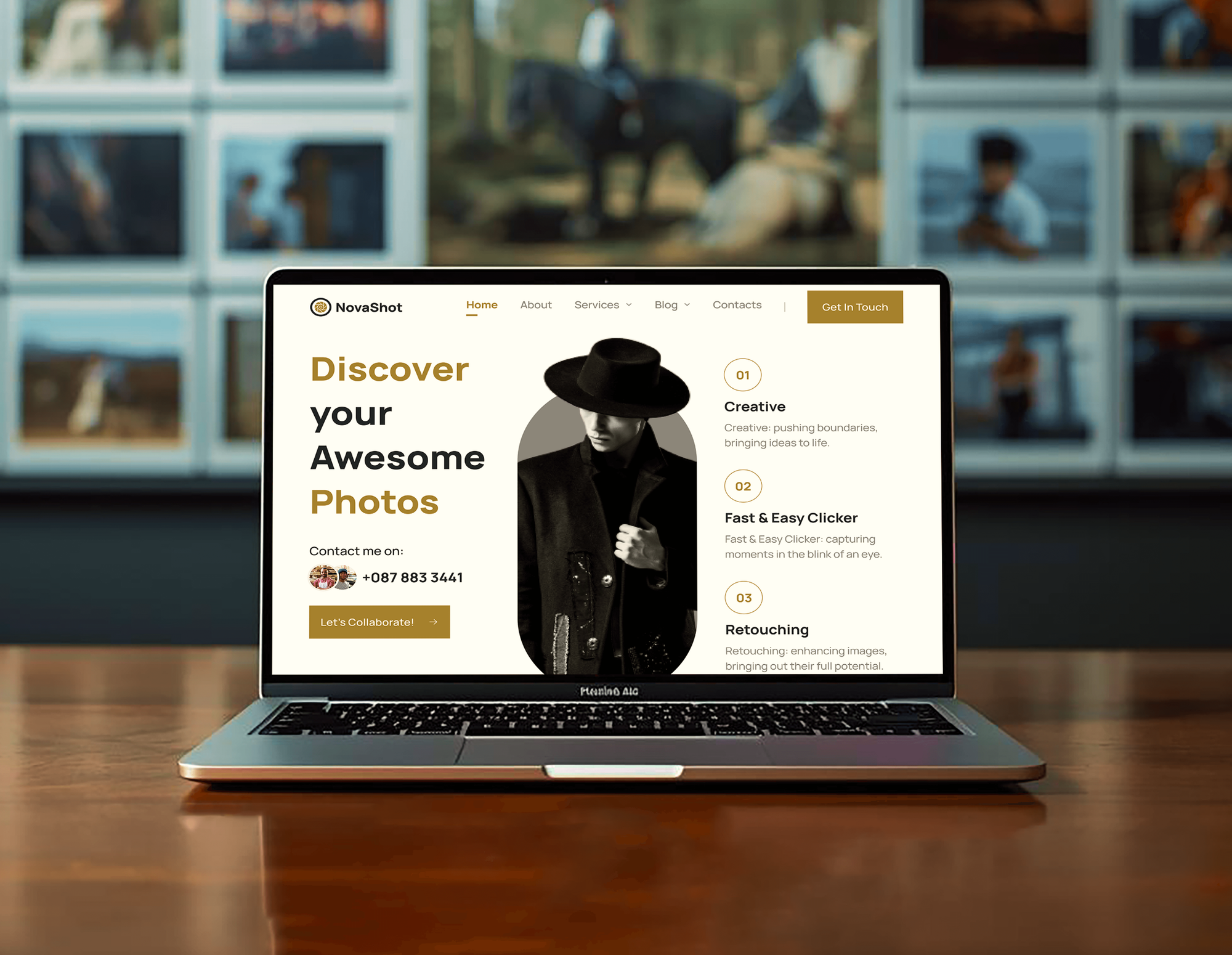
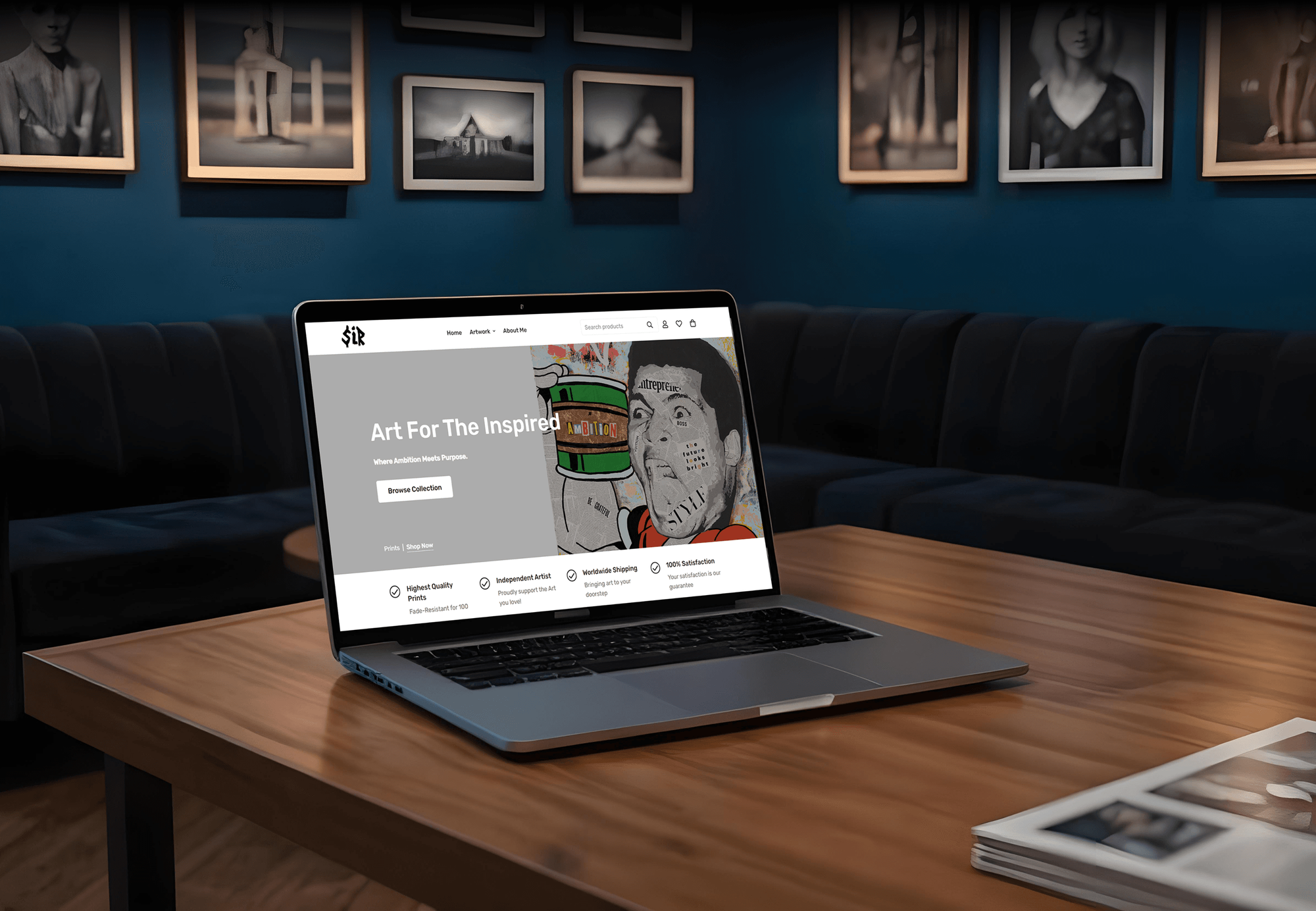
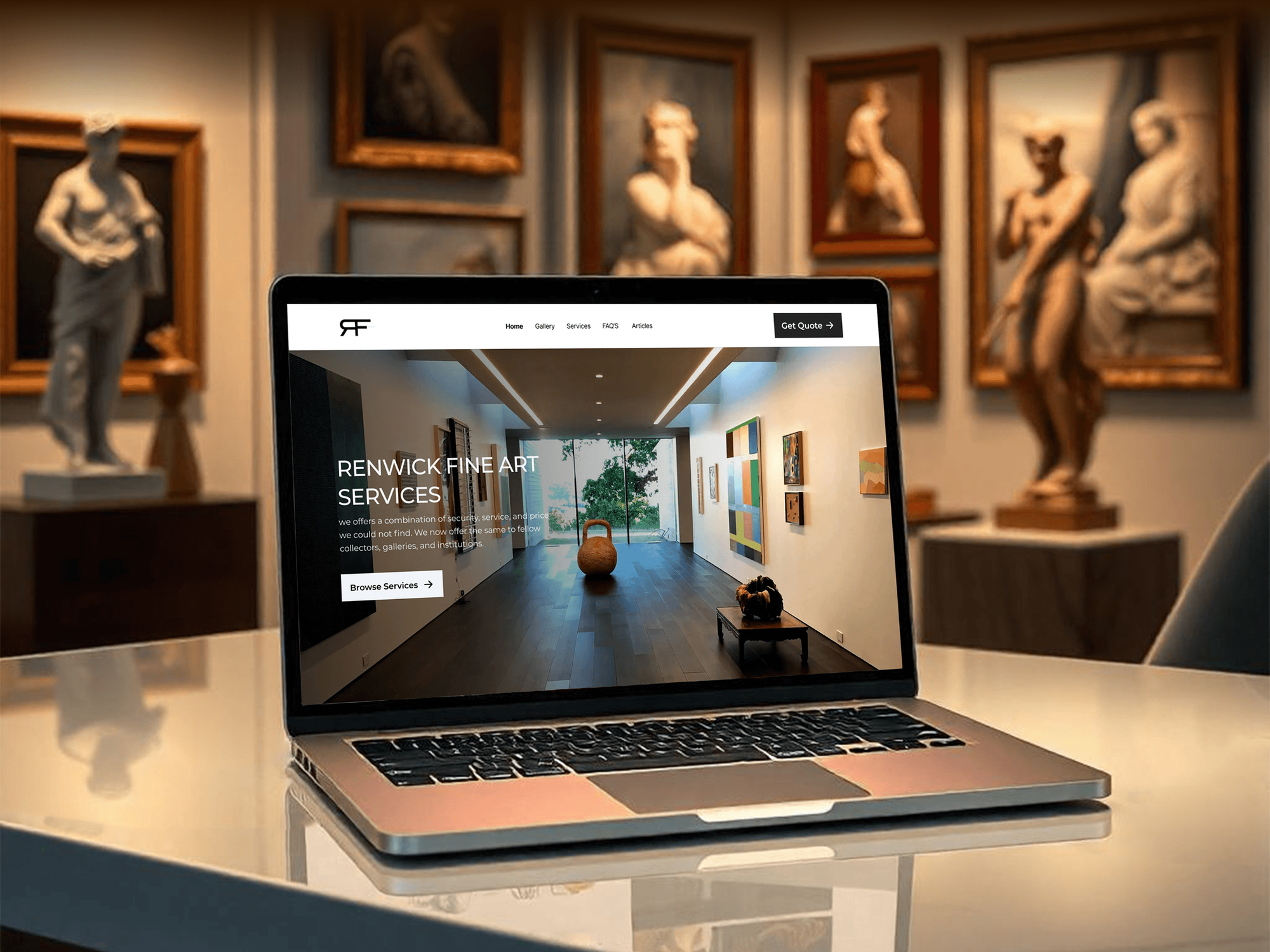
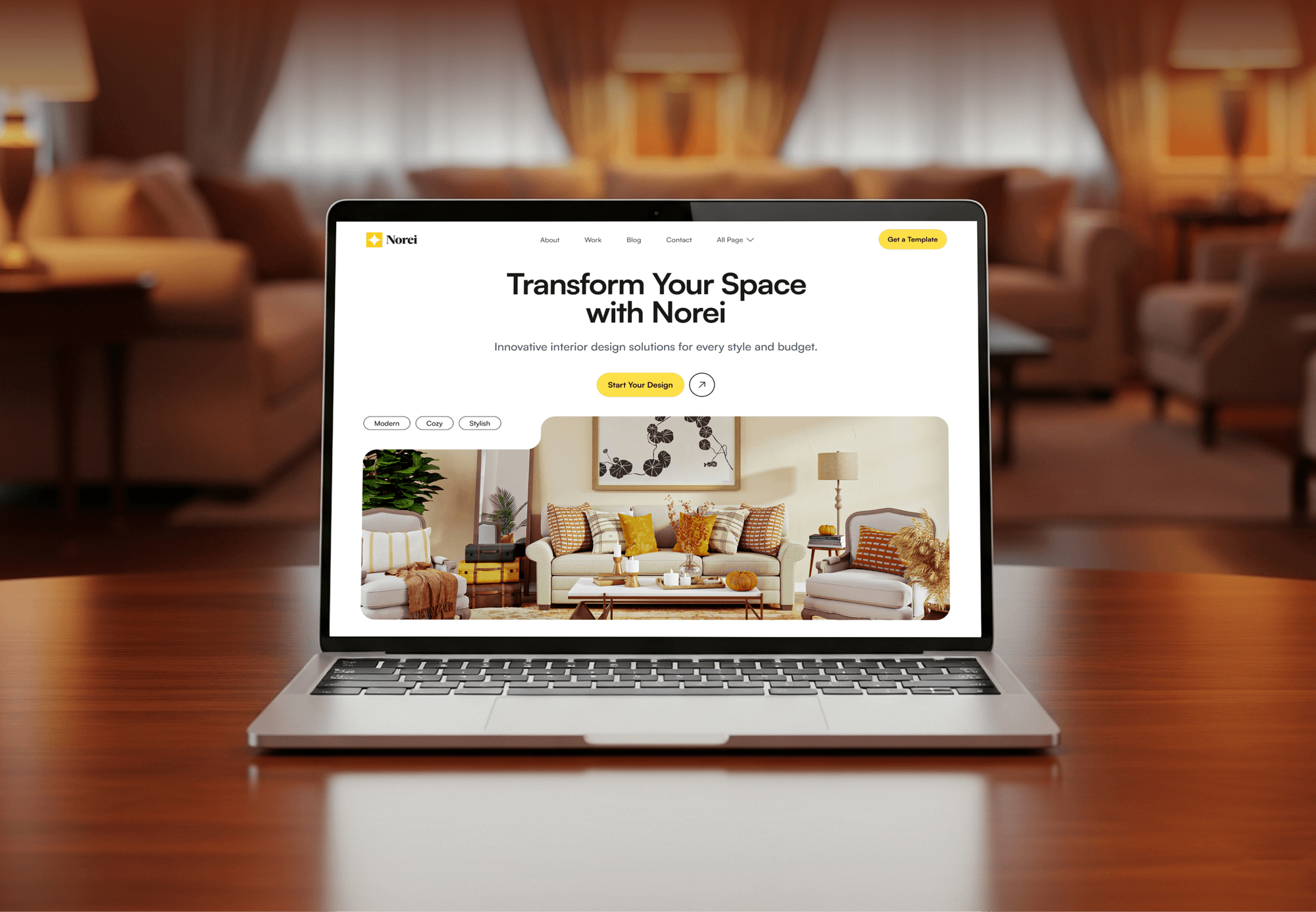
A photography portfolio, fine art sites, and a design studio site our team built for creative businesses. They show our work for creatives, not CRM setups.
What Our Clients Say
Feedback from teams we have built websites, dashboards, and integrations for.
We had a pretty specific idea of what we wanted our website to become, but I wasn’t sure how easily we could explain all of it to a development team. There were quite a few moving parts, and we were working toward a deadline, so I expected a few things to get lost along the way. That never really happened. They understood what we were trying to achieve, kept us updated throughout the process, and got everything ready within the agreed timeline. The final site feels much easier to navigate, works beautifully on mobile, and is noticeably smoother for our customers. It was a huge relief seeing the original idea actually turn into the website we had in mind.
The mobile experience is probably my favourite part of the new site. We had spent a lot of time making sure the desktop version looked right, and the team kept pushing us to think about how everything would actually feel on a phone too. They were right. The navigation is clean, the interactions feel natural, and everything we’ve tested so far works exactly as it should. They also went through the links, forms, integrations, and other details more than once before launch, which I really appreciated. And even after going live, we could still reach out when something came up. The whole process felt friendly, organised, and surprisingly straightforward.
What I appreciate most is that the website is actually easy for us to manage now. We can update content ourselves instead of sending a developer a message every time we need to change something small. They also paid attention to the technical SEO side, which mattered to us because we didn’t want a new website to create problems for the traffic we already had. I’ve probably asked more questions than I should have since launch, but every question has been handled patiently and without any fuss. The team is easy to work with, they explain things clearly, and when we need something changed, they focus on getting it done rather than making the process complicated.
1,250+
Projects shipped
10+
Years of experience
Top 3%
Upwork Top Rated Plus
5 stars
Average review score

Want results like these?
Tell us what you are building. You get a reply within 24 hours on business days, then a written estimate.
Work Culture
Photographers sell a feeling and deliver on a deadline. These habits keep your studio's workflow personal for clients and light on admin for you.
We write CRM photography templates in your tone, not a software sample. Clients notice when the booking email sounds like the person they messaged.
If HoneyBook or Dubsado already holds your clients, we fix its setup instead of moving you. Switching tools costs time you'd rather spend shooting.
You answer inquiries between sessions, so we test replies, contract sends, and payment links on a phone. Anything clumsy on a small screen gets reworked before launch.
We build the contract template, but its terms come from you or your lawyer. Signed copies are stored on each client record, and e-signatures have legal effect under the US ESIGN Act.
Retainers and balances run through Stripe, Square, or PayPal under your account. Card numbers stay with the processor, not in the CRM or our notes.
Clients, contracts, and gallery links sit in accounts under your name. If you switch tools later, your records export in formats the next tool can import.
Overview
DeveloperLook sets up a CRM for photographers that runs every client from inquiry to gallery. We build inquiry forms with your availability, package quotes, contracts with retainers, prep questionnaires, and gallery delivery follow-ups. Setups start at $600 and take 1 to 6 weeks, and you own every client record and template.
DEVELOPERLOOK
Project facts · CRM for Photographers
Reviewed 7 Oct 2026 by Saimul Islam
Good fit
Wedding photographers booking a year ahead
You book weddings a year or more out. You need a CRM for wedding photographers that holds dates, retainers, payment plans, and timelines until the day.
Portrait and family studios
You run mini sessions and family portraits each season. You want a client management system for photographers that books slots and sends prep guides without manual emails.
Commercial and brand photographers
Your clients are companies with purchase orders, usage licenses, and several approvers. You need quotes, licensing terms, and invoices tracked per project, often in HubSpot or Zoho CRM.
Studios spread across too many apps
Your photography studio management lives across Instagram DMs, a spreadsheet, and a gallery app. You want one photography CRM, such as Dubsado or HoneyBook, that ties it together.
Multi-shooter and photo booth companies
You send associate shooters or photo booths to several events each weekend. You need bookings, staff assignments, and equipment notes on one calendar.
Not a fit
HoneyBook form on your site
You already run HoneyBook well and only need its inquiry form on your website. Our HoneyBook Website Integration Services page covers that.
Real estate shoots
You mainly shoot listings for agents and need a site that books those shoots first. Our Real Estate Photography Website Design page fits better.
You sell prints online
You sell prints or stock images online rather than booked sessions. Our CRM for Small Business: Setup and Migration page fits a sales pipeline better.
Budget under $600
You book only a handful of shoots a year, or your budget is under $600. A studio tool's own templates and onboarding videos will do for now.
Not sure we're the right fit?
Book a free call or message us. We'll tell you honestly whether we're the right team.
Pricing
These are starting points in USD. Your final price depends on session types, gallery and payment links, and migration, and you get a fixed proposal after a free review.
For solo photographers moving inquiries and contracts out of DMs and spreadsheets.
$600one-time, USD
For photographers who want every session type automated from inquiry to album.
$1,450one-time, USD
For studios with associate shooters, photo booths, or a tool to move away from.
$3,200one-time, USD
For Agencies
You own the client relationship. We set up the booking workflow behind your photography clients' websites and ads: inquiry forms, contracts, retainers, and gallery follow-ups. Everything runs under your brand, in accounts each photographer owns.
White label: your client only ever sees your brand
Their tool, session types, gallery app, and the booking problems they mention.
You receive a workflow map and one fixed price for your proposal.
We configure, run a test client, train under your brand, and hand over logins.
We stay behind your agency name on calls, emails, and guides.
Reports show which ads and pages turned into booked sessions.
Templates written for wedding, portrait, and commercial photographers.
One tested workflow you can roll out for every photographer you serve.
The Right Technology for Your Project
We set up the studio tool or CRM that fits your work, then connect galleries, payments, and calendars where each tool supports it.
 HubSpot
 Canva
Canva Stripe
 PayPal
 QuickBooks
 Xero
Xero Zapier
FAQ
Straight answers on cost, setup time, choosing a studio tool, contracts, galleries, moving tools, and photo booths.
Saimul IslamFounder & CEO, DeveloperLookStill have questions?
Send a message or book a call with the team.
A solo studio setup starts at $600, covering the tool choice, an inquiry form with your availability, contract and retainer templates, and one workflow. Full client journeys for 3 session types with gallery links start at $1,450, and multi-shooter studios start at $3,200. Your studio tool's subscription is paid to that vendor.
A solo photographer's setup takes 1 to 2 weeks. Full workflows for weddings, portraits, and brand shoots take 2 to 4 weeks, and multi-shooter studios moving from another tool take 4 to 6 weeks. Setting it up in your slower months means the next busy season runs on it from the first inquiry.
It's a system that keeps each client's inquiry, quote, contract, payments, emails, and gallery on one record. Photographers often call it a studio management tool. It replaces the mix of DMs, spreadsheets, and calendar notes most photographers start with, and it sends the routine emails for you.
You use it to run the same steps for every client automatically. An inquiry form starts a workflow: a reply with packages, then the contract and retainer, then questionnaires before the shoot. After the session it tracks the gallery due date and sends album, print, and review requests. You step in only where a personal touch matters.
The best CRM for photographers depends on what you shoot. Wedding photographers often like Dubsado for its detailed workflows, while HoneyBook suits shooters who want a simpler, guided setup. Studio Ninja is built around photography sessions, and commercial studios with sales teams may fit HubSpot better. We recommend one after the free review.
The best CRM software for photographers handles contracts, retainers, payment plans, and automated emails in one place. Check four things before you subscribe: e-signatures, scheduled payments, a scheduler that blocks booked dates, and a link to your gallery app. The monthly price matters less than how much admin it removes.
Yes, most studio tools send the contract and retainer invoice together. Clients sign online, pay the retainer by card or bank transfer, and get scheduled reminders for later payments. E-signatures have legal effect under the US ESIGN Act, but the contract wording should come from you or your lawyer.
Yes, photo booth rentals fit as their own pipeline beside your photography sessions. Each booking tracks the event date, booth package, venue access times, and attendant, with its own contract and deposit. Studios that send booths and associate shooters out on the same weekend see both on one calendar.
Yes, we move contacts, active projects, and payment schedules, then rebuild your templates in the new tool. Signed contracts and past invoices usually move as PDF files on each client, since studio tools rarely import them as live documents. We run both tools side by side until every active booking has moved.
You do: every client record, contract template, and workflow sits in an account under your name. Your plan includes 30, 45, or 60 days of help after launch, plus a short guide to editing templates yourself. If you outgrow the tool, your data exports with you.
Saimul IslamFounder & CEO, DeveloperLookStill have questions?
Send a message or book a call with the team.
Free 30-min callGoogle Meet
Book a call
In 30 minutes on Google Meet we walk you through how we would build it, how long it takes and what it costs. Then you get a written estimate.
Calendar not showing? Book on cal.com or send a brief.