
Workflow review and plan
A short written plan of which chores to automate, in what order, and the triggers each one needs.

For teams running on Google Workspace: reports, imports, emails, and approvals handled by scripts that run on schedule, from $450.
24/7
Scripts running on schedule
100%
Code owned in your account
How your project runs
Teams we have built for:














The Problem
It shows up as the company grows and the same sheets feed more people. Every report, reminder, and form response still waits for someone to do it by hand.
01 · Manual reports
Someone rebuilds the weekly report by hand every Monday.
A scheduled script builds the report and emails the PDF on time.
02 · Form backlog
Form responses pile up until someone sorts them.
A form trigger routes, logs, and confirms each response as it arrives.
03 · Late reminders
Renewal reminders depend on a person remembering.
Time-driven triggers send each reminder on its due date.
04 · Silent failures
An old script times out and fails without telling anyone.
Batched code stays within quotas and emails an owner on any error.
Every Monday, someone copies last week's numbers into a new tab, rebuilds the charts, and emails a PDF to the managers. Form responses pile up until somebody sorts them by hand. Renewal reminders go out late because they depend on a person remembering. An old script someone found online still runs, but it times out on bigger sheets and fails without telling anyone. Your team spends hours on work a few well-written scripts could do on schedule.
We start by watching how the work moves today: which sheets, forms, and inboxes it touches. Then we write Apps Script that runs on time-driven or form triggers, batches its reads and writes, and emails you if anything fails. Code is versioned with clasp and documented in plain English. The chores run on schedule, not on someone's memory.
Triggers that run on time
Time-driven and form triggers run your scripts on schedule, even when nobody has the sheet open.
Built around Google's quotas
Scripts batch their work to stay inside the 6-minute run limit and Google's daily quotas.
Alerts when something fails
Every script emails a named person if it errors, so a failure doesn't sit unnoticed for weeks.
Our Apps Script Development Process
You approve each trigger, input, and alert before coding starts, then watch the scripts run on your real data before we hand them over.
We look at the sheets, forms, and inboxes involved and any scripts you already run. You get a short plan of what to automate first, what Apps Script can't do well, and a fixed price.
What's Included
A review of your sheets and inboxes, a script design, tested code with triggers and error alerts, version control, and a guide your team can follow.
Compare Options
DIY scripts suit one simple task, and a freelancer suits a quick fix. A team fits when several scripts, triggers, and people depend on the same sheets.
| Feature | DeveloperLookBest fit | Freelancer | DIY from tutorials |
|---|---|---|---|
| Upfront cost | From $450, fixed | Hourly, often lower | Free, plus your time |
| Speed to start | After a 1 to 2 day review | Often within days | Right away |
| Quota planning | Batched for Google's limits | Varies by person | Found when it breaks |
| Error alerts | Email to a named owner | Sometimes | Rarely set up |
| Version control | clasp and Git | Rarely | A copy, maybe |
| Testing | Copies of your sheets first | Often on live data | On live data |
| Documentation | Plain-English guide | Comments, if any | Tutorial links |
| Ownership | Your Google account | Sometimes theirs | Yours |
Projects We've Built
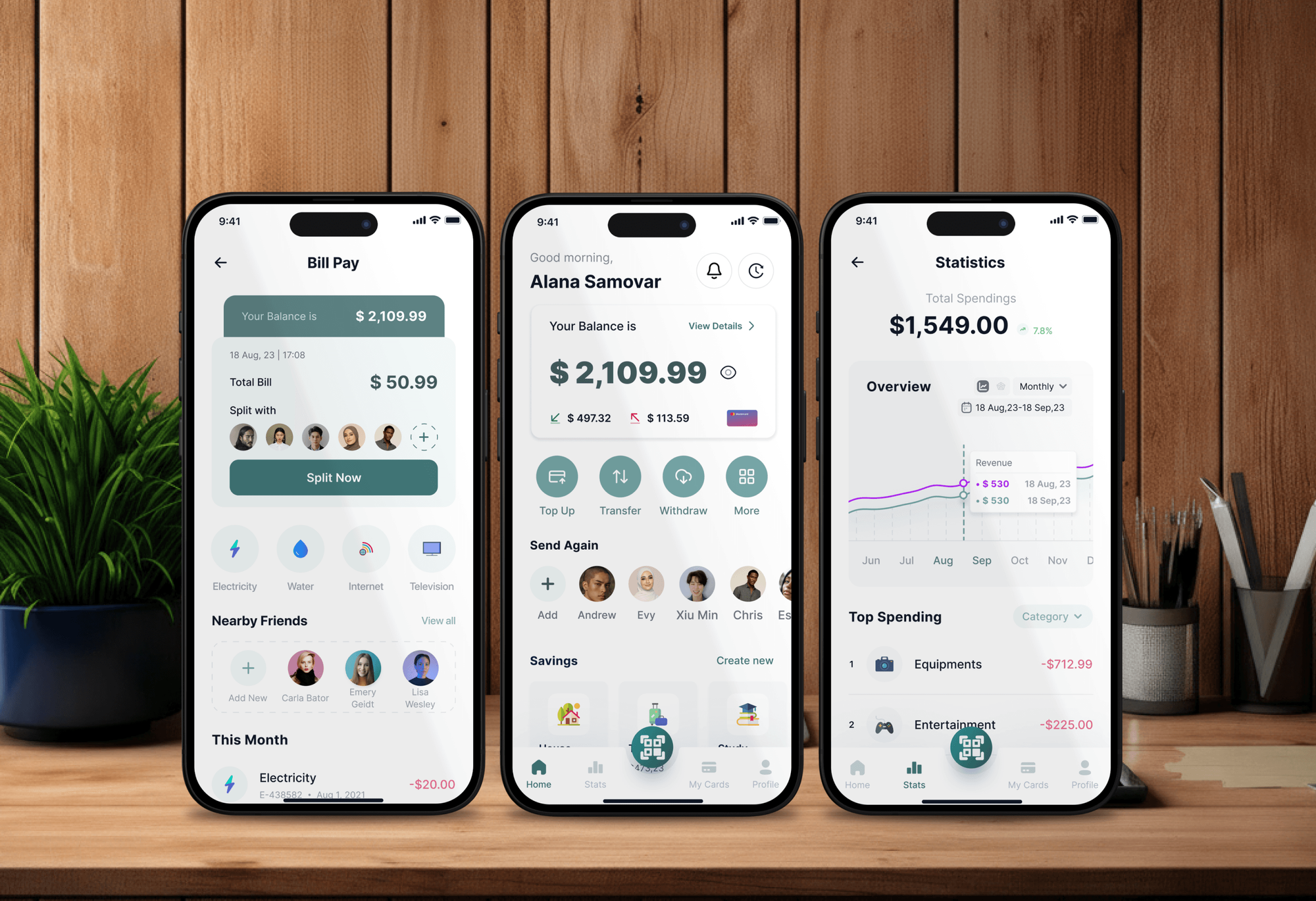
Finance, booking, and learning apps with dashboards our team designed and built. Apps Script projects feed the same kind of reports straight from Sheets and Forms.



What Our Clients Say
Feedback from teams we have built automations, dashboards, and web apps for.
We had a pretty specific idea of what we wanted our website to become, but I wasn’t sure how easily we could explain all of it to a development team. There were quite a few moving parts, and we were working toward a deadline, so I expected a few things to get lost along the way. That never really happened. They understood what we were trying to achieve, kept us updated throughout the process, and got everything ready within the agreed timeline. The final site feels much easier to navigate, works beautifully on mobile, and is noticeably smoother for our customers. It was a huge relief seeing the original idea actually turn into the website we had in mind.
The mobile experience is probably my favourite part of the new site. We had spent a lot of time making sure the desktop version looked right, and the team kept pushing us to think about how everything would actually feel on a phone too. They were right. The navigation is clean, the interactions feel natural, and everything we’ve tested so far works exactly as it should. They also went through the links, forms, integrations, and other details more than once before launch, which I really appreciated. And even after going live, we could still reach out when something came up. The whole process felt friendly, organised, and surprisingly straightforward.
What I appreciate most is that the website is actually easy for us to manage now. We can update content ourselves instead of sending a developer a message every time we need to change something small. They also paid attention to the technical SEO side, which mattered to us because we didn’t want a new website to create problems for the traffic we already had. I’ve probably asked more questions than I should have since launch, but every question has been handled patiently and without any fuss. The team is easy to work with, they explain things clearly, and when we need something changed, they focus on getting it done rather than making the process complicated.
1,250+
Projects shipped
10+
Years of experience
Top 3%
Upwork Top Rated Plus
5 stars
Average review score

Want results like these?
Tell us what you are building. You get a reply within 24 hours on business days, then a written estimate.
Work Culture
Apps Script can automate almost anything in Workspace, so restraint matters. These habits keep your scripts fast, safe, and easy to hand over.
If a formula, filter view, or Sheets feature already does the job, we'll tell you before we quote. Fewer scripts means fewer things to maintain.
Each Apps Script execution stops after 6 minutes. Long jobs are split into batches that resume where they left off, so big sheets still finish.
Workspace accounts get 6 hours of trigger runtime a day, and consumer accounts get 90 minutes. We size the work to fit your account type.
Scripts request only the OAuth scopes their job requires. Your admin sees exactly what each one can read or send before approving it.
Code lives in Git through clasp, Google's open-source command-line tool for Apps Script. Every change has a history and can be rolled back.
Scripts and triggers run under a Google account your company controls, not ours. When someone leaves, the automations keep running.
Overview
DeveloperLook works as a Google Apps Script developer for teams that live in Google Workspace. We write scripts that build reports, import data, send emails, and route approvals across Sheets, Forms, Gmail, Drive, and Calendar. Single scripts start at $450 and take 3 to 7 days, workflows take 2 to 5 weeks, and the code stays in your account.
DEVELOPERLOOK
Project facts · Google Apps Script Developer
Reviewed 7 Oct 2026 by Saimul Islam
Good fit
Ops teams living in Google Sheets
Your team rebuilds the same weekly report in Google Sheets by hand, copying tabs and emailing PDFs every Monday morning.
Teams collecting data with Forms
You collect requests through Google Forms and need each response routed, logged, and confirmed without someone watching the sheet.
Finance and admin staff
Your invoices, reminders, or renewal emails go out from a spreadsheet one at a time, and Google Apps Script automation could send them on schedule.
Teams with a broken old script
You inherited a script that times out, hits quotas, or stopped working, and nobody on your team knows JavaScript well enough to fix it.
Agencies and consultancies
Your agency builds Google Workspace setups for clients and needs Google Apps Script developers who deliver under your own brand.
Not a fit
Budget under $450
Your task is a single formula or a filter view. Google Sheets' built-in functions or a short tutorial will cover it without paying for a script.
Add-on for other companies
You want an add-on listed for other organizations to install. That is a separate build from the internal scripts this page covers.
Team works in Airtable
Your team already runs its work in Airtable, not Sheets. Our Airtable Consultant for Custom Workflows page fits that setup better.
Mostly non-Google apps
Your workflow mostly moves data between apps outside Google. Our Zapier Consultant and Automation Services page covers that kind of automation.
Not sure we're the right fit?
Book a free call or message us. We'll tell you honestly whether we're the right team.
Pricing
These are starting points in USD. Your final price depends on the scripts, the apps they touch, and any outside APIs, and you get a fixed proposal after a free sheet review.
For one spreadsheet chore you want gone, such as a report, import, or reminder.
$450one-time, USD
For processes that cross Sheets, Forms, Gmail, Drive, and Calendar.
$1,250one-time, USD
For internal tools that need a simple web front end or outside APIs.
$2,900one-time, USD
For Agencies
You own the client relationship. We supply the Apps Script engineering behind it: Sheets automation, form routing, Gmail and Drive scripts, and small web apps. Your client works with your team, and every script runs in their account.
White label: your client only ever sees your brand
Send the client's sheets, forms, and the chores they want gone for good.
You receive a script design and a fixed price to pass on.
We build, trial on real data, and hand everything over under your brand.
You run the client calls while we write the scripts.
Each script is priced up front, so your margins hold.
Handover notes your account managers can pass straight to clients.
JavaScript developers for busy months without new hires.
The Right Technology for Your Project
Apps Script and the Google Workspace apps your team already uses, plus clasp and Git so every script has a history.
 Google Sheets
 JavaScript
 Slack
Slack Google Analytics (GA4)
FAQ
Straight answers on Apps Script costs, timelines, quotas, triggers, security, and when another tool fits better.
Saimul IslamFounder & CEO, DeveloperLookStill have questions?
Send a message or book a call with the team.
Our Apps Script work starts at $450 for one script with a trigger, error alerts, and a short guide. Workflows of up to 5 connected scripts across Sheets, Forms, Gmail, Drive, and Calendar cost $1,250. Web apps with outside API integrations start at $2,900. Apps Script itself comes with your Google account at no extra charge.
A single script usually takes 3 to 7 days, including a live trial on your real data. Connected workflows take 2 to 3 weeks, and web apps with outside APIs take 3 to 5 weeks. The live trial matters most, because real sheets always hold a few surprises.
It automates most repeat work inside Google Workspace: Sheets reports, Form routing, Gmail messages, Drive filing, and Calendar events. It can also call outside APIs and serve small web apps. It's less suited to heavy data processing or jobs that need long runtimes, where a small server or BigQuery does better.
Each script execution stops after 6 minutes, and custom functions after 30 seconds. Daily quotas also apply, per Google's quota page. Triggers can run 90 minutes a day on consumer accounts and 6 hours on Google Workspace, with 20,000 versus 100,000 URL fetch calls. We design every script around these numbers.
Yes. Installable time-driven and form triggers run on Google's servers whether or not anyone has the sheet open. They run under the account that created them, so we install them under an account your company controls. Simple triggers like onOpen fire only when someone opens the file.
Use Zapier when the job moves data between many non-Google apps with standard steps. Choose Apps Script when the work lives in Sheets, Docs, and Gmail and needs custom logic, since it runs inside Workspace at no extra cost. Some setups use both, and we'll say which fits.
Yes. Apps Script's UrlFetchApp calls REST APIs such as Stripe, HubSpot, or your own backend, with keys kept in script properties rather than in the code. We batch calls to respect daily fetch quotas and the other service's rate limits. Heavier integrations may suit a small server instead, and we'll say so.
Yes. We read the existing code, check its triggers, scopes, and execution logs, then fix what's breaking it: usually timeouts, quota errors, or a changed sheet layout. Scripts left on the old Rhino runtime stopped running after January 31, 2026, so we move those to V8. If a script is beyond saving, we'll quote a rewrite instead.
Yes, when scopes and ownership are handled carefully. Each script requests OAuth scopes your admin can review, and Workspace admins can control which apps users may authorize. We request only the scopes a script needs, keep credentials out of the code, and limit web apps to your domain.
You do. The scripts live in your Google account or shared drive, with the source also in your Git repository through clasp. Fixes and small changes are covered for the first 30 to 90 days, based on your plan. A plain-English guide lets anyone on your team see what each script does.
Saimul IslamFounder & CEO, DeveloperLookStill have questions?
Send a message or book a call with the team.
Free 30-min callGoogle Meet
Book a call
In 30 minutes on Google Meet we walk you through how we would build it, how long it takes and what it costs. Then you get a written estimate.
Calendar not showing? Book on cal.com or send a brief.