
Maps JavaScript API setup
Branded maps with Advanced Markers, a map ID for cloud styling, and clustering for dense pins.

For businesses and product teams with locations to show: store locators, delivery zones, and in-app maps built on the right Google APIs, with a bill you can predict.
90+
Mobile PageSpeed with your map
100%
API keys locked to your apps
How your project runs
Teams we have built for:














The Problem
It shows up once a business adds locations, delivery, or an app. The quick map from launch day starts slowing pages, matching the wrong store, and billing more than anyone planned.
01 · Slow pages
The map script loads on every visit and slows phones.
Maps load only when visitors scroll to them or tap to open.
02 · Wrong store
ZIP code searches return a store miles away.
Your locations are geocoded once and stored as place IDs, which Google allows.
03 · Open keys
An unrestricted key lets other sites run up your bill.
Each platform gets its own key, limited to your domains or apps.
04 · Flat fees
Delivery quotes use a flat radius, so long trips lose money.
Routes API distances and travel times set the price for each trip.
Your store locator loads a heavy map script on every visit, and the page crawls on phones. A customer types a ZIP code and lands on the wrong store, because half your addresses were geocoded from messy spreadsheet rows. The API key sits in the page with no restrictions, so anyone can copy it onto their own site. Delivery quotes use a flat radius, and long trips lose money. Then Google emails about legacy APIs your old code still calls.
We start by matching each feature to the cheapest Google API that does it. That means the free Maps Embed API for one pin, the Maps JavaScript API for locators, Places API (New) for search, and the Routes API for distances. Keys are restricted per platform, budget alerts reach your team, and maps load only when needed. Customers find the right location, and your bill stops being a monthly surprise.
Locators customers actually use
Search by ZIP code or city, with the nearest locations, opening hours, and one-tap directions.
A bill you can predict
Usage is estimated against Google's free monthly caps before anything is built.
Prices from real distances
Routes API distances and travel times set delivery fees and service-area rules.
Our Google Maps API Integration Process
You approve the API plan and usage estimate first, try the map on a staging link, and sign off after phone and billing checks.
We look at what the map must do, where it runs, and how many visitors or app users will load it. Then we estimate monthly usage against Google's free caps per service. You get an API plan, a usage estimate, and a fixed price.
What's Included
Most projects need a map, a way to search it, and keys that can't be abused. These six parts cover the location features we build most often.
Compare Options
A map plugin is the cheapest route for a few pins on a WordPress site, and a freelancer can suit one small job. Here is where each one fits.
| Feature | DeveloperLookBest fit | Map plugin | Freelancer |
|---|---|---|---|
| Setup speed | 3 days to 6 weeks | Under an hour | Depends on availability |
| Cost | Fixed project price | Free or a small license | Hourly, often open-ended |
| API choice | Cheapest API per feature | Whatever the plugin calls | Varies with experience |
| Key security | Separate restricted key per platform | Often one shared key | Varies by person |
| Custom logic | Routes, zones, and pricing rules | Pins and basic search | Possible, if experienced |
| Mobile apps | Android and iOS SDKs | Website only | Sometimes |
| Usage estimate | Before you approve the build | Not included | Rarely written down |
| Ownership | Keys, code, and billing yours | Plugin license terms | Depends on the handover |
Projects We've Built
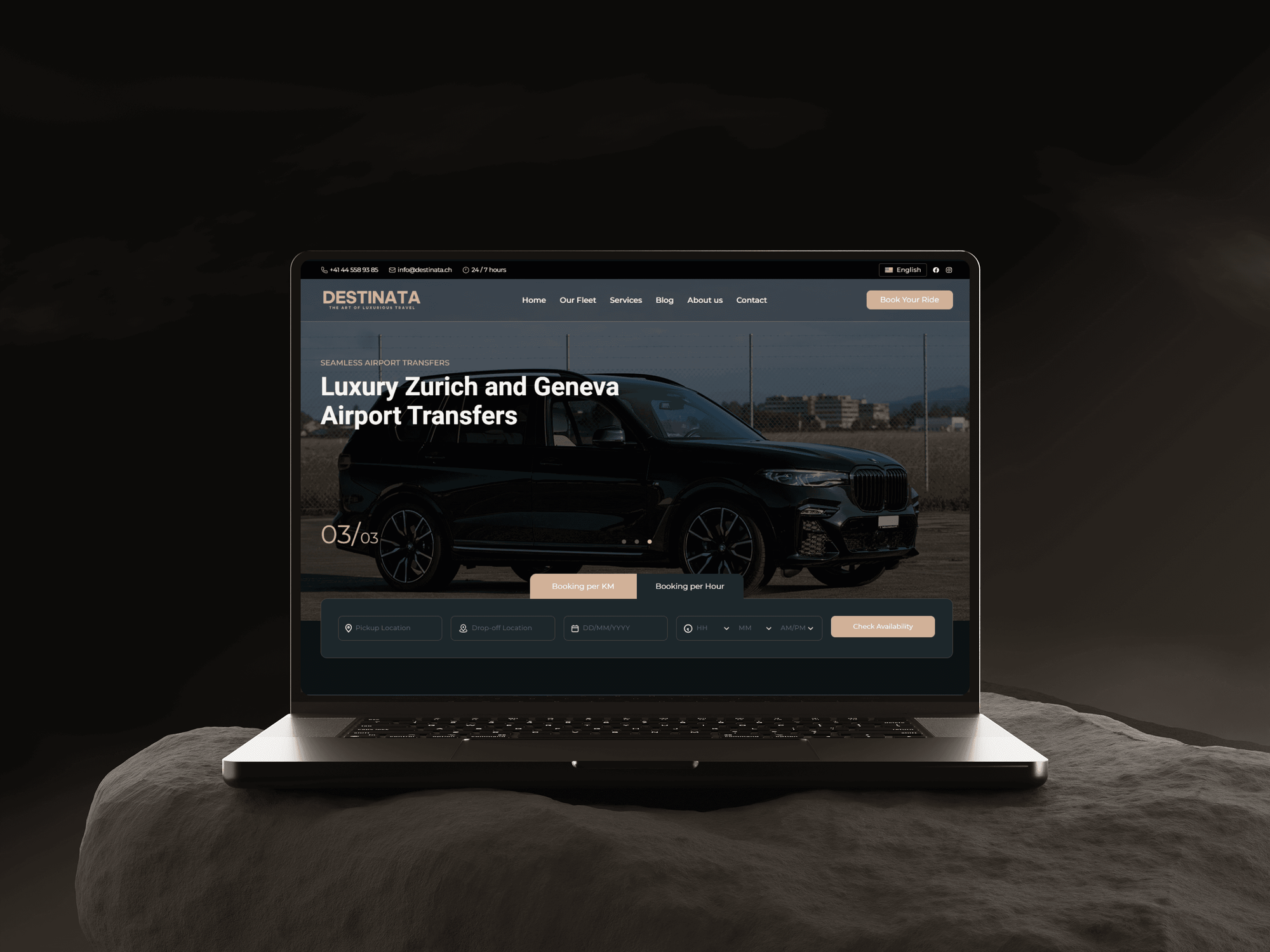
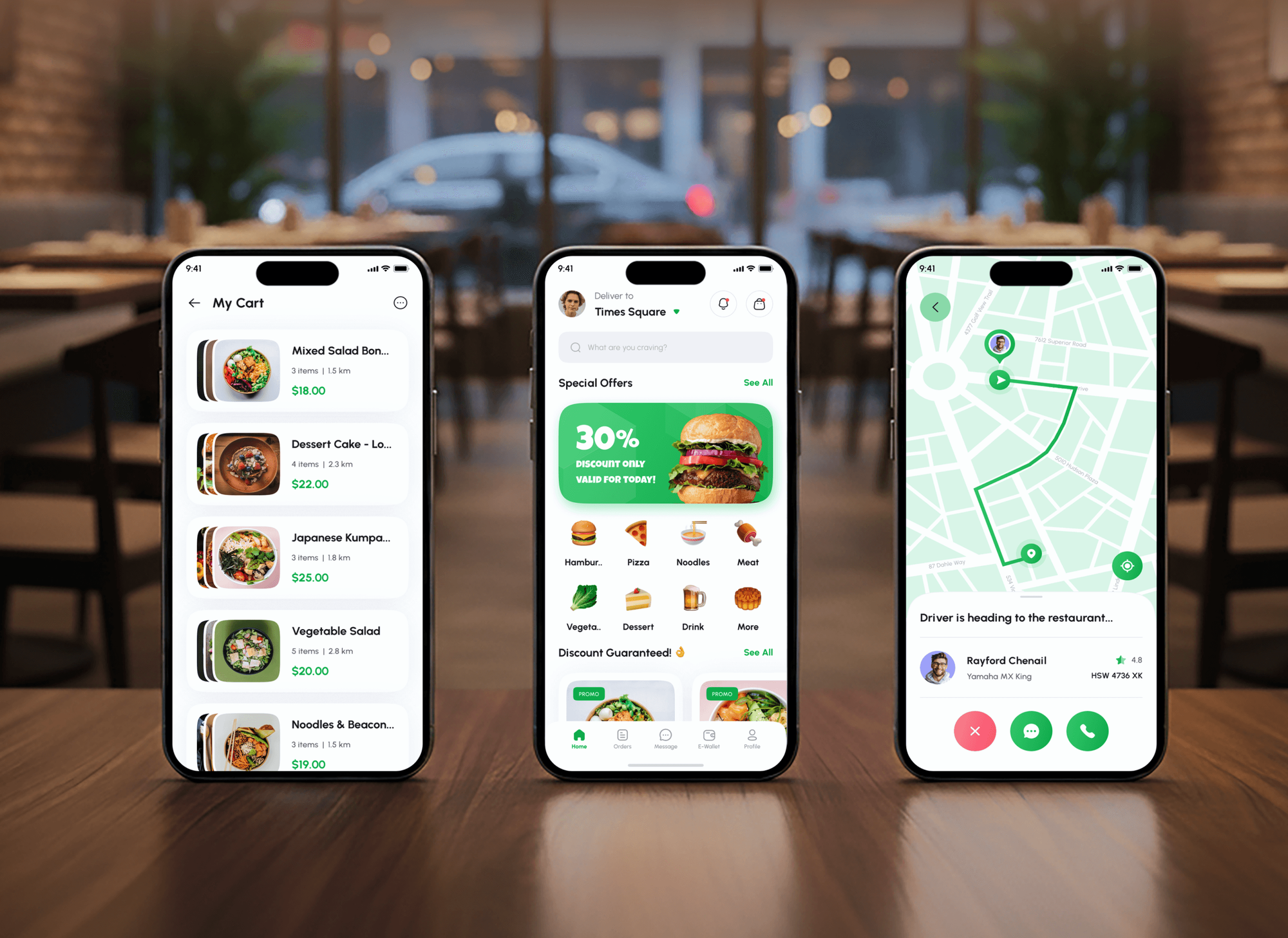
Limo booking, food delivery, travel, and real estate builds where location shapes the experience. They are shown as builds, not as Google Maps case studies.


What Our Clients Say
Feedback from teams we have built websites, apps, and integrations for.
We had a pretty specific idea of what we wanted our website to become, but I wasn’t sure how easily we could explain all of it to a development team. There were quite a few moving parts, and we were working toward a deadline, so I expected a few things to get lost along the way. That never really happened. They understood what we were trying to achieve, kept us updated throughout the process, and got everything ready within the agreed timeline. The final site feels much easier to navigate, works beautifully on mobile, and is noticeably smoother for our customers. It was a huge relief seeing the original idea actually turn into the website we had in mind.
The mobile experience is probably my favourite part of the new site. We had spent a lot of time making sure the desktop version looked right, and the team kept pushing us to think about how everything would actually feel on a phone too. They were right. The navigation is clean, the interactions feel natural, and everything we’ve tested so far works exactly as it should. They also went through the links, forms, integrations, and other details more than once before launch, which I really appreciated. And even after going live, we could still reach out when something came up. The whole process felt friendly, organised, and surprisingly straightforward.
What I appreciate most is that the website is actually easy for us to manage now. We can update content ourselves instead of sending a developer a message every time we need to change something small. They also paid attention to the technical SEO side, which mattered to us because we didn’t want a new website to create problems for the traffic we already had. I’ve probably asked more questions than I should have since launch, but every question has been handled patiently and without any fuss. The team is easy to work with, they explain things clearly, and when we need something changed, they focus on getting it done rather than making the process complicated.
1,250+
Projects shipped
10+
Years of experience
Top 3%
Upwork Top Rated Plus
5 stars
Average review score

Want results like these?
Tell us what you are building. You get a reply within 24 hours on business days, then a written estimate.
Work Culture
Maps decide whether customers find you and whether your bill stays predictable. These habits keep both under control in your own Google account.
If the free Maps Embed API already covers your case, we'll tell you before we quote. We only build on paid APIs where a feature needs them.
Every key is restricted by website, IP address, or app before it ships, following Google's own security guidance. A copied key then fails anywhere else.
Since March 2025, Google gives each core service its own free monthly cap. We estimate your requests per service, so the first invoice matches the plan.
Places results show on a Google map with attribution, and we store place IDs rather than copied map data. Your feature stays within Google's terms.
Google retired the Heatmap Layer and Drawing Library in May 2026 and moved Directions to the Routes API. We check your code against that list first.
The Cloud project, billing account, and keys sit in your Google account from day one. Another developer can take over without rebuilding anything.
Overview
DeveloperLook handles Google Maps integration for websites, web apps, and Android and iOS apps. We build store locators, service-area maps, place search, and Routes API pricing, with restricted keys and budget alerts in your own Google Cloud account. Projects start at $400, take 3 days to 6 weeks, and the keys and code stay yours.
DEVELOPERLOOK
Project facts · Google Maps API Integration
Reviewed 8 Oct 2026 by Saimul Islam
Good fit
Retailers and franchises with many locations
You keep dozens of stores in a spreadsheet and need a locator that finds the nearest one by ZIP code, with opening hours and directions.
Service businesses with set coverage areas
Your crews only cover certain ZIP codes, and you want a service-area map so customers stop booking jobs you can't reach.
Delivery and booking platforms
Your app quotes delivery or ride prices, and you need real distances and travel times from the Routes API instead of a flat guess.
Mobile app teams adding a map screen
Your Android and iOS apps need maps, and you want the Maps SDKs set up with keys restricted to each app's package or bundle ID.
Agencies building client websites
Your agency needs to integrate Google Maps API in website builds for several clients, with each client's billing account and keys kept separate.
Not a fit
Only one address to show
You only need one address on your contact page. A Maps Embed API iframe does that at no charge, and you can paste it in yourself.
Whole app still unbuilt
You need the whole booking or delivery app built, not only its maps. Our Mobile App Development page covers the full build, with maps included.
Mostly back-office syncs
Your real problem is getting orders, CRM, and accounting systems talking, and the map is a small part. Our API Integration Services page covers that work.
Budget under $400
Your budget is under $400 and a WordPress map plugin covers your pins. Use the plugin with your own restricted key, and we'll point you to the setting.
Not sure we're the right fit?
Book a free call or message us. We'll tell you honestly whether we're the right team.
Pricing
These are starting points in USD. Your final price depends on map features, location data, and app work, and you get a fixed proposal after a free map review.
For websites that need one branded map with their locations, set up safely in a few days.
$400one-time, USD
For businesses with many locations that need search, filters, and directions customers can use.
$1,450one-time, USD
For delivery, booking, and app products whose pricing or screens depend on location.
$3,450one-time, USD
For Agencies
You own the client relationship. We supply the Google Maps engineering: locators, routes, and app maps, built in each client's own Cloud project. Restricted keys and a usage estimate come with every handover, so clients aren't surprised by their first invoice.
White label: your client only ever sees your brand
Send the client's locations, platforms, and what the map needs to do.
You get an API plan, a usage estimate, and a fixed price.
Tested map features and a key handover note, delivered under your agency's name.
You run every client call while we build and test quietly.
Each proposal comes with a monthly usage estimate per Google service.
Every client gets their own project, keys, and billing alerts.
Each map feature is priced upfront, so your proposals hold their margin.
The Right Technology for Your Project
We use Google's current Maps APIs and SDKs, plus the web and mobile stacks your product already runs on.
 React
React Next.js
 JavaScript
 WordPress
 Node.js
 Python
 PostgreSQL
FAQ
Straight answers on Google Maps integration costs, websites and web apps, Android and iOS apps, keys and billing, and weather data.
Saimul IslamFounder & CEO, DeveloperLookStill have questions?
Send a message or book a call with the team.
A DeveloperLook map project starts at $400 for one map on your website, with restricted keys and budget alerts. Store locators with place search and clustering start at $1,450, and route pricing, app maps, or weather features start at $3,450. Google bills Maps Platform usage to your own account, and we estimate it before you approve the build.
One map takes 3 to 5 days, including key setup and phone testing. Store locators take 2 to 3 weeks, mostly spent cleaning and geocoding your location list. Route pricing and Android or iOS map screens take 4 to 6 weeks, because app builds and real-device tests add time.
It means your site or app calls Google's map services with its own API key, instead of only linking to Google Maps. That lets you show your own locations, search places as people type, and calculate routes. Each API is billed per use above a free monthly cap, so picking the right Google Maps integration API for each feature keeps costs down.
For one location, add a Maps Embed API iframe, which Google offers at no charge with unlimited use (it still needs a key). For many locations, search, or your own styling, use the Maps JavaScript API with a key restricted to your domain. We add Advanced Markers and load the map only when it scrolls into view.
Create a Google Cloud project, attach a billing account, enable only the APIs you need, and create a restricted key. Google recommends separate keys for each app, limited by website, IP address, Android package, or iOS bundle ID. Then call the API from your code and set budget alerts, since most services bill per request beyond their free cap.
Load the Maps JavaScript API in your React or Next.js app, and render the map only on the screens that need it. Places Autocomplete (New) takes a session token, so a search and its selection are billed together. Server-side calls such as geocoding or the Routes API go through your back end, which keeps those keys out of the browser.
Native apps use the Maps SDK for Android and the Maps SDK for iOS, and Google lists native mobile dynamic maps with unlimited free use. Each app gets its own key, restricted to its package name or bundle ID. Adding a map ID for cloud styling makes those map loads billable, so we add one only when the design needs it.
Add the Maps SDK for Android from Google Play services, and keep the key out of source control with Google's Secrets Gradle Plugin. The key goes in the app manifest, restricted to your package name and signing certificate fingerprint. Current versions need Android 6.0 or newer on the device, so we confirm your minimum version first.
Yes, Google's Weather API adds current conditions, forecasts, and weather alerts for any location on your map. It has been generally available since June 2025, with hourly forecasts up to 240 hours and daily forecasts up to 10 days. We can show conditions at each store, job site, or route stop. Coverage varies by country, so we check your regions first.
You do. The Cloud project, billing account, API keys, and code sit in your accounts from day one, and Google bills you directly for usage. We hand over a list of every key with its restrictions, your budget alert settings, and the APIs each feature calls. Support runs 30, 60, or 90 days, depending on plan.
Saimul IslamFounder & CEO, DeveloperLookStill have questions?
Send a message or book a call with the team.
Free 30-min callGoogle Meet
Book a call
In 30 minutes on Google Meet we walk you through how we would build it, how long it takes and what it costs. Then you get a written estimate.
Calendar not showing? Book on cal.com or send a brief.