
Channel connections
Your Printify account linked to Shopify, Etsy, TikTok Shop, Amazon, eBay, WooCommerce, Wix, or Squarespace.

For print on demand sellers adding channels: Printify connected to each store, with prices that cover production, shipping, and fees, from $400.
100%
Orders sent to print automatically
3costs
Covered in every price
How your project runs
Teams we have built for:














The Problem
Printify makes connecting one store easy. The trouble starts on the second or third channel, when fees, shipping costs, and duplicate listings pile up.
01 · Fees
Prices ignore shipping and channel fees, so some sales lose money.
Each price is set per channel to cover production, shipping, and fees.
02 · Duplicates
The same design lists twice when Etsy also syncs from Shopify.
One channel owns each listing, and the other connections skip it.
03 · Providers
A distant print provider makes delivery slow for most buyers.
Print providers are chosen by where your customers actually live.
04 · Orders
Orders from one channel never reach production until you notice.
We test an order on every channel, through production and tracking.
Your designs sell on Etsy, so you add a Shopify store and a TikTok Shop. Now the same shirt lists twice, and one order ships twice. Your Shopify prices were copied from Etsy, but the fees differ, so some sales barely cover production and shipping. A buyer in Texas waits on a print provider overseas. And an order from one channel sat unprinted for three days because nobody saw it.
We start with a channel review: where you sell, what each channel charges, and which providers can serve your buyers. Then we price every product per channel, publish each design from one source, and pick providers by region. Every channel gets a test order followed through to tracking. You add channels without giving away margin on each sale.
Margins checked per channel
Production, shipping, and channel fees priced in, so each of your sales still leaves a margin.
Providers matched to buyers
Print providers picked by where your customers live, so delivery times stay reasonable.
One source per design
Each of your designs publishes from one place, so nothing double-lists and no order ships twice.
Our Printify Integration Process
You approve the channels, the margin on every product, and a test order on each channel before customers can buy.
We look at where you sell now, your Printify products, and your prices, and check each channel's rules, such as Amazon's GTIN exemption. You get a channel plan with the fees and margin per product.
What's Included
Every setup covers channel connections, products and mockups, per-channel pricing, print providers, and a test order. Custom stores get an API build.
Compare Options
Printify's own connect flow is quick, and a freelancer can cost you less. Here's where each option holds up as you add channels.
| Feature | DeveloperLookBest fit | DIY setup | Freelancer |
|---|---|---|---|
| Channel planning | Fees and rules checked per channel | One channel at a time | The channel you ask for |
| One simple channel | Live with a test order | Quick with Printify's guides | Quick, often untested |
| Pricing | Margins set per channel | One price everywhere | Rarely reviewed |
| Duplicate listings | Checked before publishing | Easy to miss | Depends on experience |
| Custom store | API connection built and tested | Not possible without code | Sometimes, if they code |
| Testing | Test order on every channel | First real order is the test | Varies by person |
| Cost | From $400, fixed scope | Free, but your time | Hourly, often cheaper |
| Support after launch | 14 to 60 days by plan | Printify help center | Varies by person |
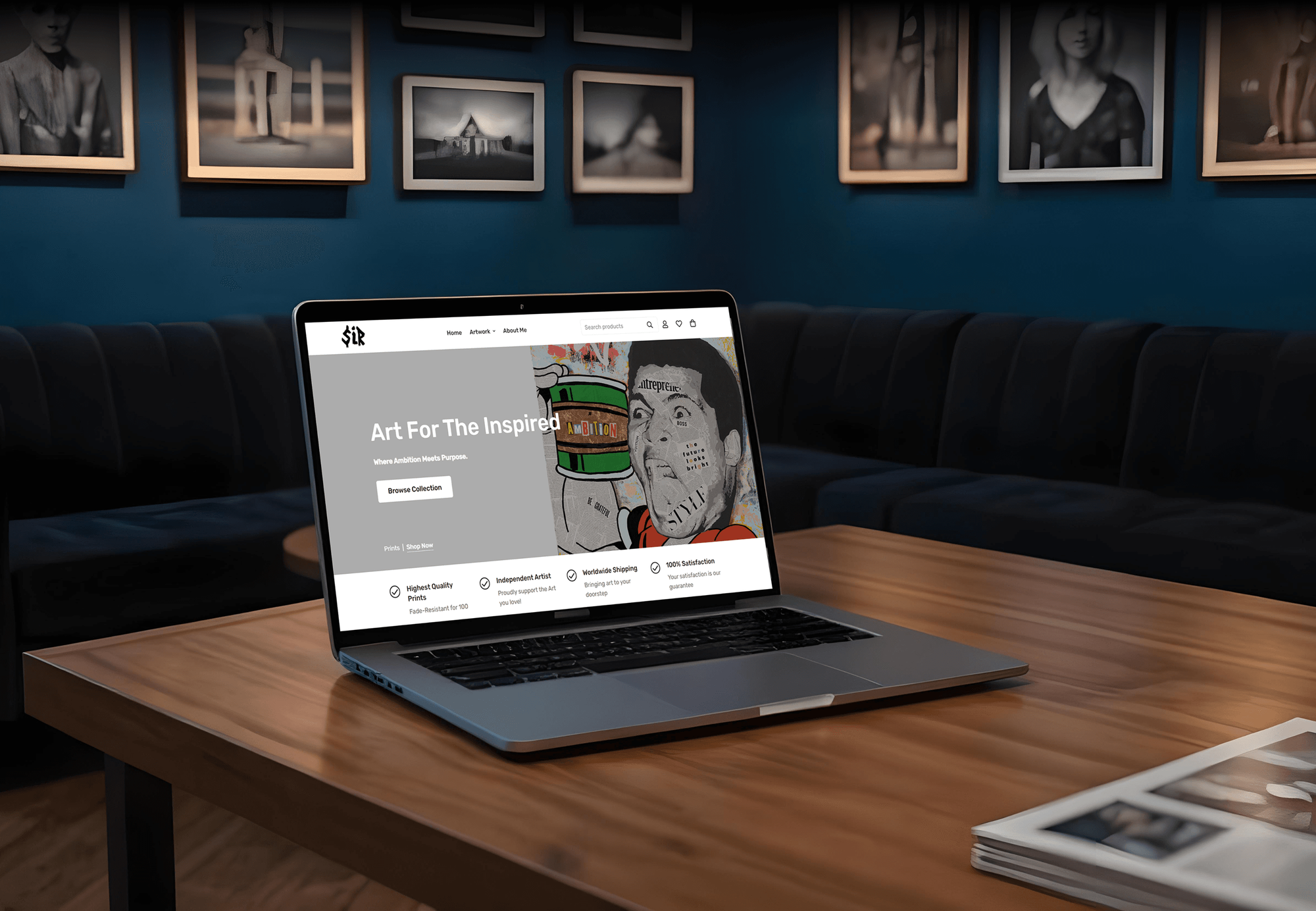
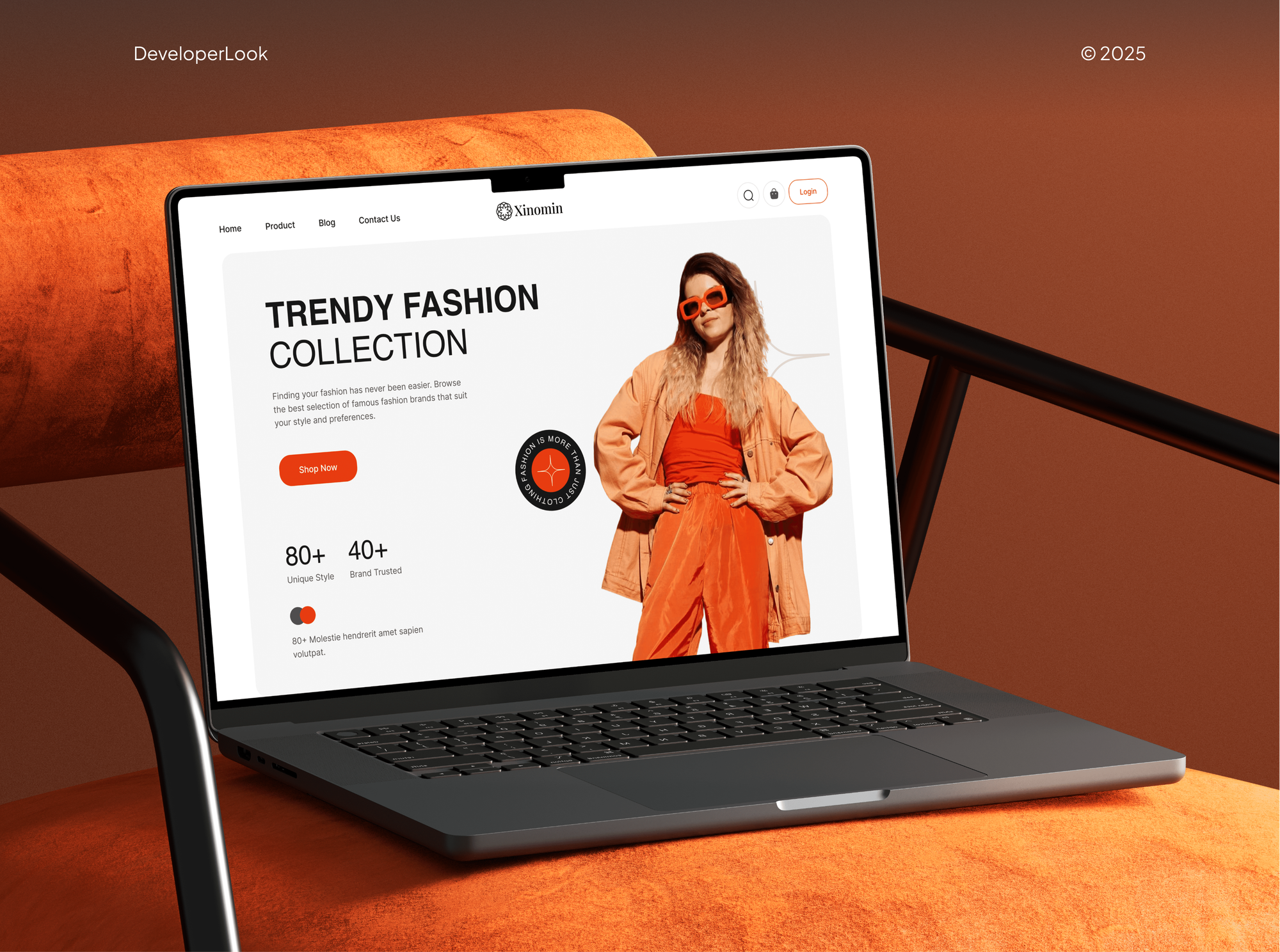
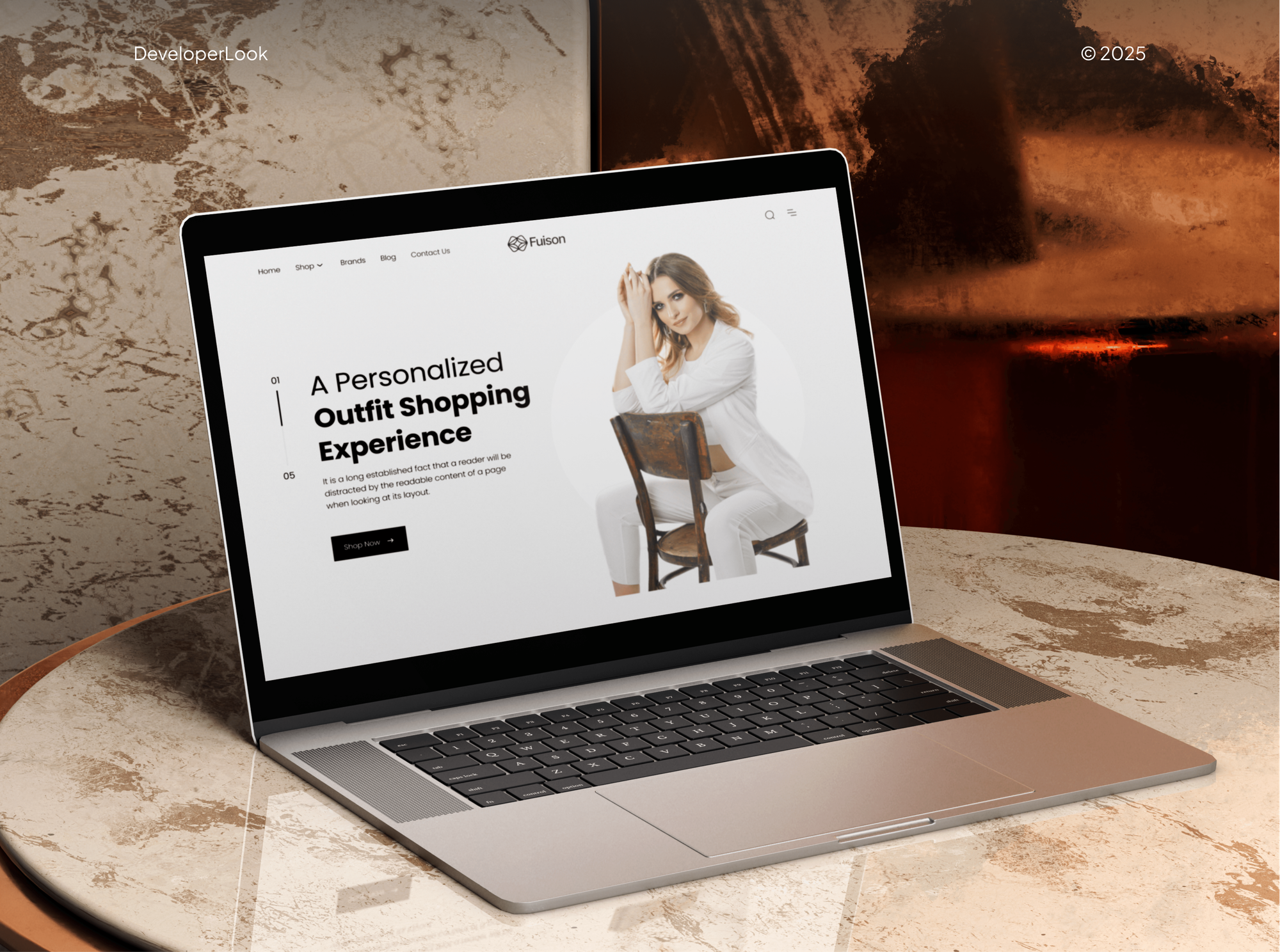
Projects We've Built
Fashion stores and an artist's print shop our team designed and built. They show the product pages and catalogs that print on demand products sell through.

What Our Clients Say
Feedback from teams we have built online stores and store integrations for.
We had a pretty specific idea of what we wanted our website to become, but I wasn’t sure how easily we could explain all of it to a development team. There were quite a few moving parts, and we were working toward a deadline, so I expected a few things to get lost along the way. That never really happened. They understood what we were trying to achieve, kept us updated throughout the process, and got everything ready within the agreed timeline. The final site feels much easier to navigate, works beautifully on mobile, and is noticeably smoother for our customers. It was a huge relief seeing the original idea actually turn into the website we had in mind.
The mobile experience is probably my favourite part of the new site. We had spent a lot of time making sure the desktop version looked right, and the team kept pushing us to think about how everything would actually feel on a phone too. They were right. The navigation is clean, the interactions feel natural, and everything we’ve tested so far works exactly as it should. They also went through the links, forms, integrations, and other details more than once before launch, which I really appreciated. And even after going live, we could still reach out when something came up. The whole process felt friendly, organised, and surprisingly straightforward.
What I appreciate most is that the website is actually easy for us to manage now. We can update content ourselves instead of sending a developer a message every time we need to change something small. They also paid attention to the technical SEO side, which mattered to us because we didn’t want a new website to create problems for the traffic we already had. I’ve probably asked more questions than I should have since launch, but every question has been handled patiently and without any fuss. The team is easy to work with, they explain things clearly, and when we need something changed, they focus on getting it done rather than making the process complicated.
1,250+
Projects shipped
10+
Years of experience
Top 3%
Upwork Top Rated Plus
5 stars
Average review score

Want results like these?
Tell us what you are building. You get a reply within 24 hours on business days, then a written estimate.
Work Culture
Print on demand margins are thin. These habits keep each channel profitable and every order moving to print.
If Printify's own connect flow covers your single channel, we'll tell you before we quote. Paid setup earns its cost on several channels or a custom store.
We price every product before it goes live. A design that loses money after shipping and fees gets repriced or dropped, not discovered later.
Channel rules change: Printify's TikTok Shop connection is US-only, and Amazon needs a GTIN exemption. We check Printify's current docs before connecting anything.
Each of your channels gets a real test order followed into production and tracking. You see the proof before your customers start ordering.
Your Printify, store, and marketplace accounts stay in your name. We use staff access or API tokens that you can revoke at any time.
You get a short guide for adding designs, setting prices, and handling reprints. New products follow the same margin rules after we hand over.
Overview
DeveloperLook sets up Printify integrations for print on demand sellers on Shopify, Etsy, TikTok Shop, Amazon, eBay, and other channels. We connect each channel, price products to cover production, shipping, and fees, and test an order end to end. Setup starts at $400, takes 1 to 5 weeks, and every account stays in your name.
DEVELOPERLOOK
Project facts · Printify Integrations for Shopify, Etsy and TikTok Shop
Reviewed 7 Oct 2026 by Saimul Islam
Good fit
Etsy sellers adding a Shopify store
You sell Printify products on Etsy and want a Shopify store too, without listing every design twice or shipping one order twice.
US creators selling on TikTok
Your designs get views on TikTok, and you want a Printify TikTok Shop integration so viewers can buy without leaving the app.
Sellers moving onto Amazon or eBay
You want your best designs on Amazon too, plus a Printify eBay integration that follows eBay's listing rules and fees.
Shops on Squarespace, Wix, or WooCommerce
Your shop runs on Squarespace, and you want a Printify Squarespace integration with prices that still leave a margin after shipping.
Brands with a custom store
Your store runs on a custom build or a platform Printify doesn't list, so you need the Printify API to create products and send orders.
Not a fit
Budget under $400
You have one channel, a few designs, and a budget under $400. Printify's own connect flow and help center will get you live.
Your products come from Printful
Your products are made by Printful, not Printify. Our Printful POD Integration Services page covers that setup and its channels.
Need a whole new store
You need a store designed and built, not a Printify connection. Our Shopify Website Design service starts with the store itself.
Syncing your own stock
You hold your own inventory and want one stock feed across Etsy, eBay, and Amazon. Our Multichannel Ecommerce Software page covers that.
Not sure we're the right fit?
Book a free call or message us. We'll tell you honestly whether we're the right team.
Pricing
These are starting points in USD. Your final price depends on the number of channels and products, and whether you need a custom API build. You get a fixed proposal after a free channel review.
For sellers connecting Printify to one store or marketplace, with pricing done right.
$400one-time, USD
For sellers running Printify products across several stores and marketplaces.
$1,250one-time, USD
For brands whose store platform has no Printify connection of its own.
$3,100one-time, USD
For Agencies
You own the client relationship. We supply the Printify work: channel connections, product and pricing setup, test orders, and API builds, delivered under your brand. Fixed quotes per client keep your margins clear.
White label: your client only ever sees your brand
Send the client's channels, Printify account access, and the designs they plan to sell.
You get a channel plan, a margin sheet, and a fixed quote to resell.
Channels connected, test orders tracked, and a guide left for your client.
Margin sheets, guides, and handover notes carry your agency's name.
Shopify, Etsy, TikTok Shop, Amazon, eBay, and custom stores handled by one team.
A price set by channels and products, ready to resell to your client.
Extra hands for creator launches and seasonal product drops.
The Right Technology for Your Project
We use Printify's own channel connections wherever they exist and build on its API only when your store needs it.
 Printify
 Google Sheets
 Shopify
 WooCommerce
 Wix
Wix Squarespace
 Etsy
Etsy Amazon
 eBay
eBay TikTok
 Node.js
 Python
 PostgreSQL
 Cloudflare
FAQ
Straight answers on setup costs, timelines, how Printify works, and connecting each sales channel.
Saimul IslamFounder & CEO, DeveloperLookStill have questions?
Send a message or book a call with the team.
Printify setup with DeveloperLook starts at $400 for one channel with up to 25 products, pricing, and a test order. Connecting up to 4 channels with 150 products starts at $1,250, and a custom Printify API build starts at $3,100. Printify's own plans and each channel's selling fees are billed to you separately.
A single channel takes about 1 week, including product cleanup and a test order. Four channels with up to 150 products take 2 to 3 weeks. A custom API build takes 3 to 5 weeks, because orders, webhooks, and error handling need testing. Amazon listings also wait until Amazon approves your GTIN exemption.
Printify is a print on demand platform: you design a product, choose a print provider, and publish it to your store. When a customer orders, the order goes to that provider, who prints and ships it. You pay Printify the production and shipping cost, and you keep the difference between that and your retail price.
Printify lists Shopify, Etsy, TikTok Shop, Amazon, eBay, WooCommerce, Wix, Squarespace, BigCommerce, Big Cartel, and PrestaShop. Custom stores connect through its API. A free Printify account connects up to 5 stores, and the Premium plan raises that to 10, which matters once you sell on several channels.
Yes. A Printify Shopify integration runs through the Printify app in the Shopify App Store. You install it, approve access, and products you publish in Printify appear in your Shopify admin. New orders are imported into Printify for production. We set your variants, shipping, and prices so checkout charges what each order really costs.
In Printify, open Manage my stores, choose Etsy, and approve the connection in your Etsy account. A Printify Etsy integration publishes listings from Printify and imports Etsy orders for production. If your Etsy shop also syncs from Shopify, pick one source for each design, or you'll end up with duplicate listings.
Choose TikTok Shop in Printify's store list and sign in to your TikTok Shop seller account. Printify's TikTok Shop connection currently covers the US only. Your products need TikTok-ready titles, images, and categories, and TikTok's own product review still applies before listings go live.
You need an Amazon Professional selling plan, because Printify doesn't connect to the Individual plan. Request a GTIN exemption for the products you'll sell, then connect Amazon from Printify's store list. A Printify Amazon integration currently covers Amazon US, though those orders can still ship to buyers abroad.
Choose WooCommerce in Printify's store list, enter your store URL exactly as WordPress shows it, and approve access. Your permalinks can't be set to Plain, or the connection fails. A Printify WooCommerce integration also uses the Printify for WooCommerce plugin, which applies Printify's shipping rates at checkout.
You need a Wix plan that accepts online payments, plus the Printify app. Connect from Printify's store list, or add the app from the Wix App Market and approve access. Set up shipping before you publish. Edits to a Wix order after it reaches Printify don't sync, so we agree how your team handles order changes.
Saimul IslamFounder & CEO, DeveloperLookStill have questions?
Send a message or book a call with the team.
Free 30-min callGoogle Meet
Book a call
In 30 minutes on Google Meet we walk you through how we would build it, how long it takes and what it costs. Then you get a written estimate.
Calendar not showing? Book on cal.com or send a brief.