
Eligibility and policy check
Your accounts, country, domain, and every product checked against Meta's commerce rules before review.

For ecommerce brands selling on Instagram and Facebook: one clean catalog that powers your shop, product tags, and catalog ads, from $650.
1
Catalog for shop and ads
100%
Products checked before review
How your project runs
Teams we have built for:














The Problem
Most shop problems start in the catalog: products rejected for missing data, prices out of step with your store, or pixel events that don't match catalog IDs.
01 · Review
The shop sits in review while rejected items pile up.
Every product is checked against Meta's rules before the shop is submitted.
02 · Prices
Catalog prices drift away from the prices in your store.
One synced catalog updates prices and stock whenever your store changes.
03 · Old catalog
A stale catalog still lists products you stopped selling.
We retire duplicate catalogs and keep one clean catalog for shop and ads.
04 · Ad matching
Catalog ads show random items instead of what shoppers viewed.
Pixel events carry catalog IDs, so ads show the exact products viewed.
Your posts get likes, but none of them carry product tags, because the shop is still stuck in review. Commerce Manager lists rejected items with vague reasons. Prices in the catalog drift from the prices in your store, so tagged products show last week's sale. Your old Facebook catalog still holds discontinued products. The catalog ads someone set up show random items, because pixel events don't match catalog IDs. Meanwhile, shoppers who saw a product in a post can't find it.
We start with your product data: titles, images, brands, sizes, and policy risks, checked against Meta's catalog rules before anything is submitted. Then we connect one catalog through the Facebook & Instagram app or a scheduled feed, so prices and stock follow your store. Product tags go live once Meta approves the shop. Your pixel and Conversions API events get the same IDs as the catalog, so ads show what each shopper viewed. The fixes happen before review, not after rejections pile up.
Data checked before review
Titles, images, brands, sizes, and policy risks fixed before Meta ever sees your catalog.
One catalog that follows your store
Prices, stock, and new products update from your store, so tagged items show current details.
Ads that show viewed products
Pixel and Conversions API events share catalog IDs, so retargeting shows the items shoppers viewed.
Our Instagram Shop Setup and Meta Catalog Process
You see every data problem before Meta does, approve the catalog structure, and watch the first tagged posts go live with your team.
We check your Meta accounts, country eligibility, and a sample of products against Meta's commerce policies. You get a list of what would be rejected today and the fix each needs.
What's Included
Every project builds the catalog first, because your shop, product tags, and ads all read from it. These six parts cover the full setup.
Compare Options
Many brands set up a shop themselves, and an ads agency can run catalog campaigns well. Here's where each approach works and where catalogs break.
| Feature | DeveloperLookBest fit | DIY setup | Ads agency |
|---|---|---|---|
| Planning | Catalog review before submission | Submit and see what fails | Starts with campaigns |
| Product data | Fixed in your store, then synced | Edited in Commerce Manager | Usually left as it is |
| Policy review | Every product checked first | Learned from rejections | Varies by agency |
| Event matching | Pixel IDs match the catalog | Often mismatched | Usually checked |
| Speed to start | 1 to 2 weeks plus review | Same day if data is clean | Depends on onboarding |
| Ongoing ads | Setup and handover only | You run them yourself | Included in the retainer |
| Ownership | Catalog in your portfolio | Yours from the start | Yours if it's shared |
| Cost | Fixed price from $650 | Free, but your time | Monthly retainer |
Projects We've Built
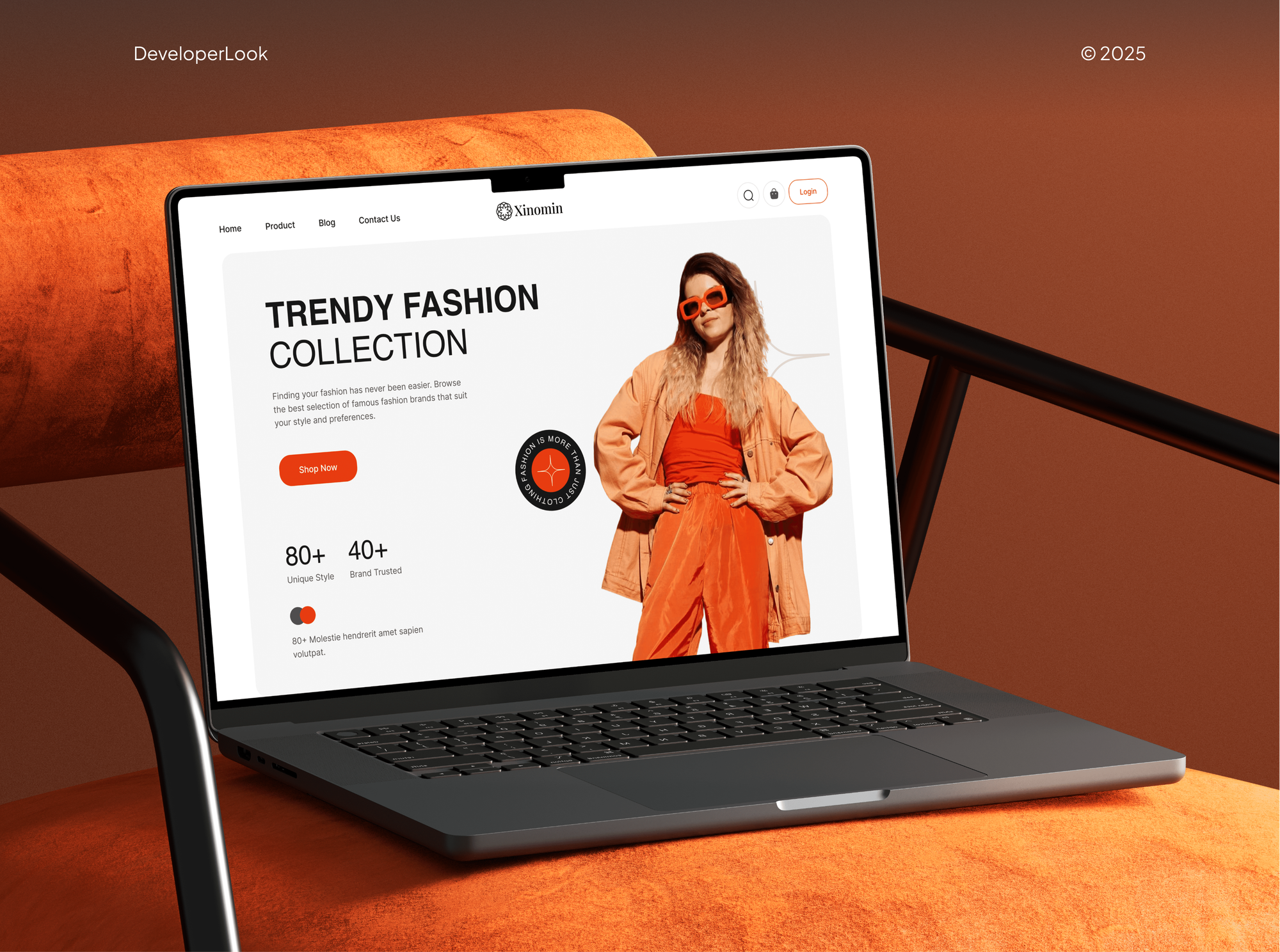
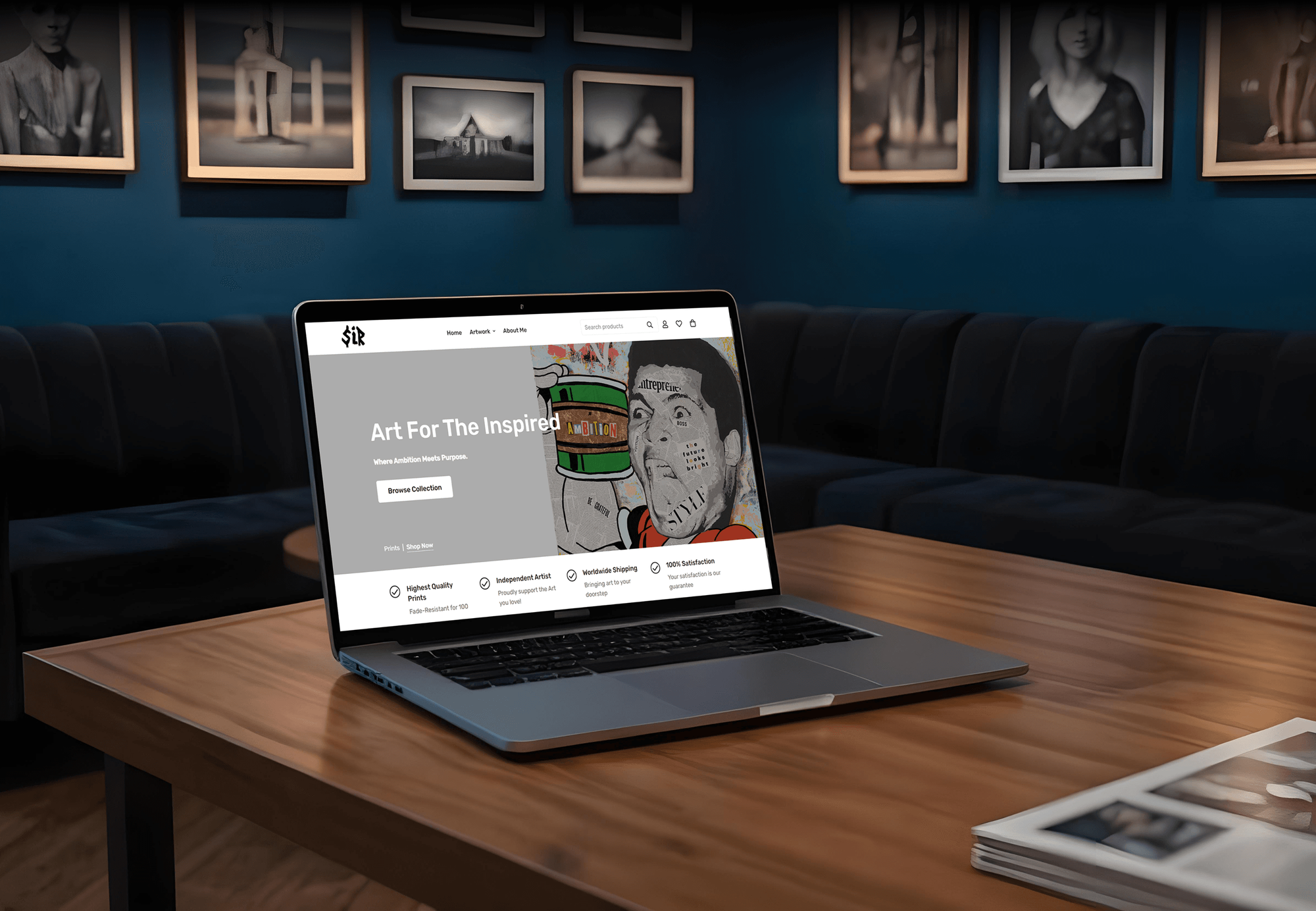
Stores and shopping apps our team designed and built for fashion, beauty, art, and furniture brands. Instagram shoppers land on product pages like these.


What Our Clients Say
Feedback from teams we have built online stores and sales channels for.
We had a pretty specific idea of what we wanted our website to become, but I wasn’t sure how easily we could explain all of it to a development team. There were quite a few moving parts, and we were working toward a deadline, so I expected a few things to get lost along the way. That never really happened. They understood what we were trying to achieve, kept us updated throughout the process, and got everything ready within the agreed timeline. The final site feels much easier to navigate, works beautifully on mobile, and is noticeably smoother for our customers. It was a huge relief seeing the original idea actually turn into the website we had in mind.
The mobile experience is probably my favourite part of the new site. We had spent a lot of time making sure the desktop version looked right, and the team kept pushing us to think about how everything would actually feel on a phone too. They were right. The navigation is clean, the interactions feel natural, and everything we’ve tested so far works exactly as it should. They also went through the links, forms, integrations, and other details more than once before launch, which I really appreciated. And even after going live, we could still reach out when something came up. The whole process felt friendly, organised, and surprisingly straightforward.
What I appreciate most is that the website is actually easy for us to manage now. We can update content ourselves instead of sending a developer a message every time we need to change something small. They also paid attention to the technical SEO side, which mattered to us because we didn’t want a new website to create problems for the traffic we already had. I’ve probably asked more questions than I should have since launch, but every question has been handled patiently and without any fuss. The team is easy to work with, they explain things clearly, and when we need something changed, they focus on getting it done rather than making the process complicated.
1,250+
Projects shipped
10+
Years of experience
Top 3%
Upwork Top Rated Plus
5 stars
Average review score

Want results like these?
Tell us what you are building. You get a reply within 24 hours on business days, then a written estimate.
Work Culture
Shops tend to fail quietly when nobody watches the catalog. These habits keep yours accurate, approved, and matched to your ads after launch.
Shops on Instagram aren't available in every country or for every product. If your market or catalog doesn't qualify, we'll tell you before we quote and suggest catalog ads instead.
We fix product data in your store, not only in Commerce Manager. The next sync can't undo the work, and every sales channel gets cleaner data.
Every product is read against Meta's commerce policies before submission. Risky items stay out of the shop instead of triggering a rejection.
We check that the IDs in your pixel and Conversions API events match the catalog. Retargeting then shows the products people actually viewed.
You get short guides for tagging posts, adding products, and reading catalog errors. Your team runs the shop without calling us for every change.
The catalog, pixel, and shop live in your own Meta business portfolio. We work through partner access during the project and remove it when you ask.
Overview
DeveloperLook sets up Instagram shop storefronts and the product catalog behind them for ecommerce brands. We connect your store, fix product data until it's ready for review, turn on product tags, and get catalog ads ready to retarget shoppers. Setup starts at $650, takes 1 to 2 weeks plus Meta's review, and the catalog stays in your business portfolio.
DEVELOPERLOOK
Project facts · Instagram Shop Setup and Meta Catalog
Reviewed 7 Oct 2026 by Saimul Islam
Good fit
Shopify stores new to Instagram selling
Your Shopify store has steady sales, and you want to set up Instagram shop tags on posts without breaking your product feed.
Brands with a stuck shop review
Your shop has sat in review for weeks, or Meta rejected it, and you can't tell which products caused the problem.
Stores with a messy Facebook catalog
Your Facebook catalog still lists old products and duplicate variants, so tags and ads show items you no longer sell.
Brands moving into catalog ads
You want Meta catalog ads that retarget viewers, but your pixel events don't carry the catalog's product IDs.
Agencies handling social commerce
Your agency runs content or ads for brands on Instagram and needs the catalog and shop work delivered under your name.
Not a fit
Budget under $650
Your budget is under $650 and you sell a handful of products. Meta's own Commerce Manager setup flow will get you there on your own.
Only pixel tracking
You only need your Meta pixel installed or fixed. Our Meta Pixel Setup for Shopify service covers that smaller job for less.
Selling on TikTok first
Your audience buys on TikTok rather than Instagram. Our TikTok Shop Integration service connects your store to that channel instead.
Services or digital goods
You sell services, downloads, or other non-physical products. Meta shops are built for physical goods, so ads to your website are the better route.
Not sure we're the right fit?
Book a free call or message us. We'll tell you honestly whether we're the right team.
Pricing
These are starting points in USD. Your final price depends on product count, your store platform, and your markets, and you get a fixed proposal after a free catalog review.
For Shopify stores opening their first shop on Instagram and Facebook.
$650one-time, USD
For brands ready to retarget shoppers with catalog ads once the shop is live.
$1,350one-time, USD
For stores on other platforms, or brands selling in several countries and languages.
$2,600one-time, USD
For Agencies
You own the client relationship. We supply the catalog work: data cleanup, shop setup, product tagging, and the event matching behind catalog ads, all under your brand. Fixed quotes keep your margin clear, and your client approves the catalog before review.
White label: your client only ever sees your brand
Send the client's store URL, Meta access, and the markets they sell in.
You get a list of catalog problems and a fixed price you can resell.
Shop, tags, and ads setup delivered inside your client's business portfolio.
Your brand on every report, with no direct contact unless you ask.
Feeds, variants, policy rules, and event IDs handled by one team.
Prices you can resell, set after a free catalog review.
Capacity for seasonal catalog work without adding to your payroll.
The Right Technology for Your Project
We work inside Meta's own tools and your store's sync, so every fix stays visible in accounts you control.
 Shopify
 WooCommerce
 BigCommerce
 Magento
 Meta Pixel
 Google Tag Manager
 Google Analytics (GA4)
 Chrome DevTools
 Node.js
 Python
 Google Sheets
 AWS
AWSFAQ
Straight answers on shop setup, Meta catalogs, catalog ads, costs, and how long Meta's review takes.
Saimul IslamFounder & CEO, DeveloperLookStill have questions?
Send a message or book a call with the team.
You set it up in Meta's Commerce Manager: connect a product catalog, point checkout to your website, add collections, and submit the shop for review. Your business needs an Instagram business account, a supported country, physical products, and clear return policies. Once Meta approves the shop, you turn on product tagging.
It's the product list that powers your Meta shop, product tags, and catalog ads on Facebook and Instagram. Each item needs an ID, title, description, availability, condition, price, link, image, and brand, plus size for clothing and shoes. Meta recommends one catalog for ads and shops, and a shop can't switch catalogs later.
Setup with DeveloperLook starts at $650 for a Shopify store with up to 150 products. Adding catalog ads and up to 1,000 products moves you to the $1,350 plan, and custom feeds or several markets start at $2,600. Your ad spend goes straight to Meta and isn't part of our price.
Our setup takes 1 to 2 weeks, depending on how much product data needs fixing. Meta then reviews the shop, which can take several weeks, and nobody outside Meta can speed that up. An Instagram shop set up on clean data has fewer items to fix during that wait.
Install Meta's free Facebook & Instagram app on Shopify, connect your business portfolio, and let it sync your products into one catalog. Pick a data-sharing level for your pixel and Conversions API, then set up the shop in Commerce Manager. We clean product data in Shopify first, so the sync carries no errors into Meta.
Your shop appears on your profile once Meta approves it and your Instagram business account sits in the same business portfolio. Then you turn on shopping in Instagram's settings and tag products in posts and Stories. If the shop button doesn't show, the usual cause is an unapproved shop or an unlinked account.
Use a partner integration, such as WooCommerce, or a scheduled data feed in CSV, XML, or Google Sheets. Large catalogs can use Meta's Catalog Batch API for faster updates. We build and test the feed, so prices and stock match your store at every sync, whichever platform you run.
Add a catalog in Commerce Manager, choose Ecommerce, and pick a data source, such as a partner platform, a data feed, or the Meta Pixel. When you build a sales campaign, you select that catalog as the campaign's product data. One catalog can serve your shop and every campaign you run.
They're ads Meta builds from your product catalog, matching items to each person's interests or past browsing. Meta now calls them Advantage+ catalog ads, formerly dynamic ads. You supply the catalog and the events, and Meta picks the products, so clean data matters more than the number of creatives.
Yes, catalog ads can retarget people who viewed products or added them to cart without buying. Your pixel or app must send ViewContent, AddToCart, and Purchase events, and each event needs content IDs that match your catalog item IDs. Conversions API events help fill the gaps a browser pixel misses.
Saimul IslamFounder & CEO, DeveloperLookStill have questions?
Send a message or book a call with the team.
Free 30-min callGoogle Meet
Book a call
In 30 minutes on Google Meet we walk you through how we would build it, how long it takes and what it costs. Then you get a written estimate.
Calendar not showing? Book on cal.com or send a brief.