Fuison Fashion Ecommerce Website and Dashboard
- Fashion
- Dashboard
- E-commerce

Shopify ERP integration for SAP, Dynamics 365, Odoo, and Sage: prices and stock in, orders and refunds out.
15min
Max stock sync delay
100%
Orders posted to your ERP
Teams we have built for:














The Problem
It shows up once prices, stock, and orders live in the ERP while customers buy on Shopify, and a spreadsheet is the only bridge between them.
Nightly imports
Prices and stock move from the ERP by nightly file.
Nightly imports
The ERP connects directly, through our middleware, or through your iPaaS.
Stale prices
A morning price change reached the store after a day of orders.
Stale prices
Price changes flow straight from the ERP instead of waiting for an import.
Retyped orders
Web orders get typed into the ERP the next day.
Retyped orders
Orders, customers, and refunds post back to the ERP automatically.
Silent failures
A failed import goes unnoticed until stock goes negative.
Silent failures
Every failed record lands on an error list with an alert.
Every evening your operations manager exports prices and stock from the ERP and imports the file into Shopify. A price change made that morning reached the store after the evening import, so a full day of orders went out at the old price. Web orders get typed into the ERP the next day, and a trade customer's discount lives in someone's inbox. When the import fails, nobody notices until stock goes negative.
We start with the API documentation and a map of who owns each field. Prices and stock come from the ERP, product content from Shopify, and orders go back. Then we connect them directly, through our middleware, or through an iPaaS you already license. Stock changes reach Shopify within 15 minutes, and every failed record lands on an error list. The spreadsheet finally retires.
One owner per field
Each field gets one home system, so two teams can't overwrite each other's edits.
Stock within 15 minutes
Changed stock reaches your store within 15 minutes, or on events where the system sends them.
Approach chosen per system
Direct API, our middleware, or your iPaaS, picked for the API you have and your order volume.
Our Shopify ERP Integration Process
You approve the approach, the field map, and the sync timing, then see a parallel run on live data before the old export stops.
We read the API documentation for your SAP, Dynamics, Odoo, or Sage version and walk through today's exports. You get a plain recommendation: direct API, middleware, or iPaaS, with the reasons in writing.
Projects We've Built
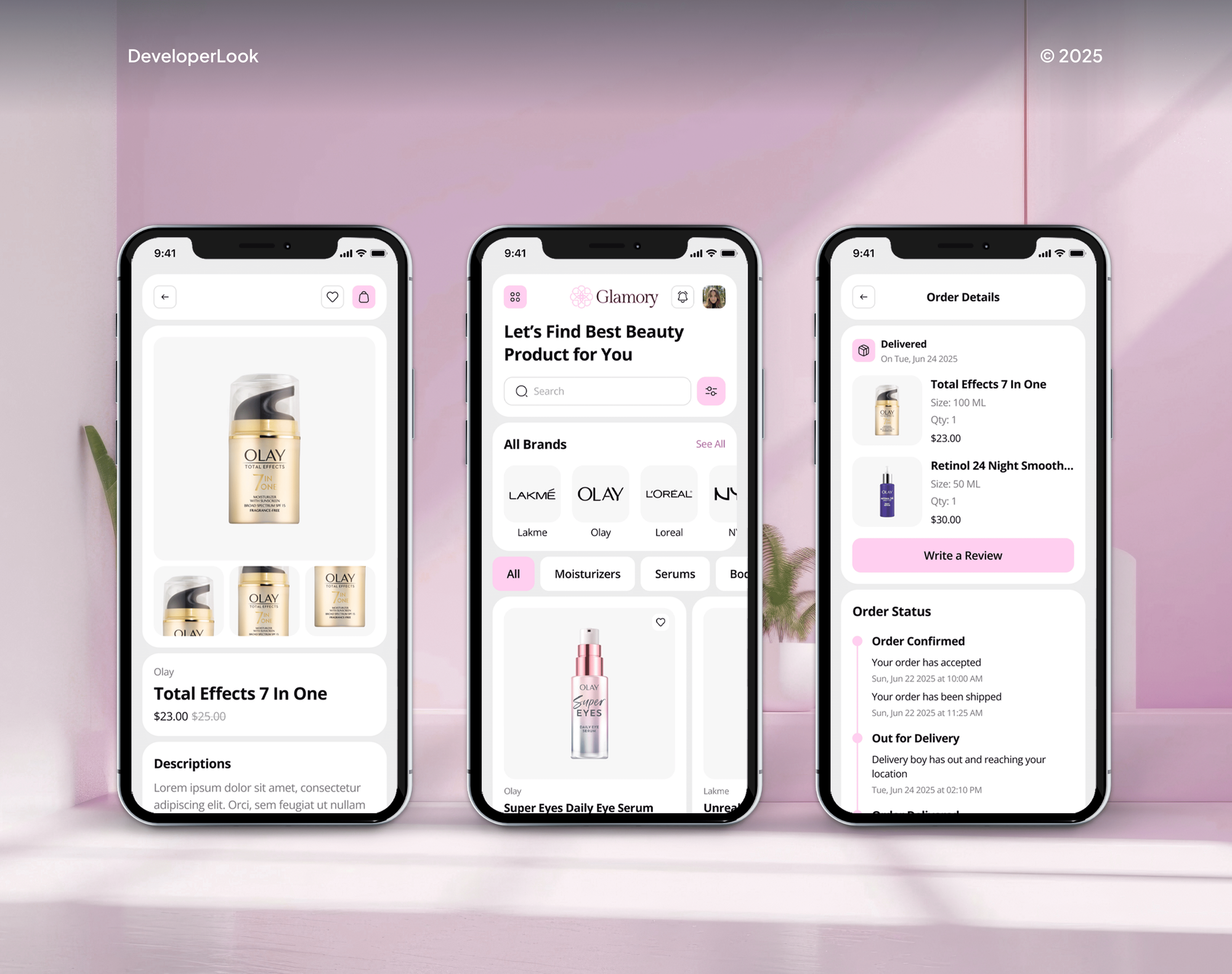
Shopify and ecommerce builds we've shipped for clients, where catalogs, stock, and orders depend on data from other business systems.


What's Included
A chosen approach, a field ownership map, price and stock sync, order and refund posting, error handling, and a parallel run before cutover.
Compare Options
A built-in ERP connector is the cheapest start when one exists, and an iPaaS suits teams linking many systems. Here's where each fits best.
| Feature | DeveloperLookBest fit | iPaaS platform | Built-in connector |
|---|---|---|---|
| Launch time | 3 to 12 weeks | Weeks, plus licensing | Days, if one exists |
| Upfront cost | From $1,300 | Implementation fee | Often included |
| Yearly fees | Your hosting only | Platform license | Included in license |
| Business rules | Written into code | Low-code mapping | Fixed settings |
| Extra systems | ERP plus WMS or 3PL | Many connectors | Store and ERP only |
| Field ownership | Mapped field by field | You configure it | Vendor defaults |
| Failure handling | Retry queue and alerts | Platform dashboards | ERP error log |
| Ownership | Your code and accounts | Vendor's platform | ERP vendor's app |
What Our Clients Say
Feedback from ecommerce teams we have built ERP and system integrations for.
We had a different kind of problem. People were visiting the store, adding products to their carts, and then disappearing before they finished the order. We had tried a few apps and made changes here and there, but nothing really seemed to solve the bigger issue. The team went through the shopping experience with us and pointed out things we hadn't really noticed ourselves. They cleaned up the cart and checkout flow, made the mobile experience much smoother, and helped us make the store feel easier to shop. I’m not going to pretend we fixed everything overnight, but it finally feels like the store is helping the sale instead of getting in the way of it.
The mobile experience is probably my favourite part of the new site. We had spent a lot of time making sure the desktop version looked right, and the team kept pushing us to think about how everything would actually feel on a phone too. They were right. The navigation is clean, the interactions feel natural, and everything we’ve tested so far works exactly as it should. They also went through the links, forms, integrations, and other details more than once before launch, which I really appreciated. And even after going live, we could still reach out when something came up. The whole process felt friendly, organised, and surprisingly straightforward.
We had a pretty specific idea of what we wanted our website to become, but I wasn’t sure how easily we could explain all of it to a development team. There were quite a few moving parts, and we were working toward a deadline, so I expected a few things to get lost along the way. That never really happened. They understood what we were trying to achieve, kept us updated throughout the process, and got everything ready within the agreed timeline. The final site feels much easier to navigate, works beautifully on mobile, and is noticeably smoother for our customers. It was a huge relief seeing the original idea actually turn into the website we had in mind.
1,250+
Projects shipped
10+
Years of experience
Top 3%
Upwork Top Rated Plus
5 stars
Average review score
1,250+
Projects shipped
10+
Years of experience
Top 3%
Upwork Top Rated Plus
5 stars
Average review score

Want results like these?
Tell us what you are building. You get a reply within 24 hours on business days, then a written estimate.
Work Culture
Your ERP runs purchasing, production, and finance, so a bad sync costs more than a wrong price online. These habits protect it.
Every sync runs against a sandbox or test company first. Production records only change after your team signs off on the results.
Your old export keeps running while the new sync processes the same week beside it. You switch when both produce the same totals.
When both systems can edit a record, each update carries its source, so it can't bounce back. Your prices stop flipping between old and new values.
SAP, Dynamics, Odoo, and Sage each treat units, tax, and variants differently. We write those rules down before the build, so nobody guesses later.
Business Central ships with a Shopify Connector, and some ERPs have solid apps. If yours covers the job, we'll tell you before we quote.
Middleware runs in your cloud account, and every API key is issued to your company. Any developer can pick up the runbook and maintain the sync.
Overview
DeveloperLook builds Shopify ERP integration for SAP, Microsoft Dynamics 365, Odoo, Sage, and other ERPs with an API. Prices and stock flow into your store, orders and refunds flow back, and each field has one owner. Projects start at $1,300, take 3 to 12 weeks, and we'll say so if a built-in connector already covers it.
DEVELOPERLOOK
Project facts · Shopify ERP Integration
Reviewed 28 Sep 2026 by Saimul Islam
Good fit
Brands running SAP, Dynamics, Odoo, or Sage
Your ERP holds the real prices and stock, but someone exports a spreadsheet each evening and imports it into Shopify.
Manufacturers selling direct online
You plan production in Dynamics or SAP, and your new Shopify store must show only what's actually made and ready to ship.
Brands on Shopify and WooCommerce
You run Shopify for retail and WooCommerce for trade buyers, and both need stock and prices from the same ERP.
Teams choosing an integration approach
You've been quoted a direct API, middleware, and an iPaaS, and you want someone to compare them against your system and volume.
Agencies with ERP-heavy clients
Your client's ERP rollout needs a Shopify connection your team doesn't build, delivered under your agency's name.
Not a fit
Your ERP is NetSuite
Your ERP is NetSuite. Our Shopify NetSuite Integration service is built around Oracle's connector and SuiteTalk REST.
Outsourced warehouse only
You only need orders sent to an outsourced warehouse. Our Shopify 3PL Integration service covers that for less.
Stock across your shops
You need stock tracked across your own shops and stockrooms, not an ERP connected. Our Shopify Inventory Management System service fits.
Business Central connector works
You run Business Central, and its built-in Shopify Connector covers your flows. Use it, and skip our $1,300 build.
Not sure we're the right fit?
Book a free call or message us. We'll tell you honestly whether we're the right team.
Pricing
These are starting points in USD. Your final price depends on the API you have, which directions sync, and how many systems connect, and you get a fixed proposal after a free ERP review.
For Agencies
You own the client relationship. We supply the Shopify integration with ERP systems behind your offer: API reviews, field maps, middleware, and parallel runs. Your client only sees your team, and you get the code and runbook.
White label: your client only ever sees your brand
Send the client's ERP, version, stores, and current exports for a first review.
Expect a fixed quote and a written field map for the client.
We build, run the parallel week, and hand over code and runbooks.
Send the client's ERP, version, stores, and current exports for a first review.
Expect a fixed quote and a written field map for the client.
We build, run the parallel week, and hand over code and runbooks.
The Right Technology for Your Project
The ERP's own API on one side, your Shopify or WooCommerce store on the other, and middleware or an iPaaS in between when rules get complex.
 SAP
SAP Microsoft Dynamics 365
 Odoo
Odoo Sage
Sage Shopify
 WooCommerce
 GraphQL
 OpenAPI
 Node.js
 Python
 PostgreSQL
 Docker
 AWS
AWS n8n
n8n Make
Make Slack
Slack Google Sheets
Related Services
An ERP sync touches your warehouse, stock, and purchasing. These services connect the systems around it.
This page
Shopify ERP Integration
Pairs with the 6 services around it
FAQ
Straight answers on supported ERPs, stock sync, integration approaches, cost, timelines, and testing.
Saimul IslamFounder & CEO, DeveloperLookStill have questions?
Send a message or book a call with the team.
We connect your Shopify store to any ERP with an API or a reliable export, including SAP, Odoo, Microsoft Dynamics 365, and Sage. A SAP ERP Shopify integration runs through the OData APIs in S/4HANA or Business One. The same ERP integration covers Shopify or WooCommerce product and inventory sync by API. NetSuite has its own page.
Your ERP reports each stock change, and the sync writes it to Shopify within 15 minutes, or within seconds where events are available. Our middleware reads changed stock by warehouse, converts units of measure, and updates the matching Shopify location. A nightly full count catches anything a change event missed.
A direct API link fits one ERP with simple flows, and middleware fits complex rules or high volume. An iPaaS fits when you already pay for one. Direct links cost least to build, and middleware keeps your rules in code you own. An iPaaS like Celigo or Boomi suits many-system setups but adds a yearly license.
Your ERP project starts at $1,300 when you have one ERP with a documented API and one store. Two-way product and price sync with customer price lists and refunds costs $3,500. A multi-system hub with up to 3 stores plus a WMS or 3PL costs $7,600. ERP and iPaaS licenses are separate, and a free review fixes your price.
A starter sync takes 3 to 5 weeks, two-way syncs take 6 to 8 weeks, and multi-system builds take 9 to 12 weeks. Each includes a parallel run of a week or more. Partner availability for test environments and field questions often sets the real pace.
Yes, but each field needs one owner, or the two systems overwrite each other in a loop. Most brands let the ERP own prices and stock, while your Shopify team owns descriptions and images. When both sides must edit a field, each update carries its source and time, so it can't bounce back.
We test in a sandbox or test company against a Shopify development store, then run a parallel week on live data. Your old export keeps running while the sync processes the same orders and price changes. You switch only when both produce matching totals and your team signs off.
We maintain it for 30 to 90 days after launch, depending on plan, covering fixes, Shopify API version changes, and ERP updates. We also build on current ERP APIs: Odoo plans to remove its XML-RPC and JSON-RPC endpoints in Odoo 22, so new Odoo syncs use JSON-2. Later changes get their own fixed quote.
You do, from the first commit. Middleware runs in your cloud account, mappings live in your repository, and every API key is issued to your company. We write the field map and runbook so your IT team or another developer can change the sync without us.
Yes, the Multi-System ERP Hub links your ERP, Shopify, and a WMS or 3PL in one build. The ERP stays the owner of purchasing and financial stock, while the warehouse reports picks and shipments. For a warehouse link without an ERP, our WMS Integration and 3PL pages cover it directly.
Saimul IslamFounder & CEO, DeveloperLookStill have questions?
Send a message or book a call with the team.
Free 30-min callGoogle Meet
Book a call
In 30 minutes on Google Meet we walk you through how we would build it, how long it takes and what it costs. Then you get a written estimate.
Calendar not showing? Book on cal.com or send a brief.