
Scheduling widget setup
Tebra's booking link or pop-up script placed on the pages patients visit, styled and tested end to end.

For independent medical practices on Tebra: online bookings that land in your calendar, cleaner reports, and a clear plan for where patient data goes.
100%
Web bookings in your calendar
6+ hrs
Front desk retyping saved weekly
How your project runs
Teams we have built for:














The Problem
Tebra integrations usually come up after months of workarounds: a website form nobody connected, weekly report exports, or a practice site that has to leave Tebra's own CMS.
01 · Booking
Web appointment requests get retyped into the Tebra calendar.
The scheduling widget books patients straight into open slots on your calendar.
02 · Reports
Billing reports get rebuilt in Excel every single week.
Recurring exports or API pulls feed one report your partners can read.
03 · Website
The old PatientPop site can't be copied out of Tebra.
We rebuild it on WordPress and move the domain with its DNS records.
04 · Patient data
Patient details sit in inboxes and shared spreadsheets.
Data moves only between tools covered by a BAA with your practice.
Your practice runs on Tebra, but the tools around it don't talk to it. A patient fills in the appointment form on your website, and someone retypes it into the Tebra calendar. Your billing lead exports the same report every Monday and rebuilds the charts by hand. Your old PatientPop site needs to move, but Tebra can't hand over a copy of it. Each workaround puts patient details in one more inbox or spreadsheet, which is the last place they should be.
We start with a data map: what each tool needs from Tebra and which documented path can carry it. We also check whether that tool has signed a BAA with your practice. Then we connect the simplest path first: the scheduling widget, a recurring data export, or the SOAP API with your customer key. You get bookings and records that land in Tebra directly, not another copy of patient data somewhere else.
Bookings straight into Tebra
The scheduling widget on your own site, tested so each booking lands in an open slot.
BAA-aware data paths
Patient data moves only through Tebra's own tools and services covered by a BAA with you.
SOAP API done carefully
Customer key, polling schedule, and failure alerts for an API that sends no webhooks.
Our Tebra Integration Process
You see which data moves where before anything is connected, approve each path, and check a test patient's booking and record in Tebra before real patients use it.
We look at your Tebra subscription, website, reports, and the tools your team uses. We note which tools hold patient data and whether each one has a BAA with you. You get a short written map.
What's Included
Every project covers the booking, data, and reporting paths around Tebra, plus the website move when you need it, each one tested with a dummy patient before launch.
Compare Options
DIY works for pasting one booking link, and a generic agency can design a good site. Here is where each one breaks down once patient data and Tebra's API are involved.
| Feature | DeveloperLookBest fit | DIY setup | Generic agency |
|---|---|---|---|
| Planning | Data map with a BAA check | Learn as you go | Design brief only |
| Booking widget | Placed, styled, and test-booked | Possible with Tebra's guide | Embedded, rarely tested |
| Tebra API | Customer key, SOAP calls, polling | Rarely offered | |
| Patient data handling | Only tools covered by a BAA | Depends on your setup | Often left unclear |
| Website move | WordPress rebuild plus domain transfer | Hard without a developer | |
| Cost | Fixed price from $850 | Free apart from staff time | Cheaper for design-only work |
| Support after launch | 30 to 90 days included | Tebra help center only | Varies by contract |
| Ownership | Keys and code stay yours | Sometimes held by the agency |
Projects We've Built
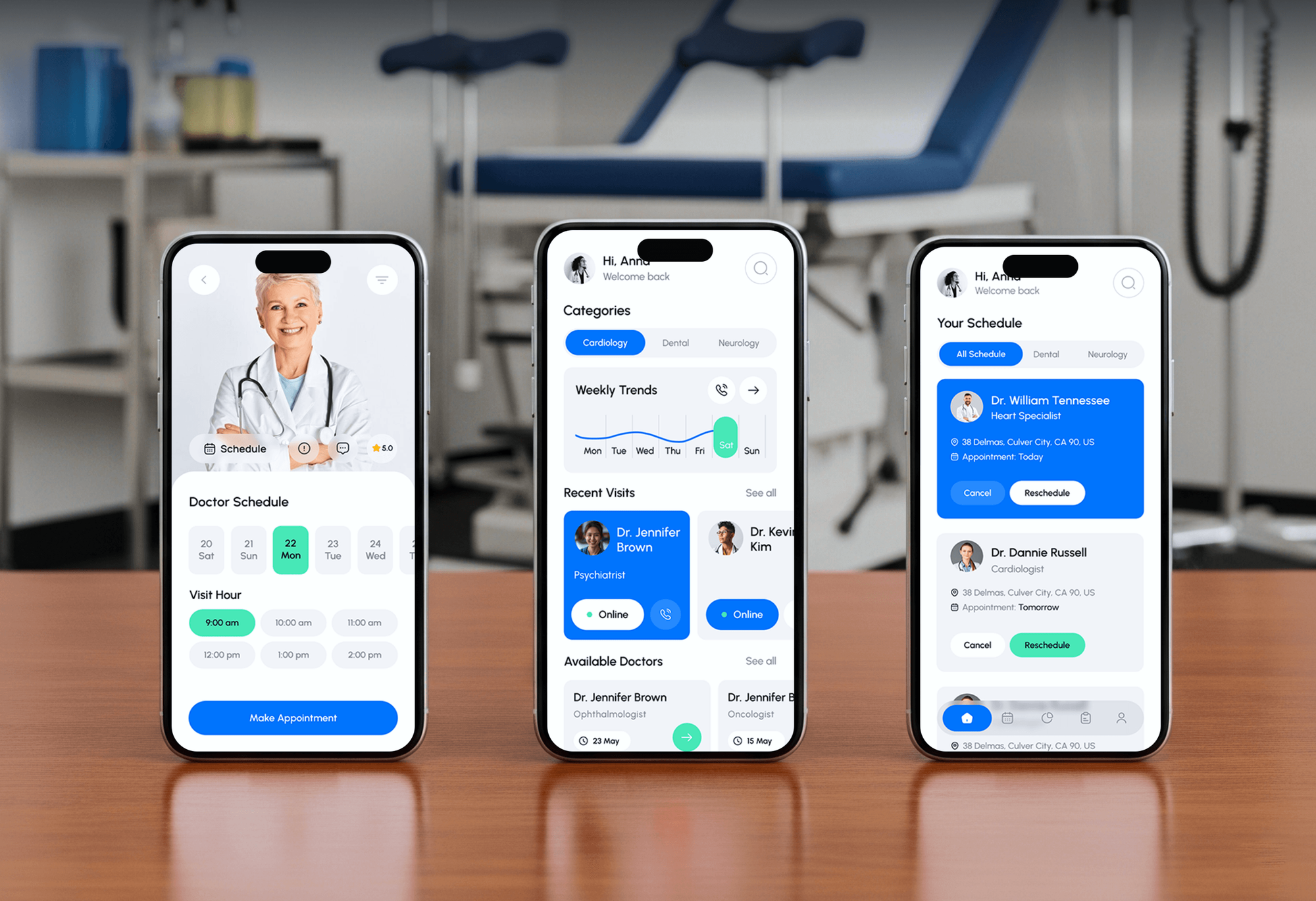
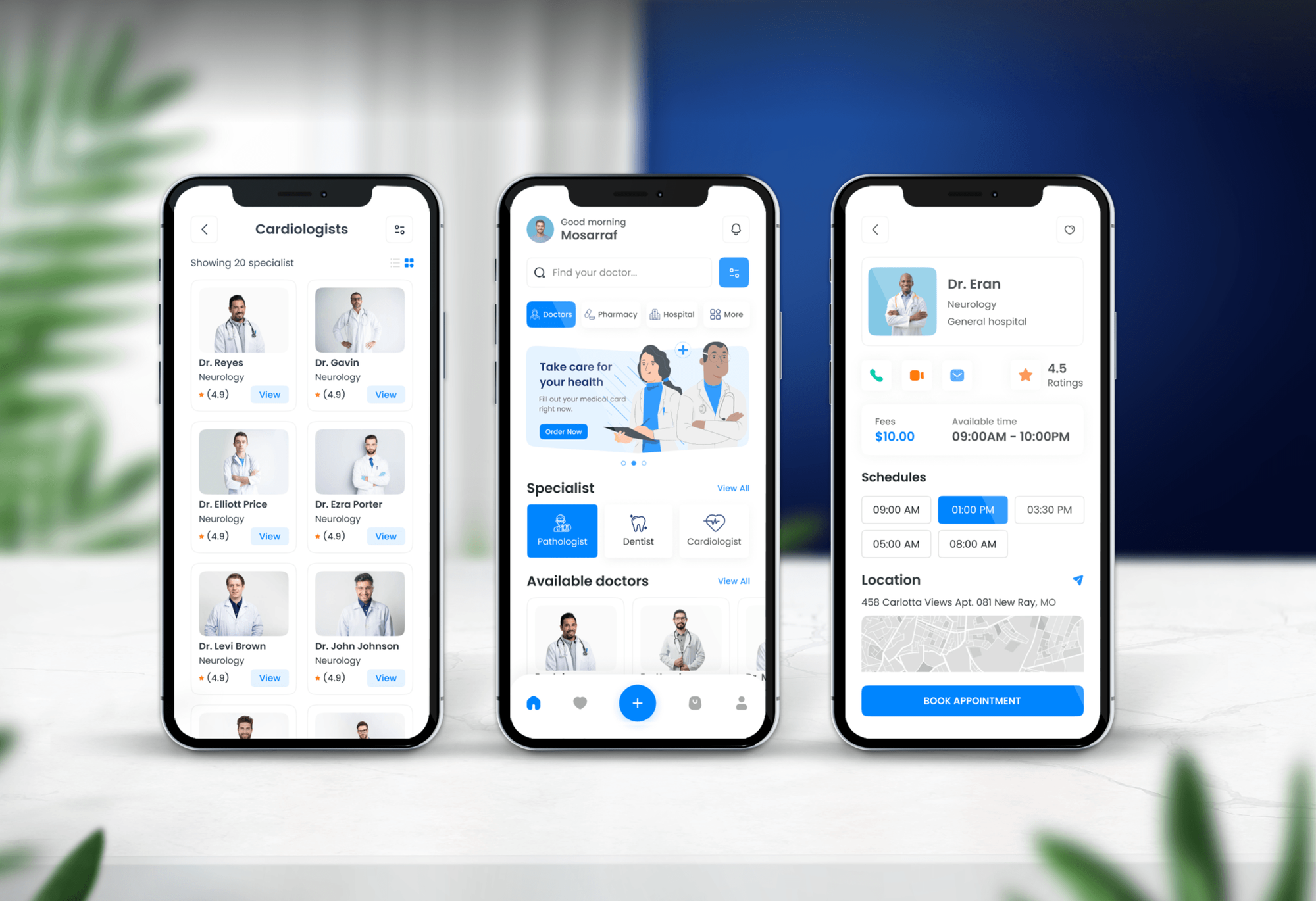
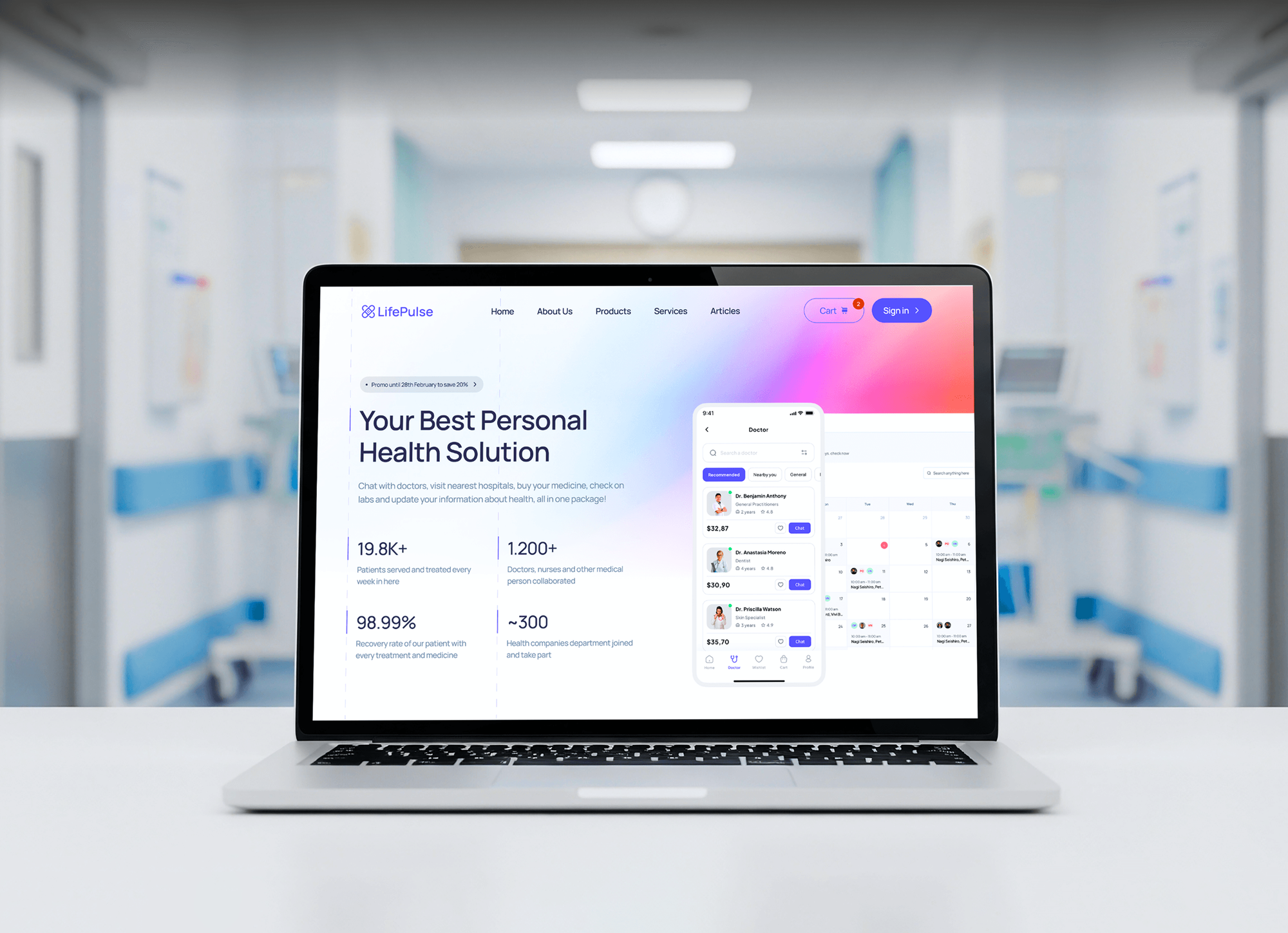
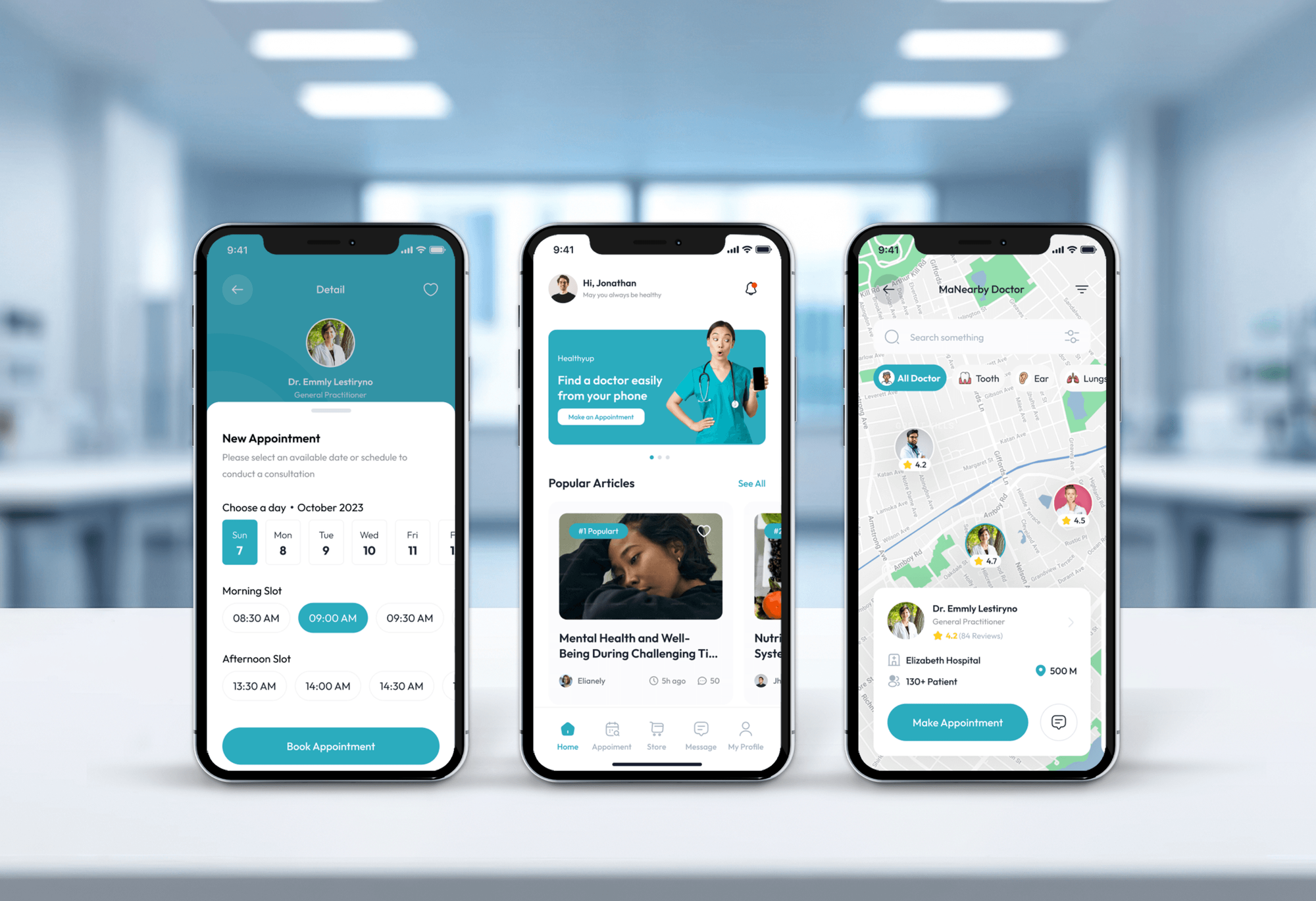
Doctor booking apps and medical websites we designed and built. None of them ran on Tebra, but each one handles booking and patient details with care.
What Our Clients Say
Feedback from teams we have built websites and business software for.
We had a pretty specific idea of what we wanted our website to become, but I wasn’t sure how easily we could explain all of it to a development team. There were quite a few moving parts, and we were working toward a deadline, so I expected a few things to get lost along the way. That never really happened. They understood what we were trying to achieve, kept us updated throughout the process, and got everything ready within the agreed timeline. The final site feels much easier to navigate, works beautifully on mobile, and is noticeably smoother for our customers. It was a huge relief seeing the original idea actually turn into the website we had in mind.
The mobile experience is probably my favourite part of the new site. We had spent a lot of time making sure the desktop version looked right, and the team kept pushing us to think about how everything would actually feel on a phone too. They were right. The navigation is clean, the interactions feel natural, and everything we’ve tested so far works exactly as it should. They also went through the links, forms, integrations, and other details more than once before launch, which I really appreciated. And even after going live, we could still reach out when something came up. The whole process felt friendly, organised, and surprisingly straightforward.
What I appreciate most is that the website is actually easy for us to manage now. We can update content ourselves instead of sending a developer a message every time we need to change something small. They also paid attention to the technical SEO side, which mattered to us because we didn’t want a new website to create problems for the traffic we already had. I’ve probably asked more questions than I should have since launch, but every question has been handled patiently and without any fuss. The team is easy to work with, they explain things clearly, and when we need something changed, they focus on getting it done rather than making the process complicated.
1,250+
Projects shipped
10+
Years of experience
Top 3%
Upwork Top Rated Plus
5 stars
Average review score

Want results like these?
Tell us what you are building. You get a reply within 24 hours on business days, then a written estimate.
Work Culture
Practice data is sensitive and clinic days are busy. These habits keep our Tebra integration services careful with patients and quiet for your front desk.
Before we connect anything, we ask which tools have signed a BAA with your practice. Patient data never goes to a tool that hasn't, however handy it looks.
We test with a made-up patient on blocked appointment slots. Your real schedule and records stay untouched until your office manager signs off.
Your System Administrator requests and holds the Tebra customer key. We work under access you grant and can take back whenever you like.
If the scheduling widget or a built-in export already covers the need, we set that up instead of writing code. We'll tell you before we quote.
Polling syncs can stop quietly, so every link we build sends an alert when a call fails. Your team hears about it before a patient does.
Each link gets a one-page note: what it moves, where its settings live, and who to call. New front desk staff can follow it on day one.
Overview
DeveloperLook builds Tebra integrations for independent medical practices. We set up the Tebra scheduling widget, connect the SOAP API with your customer key, automate data exports, and move websites off Tebra's CMS. Projects start at $850 and most take 1 to 6 weeks, with patient data kept to tools covered by a BAA.
DEVELOPERLOOK
Project facts · Tebra Integration Services
Reviewed 22 Oct 2026 by Saimul Islam
Good fit
Practices with a request-a-visit form
Your website still has a contact form for appointments, and your front desk retypes every request into the Tebra calendar the next morning.
Practices leaving a Tebra website
You're moving your PatientPop Tebra site to WordPress and need the domain, content, and booking links moved before the old site switches off.
Billing teams rebuilding weekly reports
Your billing lead exports Tebra reports to Excel every Monday and rebuilds the same charts by hand for the partners' meeting.
Clinics planning a patient app
You want a patient app or portal that reads records from Tebra, and you aren't sure whether it needs the SOAP or the FHIR API.
Agencies with practice clients on Tebra
Your agency runs websites for several practices on Tebra, and you need a developer who knows the customer key, the SOAP calls, and the widget rules.
Not a fit
Intake forms on your site
You want patient intake forms embedded on your website. Tebra sends its intake forms after booking, so our HIPAA-compliant online forms service fits better.
Booking runs on another tool
Your practice books patients through a different scheduling tool, not Tebra's widget. Our patient scheduling software integration page covers those tools instead.
Only one widget to paste
You only need Tebra's booking link pasted on one page, and your site builder makes that easy. Tebra's help center covers it, and we'll say so before we quote.
Budget under $850
Your budget for the whole project is under $850. Tebra's own booking link and Google Profile Scheduling cost nothing extra and are the better place to start.
Not sure we're the right fit?
Book a free call or message us. We'll tell you honestly whether we're the right team.
Pricing
These are starting points in USD. Your final price depends on the paths, tools, and website work involved, and you get a fixed proposal after a free data review.
For practices that want online bookings to land in Tebra instead of an inbox.
$850one-time, USD
For practices that need a website, app, or report connected to Tebra records.
$2,250one-time, USD
For practices leaving Tebra's website service that also want connected reporting.
$4,350one-time, USD
For Agencies
You own the medical practice client. We supply the Tebra work behind your brand: scheduling widgets, SOAP API links, report feeds, and website moves off Tebra's CMS. Your client sees your team, and our name never appears on their screens.
White label: your client only ever sees your brand
Send the Tebra subscription, website platform, and the tools the practice wants connected.
We map each flow to a documented Tebra path and send a fixed scope.
We build, test with a dummy patient, and hand over white-label guides.
Your brand on every data map and handover guide we write.
Patient data kept to tools covered by your client's BAAs.
Fixed timelines planned around the practice's clinic hours and staff.
Help across several practice clients without hiring another developer.
The Right Technology for Your Project
We use Tebra's own widget and exports first, then its SOAP API or FHIR API where a link needs more, with code your practice owns.
 WordPress
 Webflow
 Squarespace
 Cloudflare
 Node.js
 Python
 PostgreSQL
 AWS
AWS Google Sheets
 Power BI
 Google Analytics (GA4)
FAQ
Straight answers on Tebra costs, what Tebra is, Kareo, clearinghouses, Google sync, data exports, the API, and website moves.
Saimul IslamFounder & CEO, DeveloperLookStill have questions?
Send a message or book a call with the team.
Tebra integrations from DeveloperLook start at $850 for the scheduling widget, booking tests, and a data map. A SOAP API link for patients and appointments is $2,250, and a WordPress website move with reporting starts at $4,350. Your Tebra subscription is billed by Tebra. You get a fixed quote after a free data review, and most projects take 1 to 6 weeks.
Tebra is EHR and practice management software that independent practices use to chart, schedule, bill, and market themselves. It combines charting, e-prescribing, and labs with online scheduling, digital intake, reminders, practice websites, reviews, and payments. So most patient data starts in Tebra, and integrations connect your other tools to it.
Yes, Tebra includes a certified EHR alongside its practice management and billing tools. Tebra's MACRA page lists Tebra EHR version 5.1, certified by Drummond Group in December 2024. That matters for integrations: the clinical record and the scheduling calendar live in one system, so one customer key covers patients, appointments, and encounters through the SOAP API.
Yes, Tebra is the company formed when Kareo and PatientPop merged, announced in November 2021. Kareo brought the EHR and billing, and PatientPop brought practice websites and online booking. Old Kareo help links now redirect to Tebra's help center, and the SOAP API is the former Kareo API.
Tebra is a private company backed by investors, including Golub Capital. Golub financed the Kareo and PatientPop merger and led a later funding round in 2022. For integrations, your practice owns its data, and Tebra's API terms and its business associate agreement set how outside tools may use that data.
Tebra sends claims through partner clearinghouses: TriZetto Provider Solutions for medical payers and Jopari Solutions for workers' compensation and auto claims. Tebra's help center says it has no direct insurance connections of its own. Our work sits upstream: patient and insurance details reach Tebra correctly, so claims leave clean.
Not natively: Tebra's help center documents no Google Calendar or Google Drive sync. Its Google Profile Scheduling feature only adds a booking link to your Google Search and Maps listing. If staff want appointments in Google Calendar, we can poll the SOAP API and write busy blocks without patient names. Files with patient details belong in Drive only under a Google Workspace BAA.
Tebra exports patient data from Practice Settings, under Data Management, as a one-time or recurring weekly or monthly file. Each patient comes out as an XML summary of care file inside a zip. Reports such as All Patients export to CSV or Excel. We build reporting on those exports when the API isn't needed.
Yes, the Tebra API is a SOAP API, and your System Administrator requests access through a Customer Care case to get a customer key. It reads and creates patients, appointments, encounters, and payments. It sends no webhooks, so a Tebra API integration polls on a schedule. Patient-facing apps use Tebra's separate FHIR API, which registered developers apply for.
Hire one when your practice is leaving Tebra's website service but keeping its domain and search traffic. Tebra can't export the website itself, so the site is rebuilt on WordPress from your own text and images. A developer also moves the domain with its DNS records, sets up redirects, and reconnects the Tebra scheduling widget before the old site switches off.
Saimul IslamFounder & CEO, DeveloperLookStill have questions?
Send a message or book a call with the team.
Free 30-min callGoogle Meet
Book a call
In 30 minutes on Google Meet we walk you through how we would build it, how long it takes and what it costs. Then you get a written estimate.
Calendar not showing? Book on cal.com or send a brief.