
Try-on method per category
Face, hand, 3D, or AI chosen for each of your categories, instead of one tool for everything.

For fashion, beauty, and eyewear brands: your shoppers try products on with their camera or a photo, then add to cart from the same view, from $900.
1tap
From try-on to cart
100%
Try-ons start with consent
How your project runs
Teams we have built for:














The Problem
Your product photos can't show how frames suit a face or how a shade looks on skin. Those doubts end up in your return notes and abandoned carts.
01 · Fit doubts
Shoppers can't tell how frames or shades will look on them.
Face tracking in the browser places frames and shades on their own face.
02 · Returns
Your return notes say the product looked different in person.
Shoppers compare variants on themselves first, and every return gets a reason tag.
03 · Slow pages
An app you tested slowed every product page.
The camera code loads only when a shopper taps the button.
04 · Privacy
The camera prompt appeared with no explanation at all.
A consent screen explains what's processed and asks before the camera opens.
Your shopper finds the right frames, then hesitates over how they'll look on their face. Your lipstick shades look different on every screen, so buyers order several and send most back. Your size chart helps with fit, but not with look. Your return notes keep saying the product looked different in person, and each return costs you shipping both ways. The app you tested slowed every product page and asked for the camera with no explanation. So the doubt stays, and so do your returns.
We start with your categories, because eyewear, makeup, jewelry, and clothing each need a different method. Face and hand tracking run in the browser for frames, shades, and rings. 3D models and AR views show bags or furniture in your shopper's space. AI garment try-on puts clothing on a model or a shopper's photo. A consent screen comes before the camera, and add to cart sits in the same view. Doubts get answered on your product page, not in your returns queue.
Method matched to each category
Face AR for frames and shades, 3D for objects, and AI for clothing, chosen for your catalog.
Consent before the camera
Your shoppers see why the camera is needed and agree before any face data is processed.
Add to cart from the camera
Variants switch inside the camera view, and your cart button sits right beside them.
Our Virtual Try-On Process
You see which method fits each category, approve the assets and consent screen, and test the feature on your own phone before launch.
We look at your categories, product photos, any 3D files, and your platform. You get a recommendation per category: a ready-made app, a custom build, or AI garment try-on, with honest limits for each.
What's Included
Each project covers the method, your assets, the product page work, and the privacy steps that any camera feature needs before launch.
Compare Options
Ready-made virtual fitting software suits many stores, and your own team can build try-on over time. Here's where each one fits.
| Feature | DeveloperLookBest fit | Try-on app | In-house build |
|---|---|---|---|
| Planning | Method chosen per category | One method for all products | Research from scratch |
| Setup speed | 1 to 10 weeks by scope | Fastest to install | Slowest to first launch |
| Categories | Face, hand, 3D, or AI | Usually one category | Limited by your team's skills |
| Page speed | Loads only on tap | Varies by app | Depends on your build |
| Privacy | Consent screen and retention policy | The vendor's own terms | Your team's call |
| Variants and cart | Mapped to your variants | Mapped if the app supports it | Built from scratch |
| Ongoing fees | No license fee from us | Monthly app subscription | Your team's salaries |
| Cost | Fixed price from $900 | Lowest upfront cost | Highest upfront cost |
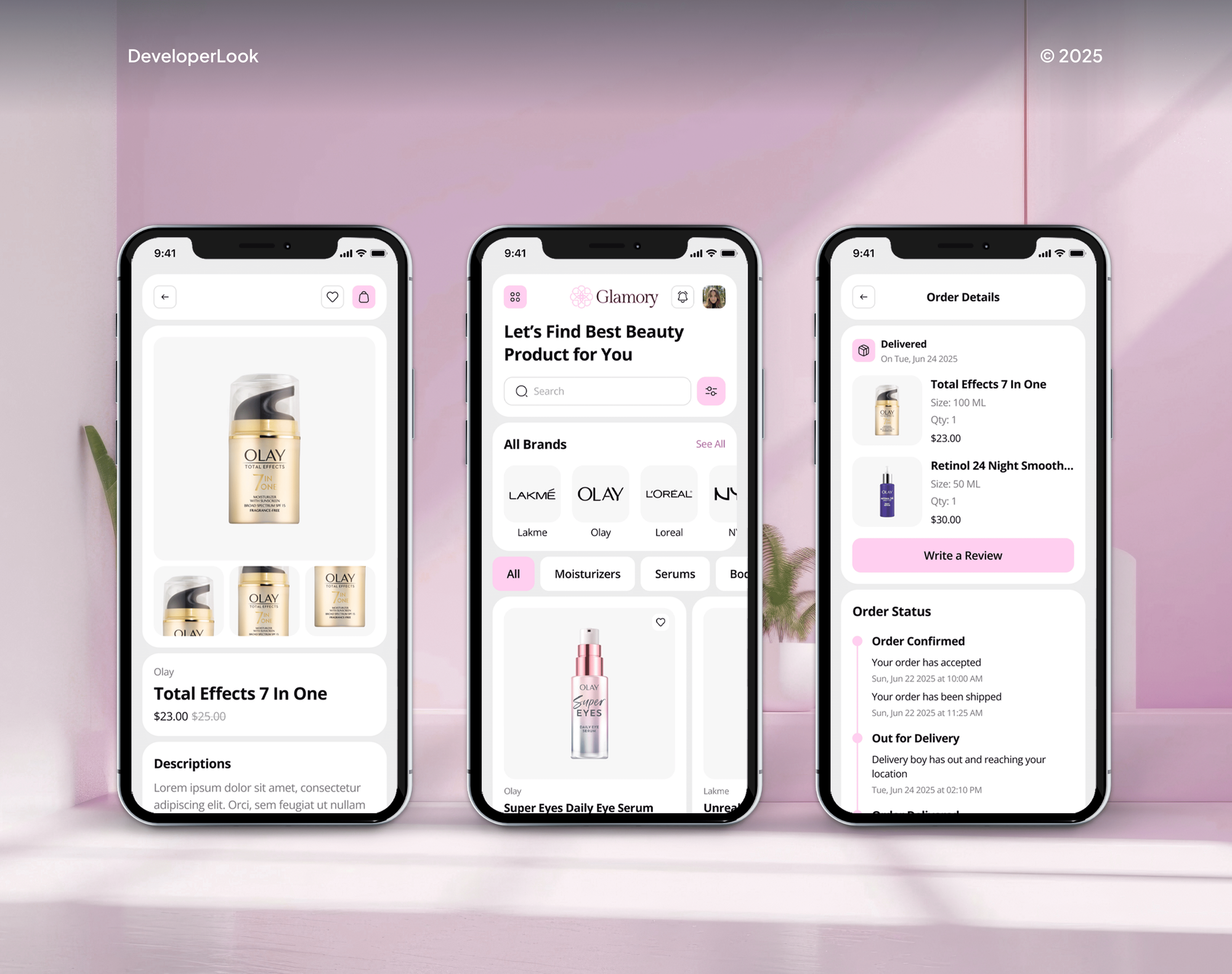
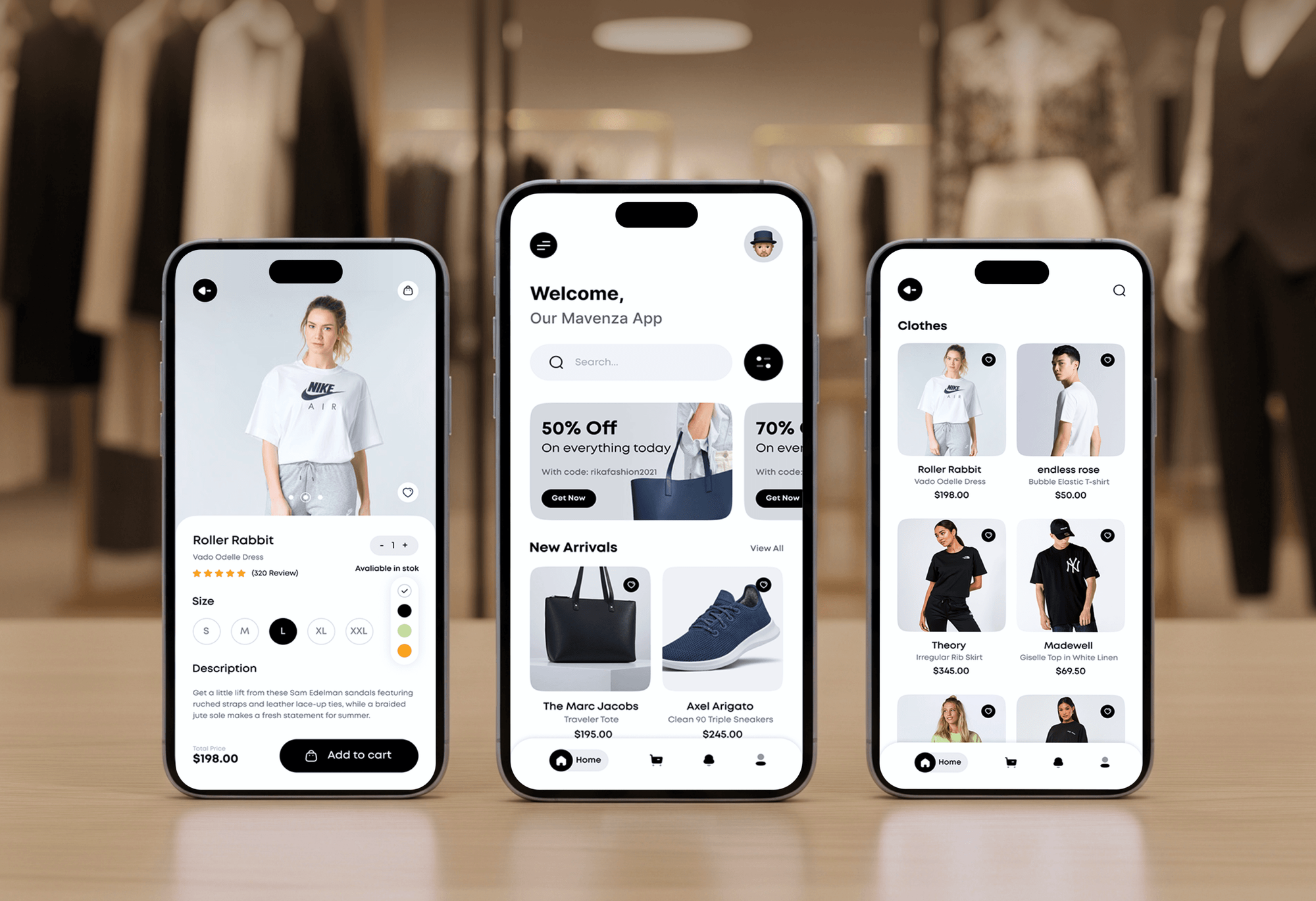
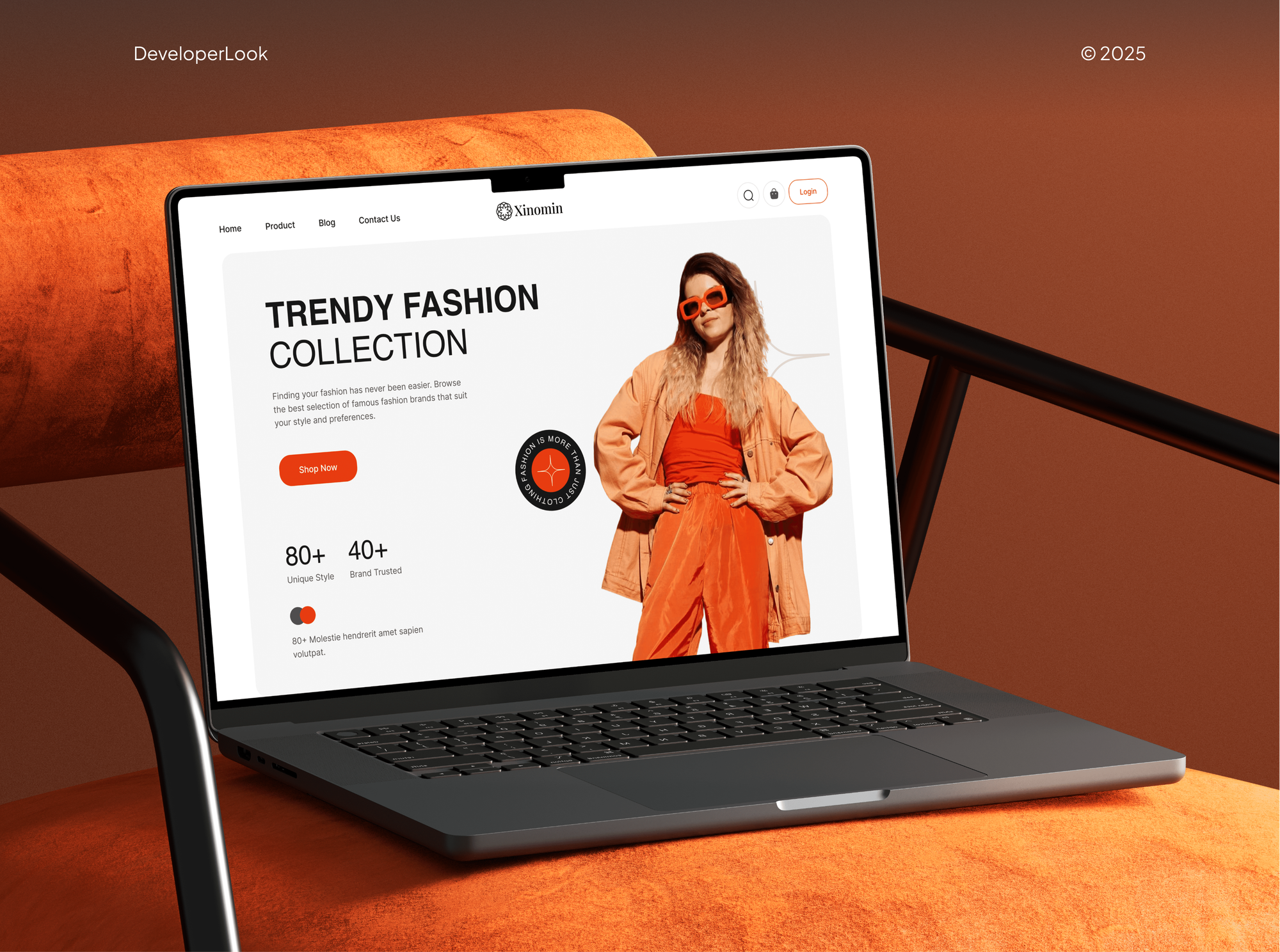
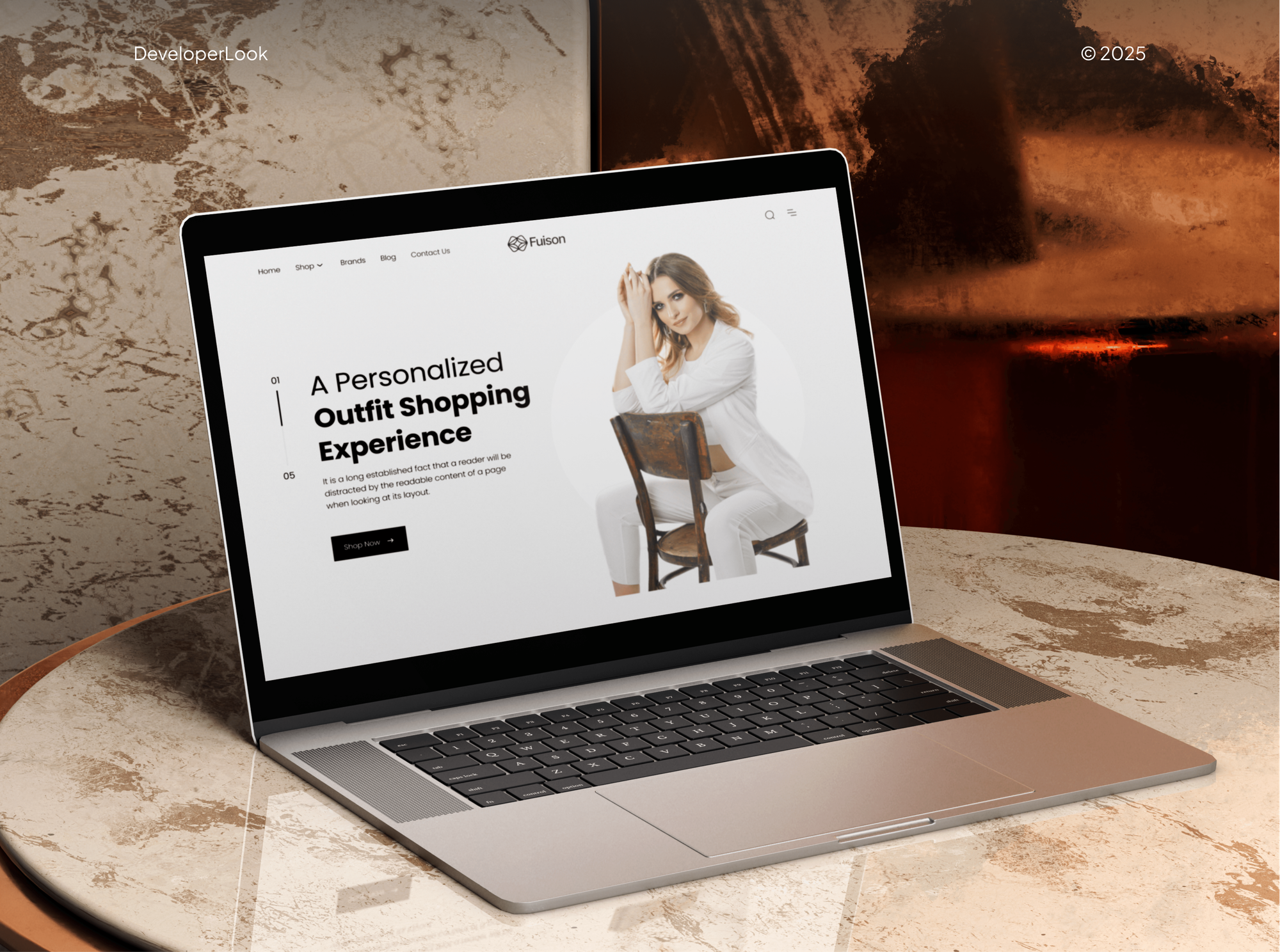
Projects We've Built
Beauty and fashion stores and apps our team designed and built, the kind of product pages where a try-on button earns its place.
What Our Clients Say
Feedback from teams we have built online stores and shopping apps for.
We had a pretty specific idea of what we wanted our website to become, but I wasn’t sure how easily we could explain all of it to a development team. There were quite a few moving parts, and we were working toward a deadline, so I expected a few things to get lost along the way. That never really happened. They understood what we were trying to achieve, kept us updated throughout the process, and got everything ready within the agreed timeline. The final site feels much easier to navigate, works beautifully on mobile, and is noticeably smoother for our customers. It was a huge relief seeing the original idea actually turn into the website we had in mind.
The mobile experience is probably my favourite part of the new site. We had spent a lot of time making sure the desktop version looked right, and the team kept pushing us to think about how everything would actually feel on a phone too. They were right. The navigation is clean, the interactions feel natural, and everything we’ve tested so far works exactly as it should. They also went through the links, forms, integrations, and other details more than once before launch, which I really appreciated. And even after going live, we could still reach out when something came up. The whole process felt friendly, organised, and surprisingly straightforward.
What I appreciate most is that the website is actually easy for us to manage now. We can update content ourselves instead of sending a developer a message every time we need to change something small. They also paid attention to the technical SEO side, which mattered to us because we didn’t want a new website to create problems for the traffic we already had. I’ve probably asked more questions than I should have since launch, but every question has been handled patiently and without any fuss. The team is easy to work with, they explain things clearly, and when we need something changed, they focus on getting it done rather than making the process complicated.
1,250+
Projects shipped
10+
Years of experience
Top 3%
Upwork Top Rated Plus
5 stars
Average review score

Want results like these?
Tell us what you are building. You get a reply within 24 hours on business days, then a written estimate.
Work Culture
Your shoppers lend you their camera and their trust. These habits keep the feature fast, honest, and respectful of them.
It helps with look and style, but it can't promise fewer returns. If better photos or a size guide would fix your returns, we'll tell you before we quote.
Illinois' biometric law and similar rules in Texas and Washington require notice and consent for face scans. We build both in and flag what your lawyer should review.
The camera code loads only when a shopper taps the button. Shoppers who skip it get the same fast product page you had before.
We test on iPhones, Android phones, and desktop webcams in dim rooms. Frames that drift off a face in poor light don't reach your shoppers.
Camera previews show style, not exact size. We pair them with your size guide, so shoppers don't mistake a good look for a good fit.
The 3D models, overlays, and custom code we create stay with your company. If you change apps later, those assets come with you.
Overview
DeveloperLook adds virtual try-on to ecommerce stores so your shoppers can see glasses, makeup, jewelry, or clothing on themselves before buying. We pick the right method for each category, build or install it on your product pages, and add consent before the camera opens. Projects start at $900 and take 1 to 10 weeks, depending on app or custom build.
DEVELOPERLOOK
Project facts · Virtual Try-On for Ecommerce Stores
Reviewed 7 Oct 2026 by Saimul Islam
Good fit
Eyewear and sunglasses stores
Your shoppers like your frames but can't picture them on their own face, so they hesitate on your product page.
Beauty and cosmetics brands
Your shades look different on every screen, and you want a virtual try-on app that shows color on each shopper's skin.
Apparel brands exploring AI
You sell clothing and want AI virtual try-on that shows your garments on a model or on the shopper's own photo.
Jewelry and watch sellers
You want a virtual dressing room for your rings, earrings, and watches that works in the browser without an app download.
Agencies with fashion clients
Your agency designs stores for fashion or beauty brands and needs the try-on build delivered under your name.
Not a fit
Budget under $900
Your budget is under $900, or you sell only a few products. Better photos on models and a clear size guide will help you more for less.
Shoppers customize products
Your shoppers need to design or configure the product, not see it on themselves. Our Shopify Product Configurator service covers that instead.
Want a 3D product viewer
You want shoppers to rotate and configure a product in 3D. Our 3D Product Configurator Development page fits that better.
Need a promised return drop
You need a promised drop in returns. Try-on answers look and style questions, so we track your return reasons but can't promise the outcome.
Not sure we're the right fit?
Book a free call or message us. We'll tell you honestly whether we're the right team.
Pricing
These are starting points in USD. Your final price depends on product count, categories, and an app versus a custom build, and you get a fixed proposal after a free product review.
For stores adding a ready-made try-on app or SDK to one product category.
$900one-time, USD
For brands that want try-on built into their own product pages, with no app download.
$3,600one-time, USD
For apparel brands adding AI garment try-on, or stores covering several categories.
$7,600one-time, USD
For Agencies
You own the client relationship. We supply the try-on engineering: method choice, asset preparation, browser builds, and the consent setup behind them, all under your brand. Fixed quotes protect your margin, and your client tests everything on staging first.
White label: your client only ever sees your brand
Send the client's store, product categories, and the products that need try-on first.
You get a method for each category and a fixed quote you can resell.
Try-on tested on real phones and delivered in your client's accounts.
Your brand on every demo and handover, with no direct client contact.
Face, hand, 3D, and AI try-on handled by one team.
A price set per category and product count, ready to resell.
Extra developers for seasonal launches without adding new hires.
The Right Technology for Your Project
We pick tools by category: face and hand tracking for wearables, 3D viewers for objects, and AI image models for your clothing.
 Three.js
 Blender
 Babylon.js
 Figma
Figma Python
 PyTorch
 Shopify
 WooCommerce
 BigCommerce
 Google Analytics (GA4)
FAQ
Straight answers on methods, Shopify setup, privacy, costs, and what try-on can do for your returns.
Saimul IslamFounder & CEO, DeveloperLookStill have questions?
Send a message or book a call with the team.
They can reduce returns caused by look and style surprises, because your shoppers see the product on themselves first. Returns for damage, late delivery, or the wrong size don't change. We tag returns by reason, so you can see whether those orders come back less often in your store.
Start with one category and one method: face tracking for eyewear and makeup, 3D and AR for objects, or AI garment try-on for clothing. Connect it to your product variants and add a consent screen before the camera opens. Launch on your best sellers first, then expand.
Setup with DeveloperLook starts at $900 for a ready-made app or SDK in one category. A custom browser build starts at $3,600, and AI garment try-on or several categories start at $7,600. App vendors may charge you their own monthly fees, which we list before you sign anything.
A ready-made app takes 1 to 2 weeks, including product mapping and your consent screen. A custom browser build takes 4 to 10 weeks, mostly for asset preparation and device testing. AI garment try-on sits at the longer end, because each garment image needs checking before it goes live.
Install an app from the Shopify App Store, or add a custom build to your product pages through a theme section or app extension. For objects, Shopify's 3D models in GLB or USDZ format open AR views on supported phones. We map each asset to your variants, so color changes reach the cart.
Any online store can load a try-on SDK on its product pages, as long as they run over HTTPS. Browsers require that for camera access. WooCommerce, BigCommerce, and custom storefronts all work this way, and the script reads the variant IDs on your page, so add to cart keeps working.
Yes, the Amazon Shopping app offers virtual try-on for some shoes and eyewear on phones that support AR. It works only for Amazon listings inside Amazon's app. Your own store needs its own version, which also keeps your shoppers on your product pages instead of a marketplace.
AR tracks a face or hand live through the camera and places the product on it, which suits glasses, makeup, and jewelry. AI generates an image of a garment on a model or a shopper's photo, which suits clothing. AI images take a few seconds but show drape better.
Often, yes: face scanning can fall under biometric laws such as Illinois' BIPA, which requires written notice and a signed release before collection. Texas and Washington have similar notice and consent rules. We add a consent screen and a retention policy to your store, and we recommend your lawyer reviews both before launch.
You own the 3D models, overlays, and custom code we create, and they live in your accounts. App subscriptions stay between you and the vendor. Every plan includes 14 to 60 days of support, and new products added later are quoted as small fixed tasks.
Saimul IslamFounder & CEO, DeveloperLookStill have questions?
Send a message or book a call with the team.
Free 30-min callGoogle Meet
Book a call
In 30 minutes on Google Meet we walk you through how we would build it, how long it takes and what it costs. Then you get a written estimate.
Calendar not showing? Book on cal.com or send a brief.