
Mavenza Fashion Ecommerce App and Admin Dashboard
- Business
- Fashion
- E-commerce

Buy once or subscribe for WooCommerce Subscriptions, set up with free shipping rules, skip, and payment retries. From $650.
100%
Renewals charged automatically
1
Product page for both buying options
Industry leaders we work with
 WooCommerce
 WordPress
 PHP
PHP MySQL
MySQL Stripe
 PayPal
 Apple Pay
 Google Pay
 Slack
Slack Google Sheets
 QuickBooks
 Xero
Xero JavaScript
 React
React Node.js
 Docker
The Problem
Your subscription problems usually start small: a second product made just to sell a subscription, shipping charged on every renewal, and your failed cards left on hold.
Split products
A second product for subscriptions splits your stock and reviews.
Split products
Your existing products carry the subscription option, keeping stock and reviews together.
Shipping charges
Renewal orders charge shipping subscribers expect free.
Shipping charges
Renewal orders get the shipping price you promised subscribers.
Stuck renewals
A failed card leaves the subscription on hold until noticed.
Stuck renewals
Retry rules and reminder emails recover failed cards automatically.
No skip
My Account only offers pause or cancel, not skip.
No skip
Light code adds a skip button there, tested on staging first.
You created a second product just to sell the subscription version, so your stock, reviews, and rankings split across two pages. Subscribers expect free shipping, but your renewal orders charge it every month. When a card fails, the subscription sits on hold until someone notices. A subscriber asks to skip a month, and My Account only offers pause or cancel. Each fix adds another plugin to update.
We start with your products, not another plugin. The Buy Once or Subscribe extension adds subscription options to the products you already sell, with one SKU and one set of reviews. We set free shipping rules for renewals, turn on the retry system with reminder emails, and add skip to My Account with light code. You end up with fewer plugins, each tested on staging first.
One product, two ways to buy
Subscribe options sit on your existing products, so stock and reviews stay together.
Renewals that actually charge
Automatic renewals and retry rules recover your failed cards instead of leaving subscriptions on hold.
Subscribers manage themselves
Your subscribers skip, pause, and switch plans in My Account without emailing your team.
Our Subscription Development Process
You approve the product setup, shipping rules, and portal changes before we touch your live store. Everything runs on a staging copy first.
We look at your products, current plugins, renewal orders, and failed payments. You get a short list of what the Subscriptions extension already does, what needs code, and what to remove.
Projects We've Built
Online stores and shopping apps we've built. Subscription options, portals, and renewal rules plug into stores like yours.


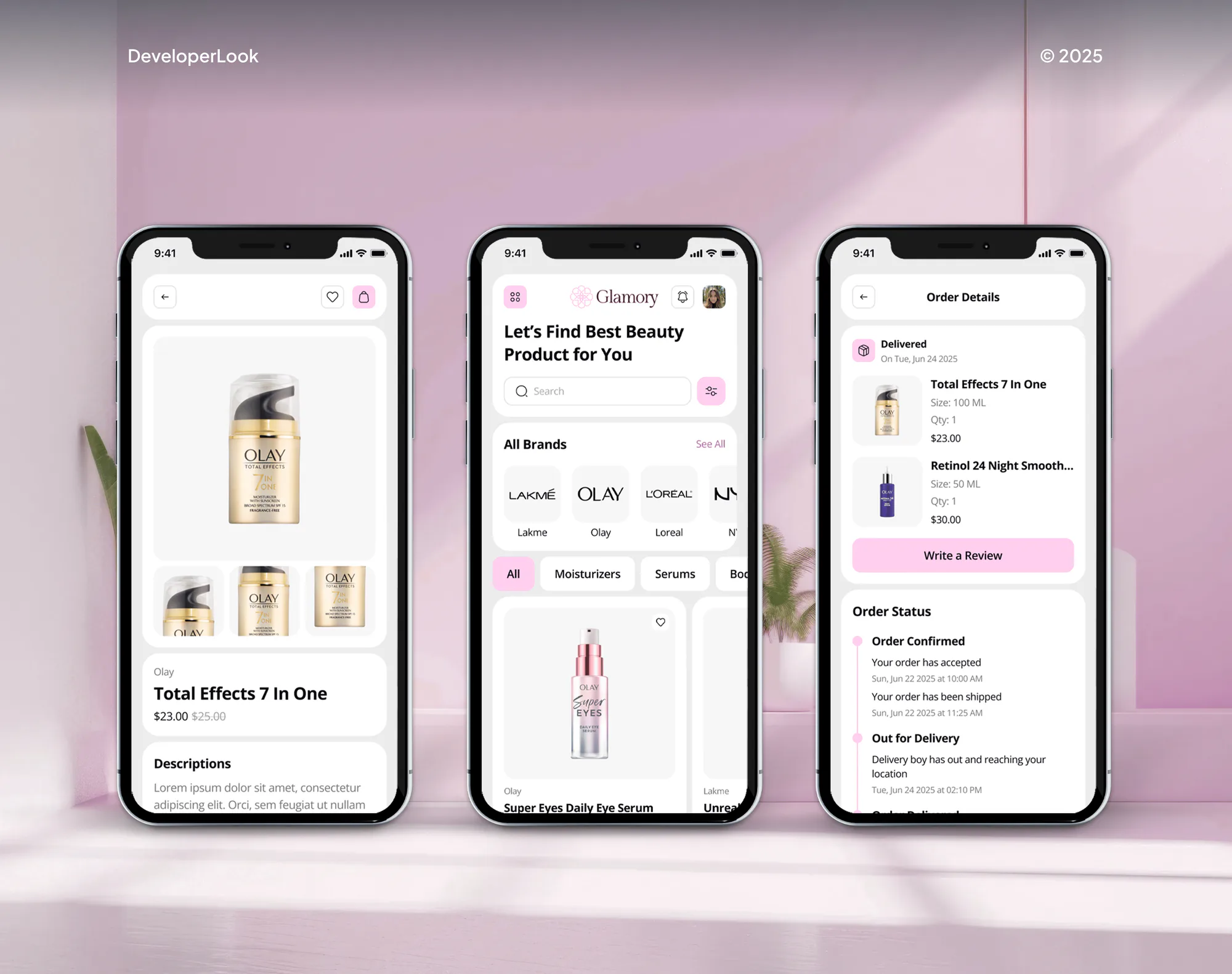
What's Included
Subscription options, shipping rules, a better account page, and payment retries, built with as few plugins as your store needs.
Compare Options
More plugins are quick to install, and fully custom code can do anything. Both suit some stores. Here's where each one gets expensive for you.
| Feature | DeveloperLookBest fit | Stacking plugins | Fully custom code |
|---|---|---|---|
| Upfront cost | Fixed, from $650 | Plugin licenses only | Highest, open-ended |
| Time to launch | 1 to 6 weeks | A few days | Several months |
| Subscribe options | One product, one SKU | Often duplicate products | Built from scratch |
| Skip in My Account | Added with light code | One more plugin | Custom portal build |
| Failed renewals | Retries plus reminders | Defaults, often off | Custom retry code |
| Update safety | Tested on staging first | Conflicts after updates | Your team's job |
| Free shipping rules | Set for renewals | Varies by plugin | Custom shipping logic |
| Who owns it | You: code and settings | Plugin vendors | You, if handed over |
What Our Clients Say
Feedback from store and web teams we have built for.
We had a different kind of problem. People were visiting the store, adding products to their carts, and then disappearing before they finished the order. We had tried a few apps and made changes here and there, but nothing really seemed to solve the bigger issue. The team went through the shopping experience with us and pointed out things we hadn't really noticed ourselves. They cleaned up the cart and checkout flow, made the mobile experience much smoother, and helped us make the store feel easier to shop. I’m not going to pretend we fixed everything overnight, but it finally feels like the store is helping the sale instead of getting in the way of it.
The mobile experience is probably my favourite part of the new site. We had spent a lot of time making sure the desktop version looked right, and the team kept pushing us to think about how everything would actually feel on a phone too. They were right. The navigation is clean, the interactions feel natural, and everything we’ve tested so far works exactly as it should. They also went through the links, forms, integrations, and other details more than once before launch, which I really appreciated. And even after going live, we could still reach out when something came up. The whole process felt friendly, organised, and surprisingly straightforward.
We had a pretty specific idea of what we wanted our website to become, but I wasn’t sure how easily we could explain all of it to a development team. There were quite a few moving parts, and we were working toward a deadline, so I expected a few things to get lost along the way. That never really happened. They understood what we were trying to achieve, kept us updated throughout the process, and got everything ready within the agreed timeline. The final site feels much easier to navigate, works beautifully on mobile, and is noticeably smoother for our customers. It was a huge relief seeing the original idea actually turn into the website we had in mind.
1,250+
Projects shipped
10+
Years of experience
5 stars
Clutch rating
5 stars
GoodFirms rating
Excellent
Trustpilot rating
Top 3%
Upwork Top Rated Plus
1,250+
Projects shipped
10+
Years of experience
5 stars
Clutch rating
5 stars
GoodFirms rating
Excellent
Trustpilot rating
Top 3%
Upwork Top Rated Plus

Want results like these?
Tell us what you are building. You get a reply within 24 hours on business days, then a written estimate.
Work Culture
WordPress updates, plugins, and renewals all meet in one store. These habits keep your subscriptions working after the next update.
We check what the Subscriptions extension already does before adding anything. Every plugin you skip means one less conflict after an update.
Every change runs on a staging copy of your store with test renewals. Your live subscribers only see work that already passed.
Subscribe options live on your existing products, not duplicates. Your stock, reviews, and rankings stay on one page instead of splitting in two.
We rewrite renewal, failed payment, and card update emails in plain language. Your subscribers know what they're paying for and how to fix a declined card.
If the Subscriptions extension already covers your plans, we'll tell you before we quote. Custom code only goes where the plugin stops.
Custom code lives in your own plugin or child theme, documented and in your name. Any WordPress developer can pick it up later.
Overview
DeveloperLook sets up buy once or subscribe for WooCommerce Subscriptions and builds the features around it. That means free shipping rules, a portal with skip, pause, and switching, payment retries, and inventory checks. We also migrate subscribers between platforms. Projects start at $650 and take 1 to 6 weeks.
DEVELOPERLOOK
Project facts · WooCommerce Subscriptions Development
Reviewed 28 Sep 2026 by Saimul Islam
Good fit
Stores adding subscriptions to existing products
You sell coffee, supplements, or pet food and want a subscribe option on the same product page, not a duplicate listing.
Stores promising free shipping to subscribers
Your marketing promises free shipping for subscribers, but renewal orders still charge shipping every month.
Stores losing renewals to failed cards
Your failed renewals sit on hold for days, because the retry system is off by default.
Stores whose subscribers want more control
Your subscribers email to skip or change products because My Account only offers pause and cancel.
Stores changing platforms
You're changing platforms and need subscriptions for WooCommerce moved without asking everyone for new card details.
Not a fit
Store runs on Shopify
Your store runs on Shopify. Skio Shopify Subscriptions Setup or Ecommerce Subscription Platform Development fits that setup better.
Stripe memberships or SaaS
You bill memberships or SaaS plans through Stripe, outside a store. Our subscription management software page covers that.
Only cancellations hurt
Your subscriptions work and only cancellations are the problem. Subscription Churn Reduction adds save offers without rebuilding your store.
Default settings may do
You have a few subscription products and no custom rules. The extension's own settings may be enough, so a $650 setup could wait.
Not sure we're the right fit?
Book a free call or message us. We'll tell you honestly whether we're the right team.
Pricing
These are starting points in USD. Your price depends on how many products get subscribe options, the portal changes, and any migration, and you get a fixed proposal after a free store review.
For Agencies
You own the client relationship. We supply the subscription engineering: setups, portal changes, retries, and migrations, delivered under your brand. Your client sees one team, and you get notes for every store.
White label: your client only ever sees your brand
Send staging access, the plugin list, and what the client wants changed.
You get a setup plan, a timeline, and a fixed price per store.
We build on staging, launch, and hand over notes you can rebrand.
Send staging access, the plugin list, and what the client wants changed.
You get a setup plan, a timeline, and a fixed price per store.
We build on staging, launch, and hand over notes you can rebrand.
The Right Technology for Your Project
We build on your store and its Subscriptions extension first, then add PHP only where the extension stops.
WooCommerceWordPressPHPMySQLStripePayPalApple PayGoogle PaySlackGoogle SheetsQuickBooksXero JavaScriptReactNode.jsDocker
FAQ
Straight answers on cost, subscribe options, free shipping, portals, retries, and migrations.
Saimul IslamFounder & CEO, DeveloperLookStill have questions?
Send a message or book a call with the team.
Customization starts at $650 for subscribe options, free shipping rules, and retries on up to 20 of your products. A portal with skip, card update emails, and stock checks costs $1,700, and custom builds or migrations start at $3,600. Extension licenses are separate, and your quote is fixed.
A standard setup takes about 1 week, including test renewals on staging. Portal changes, skip, and custom retry emails take 2 to 3 weeks. Custom builds and migrations take 4 to 6 weeks, mostly for moving your records and testing renewals. Your proposal names the exact timeline.
You install the Subscriptions extension, then Buy Once or Subscribe, and add frequencies and discounts to each product. Your shoppers then pick one-time or subscribe on the same page, and the product keeps one SKU. The extension needs Subscriptions 6.0 or newer and a site on HTTPS.
You create a recurring discount coupon with free shipping allowed, then set your Free shipping method to accept a valid free shipping coupon. That makes shipping free on the first order and every renewal. To charge shipping only once, use the product's One Time Shipping setting instead.
Use the plugin first: it handles renewals, switching, pauses, and retries well. Custom code makes sense for your gaps, like skipping a single renewal, build-your-own boxes, or rules tied to your ERP. We keep custom work in a separate plugin, so extension updates never overwrite it.
Yes. My Account already lets your subscribers pause, switch products or variations, renew early, and update cards once those options are on. Skip isn't built in, so we add it as a small custom feature. We also restyle the page so each option is easy to find on a phone.
You turn on the retry system in the Subscriptions settings. It's off by default, and its default rules retry 5 times over 7 days, starting 12 hours after the failure. We tune the timing and write clearer card update emails. Failed Payment Recovery and Dunning Management goes deeper.
Yes, in both directions. Subscriptions move with an importer that keeps plans, dates, and addresses, and your saved cards follow when both stores use the same gateway, such as Stripe. Moving to Shopify uses Shopify's secondary gateway process for those cards. We compare every record after the move.
Your renewal orders reduce stock like any other order, so the real risk is a renewal day that empties a product. We add a stock check before each renewal, alerts when upcoming renewals exceed what's on the shelf, and swap rules for sold-out items. Your 3PL gets renewals like normal orders.
Yes. Custom features live in your own plugin or child theme, documented, inside your WordPress install. Any WordPress developer can maintain them later. You also get 30 to 90 days of post-launch support by plan, and we test the code against your current plugin versions.
Saimul IslamFounder & CEO, DeveloperLookStill have questions?
Send a message or book a call with the team.
Free 30-min callGoogle Meet
Book a call
In 30 minutes on Google Meet we walk you through how we would build it, how long it takes and what it costs. Then you get a written estimate.
Calendar not showing? Book on cal.com or send a brief.