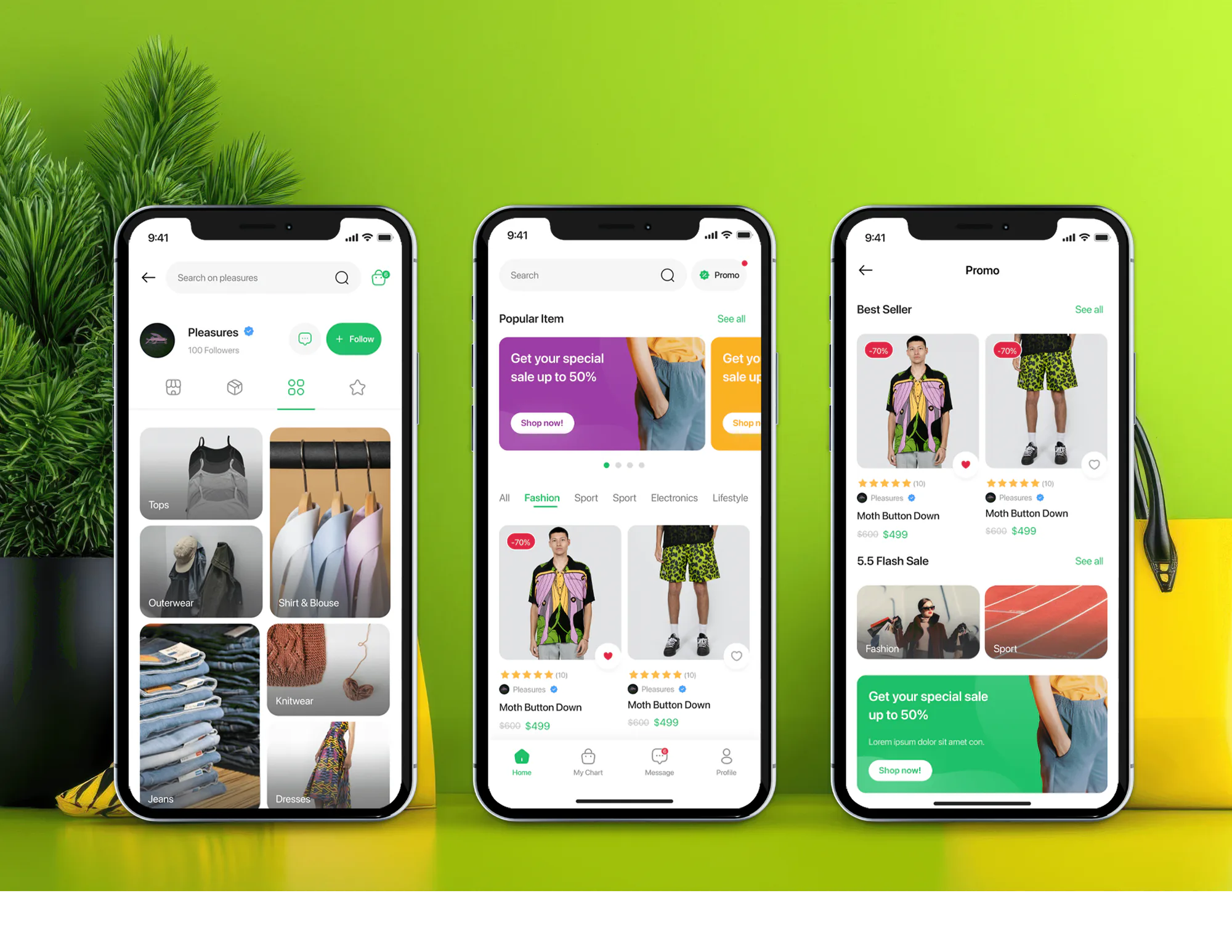
Unicom Fashion Ecommerce App and Admin Dashboard
- Fashion
- Dashboard
- E-commerce

WooCommerce multi-vendor plugin setup: Dokan, WC Vendors, or WCFM chosen for your commission rules, with automatic vendor payouts. From $900.
100%
Vendor payouts automated
3
Plugins compared before setup
Industry leaders we work with
 WooCommerce
 WordPress
 PHP
PHP MySQL
MySQL Stripe
 PayPal
 Apple Pay
 Google Pay
 Cloudflare
 AWS
AWS Algolia
 Docker
 QuickBooks
 Xero
Xero Slack
Slack Twilio
The Problem
Most multi-vendor WooCommerce stores launch on a plugin's defaults. Trouble starts when your commission deals, vendor screens, or order volume outgrow that setup.
Flat rates
Your setup only does one flat commission rate.
Flat rates
Flat, percentage, tiered, or category rates let each vendor pay what you agreed.
Hidden fields
Vendors email screenshots because the dashboard hides a field.
Hidden fields
Vendor dashboard changes add the fields your sellers need.
Broken updates
An update broke order emails, and checkout keeps slowing.
Broken updates
Plugin and WooCommerce updates get tested on staging before going live.
Plugin lock-in
Switching plugins means moving vendor records by hand.
Plugin lock-in
Your rules get matched to the right plugin before anything is installed.
You installed a plugin, clicked through the setup wizard, and launched. Six months later, your best vendor wants a lower rate on high-ticket items, and your setup only does one flat rate. Vendors email you screenshots because the dashboard hides the field they need. Checkout slows with every add-on, and an update just broke order emails. Switching plugins now means moving vendor profiles and commission records by hand.
We start by matching your rules to the plugin that can run them. Dokan, WC Vendors, and WCFM handle commissions, dashboards, and payouts differently, so we compare them against your model before installing anything. Then we configure it, test updates on a staging copy, and add code in a separate plugin only where the marketplace plugin stops. You get extensions, not a rewrite of what already works.
The right plugin first time
The main marketplace plugins compared against your commission and payout rules before setup.
Commissions that fit your deals
Flat, percentage, tiered, or category rates, so each vendor pays what you agreed.
Updates that don't break checkout
Plugin and WooCommerce updates tested on staging before they reach your live store.
Our WooCommerce Marketplace Process
You approve the plugin choice, commission settings, and vendor screens before we touch your live store. Test orders run through payouts before any real vendor joins.
We map your commission rules, payout timing, and vendor needs against Dokan, WC Vendors, and WCFM. You get a written recommendation, including whether a free plugin version is enough for now.
Projects We've Built
Online stores and shopping apps we've designed and built. A marketplace plugin turns stores like these into sites where many sellers list products.



What's Included
Everything your WooCommerce store needs to host other sellers: the right plugin, commissions, payouts, vendor tools, and a setup your team can update safely.
Compare Options
A WooCommerce multi-vendor plugin on its defaults is the cheapest start, and a freelancer can be quick for one fix. Both suit some stores. Here's where each falls short.
| Feature | DeveloperLookBest fit | DIY plugin install | Freelancer |
|---|---|---|---|
| Setup cost | Fixed, from $900 | License fee only | Hourly, open-ended |
| Time to launch | 1 to 8 weeks | Days, if defaults fit | Depends on availability |
| Plugin choice | Matched to your rules | Whichever you found first | Their usual plugin |
| Tiered commissions | Configured or coded | If your plan allows | Usually hand-coded |
| Payout automation | Tested end to end | Withdrawal requests by hand | Varies by skill |
| Speed with many vendors | Tuned and load-tested | Slows as add-ons pile up | Rarely tested |
| Plugin updates | Tested on staging first | Straight to live | Sometimes staged |
| Who owns extensions | You, with documentation | Nothing custom to own | You, if handed over |
What Our Clients Say
Feedback from store owners we have built for.
We had a different kind of problem. People were visiting the store, adding products to their carts, and then disappearing before they finished the order. We had tried a few apps and made changes here and there, but nothing really seemed to solve the bigger issue. The team went through the shopping experience with us and pointed out things we hadn't really noticed ourselves. They cleaned up the cart and checkout flow, made the mobile experience much smoother, and helped us make the store feel easier to shop. I’m not going to pretend we fixed everything overnight, but it finally feels like the store is helping the sale instead of getting in the way of it.
The mobile experience is probably my favourite part of the new site. We had spent a lot of time making sure the desktop version looked right, and the team kept pushing us to think about how everything would actually feel on a phone too. They were right. The navigation is clean, the interactions feel natural, and everything we’ve tested so far works exactly as it should. They also went through the links, forms, integrations, and other details more than once before launch, which I really appreciated. And even after going live, we could still reach out when something came up. The whole process felt friendly, organised, and surprisingly straightforward.
We had a pretty specific idea of what we wanted our website to become, but I wasn’t sure how easily we could explain all of it to a development team. There were quite a few moving parts, and we were working toward a deadline, so I expected a few things to get lost along the way. That never really happened. They understood what we were trying to achieve, kept us updated throughout the process, and got everything ready within the agreed timeline. The final site feels much easier to navigate, works beautifully on mobile, and is noticeably smoother for our customers. It was a huge relief seeing the original idea actually turn into the website we had in mind.
1,250+
Projects shipped
10+
Years of experience
5 stars
Clutch rating
5 stars
GoodFirms rating
Excellent
Trustpilot rating
Top 3%
Upwork Top Rated Plus
1,250+
Projects shipped
10+
Years of experience
5 stars
Clutch rating
5 stars
GoodFirms rating
Excellent
Trustpilot rating
Top 3%
Upwork Top Rated Plus

Want results like these?
Tell us what you are building. You get a reply within 24 hours on business days, then a written estimate.
Work Culture
WooCommerce marketplaces break at the edges: plugin updates, custom code, and busy checkouts. These habits keep yours stable as vendors join.
We compare plugins against your commission and payout rules before installing one. Switching plugins later means moving vendor data by hand.
Our changes live in their own plugin, not inside the marketplace plugin's files. Updates install cleanly, and your custom features survive them.
We test WooCommerce and plugin updates on a copy of your store first. Your vendors keep selling while we find what an update breaks.
We load-test checkout and vendor dashboards at your expected vendor and product counts. A slow checkout costs every seller on the site.
If the free version of Dokan or WCFM covers your model, we'll tell you before we quote. Paid add-ons and extra code come only when needed.
Licenses, extensions, and vendor data stay in your name. Any WordPress developer can pick up the work from our notes.
Overview
DeveloperLook sets up the WooCommerce multi-vendor plugin that fits your marketplace, then extends it where it stops. We compare Dokan, WC Vendors, and WCFM, configure commissions, payouts, and vendor dashboards, and add custom code in a separate plugin you own. Setups start at $900 and take 1 to 2 weeks, with custom builds up to 8 weeks.
DEVELOPERLOOK
Project facts · WooCommerce Multi-Vendor Marketplace Development
Reviewed 28 Sep 2026 by Saimul Islam
Good fit
WooCommerce stores adding outside sellers
Your store sells your own products, and you'd like outside brands to list and ship theirs without a rebuild.
Founders launching on WooCommerce
You chose WooCommerce for a new marketplace and need the right plugin configured before your first vendors arrive.
Marketplaces boxed in by a plugin
You picked a WooCommerce multi-vendor plugin years ago, and now it can't handle tiered rates or your vendors' requests.
Marketplaces slowing down as they grow
Your checkout drags with every new vendor and add-on, and you need to know if tuning or a rebuild fixes it.
Agencies with WooCommerce clients
Your client runs WooCommerce and wants a marketplace, and you need a developer who knows each plugin's limits.
Not a fit
Comparing other platforms
You're not set on WooCommerce and want Shopify or a custom platform compared too. Multivendor Marketplace Development covers that wider platform choice.
Custom platform payments
Your marketplace runs on a custom platform, not WooCommerce, and needs payment splits. Stripe Connect Marketplace Payouts covers that layer on its own.
Bidding, not fixed prices
Your items sell by bidding. Our Auction Website Development page handles timed bids and deposits, including auctions inside a WooCommerce marketplace.
Few vendors, flat rate
You have a few vendors and one flat commission. A free marketplace plugin you set up yourself may be enough, and a $900 setup would be overkill.
Not sure we're the right fit?
Book a free call or message us. We'll tell you honestly whether we're the right team.
Pricing
These are starting points in USD. Your final price depends on the plugin, your commission rules, and how much development they need, and you get a fixed proposal after a free plugin review. Plugin licenses are billed by their makers.
For Agencies
You own the client relationship. We supply the WooCommerce marketplace engineering: plugin choice, configuration, custom extensions, and payout testing under your brand. Your client sees one team, and your developers get clean notes.
White label: your client only ever sees your brand
Send store access, the commission model, and how vendors should get paid.
You get a plugin recommendation, a timeline, and a fixed price you can resell.
We set up and test on staging, then hand over notes under your name.
Send store access, the commission model, and how vendors should get paid.
You get a plugin recommendation, a timeline, and a fixed price you can resell.
We set up and test on staging, then hand over notes under your name.
The Right Technology for Your Project
Your marketplace runs on WooCommerce, so we work inside its plugin system and payment modules before writing anything custom.
WooCommerceWordPressPHPMySQLStripePayPalApple PayGoogle PayCloudflareAWSAlgoliaDockerQuickBooksXeroSlackTwilioFAQ
Straight answers on WooCommerce marketplace costs, plugin choice, commissions, and scaling.
Saimul IslamFounder & CEO, DeveloperLookStill have questions?
Send a message or book a call with the team.
A plugin setup on an existing WooCommerce store starts at $900, including plugin choice, vendor registration, commissions, and automatic payouts. Tiered commissions, dashboard changes, and per-vendor shipping start at $2,400, and custom builds at $5,400. Plugin licenses are extra and paid to the plugin maker.
A standard plugin setup goes live in 1 to 2 weeks, including staging tests. Tiered commissions and dashboard changes take 2 to 4 weeks, and a custom build takes 4 to 8 weeks. Moving vendors from another plugin adds time, which we size during the free review.
Install a marketplace plugin, set commissions and payout methods, then open vendor registration. The plugin adds vendor accounts, a vendor dashboard, and split orders to your WooCommerce checkout. The hard part is picking one that fits your rules, because switching later means migrating vendor profiles and commission records.
A plugin is better for most new marketplaces: it costs less, launches faster, and covers standard commissions and payouts. A custom build pays off when your rules go past what the plugin offers, such as approval chains or unusual commission logic. Often the answer is both: keep the plugin and extend it.
The marketplace plugin calculates each vendor's commission on every order, then pays out through its payment modules. Dokan offers flat, percentage, or combined rates, WCFM can base rates on vendor sales or product price, and WC Vendors Pro supports tiered rates. Stripe modules can send each vendor's share at checkout.
Customize vendor dashboards through the plugin's own hooks and templates, not by editing its core files. Dokan, WCFM, and WC Vendors Pro all give vendors a front-end dashboard that developers can extend with fields, pages, and reports. We put those changes in a separate plugin, so updates don't wipe them out.
Yes, with the right hosting and a lean setup. WooCommerce's High-Performance Order Storage, on by default for new stores since version 8.2, gives orders their own indexed tables as sub-orders multiply. We also trim add-ons, add caching and a CDN, and load-test checkout.
Move when you're stacking add-ons to force the plugin into your model, or when a rule you need can't be configured. Examples include approval chains, commissions split between several parties, or paid plans for vendors. Before any move, we check whether a small custom extension solves it first.
Yes, with a planned migration. Each marketplace plugin stores vendor profiles, commission records, and payout history in its own format, so nothing moves on its own. We map every field, move the data on staging, compare vendor balances before and after, and switch over when order volume is low.
Support runs 30, 60, or 90 days after launch, depending on the plan, and covers fixes and vendor questions. You also get notes on commissions, payouts, and safe plugin updates. After that, we can run updates on staging for you, or your own developer can take over.
Saimul IslamFounder & CEO, DeveloperLookStill have questions?
Send a message or book a call with the team.
Free 30-min callGoogle Meet
Book a call
In 30 minutes on Google Meet we walk you through how we would build it, how long it takes and what it costs. Then you get a written estimate.
Calendar not showing? Book on cal.com or send a brief.