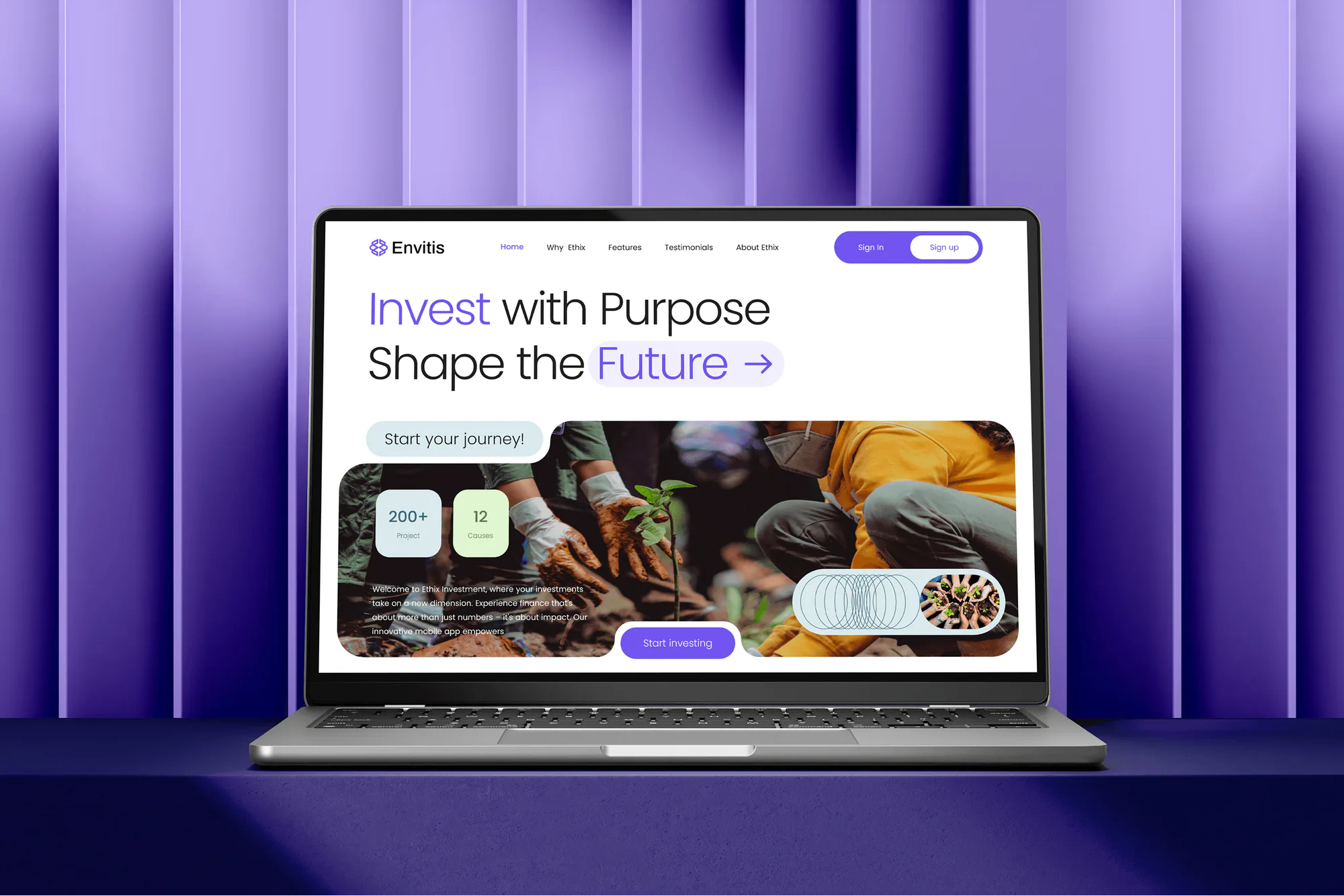
Envitis Investment Website Design & Development
- Finance
- Dashboard
- Website

For nonprofits that run on volunteers and donor trust: named logins, monthly access reviews, donation forms protected from card testing, and a board report. From $450 per month.
100%
Volunteer accounts reviewed monthly
12
Board-ready reports a year
How your project runs
01 · FreeIndustry leaders we work with
 Salesforce
 Google Sheets
 Stripe
 PayPal
The Problem
The gap shows up after a busy event season, a staff change in development, or the night bots start testing stolen cards on your donation page.
Old volunteers
Last year's event volunteers still have working email accounts.
Old volunteers
Every month we remove leavers and give new volunteers named, role-based accounts.
Shared logins
5 people share one password for the donor CRM.
Shared logins
Each person gets a named login with MFA, and shared passwords move to a password manager.
Card testing
Bots run stolen cards through your donation form overnight.
Card testing
We set your payment platform's fraud rules and CAPTCHA, then check for failed-donation bursts monthly.
Board email
Board members use personal Gmail for confidential board business.
Board email
Board members get organization accounts with MFA, reviewed with everyone else each month.
Your development director left in March, and her account still opens the donor CRM in June. Last summer's gala volunteers share one login for the event spreadsheet. Two board members forward board documents to personal Gmail. One night, your donation page takes hundreds of tiny gifts in an hour, and most of the cards are declined. Nobody on staff has security in their job description. The IT budget is whatever's left after programs.
We start with the accounts, because that's where most nonprofit trouble begins. In the first month, everyone gets a named login with MFA, shared passwords move into a password manager, and your domain gets DMARC. Then every month we review who joined and who left, check your donation form for card testing, and send a one-page report your board can read. Security becomes a monthly habit, not a scramble after a scare.
Volunteers come and go safely
Departed volunteers and board members lose access in the monthly review, not years later.
Donor data kept private
Donor CRM logins and exports are reviewed, so only the right people can download donor lists.
Donation forms watched
Card-testing bursts on your donation page get caught and blocked in your payment platform.
Our Cybersecurity for Nonprofits Process
You approve the account list and the baseline before anything changes. After that, each month's review and report arrive in the same week, so your board knows what to expect.
We ask how many staff, board members, and volunteers you have, which donor CRM and donation platform you use, and which licenses you hold. If MFA and your platform's free fraud settings are enough for an organization your size, we'll tell you before you sign up.
Projects We've Built
Websites and apps we designed and built that hold donor, member, and community records. Envitis lets supporters fund charity projects and see recent donations.


What's Included
The plan covers named logins with MFA, monthly access reviews for staff, board, and volunteers, donation form protection, and a board report. Larger plans add donor CRM reviews, phishing tests, restore tests, and an incident runbook.
Compare Options
Cyber security for nonprofits often runs on a generous volunteer or a general IT provider. Both have real strengths. Here is where each one fits and where a security-focused plan helps.
| Feature | DeveloperLookBest fit | Volunteer tech help | General IT provider |
|---|---|---|---|
| Planning | Free call, written monthly scope | Whatever time they can give | Bundled into the support contract |
| Cost | From $450 per month | Free or nearly free | Per-user monthly fee |
| Volunteer accounts | Reviewed every month | When someone remembers | Changed on request |
| Donor CRM access | Reviewed quarterly on larger plans | Rarely checked | Often outside scope |
| Donation form fraud | Card-testing checks every month | Not usually covered | Varies by provider |
| Board reporting | One-page report each month | Informal updates | Ticket summaries |
| Availability | Business days, alerts reviewed | Evenings and weekends too | Business-hours help desk |
| If they leave | Written notes and settings log | Knowledge leaves with them | Stays with the provider |
What Our Clients Say
Feedback from teams we have built apps, platforms, and websites for.
We had a pretty specific idea of what we wanted our website to become, but I wasn’t sure how easily we could explain all of it to a development team. There were quite a few moving parts, and we were working toward a deadline, so I expected a few things to get lost along the way. That never really happened. They understood what we were trying to achieve, kept us updated throughout the process, and got everything ready within the agreed timeline. The final site feels much easier to navigate, works beautifully on mobile, and is noticeably smoother for our customers. It was a huge relief seeing the original idea actually turn into the website we had in mind.
The mobile experience is probably my favourite part of the new site. We had spent a lot of time making sure the desktop version looked right, and the team kept pushing us to think about how everything would actually feel on a phone too. They were right. The navigation is clean, the interactions feel natural, and everything we’ve tested so far works exactly as it should. They also went through the links, forms, integrations, and other details more than once before launch, which I really appreciated. And even after going live, we could still reach out when something came up. The whole process felt friendly, organised, and surprisingly straightforward.
What I appreciate most is that the website is actually easy for us to manage now. We can update content ourselves instead of sending a developer a message every time we need to change something small. They also paid attention to the technical SEO side, which mattered to us because we didn’t want a new website to create problems for the traffic we already had. I’ve probably asked more questions than I should have since launch, but every question has been handled patiently and without any fuss. The team is easy to work with, they explain things clearly, and when we need something changed, they focus on getting it done rather than making the process complicated.
1,250+
Projects shipped
10+
Years of experience
5 stars
Clutch rating
5 stars
GoodFirms rating
Excellent
Trustpilot rating
Top 3%
Upwork Top Rated Plus
1,250+
Projects shipped
10+
Years of experience
5 stars
Clutch rating
5 stars
GoodFirms rating
Excellent
Trustpilot rating
Top 3%
Upwork Top Rated Plus

Want results like these?
Tell us what you are building. You get a reply within 24 hours on business days, then a written estimate.
Work Culture
Nonprofit security has to fit volunteers, boards, and budgets that donors watch closely. These habits keep the work affordable, kind to busy people, and easy to report.
Volunteers get simple, named accounts and a one-page sign-in guide. A retiree helping at an event can sign in without calling anyone.
We review roles and export rights inside your CRM, not donor records themselves. If a check needs real data, a staff member runs the report and shares only the result.
Most nonprofit editions of Google Workspace and Microsoft 365 already include strong security features. We turn those on before suggesting anything that costs money.
Each monthly report fits on one page and uses plain words. Your treasurer sees what changed, what it cost, and what needs a decision.
We schedule changes around galas, giving days, and year-end appeals. Nobody gets locked out of the donation tools on the busiest night of your year.
We review alerts on business days, and your tools block known threats automatically overnight. If you need people watching around the clock, we'll point you to 24/7 monitoring.
Overview
DeveloperLook provides cybersecurity for nonprofits as a managed monthly plan. We set up MFA and named logins, review staff, board, and volunteer access each month, check donation forms for card testing, and send a board report. Plans start at $450 per month, and the baseline takes 2 to 3 weeks, using licenses you already have.
DEVELOPERLOOK
Project facts · Cybersecurity for Nonprofits
Reviewed 27 Oct 2026 by Saimul Islam
Good fit
Small nonprofits with no IT staff
Your operations manager also handles IT, and you need cybersecurity for nonprofit organizations that runs every month without adding to their week.
Organizations that rely on volunteers
Your events bring in dozens of volunteers each season, and you've lost track of who still has an email account or a spreadsheet link.
Nonprofits hit by card testing
Your donation page took a flood of tiny, mostly declined gifts overnight, and your payment platform is asking what you've changed.
Organizations answering funder questions
Your foundation funder or cyber insurer sent a security questionnaire, and you need honest answers with monthly evidence behind them.
IT providers serving nonprofits
Your company supports several nonprofits, and you want a managed cybersecurity service for non-profits you can deliver under your brand.
Not a fit
One-time setup only
You want the basics switched on once, with no monthly plan. Our cybersecurity for small business page covers a one-time setup at a fixed price.
Need 24/7 human monitoring
You need people watching alerts overnight and on weekends. Our 24/7 security monitoring page covers round-the-clock coverage.
Need a new donor CRM
You're choosing or moving to a new donor database. Our CRM for nonprofits page covers selection, setup, and moving your data.
Budget under $450 a month
Your budget can't carry a monthly plan yet. Turn on MFA everywhere and use your payment platform's free fraud settings first, then come back as you grow.
Not sure we're the right fit?
Book a free call or message us. We'll tell you honestly whether we're the right team.
Pricing
These are monthly starting points in USD. Your plan depends on your account count and the donor and payment systems you run, and you get a fixed proposal after a free nonprofit call.
For Agencies
You own the nonprofit relationship. We run the monthly account reviews, donation form checks, and board reports under your brand, and you stay the provider each organization calls. Your nonprofit clients get security work sized to their budgets without new hires on your side.
White label: your client only ever sees your brand
Send each nonprofit's account count, donor CRM, and donation platform.
You get a monthly scope and price for each organization within 2 days.
We run the reviews and send reports you forward as your own.
Send each nonprofit's account count, donor CRM, and donation platform.
You get a monthly scope and price for each organization within 2 days.
We run the reviews and send reports you forward as your own.
The Right Technology for Your Project
These are the account, email, and payment tools most nonprofits already use, plus the donor systems where giving history and contact details live.
SalesforceGoogle SheetsStripePayPalFAQ
Straight answers on cost, setup time, choosing an advisor, requirements, card testing, training, and volunteer accounts.
Saimul IslamFounder & CEO, DeveloperLookStill have questions?
Send a message or book a call with the team.
It starts at $450 per month for up to 25 staff, board, and volunteer accounts. That covers the first-month baseline, monthly account reviews, donation form checks, and a board report. Nonprofits with up to 75 accounts and a donor CRM start at $700 per month, and multi-site organizations with up to 200 accounts start at $1,100 per month.
The baseline takes 2 to 3 weeks: named logins, MFA, DMARC, and donation form settings. After that, the monthly reviews start, and your first board report arrives at the end of month 1. We plan the baseline around galas, giving days, and year-end appeals, so nobody loses access to donation tools during a campaign.
Ask for sample reports, who will do the work, and how they handle volunteers and donor data. Experienced advisors talk about your CRM, donation platform, and board, not only firewalls. Ask what they'd turn on in the licenses you already hold before they sell anything new. A good advisor also says what they don't cover, such as overnight monitoring.
The best ones cover the accounts, donor data, and donation forms a nonprofit actually runs, at a monthly price the budget can carry. Look for monthly access reviews that include volunteers and board members, card-testing checks, and a report your board can read. Be wary of plans that sell new tools before using what your nonprofit edition already includes.
There's no single cybersecurity law for nonprofits, but several rules can apply. Card donations bring PCI DSS duties through your payment processor, and state breach notification laws cover donor personal data. Federal grants issued since October 2024 ask recipients to take reasonable cybersecurity measures to protect personal information (2 CFR 200.303(e)). Your counsel interprets these, and we set the controls.
Start with what you already pay for: MFA, the security settings in your Google or Microsoft nonprofit edition, and your payment platform's fraud rules. Add a password manager for shared logins and a monthly review of who has access. Those steps cost little and cover the account takeovers and card testing most nonprofits face first.
Turn on the fraud rules and CAPTCHA your payment platform offers, then watch for bursts of small, declined donations. In Stripe, Radar rules can block payments that fail the CVC check, and many donation tools let you raise the minimum gift. We set those up during the baseline and check your payment logs every month for new bursts.
Nonprofit training should cover the scams staff actually see: bank change requests, gift card requests, and fake donation receipts. Fake grantee emails ask finance to update bank details, gift card requests pose as your executive director, and fake receipts carry bad links. The 2 larger plans include quarterly phishing tests with a short refresher. Volunteers get a one-page guide instead of a long course.
Give each volunteer a named account with MFA for only the tools their role needs, and remove it when they leave. Avoid shared event logins, because nobody can tell who did what. Our monthly review flags every account unused for 30 days, so seasonal volunteers don't keep access into the next year.
You keep everything we set up: the settings, the password manager, and the written account rules. We hand over a settings log and a monthly checklist your staff or IT volunteer can follow. If a one-time setup suits you better from the start, our cybersecurity for small business page covers that fixed-price option.
Saimul IslamFounder & CEO, DeveloperLookStill have questions?
Send a message or book a call with the team.
Free 30-min callGoogle Meet
Book a call
In 30 minutes on Google Meet we walk you through how we would build it, how long it takes and what it costs. Then you get a written estimate.
Calendar not showing? Book on cal.com or send a brief.