
CRM to project handoff
Won Salesforce or HubSpot deals open Procore projects from your template, with client and team attached.

For general contractors on Procore: won deals that open as projects, contracts signed inside Procore, and costs that reach accounting without rekeying.
100%
Won deals opened as projects
1-click
Contracts sent for signature
How your project runs
Teams we have built for:














The Problem
Procore integration usually comes up after a big win. The job gets retyped from the CRM into Procore, then into accounting, and change orders still get signed on paper.
01 · Won bids
Won deals get rebuilt in Procore by hand.
A won opportunity opens a Procore project from your template.
02 · Directory
Subcontractors are typed into the directory twice.
Companies and contacts sync between the CRM and Procore's directory.
03 · Signatures
Change orders are printed, signed, and scanned back.
Change orders go out with Procore's Sign with Docusign button.
04 · Accounting
Commitments are rekeyed into the accounting system.
Commitments export through the ERP tool once an accounting approver accepts them.
Your estimator marks the bid won in Salesforce on Friday. On Monday, a project coordinator rebuilds the job in Procore by hand: address, client, team, and budget. The subcontractor list goes into the directory a second time. Change orders get printed, signed, scanned, and uploaded. Then your accountant rekeys every commitment into Sage, because nobody set an approver in the ERP tool. Three systems now hold three versions of one job, and nobody is sure which number is right.
We start with the handoffs: where a job is born, where it's built, and where it gets paid. Then we connect them in that order, using Procore's own Marketplace apps, DocuSign, and the ERP Integrations tool before any custom code. Where a gap remains, we build a data connector in a Procore sandbox first. Each job gets entered once, not three times.
Handoffs mapped first
Where a job starts, gets built, and gets paid, drawn out before anything connects.
Marketplace before custom code
Procore's own apps, DocuSign, and ERP tool first, so you only build what's missing.
Sandbox before production
Custom work runs in a Procore sandbox and passes your review before live projects.
Our Procore Integration Process
You see every handoff between your CRM, Procore, and accounting first, approve each app's access, and review sandbox results before production.
We map where a job starts, where it's built, and where it's paid across your CRM, Procore, and accounting. You get a list of the Marketplace apps and native tools that cover each handoff, and the gaps that need the API.
What's Included
Most contractors start with Procore integrations from the Marketplace, DocuSign, and the ERP tool. Larger firms add a CRM handoff and custom data connectors.
Compare Options
A single Marketplace app is quick when one handoff is all you need, and in-house IT knows your systems. Here's where each holds up once three systems share one job.
| Feature | DeveloperLookBest fit | Marketplace apps | In-house IT |
|---|---|---|---|
| Handoff review | CRM, Procore, and ERP mapped | Per app only | When time allows |
| App choice | Compared against your handoffs | Chosen from the listing | Trial and error |
| DocuSign and ERP | Enabled with approvers set | Separate setup per tool | Possible with admin access |
| Gaps between apps | Closed with a sandbox-built connector | Left open | Scripts that need upkeep |
| Permissions | Templates per service account | Set at install | Often broad admin access |
| Speed to start | 2 to 8 weeks | Days for one app | Depends on IT backlog |
| Cost | Fixed price from $950 | Subscription per app | Staff time |
| Ownership | Code and docs you keep | Vendor-owned app | Owned in-house |
Projects We've Built
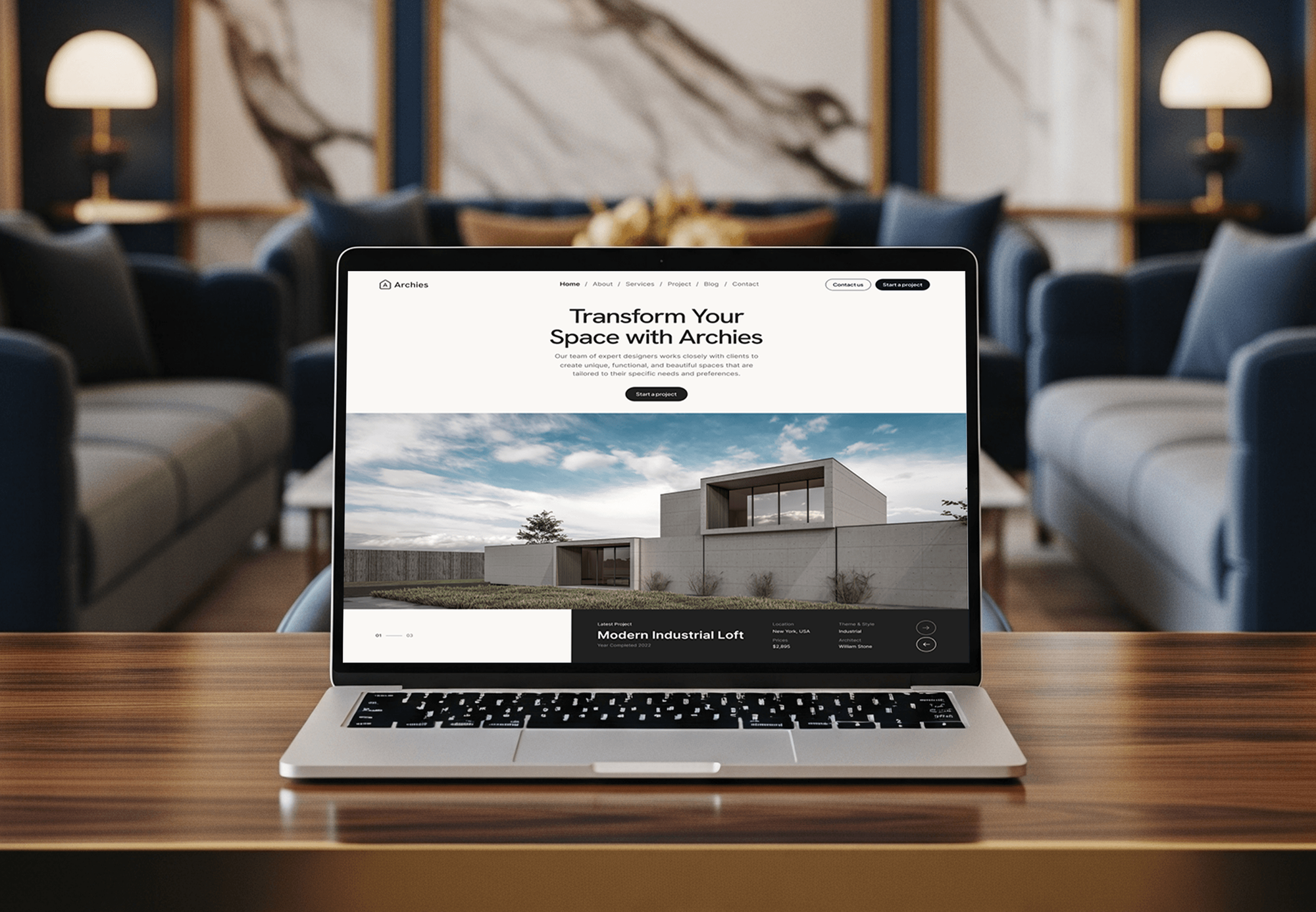
Construction, architecture, logistics, and finance software we designed and built. None of them ran on Procore, but each one moves project or cost data.



What Our Clients Say
Feedback from teams we have built websites and business software for.
We had a pretty specific idea of what we wanted our website to become, but I wasn’t sure how easily we could explain all of it to a development team. There were quite a few moving parts, and we were working toward a deadline, so I expected a few things to get lost along the way. That never really happened. They understood what we were trying to achieve, kept us updated throughout the process, and got everything ready within the agreed timeline. The final site feels much easier to navigate, works beautifully on mobile, and is noticeably smoother for our customers. It was a huge relief seeing the original idea actually turn into the website we had in mind.
The mobile experience is probably my favourite part of the new site. We had spent a lot of time making sure the desktop version looked right, and the team kept pushing us to think about how everything would actually feel on a phone too. They were right. The navigation is clean, the interactions feel natural, and everything we’ve tested so far works exactly as it should. They also went through the links, forms, integrations, and other details more than once before launch, which I really appreciated. And even after going live, we could still reach out when something came up. The whole process felt friendly, organised, and surprisingly straightforward.
What I appreciate most is that the website is actually easy for us to manage now. We can update content ourselves instead of sending a developer a message every time we need to change something small. They also paid attention to the technical SEO side, which mattered to us because we didn’t want a new website to create problems for the traffic we already had. I’ve probably asked more questions than I should have since launch, but every question has been handled patiently and without any fuss. The team is easy to work with, they explain things clearly, and when we need something changed, they focus on getting it done rather than making the process complicated.
1,250+
Projects shipped
10+
Years of experience
Top 3%
Upwork Top Rated Plus
5 stars
Average review score

Want results like these?
Tell us what you are building. You get a reply within 24 hours on business days, then a written estimate.
Work Culture
Estimators, project managers, and accountants all need the same numbers. These habits keep our Procore work reliable across all three teams.
We check Procore's Marketplace, DocuSign, and ERP tool against each handoff first. If an existing app covers it, we'll tell you before we quote.
Custom work runs in Procore's developer and monthly sandboxes before production. Your live projects and real subcontractors aren't where anyone finds bugs.
Each app's service account gets a permission template limited to the tools and projects it needs. Your admins can change that list later.
Procore versions each API resource and gives at least a year's notice before retiring a GA version. We log the versions we use, so upgrades get planned.
Your accounting approver sees every export before it reaches the ERP. Nothing posts to the books without that sign-off, so month-end stays theirs to control.
You get a written scope and one price after the free review. Anything new mid-project gets quoted before we start it.
Overview
DeveloperLook handles Procore integration for general contractors and specialty builders. We connect won CRM deals to Procore projects, set up DocuSign and the ERP Integrations tool, and build custom data connectors in a Procore sandbox first. Projects start at $950 and take 2 to 8 weeks, with least-privilege service accounts on every app.
DEVELOPERLOOK
Project facts · Procore Integration Services
Reviewed 22 Oct 2026 by Saimul Islam
Good fit
General contractors on Salesforce
Your estimators win work in Salesforce, then someone rebuilds the job in Procore. You want the Procore Marketplace CRM integrations compared before anyone buys one.
Builders tracking bids in HubSpot
Your business development team tracks bids in HubSpot, and there's no HubSpot app in Procore's Marketplace. You need a Procore HubSpot integration built another way.
Project teams signing change orders
Your project managers print, sign, and scan change orders outside Procore. You want the Procore DocuSign integration on, so commitments get signed where they live.
Accounting teams on Sage or QuickBooks
Your accountant rekeys commitments and invoices from Procore into Sage 300 CRE or QuickBooks. You want the ERP Integrations tool and an approver set up.
In-house developers starting on the API
Your developer read the Procore API documentation and needs a data connector built with a service account, sandbox testing, and production access.
Not a fit
Residential builder on Buildertrend
You build homes and remodels on Buildertrend, not Procore. Our Buildertrend integrations page covers that system's accounting and CRM links instead.
Still choosing a CRM
You haven't picked a CRM for pursuits yet. Our Salesforce integration services and HubSpot integration services pages cover choosing and connecting one first.
Budget under $950
Your budget is under $950 and you only need DocuSign switched on in Procore. Procore's own setup guide covers that, and we'll say so before we quote.
Need Procore training
Your team needs training on Procore's tools, not systems connected to it. Procore's own training and certified consultants fit that better than an integration team.
Not sure we're the right fit?
Book a free call or message us. We'll tell you honestly whether we're the right team.
Pricing
These are starting points in USD. Your final price depends on your CRM, accounting system, and custom API work, and you get a fixed proposal after a free handoff review.
For contractors who want Marketplace apps, DocuSign, and the ERP tool working together.
$950one-time, USD
For firms whose won Salesforce or HubSpot deals should open Procore projects on their own.
$2,450one-time, USD
For contractors who need their own Procore app for reporting, syncs, or a system no app covers.
$4,650one-time, USD
For Agencies
You own the contractor relationship. We supply the Procore integration work behind your brand: Marketplace app setup, DocuSign and ERP configuration, and custom data connectors. You lead the client conversations, and we stay in the background unless you invite us.
White label: your client only ever sees your brand
Send the CRM, Procore setup, and accounting system the client runs today.
We map the handoffs and send a fixed scope you can mark up.
We build in a sandbox, launch, and hand you a white-label guide.
Your brand on every handoff map and setup guide.
Fixed timelines planned around project starts and closeouts.
Service accounts with permission templates on every build we deliver.
Extra developers for several contractor clients at once.
The Right Technology for Your Project
We use Procore's Marketplace apps, DocuSign, and ERP tool first, then the Procore REST API and webhooks for the handoffs no app covers.
 Salesforce
 HubSpot
 Zapier
 QuickBooks
 Sage
Sage Xero
Xero Node.js
 PostgreSQL
 AWS
AWSFAQ
Straight answers on Procore costs, CRMs, the API, DocuSign, HubSpot, and accounting connections.
Saimul IslamFounder & CEO, DeveloperLookStill have questions?
Send a message or book a call with the team.
DeveloperLook's Procore setups start at $950 for Marketplace app setup, DocuSign, the ERP Integrations tool with an approver, and permission templates. A CRM to project handoff from Salesforce or HubSpot starts at $2,450. A custom data connector with sandbox testing starts at $4,650. Procore and app vendors bill their own subscriptions.
A custom build on the API takes 4 to 8 weeks, including sandbox testing and production access. Marketplace and native tool setups take 2 to 3 weeks. Production credentials need a verified developer account with a business email, so we request them early instead of waiting for the build to finish.
No, Procore is a construction management platform, not a CRM. It runs projects, financials, and field work for contractors across four product lines. Pursuit tracking usually stays in a CRM such as Salesforce or HubSpot, and the integration hands won work over to Procore once the contract is signed.
Not as a standalone product: Procore says it handles CRM needs through Preconstruction and Bid Management, where won bids become live projects. For full pursuit tracking, Procore's Marketplace has a CRM category with apps such as Salesforce connectors, Unanet CRM by Cosential, and Followup CRM. We compare them against your handoffs before you buy.
Yes, Procore has a REST API secured with OAuth 2.0. Each resource is versioned on its own, such as /rest/v1.2/projects, and newer v2 paths exist for some tools. Procore gives at least a year's notice before retiring a generally available version, and its webhooks report changes, so integrations don't need constant polling.
Yes, Procore calls its API open, but production use isn't instant. Anyone can build in a developer sandbox, while production credentials need a verified developer account and a request to Procore. Every app, custom or from the Marketplace, also has to be installed by a company admin, who picks the projects it can reach.
You create a verified account on Procore's developer portal, register an app, and add a data connector to get sandbox credentials. The Procore API documentation then covers installing it in the developer sandbox with an installation key. After testing, you request production access, and a company admin installs the app with its service account.
Yes, Procore builds its own DocuSign integration. It sends commitments, purchase orders, prime contracts, change orders, and invoices for signature with a Sign with Docusign button, and status shows back in Procore. A company admin enables it, then each project admin. A DocuSign Procore integration needs a DocuSign account to send, not to sign.
Not in Procore's own Marketplace, which lists no HubSpot app as of October 2026. A Procore HubSpot integration runs through a third-party sync tool, Zapier or Workato (both listed by Procore), or a custom build on both APIs. We pick by volume: Zapier for a handful of won deals, the API for many.
Procore's ERP Integrations tool supports 14 accounting and ERP connectors. They include QuickBooks Desktop and Online, Sage 100 Contractor, Sage 300 CRE, Sage Intacct, NetSuite, Acumatica, CMiC, Viewpoint Spectrum and Vista, Xero, Yardi Voyager, MRI, and Workday. An accounting approver accepts each export, and which records move each way depends on the connector.
Saimul IslamFounder & CEO, DeveloperLookStill have questions?
Send a message or book a call with the team.
Free 30-min callGoogle Meet
Book a call
In 30 minutes on Google Meet we walk you through how we would build it, how long it takes and what it costs. Then you get a written estimate.
Calendar not showing? Book on cal.com or send a brief.