
Mobile-first software choice
Roofing CRMs and general CRMs compared on mobile apps, claim tracking, and per-user cost.

For storm, retail, and commercial roofers: every lead logged by address, every claim tracked to final payment, and every signed roof tied to the ad that found it.
24hrs
From inspection to sent estimate
100%
Jobs tracked to final payment
How your project runs
Teams we have built for:














The Problem
It shows up after the first big storm season. Leads, adjuster meetings, photos, and supplements spread across apps, phones, and the office whiteboard.
01 · Storm leads
Canvassing leads land in 3 different apps after a storm.
Every door-knock lead lands in one pipeline with an address and a rep.
02 · Missed meetings
Adjuster meetings slip because contact details sit in texts.
Each claim gets adjuster tasks with the homeowner's details attached.
03 · Unpaid depreciation
Depreciation checks go unclaimed for weeks after the build.
A release task fires when the job completes, so final payment gets requested.
04 · Unknown ROI
Nobody knows which ads produced signed roofs.
Every job ties back to its lead source with the contract value.
A hailstorm hits on Tuesday. By Thursday, your canvassers have knocked on dozens of doors and logged leads in 3 different apps. An adjuster meeting slips because the homeowner's number sat in a rep's texts. A supplement goes in, but nobody tracks when the depreciation check is due, so a finished job sits unpaid for weeks. Inspection photos live on 4 phones. And when you ask which ads paid for themselves last season, nobody knows.
We start with your job mix: retail replacements, insurance claims, repairs, and commercial work. Then we set up the CRM that fits, build pipelines for each job type, and attach photos and measurement reports to every job. Claims move through adjuster meetings, supplements, and depreciation release with a task at each step. Marketing spend gets judged by signed contracts, not clicks.
Storm leads in one place
Canvassing, web, and referral leads land in one pipeline with the address and the rep.
Claims tracked to payment
Adjuster meetings, supplements, and depreciation release each get a task and a due date.
Photos on every job
Inspection photos and measurement reports attach to the job record, not a rep's camera roll.
Our Roofing CRM Setup Process
You approve the software, the job stages, and every text and task template. Sample jobs move through retail and insurance stages before reps use the system.
We map how leads arrive, from storms and canvassing to referrals and ads, and how claims move today. You get a short written plan. If your current roofing software only needs better setup, we'll say so before we quote.
What's Included
Every plan covers the software choice, retail and insurance pipelines, estimate follow-up, and photos on every job. Higher plans add claim detail, canvassing, texting, ROI reports, migration, and production scheduling.
Compare Options
Roofing software vendors run onboarding, and an office manager can set up the basics. Here's how each compares once storm leads, claims, and crews all share one system.
| Feature | DeveloperLookBest fit | Vendor onboarding | In-house setup |
|---|---|---|---|
| Software choice | Compared for your job mix | Their product only | Whatever the office picked |
| Insurance claim stages | Built to final payment | Template stages | Varies |
| Measurement reports | Linked where integrations allow | Native in some tools | Uploaded by hand |
| Canvassing leads | Logged by address and rep | Often a separate app | Paper or texts |
| Marketing ROI | Contract value by source | Basic reports | Rarely measured |
| Training | Reps and crews, on mobile | Video library | Learn as you go |
| Cost to start | From $1,000, fixed scope | Often included | Staff time |
| Speed to start | 2 to 3 weeks | 1 to 2 weeks | Depends on staff time |
Projects We've Built
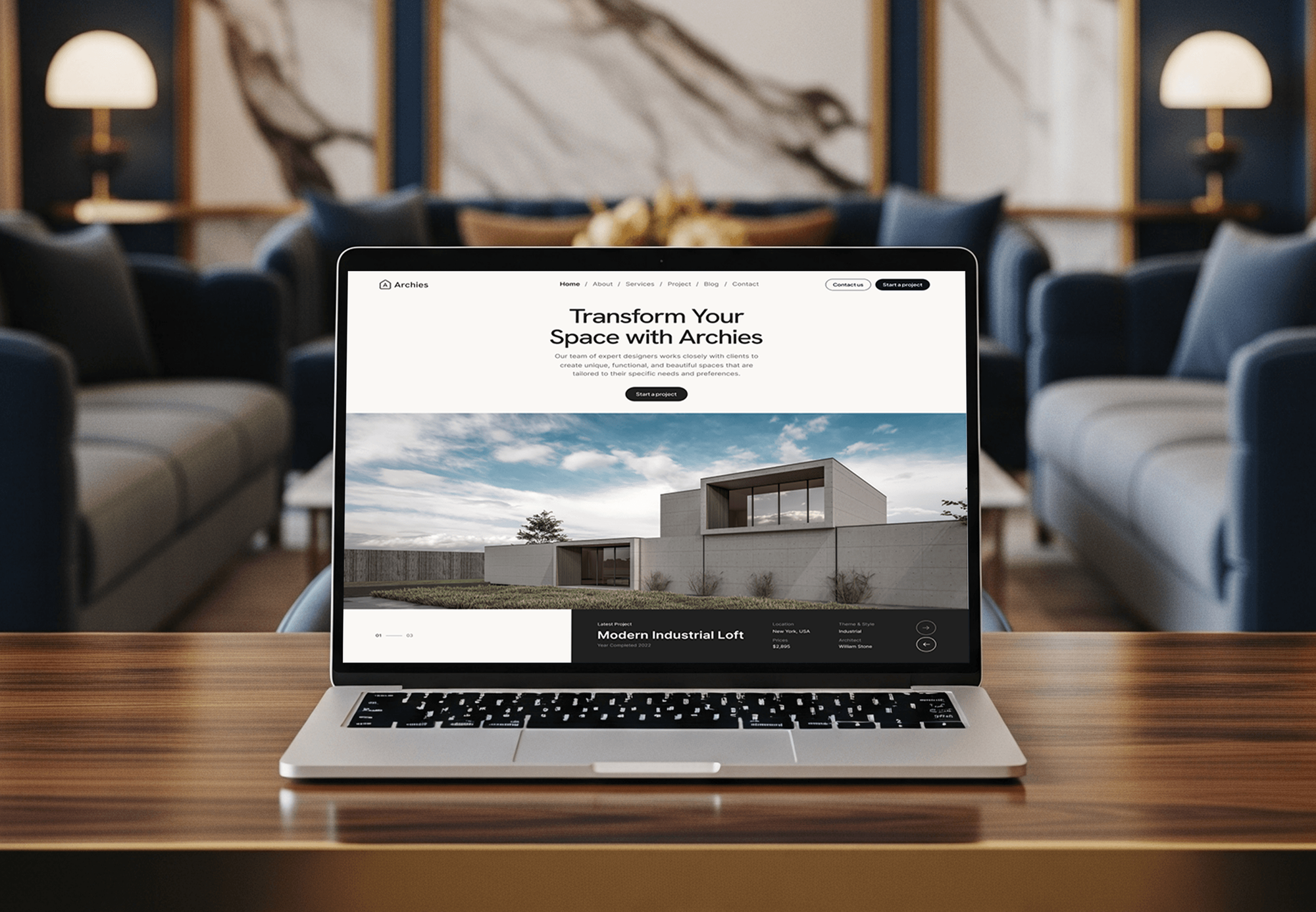
Construction, architecture, and hardware websites our team designed and built, where every inquiry needed a fast reply and a clear next step.



What Our Clients Say
Feedback from teams we have built websites, dashboards, and integrations for.
We had a pretty specific idea of what we wanted our website to become, but I wasn’t sure how easily we could explain all of it to a development team. There were quite a few moving parts, and we were working toward a deadline, so I expected a few things to get lost along the way. That never really happened. They understood what we were trying to achieve, kept us updated throughout the process, and got everything ready within the agreed timeline. The final site feels much easier to navigate, works beautifully on mobile, and is noticeably smoother for our customers. It was a huge relief seeing the original idea actually turn into the website we had in mind.
The mobile experience is probably my favourite part of the new site. We had spent a lot of time making sure the desktop version looked right, and the team kept pushing us to think about how everything would actually feel on a phone too. They were right. The navigation is clean, the interactions feel natural, and everything we’ve tested so far works exactly as it should. They also went through the links, forms, integrations, and other details more than once before launch, which I really appreciated. And even after going live, we could still reach out when something came up. The whole process felt friendly, organised, and surprisingly straightforward.
What I appreciate most is that the website is actually easy for us to manage now. We can update content ourselves instead of sending a developer a message every time we need to change something small. They also paid attention to the technical SEO side, which mattered to us because we didn’t want a new website to create problems for the traffic we already had. I’ve probably asked more questions than I should have since launch, but every question has been handled patiently and without any fuss. The team is easy to work with, they explain things clearly, and when we need something changed, they focus on getting it done rather than making the process complicated.
1,250+
Projects shipped
10+
Years of experience
Top 3%
Upwork Top Rated Plus
5 stars
Average review score

Want results like these?
Tell us what you are building. You get a reply within 24 hours on business days, then a written estimate.
Work Culture
Roofing runs in surges: storms, claims, and crews all at once. These habits keep your roofer CRM fast in the field and clear in the office.
We aim to finish setup before your busiest months start. Training reps during a storm surge means leads get lost while everyone learns.
Every photo and report attaches to the job record, not a rep's camera roll. Adjusters and homeowners see the same evidence your office sees.
If JobNimbus or your current system just needs better setup, we fix that instead of switching. Moving roofing data costs time you'd rather spend on roofs.
Homeowners get texts only after their consent is stored in the CRM. TCPA rules apply to storm campaigns too, and that's where shortcuts get tempting.
Contract value ties back to the lead source, ad, or canvasser. You'll know which spend produced signed roofs, not just phone calls.
Job history, photos, and contacts sit in your company's account. When a rep leaves, their pipeline and past customers stay with you.
Overview
DeveloperLook sets up a roofing CRM for storm restoration, retail, and commercial roofers. We compare JobNimbus, AccuLynx, Roofr, and HubSpot, build pipelines for each job type, and track claims to final payment with photos attached. Setups start at $1,000 and take 2 to 8 weeks, in accounts your company owns.
DEVELOPERLOOK
Project facts · Roofing CRM Setup
Reviewed 7 Oct 2026 by Saimul Islam
Good fit
Storm restoration companies
You work insurance claims after hail and wind events and juggle adjusters, supplements, and depreciation checks. You need a roofing contractor CRM that tracks every claim step.
Retail replacement roofers
You sell replacements through ads and referrals. You want a CRM for roofing company sales that follows up on every estimate until the homeowner signs.
Roofers outgrowing spreadsheets
You started with a spreadsheet and a group text, and now 3 crews depend on it. You need a CRM for roofers that your office and crews both use.
Commercial roofing contractors
You bid commercial reroofs and maintenance plans with property managers. You want CRM software for roofing contractors that handles longer sales cycles and service visits.
Agencies marketing for roofers
You run ads for roofing companies and need CRM data that shows which campaigns produced signed roofs, not just inspection requests.
Not a fit
Website brings no requests
Your website doesn't bring in inspection requests in the first place. Our Roofing Website Design Services page fixes that before a CRM matters.
Mostly GC or commercial bids
Most of your work is bids for GCs or commercial builds, not roofs. Our CRM for Contractors: Setup and Automation page fits better.
Budget under $1,000
Your budget is under $1,000, or you run one crew with a handful of jobs a month. Your roofing software's own setup guides are enough for now.
AccuLynx link only
You already run AccuLynx and only need it connected to your website or another tool. That's an integration project, quoted on its own.
Not sure we're the right fit?
Book a free call or message us. We'll tell you honestly whether we're the right team.
Pricing
These are starting points in USD. Your price depends on your job mix, crew count, and which measurement and photo tools you use, and you get a fixed proposal after a free review.
For roofers moving leads, inspections, and jobs out of spreadsheets and group texts.
$1,000one-time, USD
For restoration roofers running claims, canvassing teams, and storm campaigns.
$2,500one-time, USD
For roofing companies running several crews, offices, or commercial work from one CRM.
$5,100one-time, USD
For Agencies
You own the client relationship. We build the CRM behind your roofing campaigns: lead capture by source, estimate follow-up, and reports that tie signed roofs to ad spend. It's delivered under your brand, in accounts your roofing client owns.
White label: your client only ever sees your brand
Their job mix, lead sources, current software, and the reports the owner wants.
You get stage maps and a fixed price for your proposal.
We configure, test with sample jobs, train under your brand, and hand over logins.
Calls, guides, and rep training carry your agency name.
Reports tie contract value to the campaigns and keywords behind it.
Milestones planned so reps are trained before the busy months.
One playbook for a single crew or a multi-crew roofing company.
The Right Technology for Your Project
We set up the roofing software or CRM that fits, then connect measurement reports, photos, texting, and accounting where integrations allow.
 HubSpot
 Salesforce
 Twilio
 QuickBooks
 Zapier
FAQ
Straight answers on setup cost, software fees, mobile apps, automation, and tracking marketing ROI for roofers.
Saimul IslamFounder & CEO, DeveloperLookStill have questions?
Send a message or book a call with the team.
Setup with DeveloperLook starts at $1,000 for one office, covering retail and insurance pipelines, photo and measurement attachments, and estimate follow-up. Storm and insurance workflows with canvassing, texting, and ROI tracking start at $2,500, and multi-crew companies start at $5,100. The software subscription itself is billed separately by its vendor.
A roofing company's CRM setup takes 2 to 3 weeks for one office. Adding storm workflows, canvassing, and texting takes 3 to 5 weeks, and multi-crew companies with migration take 5 to 8 weeks. We aim to finish before storm season, because training reps during a surge costs leads.
Most roofing CRMs charge a monthly subscription, priced per user or per company, and many vendors quote larger teams on request. Prices change often, so check each vendor's current plans. Budget for add-ons too, such as measurement reports per roof and texting fees per message. Our setup is a one-time fee on top.
Many roofing contractors use roofing-specific systems such as JobNimbus, AccuLynx, or Roofr, while others run HubSpot or Salesforce set up for roofing. Storm restoration companies lean toward roofing-specific tools for claim tracking. Retail-focused roofers often do well with a general CRM and strong marketing tools.
No single best roofing CRM app fits every crew, so test your shortlist in the field. JobNimbus, AccuLynx, and Roofr all offer mobile apps for photos, notes, and job updates. Check offline use, photo uploads on a weak signal, and how many taps a rep needs to log an inspection.
A mobile CRM puts the job on the roof with your crew. Production managers see schedules, reps upload photos and measurements on site, and crews get job details without calling the office. Change orders and supplement photos land on the job record the same day they're taken.
The right automation matters more than the brand. Look for stage-based tasks, such as an adjuster meeting reminder or a depreciation release request, plus automatic texts and emails with consent. Roofing CRMs such as JobNimbus include workflow automations, and HubSpot or Salesforce can be built to match. We set up the automations your process needs.
Yes. A CRM ties every job to its lead source, whether that's Google Ads, a door-knock, or a referral, and records the signed contract value. Compare revenue with spend per source and you see which channels pay. Google Ads click IDs can pass through your web forms, so paid leads are matched automatically.
Choose a CRM for roofing by your job mix first. Insurance-heavy companies need claim stages and supplement tracking, retail roofers need fast estimate follow-up, and commercial roofers need longer pipelines. Then test mobile apps with your reps and check measurement report links. We run that comparison in step 2.
Your company owns the account, every job, and every photo. We document pipelines, automations, and integrations, and support after launch lasts 30, 45, or 60 days, set by your plan. If you switch software later, the field map we leave makes moving jobs and photos much easier.
Saimul IslamFounder & CEO, DeveloperLookStill have questions?
Send a message or book a call with the team.
Free 30-min callGoogle Meet
Book a call
In 30 minutes on Google Meet we walk you through how we would build it, how long it takes and what it costs. Then you get a written estimate.
Calendar not showing? Book on cal.com or send a brief.