
Good, Better, Best proposal pages
Up to 3 options per estimate, each with photos, scope notes, warranty terms, and its own price.

Connect contractor estimating software to web proposals with options, e-signatures, and deposits homeowners can use on a phone. From $1,300.
2X
Faster estimate sign-offs
1link
To compare, choose, and sign
How your project runs
Teams we have built for:














The Problem
PDFs stall good jobs. Homeowners can't compare options on a phone, can't sign without a printer, and can't pay a deposit, so the decision drifts between your visit and their yes.
01 · Pinch zooming
Homeowners pinch to zoom through your PDF on a phone.
Each estimate becomes a branded page that reads well on a phone.
02 · Confusing totals
They can't tell which total includes the upgraded windows.
Good, Better, Best options sit side by side, and add-ons update the total.
03 · Printer delays
They plan to print, sign, and scan it this weekend, and don't.
Homeowners sign on the phone and pay the deposit, and your office gets an alert.
04 · Retyped numbers
Moving prices into a nicer format means retyping every line item.
Line items come from ServiceTitan, Jobber, Housecall Pro, or your spreadsheet.
You spend the evening at the kitchen table, measure everything, and email a PDF that night. The homeowner opens it on a phone, pinches to zoom, and can't tell which total includes the upgraded windows. They plan to print, sign, and scan it this weekend. They don't. Your estimator calls twice and hears they're still thinking. Then a competitor sends a page with clear options and a sign button. You lose the job to the easier yes, not the better price.
We start with the estimates you already build in your contractor estimating software, whether that's ServiceTitan, Jobber, Housecall Pro, or a spreadsheet. Each one becomes a branded page with Good, Better, Best options, photos, and add-ons that update the total as the homeowner taps. They sign on the phone and pay the deposit, and your office gets an alert. The job gets decided on your proposal, not lost in an inbox.
Options homeowners can compare
Good, Better, Best packages sit side by side with photos, warranties, and add-ons.
Signed on the phone
Homeowners type or draw a signature, and both sides get a signed, timestamped PDF.
Your pricing software stays
Line items come from the software you price in, so nobody retypes numbers.
Our Proposal & Estimating Integration Process
You approve the page design, the option structure, and every sync rule before homeowners see anything. Test proposals go to your own phone first, so nothing reaches a customer unchecked.
We review recent estimates, how your team presents options, and where homeowners stall. You get a proposal outline, the sync path for your software, and a fixed price before we build.
What's Included
Every plan turns your estimates into mobile proposals with options, e-signatures, and card deposits. Larger plans add two-way estimate sync, reminders, tier reports, and QuickBooks Online.
Compare Options
Quotes built into estimating software for contractors are free and fast, and proposal apps look polished. Here's where each fits once you need your own options, sync, and branding.
| Feature | DeveloperLookBest fit | Built-in software quotes | Proposal app subscription |
|---|---|---|---|
| Upfront cost | Fixed, from $1,300 | Included in your plan | Monthly fee per user |
| Time to first proposal | 2 to 3 weeks | Same day | A few days |
| Option layout | Designed for your trade | Vendor's standard layout | Template library |
| Estimating tool sync | Your tool, both ways | Native to that software | Import or retype |
| Signature and deposit | One step on the phone | Depends on your plan | Usually included |
| Branding and photos | Fully yours | Logo and colors | Brand themes |
| Reports by option | Close rate by tier | Basic quote reports | Views and signatures |
| Ownership | Code and records you own | Inside the vendor account | Tied to the subscription |
Projects We've Built
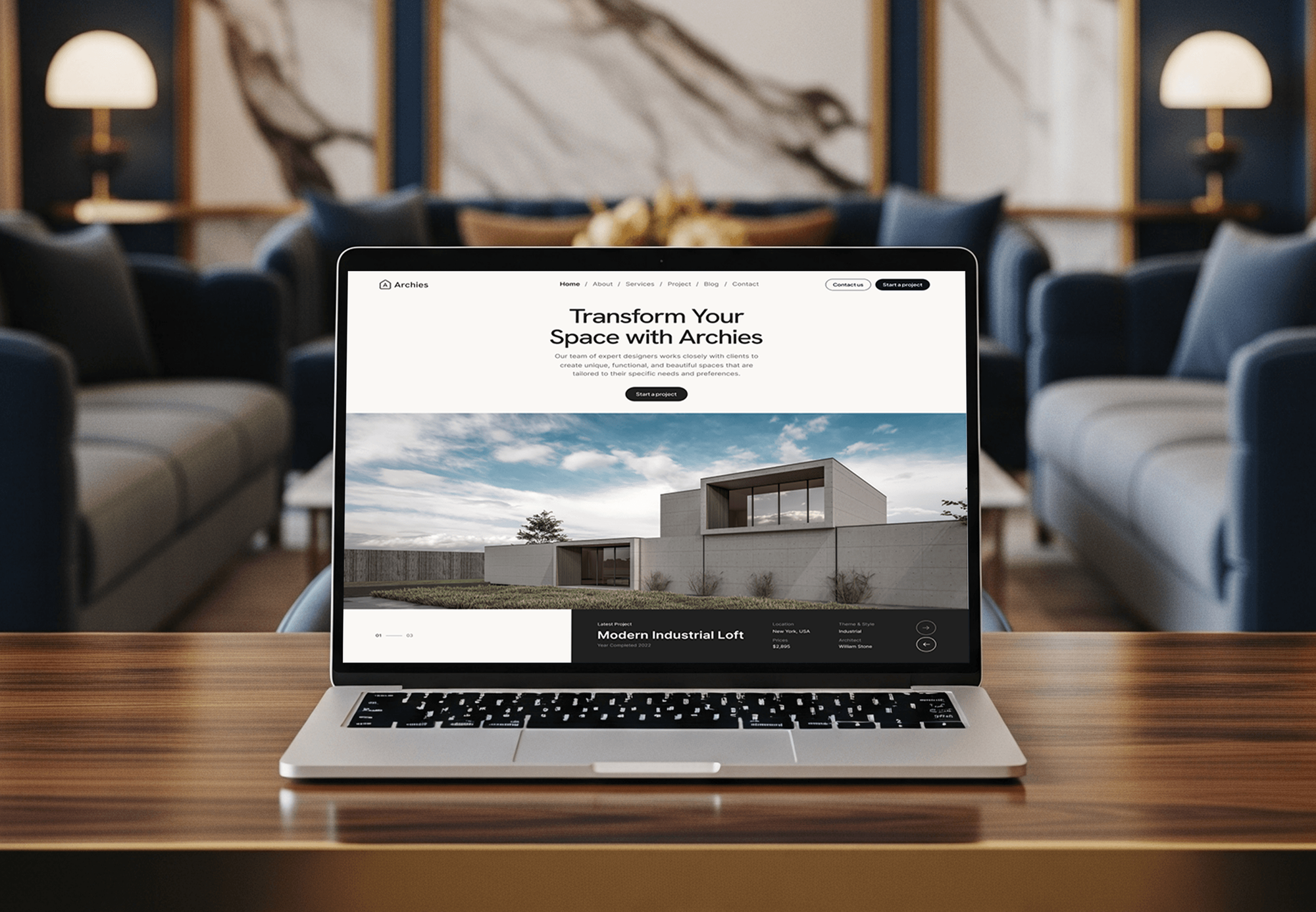
A construction company website, an architecture studio site, and finance and SaaS web apps from our portfolio: the pages and dashboards a proposal system builds on.



What Our Clients Say
Feedback from teams we have built web apps and service business websites for.
We had a pretty specific idea of what we wanted our website to become, but I wasn’t sure how easily we could explain all of it to a development team. There were quite a few moving parts, and we were working toward a deadline, so I expected a few things to get lost along the way. That never really happened. They understood what we were trying to achieve, kept us updated throughout the process, and got everything ready within the agreed timeline. The final site feels much easier to navigate, works beautifully on mobile, and is noticeably smoother for our customers. It was a huge relief seeing the original idea actually turn into the website we had in mind.
The mobile experience is probably my favourite part of the new site. We had spent a lot of time making sure the desktop version looked right, and the team kept pushing us to think about how everything would actually feel on a phone too. They were right. The navigation is clean, the interactions feel natural, and everything we’ve tested so far works exactly as it should. They also went through the links, forms, integrations, and other details more than once before launch, which I really appreciated. And even after going live, we could still reach out when something came up. The whole process felt friendly, organised, and surprisingly straightforward.
What I appreciate most is that the website is actually easy for us to manage now. We can update content ourselves instead of sending a developer a message every time we need to change something small. They also paid attention to the technical SEO side, which mattered to us because we didn’t want a new website to create problems for the traffic we already had. I’ve probably asked more questions than I should have since launch, but every question has been handled patiently and without any fuss. The team is easy to work with, they explain things clearly, and when we need something changed, they focus on getting it done rather than making the process complicated.
1,250+
Projects shipped
10+
Years of experience
Top 3%
Upwork Top Rated Plus
5 stars
Average review score

Want results like these?
Tell us what you are building. You get a reply within 24 hours on business days, then a written estimate.
Work Culture
A proposal carries your price, your promises, and your customer's signature. These habits keep each one accurate, readable on a phone, and true to the job.
Every price on the proposal comes from your estimating tool or price list, not retyped by hand. We test totals, taxes, and deposits against real past estimates before launch.
Option names and add-ons use the words your estimators already say at the kitchen table. Homeowners compare real choices, not vague tiers they have to call about.
Each signature keeps a timestamp, an IP address, and a signed PDF for both sides. If your attorney wants a cancellation notice or set terms, we add their exact text.
Follow-up emails go out in your estimator's name, on a schedule you set. They stop once a homeowner signs or declines, so nobody gets nagged.
If Jobber or Housecall Pro already covers your proposals, we'll say so before we quote. You only pay for what your software can't do.
You own the proposal templates, the code, and every signed record. Nothing sits in an account you can't open without us.
Overview
DeveloperLook connects contractor estimating software to interactive web proposals for remodelers, roofers, and HVAC companies. Each build covers Good, Better, Best options, add-ons with a live total, e-signatures, card deposits, and view alerts. Projects start at $1,300, take 2 to 10 weeks, and you own every template and signed record.
DEVELOPERLOOK
Project facts · Contractor Proposal & Estimating Software Integration
Reviewed 28 Sep 2026 by Saimul Islam
Good fit
Remodelers selling kitchens and baths
You price remodels in a spreadsheet and send a long PDF. Homeowners call back asking which total includes the tile they picked.
Roofers quoting in Jobber or Housecall Pro
Your quotes live in Jobber or Housecall Pro, but homeowners compare roofers at night and pick the proposal that's easiest to read.
HVAC shops running ServiceTitan
Your comfort advisors present replacement options in ServiceTitan, and you want those same tiers on a branded page the family can open again.
General contractors bidding remodels and additions
You price jobs in estimating software for construction, then retype totals into a Word proposal, and one missed line item eats your margin.
Agencies with home improvement clients
Your agency brings remodeling leads to a client, and you want their proposals to look as sharp as the ads that found the buyer.
Not a fit
Buying estimator software
You're shopping for construction cost estimator software itself, with takeoffs and cost databases. We don't sell that software; we connect the one you choose to your proposals.
Jobber quotes already close
Your Jobber quotes, with optional line items and signed approval in client hub, already close jobs well. Our Jobber Website Integration Services page covers the website side for less.
Long-build project updates
You need milestone payments, change orders, and daily photos during a long build, not a sales proposal. Contractor Client Portal Development is the better fit.
A few estimates monthly
Your budget is under $1,300, or you send only a few estimates a month. A clean PDF template from your field software will serve you fine for now.
Not sure we're the right fit?
Book a free call or message us. We'll tell you honestly whether we're the right team.
Pricing
These are starting points in USD. Your final price depends on template count, sync steps, and payment options, and you get a fixed proposal after a free discovery call.
For contractors who want branded mobile proposals with options, signatures, and deposits.
$1,300one-time, USD
For growing teams that want line items from their pricing software and follow-up handled for them.
$3,100one-time, USD
For firms with several estimators that want templates by trade, reporting by tier, and accounting sync.
$5,800one-time, USD
For Agencies
You own the client relationship. We build proposal systems for your home improvement clients under your brand: templates, e-signatures, deposits, and the sync with their estimating tool. Your client sees your agency's work, and their estimators get a tool they'll actually use.
White label: your client only ever sees your brand
Send a few recent client estimates and the software they price jobs in.
We map options and sync, then send a fixed price under your brand.
We build, test with your client's estimators, and hand over guides in your name.
We stay behind your agency in calls, documents, and every handoff.
Your campaign leads end in signed proposals you can report on.
Developers who have connected field software and payments before.
Add proposal builds to your offer without hiring a developer.
The Right Technology for Your Project
We connect the contractor software for estimating you already use through its own API or exports, then build proposals on web tools we test on real phones.
 Google Sheets
 Next.js
 React
React PostgreSQL
 Vercel
 Stripe
 QuickBooks
 Google Analytics (GA4)
 Google Tag Manager
 Slack
SlackFAQ
Straight answers on cost, timelines, software sync, e-signatures, deposits, and financing on proposals.
Saimul IslamFounder & CEO, DeveloperLookStill have questions?
Send a message or book a call with the team.
Builds start at $1,300 for a branded proposal template with options, add-ons, e-signatures, card deposits, and alerts. Syncing line items from your estimating tool, reminders, and write-back starts at $3,100. Multi-template systems with tier reporting and QuickBooks Online sync start at $5,800, fixed after a free discovery call.
Most proposal templates go live in 2 to 3 weeks. Setups with two-way sync take 4 to 6 weeks, and multi-template systems take 7 to 10. On ServiceTitan, the approved app has to be set up with your admin first, so we start that paperwork in week one.
An interactive proposal is a page homeowners can act on, while a PDF only shows numbers. On the page they switch options, add extras, watch the total change, sign, and pay a deposit. A PDF needs printing, scanning, or another call, and you can't tell whether anyone opened it.
They turn the question from yes or no into which option. With a clear middle and top choice beside the basic one, some homeowners pick better equipment or a longer warranty over the cheapest line. The top plan reports average job size by tier, so you see your own results.
Yes, when the software offers an API or an export we can work with. ServiceTitan's Sales & Estimates API covers estimates and proposal templates through an approved app, and Housecall Pro's API reads estimates on the MAX plan. Jobber connects through Zapier or its GraphQL API, and construction estimator software with only spreadsheet exports gets a simple import.
They remove the steps where deals stall: printing, scanning, mailing, and calling for a card number. Homeowners can sign and pay the deposit from one link, even late at night. View alerts tell your estimator who opened it, so follow-up calls land while interest is still high.
We place your lender's prequalification link on each option, so homeowners see a monthly path next to the price. The link carries your lender's approved wording, and payment amounts appear only with the disclosures your lender requires. Applications inside the proposal are covered on our Contractor Customer Financing Integration page.
Yes, homeowners open the link, pick an option, and sign with a finger or a typed name. Each signature records a timestamp and IP address, and both sides get a signed PDF. Signings during an in-home visit can fall under the FTC's Cooling-Off Rule. It allows cancellation until midnight of the third business day, so we add the notice your attorney approves.
No, you keep the construction project estimating software or field software you already price jobs in. We read estimates from it and write the chosen option back, so your routine barely changes. If it can't share data at all, estimators paste totals into a short form.
You own the code, the templates, and every signed proposal from day one. Records live in your own database or cloud account, with no per-proposal fees from us. Support runs 30, 60, or 90 days by plan, and later changes are quoted as small fixed-price jobs.
Saimul IslamFounder & CEO, DeveloperLookStill have questions?
Send a message or book a call with the team.
Free 30-min callGoogle Meet
Book a call
In 30 minutes on Google Meet we walk you through how we would build it, how long it takes and what it costs. Then you get a written estimate.
Calendar not showing? Book on cal.com or send a brief.