
Builder choice in writing
A Shopify page builder comparison: GemPages, PageFly, Shogun, and native sections, scored on your theme and pages.

For Shopify store owners who want to launch pages without code: PageFly, GemPages, or Shogun set up to match your theme, from $500.
10+
Reusable sections ready to use
100%
Pages tested on real phones
How your project runs
Teams we have built for:














The Problem
Builders promise pages without code, but a rushed setup leaves you with pages that drift from your theme, load slowly, or break on phones.
01 · Off-brand
Builder pages use fonts and buttons that don't match the theme.
Global styles copy your theme's fonts, colors, and buttons into the builder.
02 · Mobile
Pages look right on desktop and break on phones.
Every page is checked on real phones before it goes live.
03 · Old code
Code from builders you stopped using still sits in the theme.
We list leftover builder code and remove what nothing uses anymore.
04 · Slow pages
Builder pages get slower with every section someone adds.
We check page speed before and after each page and trim heavy elements.
Your campaign starts Monday, and the landing page is still waiting for a developer. You installed a page builder, but its fonts and buttons don't match your theme. Pages look fine on desktop and break on phones. Code from a builder you stopped using still sits in your theme. Nobody remembers which app built the About page, so nobody wants to touch it. And the pages you built last year feel slower every month.
We start with your theme and the pages you need, then pick the builder that fits, or tell you when native theme sections are enough. Global styles copy your theme's fonts, colors, and buttons, so every page matches. Your team gets saved sections for heroes, product grids, reviews, and FAQs. Each page is checked on phones and for speed before it goes live. You build the next page from saved sections, not from a blank screen.
Styles matched to your theme
Fonts, colors, and buttons copied from your theme, so builder pages look like the rest of your store.
Saved sections your team reuses
Heroes, product grids, reviews, and FAQs saved once and reused on every new page.
Checked on phones first
Every page is tested on real phones before launch, where builder layouts break most often.
Our Shopify Page Builder Setup Process
You see which builder fits before you pay for one, approve the styles and saved sections, and review every page on your own phone.
We look at your theme, installed apps, and the pages you need. You get a builder recommendation, or a note that native theme sections cover your pages, plus a list of leftover builder code.
What's Included
Every setup covers the builder choice, the styles, the saved sections, and your first pages, so your team can keep building after we hand over.
Compare Options
Many store owners set up a builder themselves, and a freelancer can code custom sections. Here's how each one compares for your pages.
| Feature | DeveloperLookBest fit | DIY builder | Freelancer |
|---|---|---|---|
| Planning | Builder chosen for your theme | Picked from app reviews | Usually skips builders |
| Brand match | Global styles copied from your theme | Set page by page | Matches when coded well |
| Reusable sections | Saved for your whole team | Built as you go | Coded sections, no builder |
| Mobile layouts | Tested on real phones | Checked in the preview | Tested by the developer |
| Page speed | Checked before and after | Rarely measured | Often fast, with clean code |
| Editing later | Your team, without code | Your team, without code | Needs the developer again |
| Uninstall risk | Exit plan documented | Pages lost on uninstall | No builder to remove |
| Cost | Fixed price from $500 | App fee only | Hourly, per section |
Projects We've Built
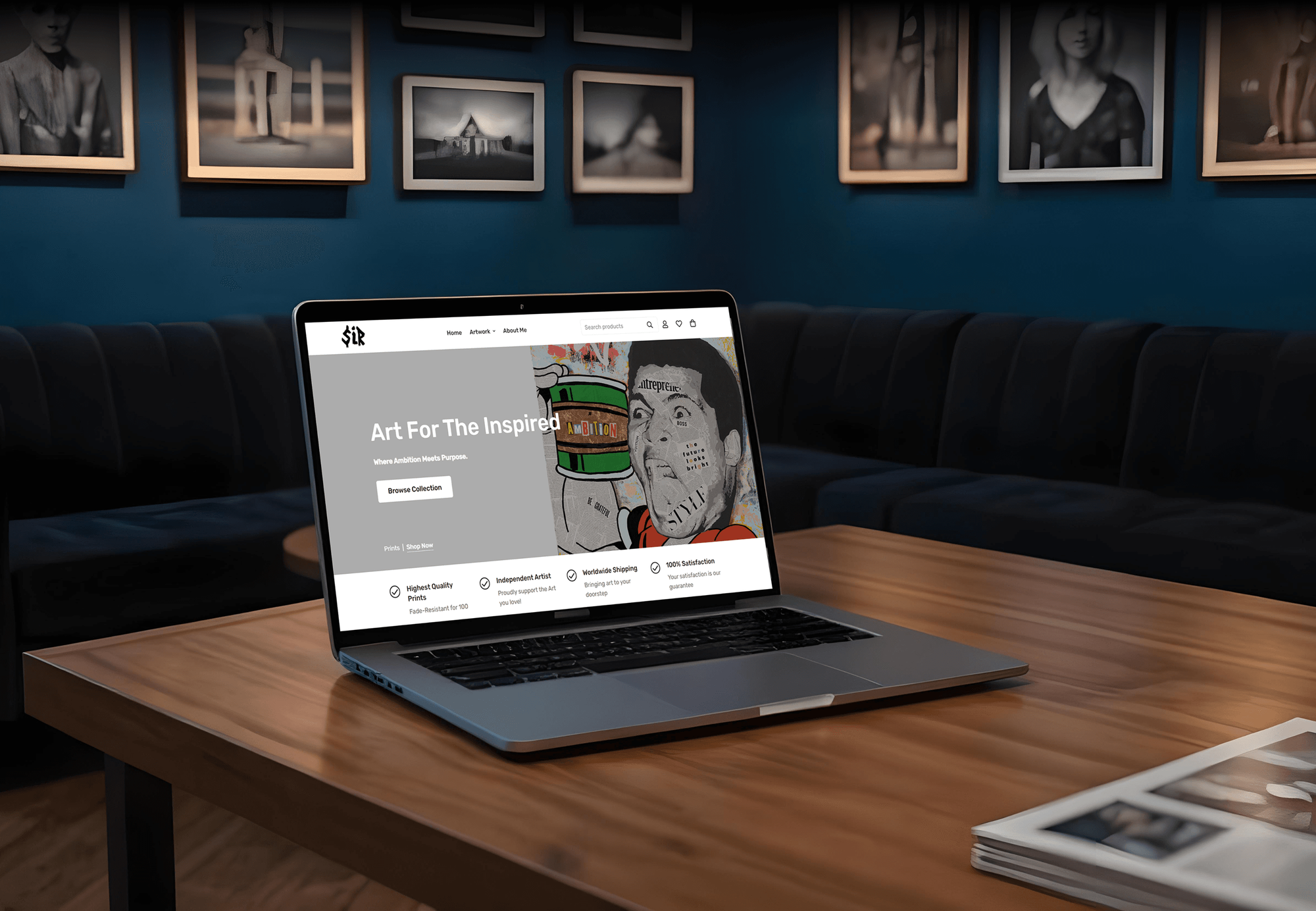
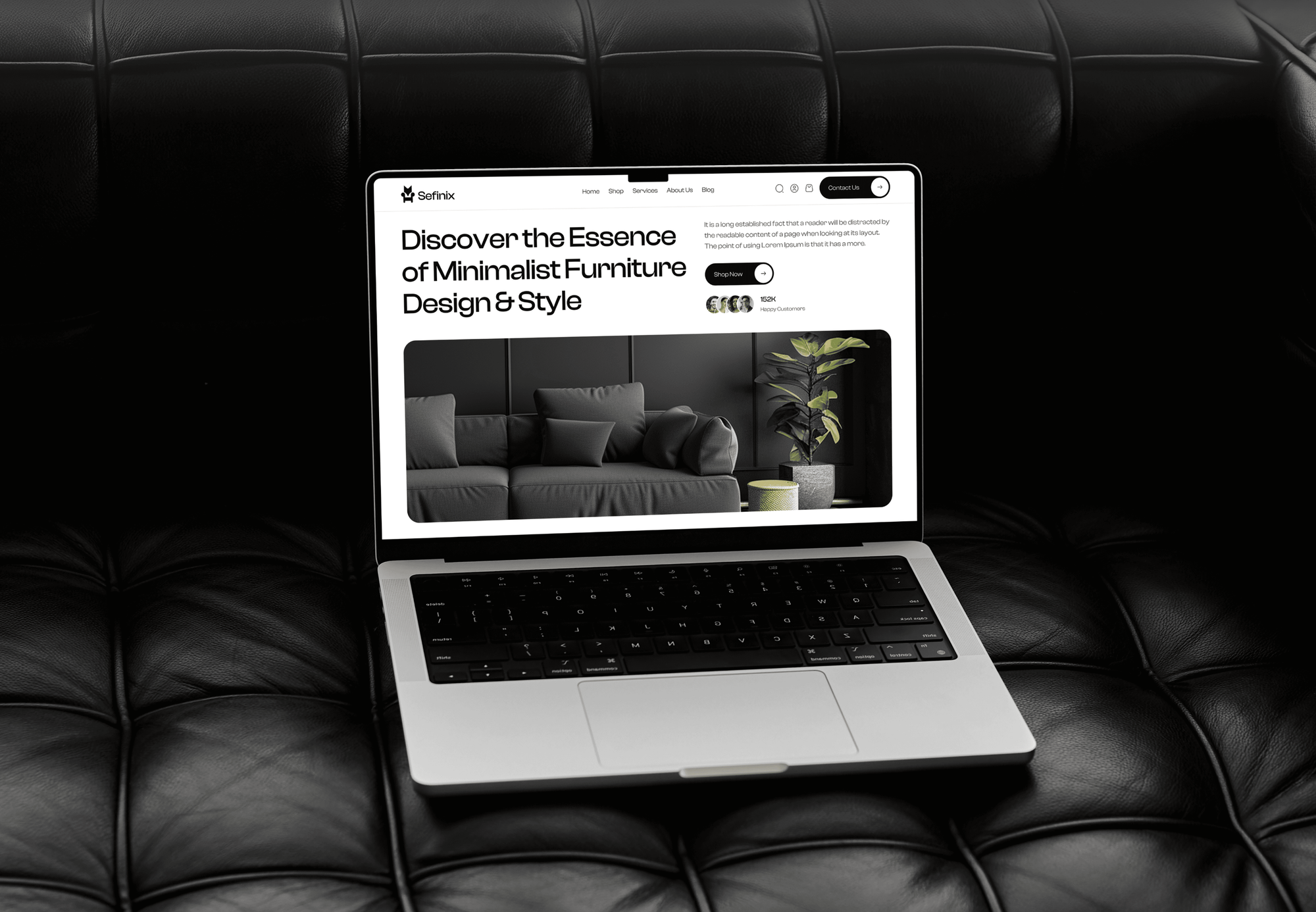
Store pages our team designed and built for art, furniture, fashion, and retail brands. We bring the same layout discipline to pages built in a page builder.


What Our Clients Say
Feedback from teams we have built online stores and store pages for.
We had a pretty specific idea of what we wanted our website to become, but I wasn’t sure how easily we could explain all of it to a development team. There were quite a few moving parts, and we were working toward a deadline, so I expected a few things to get lost along the way. That never really happened. They understood what we were trying to achieve, kept us updated throughout the process, and got everything ready within the agreed timeline. The final site feels much easier to navigate, works beautifully on mobile, and is noticeably smoother for our customers. It was a huge relief seeing the original idea actually turn into the website we had in mind.
The mobile experience is probably my favourite part of the new site. We had spent a lot of time making sure the desktop version looked right, and the team kept pushing us to think about how everything would actually feel on a phone too. They were right. The navigation is clean, the interactions feel natural, and everything we’ve tested so far works exactly as it should. They also went through the links, forms, integrations, and other details more than once before launch, which I really appreciated. And even after going live, we could still reach out when something came up. The whole process felt friendly, organised, and surprisingly straightforward.
What I appreciate most is that the website is actually easy for us to manage now. We can update content ourselves instead of sending a developer a message every time we need to change something small. They also paid attention to the technical SEO side, which mattered to us because we didn’t want a new website to create problems for the traffic we already had. I’ve probably asked more questions than I should have since launch, but every question has been handled patiently and without any fuss. The team is easy to work with, they explain things clearly, and when we need something changed, they focus on getting it done rather than making the process complicated.
1,250+
Projects shipped
10+
Years of experience
Top 3%
Upwork Top Rated Plus
5 stars
Average review score

Want results like these?
Tell us what you are building. You get a reply within 24 hours on business days, then a written estimate.
Work Culture
Builder pages are easy to start and easy to make messy. These habits keep yours consistent, fast, and editable by your own team.
Online Store 2.0 themes already let you build pages from sections without an app. If native sections cover your pages, we'll tell you before we quote and skip the subscription.
Builder pages depend on their app, and PageFly removes its pages when it's uninstalled. We document every page, so a later move is planned instead of rushed.
Fonts, colors, and spacing live in the builder's global styles, not on each page. A rebrand then takes one edit instead of a page-by-page hunt.
We review every page on real phones first, where builder layouts tend to break. Desktop gets checked next, not the other way around.
We run PageSpeed before and after each page and remove heavy elements nobody needs. A vendor's speed claim doesn't replace a test on your own store.
You get a recorded walkthrough and notes for every saved section. The next campaign page doesn't need us or anyone else.
Overview
DeveloperLook sets up a Shopify page builder for stores that want to launch pages without code. We choose PageFly, GemPages, Shogun, or native theme sections, match the styles to your theme, save reusable sections, and build your first pages. Setup starts at $500, takes 3 days to 4 weeks, and every page is tested on phones.
DEVELOPERLOOK
Project facts · Shopify Page Builder Setup: PageFly, GemPages, Shogun
Reviewed 7 Oct 2026 by Saimul Islam
Good fit
Store owners running frequent campaigns
You run monthly campaigns and need pages live without waiting for a developer, using a Shopify drag-and-drop page builder.
Brands comparing builder apps
You're deciding which is the best Shopify page builder for your theme and want advice before paying for a plan.
Stores with messy builder pages
Your GemPages Shopify pages look off-brand on phones, and nobody on your team knows how they were built.
Teams moving off an old builder
Your pages live in an old Shopify page builder app, and you want them on native sections or another builder.
Agencies building Shopify stores
Your agency designs Shopify stores and needs builder setup and saved sections delivered under your name.
Not a fit
Budget under $500
Your budget is under $500 and you need one simple page. A builder's free plan and its templates will get you there.
Need a designed campaign page
You need a page designed from scratch, with copy and conversion work. Our Landing Page Design Services team handles that.
Need a whole new theme
Your whole theme needs rebuilding, not just a few pages. Our Custom Shopify Theme Development service fits that larger job.
Whole store is slow
Your whole store is slow, not just the builder pages. Our Shopify Speed Optimization service should come first.
Not sure we're the right fit?
Book a free call or message us. We'll tell you honestly whether we're the right team.
Pricing
These are starting points in USD. Your final price depends on page count, the builder you choose, and any cleanup, and you get a fixed proposal after a free store review.
For stores choosing a page builder and launching their first page with it.
$500one-time, USD
For brands that need a set of campaign, collection, and info pages in their builder.
$1,200one-time, USD
For stores moving pages between builders, or off a builder onto native theme sections.
$2,300one-time, USD
For Agencies
You own the client relationship. We supply the builder work: setup, theme-matched styles, saved sections, and pages in PageFly, GemPages, or Shogun, all under your brand. Fixed quotes protect your margin, and your client reviews every page before it goes live.
White label: your client only ever sees your brand
Send the client's store, theme, and the pages they need built first.
You get a builder recommendation and a fixed quote you can resell.
Pages tested on phones and delivered with a walkthrough for your client.
Your brand on every page, walkthrough, and handover note.
PageFly, GemPages, and Shogun work handled by one team.
A price set by page count and builder, ready to resell.
Extra hands for launch weeks without adding new hires.
The Right Technology for Your Project
We work with the builders store owners already know, plus Shopify's own theme tools when native sections do the job better.
 Shopify theme editor
 HTML5
HTML5 CSS3
CSS3 JavaScript
 PageSpeed Insights
 Lighthouse
 Chrome DevTools
 Google Analytics (GA4)
 Figma
Figma Canva
Canva Loom
LoomFAQ
Straight answers on builder costs, free plans, PageFly, GemPages, Shogun, and building pages natively in Shopify.
Saimul IslamFounder & CEO, DeveloperLookStill have questions?
Send a message or book a call with the team.
Setup with DeveloperLook starts at $500 for the builder, theme-matched styles, 10 saved sections, and one page. A set of up to 5 pages starts at $1,200, and moving or cleaning up to 15 builder pages starts at $2,300. Builder apps bill their own monthly plans, which we compare with you before you choose.
Yes, PageFly has a free plan that publishes 1 page or section, which suits a single campaign page. Paid plans on the Shopify App Store add more published pages and sections. We check the current plans with you before setup, since app pricing changes and the right tier depends on your page count.
Yes, GemPages has a free plan that publishes 1 page, so you can build and test before paying. Paid plans add unlimited pages, theme sections, and landing pages hosted outside Shopify. The free plan suits a single campaign page, and a paid plan makes sense once you need several.
Setup with styles and saved sections takes 3 to 5 days, including the first page. A set of up to 5 pages takes 2 to 4 weeks, and a move between builders depends on your page count. Most of the time goes into matching your theme's styles and testing layouts on phones.
PageFly is a Shopify app for building pages and sections with drag-and-drop elements, without writing Liquid. Each page it builds becomes a page template in your theme, loaded through its theme app embed. It handles landing, home, product, collection, and blog pages, and suits teams that want many layout options.
GemPages is a drag-and-drop app for building Shopify pages visually. The GemPages Shopify page builder writes each page as a theme template, covering landing, home, product, collection, and blog pages. Its higher plans also host landing pages outside Shopify, which suits campaigns that shouldn't touch your theme.
Go to Online Store, then Pages, and choose Add page. Write the content, then pick a theme template from the template menu so the page uses the right layout. To change that layout, open the theme editor, create a new template based on an existing one, and add sections.
On an Online Store 2.0 or Horizon theme, create a page template in the theme editor, add sections, and assign it to your page. A builder app gives more layout freedom on top. Either way, every page shares your header and footer unless you add custom code or an app.
Install the PageFly Shopify page builder from the App Store and turn on its theme app embed. Then create a page from a template or a blank canvas, drag in sections, adjust them for desktop and mobile, and publish. Keep the app installed, because uninstalling PageFly removes the pages it built.
Install Shogun's landing page builder, pick a template or start blank, and design the page in its visual editor. Its free mode only saves drafts, so publishing needs a paid plan, which starts with a 10-day free trial. If you uninstall Shogun, live pages stay as HTML, but their forms stop working.
Saimul IslamFounder & CEO, DeveloperLookStill have questions?
Send a message or book a call with the team.
Free 30-min callGoogle Meet
Book a call
In 30 minutes on Google Meet we walk you through how we would build it, how long it takes and what it costs. Then you get a written estimate.
Calendar not showing? Book on cal.com or send a brief.