

NewsPulse Mobile News App Design and Development
- News & Media
- Mobile App

For churches tired of renting a template app: sermons, livestream, giving, events, and push notifications in an app your church owns. From $1,400.
2X
More midweek engagement
100%
App and code you own
How your project runs
01 · FreeTeams we have built for:













The Problem
It shows up after a year on a template builder. Members can't find last week's sermon, giving takes too many taps, and the monthly fee keeps coming whether anyone opens the app or not.
Template look
Your app looks like every other church's template.
Template look
Screens are designed around your church's name, colors, and ministries.
Scattered sermons
Sermons live on YouTube, a podcast app, and the website.
Scattered sermons
One sermon library pulls from YouTube and your podcast feed automatically.
Giving friction
Giving bounces members out to a slow browser page.
Giving friction
Giving follows store rules, with Apple Pay where an approved nonprofit can use it.
Rented app
Leaving the builder means losing the app and its listing.
Rented app
The code and both store listings sit in your church's own accounts.
It's Wednesday night and a member wants to rewatch Sunday's sermon. She opens your church's builder app, can't find it, and checks YouTube instead. Her husband wants to give, but the giving button opens a slow web page, so he decides to do it later and forgets. Your app looks like many other churches' apps with a different logo. The monthly builder fee keeps coming. And if you ever leave, the app and its store listing stay with the builder.
We start with how your members use their phones during the week: sermons, giving, events, and groups. Then we build the app around those jobs, on one codebase for iOS and Android. Sermons pull from your YouTube channel and podcast feed automatically. Giving follows Apple and Google store rules. Events and groups sync from Planning Center when you use it. The app, the code, and both store listings stay in your church's name, not a builder's.
Sermons in one library
Sermons, livestreams, and podcast episodes in one library that updates from your existing channels.
Giving within store rules
In-app giving with Apple Pay for approved nonprofits, or a fast hand-off to your giving page.
Notifications that matter
Event reminders and announcements reach your members' phones, scheduled by your staff without a developer.
Our Church App Development Process
Church app development with us moves in short, visible steps. Your staff tap through the design and install test builds on their own phones before members ever see the app.
We look at your current app or builder, your sermon channels, your giving tool, and what members ask staff for. You get a written feature list, an honest answer on whether a builder or Church Center fits, and a fixed quote.
Projects We've Built
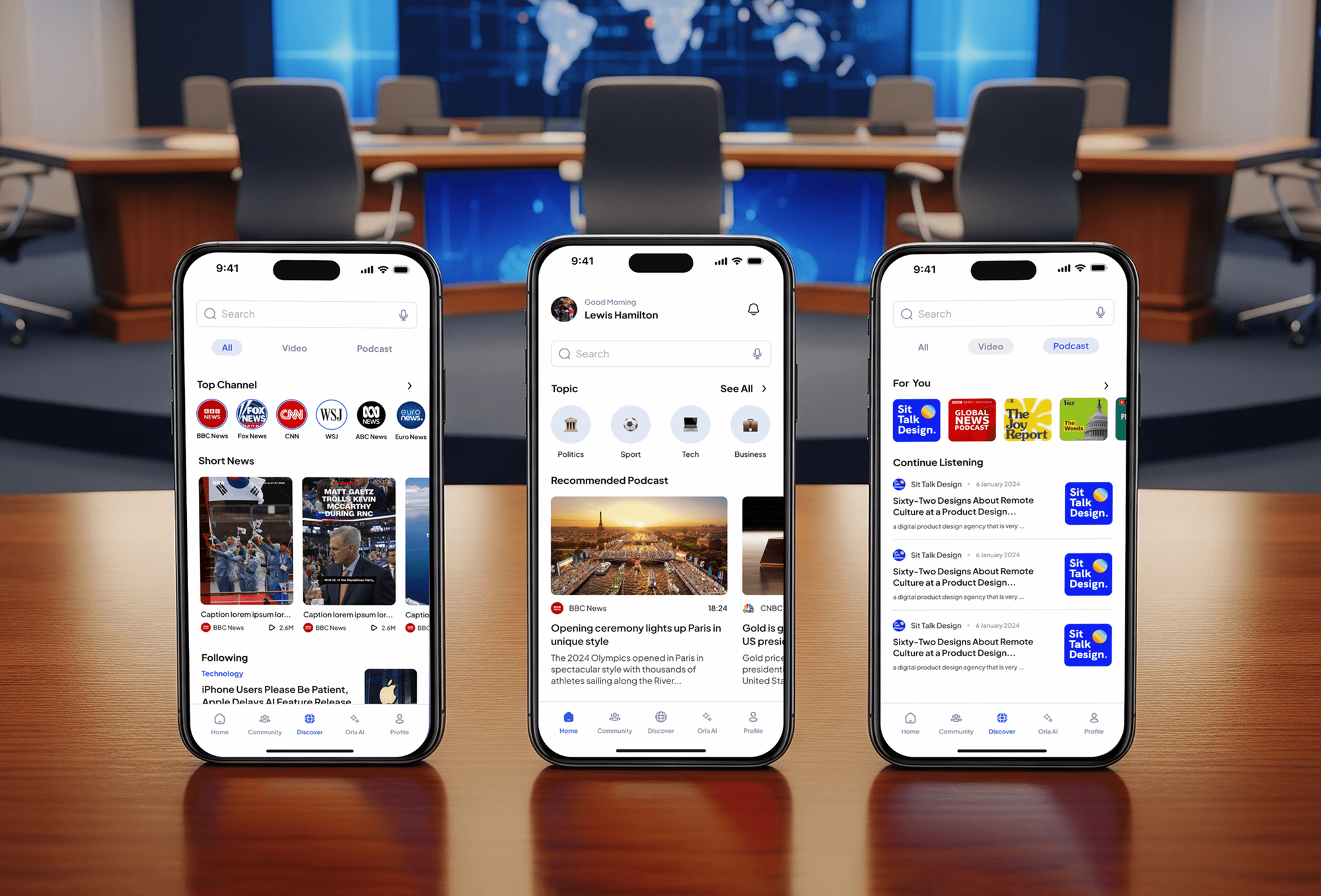
News, video, wellness, and membership apps we have built: the media feeds, member accounts, and payment screens a congregation's app relies on.
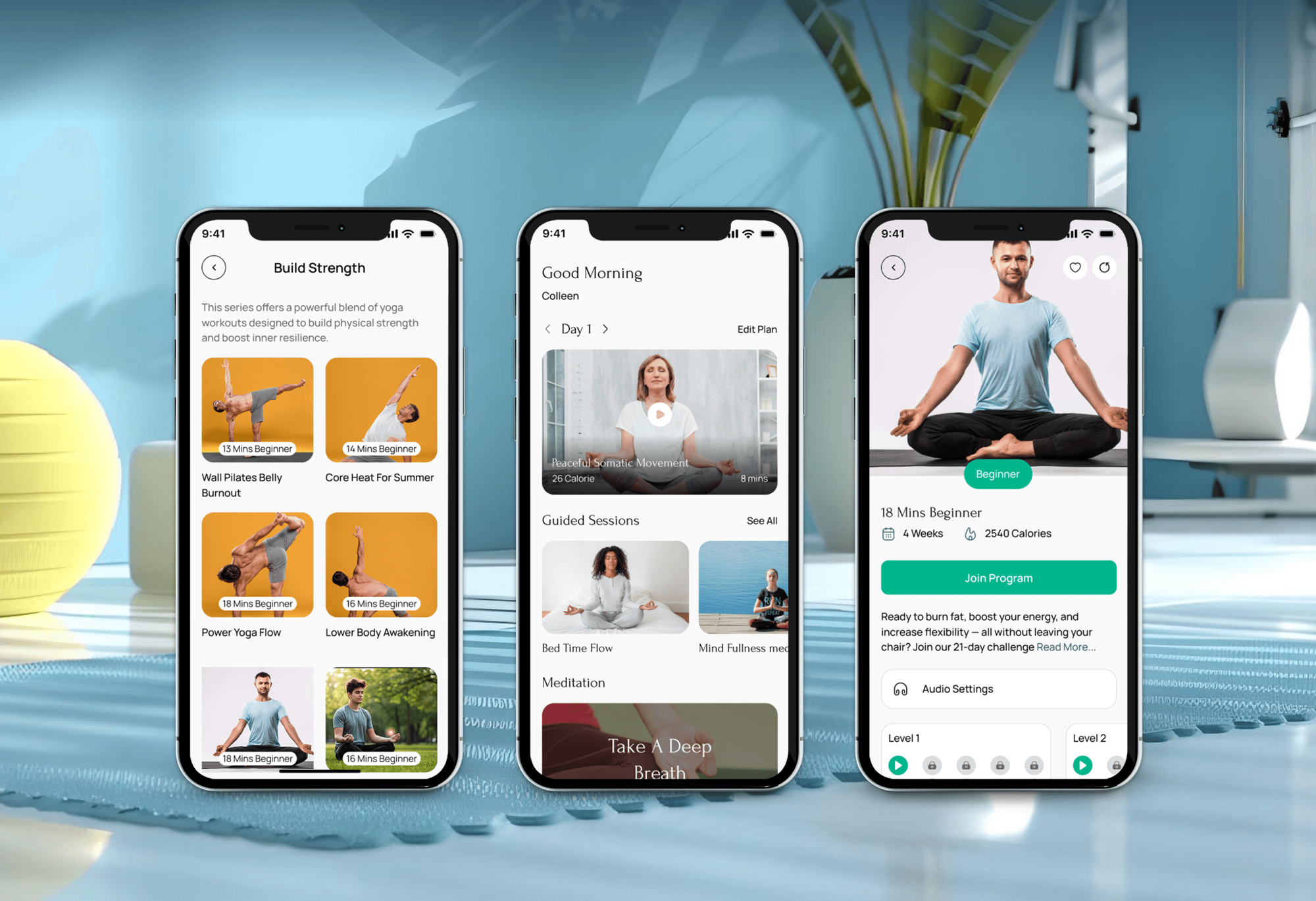
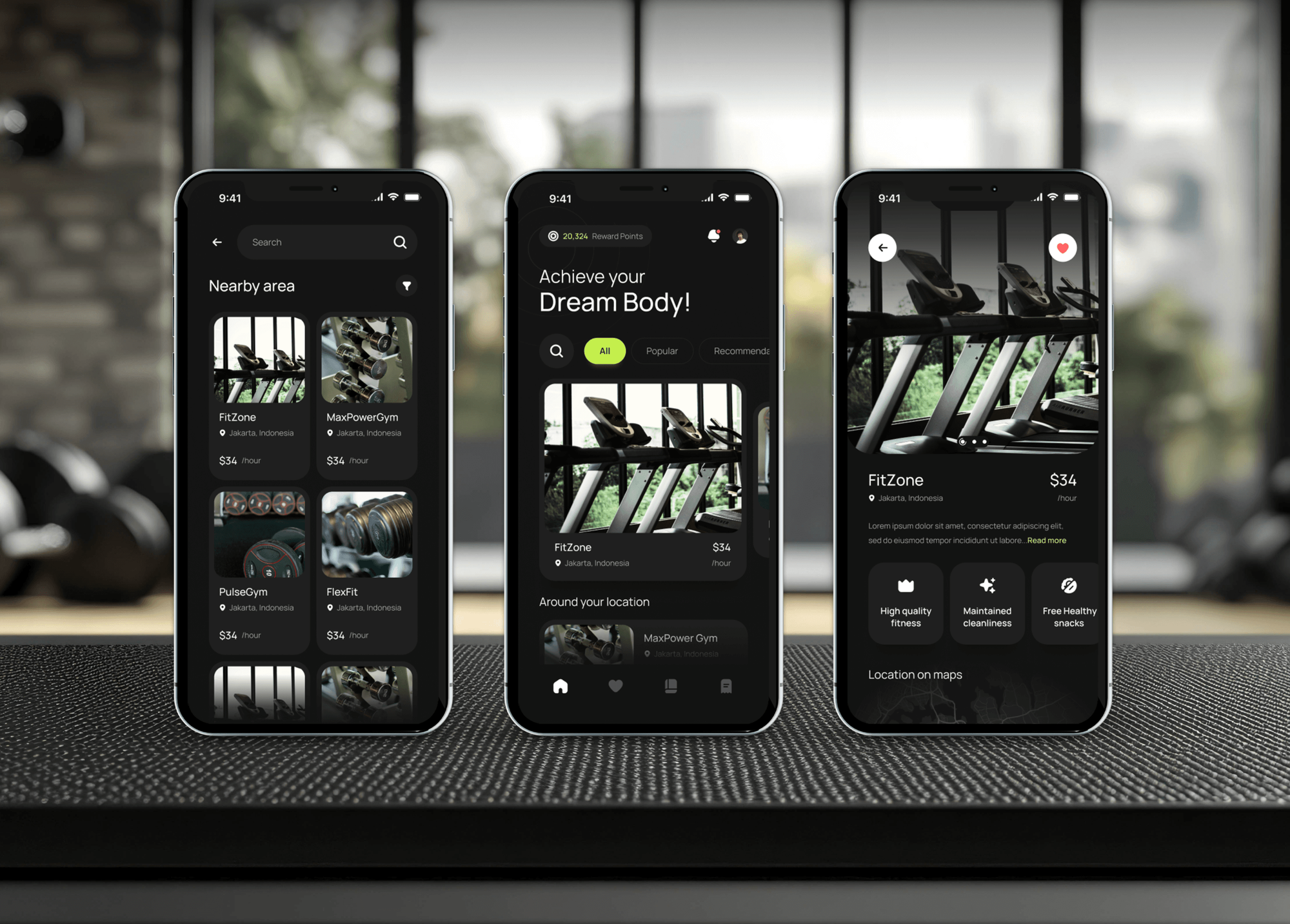
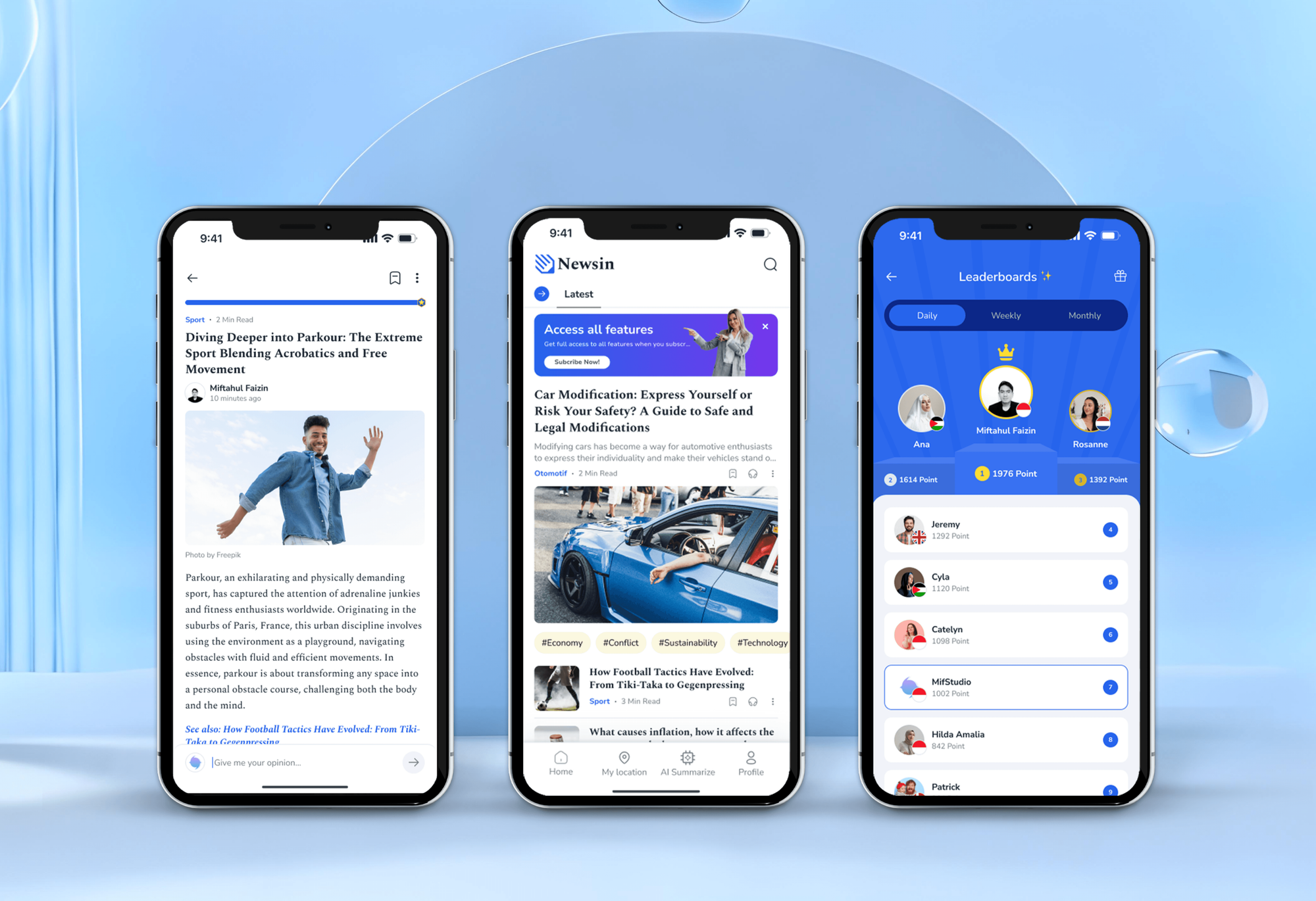
What's Included
A sermon and livestream library, store-compliant giving, events, push notifications, groups and prayer requests, and store submission, all in your church's own developer accounts.
Compare Options
Builders made apps for churches affordable, and a mobile website costs nothing extra. Here is where each one works well and where your ministry starts to outgrow it.
| Feature | DeveloperLookBest fit | Church app builder | Mobile website only |
|---|---|---|---|
| Time to start | 4 to 16 weeks to launch | Live within weeks | Already live today |
| Design | Built around your church | Templates with your branding | Your website's design |
| Monthly fees | None after the build | Ongoing monthly subscription | Hosting only |
| Push notifications | Included in every plan | ||
| Planning Center | Member sign-in and groups | Depends on the builder | Embeds and links only |
| Giving | Store-compliant, your processor | Often their own giving | Link to giving page |
| Ownership | Code and store accounts yours | App tied to the builder | You own the site |
| Custom features | Anything your ministry needs | Their feature list | Limited to the browser |
What Our Clients Say
Feedback from teams we have built mobile apps, member platforms, and web apps for.
We had a pretty specific idea of what we wanted our website to become, but I wasn’t sure how easily we could explain all of it to a development team. There were quite a few moving parts, and we were working toward a deadline, so I expected a few things to get lost along the way. That never really happened. They understood what we were trying to achieve, kept us updated throughout the process, and got everything ready within the agreed timeline. The final site feels much easier to navigate, works beautifully on mobile, and is noticeably smoother for our customers. It was a huge relief seeing the original idea actually turn into the website we had in mind.
The mobile experience is probably my favourite part of the new site. We had spent a lot of time making sure the desktop version looked right, and the team kept pushing us to think about how everything would actually feel on a phone too. They were right. The navigation is clean, the interactions feel natural, and everything we’ve tested so far works exactly as it should. They also went through the links, forms, integrations, and other details more than once before launch, which I really appreciated. And even after going live, we could still reach out when something came up. The whole process felt friendly, organised, and surprisingly straightforward.
What I appreciate most is that the website is actually easy for us to manage now. We can update content ourselves instead of sending a developer a message every time we need to change something small. They also paid attention to the technical SEO side, which mattered to us because we didn’t want a new website to create problems for the traffic we already had. I’ve probably asked more questions than I should have since launch, but every question has been handled patiently and without any fuss. The team is easy to work with, they explain things clearly, and when we need something changed, they focus on getting it done rather than making the process complicated.
1,250+
Projects shipped
10+
Years of experience
Top 3%
Upwork Top Rated Plus
5 stars
Average review score
1,250+
Projects shipped
10+
Years of experience
Top 3%
Upwork Top Rated Plus
5 stars
Average review score

Want results like these?
Tell us what you are building. You get a reply within 24 hours on business days, then a written estimate.
Work Culture
An app for church members has to work for every age in the pews. These habits keep it simple for members and easy for your staff to run each week.
We ask your staff what members ask them every week before we design any screen. Those questions decide what sits on the app's home screen.
Many members use older phones with large text turned on. We test every screen that way, not only on the newest devices in the office.
Prayer requests and children's details are sensitive. Access follows the roles your staff set, and nothing personal ever shows up inside a push notification.
If an app builder or Church Center already does what you need, we'll tell you before we quote. A custom app has to earn its cost.
You get a written scope and one price your board can approve. Store fees and hosting are listed separately, so nothing surprises you later.
The code, the Apple and Google developer accounts, and the hosting are in your church's name. You can switch developers without losing your listing.
Overview
DeveloperLook handles church app development for congregations that want an iOS and Android app they own. We build sermon and livestream libraries, giving that follows Apple and Google rules, events, groups, push notifications, and Planning Center sync. Apps start at $1,400, take 4 to 16 weeks, and the code and store accounts are yours.
DEVELOPERLOOK
Project facts · Church App Development
Reviewed 28 Oct 2026 by Saimul Islam
Good fit
Churches paying a monthly app builder
Your church pays for a church app builder every month, and the app still looks like a template with your logo dropped in.
Churches already on Planning Center
You run Planning Center, and members juggle Church Center, a podcast app, and your website just to find one sermon.
Churches with several campuses
Your campuses each want their own events, livestream, and giving funds, but members expect one app with their campus picked for them.
Ministries focused on generosity
You want a church giving app that makes recurring gifts easy, and you need it to pass Apple and Google store review.
Agencies building for churches
Your agency designed the church's website, and the church now wants a branded app you can deliver without hiring mobile developers.
Not a fit
Budget under $1,400
You need sermons and a giving link on phones for a small congregation. An app builder subscription or your mobile website covers that for less.
Church Center covers it
You run Planning Center and only need groups, events, and giving. Its Church Center app may cover that, and our Planning Center Integrations service can extend it.
Website comes first
Your website still loses first-time guests, so an app would reach only current members. Our Church Website Design service is the better first step.
Need a fundraising platform
You want peer-to-peer fundraising, campaigns, and donor management more than an app. Our Donation Platforms for Nonprofits service builds that system.
Not sure we're the right fit?
Book a free call or message us. We'll tell you honestly whether we're the right team.
Pricing
These are starting points in USD. Your final price depends on web or store apps, your campuses and features, and the systems we connect. You get a fixed proposal after a free app review.
For Agencies
The church stays your client. We supply the mobile engineering: the app review, screen design, the build, store submission, and launch support. Your brand is on every deliverable, and you run each conversation with the pastor and staff.
White label: your client only ever sees your brand
Send the church's channels, giving tool, and wish list, and we scope it in writing.
A fixed price and launch plan arrive for you to mark up and present.
We build, you review test builds with the church, and we submit.
Send the church's channels, giving tool, and wish list, and we scope it in writing.
A fixed price and launch plan arrive for you to mark up and present.
We build, you review test builds with the church, and we submit.
The Right Technology for Your Project
Tools we use to build one app for iOS and Android, pull sermons and events from your channels, and take giving within store rules.
 Flutter
 TypeScript
 Node.js
 Firebase
 PostgreSQL
 Next.js
 Stripe
 Apple Pay
 Google Pay
Related Services
Church website, Planning Center, volunteer, giving, and app care services that work alongside your church app, built by the same team.
This page
Church App Development
Pairs with the 6 services around it
FAQ
Straight answers on cost, store rules for giving, Planning Center, building for iOS and Android, and who owns the app.
Saimul IslamFounder & CEO, DeveloperLookStill have questions?
Send a message or book a call with the team.
A church app costs either a monthly builder subscription or a one-time custom build. Our custom builds start at $1,400 for an installable web app, $4,500 for iOS and Android store apps, and $8,900 for a connected app with Planning Center sign-in. After a build, you pay hosting and store fees, not a monthly app fee.
Store apps for iOS and Android start at $4,500 with sermons, livestream, giving, events, and push notifications. Planning Center sign-in, groups, prayer requests, and campus content move you to $8,900. A web app without the stores starts lower. You get a fixed quote after a free app review.
Budget for the build plus a few yearly costs. Apple's developer program is $99 a year, though Apple offers fee waivers to eligible nonprofits, and Google Play charges a one-time $25 registration. Hosting and push messages usually cost little at church scale. Plan for one update a year as Apple and Google release new phone software.
You get an app for your church in one of three ways: a builder subscription, Planning Center's Church Center app, or a custom build. A church app builder launches fast but looks like other churches' apps. Church Center covers groups, events, and giving for Planning Center churches. A custom app fits when you want your own design, features, and ownership.
Development takes five steps: list member needs, design the screens, build on one codebase, pass store review, and launch. A web app takes 4 to 6 weeks, and store apps take 10 to 16 weeks. Store review adds a few days to 2 weeks, so we plan the launch Sunday after approval.
Build the app around the few things members do midweek: rewatch a sermon, give, check an event, and find a group. Put those on the home screen and leave the rest in a menu. Send fewer, more useful notifications. Church apps that try to mirror the whole website tend to get opened once and deleted.
Build one codebase in React Native or Flutter and ship it to both stores, instead of two separate apps. The app reads sermons from YouTube or your podcast feed and events from Planning Center through their APIs. Building a church app this way keeps updates in one place, so one change reaches every member's phone.
Yes, if your church is an Apple-approved nonprofit, because Apple allows in-app fundraising for approved nonprofits that support Apple Pay. Otherwise, Apple's guidelines say donations must happen outside the app, such as in Safari. Google Play has its own payments policy, so we design your giving flow to pass both reviews before submission.
Yes, members can sign in with their Planning Center account through its OAuth API, and the app then shows their groups, events, and registrations. Your staff keep editing everything in Planning Center as usual. For churches on another ChMS, we connect whatever API or calendar feed that system offers instead.
Your church owns the code, the Apple and Google developer accounts, and every store listing from day one. Bugs found in the first 60 days are fixed free. From then on, keep us on a care plan for yearly updates, or hand the code to any developer with our documentation.
Saimul IslamFounder & CEO, DeveloperLookStill have questions?
Send a message or book a call with the team.
Free 30-min callGoogle Meet
Book a call
In 30 minutes on Google Meet we walk you through how we would build it, how long it takes and what it costs. Then you get a written estimate.
Calendar not showing? Book on cal.com or send a brief.