









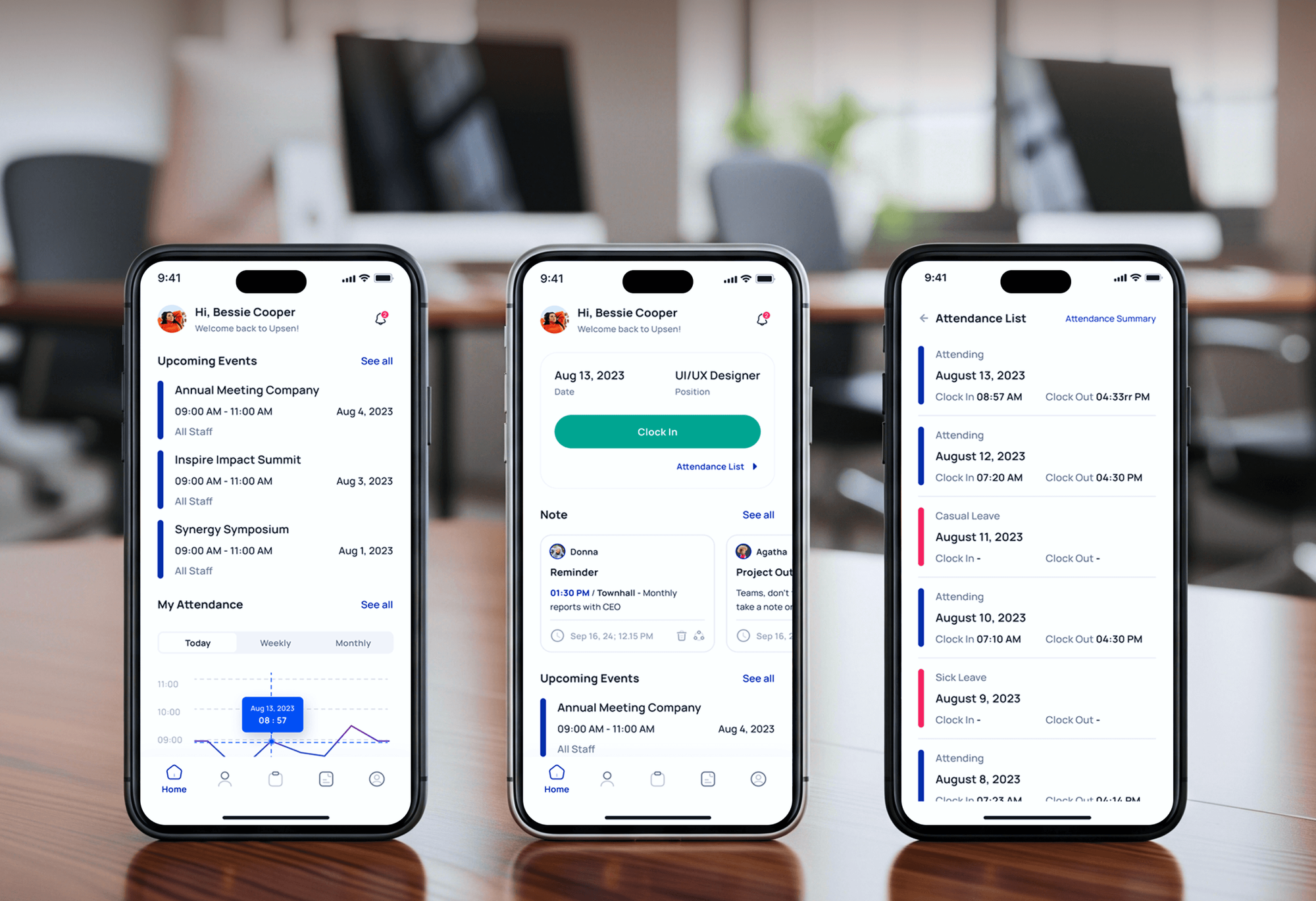
Upsen HR Management App Design & Development
- HR & Staffing
- Dashboard
- Mobile App

For churches retyping giving, events, and plans into QuickBooks, the website, and ProPresenter: connections built on the official API that run by themselves. From $550.
20+ hrs
Admin time saved monthly
100%
Records synced automatically
How your project runs
01 · FreeTeams we have built for:













The Problem
It shows up once giving, events, and worship plans live in different tools. Each one works alone, and volunteers carry the data between them by export, spreadsheet, and memory.
Double entry
Your giving totals get retyped into QuickBooks each week.
Double entry
Giving batches post to QuickBooks Online by fund on a schedule.
Stale calendar
Website events drift away from the church calendar.
Stale calendar
Your website reads events straight from PCO Calendar, so changes appear on their own.
Duplicate people
The same family appears twice across your tools and lists.
Duplicate people
Records match on email and phone, with a review queue for close calls.
Silent failures
Your broken sync goes unnoticed until month-end.
Silent failures
Every sync run is logged, and failures send an alert to your admin.
It's Monday and your finance volunteer is exporting last week's gifts from Planning Center (PCO) Giving into a spreadsheet. Fund by fund, they retype totals into QuickBooks Online. Meanwhile, the website still shows a youth event that moved to Friday, because someone updates it by hand. On Sunday, the media team rebuilds the worship order in ProPresenter from a printout. Each tool works fine on its own. The work between them lands on your staff and volunteers.
We start by mapping which tool is the source of truth for people, giving, events, and service plans. Then we build Planning Center integrations on the documented PCO API and webhooks. Giving batches post to QuickBooks Online by fund on a schedule you choose. Your website reads Calendar events and Groups directly. Where a tool already has a built-in connection, like ProPresenter or Subsplash, we set it up properly instead of rebuilding it.
Built on the official API
We use PCO's documented API and webhooks, not screen scraping or fragile browser scripts.
Giving mapped to funds
Each of your Giving funds maps to the right QuickBooks Online account and class.
Alerts when a sync fails
Your admin gets an email when a sync run fails, with the record that caused it.
Our Planning Center Integrations Process
You approve the field mapping and which system wins each conflict before any build, and your admin reviews test runs before anything touches live records.
We map every tool your church uses next to PCO and who retypes what between them. You get a written list of connections, the built-in options each tool already offers, and a fixed quote for the rest.
Projects We've Built
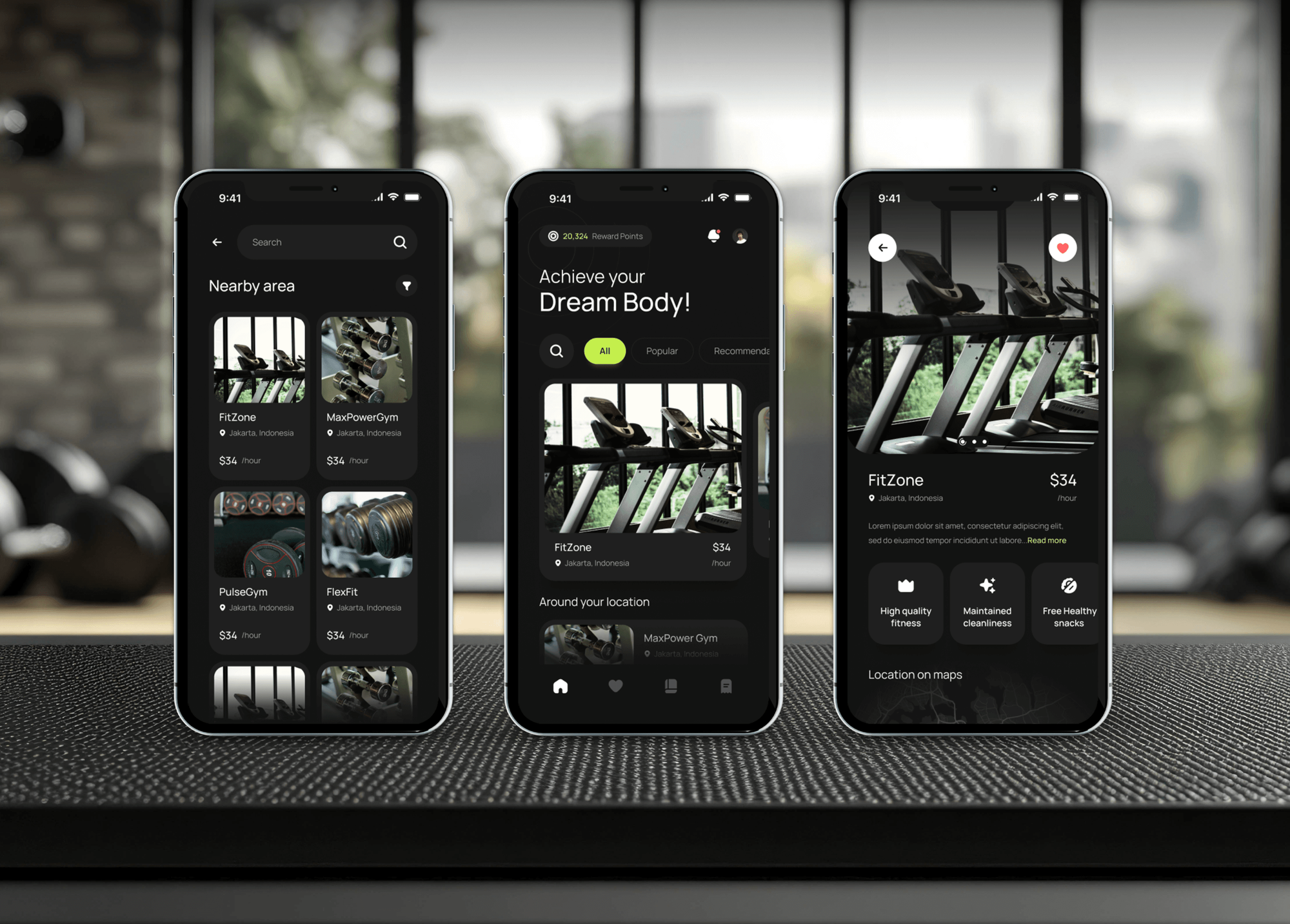
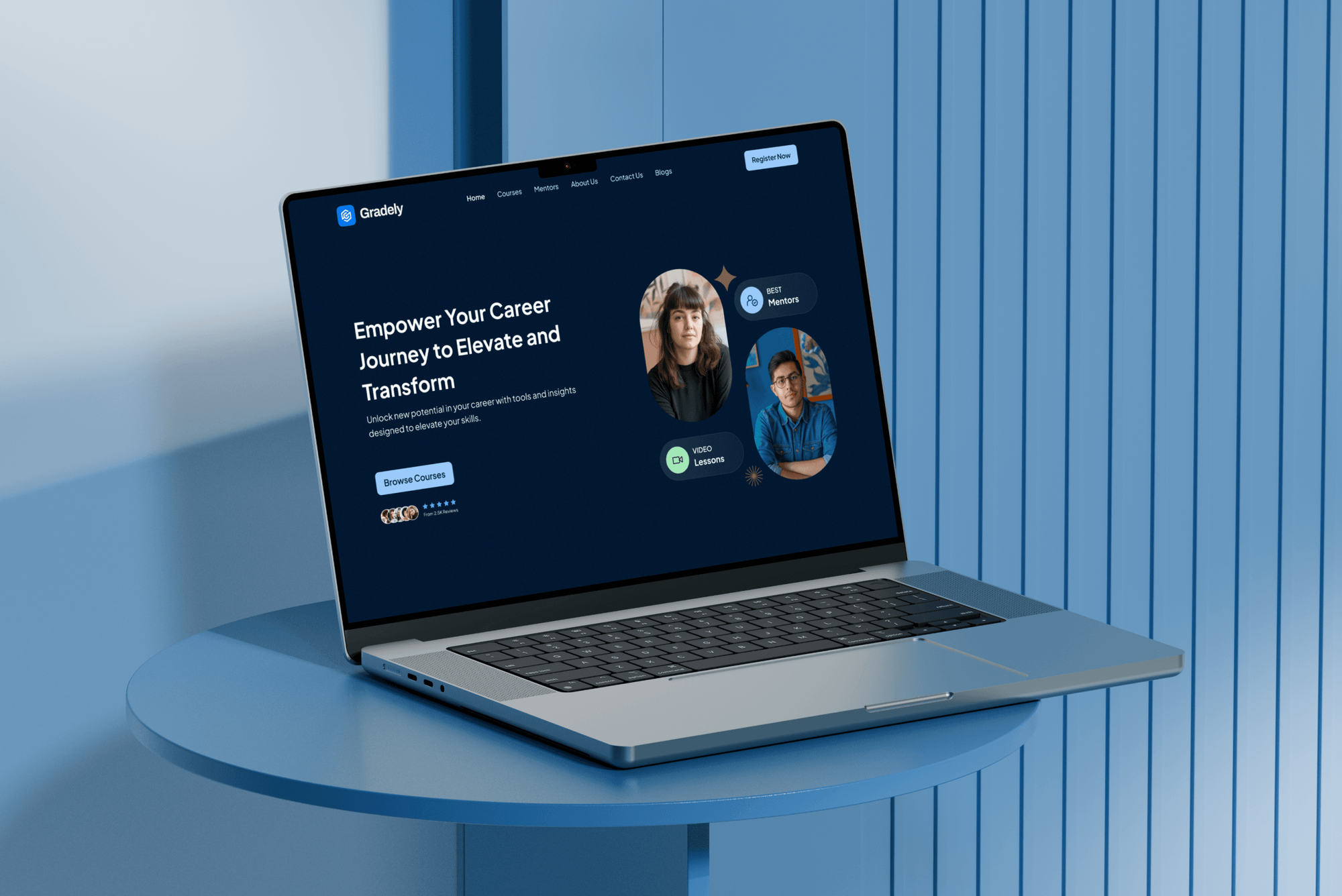
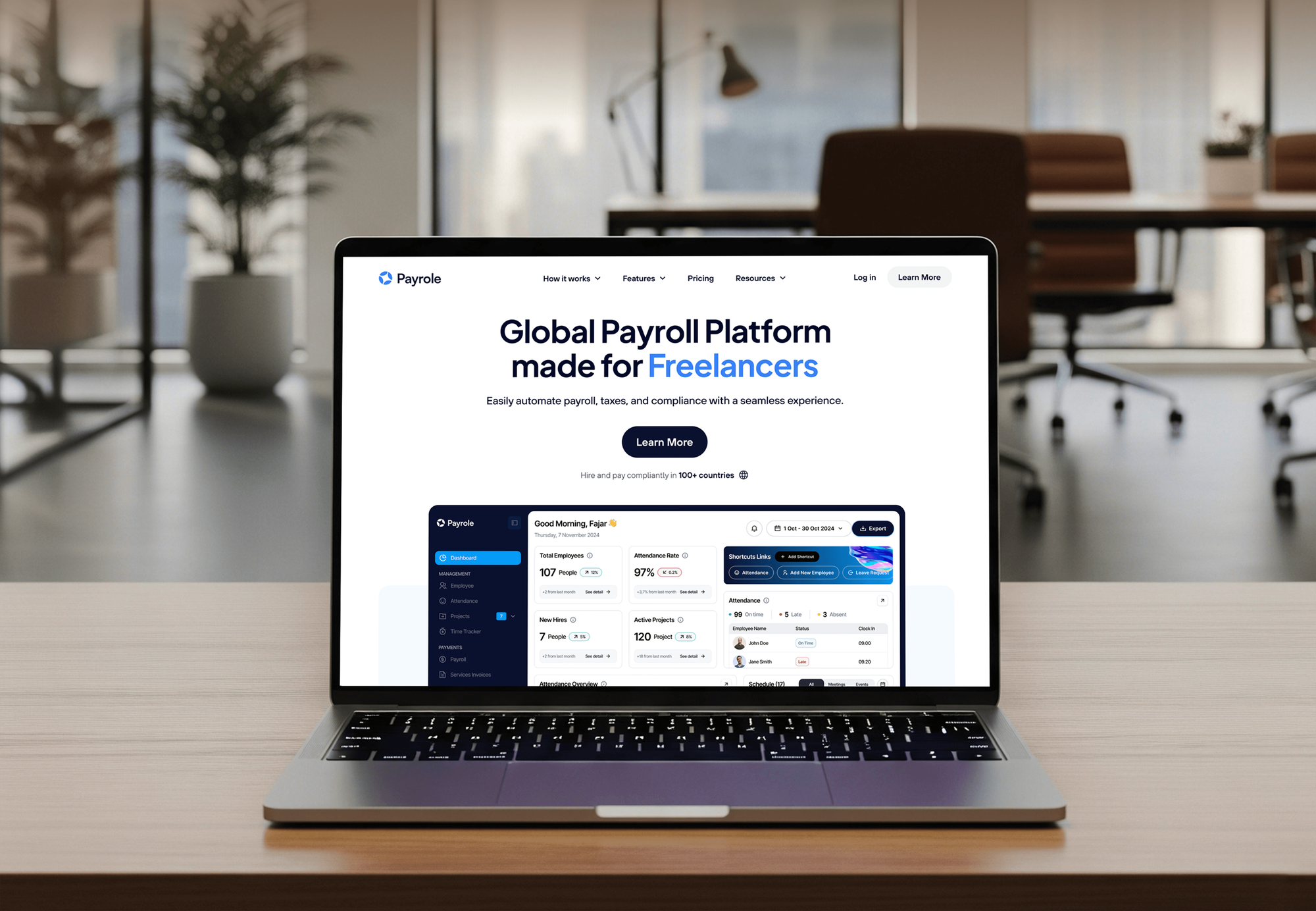
Event, membership, learning, and payroll apps with admin dashboards we have built: the people, payment, and calendar data an integration keeps in step.
What's Included
Giving posted to your books, events on your website, matched people records, ProPresenter set up, an optional app link, and logs that tell your admin when something breaks.
Compare Options
Connectors handle simple triggers, and CSV exports cost nothing. For Planning Center Giving integrations with fund mapping and matching, here is where each option holds up.
| Feature | DeveloperLookBest fit | Zapier-style connector | CSV exports |
|---|---|---|---|
| Setup time | 1 to 8 weeks by scope | Live in an afternoon | Ready today |
| Monthly cost | None after the build | Monthly plan by task volume | Free, paid in staff time |
| Giving to accounting | Batches posted by fund | Basic record steps | Totals retyped by hand |
| Duplicate people | Matching rules and review queue | Duplicates are easy to create | Spotted by eye |
| Custom rules | Any rule your church needs | Limited to listed actions | No rules at all |
| Failure alerts | Logged runs with email alerts | Task history and emails | Found at month-end |
| Ownership | Code in your church's name | Workflows in their account | Files on someone's laptop |
| Best for | Several tools, steady volume | One simple trigger | Small, occasional transfers |
What Our Clients Say
Feedback from teams we have built integrations, dashboards, and apps for.
We had a pretty specific idea of what we wanted our website to become, but I wasn’t sure how easily we could explain all of it to a development team. There were quite a few moving parts, and we were working toward a deadline, so I expected a few things to get lost along the way. That never really happened. They understood what we were trying to achieve, kept us updated throughout the process, and got everything ready within the agreed timeline. The final site feels much easier to navigate, works beautifully on mobile, and is noticeably smoother for our customers. It was a huge relief seeing the original idea actually turn into the website we had in mind.
The mobile experience is probably my favourite part of the new site. We had spent a lot of time making sure the desktop version looked right, and the team kept pushing us to think about how everything would actually feel on a phone too. They were right. The navigation is clean, the interactions feel natural, and everything we’ve tested so far works exactly as it should. They also went through the links, forms, integrations, and other details more than once before launch, which I really appreciated. And even after going live, we could still reach out when something came up. The whole process felt friendly, organised, and surprisingly straightforward.
What I appreciate most is that the website is actually easy for us to manage now. We can update content ourselves instead of sending a developer a message every time we need to change something small. They also paid attention to the technical SEO side, which mattered to us because we didn’t want a new website to create problems for the traffic we already had. I’ve probably asked more questions than I should have since launch, but every question has been handled patiently and without any fuss. The team is easy to work with, they explain things clearly, and when we need something changed, they focus on getting it done rather than making the process complicated.
1,250+
Projects shipped
10+
Years of experience
Top 3%
Upwork Top Rated Plus
5 stars
Average review score
1,250+
Projects shipped
10+
Years of experience
Top 3%
Upwork Top Rated Plus
5 stars
Average review score

Want results like these?
Tell us what you are building. You get a reply within 24 hours on business days, then a written estimate.
Work Culture
Your church data covers members, children, and giving. These habits keep your integrations safe, quiet on Sunday, and easy for the next volunteer or staff member to understand.
We ask when gifts are counted, when plans lock, and when events get posted before we schedule any sync. Your integrations run around ministry, not over it.
Every connection uses PCO's published API and webhooks rather than screen scraping. When a screen gets redesigned, your integration keeps running as before.
Tokens come from an account with only the permissions each sync needs. Your church owns the credentials, not a developer's personal login.
If PCO or the other tool already offers a connection, we'll tell you before we quote. Custom code only fills the gaps it leaves.
You get one written scope and one price per connection. Your finance team knows the full cost before a line of code is written.
The code, the hosting, and the credentials sit in your church's name. Any developer can pick it up later from our written guide.
Overview
DeveloperLook builds Planning Center integrations for churches whose people, giving, and events live in more than one tool. We connect its Giving, People, Calendar, and Services products to QuickBooks Online, your website, and your church app through its API and webhooks. Integrations start at $550, take 1 to 8 weeks, and you own the code.
DEVELOPERLOOK
Project facts · Planning Center Integrations
Reviewed 28 Oct 2026 by Saimul Islam
Good fit
Church admins reconciling giving
Your finance volunteer exports PCO Giving to a CSV every Monday and retypes fund totals into QuickBooks Online by hand.
Churches with a WordPress website
Your WordPress site lists events by hand, so the website and your PCO calendar disagree by the middle of each week.
Worship teams using ProPresenter
Your worship leader builds the plan in PCO Services, and the media team rebuilds the same order in ProPresenter on Sunday morning.
Churches giving through Subsplash
You take gifts through Subsplash and track people in PCO, and some donors show up twice because nobody matched their emails.
Agencies serving church clients
Your agency builds church websites, and clients keep asking for a Planning Center website integration you don't have developers for.
Not a fit
Budget under $550
You move one CSV export into QuickBooks once a month. PCO's own export and a spreadsheet template cost less than any build.
Need a whole church app
You want a branded app with sermons, giving, and push notifications, not only a data link. Our Church App Development service builds the app itself.
Scheduling outgrew Services
Your volunteer needs go beyond PCO Services, like multi-site shifts and hour tracking for reports. Our Volunteer Management Software service fits better.
Still choosing a ChMS
You haven't picked your ChMS platform yet. Settle the platform with its own free trial first, because integrations pay off once the core system is chosen.
Not sure we're the right fit?
Book a free call or message us. We'll tell you honestly whether we're the right team.
Pricing
These are starting points in USD. Your final price depends on the number of tools we connect, how your funds and records map, and whether members sign in through an app. You get a fixed proposal after a free stack review.
For Agencies
You own the relationship with the church. We supply the engineering: the stack review, field mapping, API work, and testing against the church's data. It's delivered under your brand while you lead every conversation with church staff.
White label: your client only ever sees your brand
Send the church's tools and what staff retype today, and we scope it in writing.
A fixed price per connection arrives for you to mark up and present.
We build and test on a data copy, you review, and we hand over.
Send the church's tools and what staff retype today, and we scope it in writing.
A fixed price per connection arrives for you to mark up and present.
We build and test on a data copy, you review, and we hand over.
The Right Technology for Your Project
Tools we use to connect PCO to your accounting software, church websites, worship software, and church apps, and to log every sync run.
 QuickBooks
 Xero
 Stripe
 Google Sheets
 Node.js
 PostgreSQL
 Docker
 AWS
 WordPress
 Next.js
 React
 Flutter
Related Services
Church app, website, volunteer, giving, and accounting services that work next to your ChMS, from church apps to QuickBooks setup.
This page
Planning Center Integrations
Pairs with the 6 services around it
FAQ
Straight answers on cost, choosing church management software, QuickBooks, Subsplash, Churchteams, and church apps.
Saimul IslamFounder & CEO, DeveloperLookStill have questions?
Send a message or book a call with the team.
Planning Center integrations start at $550 for one connection, such as Giving batches to QuickBooks Online or Calendar events on your website. Up to 3 connections with webhooks, duplicate matching, and a sync log start at $1,400. A church app link with member sign-in starts at $3,100. Your fixed quote follows a free look at the tools your church runs.
Church management software (ChMS) is the system a church uses to track people, giving, groups, events, check-ins, and volunteer schedules. Planning Center is one example, built as separate products such as People, Giving, Services, and Check-Ins. Integrations connect it to the tools a ChMS doesn't replace, like your accounting software and website.
The main benefit is one shared record of every person, gift, and group, instead of spreadsheets each ministry keeps. Your staff see attendance and giving trends, volunteers get scheduled from one place, and first-time guests get follow-up. The benefits grow when your ChMS also talks to your accounting software and website.
Yes, small churches benefit too, mostly because a few volunteers do every job. A ChMS keeps contact details, giving statements, and kids' check-in in one place, so knowledge doesn't leave when a volunteer does. PCO sells its products separately, so a small church can start with only People and Giving.
Choose a ChMS by listing the jobs it must do this year: giving statements, check-in, volunteer scheduling, or groups. Test each option with your real data during a trial. Then check the integrations you depend on, like QuickBooks Online, your website, and your church app, because each gap costs staff time every week.
The best ChMS is the one your staff and volunteers will actually use every week. PCO, Breeze, and Churchteams each suit different churches, sizes, and budgets. We don't resell any of them, so our advice stays neutral. Our job starts after you choose: connecting that system to the rest of your church's tools.
Not directly: PCO's own help pages say Giving has no QuickBooks integration and offers CSV exports instead. You can import those files by hand, use a third-party connector, or have a sync built on the PCO API. We post each giving batch to QuickBooks Online as a deposit by fund, so your totals match the bank.
Yes, Subsplash Giving has a built-in connection that sends gifts into PCO Giving as batches. The Subsplash Planning Center integration needs Subsplash Giving, PCO People, and PCO Giving, and a full PCO admin sets it up. We configure it, match donors whose emails differ, and check each batch lands in the right fund.
No built-in Churchteams and PCO integration exists that we know of, because the two compete as church management systems. Churches moving between them export people and groups as CSV files and import them on the other side. Churches running both for a while can use a scheduled sync built on the PCO API and Churchteams exports.
You integrate PCO with your church app through its OAuth API, so members sign in with the account they already use. Your app then reads their groups, events, and registrations, and links giving to Church Center. If you only need its data, Planning Center's own Church Center app may already cover it.
Saimul IslamFounder & CEO, DeveloperLookStill have questions?
Send a message or book a call with the team.
Free 30-min callGoogle Meet
Book a call
In 30 minutes on Google Meet we walk you through how we would build it, how long it takes and what it costs. Then you get a written estimate.
Calendar not showing? Book on cal.com or send a brief.