
CRM matched to your brokerage
Freight CRMs, HubSpot, Salesforce, or Zoho CRM compared on lane fields, quote tracking, and TMS sync.

For freight brokers, forwarders, and agent offices: every shipper lane on record and every quote followed until the load books or the lane goes elsewhere.
2X
More quotes turned into booked loads
100%
Shipper lanes and rates on file
How your project runs
Teams we have built for:














The Problem
It starts once your reps quote more lanes than they can follow up. Shipper details, rates, and carrier notes end up split between the TMS, email, and spreadsheets.
01 · Cold quotes
Quoted lanes get no follow-up once trucks need attention.
Each quote gets a follow-up task and date until it books or is lost.
02 · Rep turnover
Shippers leave when the rep who knew them leaves.
Accounts, lanes, and history live in the company CRM, not personal spreadsheets.
03 · Quiet accounts
Nobody notices when a weekly shipper stops tendering.
Volume alerts flag accounts whose loads fall below their usual pace.
04 · Carrier memory
Who runs your best lanes lives in one dispatcher's head.
Carrier records note lanes, performance, and vetting status for the whole team.
A shipper emails an RFQ for 40 lanes on Tuesday. Your rep quotes six of them, gets pulled into a truck that fell off, and the rest go to a competitor by Friday. Each rep keeps prospects in a personal spreadsheet, so when one leaves, their shippers leave too. Nobody can see which accounts ship weekly and which went quiet. Notes about which carriers run your best lanes live in one dispatcher's head.
We start with your freight: lanes, modes, volumes, and the shippers behind them. Then we set up the freight CRM that fits and put every lane, rate, and contact on the shipper's account. Each quote gets a follow-up date until it books or is lost, and carrier relationships sit beside the lanes they run. Your TMS keeps dispatch and settlement, and the CRM keeps the next load coming.
Lanes on every account
Origin, destination, mode, and volume sit on each shipper record, so quoting starts from history.
Quotes followed to a load
Every quote gets a follow-up task until it books, so quoted lanes don't drift to competitors.
Carriers tied to lanes
Preferred carriers and their vetting status sit beside the lanes they run well.
Our Freight Broker CRM Setup Process
You approve the CRM, the account fields, the quote stages, and every message to shippers and carriers. Sample accounts and quotes run through each stage before reps rely on it.
We look at how quotes, shipper accounts, and carrier notes move through your brokerage today, and what your TMS already tracks. You get a short written plan. If McLeod, Aljex, or your TMS's customer tools cover it with better setup, we'll say so before we quote.
What's Included
Every plan covers the CRM choice, shipper accounts with lanes, quote stages, and follow-up tasks. Higher plans add TMS sync, carrier records, volume alerts, agent books, and lane dashboards.
Compare Options
Your TMS runs dispatch, tracking, and settlement well, and spreadsheets cost nothing. Here is where each falls short once quotes, shippers, and reps multiply.
| Feature | DeveloperLookBest fit | TMS alone | Spreadsheets and inbox |
|---|---|---|---|
| CRM choice | Matched to your brokerage | Built-in customer list | None |
| Shipper lanes | On every account | In load history | Per-rep tabs |
| Quote follow-up | Task until booked or lost | Rarely tracked | Memory |
| Rep turnover | Accounts stay with you | Customers stay, notes vary | Leaves with the rep |
| Volume drops | Alerts by account | Reports you must run | Noticed too late |
| Dispatch and settlement | Stay in your TMS | Native | Manual |
| Cost to start | From $1,250, fixed scope | Included in your TMS | Free |
| Speed to start | 3 to 4 weeks | Already running | Today |
Projects We've Built
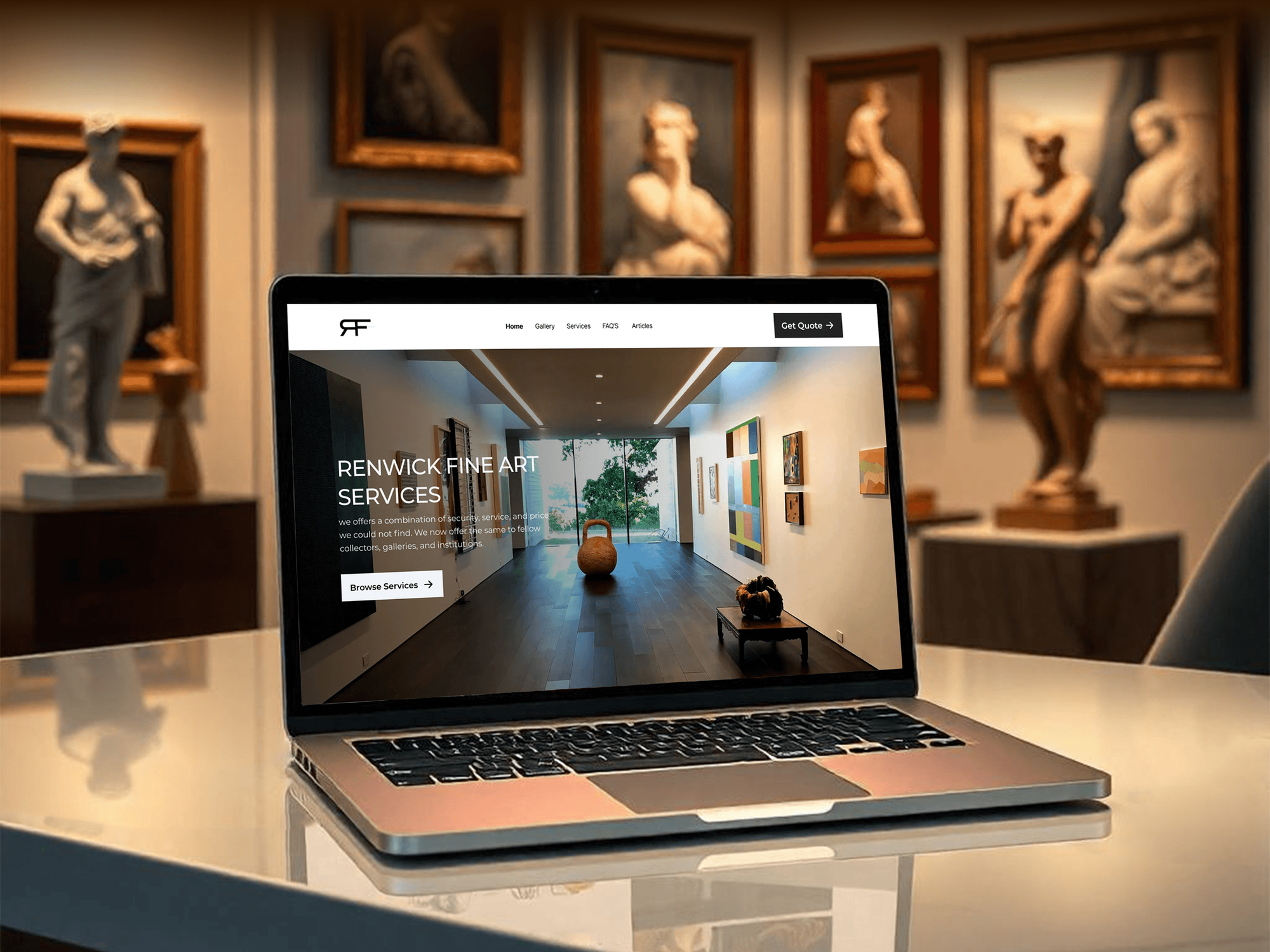
A fine art storage and crating site, a limousine booking site, a risk tracking web app, and a recruiting software site our team built. None were CRM setups.



What Our Clients Say
Feedback from teams we have built websites, dashboards, and integrations for.
We had a pretty specific idea of what we wanted our website to become, but I wasn’t sure how easily we could explain all of it to a development team. There were quite a few moving parts, and we were working toward a deadline, so I expected a few things to get lost along the way. That never really happened. They understood what we were trying to achieve, kept us updated throughout the process, and got everything ready within the agreed timeline. The final site feels much easier to navigate, works beautifully on mobile, and is noticeably smoother for our customers. It was a huge relief seeing the original idea actually turn into the website we had in mind.
The mobile experience is probably my favourite part of the new site. We had spent a lot of time making sure the desktop version looked right, and the team kept pushing us to think about how everything would actually feel on a phone too. They were right. The navigation is clean, the interactions feel natural, and everything we’ve tested so far works exactly as it should. They also went through the links, forms, integrations, and other details more than once before launch, which I really appreciated. And even after going live, we could still reach out when something came up. The whole process felt friendly, organised, and surprisingly straightforward.
What I appreciate most is that the website is actually easy for us to manage now. We can update content ourselves instead of sending a developer a message every time we need to change something small. They also paid attention to the technical SEO side, which mattered to us because we didn’t want a new website to create problems for the traffic we already had. I’ve probably asked more questions than I should have since launch, but every question has been handled patiently and without any fuss. The team is easy to work with, they explain things clearly, and when we need something changed, they focus on getting it done rather than making the process complicated.
1,250+
Projects shipped
10+
Years of experience
Top 3%
Upwork Top Rated Plus
5 stars
Average review score

Want results like these?
Tell us what you are building. You get a reply within 24 hours on business days, then a written estimate.
Work Culture
Brokerage runs on speed and relationships. These habits build a CRM freight reps actually update, not one they work around.
Logging a quote has to take seconds, or reps skip it when trucks need covering. We cut every screen to the fields a busy desk actually fills.
McLeod, Aljex, and other TMS platforms include customer tools. If yours covers quote follow-up with better setup, we configure it and skip the extra CRM fee.
Carrier authority and safety data comes from FMCSA or a vetting tool you license, not from scraped lists. Vetting decisions stay with your compliance team.
Shipper accounts and lane history belong to your brokerage, not the rep who opened them. When someone leaves, their book stays with you.
Agent-owned shippers carry ownership rules the CRM enforces. Agents keep their books private, and the brokerage still sees volume and margin.
Shipper and carrier contacts get texts only after consent is saved with its date and source. Under TCPA rules, that record is your proof.
Overview
DeveloperLook sets up a CRM for freight brokers that keeps shipper lanes on record and follows every quote to a booked load. We build accounts, quote stages, and carrier records, then sync McLeod, Aljex, Tai, or Turvo where APIs allow. Setups start at $1,250 and take 3 to 10 weeks, and dispatch stays in your TMS.
DEVELOPERLOOK
Project facts · CRM for Freight Brokers
Reviewed 8 Oct 2026 by Saimul Islam
Good fit
Brokerages with inside sales teams
Your reps quote dozens of lanes a week and track follow-up in spreadsheets. You want a freight broker CRM that keeps every lane and quote on the account.
International freight forwarders
You quote by origin, destination port, and Incoterms. You need freight forwarding CRM that tracks RFQs by trade lane and the shippers behind them.
Agent-based brokerages
Your agents own their books and run their own shippers. You want freight agent CRM rules that keep each book private while the office sees volume.
Forwarders and brokers on a TMS
Your TMS runs loads and settlement, but sales lives somewhere else. You want a freight forwarder CRM beside it, synced where the TMS API allows.
Agencies marketing for logistics firms
You run campaigns for brokers and forwarders and need CRM data that ties new shipper accounts and first loads back to the campaigns behind them.
Not a fit
CRM only needs connecting
You already run a CRM and only need it connected to your TMS, email, or accounting. Our CRM Integration Services page covers that for less.
You ship your own products
You manufacture or distribute products and need dealer and account sales tracked, not brokerage. Our Manufacturing CRM Setup page fits better.
A full TMS build
You need dispatch, tracking, and carrier pay built as custom software. That is a TMS project, so we scope it separately from a CRM setup.
Budget under $1,250
You run a new brokerage with one or two people and your budget is under $1,250. Your TMS customer list is enough for now.
Not sure we're the right fit?
Book a free call or message us. We'll tell you honestly whether we're the right team.
Pricing
These are starting points in USD. Your final price depends on your TMS, the number of reps and agents, and how much account history moves, and you get a fixed proposal after a free review.
For brokerages and forwarders moving shipper accounts and quotes out of spreadsheets.
$1,250one-time, USD
For teams that want booked loads synced and carriers tracked beside the lanes they run.
$3,100one-time, USD
For agent-based brokerages, multi-office teams, or a CRM to replace.
$6,400one-time, USD
For Agencies
You own the client relationship. We build the CRM behind your logistics campaigns: shipper prospecting, quote follow-up, and reports that tie new accounts and first loads to the campaigns behind them. Everything runs under your brand, in accounts your client owns.
White label: your client only ever sees your brand
Their TMS, modes, lanes, team size, and the numbers the owner tracks.
You receive an account, quote, and sync map with one fixed price.
We configure, test with sample RFQs, train reps under your brand, and hand over access.
We present as your team on calls, guides, and rep training.
Reports tie new shipper accounts and first loads to each campaign.
One setup pattern for brokerages, forwarders, and agent-based offices.
We check your client's TMS API access before promising any sync.
The Right Technology for Your Project
Your TMS keeps dispatch, tracking, and settlement. We add the CRM that fits and connect load boards, vetting data, and email where each tool's API or license allows.
 HubSpot
 Salesforce
 Twilio
 Power BI
FAQ
Straight answers on why forwarders need a CRM, cost, setup time, what to track, TMS links, Revenova, carrier data, and freight agents.
Saimul IslamFounder & CEO, DeveloperLookStill have questions?
Send a message or book a call with the team.
Freight forwarders need a CRM because quotes, trade lanes, and shipper relationships outgrow email long before shipment volume does. A CRM keeps every RFQ with its lane, Incoterms, and deadline, and shows which shippers stopped booking. It also keeps accounts with the company when a sales rep leaves.
Setup starts at $1,250, covering the CRM choice, shipper accounts with lanes, quote stages, and follow-up tasks. TMS sync, carrier records, and volume alerts start at $3,100, and agent programs with migration start at $6,400. CRM licenses and any TMS integration fees are billed by those vendors.
Most brokerages are live in 3 to 4 weeks. Adding TMS sync, carrier records, and volume alerts takes 4 to 6 weeks, and agent programs with migration take 6 to 10 weeks. Timing depends mostly on how quickly your TMS vendor grants API access, so we request it in week one.
It should track shipper accounts by lane, mode, and volume, every quote to booked or lost, and the carriers who run each lane. Add decision makers, tender history, and reasons for lost quotes. Dispatch, tracking, and settlement belong in the TMS, not the CRM, so each system does one job well.
Yes, where each vendor's API or integration program allows. Booked loads, volumes, and customer records can flow into the CRM, so reps see account activity without switching screens. Where no API access is offered, a scheduled export keeps volumes current. We confirm the path with your TMS vendor before quoting.
Revenova is a TMS built on Salesforce, so it combines freight operations with Salesforce's CRM features. It suits brokerages that want one platform and already like Salesforce. If you run McLeod or Aljex and like it, a separate CRM synced to it is usually the smaller change.
It stores carrier vetting results, but it doesn't make the vetting decision. Authority and safety data comes from FMCSA's public records or a vetting tool you license, such as Highway or Carrier Assure. We link those results to carrier records, and your compliance team keeps the final say.
It gives each agent a private book of shippers inside the brokerage's CRM. Ownership rules decide who sees each account, and the office sees volume and margin across all agents. When an agent leaves, your agent agreement decides what happens to the book, and the CRM follows it.
Often, yes, for small brokerages. Many TMS platforms include customer lists, quote history, and basic follow-up, and they only need setting up well. A separate CRM earns its fee when you run outbound prospecting, manage freight agents, or need quote follow-up across a large sales team. We'll tell you in the free review if your TMS is enough.
Your brokerage owns every account, lane, quote, and carrier record, in CRM accounts under your name. We stay on call for 30, 60, or 90 days after launch, depending on the plan, and leave notes on every field, stage, and integration. If you change TMS later, sales history stays put.
Saimul IslamFounder & CEO, DeveloperLookStill have questions?
Send a message or book a call with the team.
Free 30-min callGoogle Meet
Book a call
In 30 minutes on Google Meet we walk you through how we would build it, how long it takes and what it costs. Then you get a written estimate.
Calendar not showing? Book on cal.com or send a brief.