
Question and metric map
Every audience's questions listed with the metric, definition, and filter that answer each one.

For product, finance, and operations teams: charts that answer the questions people actually ask, in your BI tool or inside your own app.
2X
Faster monthly reviews
1
Screen for your key numbers
How your project runs
Teams we have built for:














The Problem
Charts fail quietly. People skim a dashboard, miss the one number that changed, and make the decision from memory instead.
01 · Tile overload
14 tiles, and nobody knows which one matters.
Each audience gets the few charts that answer its own questions.
02 · Wrong chart
Pie charts with 9 slices hide the change that counts.
Bars, lines, or tables picked for each question, not by habit.
03 · Mixed dates
Two charts use different date ranges and seem to disagree.
Shared filters keep every chart on the same period and definitions.
04 · Manual exports
Customer usage reports get exported by hand every Friday.
Charts embedded in your app show each customer their own data.
Your dashboard has 14 tiles, and nobody can say which one matters this week. A pie chart with 9 slices hides the shift that counts. Two charts use different date ranges, so they seem to disagree. Red means good on one page and bad on the next. Customers ask for usage reports, and your team exports CSV files by hand every Friday. The meeting ends with someone promising to pull the real numbers later.
We start with the questions each audience asks and the decision each chart should support. Then we pick the chart type for each question, cut what doesn't earn its space, and set one color meaning across every view. Filters and drill-downs keep detail one click away. Your reviews start from the answer, not from a hunt through tiles.
One question per chart
Each chart answers a named question, so every tile on the screen has a clear job.
Drill-down instead of clutter
Summaries stay on top, and detail opens on click, so each screen stays readable.
Consistent color meaning
One palette with fixed meanings across every view, checked for color-blind readers.
Our Data Visualization Services Process
You see the question list, sketches of each view, and a working prototype on your real data before anything is published.
We look at your current reports, who reads them, and the decisions they feed. You get a list of what to keep, cut, and fix, plus a straight answer if your BI tool's defaults already cover it.
What's Included
Every project is scoped to your audiences and data. Most combine these six parts, from question mapping to the style guide your team keeps.
Compare Options
BI tool defaults suit quick internal charts, and a freelancer suits one report. A data visualization company earns its fee once audiences and data multiply.
| Feature | DeveloperLookBest fit | BI defaults | Freelancer |
|---|---|---|---|
| Planning | Questions mapped per audience | Start from available fields | Brief from one stakeholder |
| Chart choice | Matched to each question | Whatever the tool suggests | Depends on the person |
| Customer-facing charts | Embedded in your app | Extra licenses or iframes | Sometimes, if they code |
| Number checks | Totals tied to source reports | Trusts the data model | Spot checks |
| Accessibility | Color-blind-safe palettes | Default palettes | Varies by person |
| Speed | 1 to 8 weeks | Same day for simple charts | Fast for one report |
| Ownership | Your code, files, and accounts | Your BI tenant | Files, if handed over |
| Cost | Fixed price from $950 | Included with licenses | Hourly, varies |
Projects We've Built
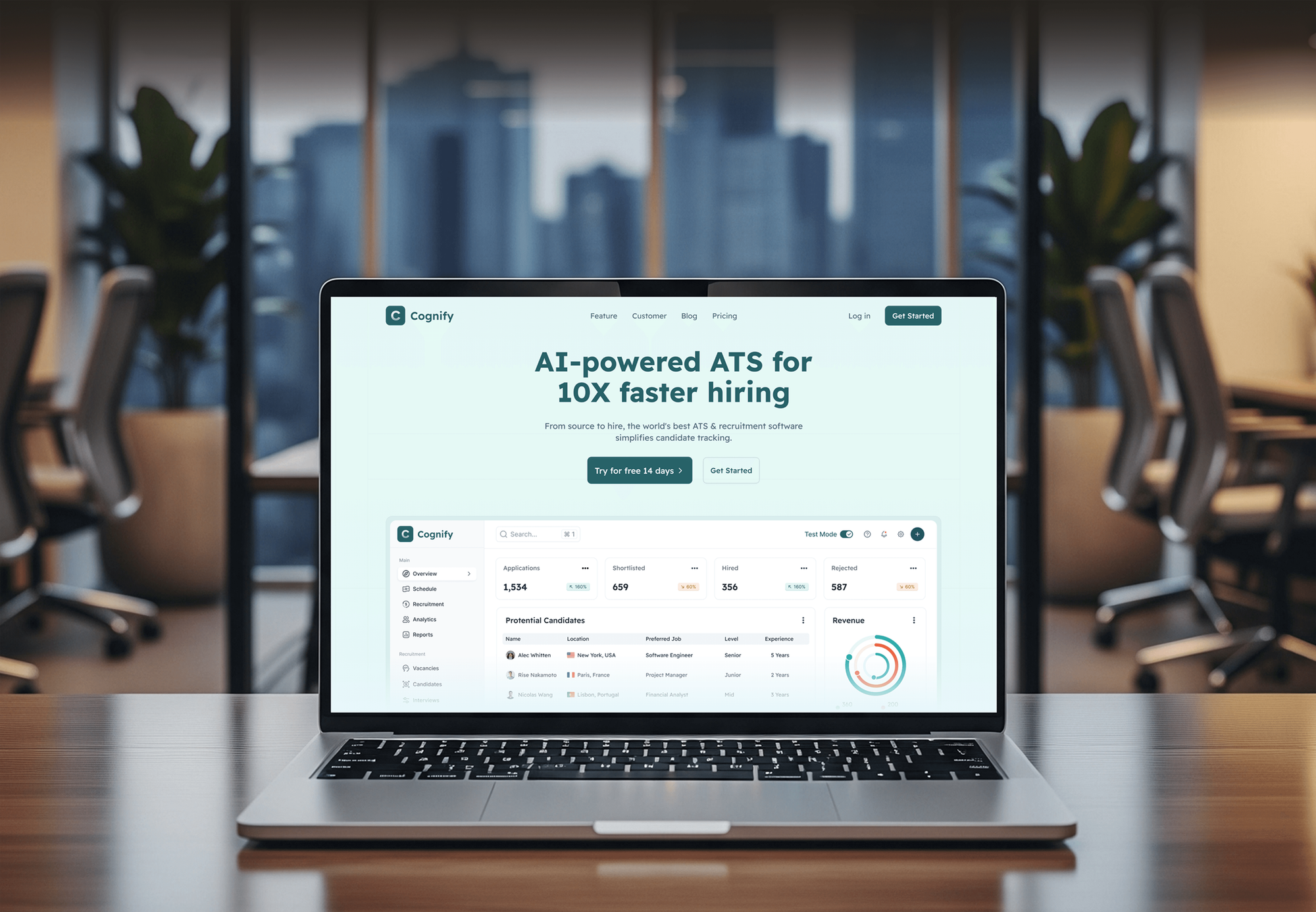
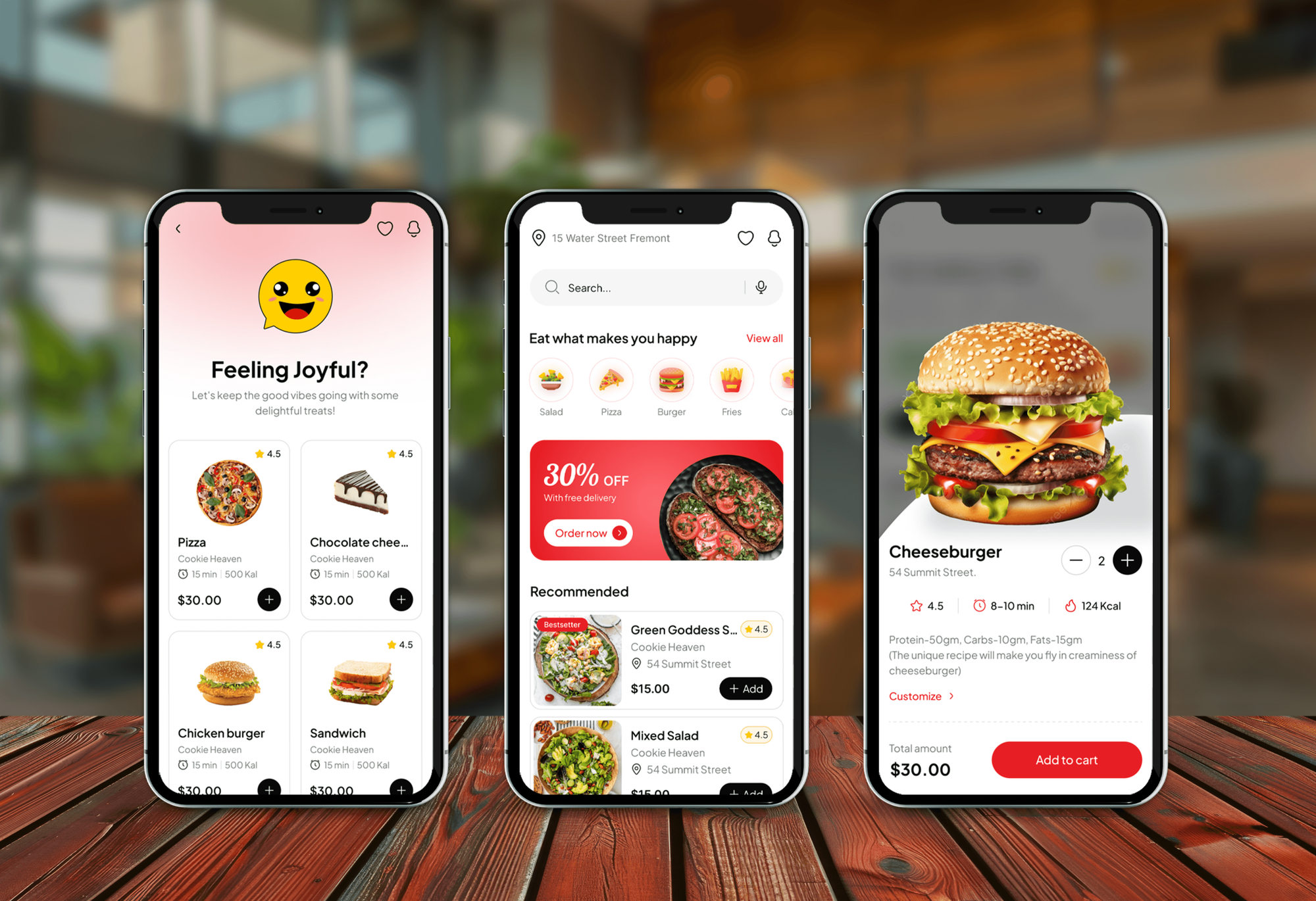
Trading, finance, HR, and restaurant dashboards from our portfolio. Each one puts key numbers, charts, or status tables in front of the people who act on them.


What Our Clients Say
Feedback from teams we have designed and built dashboards and web apps for.
We had a pretty specific idea of what we wanted our website to become, but I wasn’t sure how easily we could explain all of it to a development team. There were quite a few moving parts, and we were working toward a deadline, so I expected a few things to get lost along the way. That never really happened. They understood what we were trying to achieve, kept us updated throughout the process, and got everything ready within the agreed timeline. The final site feels much easier to navigate, works beautifully on mobile, and is noticeably smoother for our customers. It was a huge relief seeing the original idea actually turn into the website we had in mind.
The mobile experience is probably my favourite part of the new site. We had spent a lot of time making sure the desktop version looked right, and the team kept pushing us to think about how everything would actually feel on a phone too. They were right. The navigation is clean, the interactions feel natural, and everything we’ve tested so far works exactly as it should. They also went through the links, forms, integrations, and other details more than once before launch, which I really appreciated. And even after going live, we could still reach out when something came up. The whole process felt friendly, organised, and surprisingly straightforward.
What I appreciate most is that the website is actually easy for us to manage now. We can update content ourselves instead of sending a developer a message every time we need to change something small. They also paid attention to the technical SEO side, which mattered to us because we didn’t want a new website to create problems for the traffic we already had. I’ve probably asked more questions than I should have since launch, but every question has been handled patiently and without any fuss. The team is easy to work with, they explain things clearly, and when we need something changed, they focus on getting it done rather than making the process complicated.
1,250+
Projects shipped
10+
Years of experience
Top 3%
Upwork Top Rated Plus
5 stars
Average review score

Want results like these?
Tell us what you are building. You get a reply within 24 hours on business days, then a written estimate.
Work Culture
A chart is a decision tool, not decoration. These habits keep your views honest, readable, and tied to numbers your finance team already trusts.
We check what your BI tool's standard charts already handle before building anything custom. If they're enough, we'll tell you before we quote.
Bar charts start at zero, and scales stay consistent between related views. Nobody gets a dramatic slope that the numbers don't support.
Every headline number is checked against the report finance or operations already trusts. Mismatches get explained before launch, not discovered in a board meeting.
We test palettes for common color blindness and add direct labels, so meaning doesn't rest on color alone. Key charts also get short text summaries.
We test prototypes with the people who use the dashboard, not only the person who ordered it. Their questions shape the final layout.
Dashboards, chart code, and style guides live in your accounts and repository. Your team can edit or extend them without coming back to us.
Overview
DeveloperLook provides data visualization services for teams whose reports get skimmed instead of used. We map each audience's questions, pick the right chart for each one, and build interactive dashboards or custom charts inside your app. Projects start at $950, take 1 to 8 weeks, and every chart is yours.
DEVELOPERLOOK
Project facts · Data Visualization Services
Reviewed 8 Oct 2026 by Saimul Islam
Good fit
SaaS teams adding customer-facing charts
Your customers keep asking for usage reports, and screenshots from your BI tool look nothing like the rest of your product.
Managers with reports nobody reads
Your monthly report is a deck of pie charts, and leadership still asks the same questions in every review meeting.
Operations teams tracking live numbers
You run a warehouse, clinic, or call center and need wall screens that show today's queue, delays, and targets at a glance.
Analysts who need a second eye
You can write the queries, but you want a data visualization consultant to pick the right charts and make the story clear for executives.
Agencies reporting to many clients
Your agency sends monthly reports to many clients, and you need branded, reusable templates instead of rebuilding charts by hand.
Not a fit
Data not clean yet
Your numbers come from several systems that disagree, and nobody trusts the totals. Our Data Engineering Services page fixes the pipelines first, so charts make sense.
Company-wide Power BI rollout
You've standardized on Power BI and need models, DAX, and workspace governance across the company. Our Power BI Consulting Services page covers that scope.
Dashboard screens only
You only need dashboard screens designed in Figma for your own developers to build. Our Dashboard Design Services page fits that work.
One chart, budget under $950
You need a single chart or a quick tweak, and your budget is under $950. Your BI tool's built-in visuals will likely do, and we'll tell you before we quote.
Not sure we're the right fit?
Book a free call or message us. We'll tell you honestly whether we're the right team.
Pricing
These are starting points in USD. Your final price depends on the number of views, how many audiences need their own version, and whether charts live in a BI tool or your app, and you get a fixed proposal after a free chart review.
For teams with one report or dashboard that people find hard to read.
$950one-time, USD
For teams that need connected dashboards with shared filters and drill-downs.
$2,600one-time, USD
For software products that show charts to their own customers inside the app.
$5,800one-time, USD
For Agencies
You own the client relationship. We work as the data visualization agency behind your brand, designing and building the dashboards and report templates you deliver. Fixed quotes protect your margin, and style guides keep every client's charts consistent.
White label: your client only ever sees your brand
Send the client's current reports, data sources, and the audience for each one.
You get view sketches, metric definitions, and a fixed quote with a delivery date.
Dashboards and a style guide delivered under your agency's brand, ready to present.
Your brand on every dashboard, and no client contact unless you ask.
Branded templates you can roll out to each new client quickly.
Each dashboard and chart set priced upfront, so your margin holds.
Colors, fonts, and chart styles set to each client's brand guide.
The Right Technology for Your Project
We build in the BI tool you already license when it fits, and use open-source chart libraries when charts must live inside your product.
 Power BI
 React
React TypeScript
 Next.js
 Figma
Figma PostgreSQL
 Google Sheets
FAQ
Straight answers on data visualization consulting services: costs, timelines, chart choice, BI tools, and healthcare dashboards.
Saimul IslamFounder & CEO, DeveloperLookStill have questions?
Send a message or book a call with the team.
Data visualization is showing data as charts, maps, or diagrams so patterns and outliers are easy to see. A line chart shows a trend over time, a bar chart compares categories, and a map shows where something happens. Good visualization lets a reader get the main point without studying a table of numbers.
Data visualization is important because people spot patterns in shapes much faster than in rows of numbers. A rising line or an outlier bar stands out at a glance, while the same change hides in a spreadsheet. That speed matters most when a team reviews many metrics and has limited time to decide.
Our data visualization projects start at $950 for one report of up to 10 charts, redesigned around the questions your readers ask. A set of up to 3 interactive dashboards with drill-downs starts at $2,600. Custom charts embedded in your own app start at $5,800. BI tool licenses stay on your own account.
One report usually takes 1 to 2 weeks, and custom charts embedded in an app take 3 to 8 weeks. Agreeing on metric definitions often takes longer than drawing the charts, so we settle those in the first week. Clean source data shortens everything after that.
Data visualization helps a business by making changes visible early: a slipping margin, a growing support queue, or a region falling behind target. Teams spend review meetings deciding instead of reconciling spreadsheets. Customer-facing charts also add value to software products, because users can see the results they're paying for.
Choose the chart by the question, not by the data type. Use lines for trends over time, sorted bars for comparing categories, scatter plots for relationships, and plain tables when people need exact values. Skip pie charts beyond 3 or 4 slices, and skip 3D effects, because both make comparisons harder.
The best BI data visualization tool is usually the one your company already licenses. Power BI suits Microsoft 365 companies, Tableau suits large analyst teams, Looker Studio is free for Google data, and Metabase is open source. For charts inside your own product, code libraries such as D3.js or ECharts fit better.
Lead with the answer, then show the chart that proves it. Put one headline number per view, label lines directly instead of using legends, and color only the series that matters while the rest stay gray. Keep detail in drill-downs, so the first screen tells the story on its own.
Data visualization matters in healthcare because clinicians and managers act on time-sensitive numbers like bed occupancy, wait times, and readmissions. Clear dashboards show where patients are waiting and which units are near capacity. Patient data in charts falls under HIPAA, so we set role-based access and keep identifiable details out of shared views.
Yes. After launch, you can keep a monthly plan where we add views, update charts as metrics change, and fix broken refreshes, quoted separately. You own every dashboard, chart file, and line of code either way. Every project also includes 30 to 90 days of support, depending on your plan.
Saimul IslamFounder & CEO, DeveloperLookStill have questions?
Send a message or book a call with the team.
Free 30-min callGoogle Meet
Book a call
In 30 minutes on Google Meet we walk you through how we would build it, how long it takes and what it costs. Then you get a written estimate.
Calendar not showing? Book on cal.com or send a brief.