
Stack decision in writing
Electron, Tauri, or a native stack compared against your features, users' hardware, download size, and who maintains it later.

For teams that need software on Windows and Mac that works offline, opens local files, and updates without IT visits. From $1,300.
1
Codebase for Windows and macOS
100%
Installers signed and notarized
How your project runs
Teams we have built for:














The Problem
Desktop tools fail quietly: an installer that only runs on Windows, updates sent by email, and a workflow that stops when the network does.
01 · Scary installs
Unsigned installers trigger security warnings that stop users cold.
Every build is code-signed for Windows and notarized by Apple for macOS.
02 · Manual updates
New versions get emailed around and installed by hand.
Built-in auto-updates reach every machine through a release channel you control.
03 · Offline gaps
The tool freezes the moment the connection drops.
A local SQLite database keeps work going and syncs when the connection returns.
04 · Mac users
The old Windows tool won't open on new Mac laptops.
One codebase builds for Windows and macOS, tested on both before each release.
Your team runs half the business through an old Windows tool written by a developer who left years ago. A new hire gets a MacBook, and the tool won't open. On Windows, the unsigned installer throws a "Windows protected your PC" warning, and IT blocks it. Updates arrive as a zip file in an email thread. The moment the Wi-Fi drops, the tool freezes, because nobody planned for offline data. Every workaround costs someone an afternoon.
We start with the question most agencies skip: does this need to be a desktop app at all? If it does, we pick Electron, Tauri, or a native stack for your features and your users' machines, then build one codebase for Windows and macOS. Installers are signed and notarized, updates install themselves, and local data keeps working offline. Your team gets fixes through the app, not through a zip file in an email.
Desktop only when it fits
We tell you if a web app or PWA serves your users better before we quote a build.
Signed, notarized, and trusted
Installers carry your company's certificate, so Windows and macOS show your name, not an unknown publisher.
Updates that install themselves
Auto-updates run through a release channel you control, with a rollback path if a version misbehaves.
Our Desktop App Development Process
Five steps take your app from a fit call to a signed release. You approve the stack, test every sprint build on your own machines, and sign off on the installers.
On a free call, we look at your workflow, your users' machines, and the files or hardware the app must reach. You get an honest answer on desktop versus web, plus a fixed quote for the prototype.
What's Included
A written stack choice, one codebase for Windows and macOS, offline data, system integrations, signed installers, and auto-updates, all in your own accounts.
Compare Options
A web app is simpler to ship, and a freelancer can be cheaper for a small utility. Hiring a desktop app development company pays off when offline work, local files, or hardware matter.
| Feature | DeveloperLookBest fit | Web app | Freelancer |
|---|---|---|---|
| Offline work | Full, with local sync | Limited to cached screens | Depends on the developer |
| Local files and hardware | Direct, through system APIs | Restricted by the browser | Often left out |
| Installation | Signed installer per system | None: users open a link | Often unsigned |
| Updates | Auto-update with rollback | Live on the next page load | Manual reinstalls |
| Windows and macOS testing | Every release, both systems | One browser pass covers both | Usually one system |
| Time to first release | 8 to 12 weeks | Often faster | Varies widely |
| Code ownership | Your repo and certificates | Your repo | Depends on the contract |
| Upfront cost | From $1,300, fixed scope | Similar or lower | Lower hourly rate |
Projects We've Built
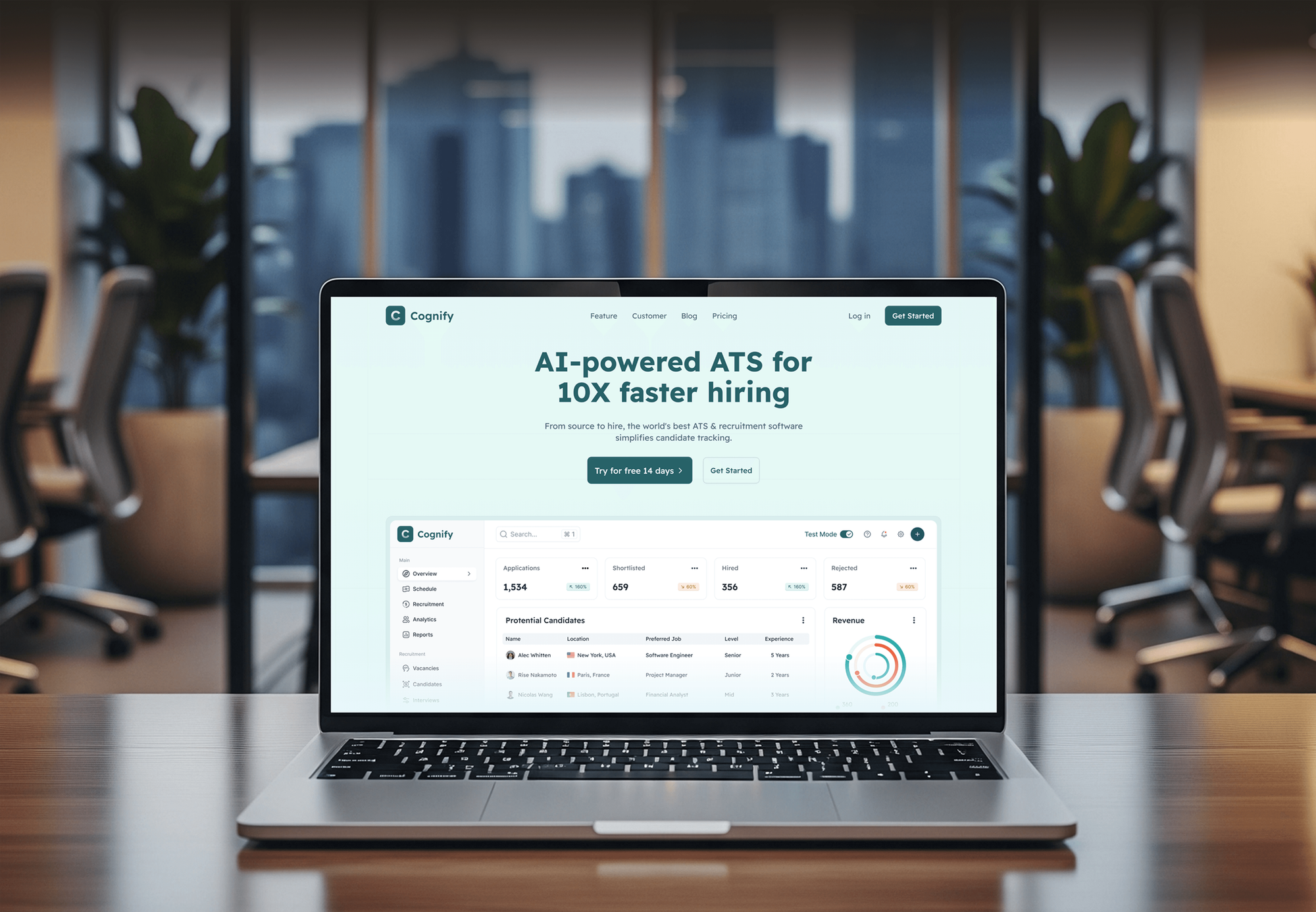
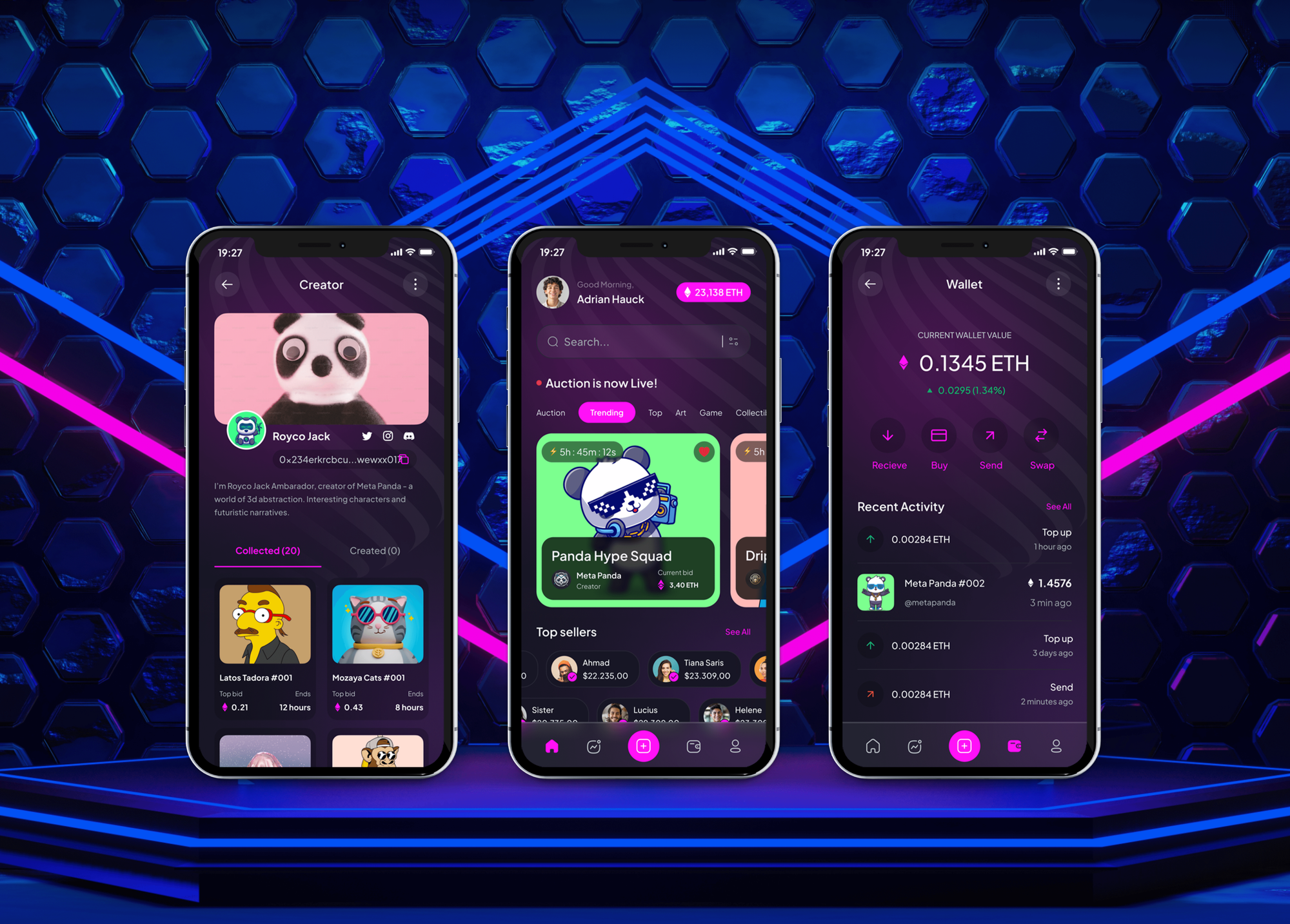
Web apps and dashboards for risk control, finance, recruiting, and trading, shown for their workflows and data screens, not presented as desktop builds.


What Our Clients Say
Feedback from teams we have built software products for.
We had a pretty specific idea of what we wanted our website to become, but I wasn’t sure how easily we could explain all of it to a development team. There were quite a few moving parts, and we were working toward a deadline, so I expected a few things to get lost along the way. That never really happened. They understood what we were trying to achieve, kept us updated throughout the process, and got everything ready within the agreed timeline. The final site feels much easier to navigate, works beautifully on mobile, and is noticeably smoother for our customers. It was a huge relief seeing the original idea actually turn into the website we had in mind.
The mobile experience is probably my favourite part of the new site. We had spent a lot of time making sure the desktop version looked right, and the team kept pushing us to think about how everything would actually feel on a phone too. They were right. The navigation is clean, the interactions feel natural, and everything we’ve tested so far works exactly as it should. They also went through the links, forms, integrations, and other details more than once before launch, which I really appreciated. And even after going live, we could still reach out when something came up. The whole process felt friendly, organised, and surprisingly straightforward.
What I appreciate most is that the website is actually easy for us to manage now. We can update content ourselves instead of sending a developer a message every time we need to change something small. They also paid attention to the technical SEO side, which mattered to us because we didn’t want a new website to create problems for the traffic we already had. I’ve probably asked more questions than I should have since launch, but every question has been handled patiently and without any fuss. The team is easy to work with, they explain things clearly, and when we need something changed, they focus on getting it done rather than making the process complicated.
1,250+
Projects shipped
10+
Years of experience
Top 3%
Upwork Top Rated Plus
5 stars
Average review score

Want results like these?
Tell us what you are building. You get a reply within 24 hours on business days, then a written estimate.
Work Culture
Desktop apps live on your users' machines for years. These habits keep installs clean, updates safe, and the code readable for whoever maintains it next.
If a web app or PWA covers your workflow, we'll say so before quoting a desktop build. You only pay for installers and signing when they solve a real problem.
Each release is installed on clean Windows and macOS machines, not only our development laptops. That catches missing runtimes, permission prompts, and path problems before your users do.
We install the previous version, add real data, then upgrade to the new one. Local databases migrate in place, so users keep their data and settings after an update.
We track installer size, startup time, and memory use from the first sprint. A tool that's slow to open gets left closed, whatever it can do.
Signing certificates, your Apple Developer ID, and the update server sit under your company's accounts. If you change vendors, releases keep shipping without us.
You get build scripts, a release checklist, and notes on every native integration. A new developer can ship the next version from the docs alone.
Overview
DeveloperLook provides desktop app development services for Windows and macOS, built with Electron, Tauri, or a native stack chosen for your app. We build the screens, offline local data, file and hardware access, signed installers, and auto-updates. Projects start at $1,300, most apps release in 8 to 12 weeks, and the code and certificates stay yours.
DEVELOPERLOOK
Project facts · Desktop App Development Services
Reviewed 10 Oct 2026 by Saimul Islam
Good fit
Teams replacing an old Windows tool
Your team still runs a Windows tool from a developer who left, and it won't install on new Macs or pass IT's security checks.
Founders shipping a desktop product
You're launching software people download and install, and you need cross platform desktop app development for Windows and macOS from one codebase.
Web apps that need local access
Your web app can't reach local folders, printers, or USB devices, so users copy files by hand between the browser and their desktop.
Buyers comparing vendors
You're shortlisting a custom desktop application development company and want the stack choice and signing setup explained in writing before you sign.
Agencies with desktop requests
Your clients ask for desktop tools your web team doesn't build, and you need custom desktop app development delivered under your agency's brand.
Not a fit
A browser would do
Your users work online at a desk and need no local files or hardware. A web app costs less to run, and our Web Application Development Services page covers it.
Windows-only .NET app
You're modernizing an existing WPF or Windows Forms app on the Microsoft stack. Our .NET Development Services page covers that work in depth.
Phone app needed
Your users mainly work on phones, not computers. Our Cross-Platform App Development Services page builds one app for iPhone and Android.
Budget under $1,300
Your budget is under $1,300, or an off-the-shelf tool already covers the workflow. If it does, we'll tell you before we quote.
Not sure we're the right fit?
Book a free call or message us. We'll tell you honestly whether we're the right team.
Pricing
These are starting points in USD. Your final price depends on screens, offline sync, and hardware access, and you get a fixed proposal after a free desktop fit call.
For teams that need the stack chosen and the riskiest workflow proven on real machines. About 2 weeks.
$1,300one-time, USD
For a first release your team or customers install on Windows and macOS. About 8 to 12 weeks.
$4,200one-time, USD
For larger tools with heavy offline use, device links, or a Linux build. About 12 to 18 weeks.
$8,400one-time, USD
For Agencies
You keep the client relationship. We supply the desktop engineering behind it: a stack decision you can present, one codebase for Windows and macOS, and installers signed with your client's certificates, not ours.
White label: your client only ever sees your brand
Send the workflow, target systems, any files or hardware involved, and your deadline.
You get a stack memo, a prototype plan, and a fixed price you can resell.
We release under your client's certificates and hand over the code with release docs.
Certificates, update servers, and repositories sit under your client's accounts.
Installable sprint builds every two weeks that your client tests on their machines.
Electron, Tauri, and native developers who know signing and update pipelines.
Hand us a new desktop app, a rewrite of an old one, or one feature.
The Right Technology for Your Project
Electron or Tauri for shared code, native languages where speed or hardware demands it, and the data and release tools a desktop app depends on.
 Electron
 React
React TypeScript
 .NET
.NET Rust
Rust C++
C++ Python
 SQLite
 Node.js
 PostgreSQL
 Supabase
FAQ
Straight answers on desktop app costs, desktop versus web and mobile, and building desktop apps with JavaScript, Python, or React.
Saimul IslamFounder & CEO, DeveloperLookStill have questions?
Send a message or book a call with the team.
Desktop app development services at DeveloperLook start at $1,300 for a prototype sprint: the stack decision, the riskiest workflow built, and signed test builds. A first release with up to 12 screens, offline data, and auto-updates starts at $4,200. Larger platforms with a Linux build or device links start at $8,400. Code signing certificates and Apple's developer fee are billed to you directly.
Desktop software development is designing, building, packaging, and maintaining programs that run on a computer's operating system instead of a browser. Beyond features, desktop development includes installers, code signing, auto-updates, and local data storage. We plan those chores in the first sprint, not the last.
Desktop app development is building an application for Windows, macOS, or Linux that people install and open from the Start menu, dock, or taskbar. Common stacks are Electron or Tauri with web technologies, or native options such as Swift on macOS, .NET on Windows, and Qt across systems. The right one depends on download size, hardware access, and your team.
A desktop application is a program installed on a computer that runs from the operating system, not a browser tab. Microsoft Excel, Adobe Photoshop, and the Slack desktop app are familiar examples. Because it's installed locally, it can work offline, read and write local files, and use printers, scanners, or USB devices that browsers keep at arm's length.
No, desktop applications are still standard for work that needs speed, offline access, or deep system access. Design tools, code editors, accounting software, and point-of-sale systems commonly run on the desktop. Many now share code with a web app through Electron or Tauri, so one team maintains both.
A web app runs in a browser from a server, while a desktop application is installed and runs on the computer itself. Web apps need no installer and update on the next page load. Desktop apps can work fully offline, handle large local files, and reach hardware, but they need signing, installers, and an update system.
Desktop applications run on computers with a keyboard, mouse, and large screen, while mobile applications run on phones and tablets with touch input. Desktop apps can ship outside an app store, with your own installer and update server. Mobile apps almost always go through App Store or Google Play review.
Yes, JavaScript is a common choice for desktop applications through Electron or Tauri. Electron bundles Chromium and Node.js, so the app renders the same way on every system. Tauri uses the system's own webview (WebView2 on Windows, WebKit on macOS) with a Rust core, which usually means smaller downloads.
Yes, Python can build desktop applications with toolkits such as PySide6, the official Qt for Python, or Tkinter, which comes with Python. It suits internal tools, data-heavy utilities, and scientific apps. The trade-offs are larger installers and more packaging work, since the Python runtime ships inside the app. For customer-facing products, we compare it against Electron or Tauri first.
Yes, React can power a desktop application's interface inside Electron or Tauri, and React Native for Windows and macOS is another route to native controls. If you already have a React web app, much of its component code can carry over. Desktop-only parts, such as menus, file access, and auto-updates, are added through the framework's own APIs.
Saimul IslamFounder & CEO, DeveloperLookStill have questions?
Send a message or book a call with the team.
Free 30-min callGoogle Meet
Book a call
In 30 minutes on Google Meet we walk you through how we would build it, how long it takes and what it costs. Then you get a written estimate.
Calendar not showing? Book on cal.com or send a brief.