
Products in both stores
Subscription groups, base plans, trials, and offers configured in App Store Connect and Google Play Console under your accounts.

For app owners ready to charge for premium features: in-app purchases and subscriptions on iOS and Android, verified on your own server. From $950.
100%
Purchases verified on your server
1
Account for access on every device
How your project runs
Teams we have built for:














The Problem
In-app monetization goes wrong after launch, not in the demo: renewals the app misses, refunds that leave access open, and users who paid but can't restore.
01 · Missed renewals
A subscriber who renewed gets locked out of the app.
Server notifications update access as soon as Apple or Google reports a renewal.
02 · Open refunds
Refunded users keep premium access for months.
Refund events from both stores remove access on your server.
03 · Failed restores
Restore does nothing after a user switches phones.
Purchases are tied to the user's account and restored on any device.
04 · Two numbers
Store dashboards and your database disagree on revenue.
Every purchase is verified server-side, so your records match the stores.
Your paywall worked in TestFlight. Then real subscribers arrived. A user renews, but your server still thinks they've lapsed, so the app locks them out and they email support. Another gets a refund from Apple and keeps premium access for months. Someone switches phones, taps Restore, and nothing happens. On Android, a card fails, the grace period ends, and nobody notices the account hold. Your store dashboard and your database now show two different revenue numbers.
We start by reading the current Apple and Google payment rules against your business model. Then we build products and the paywall with StoreKit 2 and Google Play Billing, directly or through RevenueCat. Every purchase is verified on your server and tied to the user's account. Renewals, refunds, and billing retries update access as the stores report them, so your records match the stores instead of a guess.
Store billing on both platforms
StoreKit 2 on iOS and Google Play Billing on Android, built directly or through RevenueCat.
Verified on your server
Each purchase checked with Apple's or Google's server API before premium access opens.
Restores across devices
Purchases tied to the user's account, so access follows them to a new phone.
Our In-App Purchase and Subscription Integration Process
App monetization starts with the store rules. Each step ends with something you approve: the product list, the paywall, sandbox purchases on your own phone, and the release.
On a free call, we map what you sell against Apple's and Google's payment rules: digital access, physical goods, or web sign-ups. You get a recommended monetization model and a fixed quote.
What's Included
Store products, a paywall, server-side verification, renewal and refund events, restores across devices, and sandbox testing, set up under your own developer accounts.
Compare Options
Dropping in a paywall SDK yourself is cheapest, and an in-house developer knows your app best. Here is where each one tends to break down once real renewals and refunds arrive.
| Feature | DeveloperLookBest fit | DIY paywall SDK | In-house developer |
|---|---|---|---|
| Store rules check | Before products are set up | Left to you | If someone reads them |
| Server verification | Every purchase | Optional, easy to skip | Depends on backend time |
| Renewals and refunds | Synced from both stores | Handled in the SDK dashboard | Built as time allows |
| Cross-device access | Tied to user accounts | Store account only | Depends on design |
| Sandbox edge cases | Failures, refunds, and upgrades | Happy path only | Varies |
| Time to first paywall | About 2 weeks | Days, if simple | Weeks of learning |
| Upfront cost | From $950 | Lowest | Salary time |
| Ownership | Your accounts and code | Your accounts | Yours |
Projects We've Built
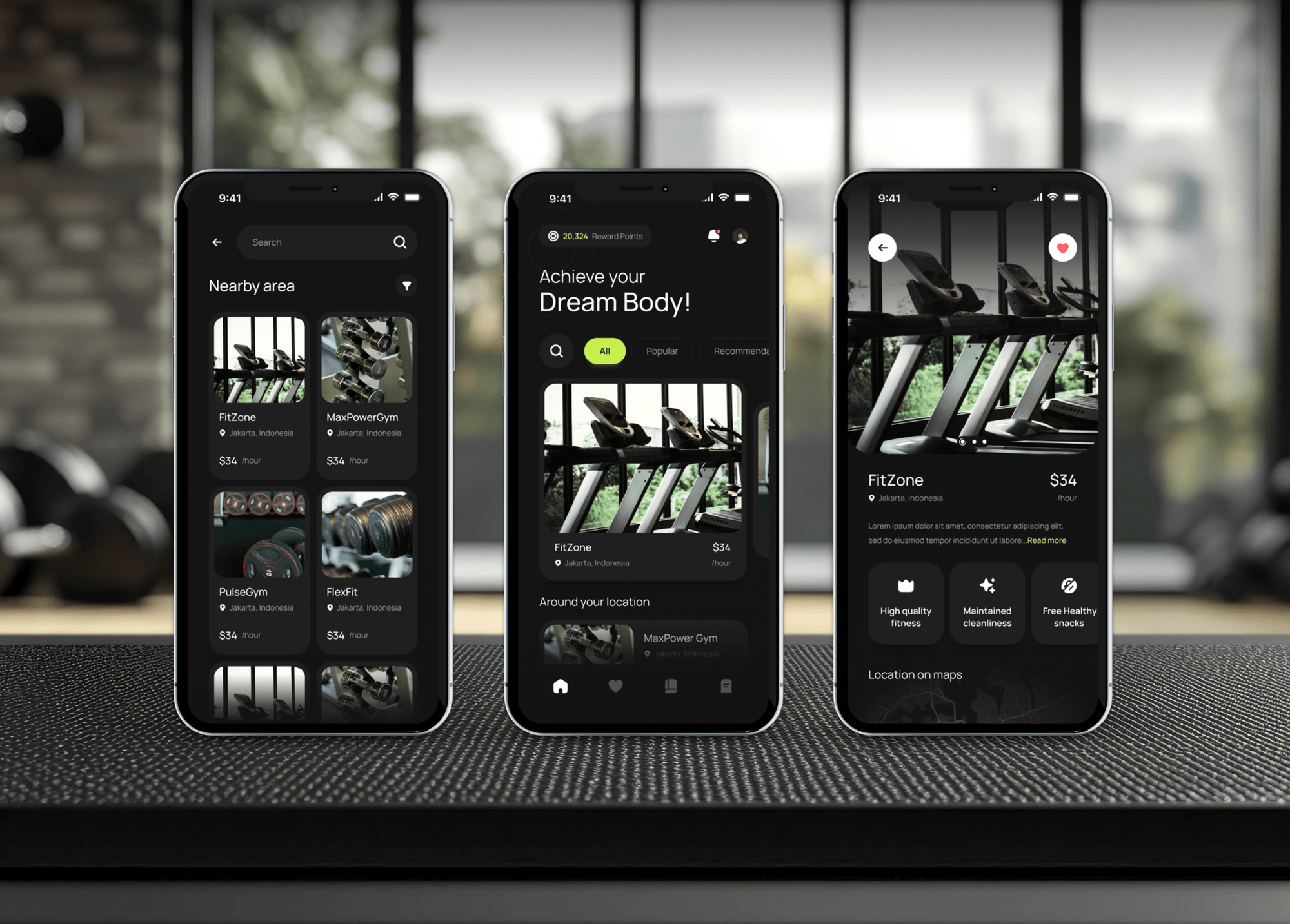
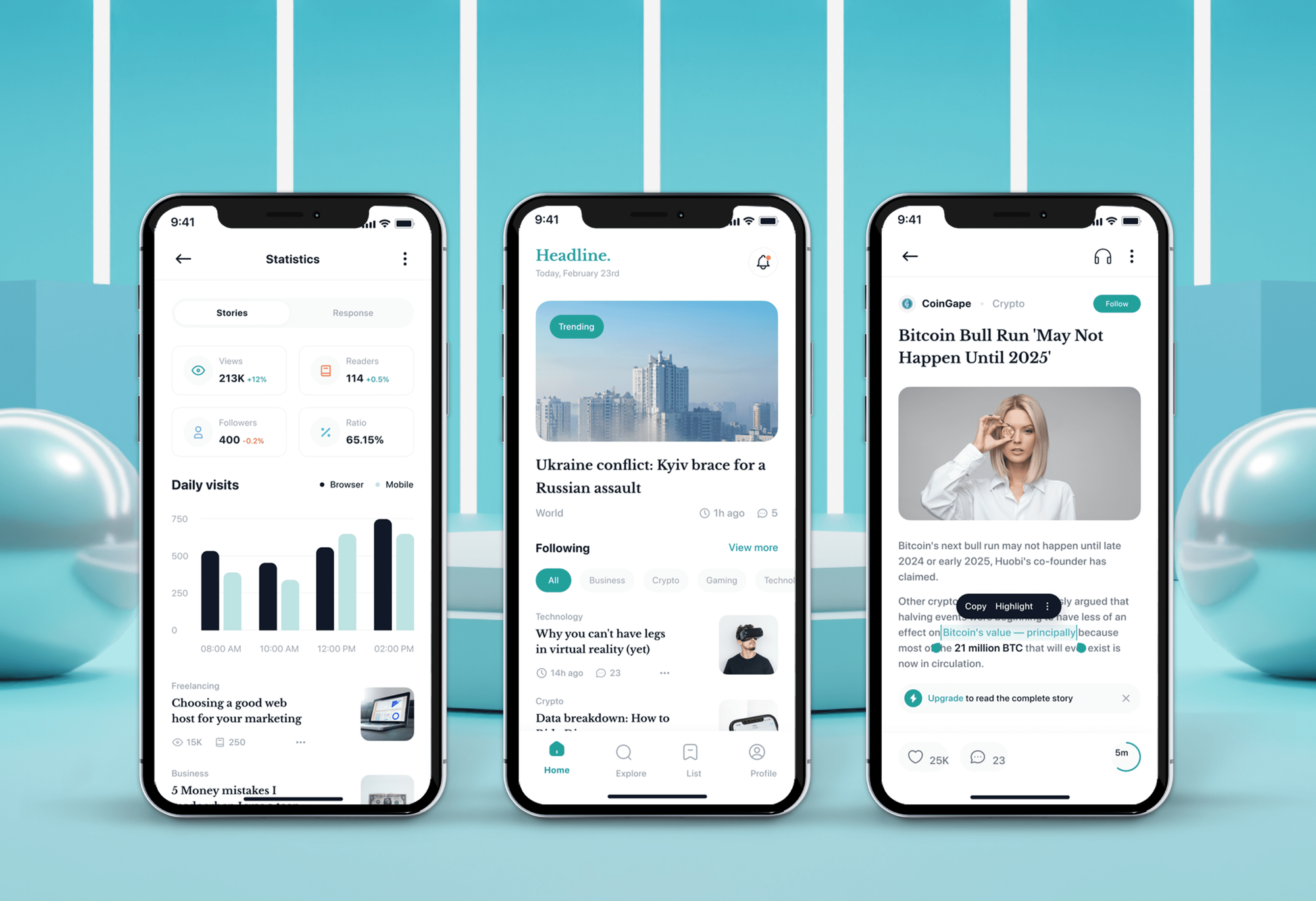
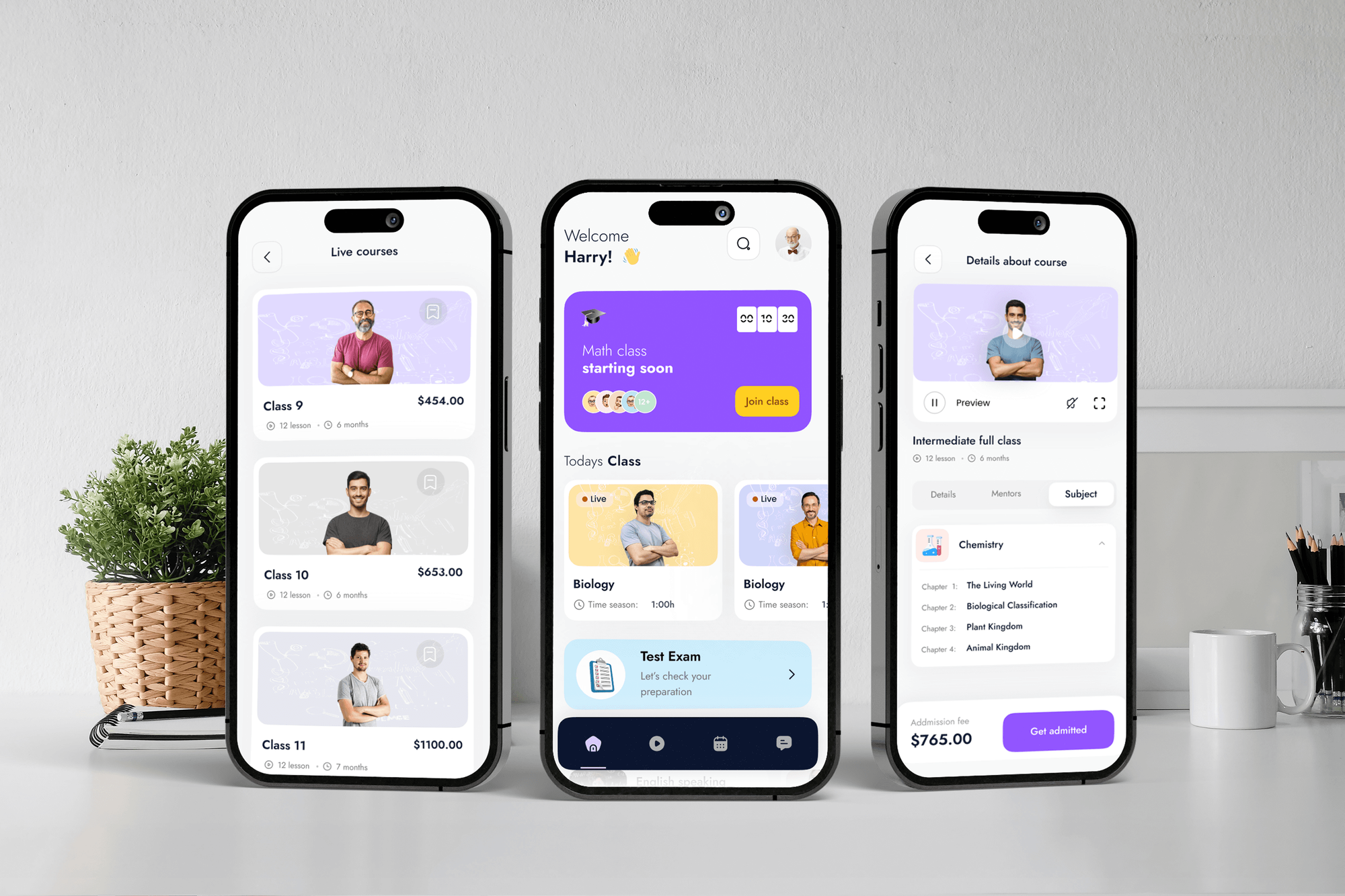
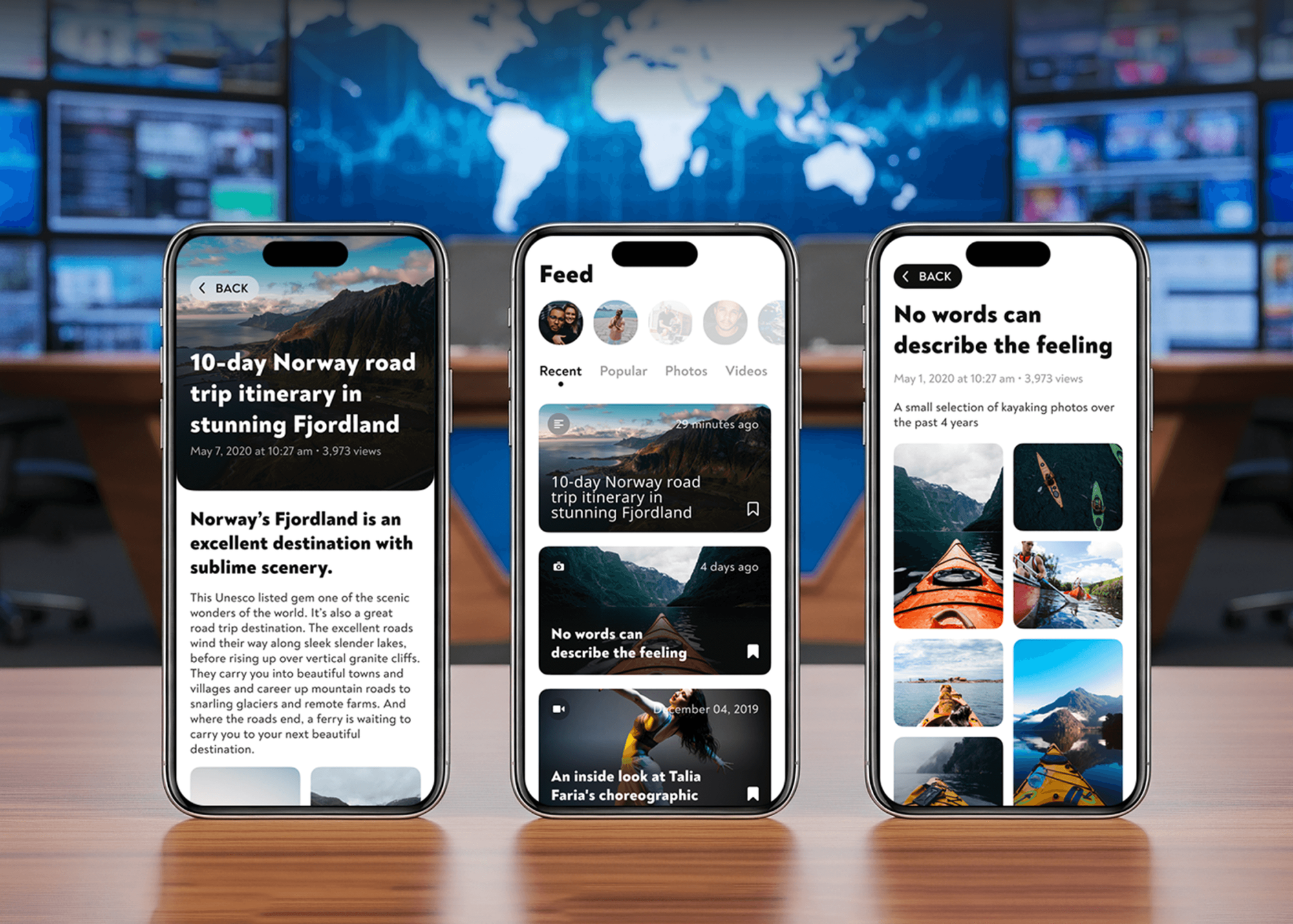
Gym membership, news, and e-learning apps we have designed and built: the kinds of apps that charge for access, shown for their flows, not as billing case studies.
What Our Clients Say
Feedback from teams we have built mobile and web products for.
We had a pretty specific idea of what we wanted our website to become, but I wasn’t sure how easily we could explain all of it to a development team. There were quite a few moving parts, and we were working toward a deadline, so I expected a few things to get lost along the way. That never really happened. They understood what we were trying to achieve, kept us updated throughout the process, and got everything ready within the agreed timeline. The final site feels much easier to navigate, works beautifully on mobile, and is noticeably smoother for our customers. It was a huge relief seeing the original idea actually turn into the website we had in mind.
The mobile experience is probably my favourite part of the new site. We had spent a lot of time making sure the desktop version looked right, and the team kept pushing us to think about how everything would actually feel on a phone too. They were right. The navigation is clean, the interactions feel natural, and everything we’ve tested so far works exactly as it should. They also went through the links, forms, integrations, and other details more than once before launch, which I really appreciated. And even after going live, we could still reach out when something came up. The whole process felt friendly, organised, and surprisingly straightforward.
What I appreciate most is that the website is actually easy for us to manage now. We can update content ourselves instead of sending a developer a message every time we need to change something small. They also paid attention to the technical SEO side, which mattered to us because we didn’t want a new website to create problems for the traffic we already had. I’ve probably asked more questions than I should have since launch, but every question has been handled patiently and without any fuss. The team is easy to work with, they explain things clearly, and when we need something changed, they focus on getting it done rather than making the process complicated.
1,250+
Projects shipped
10+
Years of experience
Top 3%
Upwork Top Rated Plus
5 stars
Average review score

Want results like these?
Tell us what you are building. You get a reply within 24 hours on business days, then a written estimate.
Work Culture
Monetization code touches money and store review at once. These habits keep your paywall fair to users and accepted by Apple and Google.
We check Apple's and Google's current payment rules before designing your paywall. Apple's guidelines changed again in June 2026, so last year's blog post isn't a safe guide.
We show what Apple, Google, and any SDK provider take from each price you set. You choose prices knowing your real proceeds, not the sticker amount.
Clear trial terms, an easy route to cancel, and a working restore button. Paywalls that hide their terms earn refunds and store complaints.
Purchases, renewals, and cancellations flow into your analytics as named events. You see which paywall and which offer people pay for.
Products, prices, and server keys live in your App Store Connect and Play Console accounts. If you switch teams, nothing is stuck in ours.
Some apps suit a one-time purchase better than a subscription, and some only fit ads. We'll tell you which model suits your app before you build a paywall.
Overview
DeveloperLook sets up app monetization with in-app purchases and subscriptions on iOS and Android. We configure store products and offers, build the paywall with StoreKit 2 and Google Play Billing, verify every purchase on your server, and sync renewals and refunds. Prices start at $950, most setups go live in 2 to 5 weeks, and store rules are checked first.
DEVELOPERLOOK
Project facts · In-App Purchase and Subscription Integration
Reviewed 8 Oct 2026 by Saimul Islam
Good fit
Free apps ready to charge
Your app has steady users and no revenue yet, and you want a subscription that doesn't spoil the free experience.
Apps losing subscribers silently
Your store subscriber count doesn't match your database, and users who renewed still get locked out of premium screens.
Founders choosing a revenue model
You're weighing mobile app monetization strategies (subscriptions, one-time purchases, or ads) and want the Apple and Google rules checked before launch.
Businesses with a web checkout
Your customers already subscribe on your website through Stripe, and you want the same account to open the iPhone and Android apps.
Agencies adding paywalls
Your client wants iOS app monetization and Android app monetization, and your team doesn't want to learn two billing systems on a deadline.
Not a fit
No app built yet
You don't have an app yet, and billing is one feature of a bigger build. Our Mobile App Development Company page scopes the whole app.
Web subscriptions only
You sell subscriptions only on your website, with no app involved. Our Subscription Management Software & Recurring Billing Integration page covers that.
Ad network setup only
You only want an ad network wired into your app. We can advise on where ads fit, but we don't sell ad network setup on its own.
Budget under $950
Your budget is under $950, or a one-time paid download covers your goal. If a simpler model fits, we'll tell you before we quote.
Not sure we're the right fit?
Book a free call or message us. We'll tell you honestly whether we're the right team.
Pricing
These are starting points in USD. Your final price depends on the number of stores, products, and whether web purchases join in, and you get a fixed proposal after a free rules review.
For apps adding their first subscription or premium upgrade on one store. About 2 weeks.
$950one-time, USD
For apps selling subscriptions on iPhone and Android with full lifecycle handling. About 3 to 5 weeks.
$2,850one-time, USD
For businesses selling on their website and in both apps, with one account across all three. About 5 to 8 weeks.
$5,600one-time, USD
For Agencies
You keep the client relationship. We supply the billing engineering in the background: store products, paywalls, and server verification for your client's app, set up under their developer accounts and your brand.
White label: your client only ever sees your brand
Send the app, what your client sells, and the target launch date.
You get a monetization model, a product list, and a fixed price to resell.
We launch the paywall under your client's accounts and document every setting.
Products and server keys sit in your client's store accounts.
A working sandbox paywall in about two weeks, then launch.
StoreKit 2, Play Billing, and RevenueCat work from experienced developers.
One store now, the second store or web checkout later.
The Right Technology for Your Project
Apple's and Google's own billing tools first, RevenueCat when it saves you work, and a server and analytics setup that records every purchase.
 React Native
 Flutter
 Node.js
 Firebase
 Supabase
 PostgreSQL
 Stripe
 Apple Pay
 Google Analytics
FAQ
Straight answers on in-app purchase costs, monetization models, store rules, and how subscriptions work behind the paywall.
Saimul IslamFounder & CEO, DeveloperLookStill have questions?
Send a message or book a call with the team.
In-app purchase and subscription integration at DeveloperLook starts at $950 for one store: up to 3 products, a paywall, restores, and server verification. Both stores with grace period, account hold, and offer handling start at $2,850. Adding Stripe web checkout with one account across web and app starts at $5,600. Apple and Google also take a commission on each sale.
Adding in-app purchases to one store takes about 2 weeks, including sandbox testing. Both stores with full subscription handling take 3 to 5 weeks, and web plus app setups take 5 to 8 weeks. Allow time for App Review too: Apple reviews new in-app purchase products, and your first one is submitted with a new app version.
You monetize an app by charging for access (subscriptions or one-time upgrades), selling consumable items, showing ads, or combining them. Subscriptions suit apps that deliver ongoing value, such as content, tools, or coaching. One-time upgrades suit a fixed feature set. Digital features sold inside the app generally go through Apple's and Google's billing, with some regional exceptions, so start there.
Monetize a free app by keeping the core free and charging for an upgrade: a subscription, a one-time upgrade, or consumable credits. This freemium model lets people try the app before paying. Place the paywall where users already see value, not on first launch, and offer a free trial on subscriptions. Ads can fund the free tier, but they compete with your upgrade.
Without ads, an app earns through subscriptions, one-time upgrades, consumable purchases, or sales of physical goods and services. In most regions, digital purchases inside the app go through App Store or Google Play billing. Physical goods and services used outside the app, such as deliveries or bookings, use regular payments like Apple Pay or a card form, under Apple's guideline 3.1.3(e).
App monetization works by charging users through the store's billing system, which collects payment, keeps its commission, and pays you the rest. The app shows products from the store, the user pays with their Apple or Google account, and the store returns a signed transaction. Your server verifies it, opens access, and listens for renewals, refunds, and cancellations.
App monetization is how an app turns usage into revenue: subscriptions, in-app purchases, paid downloads, ads, or sales of physical goods. The right mix depends on what users value and how often they return. For iOS app monetization and Android app monetization alike, the stores' billing rules shape which options you can use inside the app.
The main models are subscriptions, one-time purchases, consumables, paid downloads, advertising, and freemium mixes of these. Subscriptions renew automatically and suit ongoing content or tools. Consumables, such as credits or coins, get used up and bought again. Paid downloads charge before install, which rules out a free trial. Many apps pair a free tier with one paid upgrade.
An app monetization strategy is the plan for what you charge for, how much, and when users see the offer. Good app monetization strategies set the free versus paid line, the price tiers, the trial length, and where the paywall appears. They also account for store commissions and rules. We write that plan down before configuring any products.
In-app purchases are digital items or access that users buy inside an app through Apple's or Google's billing system. Apple groups them into consumables, non-consumables, auto-renewable subscriptions, and non-renewing subscriptions. Google Play uses one-time products and subscriptions with base plans and offers. Apple expects apps to offer a way to restore purchases that can be restored.
Saimul IslamFounder & CEO, DeveloperLookStill have questions?
Send a message or book a call with the team.
Free 30-min callGoogle Meet
Book a call
In 30 minutes on Google Meet we walk you through how we would build it, how long it takes and what it costs. Then you get a written estimate.
Calendar not showing? Book on cal.com or send a brief.