Approved tool inventory
Every tool, resource, and prompt listed with inputs, outputs, owner, and the permission it needs.

For product and platform teams who want AI assistants to work inside their systems: one MCP server with scoped tools, clear consent, and logs you can audit.
1server
For every MCP client
100%
Tool calls logged and scoped
How your project runs
01 · FreeTeams we have built for:














The Problem
It shows up the week someone asks Claude or ChatGPT to check an order or open a ticket. The answer lives in your systems, and the shortcut on offer is an admin key in a config file.
Admin keys
One shared API key gives the assistant full admin rights.
Admin keys
OAuth sign-in runs each call with the signed-in person's own permissions.
Duplicate plugins
The same integration gets rebuilt for every AI tool.
Duplicate plugins
One server works with Claude, ChatGPT, Cursor, and any compliant client.
Wrong tool
Vague tool descriptions make the model pick the wrong action.
Wrong tool
Tools get clear names, typed inputs, and descriptions tested on real requests.
Audit trail
Nobody can say who triggered a delete, or why.
Audit trail
Every call is logged with the user, inputs, result, and time.
Your team wants the assistant to answer from the CRM, file a Jira ticket, and look up an invoice. Each AI tool wants its own plugin, so the same integration gets built three times. A developer wires up a quick local server with an admin API key saved in a JSON file on a laptop. Now any prompt that reaches the model can trigger a delete, and nobody can say which person made the call. Tool descriptions are vague, so the model picks the wrong action on simple requests. Then security asks the question nobody can answer: what can this thing actually touch?
We start with a tool inventory: every action the AI should take, who may take it, and what it must not do. Then we build one MCP server that any compliant client can use, with tools named and described so the model picks the right one. Remote servers sign people in through OAuth, so each call runs with that person's permissions. Write tools ask for confirmation, and every call is logged. Your AI gets real access, not a skeleton key.
Tool inventory before code
Every tool listed with its inputs, outputs, owner, and the data it can read or change.
Per-user access, not admin keys
Remote servers sign each person in, so tool calls run with their own permissions.
Every call on the record
Each tool call is logged with the user, inputs, result, and time for your security review.
Our MCP Server Development Process
You approve the tool list before we write code. Then you try each tool in your own AI client on staging and sign off on access rules before production.
We go through the systems you want AI to reach, the clients your team uses, and the actions that worry your security lead. You get a written scope, a tool shortlist, and a fixed price before any credentials are shared.
What's Included
A working server your AI clients can use on day one, plus the access rules, tests, and documentation your security team will ask for before they approve it.
Compare Options
Prebuilt servers and your own engineers both get AI connected to tools. Here is where each one fits, and where each tends to stop once security reviews the setup.
| Feature | DeveloperLookBest fit | Prebuilt Server | In-House Team |
|---|---|---|---|
| Planning | Tool inventory approved first | Install and configure | Fits around sprint work |
| Your internal APIs | Built around your own systems | Popular SaaS tools only | Full access to your code |
| Access control | Per-user OAuth scopes | Varies by publisher | Depends on who builds it |
| Write actions | Confirmation rules per tool | Often all or nothing | Decided case by case |
| Setup speed | 1 to 6 weeks per server | Fastest, often same day | Competes with roadmap work |
| Testing | Inspector and client tests per tool | Publisher's own tests | Your existing test suite |
| Cost | Fixed price per scope | Free or low cost | Salary time, no invoice |
| Ownership | Code and docs you keep | Publisher controls updates | Kept by your team |
Projects We've Built
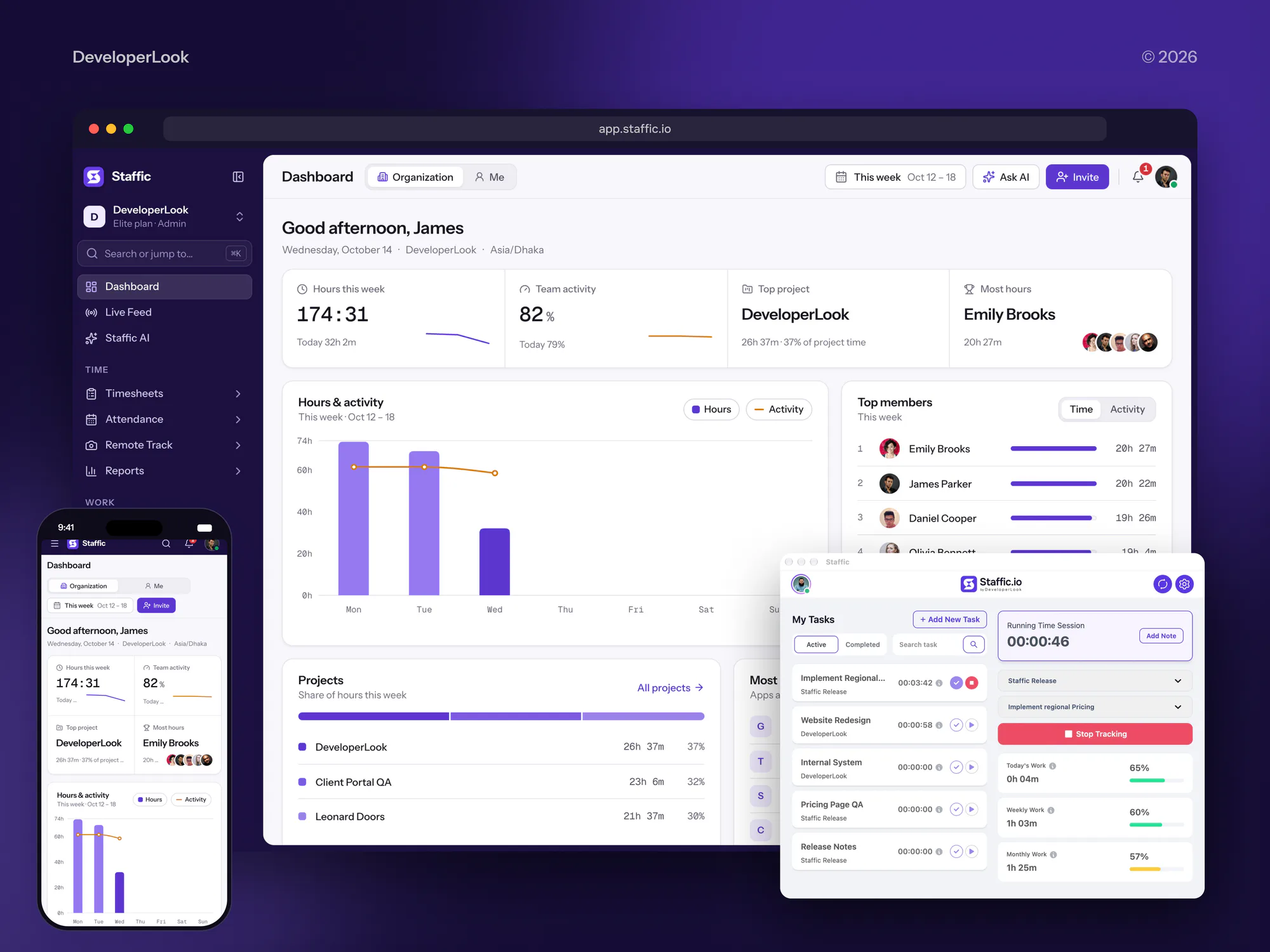
Software we designed and built with APIs, dashboards, and user roles, the kind of system an MCP server exposes. They show our build work, not past MCP projects.



What Our Clients Say
Feedback from teams we have built apps, platforms, and websites for.
We had a pretty specific idea of what we wanted our website to become, but I wasn’t sure how easily we could explain all of it to a development team. There were quite a few moving parts, and we were working toward a deadline, so I expected a few things to get lost along the way. That never really happened. They understood what we were trying to achieve, kept us updated throughout the process, and got everything ready within the agreed timeline. The final site feels much easier to navigate, works beautifully on mobile, and is noticeably smoother for our customers. It was a huge relief seeing the original idea actually turn into the website we had in mind.
The mobile experience is probably my favourite part of the new site. We had spent a lot of time making sure the desktop version looked right, and the team kept pushing us to think about how everything would actually feel on a phone too. They were right. The navigation is clean, the interactions feel natural, and everything we’ve tested so far works exactly as it should. They also went through the links, forms, integrations, and other details more than once before launch, which I really appreciated. And even after going live, we could still reach out when something came up. The whole process felt friendly, organised, and surprisingly straightforward.
What I appreciate most is that the website is actually easy for us to manage now. We can update content ourselves instead of sending a developer a message every time we need to change something small. They also paid attention to the technical SEO side, which mattered to us because we didn’t want a new website to create problems for the traffic we already had. I’ve probably asked more questions than I should have since launch, but every question has been handled patiently and without any fuss. The team is easy to work with, they explain things clearly, and when we need something changed, they focus on getting it done rather than making the process complicated.
1,250+
Projects shipped
10+
Years of experience
Top 3%
Upwork Top Rated Plus
5 stars
Average review score
1,250+
Projects shipped
10+
Years of experience
Top 3%
Upwork Top Rated Plus
5 stars
Average review score

Want results like these?
Tell us what you are building. You get a reply within 24 hours on business days, then a written estimate.
Work Culture
Model Context Protocol security starts at the server, which sits between an AI model and your business systems. So we build it as an access layer first and an integration second.
Each tool gets the narrowest scope that does its job, and read tools stay apart from write tools. A confused model can only do what that one tool allows.
The model knows a tool only by its name and description, so vague wording turns into wrong actions. We rewrite both until your real requests pick the right tool.
We follow the current MCP specification rather than one client's quirks. Your server keeps working when your team moves from one AI tool to another.
Many SaaS vendors already publish an official MCP server. If one covers your case, we'll tell you before we quote and help you configure it instead.
The repository, deployment, and credentials sit in your accounts from day one. There is no licence fee and no lock-in to our hosting.
We share the tool inventory and access rules with your security lead before the build. Their questions get answered early instead of blocking launch.
Overview
DeveloperLook builds Model Context Protocol servers that let Claude, ChatGPT, Cursor, and your own agents use company systems safely. Each build includes a tool inventory, OAuth sign-in with per-user scopes, confirmations on write actions, call logs, and tests in your AI clients. Plans start at $1,150 and take 1 to 6 weeks, and you own the code.
DEVELOPERLOOK
Project facts · MCP Server Development
Reviewed 28 Oct 2026 by Saimul Islam
Good fit
SaaS companies adding AI access
Your customers ask whether they can use your product from Claude or ChatGPT, and you want one official server instead of a dozen community forks.
Internal platform and IT teams
Your staff use AI clients every day, and you need them to reach the CRM, wiki, and ticket system without anyone sharing admin API keys.
Engineering teams on AI coding tools
Your developers want Cursor, VS Code, or Claude Code to read internal docs, deploy logs, and feature flags through one approved server.
Teams running their own AI agents
You run custom agents and need tools with typed inputs, clear errors, and rate limits that hold when an agent gets stuck in a loop.
Agencies with AI-curious clients
Your client wants their assistant connected to an internal system, and you need a white-label build with documentation your team can support.
Not a fit
Budget under $1,150
You need a server for one internal API, but your budget is below $1,150. A prebuilt server from the tool's vendor, configured by your own team, is the better fit.
Chatbot for site visitors
You want a chatbot that answers customers on your website. Our AI Chatbot Development service builds that, with or without MCP underneath.
Answers from documents
You mainly need AI to answer questions from manuals, policies, and PDFs. Our RAG Development Services page covers search and answers over your documents.
No AI use case yet
You haven't decided which AI tasks are worth building. Start with AI Consulting Services, then build the server once the use case is clear.
Not sure we're the right fit?
Book a free call or message us. We'll tell you honestly whether we're the right team.
Pricing
These are starting points in USD. Your final price depends on how many tools you expose and which systems they touch, and you get a fixed proposal after a free scoping call.
For Agencies
You own the client relationship. We supply the MCP engineering behind it: tool design, secure access, testing in the client's AI tools, and documentation your team hands over under your brand. Your client sees one delivery partner, and that partner is you.
White label: your client only ever sees your brand
Send the systems, AI clients, and actions your client wants, under NDA if needed.
You get a tool inventory, a timeline, and a fixed price you can mark up.
We build, test, and document the server, then hand it to your team.
Send the systems, AI clients, and actions your client wants, under NDA if needed.
You get a tool inventory, a timeline, and a fixed price you can mark up.
We build, test, and document the server, then hand it to your team.
The Right Technology for Your Project
Official MCP SDKs, standard sign-in, and the AI clients your team already uses, so the server keeps working as models and tools change.
 Claude
 ChatGPT
 Google Gemini
 TypeScript
 Python
 Node.js
 Docker
 Cloudflare
 PostgreSQL
 Salesforce
 HubSpot
 Slack
SlackRelated Services
Services teams add when AI needs more than tool access: answers from documents, agents that act on their own, security reviews, and API work.
This page
MCP Server Development
Pairs with the 6 services around it
FAQ
Straight answers on what MCP is, how it works, which AI clients support it, cost, and timelines.
Saimul IslamFounder & CEO, DeveloperLookStill have questions?
Send a message or book a call with the team.
Our MCP builds start at $1,150, and enterprise implementations across several systems with single sign-on start at $6,800. A hosted team server with write actions and logs starts at $3,200. The price moves with the number of systems, the write actions that need confirmation rules, and your sign-in setup. You get a fixed quote after the free scoping call.
A server for one internal API takes 1 to 2 weeks, and a remote server across several systems takes 3 to 6 weeks. Most of that time goes into the tool inventory, access rules, and testing. An SDK can build MCP server code for a demo in an afternoon, but a demo doesn't decide who may delete a record.
MCP is an open standard that lets AI applications connect to outside tools and data in one consistent way. An AI app such as Claude or ChatGPT is the host, and each connection runs through an MCP client to an MCP server. The server offers tools the model can call, resources it can read, and prompt templates people can pick.
MCP works by passing JSON-RPC 2.0 messages between a client inside the AI app and a server you control. The client asks what the server offers, the model picks a tool, and the host asks the user before running it. The server then calls your API and returns the result. Local servers run on the user's machine, and remote servers run over HTTP with OAuth sign-in.
MCP servers are small programs that expose one system, such as a CRM or a database, to AI applications as tools, resources, and prompts. Each server decides what the AI can see and do inside that system. A good one keeps read and write tools apart, checks every input, and logs each call, which is where most of our build time goes.
MCP is used to let AI assistants and agents work with live business systems instead of pasted text. Common Model Context Protocol use cases include support agents checking orders and sales teams querying the CRM from Claude. Developers read logs from Cursor, and finance staff pull invoice data into ChatGPT. Each case becomes one server, or one tool on a shared server.
The purpose of MCP is to replace one-off AI integrations with a single standard that any compliant app can use. Before it, each AI product needed its own plugin for each system, so integrations multiplied. Now you build one server for a system, and every compliant client reaches it under the same access rules.
Yes. ChatGPT connects to remote MCP servers through developer mode, and OpenAI's documentation lists support for both read and write tools. Write actions ask the user to confirm by default, while tools marked read-only don't. Plan access has changed during the rollout, so we check your ChatGPT workspace settings before we promise a connection.
Yes. The specification, the official SDKs, and reference servers are published openly on GitHub under the modelcontextprotocol organization. Anthropic introduced MCP and, in December 2025, donated it to the Agentic AI Foundation, a fund hosted by the Linux Foundation. Anyone can build clients and servers without paying a licence fee.
In software development, an MCP server is the adapter between an AI model and a system you own, built like any small backend service. It has code, tests, deployment, and versions. Teams often start from SDK commands that create MCP server scaffolding, then add tools one at a time. We hand over the repository and a guide, so your developers keep adding tools after launch.
Saimul IslamFounder & CEO, DeveloperLookStill have questions?
Send a message or book a call with the team.
Free 30-min callGoogle Meet
Book a call
In 30 minutes on Google Meet we walk you through how we would build it, how long it takes and what it costs. Then you get a written estimate.
Calendar not showing? Book on cal.com or send a brief.