
Device and OS matrix
A device list built from your analytics, covering the phones, tablets, and OS versions your users run.

For app teams heading into an App Store or Google Play release: your core flows tested on the devices and OS versions your users actually carry.
6+
Devices tested per platform
100%
Store policy pre-checks
How your project runs
Teams we have built for:














The Problem
Mobile bugs hide where a simulator rarely looks: older OS versions, small screens, a phone call mid-checkout, or a tunnel that drops the connection.
01 · Old OS
Users on an older Android version can't log in.
Your device matrix includes the OS versions your analytics show, not just the newest.
02 · Interruptions
A phone call mid-checkout empties the cart.
Calls, notifications, and app switching are tested in the middle of each core flow.
03 · Permissions
Denying location access leaves a blank map.
Every permission is tested allowed, denied, and changed later in system settings.
04 · Store review
The next build goes to review with nobody checking store rules.
A pre-submission check compares the build with Apple and Google Play policies.
Your app worked on the iPhone simulator and on the developer's own Pixel. Then it went live. A user on an older Android version can't get past the login screen. Another took a phone call during checkout and came back to an empty cart. A third denied location access and got a blank map instead of a prompt. The reviews mention all 3, and your next build is already waiting in Apple's review queue.
We start with your analytics: the phones, OS versions, and screen sizes your users actually have. Your core flows get tested on those devices in a cloud device farm, plus the cases simulators skip: interruptions, denied permissions, lost signal, and backgrounding. Before you submit, we check the build against store rules. Your users get a working app, not the bug list.
Devices from your analytics
We pick phones and OS versions by what your users run, not by what's newest on the market.
Mobile-only failure cases
Calls, notifications, denied permissions, and dropped signal tested in the middle of every core flow.
Ready for store review
Builds are checked against Apple and Google Play rules before anyone presses submit.
Our Mobile App Testing Services Process
You approve the device list before testing starts, get every defect with the device and OS it happened on, and see a store pre-check before you submit.
We install your current build from TestFlight or a Google Play internal testing track and walk the core flows. You get a proposed device matrix, the flows to cover, and a fixed price.
What's Included
Testing for the parts of an app that only break on phones: devices, OS versions, interruptions, permissions, performance, and the store review between you and your users.
Compare Options
Crowdtesting platforms reach many devices at once, and testing on your team's phones costs nothing extra. Here's how a mobile app testing company compares on depth and coverage.
| Feature | DeveloperLookBest fit | Crowdtesting | Team's phones |
|---|---|---|---|
| Device coverage | Matrix from your analytics | Many devices, chosen by testers | The phones on your desks |
| Test depth | Written cases plus edge cases | Exploratory, varies by tester | Mostly the happy path |
| Interruptions | Tested in every core flow | Sometimes, if someone notices | Rarely tested |
| Performance | Launch, memory, and battery measured | Not usually included | Felt, not measured |
| Store readiness | Policy pre-check before submit | Not included | Depends on who submits |
| Bug reports | Device, OS, and screen recording | Quality varies by tester | Chat messages and screenshots |
| Turnaround | 1 to 2 weeks per release | Fast for broad sweeps | Same day, limited coverage |
| Cost | Fixed price from $950 | Pay per cycle or per bug | Free, but costs team time |
Projects We've Built
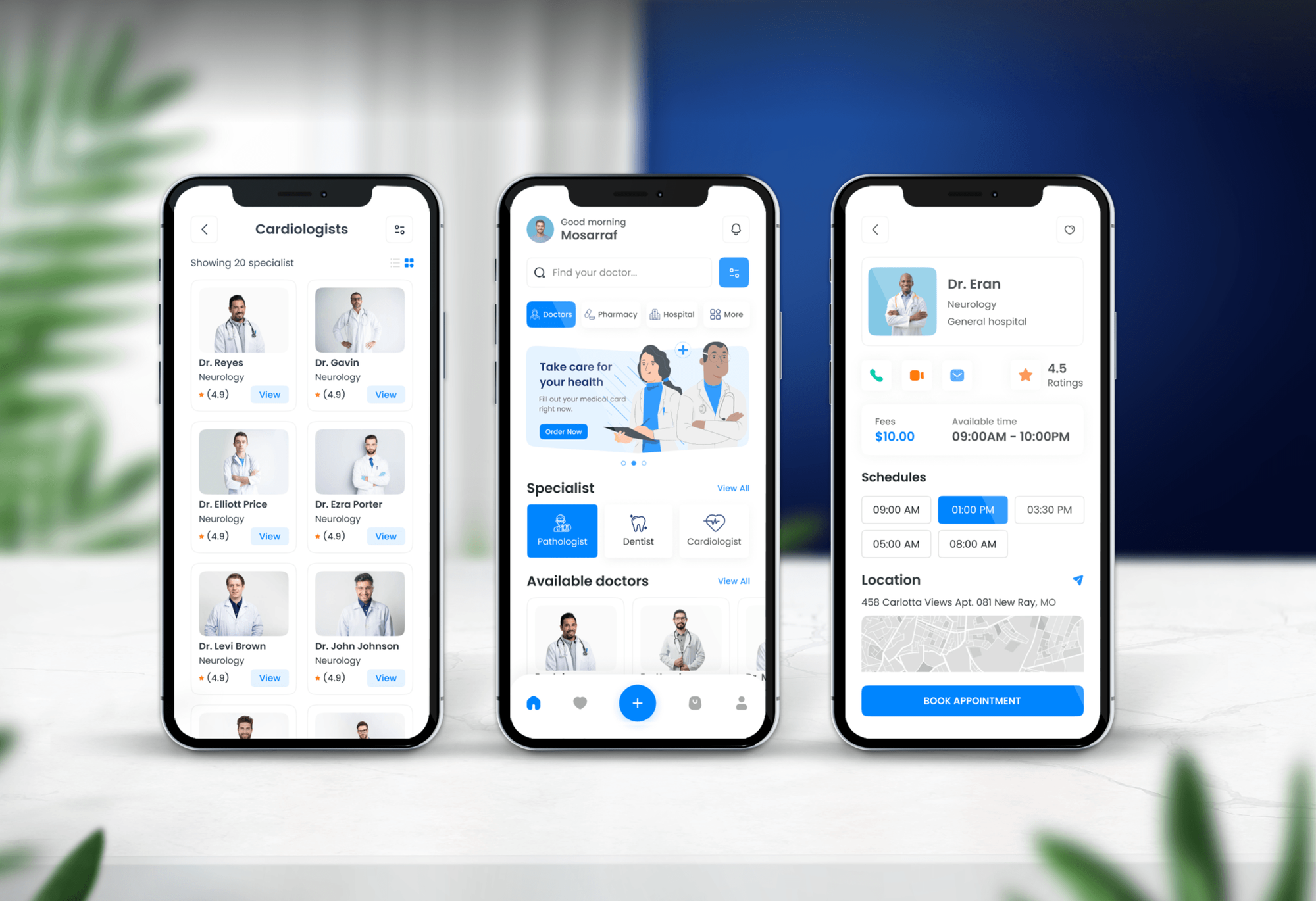
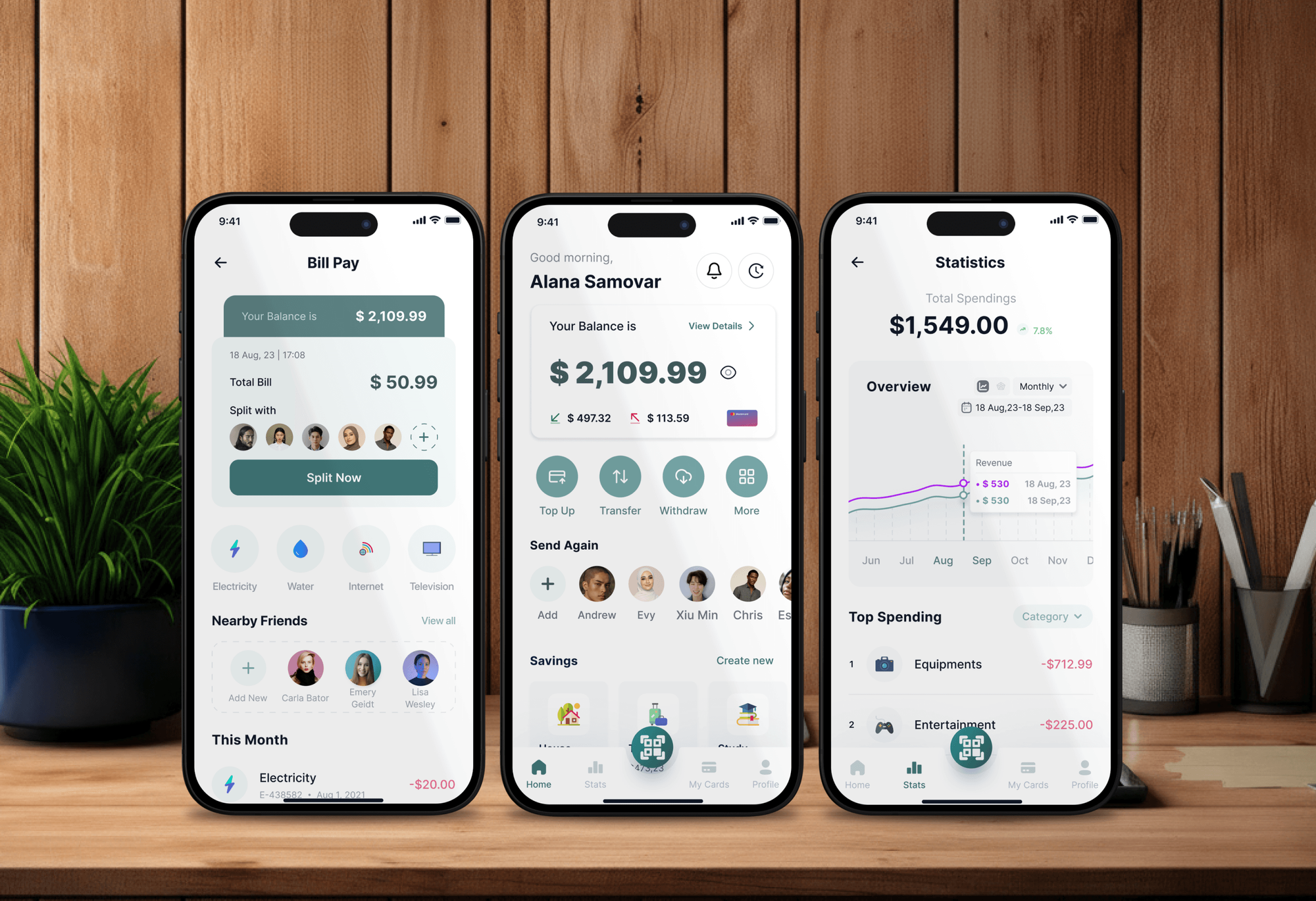
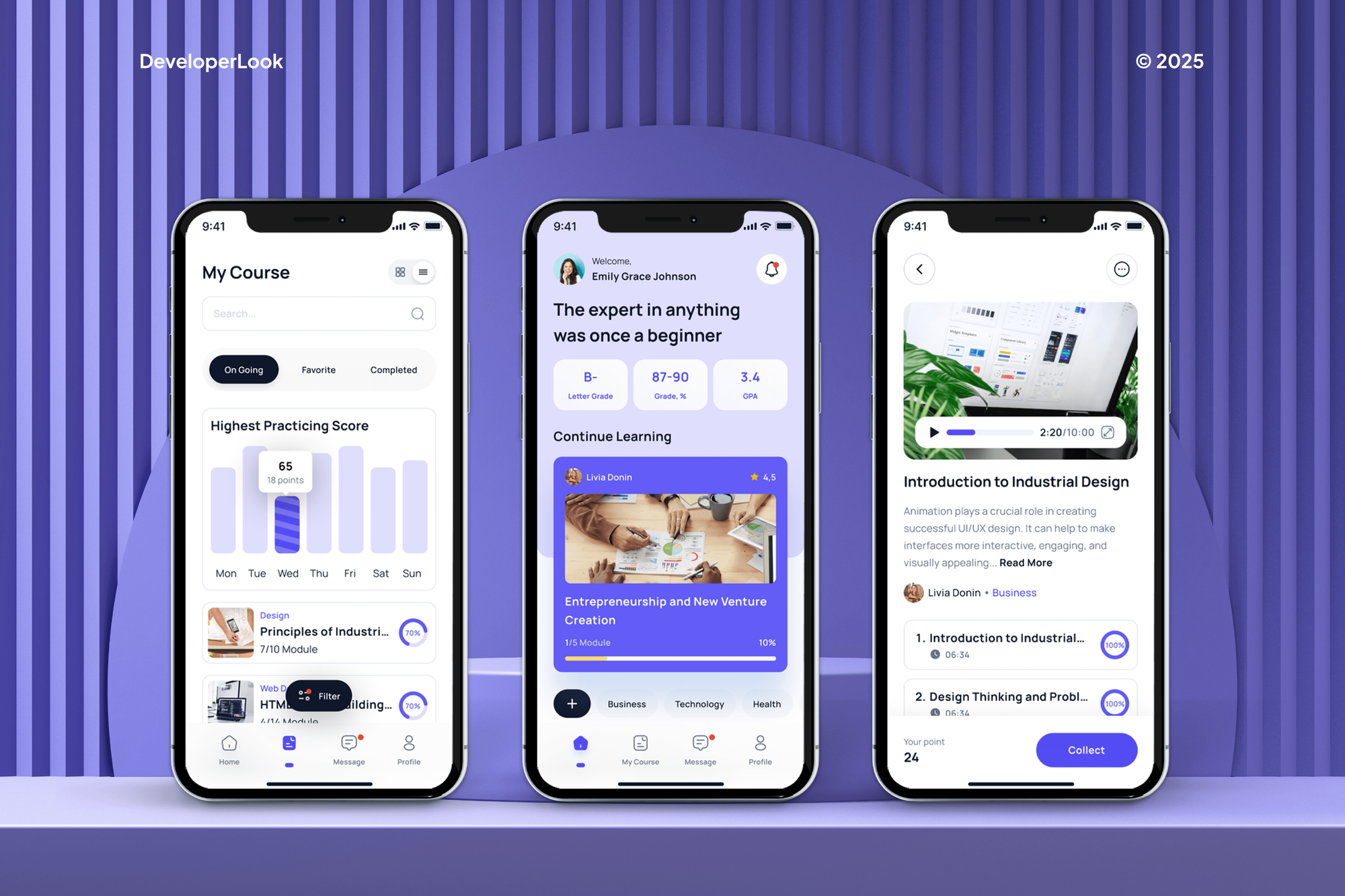
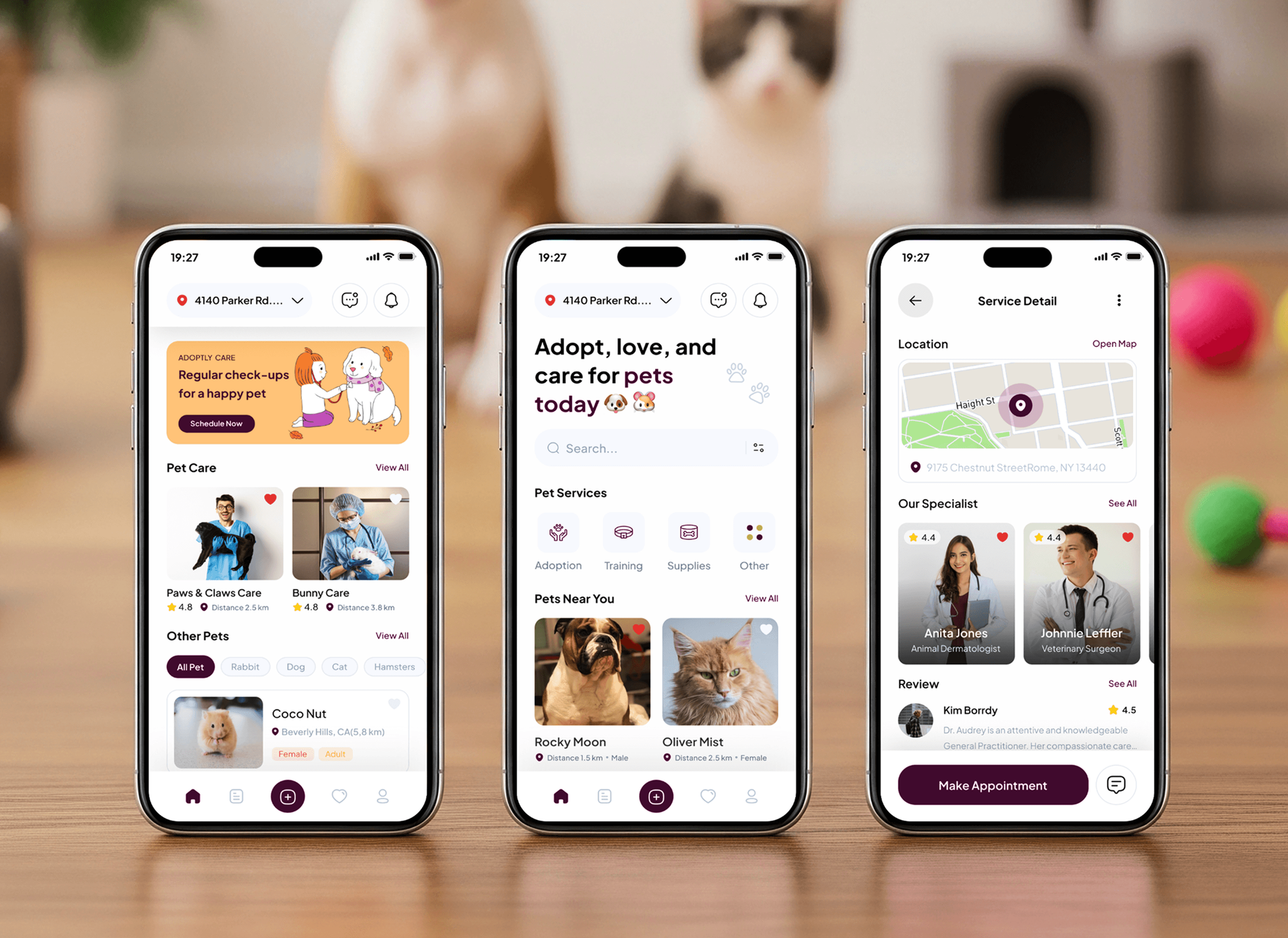
Healthcare booking, finance, e-learning, and pet care apps our team designed and built. Logins, payments, and bookings like these are the flows a mobile test cycle checks on every device.
What Our Clients Say
Feedback from teams we have designed and built web and mobile products for.
We had a pretty specific idea of what we wanted our website to become, but I wasn’t sure how easily we could explain all of it to a development team. There were quite a few moving parts, and we were working toward a deadline, so I expected a few things to get lost along the way. That never really happened. They understood what we were trying to achieve, kept us updated throughout the process, and got everything ready within the agreed timeline. The final site feels much easier to navigate, works beautifully on mobile, and is noticeably smoother for our customers. It was a huge relief seeing the original idea actually turn into the website we had in mind.
The mobile experience is probably my favourite part of the new site. We had spent a lot of time making sure the desktop version looked right, and the team kept pushing us to think about how everything would actually feel on a phone too. They were right. The navigation is clean, the interactions feel natural, and everything we’ve tested so far works exactly as it should. They also went through the links, forms, integrations, and other details more than once before launch, which I really appreciated. And even after going live, we could still reach out when something came up. The whole process felt friendly, organised, and surprisingly straightforward.
What I appreciate most is that the website is actually easy for us to manage now. We can update content ourselves instead of sending a developer a message every time we need to change something small. They also paid attention to the technical SEO side, which mattered to us because we didn’t want a new website to create problems for the traffic we already had. I’ve probably asked more questions than I should have since launch, but every question has been handled patiently and without any fuss. The team is easy to work with, they explain things clearly, and when we need something changed, they focus on getting it done rather than making the process complicated.
1,250+
Projects shipped
10+
Years of experience
Top 3%
Upwork Top Rated Plus
5 stars
Average review score

Want results like these?
Tell us what you are building. You get a reply within 24 hours on business days, then a written estimate.
Work Culture
Mobile bugs cost more than web bugs, because most fixes wait for another store review. These habits catch them before you submit.
We build the device list from your analytics, not from whatever phones are handy. Testing the devices your users carry finds the bugs they would hit.
Defects come with a screen recording, the device model, and the OS version. Your developers can reproduce the bug without asking which phone it was.
We take calls, switch apps, deny permissions, and drop the signal in the middle of flows. That's where real users break mobile apps.
Simulators and emulators are fine for early checks, and we'll say when they're enough. Final sign-off happens on physical devices before you submit.
We check builds against Apple's and Google's current policies before submission. A rejection costs you days, so we flag risky screens early.
Device matrices, test cases, and recordings stay with you. Reuse them for the next release or for the automation suite you add later.
Overview
DeveloperLook provides mobile app testing services for iOS and Android apps before each store release. We build a device matrix from your analytics, test core flows with interruptions and lost signal, measure launch time and memory, and check store policies. Single-platform checks start at $950 and take 1 to 2 weeks.
DEVELOPERLOOK
Project facts · Mobile App Testing Services
Reviewed 8 Oct 2026 by Saimul Islam
Good fit
Teams preparing a first app launch
You're submitting your first build to the App Store and Google Play next month and want app testing services that flag likely rejection reasons first.
Apps with crash-heavy reviews
Your reviews mention crashes on older phones, and you need mobile testing services that reproduce them on those exact OS versions.
Flutter and React Native teams
You ship one codebase to both stores and need mobile software testing services that catch the platform-specific bugs shared code hides.
Teams adding automation
Your manual mobile checks take days per release, and you want mobile app automation testing with Appium running on every build.
Agencies shipping client apps
Your agency hands apps to clients and wants a tester outside the build team to check every device before handover.
Not a fit
Mobile website only
Your product is a mobile website, not an installed app. Our Website Testing Services page covers phones and browsers for sites and web apps.
Usability is the question
You want to know whether users understand the app, not whether it works. Our Usability Testing Services page covers sessions with real users.
Need a security review
You need to know whether the app leaks data or can be attacked. That's a security test, and mobile penetration testing is a separate service.
Budget under $950
Your budget is under $950. Test your 3 core flows on 2 of your own phones, one iPhone and one Android, before every submission.
Not sure we're the right fit?
Book a free call or message us. We'll tell you honestly whether we're the right team.
Pricing
These are starting points in USD. Your final price depends on the platforms, devices, and flows to cover, and you get a fixed proposal after a free app review.
For an iOS or Android release that needs its core flows tested on real devices.
$950one-time, USD
For apps on both stores that need wider device coverage and performance checks.
$2,400one-time, USD
For apps releasing every few weeks that need automated checks on every build.
$4,600one-time, USD
For Agencies
You own the client relationship. We test your client apps on the devices their users carry, under your brand, so store submissions go out with fewer surprises. Reports name your agency and fit your project tracker.
White label: your client only ever sees your brand
Share TestFlight or Play internal testing access and the client's core flows.
We run each flow across the agreed devices and log defects in your tracker.
Submit the build and share a branded test report with your client.
Device matrices and bug reports go out under your agency's brand.
Cover far more phones than the spare devices in your office drawer.
Client builds pre-checked against App Store and Google Play rules.
Testing is booked around your client's planned submission date.
The Right Technology for Your Project
We test with the tools Apple and Google ship, plus cloud device farms, so results match what your users see on their phones.
 Flutter
 React Native
 Firebase Test Lab
 AWS Device Farm
 Slack
Slack Loom
LoomFAQ
Straight answers on devices, emulators, automation, performance, and what mobile testing costs.
Saimul IslamFounder & CEO, DeveloperLookStill have questions?
Send a message or book a call with the team.
Mobile app testing services from DeveloperLook start at $950 for one platform, up to 4 core flows, and 6 devices. Testing iOS and Android together with performance checks starts at $2,400, and a Mobile QA Program with Appium automation starts at $4,600. You get a fixed price after a free app review.
A single-platform test cycle takes 1 to 2 weeks, and iOS plus Android with automation takes 2 to 4 weeks. Plan the cycle to finish before you submit, because a rejected build adds another round of review. Apple and Google review times vary, so we schedule testing around your target date.
Mobile app testing is checking that an iOS or Android app works on the phones, OS versions, and conditions its users have. It covers features, interruptions, permissions, network changes, performance, and store rules. Unlike a website, an app also has to pass Apple or Google review before anyone can install it.
Mobile testing adds problems a browser doesn't have: installs and updates, OS permissions, interruptions, battery and memory limits, and store review. A website runs in a short list of browsers. An app runs on far more device and OS combinations, so mobile testing starts with a device matrix instead of a browser list.
Pick a device matrix from your analytics, then run the same test cases on each device. We use a cloud device farm such as BrowserStack, AWS Device Farm, or Firebase Test Lab, so one tester can cover many phones. Automated Appium suites can then run the whole matrix in parallel on every build.
Install the build through TestFlight on iPhones or a Google Play internal testing track on Android, then run your test cases on each phone. Cloud device farms rent real phones through the browser, which covers far more models than an office drawer. We record every session, so each bug comes with video.
Not for every test, but you need real phones before release. Simulators and emulators are fine for early functional checks and layout reviews. They miss real camera, GPS, battery, and network behavior, and their performance numbers don't match real hardware. Final sign-off at DeveloperLook runs on physical devices.
Mobile app automation testing uses a framework like Appium, which drives iOS and Android apps with the same test code. Native teams also use XCUITest on iOS and Espresso on Android. We automate the stable core flows, run them on a cloud device farm from your CI, and keep exploratory checks manual.
Mobile app performance testing measures launch time, screen load times, memory use, battery drain, and behavior on slow networks. We profile with Xcode Instruments and the Android Studio Profiler on mid-range phones, not just flagships. If the API behind the app slows under heavy traffic, our Performance Testing Services page covers that.
Yes, fix retests are included in every plan. We retest each fix on the device and OS version where the bug appeared, then rerun the affected flow across the matrix. Retest support lasts 14 days after delivery on a single-platform check and 30 days on larger plans.
Saimul IslamFounder & CEO, DeveloperLookStill have questions?
Send a message or book a call with the team.
Free 30-min callGoogle Meet
Book a call
In 30 minutes on Google Meet we walk you through how we would build it, how long it takes and what it costs. Then you get a written estimate.
Calendar not showing? Book on cal.com or send a brief.