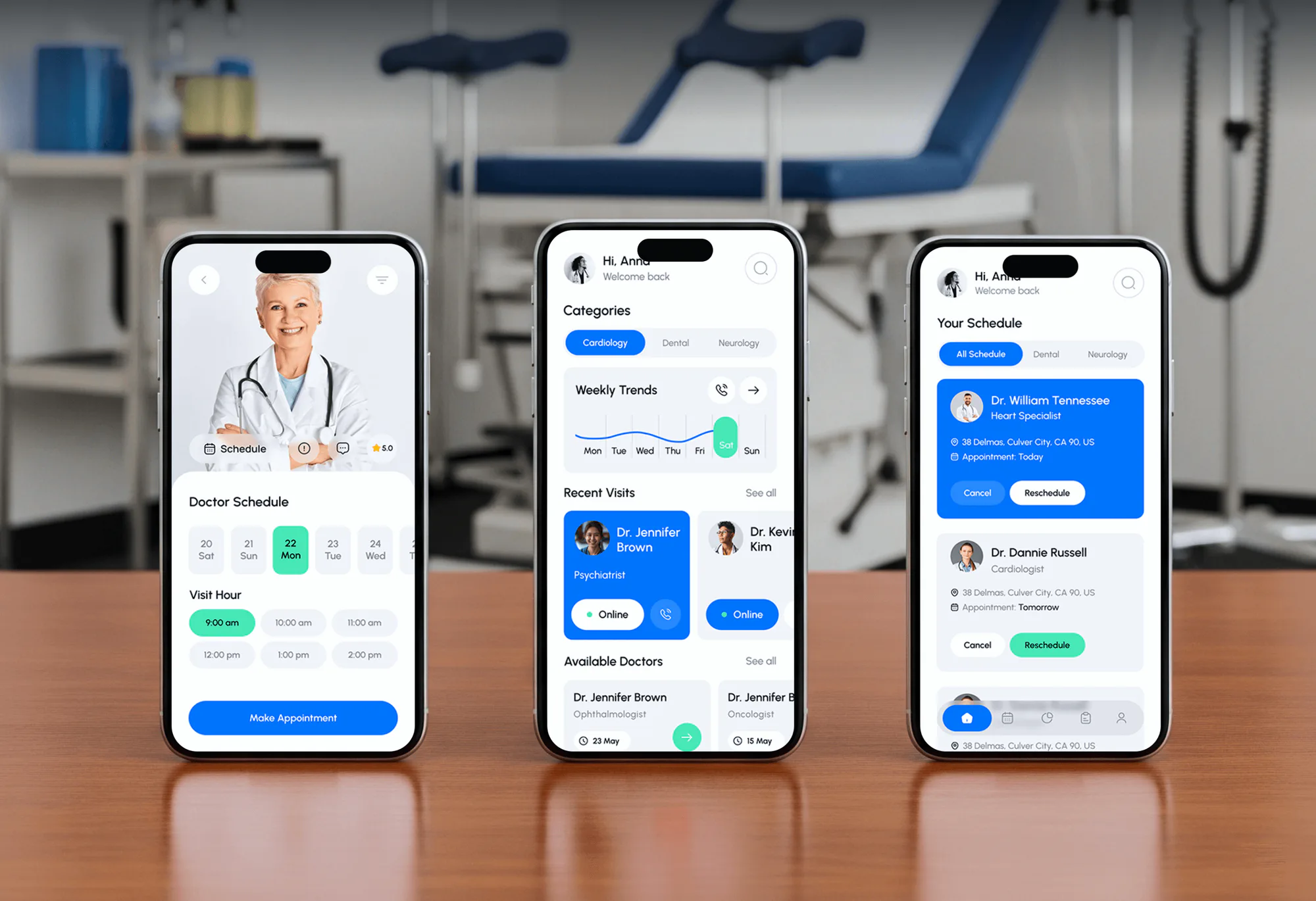
DocLink Doctor Booking App Design & Development
- Business
- Medical
- Booking System
For iOS, Android, React Native, and Flutter teams: your app tested by hand with VoiceOver, TalkBack, and large text, with code-level fixes your developers can ship.
200%
Text size on every screen
2.2AA
WCAG level on every test
How your project runs
01 · FreeIndustry leaders we work with
 React Native
 Flutter
The Problem
It shows up in an app store review or an enterprise buyer's questionnaire. Sometimes it's the first time someone on your team turns on VoiceOver and tries to sign up.
Large text
Buttons slide off screen at the largest text size.
Large text
Layouts tested at every accessibility text size, with scaling fixes per screen.
Unlabeled icons
TalkBack reads the tab bar as button, button, button.
Unlabeled icons
Every icon-only control gets a label written for your framework.
Focus traps
A custom date picker traps screen reader focus.
Focus traps
Custom controls get the right roles, actions, and focus order.
Web-only audits
Last year's audit covered the website, not the app.
Web-only audits
Native screens tested on real iPhones and Android phones.
A user with low vision sets their iPhone to the largest text size, opens your app, and the checkout button slides off the screen. On Android, TalkBack reads your icon-only tab bar as button, button, button, button. Your custom date picker traps focus, so a screen reader user can't finish a booking. The website passed an accessibility audit last year, but nobody tested the app. Now your store reviews are starting to mention it.
We start with the flows your users depend on: sign-up, search, booking or checkout, and settings. Each of your screens is tested by hand with VoiceOver and TalkBack, at the largest text sizes, and in both orientations. Every issue gets its WCAG 2.2 criterion and a fix written for your stack, from SwiftUI to Jetpack Compose. Your developers get fixes, not a pile of screenshots.
Real devices, both platforms
iPhones and Android phones tested by hand, not only simulators or scanner apps.
Largest text sizes tested
Every screen checked at accessibility text sizes and display zoom for clipped or hidden content.
Fixes written for your stack
SwiftUI, UIKit, Jetpack Compose, React Native, or Flutter notes for each issue.
Our Mobile Accessibility Testing Process
You approve the screens and devices, see each issue as it's logged, get fix notes for your codebase, and see the retest before release.
We open your app from the store or a test build and pick the flows that matter most. You get a screen list and a fixed price. If your app is mostly a wrapped website, we'll tell you before we quote, because a web audit may cover most of it.
Projects We've Built
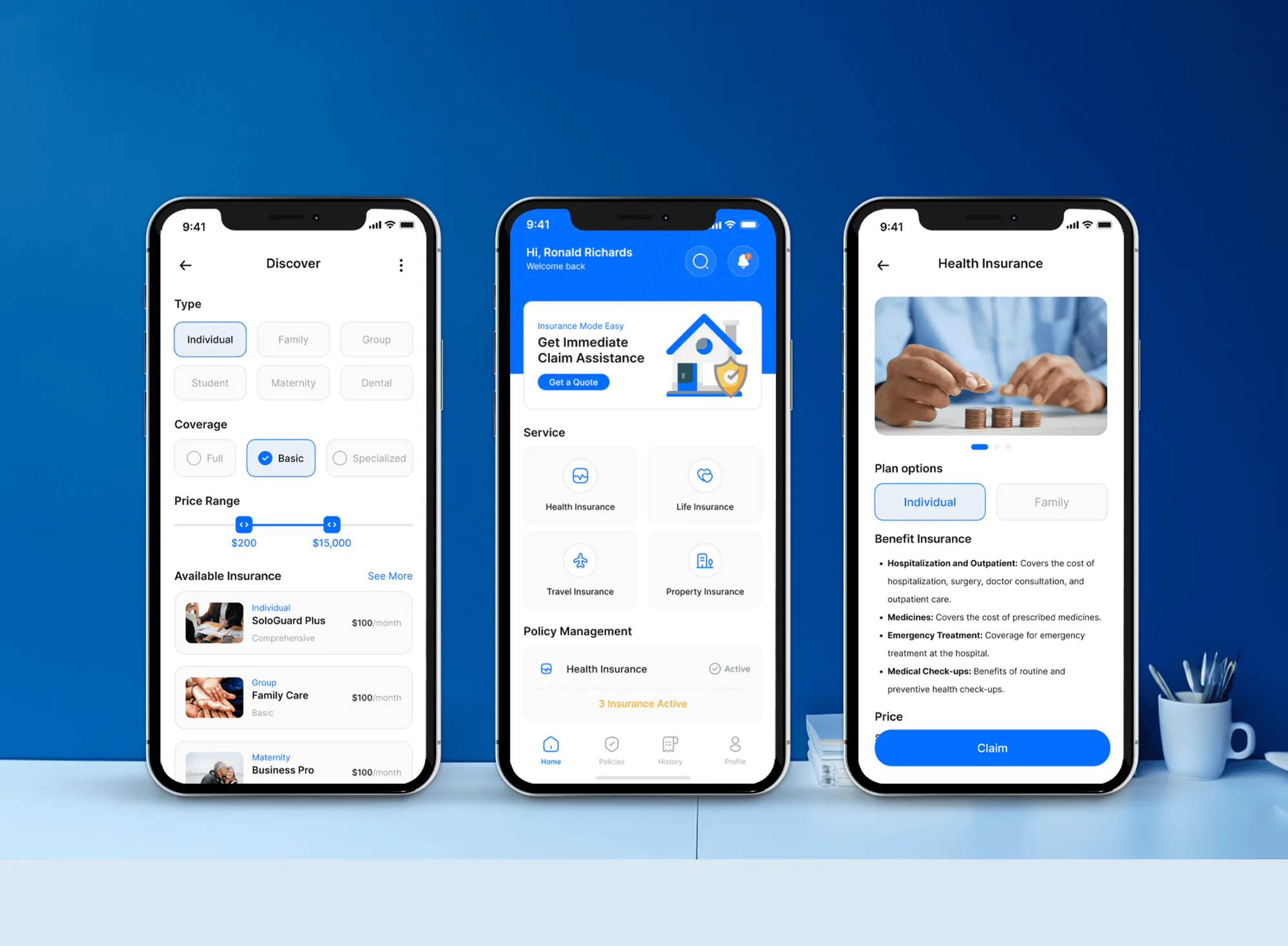
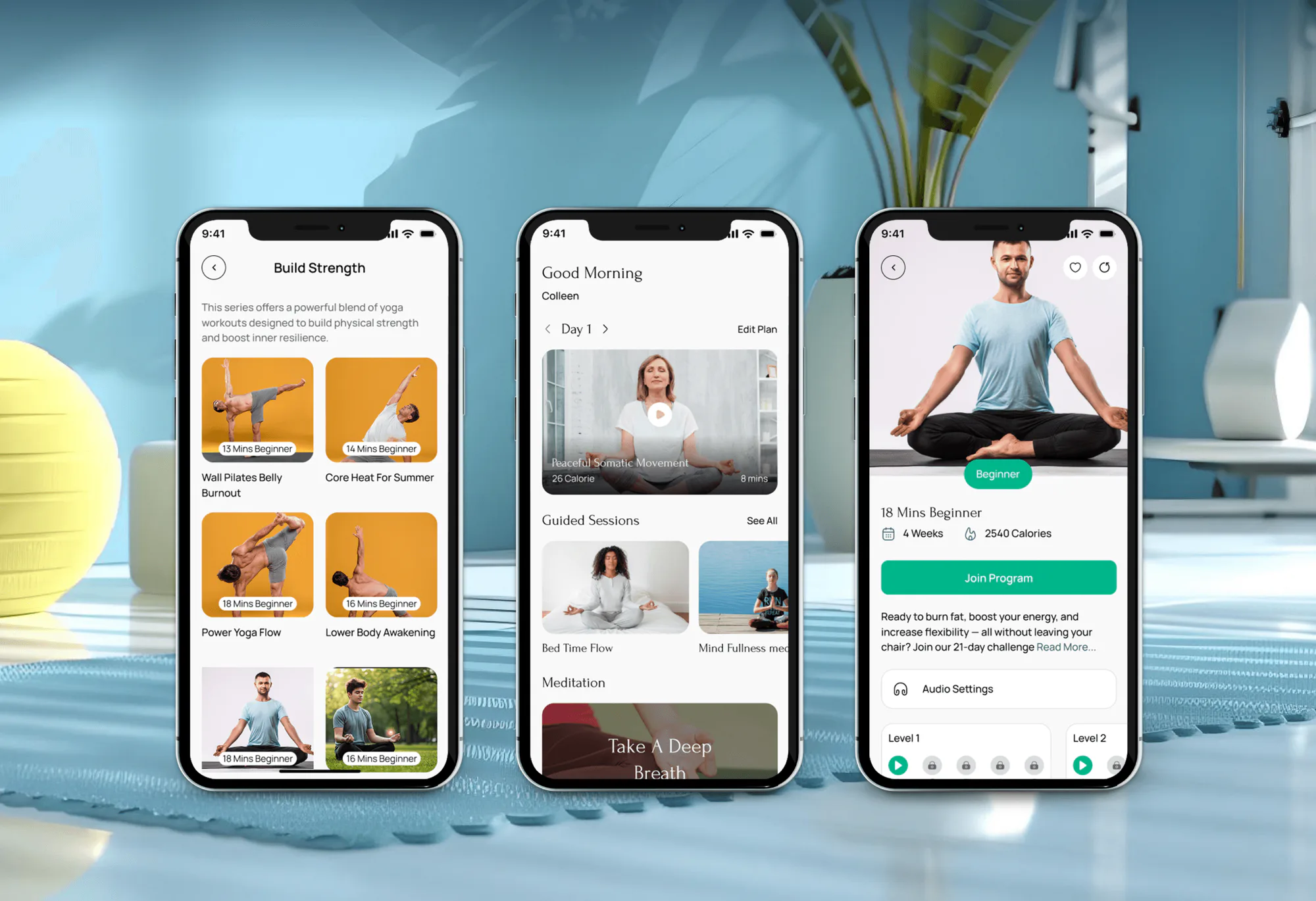
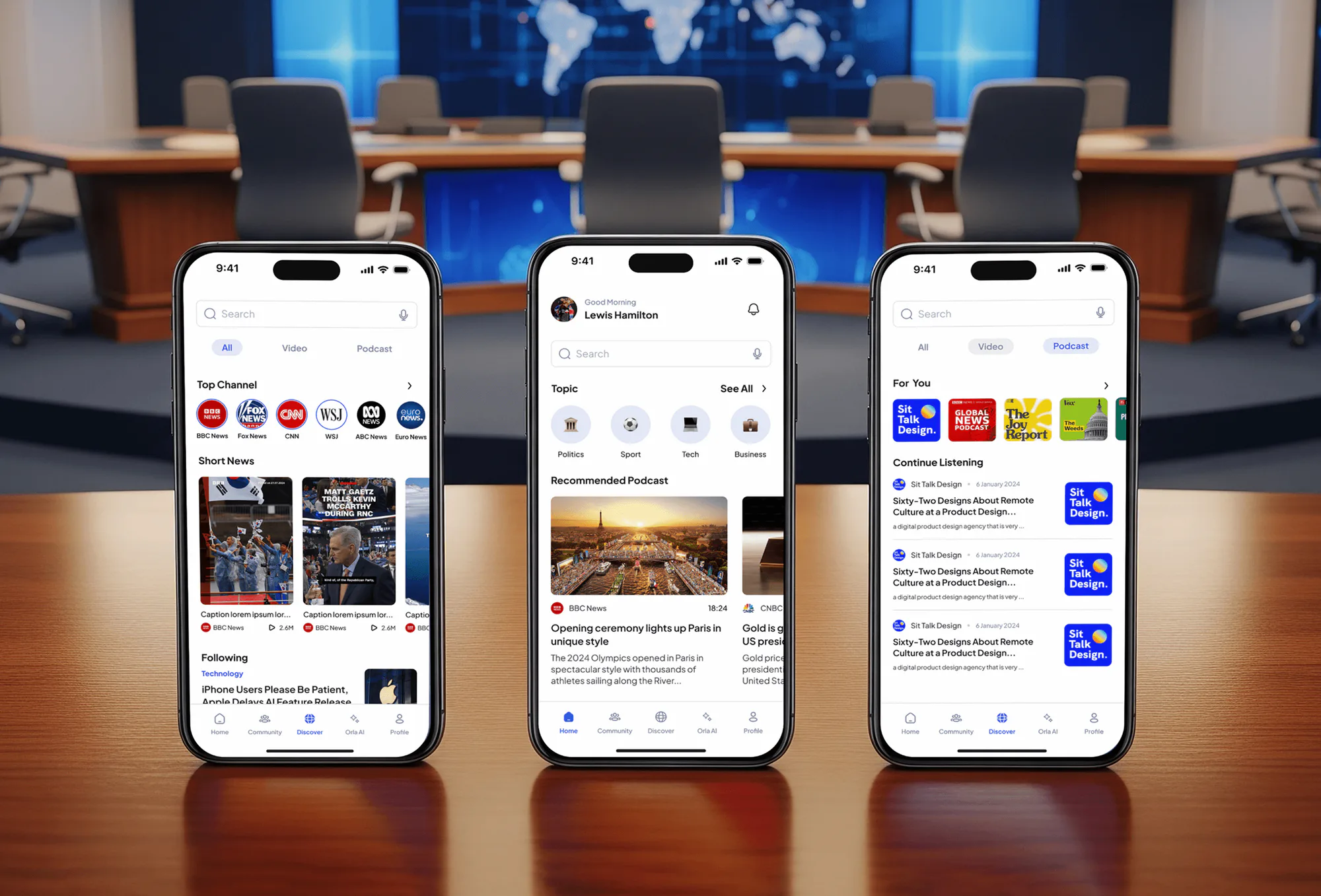
Healthcare, insurance, wellness, and news apps our team designed and built. They weren't accessibility projects, but bookings, plan pickers, and feeds like these are what this testing covers.
What's Included
Hands-on screen reader and text size testing on your real target phones, touch and input checks, fix notes for your framework, automated checks in CI, and a retest.
Compare Options
A scanner app is free and fast for obvious issues. A functional QA team knows your release cycle. Here is where each one misses what assistive technology users hit.
| Feature | DeveloperLookBest fit | Scanner app only | Functional QA team |
|---|---|---|---|
| Screen reader testing | VoiceOver and TalkBack by hand | Not possible | Rarely included |
| Text size scaling | Every accessibility size | Partial checks | Default size only |
| Labels and roles | Checked by ear | Flags missing labels | Not in scope |
| Touch targets | Measured and fixed | Flagged automatically | Not in scope |
| Fix guidance | Code notes for your framework | Generic suggestions | Bug reports only |
| Speed | 1 week for one platform | Minutes per screen | Part of each release |
| Cost | From $650, fixed scope | Free to use | Inside your QA budget |
| Standards mapping | WCAG 2.2 and EN 301 549 | Partial WCAG mapping | Usually none |
What Our Clients Say
Feedback from teams we have built websites, platforms, and apps for.
We had a pretty specific idea of what we wanted our website to become, but I wasn’t sure how easily we could explain all of it to a development team. There were quite a few moving parts, and we were working toward a deadline, so I expected a few things to get lost along the way. That never really happened. They understood what we were trying to achieve, kept us updated throughout the process, and got everything ready within the agreed timeline. The final site feels much easier to navigate, works beautifully on mobile, and is noticeably smoother for our customers. It was a huge relief seeing the original idea actually turn into the website we had in mind.
The mobile experience is probably my favourite part of the new site. We had spent a lot of time making sure the desktop version looked right, and the team kept pushing us to think about how everything would actually feel on a phone too. They were right. The navigation is clean, the interactions feel natural, and everything we’ve tested so far works exactly as it should. They also went through the links, forms, integrations, and other details more than once before launch, which I really appreciated. And even after going live, we could still reach out when something came up. The whole process felt friendly, organised, and surprisingly straightforward.
What I appreciate most is that the website is actually easy for us to manage now. We can update content ourselves instead of sending a developer a message every time we need to change something small. They also paid attention to the technical SEO side, which mattered to us because we didn’t want a new website to create problems for the traffic we already had. I’ve probably asked more questions than I should have since launch, but every question has been handled patiently and without any fuss. The team is easy to work with, they explain things clearly, and when we need something changed, they focus on getting it done rather than making the process complicated.
1,250+
Projects shipped
10+
Years of experience
5 stars
Clutch rating
5 stars
GoodFirms rating
Excellent
Trustpilot rating
Top 3%
Upwork Top Rated Plus
1,250+
Projects shipped
10+
Years of experience
5 stars
Clutch rating
5 stars
GoodFirms rating
Excellent
Trustpilot rating
Top 3%
Upwork Top Rated Plus

Want results like these?
Tell us what you are building. You get a reply within 24 hours on business days, then a written estimate.
Work Culture
Your users meet your app on their own phones, with their own settings turned on. These habits keep our testing close to how they actually use it.
Simulators miss how VoiceOver and TalkBack respond to your users' real gestures. We test on physical iPhones and Android phones before writing any finding.
Your label can exist and still say the wrong thing. We listen to each control the way your users hear it, then suggest wording that makes sense.
A SwiftUI fix looks nothing like a Flutter fix. Each note is written for the code your developers already work in.
Your app's accessibility slips quietly between releases. Automated audits in your test suite catch the obvious regressions before they reach the store.
Scanner apps catch missing labels and small targets fast, and we use them. They can't tell you whether your label makes sense or your flow can be finished.
Issues that block your sign-up or checkout come first. Your product manager can plan fixes by what stops your users, not by criterion number.
Overview
DeveloperLook provides mobile accessibility testing for iOS, Android, React Native, and Flutter apps. We test your screens by hand with VoiceOver, TalkBack, and large text, then log each issue with a fix for your framework. Testing starts at $650 for one platform, and most projects take 1 to 7 weeks with a fixed scope and a retest.
DEVELOPERLOOK
Project facts · Mobile Accessibility Testing
Reviewed 27 Oct 2026 by Saimul Islam
Good fit
Teams with app review complaints
Your app store reviews mention that the app doesn't work with VoiceOver, and your team isn't sure where to start fixing it.
React Native and Flutter teams
You ship one codebase to iOS and Android, and you need to know which accessibility props behave differently on each platform.
Apps sold to enterprises or government
Your enterprise or agency buyer wants accessibility test results for your app before rolling it out to their staff.
Apps serving EU consumers
Your app serves consumers in the EU, and you need accessibility testing for mobile apps mapped to EN 301 549.
Agencies shipping client apps
Your agency is about to ship a client's app and wants an independent accessibility mobile testing pass before store submission.
Not a fit
Functional bugs, not access
Your app crashes or breaks on certain devices, and accessibility isn't the issue. Mobile App Testing Services covers functional and device testing.
Need an ACR first
Your buyer wants a written VPAT before anything else. VPAT Services writes the report, and this testing can feed into it.
Mobile website only
You have a responsive website, not a native or cross-platform app. WCAG Audit Services covers mobile web pages for less.
Budget under $650
Your app has a handful of screens and less than $650 to spend. Apple's Accessibility Inspector and Google's Accessibility Scanner are a fair start.
Not sure we're the right fit?
Book a free call or message us. We'll tell you honestly whether we're the right team.
Pricing
These are starting points in USD. Your final price depends on screen count, one or both platforms, and whether we fix the code. You get a fixed proposal after a free app review.
For Agencies
You own the client relationship. We supply the hands-on accessibility testing and fix notes for your client's iOS and Android apps, under your brand. Your developers fix with clear guidance, and your client gets one report from you.
White label: your client only ever sees your brand
Send a test build, the key flows, and your submission date.
We test on real devices and write fix notes for your developers first.
Your client receives the report and the retest results from you.
Send a test build, the key flows, and your submission date.
We test on real devices and write fix notes for your developers first.
Your client receives the report and the retest results from you.
The Right Technology for Your Project
Real devices and built-in assistive technology first, then the test tooling and code we write fix notes for.
React Native Flutter
 TypeScript
FAQ
Straight answers on cost, timelines, what gets tested, WCAG for apps, automation, cross-platform apps, fixes, and reports.
Saimul IslamFounder & CEO, DeveloperLookStill have questions?
Send a message or book a call with the team.
Mobile accessibility testing from DeveloperLook starts at $650 for up to 10 screens on iOS or Android. The $1,500 plan tests both platforms, up to 20 screens, adds switch and voice control, and puts accessibility audits into your UI tests. The $3,300 plan adds fixes for up to 25 issues in your codebase and a report mapped to WCAG 2.2.
One platform with up to 10 screens takes about 1 week, from app review to issue log. Both platforms take 2 to 3 weeks, and plans that include fixes and two retests take 4 to 7 weeks. If your release date is close, we test sign-up and checkout first, so the biggest blockers reach your developers early.
It checks how your native screens behave with the phone's own assistive technology, which a web audit doesn't touch. That means VoiceOver and TalkBack gestures, Dynamic Type and Android font scaling, custom actions, rotation, and touch target size. Native components and cross-platform widgets fail in different ways than web pages, so they need their own tests.
Yes, regular mobile app testing checks whether features work, while an accessibility review checks whether people with disabilities can use them. Your app can pass functional QA and still be unusable with VoiceOver. We focus only on accessibility, and our Mobile App Testing Services page covers functional and device testing if you need both.
WCAG 2.2 Level AA is the usual target for mobile apps, applied screen by screen. The W3C published a draft note in May 2025 on applying WCAG 2.2 to mobile applications, which helps with gestures and orientation. In the EU, EN 301 549 clause 11 covers apps as non-web software, so we map findings to both.
A mobile accessibility testing checklist covers labels, focus order, text scaling, contrast, and touch target size. Every control needs a label and role, and text must grow without clipping. It also checks that gestures have simple alternatives, both orientations work, and errors are announced. We tailor the list to your app's flows before testing starts.
Partly: automated checks catch missing labels, small targets, and low contrast, but they can't judge whether a flow makes sense. On iOS 17 and later, XCUITest can run an accessibility audit on each screen, and Espresso on Android has accessibility checks built in. We add both to your UI tests, then test the rest by hand.
Yes, because one codebase still renders through two different accessibility systems. A React Native label or a Flutter Semantics widget can read well in VoiceOver and badly in TalkBack, or the reverse. Our accessibility testing of your mobile application covers both platforms and notes which fixes are shared and which are platform-specific.
Every plan gives you fix notes written for your framework, and the top plan includes fixes for up to 25 issues in your codebase. On the other plans, your developers make the changes and we retest every one on the same devices. Either way, you leave with a log of what changed and why.
Yes, the top plan's report maps each finding to WCAG 2.2 and EN 301 549 clause 11. Those are the standards an ACR and EU reviews draw on. If a buyer wants a formal VPAT, VPAT Services turns the results into the report. For EU consumer apps, the European Accessibility Act page explains what else the Act asks for.
Saimul IslamFounder & CEO, DeveloperLookStill have questions?
Send a message or book a call with the team.
Free 30-min callGoogle Meet
Book a call
In 30 minutes on Google Meet we walk you through how we would build it, how long it takes and what it costs. Then you get a written estimate.
Calendar not showing? Book on cal.com or send a brief.