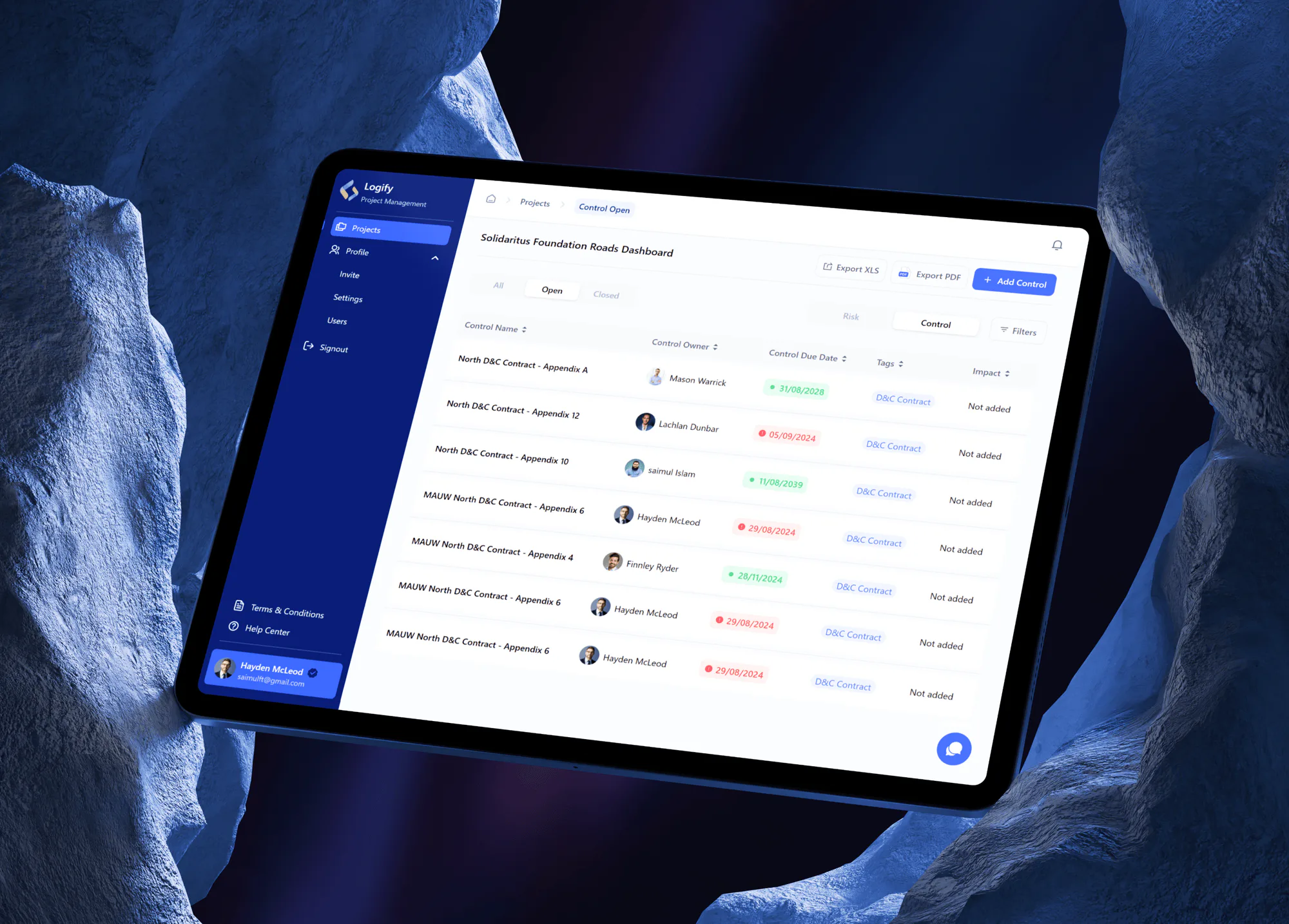
Logify Project Risk and Control Management Web App
- Logistics & Transportation
- Construction
- Dashboard

For building, planning, and public works departments buried in incomplete applications: checklists, GIS checks, parallel plan review, and online fees. From $1,300.
2X
Faster permit decisions
100%
Applications tracked online
How your project runs
01 · FreeIndustry leaders we work with
 React
 Next.js
 Flutter
 TypeScript
 Node.js
 NestJS
 PostgreSQL
 Docker
 Stripe
 Twilio
 AWS
 Microsoft Azure
The Problem
It shows up when your applications arrive by email and every review happens on paper. Missing documents, desk-to-desk plan sets, and status calls eat the hours meant for review.
Missing files
Your applications arrive without site plans or contractor details.
Missing files
Required documents and fields are checked before an application can be submitted.
Paper reviews
Your plan sets pass desk to desk between departments.
Paper reviews
Building, fire, and zoning reviewers mark up the same set in parallel.
Street conflicts
Two right-of-way permits dig up the same block.
Street conflicts
A map shows every open right-of-way permit before a new one is approved.
Double entry
Your fees get retyped from the permit log into the ledger.
Double entry
Paid fees post to your ERP general ledger with the permit number attached.
It's 8 a.m. and the permit inbox already holds a dozen new applications. Half are missing a site plan or a contractor license number, so staff start the day writing emails. A plan set waits on the fire marshal's desk while zoning waits for it. A contractor calls for the third time about status. Across town, a utility crew opens a street that was repaved under another permit last month. Your reviewers spend more time chasing paper than reviewing it.
We start with your code and fee schedule, written as rules: what each permit type needs, who reviews it, and what it costs. Then we build software that applies those rules at intake. Applicants can't submit until required documents are attached. Addresses are checked against your GIS parcels and zoning. Reviewers mark up one shared set in parallel, inspectors record results on a phone, and paid fees post to your ledger. Applicants check status online instead of calling your counter.
Complete applications first
Your checklists by permit type stop submission until the documents your code requires are attached.
Parcel checks from GIS
Each address is checked against your zoning and parcel layers in Esri ArcGIS before staff open it.
Plan review with versions
Your reviewers mark up the same set, and each resubmittal keeps its comments and history.
Our Permitting Software Development Process
Your building official approves the rules in plain language, and your staff run real past applications through staging before any applicant sees the new system.
We sit with your permit techs, plan reviewers, and inspectors through a normal week. You get a written map of each permit type with its reviews, fees, and systems. You also get an honest view of whether your current vendor can do this first.
Projects We've Built
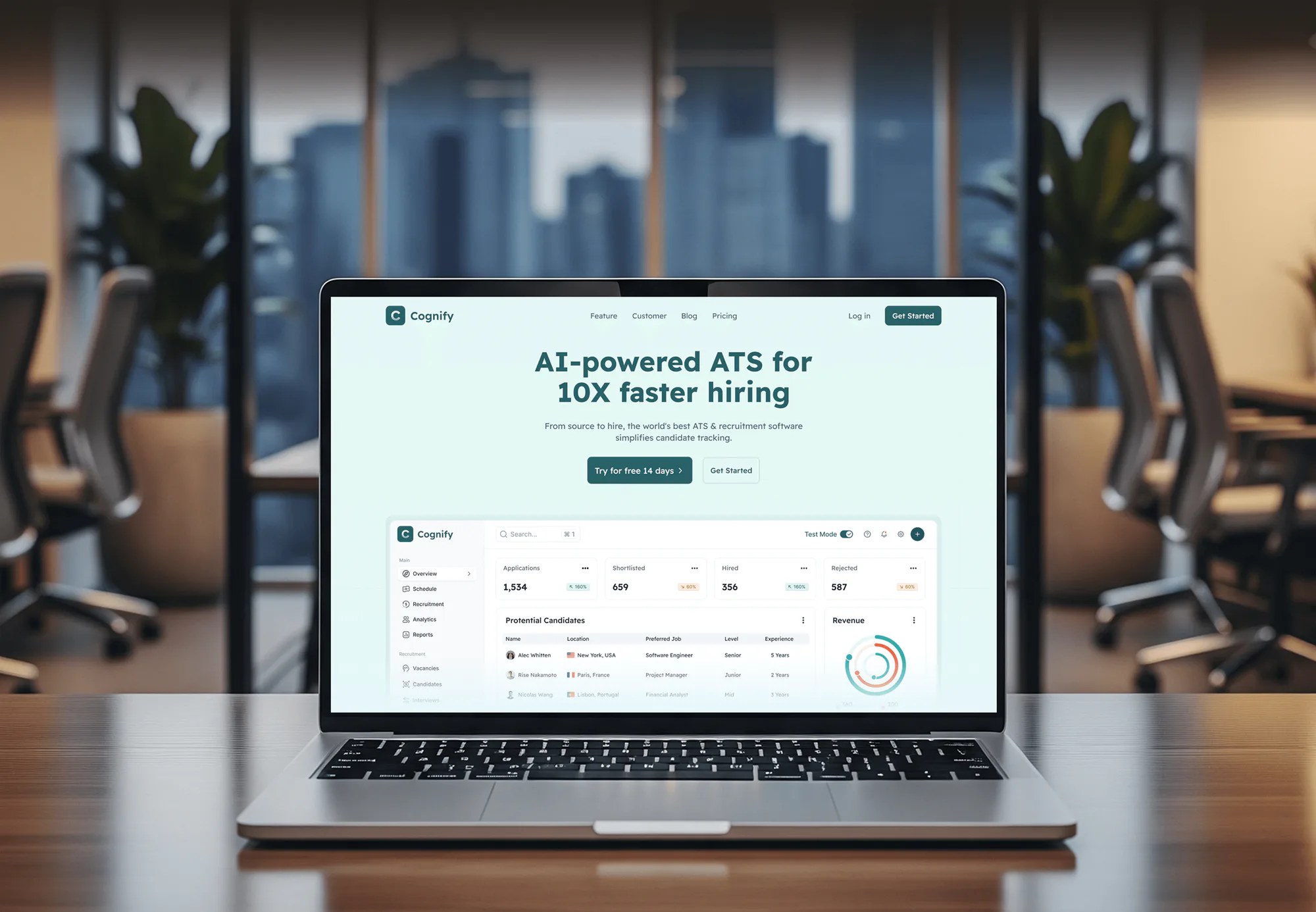
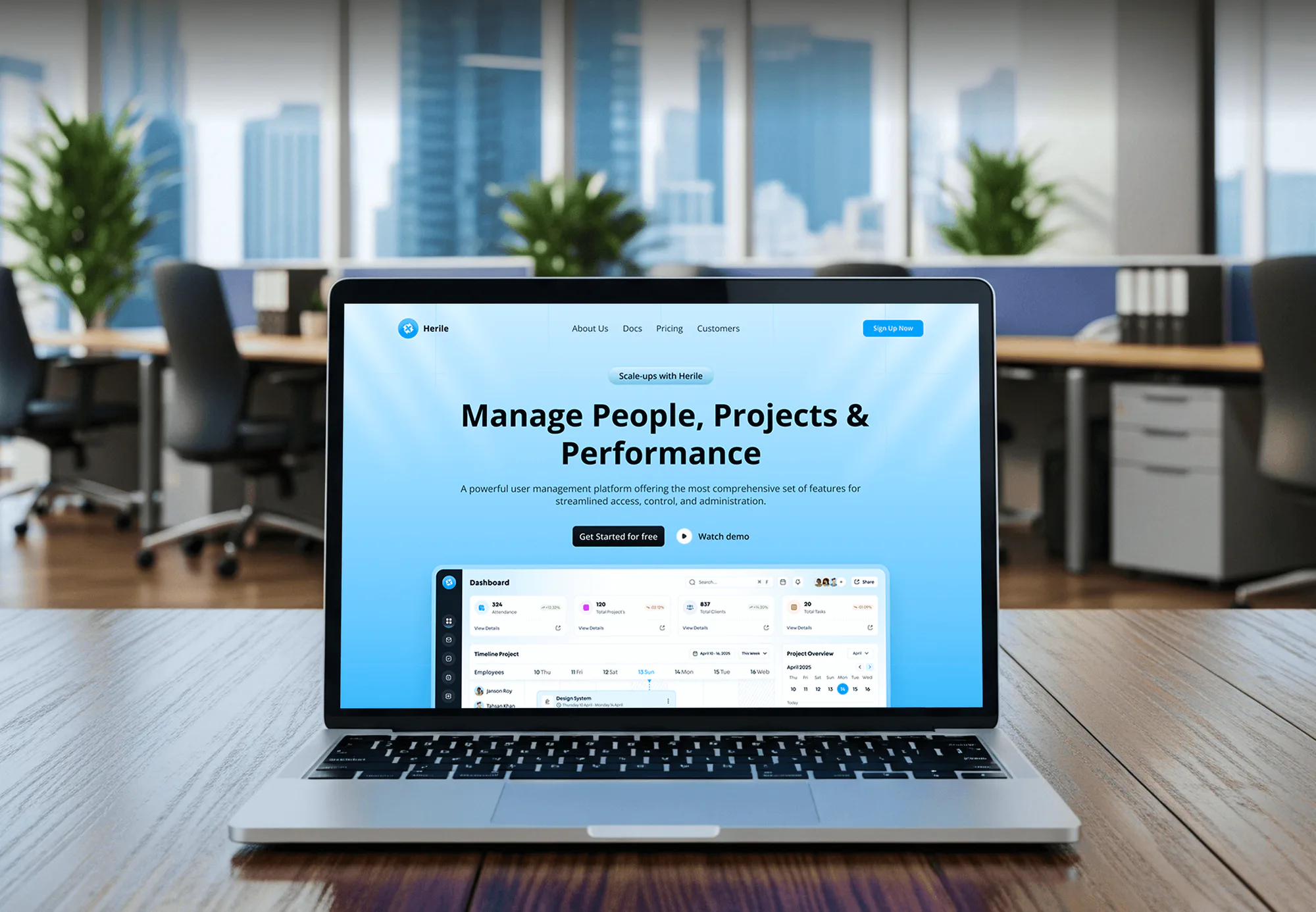
Project tracking, application review, and workflow dashboards we have built for other sectors: the intake, review, and status screens a permit system relies on.

What's Included
Your online applications, GIS parcel checks, parallel plan review, inspector app, and fee payments with ERP posting. We also migrate your open permits from the system or spreadsheets you use today.
Compare Options
A permitting module from a government suite is quick if you already license it, and PDFs by email cost nothing. Here is where each holds up as your permit volume grows.
| Feature | DeveloperLookBest fit | Government suite module | PDFs and email |
|---|---|---|---|
| Planning | Rules from your code and fees | Their workflow, your settings | Rules live in staff memory |
| Time to start | 5 to 18 weeks by scope | Fast if already licensed | Ready today |
| Intake | Checklists block incomplete files | Configurable intake forms | Missing documents by email |
| Plan review | Parallel markups with version history | Included in most suites | Paper sets desk to desk |
| GIS checks | Your ArcGIS layers at intake | Varies by vendor | Looked up by hand |
| Inspections | Mobile app with offline mode | Mobile app, often extra | Paper forms in the truck |
| Ownership | You own code and data | Licensed, export terms vary | Files in shared folders |
| Cost | Fixed build price | Yearly license plus setup | Free, paid in staff time |
What Our Clients Say
Feedback from teams we have built workflow apps, dashboards, and web platforms for.
We had a pretty specific idea of what we wanted our website to become, but I wasn’t sure how easily we could explain all of it to a development team. There were quite a few moving parts, and we were working toward a deadline, so I expected a few things to get lost along the way. That never really happened. They understood what we were trying to achieve, kept us updated throughout the process, and got everything ready within the agreed timeline. The final site feels much easier to navigate, works beautifully on mobile, and is noticeably smoother for our customers. It was a huge relief seeing the original idea actually turn into the website we had in mind.
The mobile experience is probably my favourite part of the new site. We had spent a lot of time making sure the desktop version looked right, and the team kept pushing us to think about how everything would actually feel on a phone too. They were right. The navigation is clean, the interactions feel natural, and everything we’ve tested so far works exactly as it should. They also went through the links, forms, integrations, and other details more than once before launch, which I really appreciated. And even after going live, we could still reach out when something came up. The whole process felt friendly, organised, and surprisingly straightforward.
What I appreciate most is that the website is actually easy for us to manage now. We can update content ourselves instead of sending a developer a message every time we need to change something small. They also paid attention to the technical SEO side, which mattered to us because we didn’t want a new website to create problems for the traffic we already had. I’ve probably asked more questions than I should have since launch, but every question has been handled patiently and without any fuss. The team is easy to work with, they explain things clearly, and when we need something changed, they focus on getting it done rather than making the process complicated.
1,250+
Projects shipped
10+
Years of experience
5 stars
Clutch rating
5 stars
GoodFirms rating
Excellent
Trustpilot rating
Top 3%
Upwork Top Rated Plus
1,250+
Projects shipped
10+
Years of experience
5 stars
Clutch rating
5 stars
GoodFirms rating
Excellent
Trustpilot rating
Top 3%
Upwork Top Rated Plus

Want results like these?
Tell us what you are building. You get a reply within 24 hours on business days, then a written estimate.
Work Culture
Government permitting software touches homeowners, contractors, reviewers, and inspectors at once. These habits keep it accurate for staff and clear for applicants.
We spend time with your inspectors and permit techs before we design screens. The shortcuts they use in the field become the app's defaults.
We turn ordinance text and fee schedules into rules your building official signs off. When fees change, your admin edits the fee table without a developer.
Applicant forms are tested to WCAG 2.1 AA with keyboards and screen readers. Homeowners and contractors on phones get the same path to apply.
If a permitting module you already license covers your permit types, we'll tell you before we quote. Custom code makes sense only where configuration runs out.
You get a written scope and one price, ready for your procurement file. Changes are priced in writing before anyone starts on them.
Code, data, and hosting accounts are in your government's name from the first day. Another vendor or your IT team can take over whenever you choose.
Overview
DeveloperLook builds permitting software for cities, counties, and towns that want complete applications and faster reviews. We build online applications with checklists, GIS parcel checks, parallel plan review, inspector apps, fee payments, and ERP posting. Builds start at $1,300, take 5 to 18 weeks, and you own the code and data.
DEVELOPERLOOK
Project facts · Permitting Software Development
Reviewed 28 Oct 2026 by Saimul Islam
Good fit
Building departments with emailed applications
Your building department takes permit applications as PDFs by email, and staff spend mornings chasing missing site plans before review can start.
Public works issuing right-of-way permits
You issue right-of-way permits for utility cuts, and two crews dug up the same street because nobody saw both permits on one map.
Small towns comparing vendors
Your town compared permitting software for governments and found every option priced and sized for a city many times larger.
Counties outgrowing permit tracking software
Your current permit tracking software stores applications but can't route plan review to fire and zoning, so reviewers still pass paper sets around.
Agencies serving municipal clients
Your agency builds the town's website, and the town now wants online permit applications without buying a full government suite.
Not a fit
Budget under $1,300
You issue a handful of permits a month with one simple form. A fillable form and a shared tracker cost less than a build until volume grows.
Need a full resident portal
Permits are one of many services residents need online, next to bills and records. Our Citizen Portal Development service builds that wider front door.
Suite module already licensed
Your government already licenses a permitting module that covers your permit types. Configuring it costs less, and we'll say so before we quote.
The website is the problem
Residents can't find the permit pages, but the forms themselves work. Our Government Website Design service fixes the site structure instead.
Not sure we're the right fit?
Book a free call or message us. We'll tell you honestly whether we're the right team.
Pricing
These are starting points in USD. Your final price depends on the number of permit and license types you run, your GIS and ERP connections, and the data we migrate. You get a fixed proposal after a free permit review.
For Agencies
You own the relationship with the town or county. We supply the engineering: the permit review, the rules, the screens, and the GIS and ERP links. It's all delivered under your brand while you lead the client meetings.
White label: your client only ever sees your brand
Send the client's permit types, fee schedule, and current systems, and we scope it.
A fixed price and wave plan arrive for you to mark up and submit.
We build each permit type on staging, you demo it, and we hand over.
Send the client's permit types, fee schedule, and current systems, and we scope it.
A fixed price and wave plan arrive for you to mark up and submit.
We build each permit type on staging, you demo it, and we hand over.
The Right Technology for Your Project
Tools we use to build applicant forms, reviewer and inspector apps, GIS parcel checks, PDF markups, payments, and secure staff sign-in.
ReactNext.js FlutterTypeScriptNode.jsNestJSPostgreSQLDockerStripeTwilioAWSMicrosoft Azure
FAQ
Straight answers on cost, timelines, requirement checks, ERP links, right-of-way permits, and business licenses.
Saimul IslamFounder & CEO, DeveloperLookStill have questions?
Send a message or book a call with the team.
A permitting build starts at $1,300 for online intake of one permit type with checklists, payments, a review queue, and status lookup. A workflow for up to 5 permit and license types with plan review, inspections, and GIS checks starts at $3,900. Inspector apps, ERP posting, and migration start at $8,200. You get a fixed quote after a free permit review.
An intake module for one permit type takes 5 to 7 weeks. A full system with plan review and inspections takes 10 to 18 weeks. Writing your code and fee rules down takes longer than most teams expect. We launch permit types in waves, so your busiest permit type goes live first.
Construction permit tools verify requirements by asking your applicants questions that decide which documents, licenses, and reviews apply. The address is checked against GIS parcel and zoning layers, and submission stays blocked until required files are attached. Where your state offers a contractor license lookup, the license number is checked too, so reviewers start with a complete file.
Permit application software accelerates approvals by removing waiting, not by skipping review. Complete applications avoid the back-and-forth over missing files, your reviewers work the same set in parallel, and resubmittals show only what changed. Status updates reach applicants automatically, so fewer calls interrupt your reviewers. Most of the saved time comes from intake, before review even begins.
Municipalities get right-of-way (ROW) tools either as a module in a government suite or as a custom build around their own rules. Reliable ROW tools show you every open excavation on a map, require traffic control plans, and track restoration and warranty dates. If your suite's module handles that, use it. If not, we build the ROW workflow on your GIS.
Any permit system with an API or scheduled exports can integrate with your city's ERP, but the posting rules matter more than the brand. We post each paid fee to the right general ledger account with the permit number attached and reconcile daily deposits. For older ERPs that only accept files, we generate the import file on a schedule.
A user-friendly permit system starts with your applicant, not your reviewer. Test any option by applying for a fence permit on your phone, without help. If you need a manual, your residents will too. A custom build lets you write questions in plain language and show only the fields each permit type needs.
Yes, licensing and permitting software can share one system, because both follow the same pattern: apply, review, pay, issue, and renew. Your business licenses add renewal cycles, reminder emails, and late fees, while permits add plan review and inspections. One applicant account then covers both, and your clerk stops tracking renewals in a spreadsheet.
Your inspectors open the day's route on a phone, record pass or fail results with photos, and sync when they're back in signal. Offline mode matters in basements and rural sites. Each result updates the permit record and notifies the applicant, so a failed inspection gets rebooked the same day instead of after a phone call.
Your government owns the code, the data, and each hosting account from the first day of the build. Bugs found in the first 90 days are fixed at no charge to you. After that, your IT team can run the system with our documentation, another vendor can take it over, or you can keep us on a support plan.
Saimul IslamFounder & CEO, DeveloperLookStill have questions?
Send a message or book a call with the team.
Free 30-min callGoogle Meet
Book a call
In 30 minutes on Google Meet we walk you through how we would build it, how long it takes and what it costs. Then you get a written estimate.
Calendar not showing? Book on cal.com or send a brief.