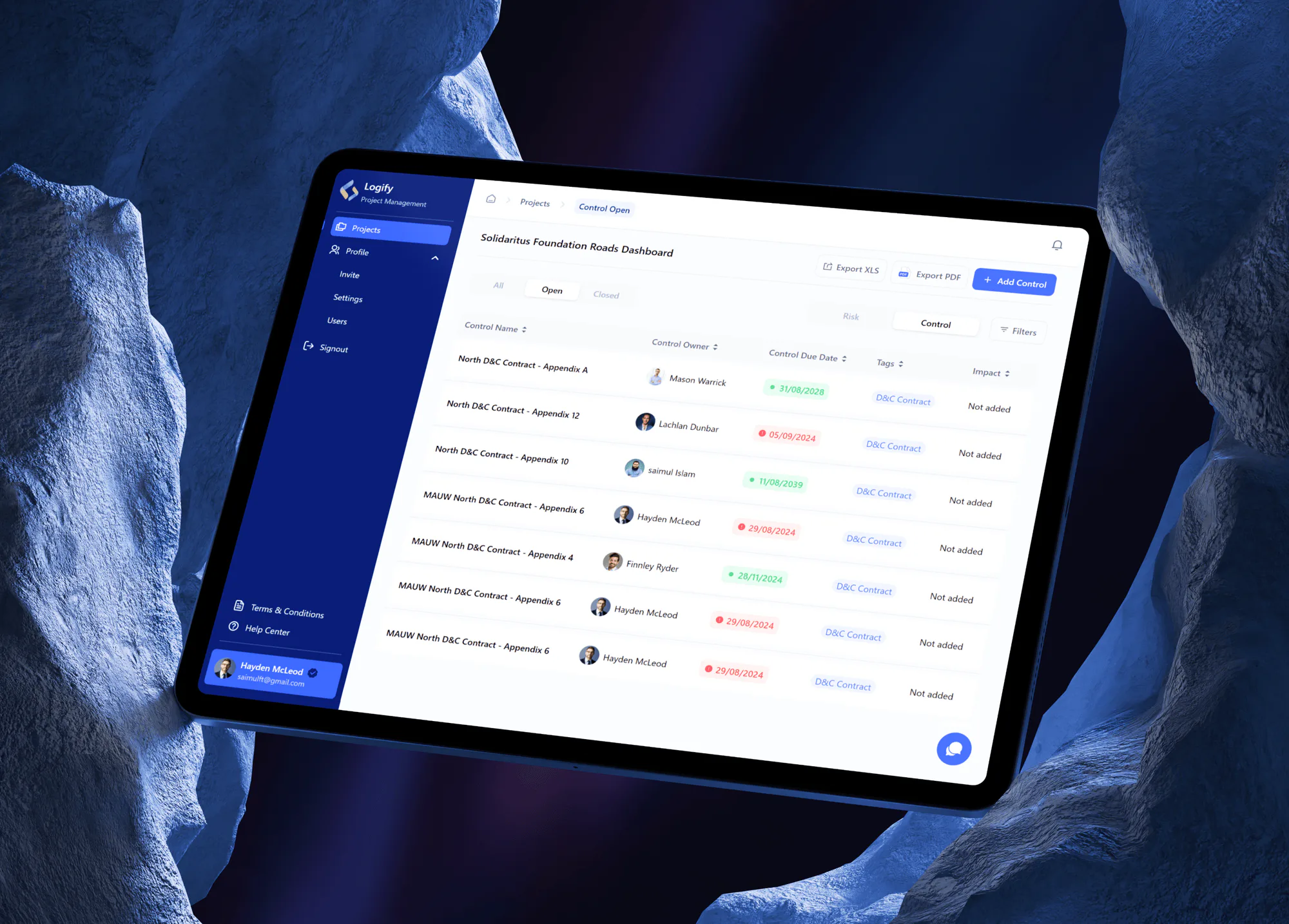
Logify Project Risk and Control Management Web App
- Logistics & Transportation
- Construction
- Dashboard

For cities, counties, and districts whose front desks answer the same calls over and over: one resident login for requests, payments, and records. From $1,450.
24/7
Requests and payments online
AA
WCAG 2.1 accessibility target
How your project runs
01 · FreeIndustry leaders we work with
 React
 Next.js
 TypeScript
 Tailwind CSS
 Node.js
 NestJS
 PostgreSQL
 Docker
 Stripe
 Twilio
 AWS
 Microsoft Azure
The Problem
It shows up when each of your departments puts its own form online. Your residents juggle several logins, requests vanish after submit, and the phone becomes the only way to ask what happened.
Phone queues
Your residents call just to ask where a request stands.
Phone queues
Every request shows its status online, with text updates at each step.
Paper tickets
Your staff retype phone calls into the work order system.
Paper tickets
Online requests land in your work order system without anyone retyping them.
Many logins
Each of your department sites asks for another login.
Many logins
One resident account covers requests, payments, and records requests.
Access gaps
Your forms fail for residents using screen readers or old phones.
Access gaps
Every screen is tested with a keyboard, a screen reader, and mid-range phones.
It's Monday morning and the front desk phone hasn't stopped. A resident wants to know if anyone saw the pothole she reported two weeks ago. Another can't pay a water bill because the payment page won't load on his phone. A third emailed a records request and has no idea who has it. Each call becomes a sticky note or a retyped ticket. Your staff spend the day explaining where things stand instead of finishing them.
We start with the calls your staff answer most, then build a portal that handles them online. Your residents sign in once to report problems with a photo and map pin, pay bills, and request records. Each request routes to the right department and sends status updates by text or email. Your staff work from one dashboard connected to the systems you already run. Your residents check progress online instead of calling you.
One login for residents
Your residents sign in once to see every request, bill, and records request they have open.
Status updates by text
Each status change sends a text or email, so your residents stop calling to ask what happened.
Built for WCAG 2.1 AA
Your screens are tested with keyboards, screen readers, zoom, and phones before any department goes live.
Our Citizen Portal Development Process
You see every resident flow and staff screen in plain language before code, and each department tests its own services before residents ever see them.
We sit with your staff who answer phones, take payments, and handle records requests. You get a ranked list of services to move online, the systems each one touches, and an honest view of what your current vendor suite already covers.
Projects We've Built
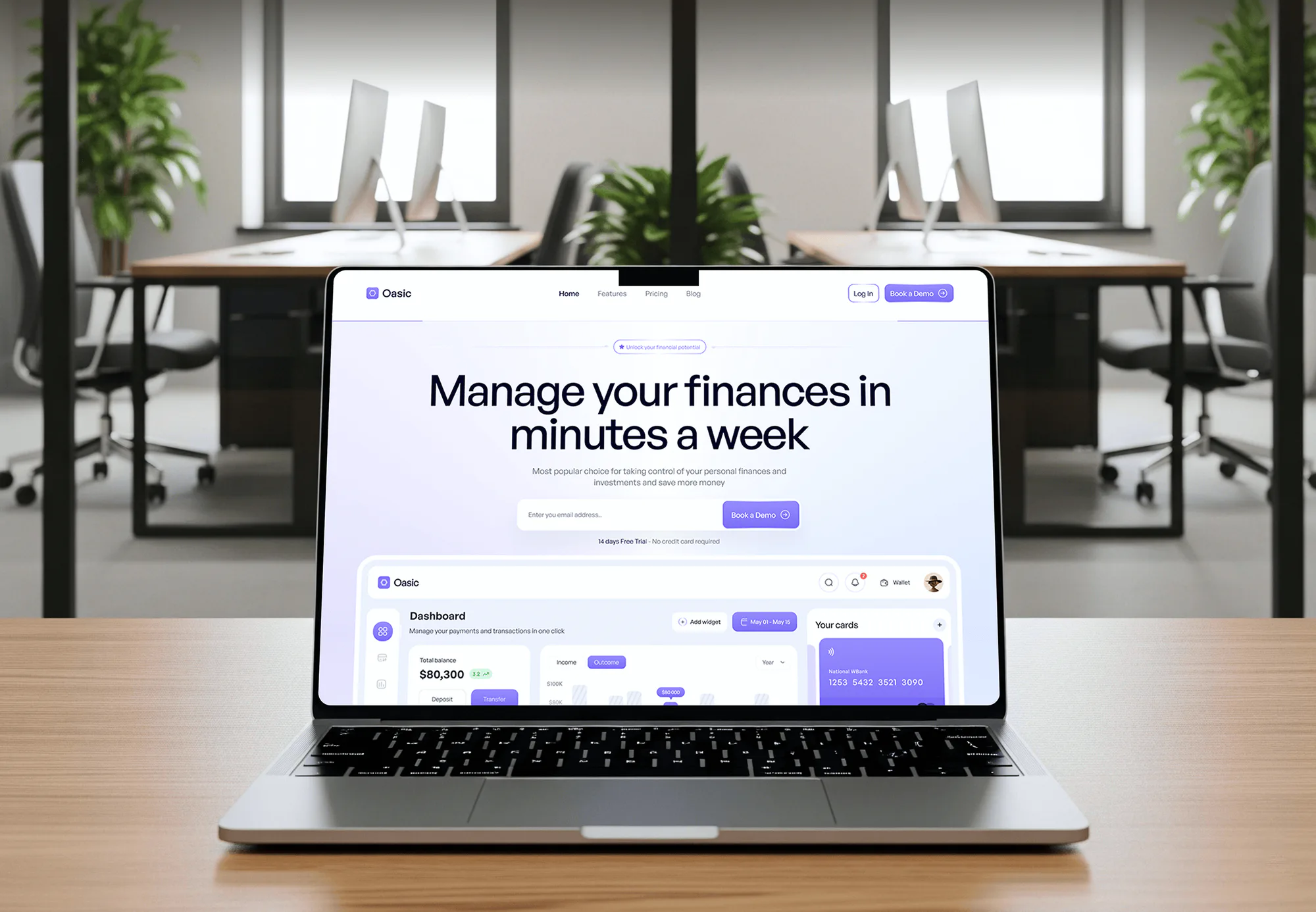
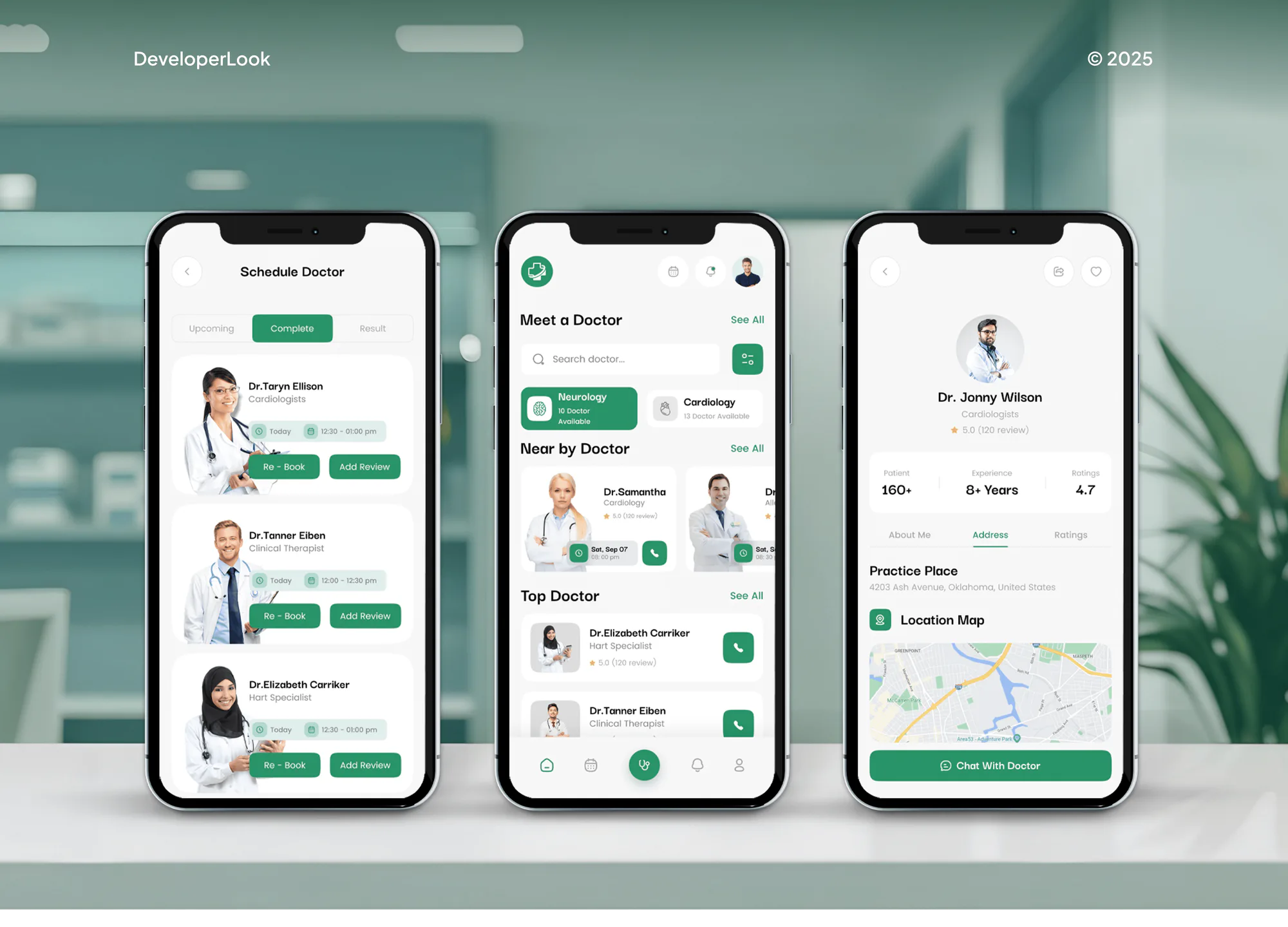
Web apps with sign-in accounts, payments, and staff dashboards we have built for other sectors: the same building blocks a resident portal runs on.

What's Included
Resident accounts, service requests with maps, online payments, records requests, and a staff dashboard, connected to the systems your departments use and tested for accessibility before launch.
Compare Options
A module from your current vendor suite can be quick to switch on, and online forms cost little. Here is where each one fits and where your residents still end up calling.
| Feature | DeveloperLookBest fit | Vendor suite module | Online forms |
|---|---|---|---|
| Planning | Mapped from your departments' workflows | Their workflow, your settings | One form per request |
| Time to start | 4 to 16 weeks to launch | Quick if already licensed | Live in a day |
| Resident account | One login for every service | Often one login per module | No account, no history |
| Status updates | Text and email at each step | Varies by module | Nothing after submit |
| Accessibility | Tested to WCAG 2.1 AA | Depends on vendor releases | Depends on the form builder |
| Integrations | Built to your current systems | Strongest inside their own suite | Staff retype every entry |
| Ownership | You own code and data | Licensed, export terms vary | Data sits in the form tool |
| Cost | Fixed build price | Yearly license per module | Low monthly fee |
What Our Clients Say
Feedback from teams we have built portals, dashboards, and web apps for.
We had a pretty specific idea of what we wanted our website to become, but I wasn’t sure how easily we could explain all of it to a development team. There were quite a few moving parts, and we were working toward a deadline, so I expected a few things to get lost along the way. That never really happened. They understood what we were trying to achieve, kept us updated throughout the process, and got everything ready within the agreed timeline. The final site feels much easier to navigate, works beautifully on mobile, and is noticeably smoother for our customers. It was a huge relief seeing the original idea actually turn into the website we had in mind.
The mobile experience is probably my favourite part of the new site. We had spent a lot of time making sure the desktop version looked right, and the team kept pushing us to think about how everything would actually feel on a phone too. They were right. The navigation is clean, the interactions feel natural, and everything we’ve tested so far works exactly as it should. They also went through the links, forms, integrations, and other details more than once before launch, which I really appreciated. And even after going live, we could still reach out when something came up. The whole process felt friendly, organised, and surprisingly straightforward.
What I appreciate most is that the website is actually easy for us to manage now. We can update content ourselves instead of sending a developer a message every time we need to change something small. They also paid attention to the technical SEO side, which mattered to us because we didn’t want a new website to create problems for the traffic we already had. I’ve probably asked more questions than I should have since launch, but every question has been handled patiently and without any fuss. The team is easy to work with, they explain things clearly, and when we need something changed, they focus on getting it done rather than making the process complicated.
1,250+
Projects shipped
10+
Years of experience
5 stars
Clutch rating
5 stars
GoodFirms rating
Excellent
Trustpilot rating
Top 3%
Upwork Top Rated Plus
1,250+
Projects shipped
10+
Years of experience
5 stars
Clutch rating
5 stars
GoodFirms rating
Excellent
Trustpilot rating
Top 3%
Upwork Top Rated Plus

Want results like these?
Tell us what you are building. You get a reply within 24 hours on business days, then a written estimate.
Work Culture
Your portal is the front door residents judge your government by. These habits keep it usable for everyone and manageable for your staff behind it.
We test every screen with a keyboard and a screen reader, not only an automated scanner. Your residents who rely on assistive technology need the same path to file a request.
We sit with your staff who answer phones and take payments before we design anything. Their most common calls become your portal's first services.
Your labels are written in plain language, and every string is ready for translation. Your residents who don't read English well can still finish a request.
We review your access rules, audit logs, and dependencies before go-live. Card data stays in your processor's hosted fields, so card numbers don't touch your servers.
If your current vendor's resident module already covers a service, we'll tell you before we quote. We build only where the suite stops.
The code, the database, and the hosting accounts sit in your government's name. Your IT team or another vendor can take over at any time.
Overview
DeveloperLook builds citizen portal software for cities, counties, and special districts that want residents served online. We build resident accounts, service requests with maps, online payments, public records requests, and a staff dashboard, tested to WCAG 2.1 AA. Portals start at $1,450, take 4 to 16 weeks, and you own the code.
DEVELOPERLOOK
Project facts · Citizen Portal Development
Reviewed 28 Oct 2026 by Saimul Islam
Good fit
City clerks handling records requests
Your clerk's office tracks public records requests in email folders and a spreadsheet, and each legal response deadline lives on a sticky note.
Public works departments taking calls
Your public works line rings all day about potholes and missed pickups, and every call becomes a paper ticket someone retypes later.
Utilities and treasurers collecting payments
Your residents pay water bills and taxes by mail or at a counter, because the online option is a separate site with its own login.
Counties running several departments online
You run separate department sites with separate logins, and residents want one place that shows every request and payment they have open.
Agencies with government clients
Your agency won the city's website contract, and now the city wants a citizen service portal behind it without you hiring developers.
Not a fit
Budget under $1,450
You need one online form for a single request type. A form builder on your current website costs less than a portal until volume grows.
The website is the problem
Residents can't find anything because the site itself is disorganized. Our Government Website Design service fixes navigation and content first, and a portal can follow.
Permits are the whole need
Your backlog is building and right-of-way permits with plan review and inspections. Our Permitting Software Development service covers that workflow in depth.
Full ERP replacement
You want to replace finance, utility billing, and HR systems in one project. That is an ERP procurement, and we build the resident layer on top instead.
Not sure we're the right fit?
Book a free call or message us. We'll tell you honestly whether we're the right team.
Pricing
These are starting points in USD. Your final price depends on how many services go online, which back-office systems we connect, and your identity setup. You get a fixed proposal after a free service review.
For Agencies
You own the relationship with the city or county. We supply the engineering: the service review, resident flows, integrations, and accessibility testing, delivered under your brand while you lead every meeting with the client's departments.
White label: your client only ever sees your brand
Send the client's services, current systems, and procurement rules, and we scope it in writing.
You receive one fixed price and schedule to mark up and submit under your name.
We build on staging, you demo to the client, and we hand over documented code.
Send the client's services, current systems, and procurement rules, and we scope it in writing.
You receive one fixed price and schedule to mark up and submit under your name.
We build on staging, you demo to the client, and we hand over documented code.
The Right Technology for Your Project
Tools we use to build your resident screens, staff dashboards, map lookups, payments, and secure sign-in for residents and staff.
ReactNext.jsTypeScriptTailwind CSSNode.jsNestJSPostgreSQLDockerStripeTwilioAWSMicrosoft AzureFAQ
Straight answers on cost, accessibility, sign-in, payments, and connecting a portal to the systems you already run.
Saimul IslamFounder & CEO, DeveloperLookStill have questions?
Send a message or book a call with the team.
Citizen portal development starts at $1,450 for one request or payment type with resident accounts and email updates. A portal with up to 5 services, map pins, text updates, and records requests starts at $4,200. Connecting billing, work order, and identity systems starts at $8,800. You get a fixed proposal after a free review of your most-called services.
A single-service portal launches in 4 to 6 weeks, and a connected portal across departments takes 10 to 16 weeks. Connecting your older back-office systems is usually the longest part. We launch one department at a time, so residents get the first services while the rest are still being built and tested.
A citizen self-service portal lets your residents finish government tasks online without calling or visiting an office. Your typical tasks to move online are reporting a problem, paying a bill, applying for a permit, and requesting records. The self-service part matters most: residents see the status of each request themselves, so your staff stop answering where-is-it calls.
An e-government portal is a single website where a government offers its services online, from payments to applications to public information. Some cover a whole state, and others serve one city or county. The resident-facing part is the sign-in, the requests, and the history each person sees, and that is the part we build for you.
Local governments increase engagement by making the payment portal the easiest way to pay, not a separate chore. For you, that means one login for every bill, saved payment methods, autopay, and text reminders before due dates. Once a resident pays a water bill online, the same account shows their requests and permits, so they come back for other services.
A government data portal publishes public datasets, such as budgets, permits issued, or service requests, for anyone to download or query. Many run on CKAN, the open-source software behind the data.gov catalog. A resident portal can feed it: we export anonymized request and permit data on a schedule, so your open data stays current without manual uploads.
Yes, we build and test every screen to WCAG 2.1 Level AA. That is the standard the US Department of Justice's ADA Title II rule names for state and local government websites. Testing covers keyboard use, a screen reader, zoom, and real phones, not only a scanner. You get a written report to keep with your accessibility records.
Yes, when the system offers an API, a database view, or a scheduled file exchange. We connect to utility billing, work order, and permitting systems this way, and to Esri ArcGIS for address and district lookups. When your older system only exports files, we sync on a schedule and show residents when the data was last updated.
Your residents sign in with an email and multi-factor authentication, and your staff use the accounts they already have. For staff we connect Microsoft Entra ID or Okta through SAML or OpenID Connect, so access ends when someone leaves. Each of your departments sees only its own queue, and every staff action is logged for your audits.
Your government owns the code, the database, and every hosting and processor account from day one. During the first 90 days, any bug is ours to fix at no charge. After that, your IT team can run it, another vendor can take over with our documentation, or you can keep us on a support plan.
Saimul IslamFounder & CEO, DeveloperLookStill have questions?
Send a message or book a call with the team.
Free 30-min callGoogle Meet
Book a call
In 30 minutes on Google Meet we walk you through how we would build it, how long it takes and what it costs. Then you get a written estimate.
Calendar not showing? Book on cal.com or send a brief.