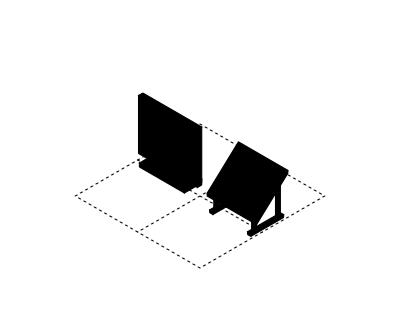
Address lookup and roof analysis
Address autocomplete plus roof segments and sun hours from Google's Solar API, with PVWatts estimates where imagery is missing.

For residential solar installers: a calculator that turns an address and a power bill into a savings estimate, then hands the qualified lead to your team. From $900.
2X
More qualified solar leads
100%
Leads with address and bill
How your project runs
01 · FreeTeams we have built for:














The Problem
It happens the moment a homeowner wonders what solar would save. Most installer sites answer with a contact form, so the visitor leaves to find a number somewhere else.
No number
Visitors want savings figures, but your form only asks for contact details.
No number
The calculator shows a system size and savings range before the full estimate.
Bad leads
Renters and shaded roofs fill your pipeline with dead leads.
Bad leads
Ownership, roof, and shade questions score each lead before it reaches a rep.
Guessed math
Generic widgets use national averages instead of your prices.
Guessed math
Estimates use your price per watt, local utility rates, and the roof's sun hours.
Retyped leads
Reps copy each web lead into the CRM by hand.
Retyped leads
Each lead lands in your CRM with address, bill, and estimate attached.
A homeowner lands on your site after seeing a neighbor's new panels. They want one number: what solar would save on their bill. Your site offers a contact form that asks for a name and a phone number, so they leave and try a lead marketplace instead. The few who fill it in turn out to be renters or homes under heavy shade. Your reps spend the week calling people who weren't going to buy.
We start with the questions homeowners ask: how many panels, what size system, and how much it saves. Then we build a calculator that answers them from the visitor's address and bill, using roof data where it exists and your own price per watt. The full estimate opens after a short form about ownership and shade. Your reps get qualified leads with the numbers attached, not cold names.
Roof data from the address
Google's Solar API reads roof segments and sun hours wherever its imagery covers the home.
Your prices, not averages
Your price per watt and the local utility rate drive every estimate the visitor sees.
Leads that arrive qualified
Ownership, roof age, and shade answers score each lead before your reps call.
Our Solar Calculator for Website Process
You approve every input and output before we build, then check the calculator's estimates against real proposals your designers made. Nothing goes live until your sales lead signs off.
We review your current lead form, your price per watt, and the utilities you serve, then agree on what the calculator shows before the form. You get a written scope that lists every input and output.
What's Included
Your calculator covers address lookup, roof data, savings math, battery and financing options, the lead form, and the hand-off to your CRM. It runs on your site and your accounts.
Compare Options
A free widget suits one service area at average prices, and a subscription app works for teams that want settings, not code. Here is where each one fits.
| Feature | DeveloperLookBest fit | Free widget | Subscription app |
|---|---|---|---|
| Your pricing | Your price per watt and rates | National averages | Settings you can adjust |
| Roof data | Solar API with PVWatts fallback | ZIP-level estimates | Varies by provider |
| Lead qualifying | Ownership, roof, and shade questions | Name and email only | Basic form fields |
| CRM hand-off | Direct to your CRM | Email or nothing | Common CRMs supported |
| Branding | Built in your brand | Provider's branding | Theme options |
| Time to launch | 3 to 8 weeks | Same day | A few days |
| Cost | Fixed one-time price | Free to use | Monthly subscription |
| Ownership | You own the code | Provider's code | Provider's platform |
Projects We've Built
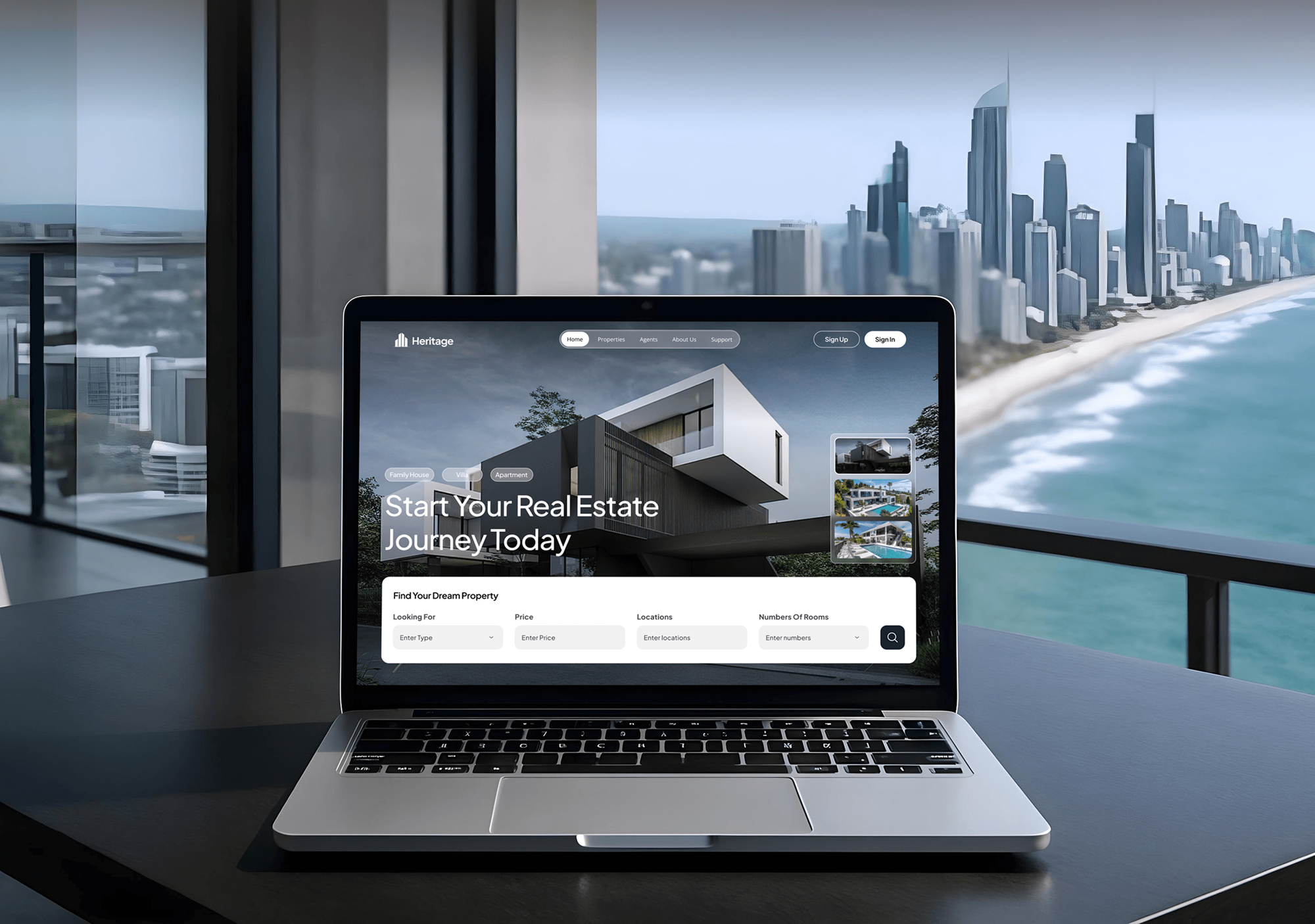
Heritage, Envitis, Borna's, and Carsova are websites we built with map search, project pages, and lead paths. None of them is a solar calculator.



What Our Clients Say
Feedback from teams we have built websites, lead forms, and booking flows for.
We had a pretty specific idea of what we wanted our website to become, but I wasn’t sure how easily we could explain all of it to a development team. There were quite a few moving parts, and we were working toward a deadline, so I expected a few things to get lost along the way. That never really happened. They understood what we were trying to achieve, kept us updated throughout the process, and got everything ready within the agreed timeline. The final site feels much easier to navigate, works beautifully on mobile, and is noticeably smoother for our customers. It was a huge relief seeing the original idea actually turn into the website we had in mind.
The mobile experience is probably my favourite part of the new site. We had spent a lot of time making sure the desktop version looked right, and the team kept pushing us to think about how everything would actually feel on a phone too. They were right. The navigation is clean, the interactions feel natural, and everything we’ve tested so far works exactly as it should. They also went through the links, forms, integrations, and other details more than once before launch, which I really appreciated. And even after going live, we could still reach out when something came up. The whole process felt friendly, organised, and surprisingly straightforward.
What I appreciate most is that the website is actually easy for us to manage now. We can update content ourselves instead of sending a developer a message every time we need to change something small. They also paid attention to the technical SEO side, which mattered to us because we didn’t want a new website to create problems for the traffic we already had. I’ve probably asked more questions than I should have since launch, but every question has been handled patiently and without any fuss. The team is easy to work with, they explain things clearly, and when we need something changed, they focus on getting it done rather than making the process complicated.
1,250+
Projects shipped
10+
Years of experience
Top 3%
Upwork Top Rated Plus
5 stars
Average review score
1,250+
Projects shipped
10+
Years of experience
Top 3%
Upwork Top Rated Plus
5 stars
Average review score

Want results like these?
Tell us what you are building. You get a reply within 24 hours on business days, then a written estimate.
Work Culture
A homeowner's first number shapes the whole sale. These habits keep your estimates honest, your leads qualified, and the numbers online close to what your reps quote.
Every result says what it's based on and that a site visit sets the final design. Homeowners trust a range they understand more than a precise number that changes later.
We compare the calculator's output with proposals your designers made for real homes. Your online ranges then match what your reps quote at the kitchen table.
Google's Solar API doesn't cover every home, and we show you where it falls short. Those addresses get a PVWatts estimate instead of an error screen.
Tax credits and rebates change, so the calculator shows only incentive amounts your team enters and updates. It won't quote a program the homeowner may not qualify for.
If a free widget already covers your area and pricing, we'll tell you before we quote. Custom work earns its cost when you need your prices, your brand, and your CRM.
The code, the API keys, and every lead are yours from day one. Your calculator keeps working if you change agencies, CRMs, or proposal software.
Overview
DeveloperLook builds a custom solar calculator for website visitors, made for residential solar installers. It reads roof data from the address, uses your price per watt and local rates, shows savings, battery, and financing options, and sends qualified leads to your CRM. Projects start at $900, take 3 to 8 weeks, and you own the code and leads.
DEVELOPERLOOK
Project facts · Solar Calculator for Website
Reviewed 29 Oct 2026 by Saimul Islam
Good fit
Residential solar installers
Your website gets traffic from local ads, and you want a solar calculator for your website that turns visitors into booked site assessments.
Installers selling batteries with solar
You sell storage with most systems, and you want the calculator to show a battery option next to the panels.
Solar companies in several states
You serve more than one state or utility, and each market needs its own price per watt and rate assumptions.
Teams replacing a generic widget
You embedded a generic solar calculator widget, and it shows national averages, someone else's branding, and leads you can't send to your CRM.
Agencies building solar sites
Your agency designs websites for solar installers, and your clients keep asking for a calculator you can add under your brand.
Not a fit
Full solar website
You need a whole new website with service pages, galleries, and financing pages. Our Solar Company Website Design page covers the full site.
Design and proposal software
You need roof designs and signed proposals tied to your CRM. Our Aurora Solar Integrations page covers that sales workflow.
One area, average prices
You serve one area at standard prices and don't need a CRM hand-off. A free widget may be enough, and we'd rather you start there.
Budget under $900
Your budget is under $900 for the calculator. A free embeddable widget is a reasonable start until your lead volume justifies a custom build.
Not sure we're the right fit?
Book a free call or message us. We'll tell you honestly whether we're the right team.
Pricing
These are starting points in USD. Your final price depends on the roof data you need, your financing options, and your CRM, and you get a fixed proposal after a free calculator review.
For Agencies
You own the client relationship. We supply the engineering behind the solar calculators your installer clients ask for, under your brand. You get the roof data setup, the savings math, and a CRM hand-off your client's sales team can rely on.
White label: your client only ever sees your brand
Send the client's prices, service area, and CRM, and we shape the scope.
You get a fixed proposal in your agency's name and a named team.
We build, check estimates against real proposals, and hand over the embed.
Send the client's prices, service area, and CRM, and we shape the scope.
You get a fixed proposal in your agency's name and a named team.
We build, check estimates against real proposals, and hand over the embed.
The Right Technology for Your Project
We build a light embed that loads fast on any site, use solar data services installers already know, and send leads into the CRM you run.
 React
React TypeScript
 Node.js
 HubSpot
 Salesforce
 Zapier
 WordPress
 Webflow
 Squarespace
 Wix
Wix Google Analytics (GA4)
Related Services
The energy software hub, Aurora proposals that pick up each lead, full solar websites, other quote calculators, and HubSpot integrations for your sales team.
This page
Solar Calculator for Website
Pairs with the 6 services around it
FAQ
Straight answers on cost, timelines, free widgets, panel and savings math, roof data, incentives, and leads.
Saimul IslamFounder & CEO, DeveloperLookStill have questions?
Send a message or book a call with the team.
A custom solar calculator from DeveloperLook starts at $900 for a savings estimator with your prices, a lead form, and email alerts. A roof-aware calculator with Google's Solar API, a battery option, and CRM hand-off starts at $2,300. A proposal-ready version with financing comparisons and market pricing starts at $4,400. You get a fixed quote after a free review.
Most solar calculators take 3 to 8 weeks from review to launch. A savings estimator with a lead form takes about 3 weeks. Adding roof analysis and a CRM hand-off runs 4 to 6 weeks, and financing comparisons with market pricing take up to 8. The accuracy check against your real proposals takes 3 to 5 days of that.
Sometimes, yes. A free solar calculator for website embeds works when you serve one area at average prices and only need an email lead. It falls short when you need your own price per watt, roof data, qualifying questions, or leads sent straight into your CRM. Many installers start free and switch later.
It divides the home's yearly use by what one panel would produce on that roof. Yearly use comes from the visitor's bill, and production comes from Google's Solar API sun data or a PVWatts estimate. The result rounds to whole panels that fit the usable roof area, with a note that a site visit sets the final design.
It uses Google's Solar API wherever aerial imagery covers the address, which returns roof segments, pitch, direction, and sun hours. Where coverage is missing, it falls back to a PVWatts estimate from the location and a standard roof setup. Both services need API keys in your name, and Google bills its API by usage.
It multiplies yearly production by the visitor's utility rate to get bill savings, then compares that with your system price. Payback is the price divided by yearly savings, shown as a range. Battery and financing options change the result only if your company offers them and enters the terms.
Yes, but only the amounts your team enters and keeps current. Incentive programs change and depend on each homeowner's situation, so we don't build in figures from outside sources. The result screen labels incentives clearly and tells the homeowner that eligibility gets confirmed during the proposal.
Yes. It ships as one embed that works on WordPress, Webflow, Squarespace, Wix, or a custom site, and it loads only on the pages where you place it. It keeps your fonts and colors, works on phones, and sends conversion events to GA4, so you can see which ads bring leads.
Each lead goes to your inbox and your CRM with the address, bill, roof answers, and estimate attached. We connect HubSpot or Salesforce directly, and other CRMs through their API or Zapier. On the top plan, a qualified lead can also start an Aurora Solar project, where your Aurora plan includes API access.
You do. The code, API keys, and every lead are yours from day one, and the calculator runs on accounts in your name. You get 30 days of post-launch support for fixes and small changes. Prices and rates live in a settings file, and we show your team how to update them.
Saimul IslamFounder & CEO, DeveloperLookStill have questions?
Send a message or book a call with the team.
Free 30-min callGoogle Meet
Book a call
In 30 minutes on Google Meet we walk you through how we would build it, how long it takes and what it costs. Then you get a written estimate.
Calendar not showing? Book on cal.com or send a brief.