
Enrollment for every platform
Windows Autopilot, Apple automated enrollment, and Android Enterprise connected, so devices join your console during setup.

For teams whose staff work on company and personal phones and laptops: every device enrolled, encrypted, and wipeable if lost, with personal data kept private. From $900.
1console
For every phone and laptop
Day 1
Laptops secured at first sign-in
How your project runs
Teams we have built for:














The Problem
It shows up the day a laptop is left in a taxi, or a salesperson quits with the client list still syncing to their personal phone.
01 · Lost devices
A missing laptop may hold unencrypted client files.
Disk encryption is enforced, and lost devices can be locked or wiped remotely.
02 · Leavers
Former staff keep company email on their personal phones.
A retire action removes work apps and data and leaves personal content alone.
03 · Manual setup
New hires wait while someone builds their laptop by hand.
Autopilot and Apple automated enrollment set up new devices at first sign-in.
04 · Privacy fears
Staff refuse to enroll personal phones over privacy worries.
Work profiles and a plain privacy note show staff exactly what IT can see.
A sales rep leaves and keeps a personal iPhone that still syncs your shared mailbox. Last month a laptop went missing from a car, and nobody knew if its disk was encrypted. New hires wait two days while someone sets up their laptop by hand, installing apps from memory. Staff call the enrollment app spyware, so half never installed it. When your insurer asks whether lost devices can be wiped, you can't say yes for all of them.
We start by listing every company and personal device that touches work data. Then we set up Microsoft Intune or your chosen MDM with Windows Autopilot and Apple automated enrollment, so new devices configure themselves at first sign-in. Staff-owned phones get a separate work profile. Lost laptops get locked or wiped remotely, while personal photos stay personal.
One console for every device
Windows, Mac, iPhone, iPad, and Android managed from one place with one set of rules.
Ready out of the box
New laptops and phones configure themselves at first sign-in, with apps and policies applied.
Personal data stays private
Work profiles on staff-owned phones keep personal photos, messages, and browsing out of view.
Our Mobile Device Management Setup Process
You approve the device policies and the privacy note staff will read before enrollment starts, then sign off once every device shows as compliant.
We look at your device count, platforms, who owns each device, and the licenses you already have. Microsoft 365 Business Premium includes Intune, so you may not need a new tool. If a simpler setting covers your case, we'll tell you before we quote.
What's Included
Enrollment, security policies, apps, privacy rules, and runbooks, set up in the console you'll keep using, with every setting documented for whoever runs IT.
Compare Options
Small business mobile device management is often done in-house by a tech-minded owner, and a general IT help desk can enroll devices cheaply. Here is where each holds up.
| Feature | DeveloperLookBest fit | DIY setup | IT help desk |
|---|---|---|---|
| Planning | Written policy per device type | Defaults left as shipped | Their standard template |
| Platforms | Windows, Mac, iOS, and Android | Usually one platform | Depends on their skills |
| Automated setup | Autopilot and Apple automated enrollment | Devices set up by hand | Sometimes configured |
| Personal phones | Work profiles and a privacy note | Often skipped entirely | Full enrollment or nothing |
| Testing | Pilot group before rollout | Tested on your own phone | Tested on live users |
| Speed | 1 to 4 weeks by fleet size | Fastest for 5 devices | Fits around open tickets |
| Ownership | Your console, fully documented | Yours, but undocumented | Sometimes in their tenant |
| Cost | Fixed price from $900 | Only your time | Cheapest hourly rate |
Projects We've Built
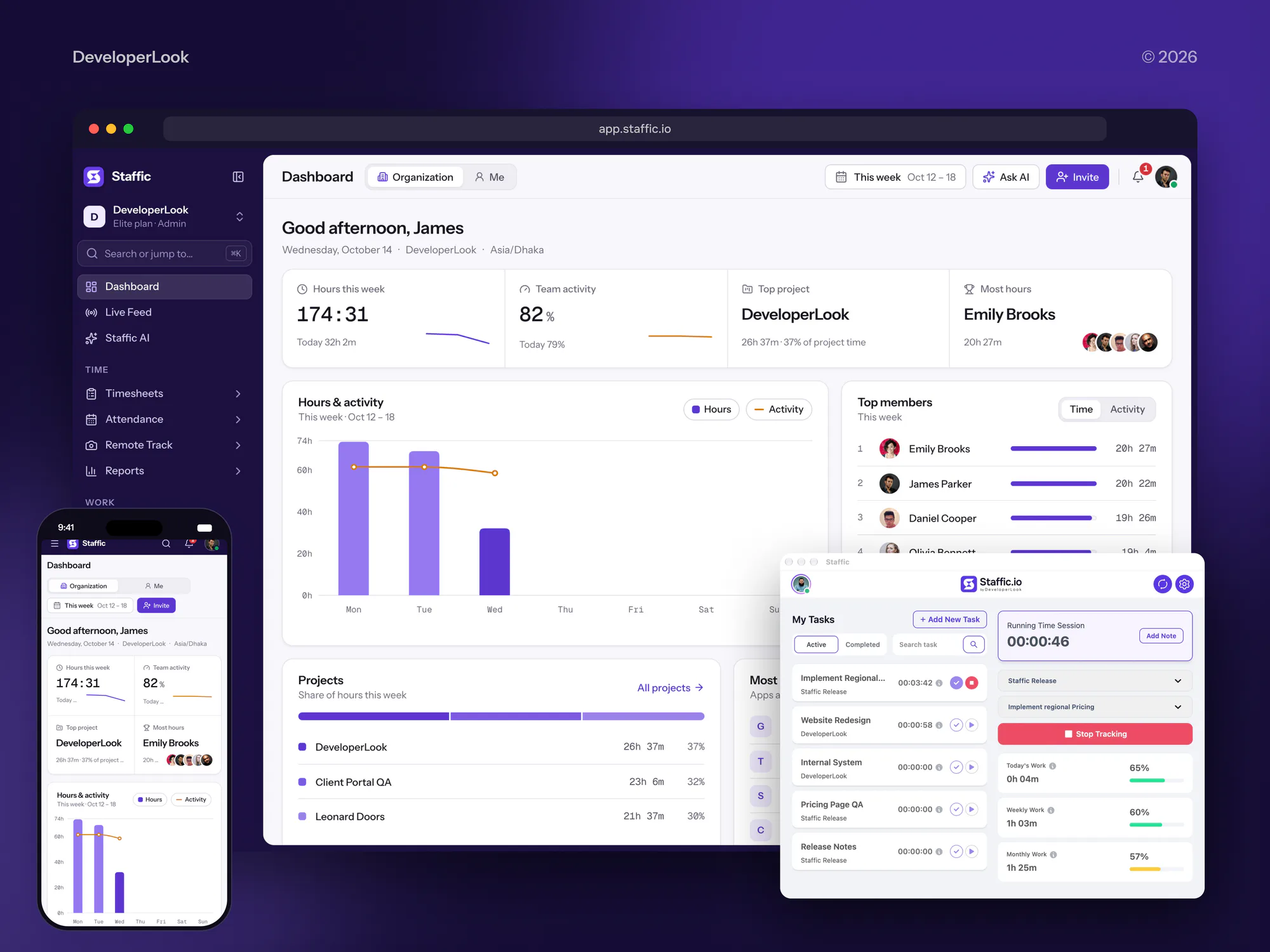
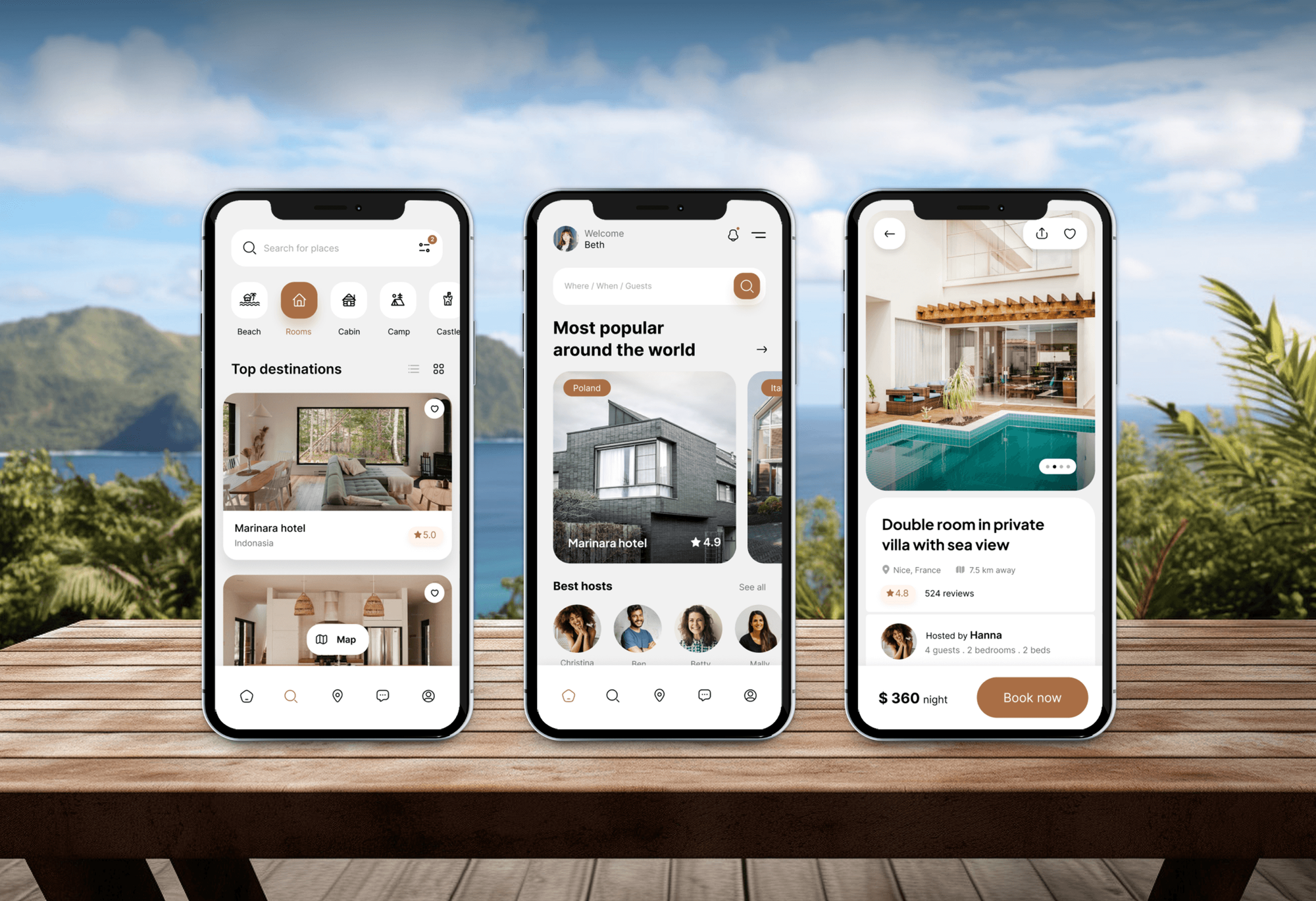
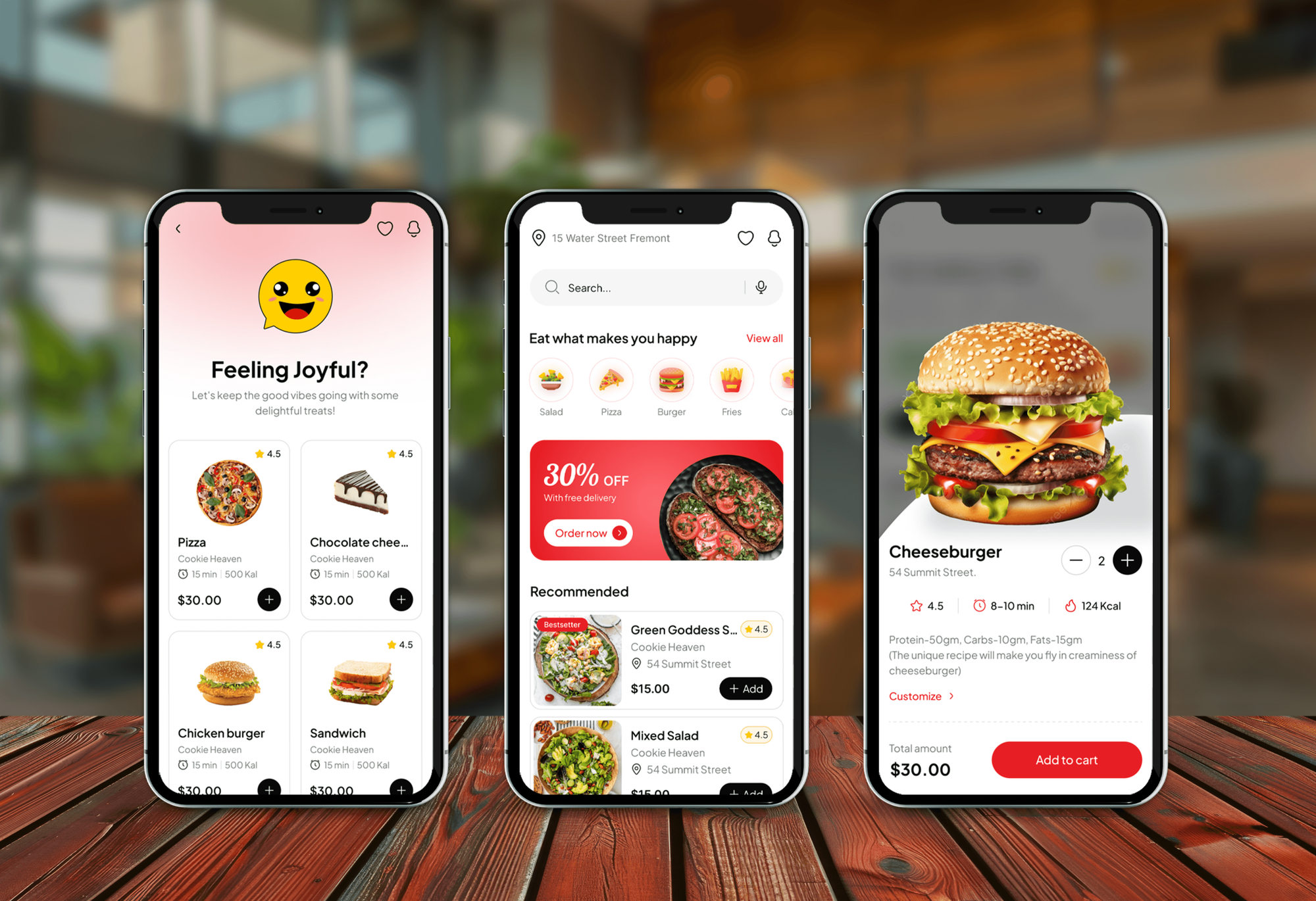
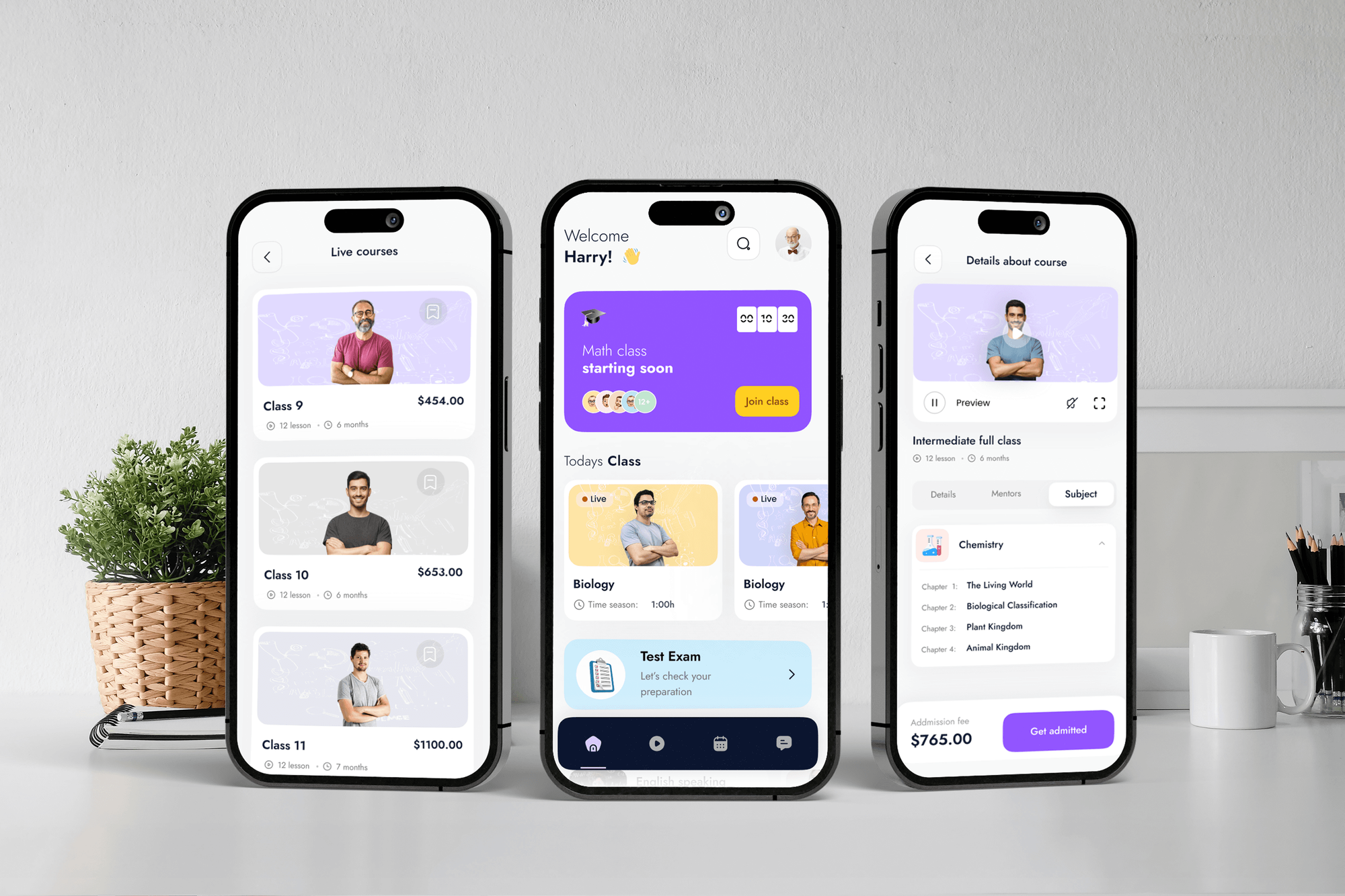
Apps we built for staff time tracking, tour operators, food delivery, and learning. Apps like these run on the phones and laptops a device policy manages.
What Our Clients Say
Feedback from teams we have built apps, platforms, and websites for.
We had a pretty specific idea of what we wanted our website to become, but I wasn’t sure how easily we could explain all of it to a development team. There were quite a few moving parts, and we were working toward a deadline, so I expected a few things to get lost along the way. That never really happened. They understood what we were trying to achieve, kept us updated throughout the process, and got everything ready within the agreed timeline. The final site feels much easier to navigate, works beautifully on mobile, and is noticeably smoother for our customers. It was a huge relief seeing the original idea actually turn into the website we had in mind.
The mobile experience is probably my favourite part of the new site. We had spent a lot of time making sure the desktop version looked right, and the team kept pushing us to think about how everything would actually feel on a phone too. They were right. The navigation is clean, the interactions feel natural, and everything we’ve tested so far works exactly as it should. They also went through the links, forms, integrations, and other details more than once before launch, which I really appreciated. And even after going live, we could still reach out when something came up. The whole process felt friendly, organised, and surprisingly straightforward.
What I appreciate most is that the website is actually easy for us to manage now. We can update content ourselves instead of sending a developer a message every time we need to change something small. They also paid attention to the technical SEO side, which mattered to us because we didn’t want a new website to create problems for the traffic we already had. I’ve probably asked more questions than I should have since launch, but every question has been handled patiently and without any fuss. The team is easy to work with, they explain things clearly, and when we need something changed, they focus on getting it done rather than making the process complicated.
1,250+
Projects shipped
10+
Years of experience
Top 3%
Upwork Top Rated Plus
5 stars
Average review score

Want results like these?
Tell us what you are building. You get a reply within 24 hours on business days, then a written estimate.
Work Culture
Device management reaches staff's own phones, so trust matters as much as settings. These habits keep enrollment smooth, privacy respected, and nobody locked out on a Monday.
We use work profiles and user enrollment for staff-owned devices wherever we can. Full device control stays on company hardware, where it belongs.
Every policy runs on a small pilot group for a few days first. Problems with an app or a printer show up there, not across the whole team.
If your Microsoft 365 plan already includes Intune, we use it instead of selling a new tool. You buy software only when a real gap needs it.
Some staff will get stuck on a step or an old phone. We stay on hand during each enrollment wave, so nobody loses a working day.
The MDM tenant, the Apple and Google accounts, and every policy belong to you. If you change providers, your devices stay enrolled where they are.
Leaver, new hire, and lost-device steps fit on one page each. Whoever handles IT next year can follow them without calling us.
Overview
DeveloperLook sets up mobile device management for small and midsize teams, usually in Microsoft Intune. We enroll Windows, Mac, iPhone, iPad, and Android devices, enforce encryption and passcodes, deploy apps, and keep personal phones private with work profiles. Projects start at $900 and take 1 to 4 weeks.
DEVELOPERLOOK
Project facts · Mobile Device Management Setup
Reviewed 22 Oct 2026 by Saimul Islam
Good fit
Small businesses on Microsoft 365
Your Business Premium plan already includes Intune, and you want its device controls switched on properly instead of left untouched.
Teams moving to company iPhones
You're buying iPhones and iPads for staff and want apple mobile device management that sets them up automatically out of the box.
Companies with staff-owned phones
Your team reads work email on personal phones, and you need a policy they'll accept that still lets you remove company data.
Firms facing insurance or audit questions
Your cyber insurer or a client audit asks whether lost laptops are encrypted and can be wiped, and today you can't prove it.
IT providers needing an Intune consultant
You support several small clients and want an Intune consultant to build a clean, repeatable setup you can roll out under your name.
Not a fit
Only a few devices
You have fewer than 5 devices on one platform. The security defaults in your current plan and a written device rule may be all you need for now.
Need ongoing management
You want someone to run devices, alerts, and security tools every month, not a one-time setup. Our managed security services cover that from $850 a month.
Updates are the real gap
Your devices are enrolled already, and only OS and app updates fall behind. Our patch management services handle update rings and reporting from $350 a month.
Need help desk support
You need someone to answer staff calls, fix printers, and replace broken laptops. A local IT support provider fits better than a setup project.
Not sure we're the right fit?
Book a free call or message us. We'll tell you honestly whether we're the right team.
Pricing
These are starting points in USD. Your final price depends on device count, platforms, and whether staff-owned phones are included, and you get a fixed proposal after a free device review.
For teams of up to 25 people setting up their first managed devices.
$900one-time, USD
For companies with up to 100 devices, mixed platforms, and staff-owned phones.
$2,100one-time, USD
For organizations with up to 300 devices moving from another MDM or no management.
$3,900one-time, USD
For Agencies
You own the client relationship. We build the device management behind it: enrollment, policies, apps, and runbooks in each client's own tenant, documented in your format. You offer device security without training a specialist.
White label: your client only ever sees your brand
Send device counts, platforms, licenses, and any staff-owned phones in scope.
You get a policy plan, a draft privacy note, and a fixed price.
We configure the console, enroll devices, and hand over documented runbooks.
You run the client calls while we build quietly under your brand.
The same tested policy set, adapted to each client's devices and licenses.
Runbooks and admin guides written in your template and tone.
Engineers help staff through enrollment waves, so your help desk stays free.
The Right Technology for Your Project
We build on each platform's own enrollment program, so devices join your console during setup and stay manageable for as long as you own them.
FAQ
Straight answers on cost, how MDM works on iPhone and Android, privacy on personal phones, and the setup steps.
Saimul IslamFounder & CEO, DeveloperLookStill have questions?
Send a message or book a call with the team.
DeveloperLook's MDM setup starts at $900 for up to 25 company devices on Windows and Apple. That includes automated enrollment, encryption policies, and a tested remote wipe. The $2,100 plan covers up to 100 devices on 4 platforms, including staff-owned phones and conditional access. The $3,900 plan moves up to 300 devices from another MDM across 3 offices.
MDM is the practice of enrolling phones, tablets, and laptops into one console that sets security rules and controls work data. IT can require a passcode, encrypt the disk, install apps, and lock or wipe a lost device. Most tools, including Microsoft Intune, cover Windows, macOS, iOS, iPadOS, and Android from one place.
MDM is the short form of mobile device management, and it usually means full control of a company-owned device. Related terms cover narrower or wider jobs: MAM manages only work apps, while UEM adds desktops under the same console. Today most mdm mobile device management tools handle all three, so the policies you set matter more than the label.
On iPhone, it runs on Apple's own management framework, so every MDM uses the same building blocks. Company iPhones enroll through Apple Business (formerly Apple Business Manager) with automated device enrollment, which can stop users removing management. Staff-owned iPhones use User Enrollment, which manages only work accounts and apps and keeps personal data out of reach.
It works through the operating system's built-in management channel, which checks in with a cloud console. The console pushes policies, apps, and certificates, and the device reports its OS version, encryption state, and compliance. If a device falls out of line, access to work email and files can be blocked until it's fixed.
MDM cuts the repeated hands-on work of setting up, updating, and retiring devices. New laptops configure themselves at first sign-in through Windows Autopilot or Apple automated enrollment. Updates and apps go out to groups instead of one device at a time. When someone leaves, one retire action removes company data from their phone without a desk visit.
It's required whenever company data lives on phones and laptops you can't physically reach. Without it, you can't prove a lost device was encrypted or remove data from a leaver's phone. Cyber insurers and client security questionnaires often ask about both. Frameworks such as CIS Controls also expect a device inventory and secure configurations.
Start with the licenses and platforms you already have. Microsoft 365 Business Premium includes Intune, the Microsoft mobile device management tool, which suits most Windows-heavy teams. Apple-heavy teams sometimes prefer an Apple-focused tool. Then check personal phone support, conditional access for email, and whether mobile device management service providers will document the setup for you.
Setup runs in five stages: inventory, policy, console, pilot, and rollout. List every device and its owner, write the rules for each device type, then connect Apple Business, Windows Autopilot, and Android Enterprise to your console. Test on a pilot group for a few days, then enroll the rest in waves. For 25 devices this takes 1 to 2 weeks.
On a staff-owned phone, it can't see your email, texts, photos, browsing or call history, contacts, calendar, or passwords. Microsoft's Intune documentation lists what IT can see: the owner, device name, model, manufacturer, serial number, operating system, and the managed work apps. Location isn't visible on personally owned devices.
Saimul IslamFounder & CEO, DeveloperLookStill have questions?
Send a message or book a call with the team.
Free 30-min callGoogle Meet
Book a call
In 30 minutes on Google Meet we walk you through how we would build it, how long it takes and what it costs. Then you get a written estimate.
Calendar not showing? Book on cal.com or send a brief.