
KPI dictionary
Every metric written down with its formula, owner, target, and source, so the definitions stop moving.

For managers who rebuild the same spreadsheet every Monday: KPI dashboards with owners, targets, and alerts, built in the BI tool that fits your team.
1click
From KPI to the records
5+ hrs
Saved on weekly reporting
How your project runs
Teams we have built for:














The Problem
It shows up once a company outgrows one spreadsheet. Sales, finance, and operations each build their own reports, and every meeting opens with a debate about whose numbers are right.
01 · Monday exports
Someone pastes 3 exports into a spreadsheet every week.
Sources connect once, and dashboards refresh on schedule without copy and paste.
02 · Three revenues
Finance, sales, and ops each report a different revenue.
One written definition per KPI, signed off by its owner before we build.
03 · No targets
A slipping metric goes unnoticed until the month closes.
Targets and thresholds on every KPI, with alerts to the person who owns it.
04 · Ignored dashboards
Most dashboards in the BI tool never get opened.
Fewer dashboards, each built for one role and the decisions it makes.
It's Monday at 9, and your ops lead is pasting 3 exports into a spreadsheet. Finance counts refunds, so its revenue differs. Sales has a third number. Nobody set a target for on-time delivery, so a slipping week goes unnoticed until month end. The BI tool you pay for holds 14 dashboards, and nobody opens 11 of them. When a number drops, an analyst loses the afternoon digging through raw tables.
We start with the decisions, not the charts. In a short KPI workshop we agree on each metric's definition, owner, and target. We connect the sources, build the business intelligence dashboard in the tool that fits your team, and set alerts for when a metric crosses its line. Every number drills down to the records behind it. Meetings start with what to do, not whose spreadsheet is right.
Targets on every KPI
Each metric has an owner, a written definition, and a target, so red and green mean something.
Alerts when numbers slip
Threshold alerts post to Slack or email on the day a metric crosses its line.
Drill down to the records
Click any number to see the orders, deals, or tickets that make it up.
Our BI Dashboard Development Process
You see the KPI list, the source map, and numbers checked against your own systems before any dashboard reaches the wider team.
We meet the people who will use the dashboards and list the decisions they make each week. You get a draft KPI list with owners and targets, plus a straight answer if a simpler report would do.
What's Included
Each project covers the metrics, the data behind them, and the screens people open each morning, from KPI definitions to alerts and training.
Compare Options
A template suits one founder watching a few numbers, and a freelancer suits a quick chart. Here is where each fits once several teams rely on the same KPIs.
| Feature | DeveloperLookBest fit | DIY template | Freelancer |
|---|---|---|---|
| KPI definitions | Agreed and written before build | Whatever the template tracks | Taken from your brief |
| Data sources | CRM, billing, accounting, and database | Built-in connectors only | Depends on their skills |
| Targets and alerts | Thresholds with Slack alerts | Rarely set up | Only if you ask |
| Numbers tested | Checked against each source | Not checked | Spot checks |
| Setup speed | 2 to 9 weeks | Same day for basics | Fast for one chart |
| Support | 30 to 90 days included | Vendor help articles | Ends with the gig |
| Ownership | Your accounts and files | Your own account | Files, if handed over |
| Cost | Fixed price from $1,250 | Free or low cost | Hourly, varies |
Projects We've Built
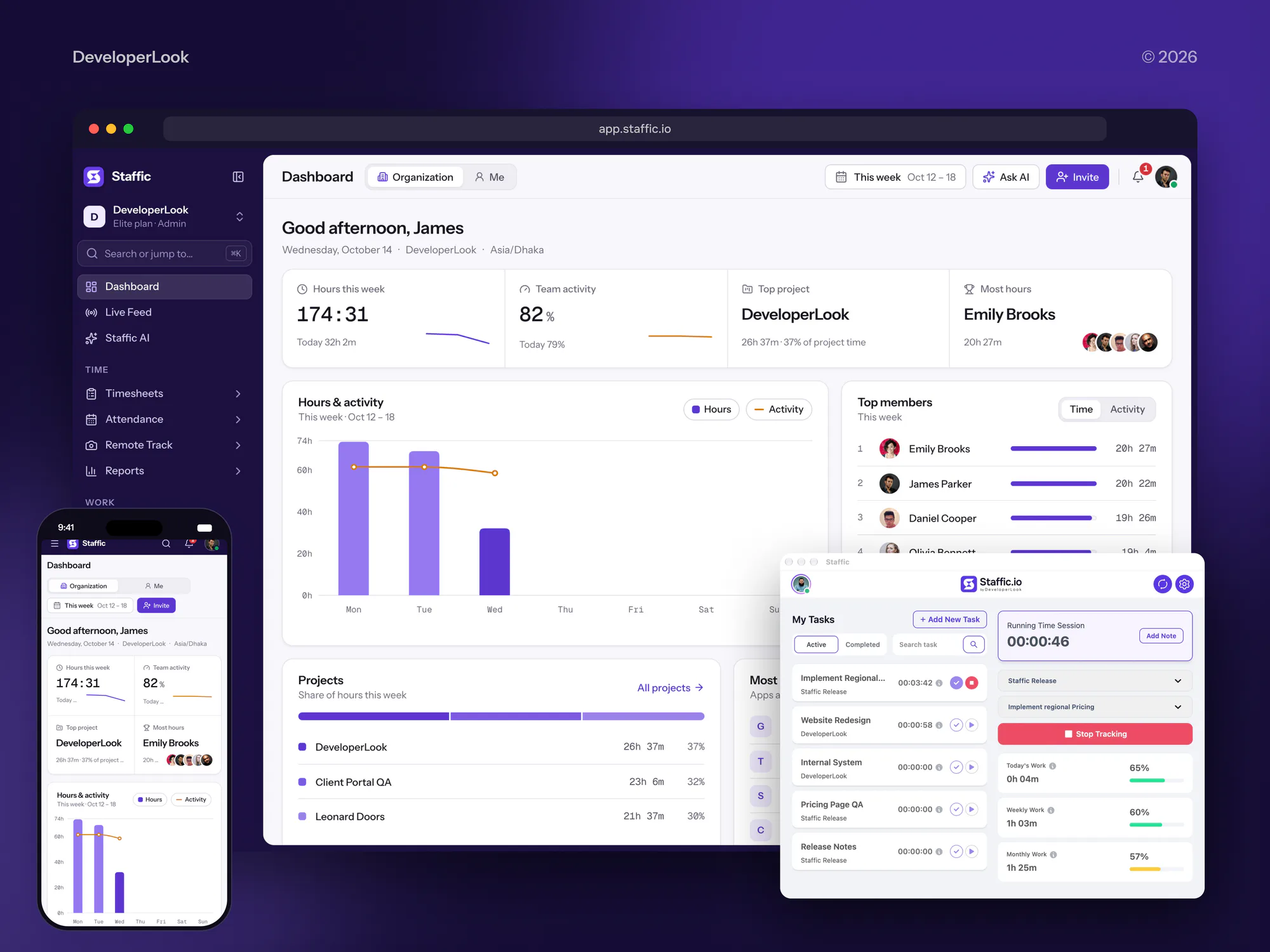
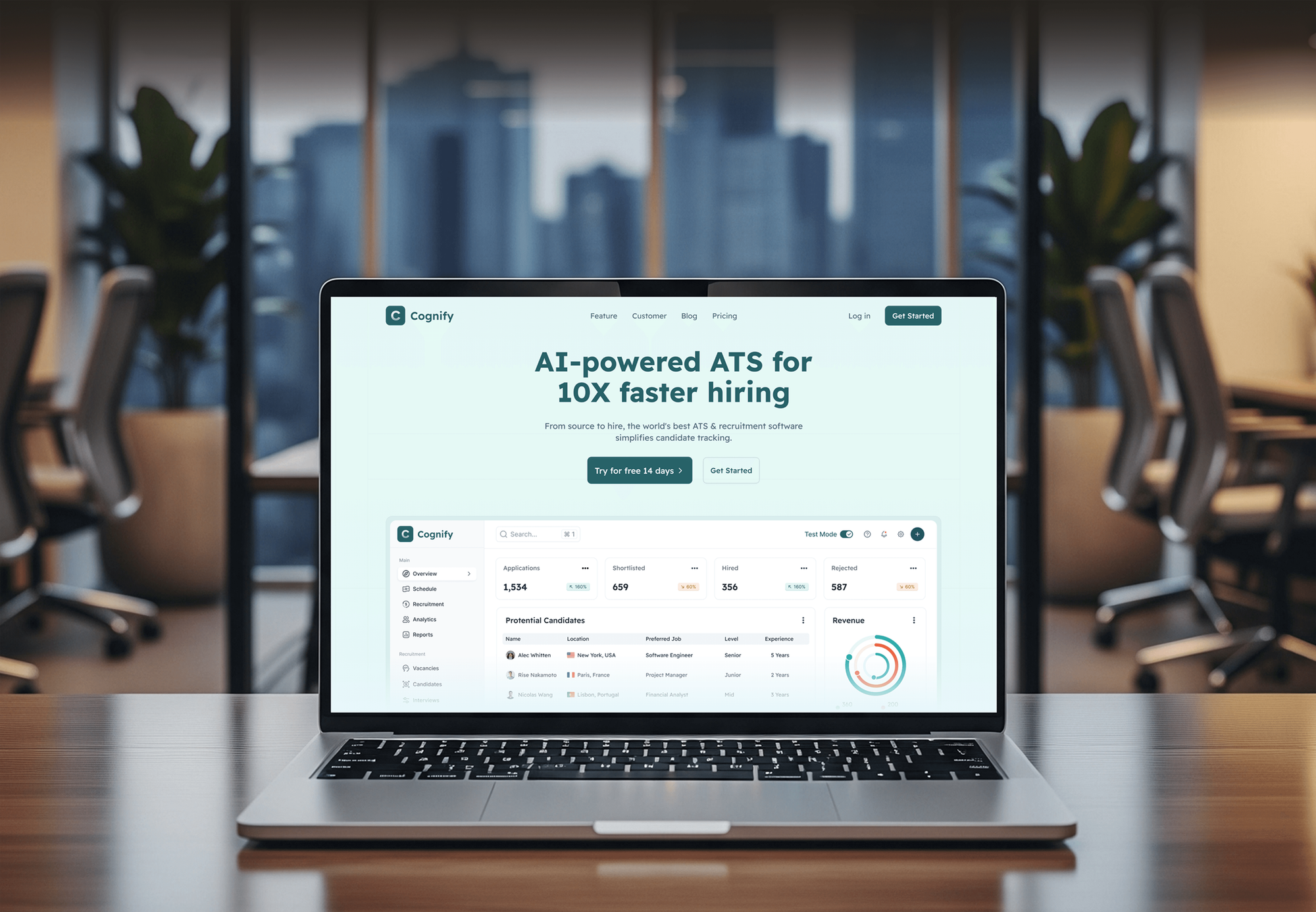
Dashboards we built inside products: time tracking, project risk, HR, and tour operations. None was a BI tool rollout, but each turns daily records into numbers teams check.


What Our Clients Say
Feedback from teams we have built dashboards and web apps for.
We had a pretty specific idea of what we wanted our website to become, but I wasn’t sure how easily we could explain all of it to a development team. There were quite a few moving parts, and we were working toward a deadline, so I expected a few things to get lost along the way. That never really happened. They understood what we were trying to achieve, kept us updated throughout the process, and got everything ready within the agreed timeline. The final site feels much easier to navigate, works beautifully on mobile, and is noticeably smoother for our customers. It was a huge relief seeing the original idea actually turn into the website we had in mind.
The mobile experience is probably my favourite part of the new site. We had spent a lot of time making sure the desktop version looked right, and the team kept pushing us to think about how everything would actually feel on a phone too. They were right. The navigation is clean, the interactions feel natural, and everything we’ve tested so far works exactly as it should. They also went through the links, forms, integrations, and other details more than once before launch, which I really appreciated. And even after going live, we could still reach out when something came up. The whole process felt friendly, organised, and surprisingly straightforward.
What I appreciate most is that the website is actually easy for us to manage now. We can update content ourselves instead of sending a developer a message every time we need to change something small. They also paid attention to the technical SEO side, which mattered to us because we didn’t want a new website to create problems for the traffic we already had. I’ve probably asked more questions than I should have since launch, but every question has been handled patiently and without any fuss. The team is easy to work with, they explain things clearly, and when we need something changed, they focus on getting it done rather than making the process complicated.
1,250+
Projects shipped
10+
Years of experience
Top 3%
Upwork Top Rated Plus
5 stars
Average review score

Want results like these?
Tell us what you are building. You get a reply within 24 hours on business days, then a written estimate.
Work Culture
Dashboards decide where your team spends its time. These habits keep the numbers defined, tested, and owned, so people act on them.
We'd rather ship 3 dashboards people open daily than 15 they ignore. If a scheduled email report covers your need, we'll tell you before we quote.
No chart gets built until its KPI has a written formula and an owner. That ends the revenue debate before it reaches your meetings.
Every number is checked against the system it comes from before launch. Your KPI owners sign off, so the dashboard starts with trust.
We build in Looker Studio, Metabase, Power BI, Tableau, or your own app. We recommend the one that fits your budget and skills, not the one we prefer.
We sign in as each role to check what it can see. Salary, margin, and customer data stay with the people meant to see them.
Dashboards, queries, and connections live in your accounts from day one. Your team can change or extend them without calling us.
Overview
DeveloperLook designs and builds each business intelligence dashboard around agreed KPIs, owners, and targets. We connect your sources, define every metric, set threshold alerts, and add drill-down to the records in Looker Studio, Metabase, Power BI, Tableau, or your own app. Projects start at $1,250, take 2 to 9 weeks, and you own every dashboard.
DEVELOPERLOOK
Project facts · BI Dashboard Development
Reviewed 22 Oct 2026 by Saimul Islam
Good fit
Founders tracking KPIs in spreadsheets
Your Monday starts with exports from Stripe, HubSpot, and QuickBooks pasted into one spreadsheet, and the totals change depending on who built it.
Operations leads without daily numbers
You hear about late orders or a growing backlog at month end, because nobody sees the daily numbers until someone runs a report.
Teams with BI tools nobody opens
Your company pays for Power BI, Tableau, or Metabase, yet people still ask analysts for numbers because the dashboards don't answer their questions.
SaaS products needing customer dashboards
Your customers want a business intelligence reporting dashboard inside your app, and each one must see only their own data.
Agencies reporting to clients
Your agency builds client reports by hand every month and needs branded dashboards behind your name, with the data connected once.
Not a fit
No warehouse, data everywhere
Your data sits in many systems with no warehouse, and every dashboard would query them raw. Our Data Engineering Services page builds that foundation first.
Power BI model rebuild only
You already run Power BI and need its data model, DAX, and security rebuilt. Our Power BI Consulting Services page covers that work.
Hand-coded chart designs
You need hand-coded D3 or ECharts visuals designed from scratch rather than KPI tracking. Our Data Visualization Services page covers custom chart work.
Budget under $1,250
You need one chart added to an existing report and your budget is under $1,250. A free Looker Studio template may cover it, and we'll tell you before we quote.
Not sure we're the right fit?
Book a free call or message us. We'll tell you honestly whether we're the right team.
Pricing
These are starting points in USD. Your final price depends on the number of data sources, dashboards, and user roles, and you get a fixed proposal after a free KPI workshop.
For a founder or leadership team that needs one trusted view of the business.
$1,250one-time, USD
For companies where sales, operations, and finance each need their own view.
$3,300one-time, USD
For SaaS products and portals that show dashboards to customers or partners.
$6,600one-time, USD
For Agencies
You own the client relationship. We supply the dashboard engineering behind it: KPI definitions, data connections, and dashboards in Looker Studio, Metabase, or Power BI, delivered under your brand. Fixed quotes protect your margin.
White label: your client only ever sees your brand
Send the client's KPIs, data sources, and the reports they receive today.
You get a KPI list, a source map, and a fixed quote with dates.
Dashboards, alerts, and a walkthrough recording delivered under your agency's brand.
Your logo on every dashboard, and we stay invisible unless you ask.
Dashboards priced upfront, so your client's retainer budget holds.
Agreed KPI sets you can reuse across clients in the same industry.
Monthly client reports refresh themselves, freeing the hours your team spent on exports.
The Right Technology for Your Project
We pick the BI tool that fits your budget and skills, then connect it to the systems your team already uses every day.
 Power BI
 PostgreSQL
 MySQL
MySQL HubSpot
 Salesforce
 Stripe
 QuickBooks
 Google Sheets
 Python
 Slack
Slack React
React TypeScript
 Next.js
FAQ
Straight answers on what BI dashboards are, costs, timelines, pricing data, and whether AI will replace them.
Saimul IslamFounder & CEO, DeveloperLookStill have questions?
Send a message or book a call with the team.
A dashboard in business intelligence is the screen where analysis turns into daily decisions. It sits on your data models and shows a handful of KPIs with trends and targets. In a dashboard, business intelligence stops being a quarterly report and becomes something a manager checks every morning.
Its purpose is to show decision makers whether the business is on track, without waiting for a report. A business intelligence dashboard puts targets next to actuals, flags what slipped, and lets you click through to the cause. That shortens the gap between a problem starting and someone acting on it.
Our BI dashboard development services start at $1,250 for one executive dashboard with up to 12 KPIs and 3 data sources. Role dashboards for up to 5 teams start at $3,300, and dashboards embedded in your app start at $6,600. Licenses stay on your account, and Looker Studio and open-source Metabase are free to use.
One executive dashboard takes 2 to 3 weeks, and a set of role dashboards or an embedded rollout takes 4 to 9 weeks. Agreeing on KPI definitions usually takes longer than building charts. Read access to your CRM or database can add a few days, so we request it in week 1.
Start with decisions, not charts: list what each role decides weekly and which KPI informs it. Then define each KPI with a formula, an owner, and a target, connect the sources, and model the data in SQL. Finally, test every number against its source before people rely on it.
The main benefits of business intelligence dashboards are faster decisions and fewer arguments about numbers. Teams see problems while they're small, and managers stop waiting on analysts for routine questions. The catch: these benefits appear only when KPIs are defined and tested first. A dashboard built on disputed numbers just moves the argument to a new screen.
Most organizations use dashboards for business intelligence in three ways: leaders tracking company KPIs, teams running weekly reviews, and customers viewing their own usage. Common business intelligence dashboard examples: a sales pipeline with win rates, orders shipped on time, and cash against overdue invoices. Each works best with one owner per KPI.
You load pricing data as its own table and join it to sales on product and date. Price lists can come from your ERP, a spreadsheet, or your store's API. We keep a dated price history, so a change never rewrites past margins, and the dashboard shows margin by product and the cost of discounts.
Not for monitoring, at least not yet. AI assistants that answer plain-English questions help with one-off queries, but they need the same defined metrics and clean data. Dashboards still win for watching the same KPIs daily against targets. Where your BI tool offers natural-language queries, we can set them up on your defined KPIs.
Yes. Dashboards, SQL queries, connections, and the KPI dictionary live in your accounts from day one. Every plan includes 30 to 90 days of support for fixes and questions. After that, your team can keep building on its own, or add a monthly care plan, quoted separately.
Saimul IslamFounder & CEO, DeveloperLookStill have questions?
Send a message or book a call with the team.
Free 30-min callGoogle Meet
Book a call
In 30 minutes on Google Meet we walk you through how we would build it, how long it takes and what it costs. Then you get a written estimate.
Calendar not showing? Book on cal.com or send a brief.